Usage-based billing in Subotiz allows merchants to charge customers based on actual usage, making it suitable for subscriptions billed by API calls, AI tokens, data storage, course completions, and other usage metrics. Once Usage-based billing is enabled for a pricing option, merchants report customer usage through the API. Subotiz calculates charges based on the configured pricing rules and automatically charges customers at the end of each billing cycle or when usage reaches a specified usage threshold.
Before creating usage-based pricing, create the corresponding product and complete the API integration required to report customer usage. For an overview of products and pricing, see Products|Products and Pricing and Products | Understanding Pricing.
Understanding Usage-Based Billing
Usage-based billing is an option available for the following pricing models:
Pricing model |
Calculation |
Example |
|---|---|---|
Flat rate |
Unit price × actual usage |
At $0.02 per call, 1,000 calls result in a $20 charge. |
Package |
Actual usage ÷ included quantity (rounded up) × package price |
At $10 per 1,100 units, 2,500 units are billed as 3 packages, totaling $30. |
Tiered |
Charges are calculated based on the applicable pricing tiers, supporting both Volume and Graduated pricing. |
$0.02 per call for 1–1,000 calls and $0.01 per call for usage above 1,000 calls. |
Once usage-based billing is enabled, merchants can choose from the following charge methods:
Charge method |
When customers are charged |
Supported pricing models |
|---|---|---|
Charge by billing cycle (Daily, Weekly, Monthly, Quarterly, Yearly, or Custom) |
At the end of each billing cycle, based on the usage accumulated during that cycle. |
Flat rate, Package, Tiered |
Charge at usage threshold |
Automatically when accumulated usage reaches the specified usage threshold. |
Flat rate, Package |
Usage Threshold Charge Rules
When Charge at usage threshold is selected, the following rules apply:
- Charge timing: When a customer's accumulated usage reaches the specified usage threshold, Subotiz calculates the charge based on the configured pricing rules and automatically charges the customer.
- Usage reset: After each charge, accumulated usage resets to zero and starts accumulating again.
- Monthly automatic charge: If one month has passed since the previous charge and accumulated usage has not reached the threshold, Subotiz charges the customer for the actual usage during that period. If no usage is recorded, no invoice is generated.
Examples:
- Flat rate: At $0.02 per call with a usage threshold of 5,000 calls, the customer is charged $100 each time accumulated usage reaches 5,000 calls.
- Package: At $10 per 1,100 units with a usage threshold of 1,100 units, the customer is charged $10 for one package each time accumulated usage reaches 1,100 units.
Note: For package pricing, set the usage threshold equal to the included quantity or a multiple of it. If the threshold is lower than the included quantity, each threshold charge bills a full package.For example, with a package price of $10 per 1,100 units and a usage threshold of 500 units, a customer who uses 1,300 units in one month is charged $10 for the first 500 units, $10 for the next 500 units, and $10 for the remaining 300 units at the end of the month, totaling $30. With the same usage, charging by billing cycle results in a total charge of $20.
Creating Usage-Based Pricing
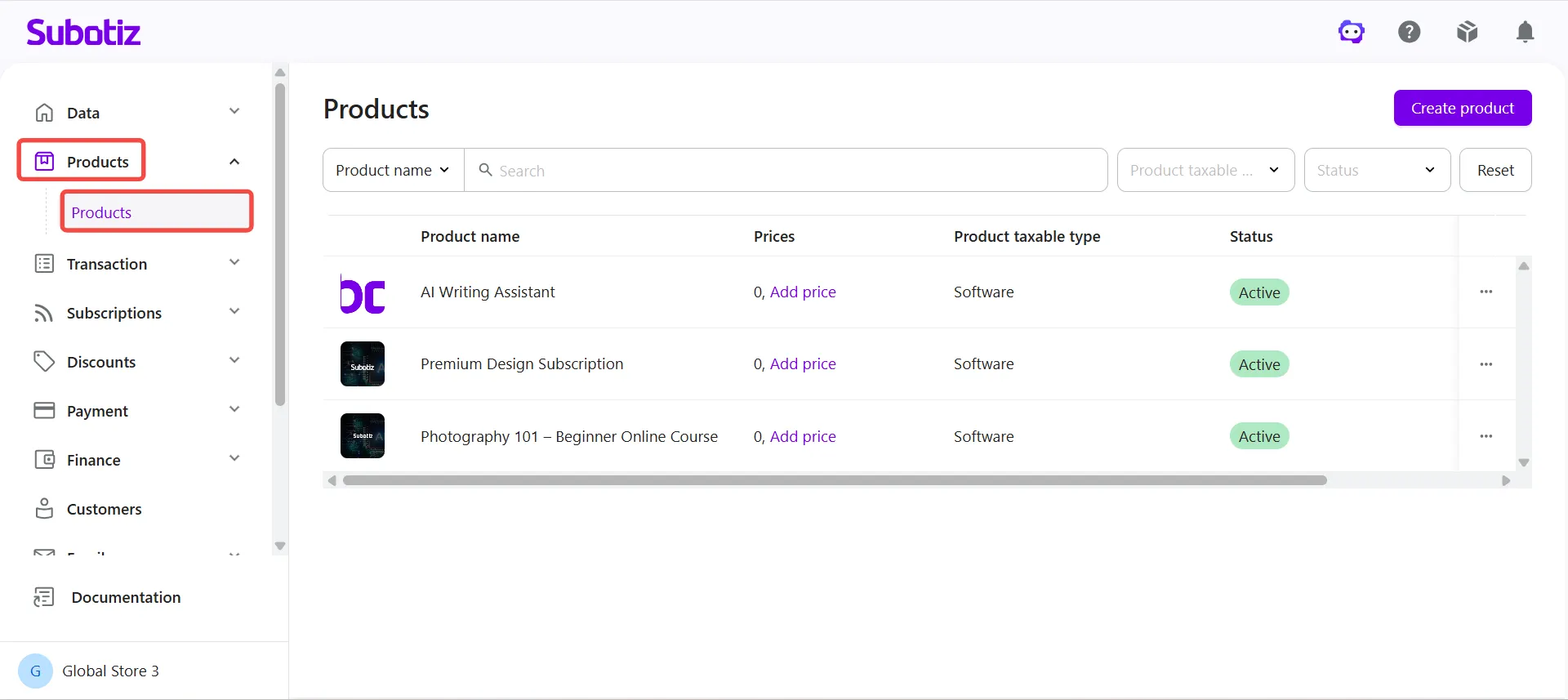
- Open Products: Log in to the Subotiz admin and go to Products > Products.
-
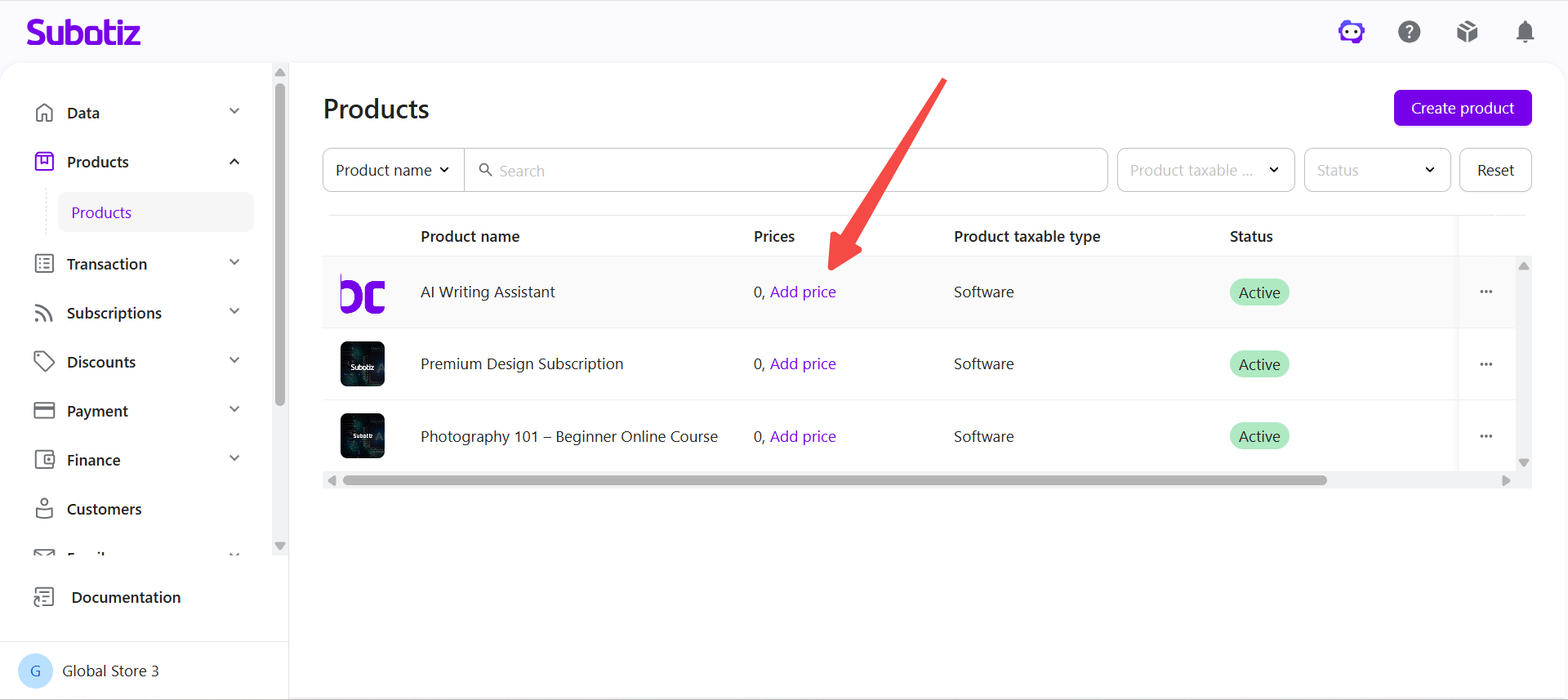
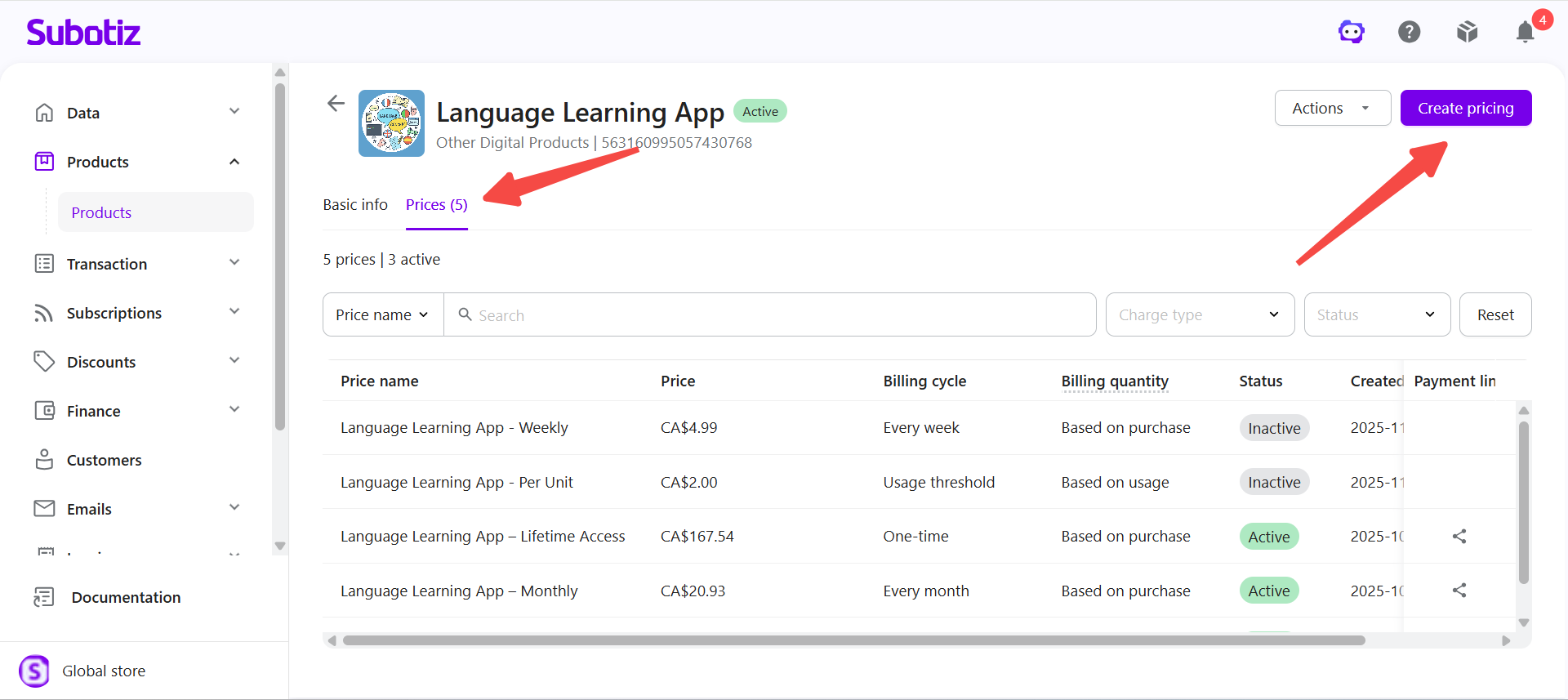
Start creating a pricing option: Locate the product and follow the appropriate steps:
- No pricing created: Click Add price under the pricing count.
- Pricing already exists: Click the product to open its details, select the Prices tab, and click Create pricing.
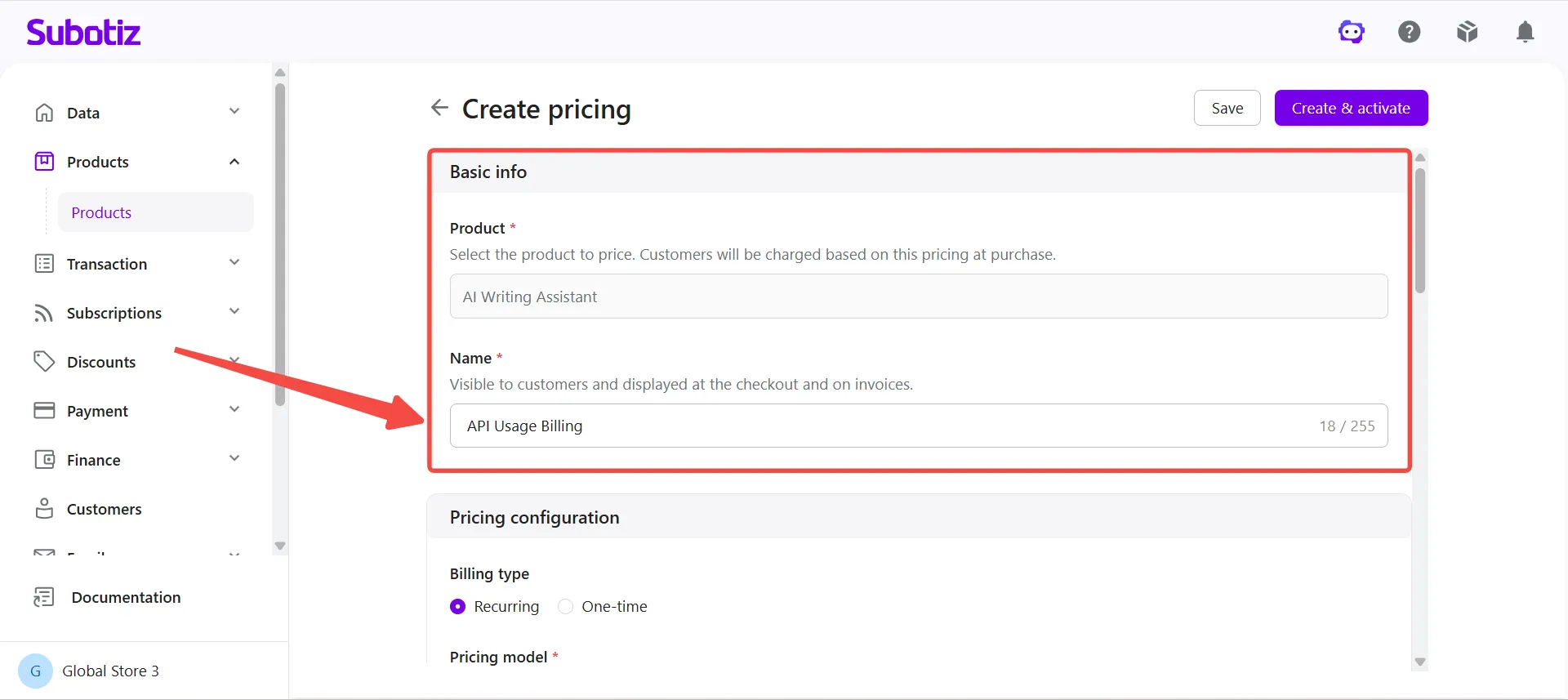
- Enter basic information: Under Basic info, confirm the associated Product and enter a pricing Name. The pricing name is visible to customers on the checkout page and invoices. For example, for a product named AI Writing Assistant, enter API Usage Billing as the pricing name.
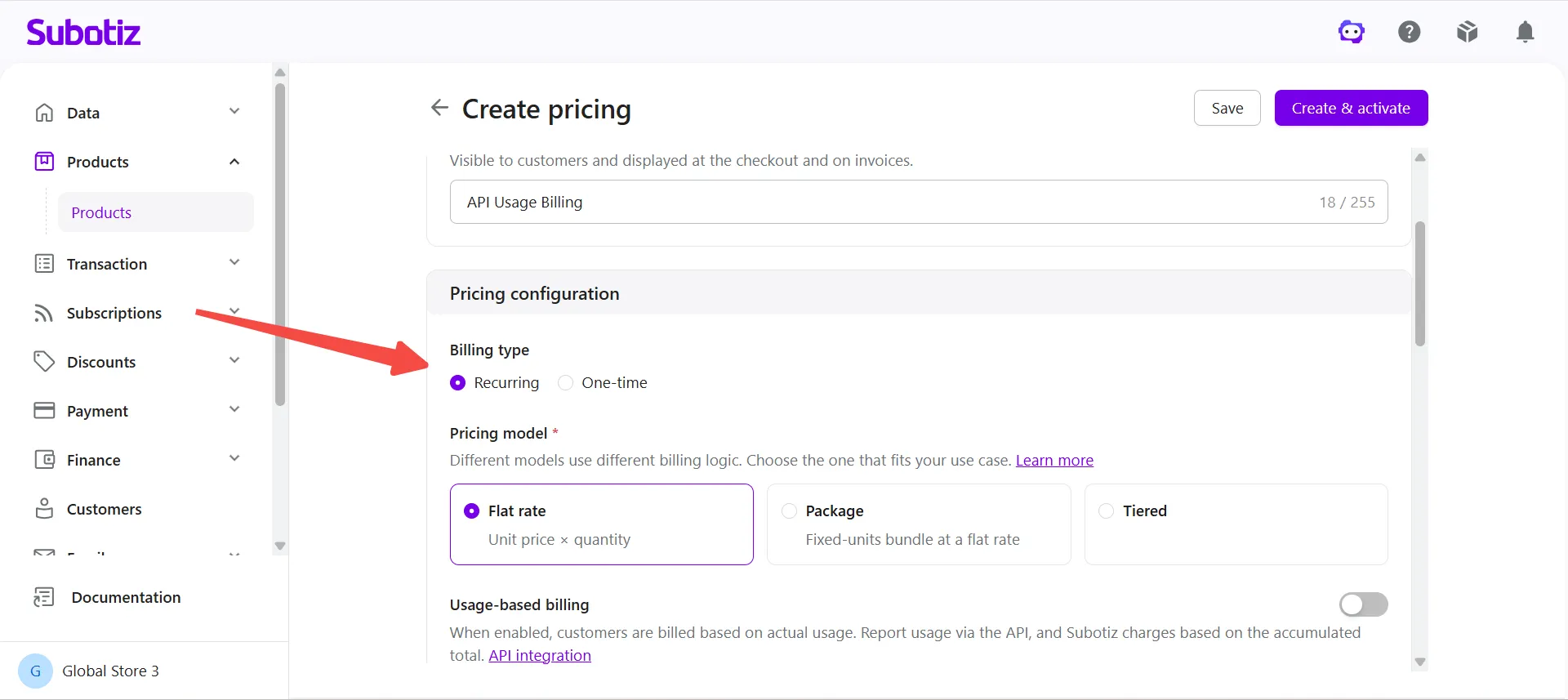
- Select Recurring: Under Pricing configuration > Billing type, select Recurring.
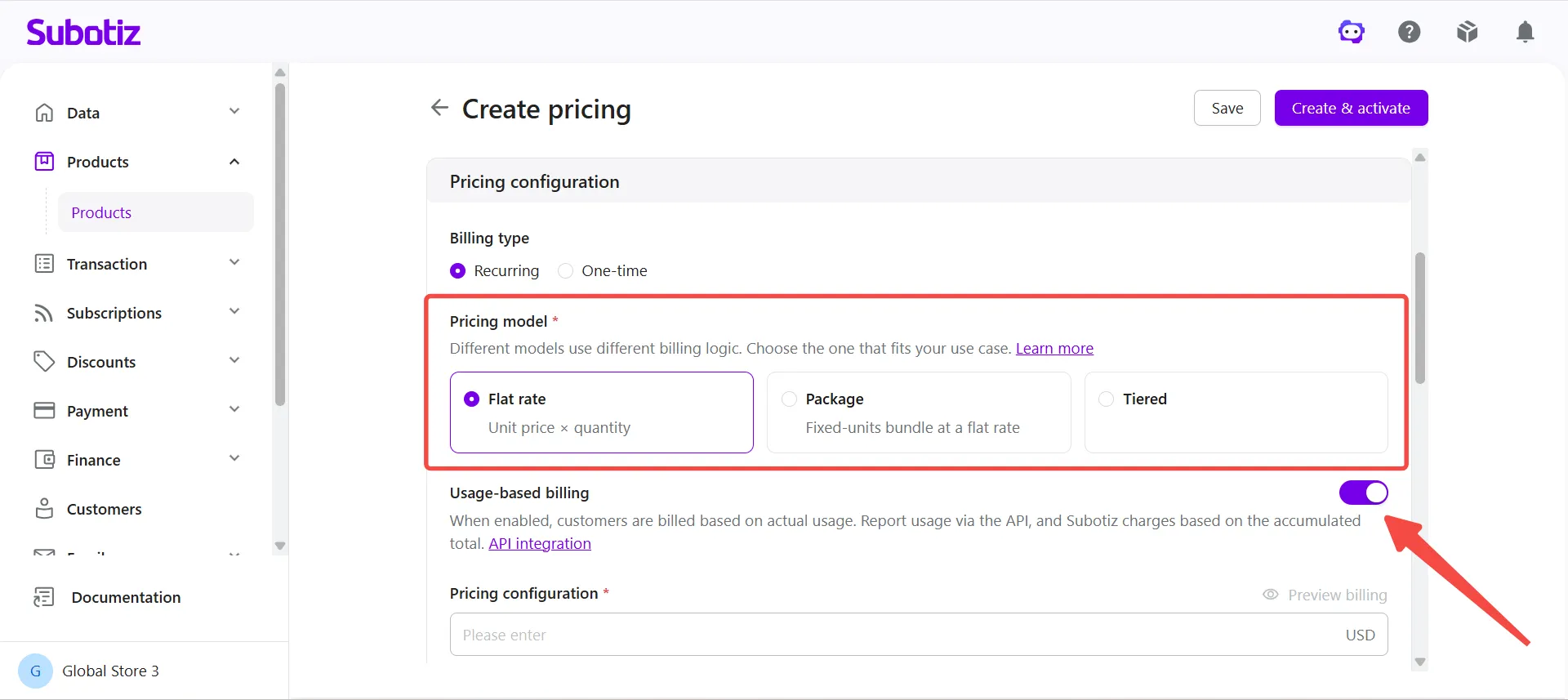
- Select a pricing model and enable usage-based billing: Under Pricing model, select Flat rate, Package, or Tiered, then turn on Usage-based billing.
-
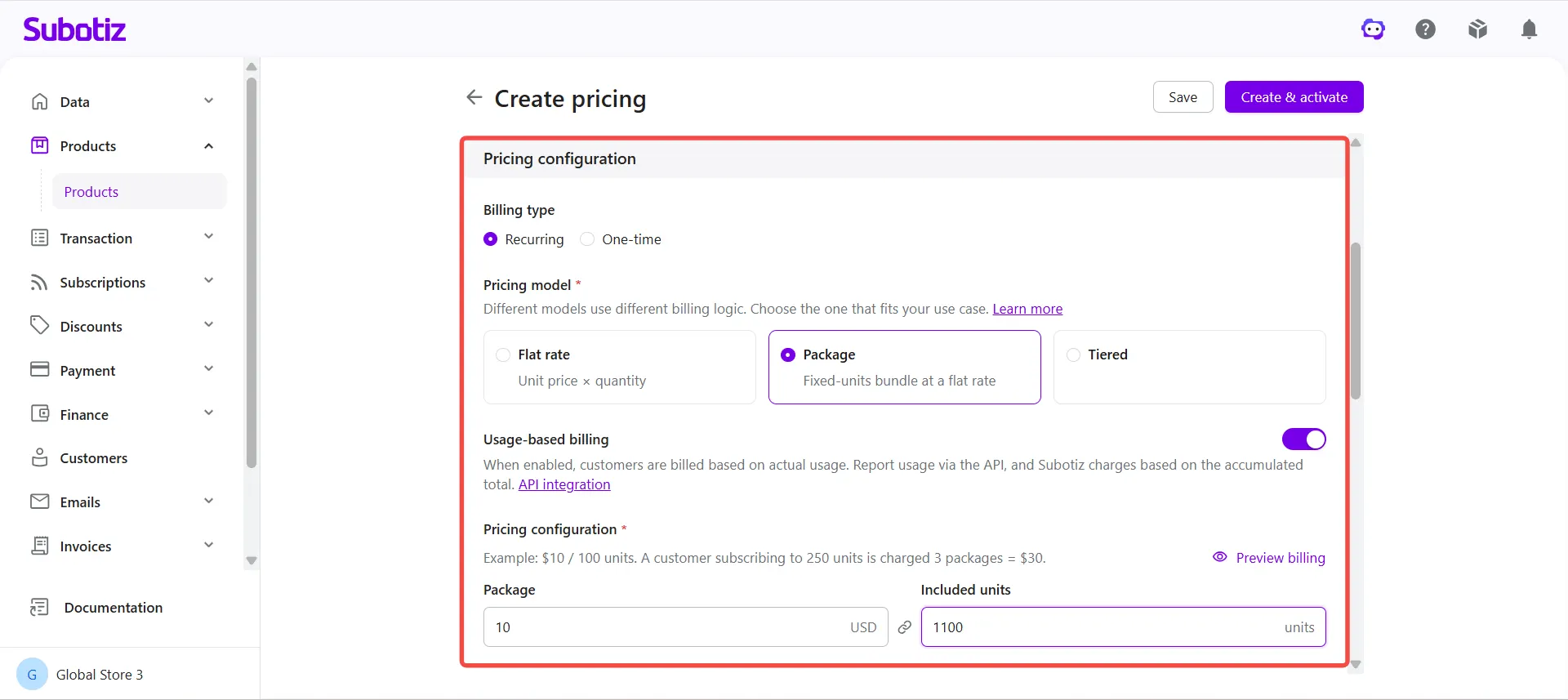
Set the price: Under Pricing configuration, configure the price based on the selected pricing model:
- Flat rate: Enter the unit price for each unit of usage. Prices support up to 14 decimal places, making this option suitable for low-cost usage units such as AI tokens and API calls.
- Package: Enter the Package price and Included quantity. For example, set a package price of $10 with an included quantity of 1,100 units.
- Tiered: Configure the price tiers for each usage range and select Volume or Graduated pricing. For details, see Products | Creating Tiered Recurring Pricing.
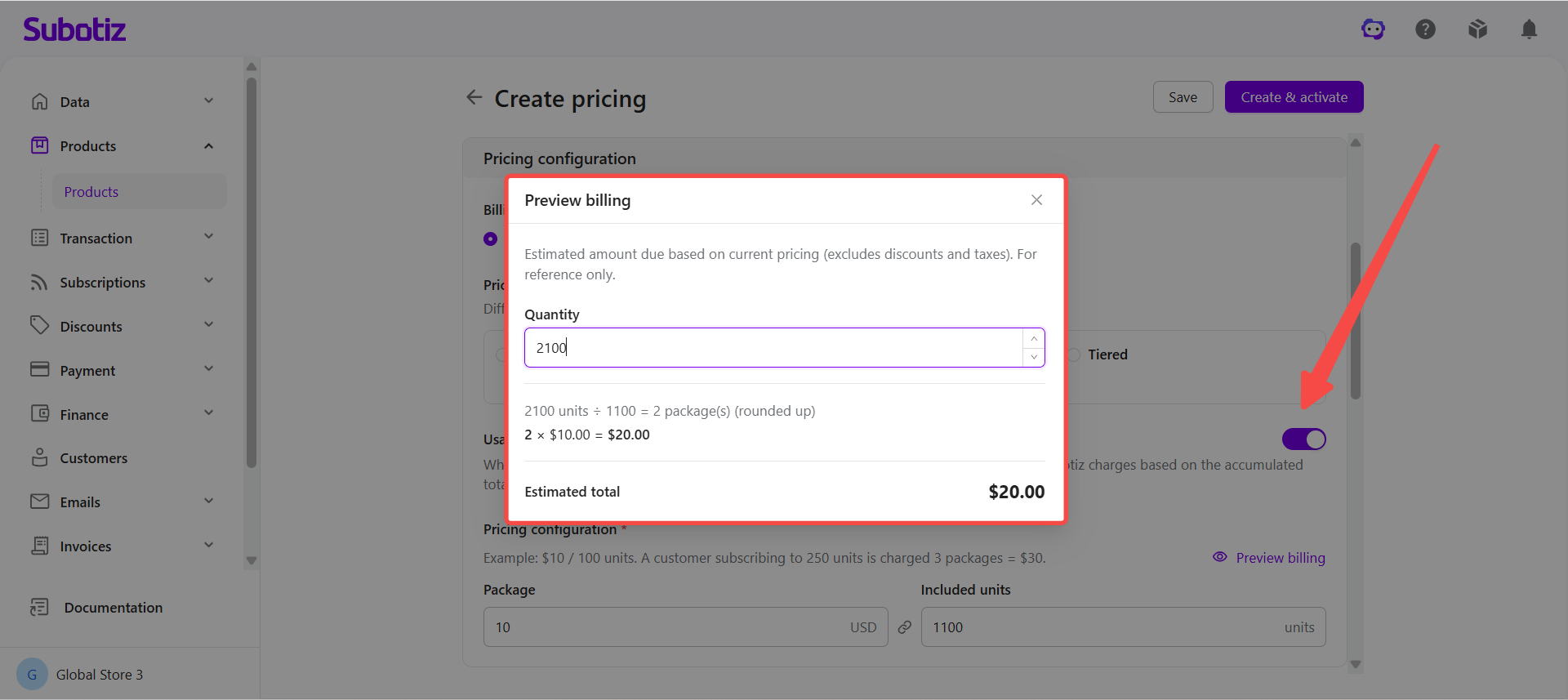
- Preview billing: Click Preview billing, enter a usage quantity, and review the estimated charge. Preview amounts exclude discounts and taxes and are estimates only.
-
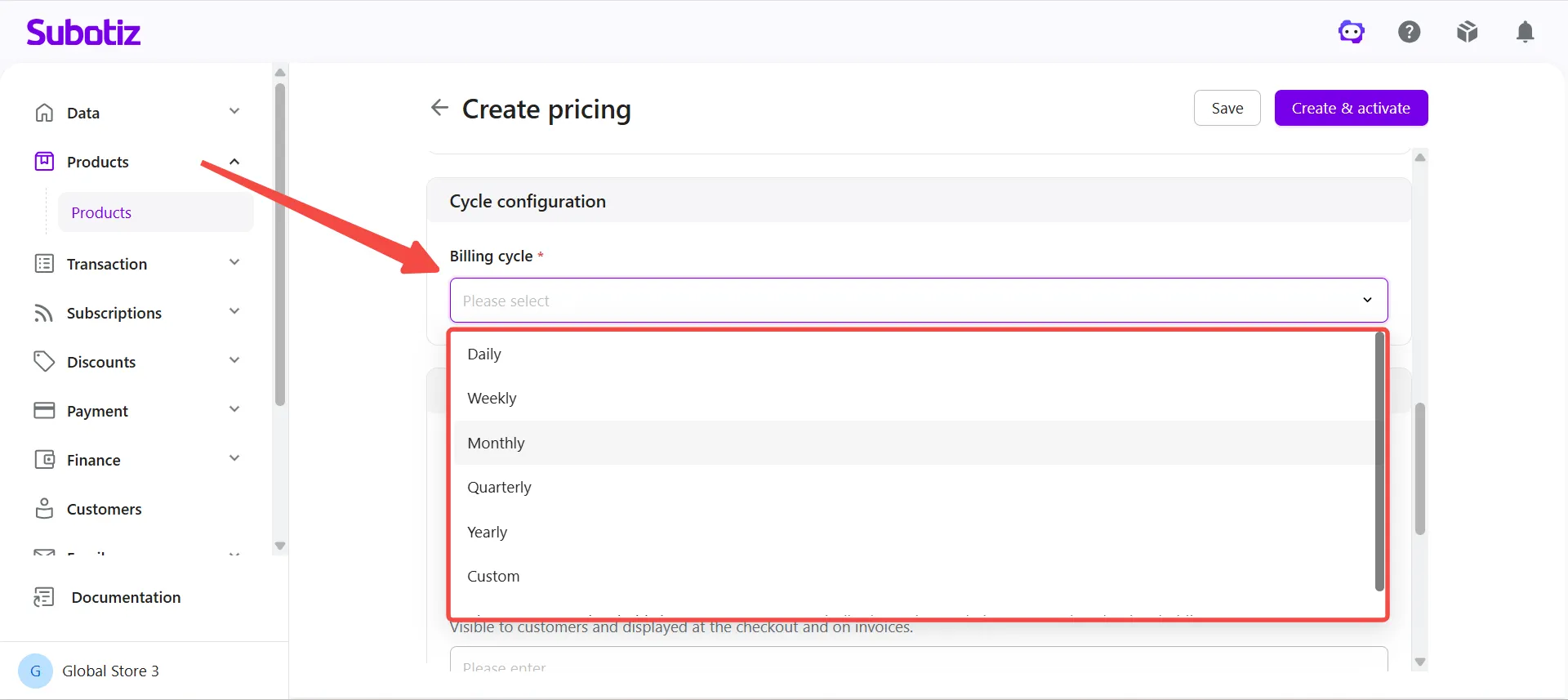
Set the billing cycle: Under Cycle configuration > Billing cycle, select a charge method:
- Charge by billing cycle: Select Daily, Weekly, Monthly, Quarterly, Yearly, or Custom. For a custom billing cycle, enter a cycle quantity from 2 to 365 and select Day, Week, Month, Quarter, or Year as the unit.
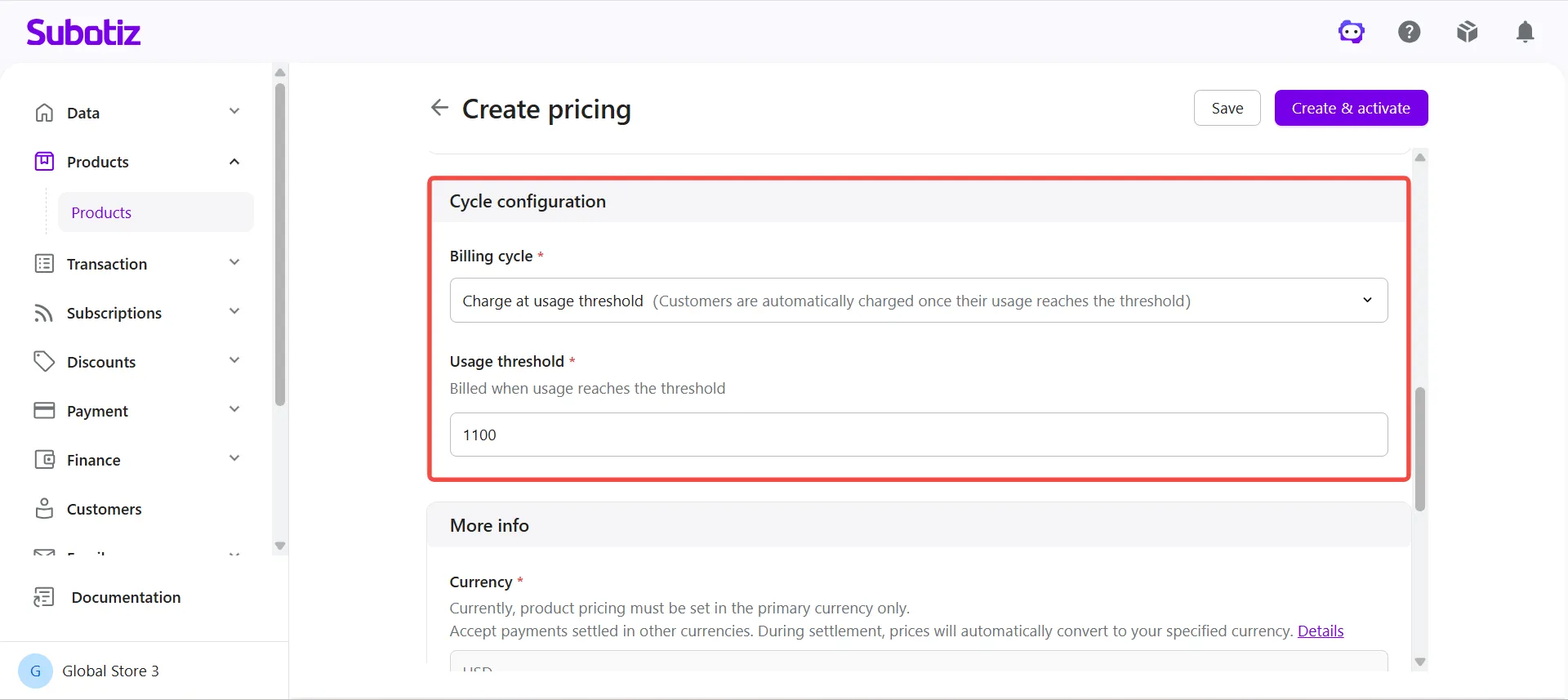
- Charge at usage threshold: Select Charge at usage threshold and enter the Usage threshold. The threshold uses the same unit of measure as the pricing. For details, see the Usage Threshold Charge Rules section above.
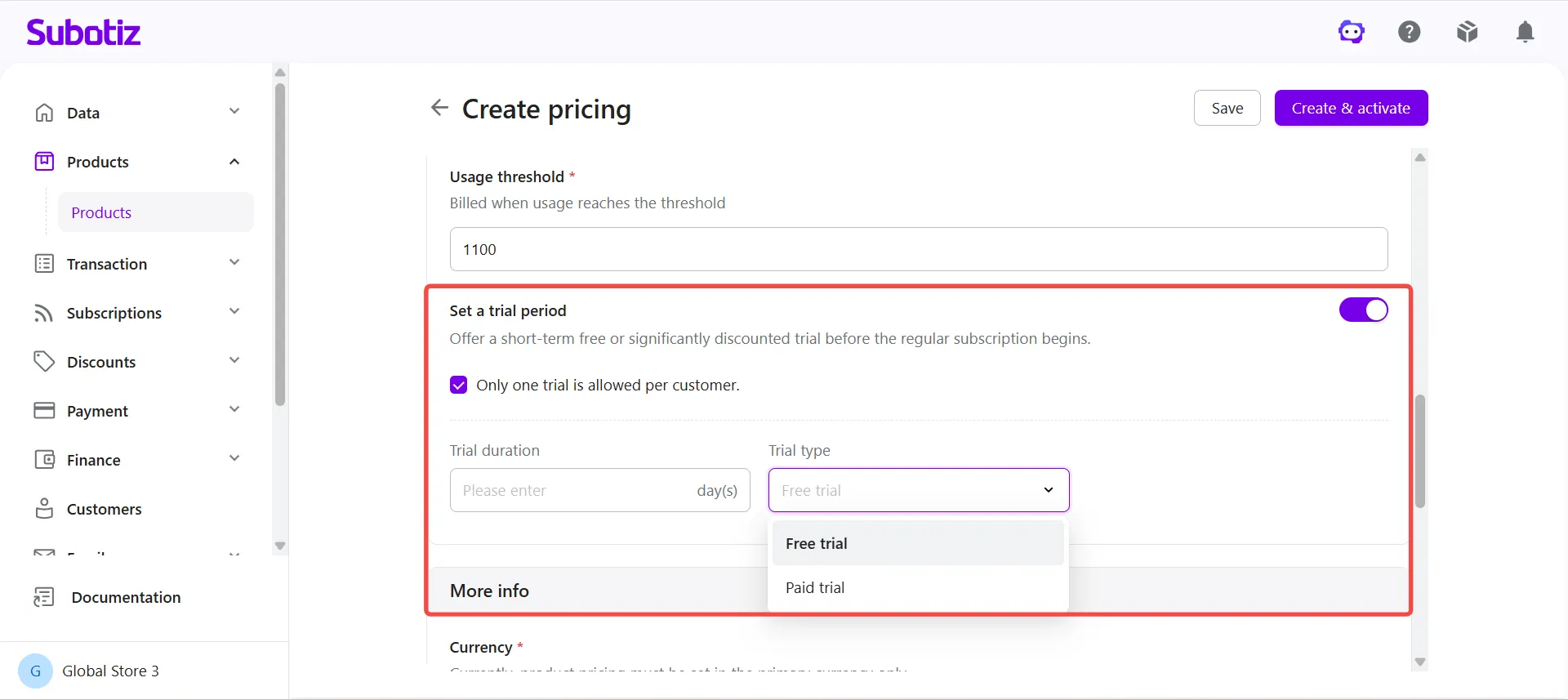
- Configure a trial period (Flat rate and Tiered only): Turn on Set a trial period and configure the trial duration, trial type (free or paid), and whether Only one trial is allowed per customer applies. Skip this step for Package pricing with usage-based billing.
-
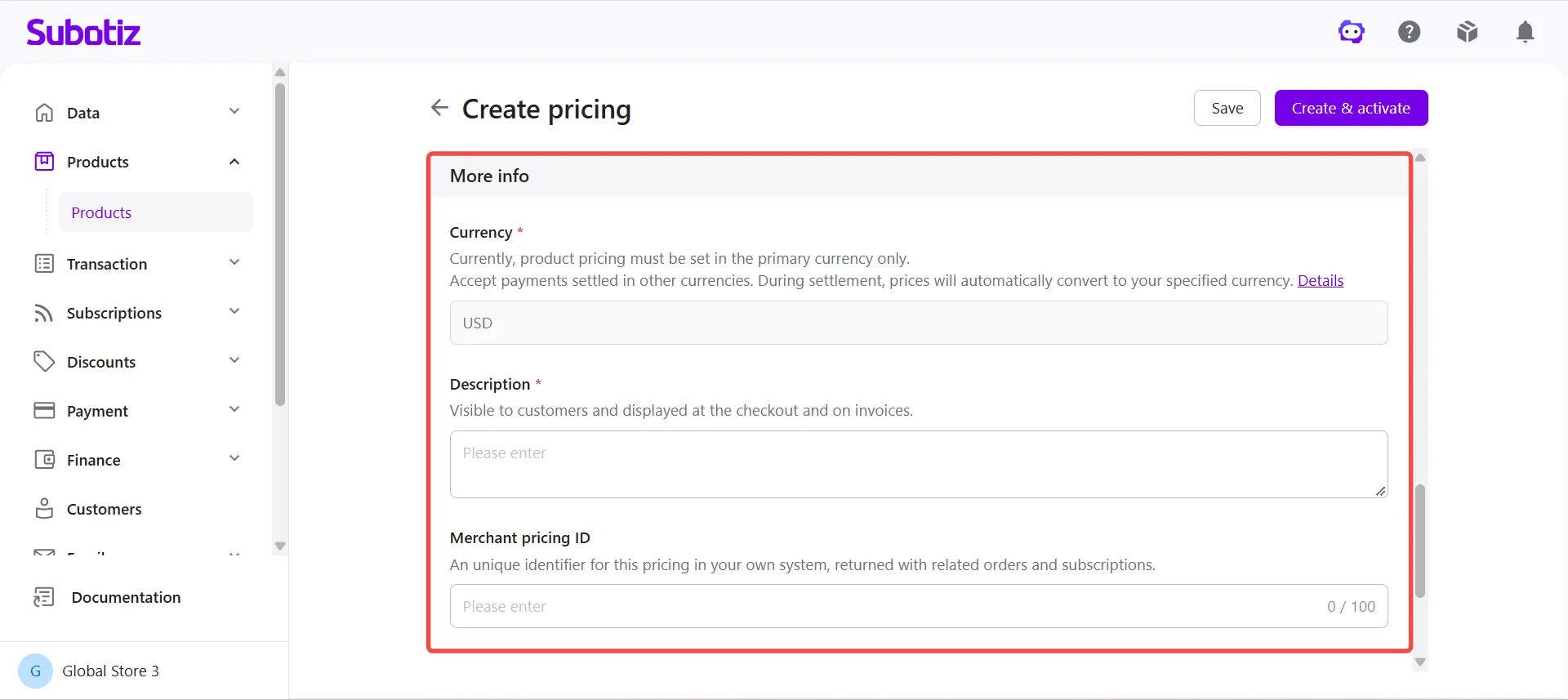
Enter additional information: Under More info, confirm the Currency, enter a Description, and optionally provide a Merchant pricing ID.
- Currency: Pricing is configured in the store's primary currency. Customers can pay in other supported payment currencies. For details on currency conversion and exchange rates, see Subotiz Payments|Multi-Currency Payments.
- Description: Enter a customer-facing description that appears on the checkout page and invoices. Include the unit of measure and charge method, such as "Charged $10 per 1,100 API calls."
- Merchant pricing ID (optional): Enter a unique identifier for this pricing option in the merchant's own system (up to 100 characters). This ID is included in related order and subscription data to help reconcile records between Subotiz and the merchant's system.
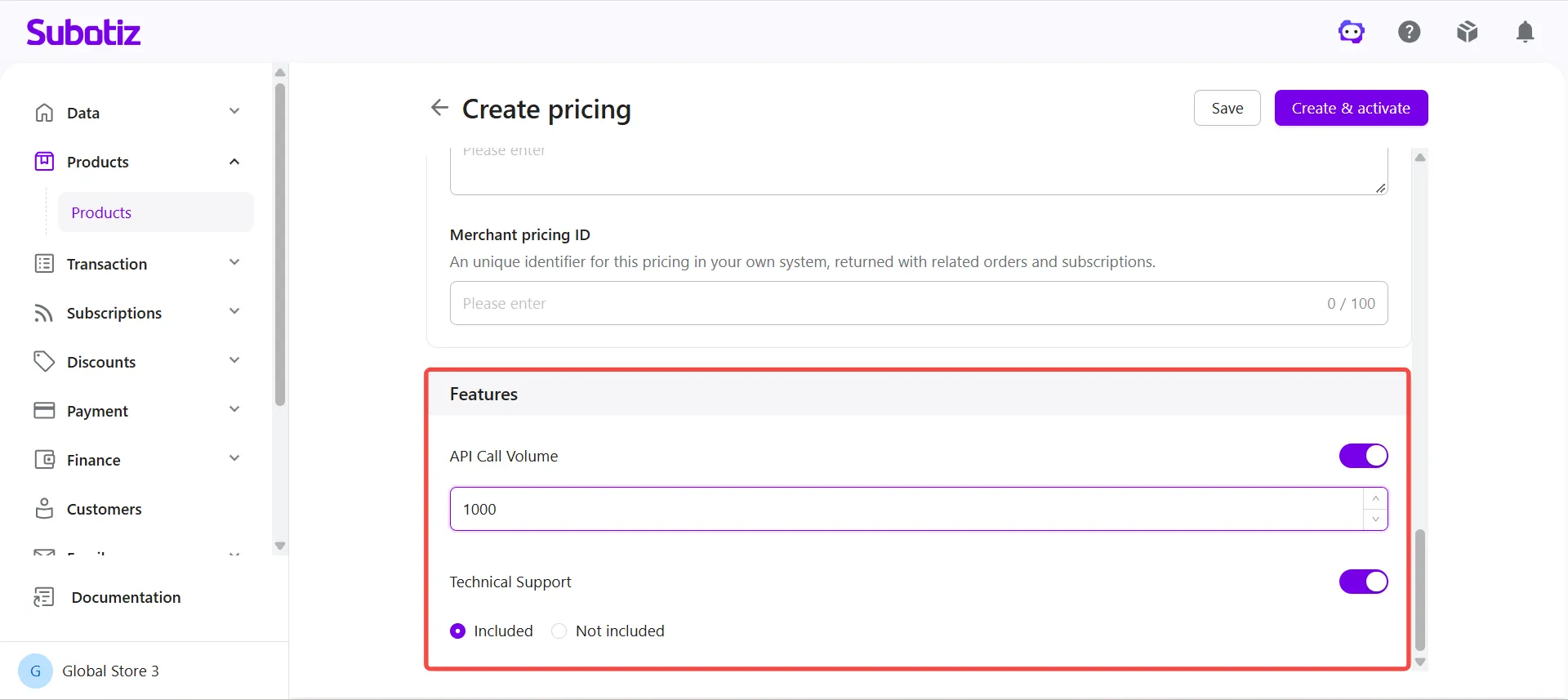
- Configure pricing features: Under Features, enable the product features included in the pricing option and complete the required configuration.
-
Save or activate pricing:
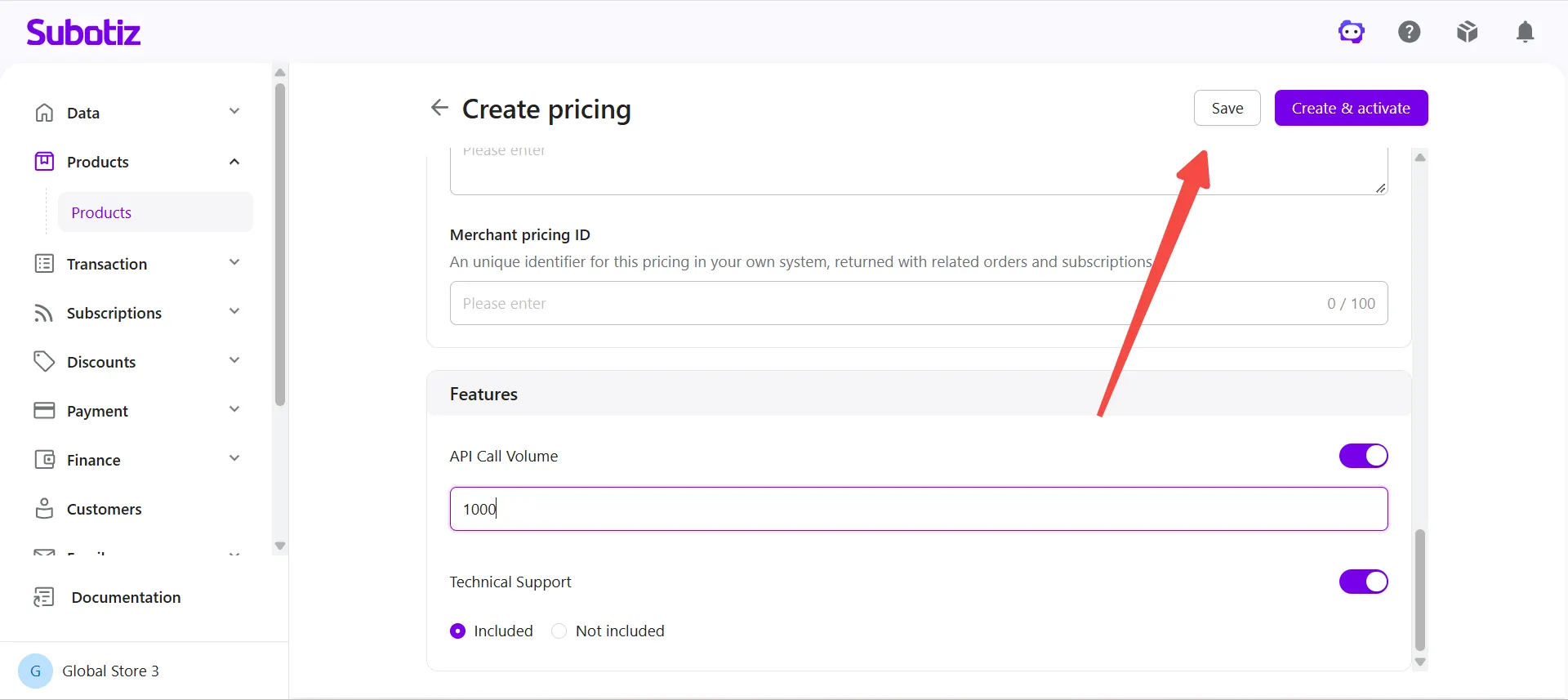
- Click Save to create the pricing option with an Inactive status.
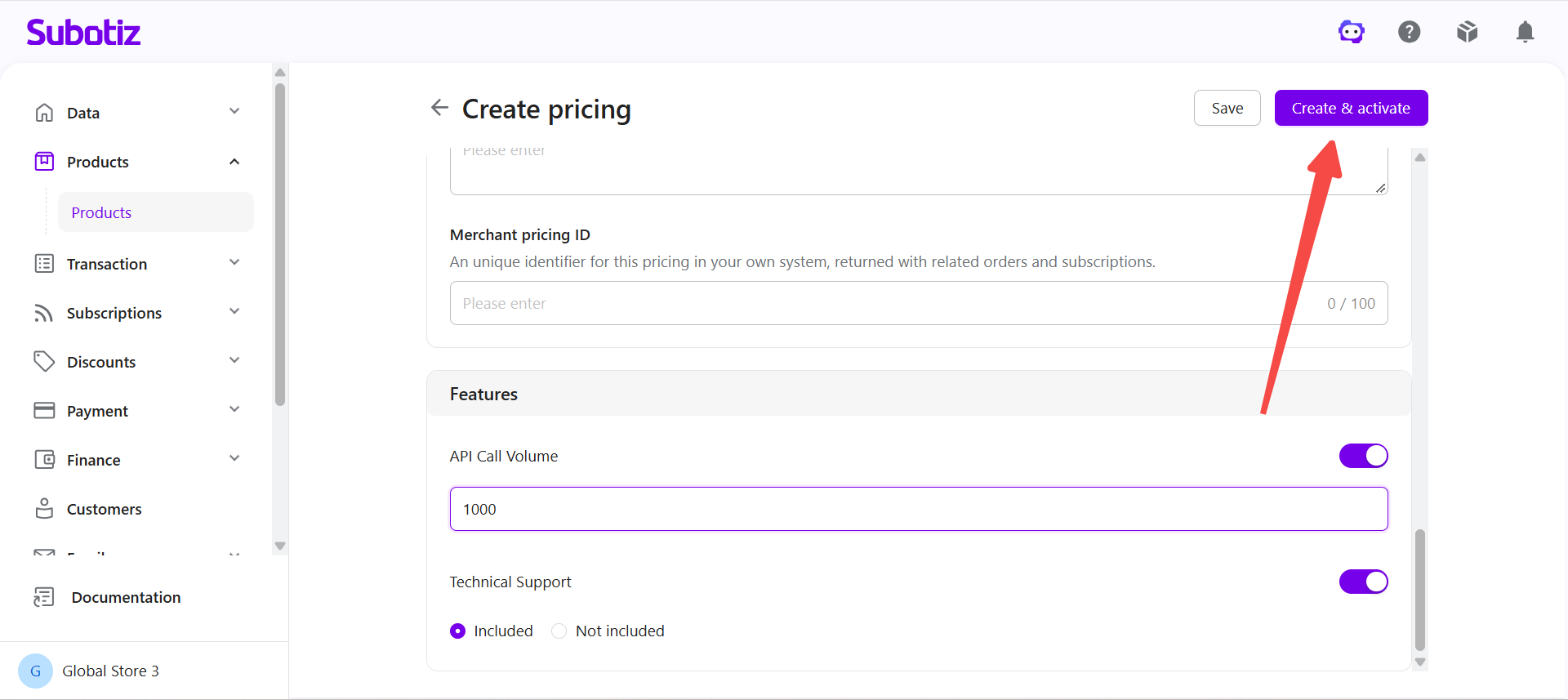
- Click Create & activate to create and activate the pricing option immediately.
Note: Both the product and its pricing must have an Active status before the pricing can be used for new sales and checkout.
Reporting Usage
Once usage-based billing is enabled, merchants must report each customer's actual usage to Subotiz through the API.
Subotiz calculates charges based on the reported usage and configured pricing rules, then automatically charges customers according to the selected charge method.
For integration instructions, click API integration under Usage-based billing on the pricing creation page, or refer to the Subotiz developer documentation.
Managing Usage-Based Pricing
Merchants can edit, activate, or deactivate pricing after creation.
When pricing already associated with transactions or subscriptions is modified, existing transactions and subscriptions continue to use the original pricing configuration. The updated configuration applies only to new transactions and subscriptions created afterward.
For instructions on editing, activating, and deactivating pricing, see Products | Managing Pricing.
For details on pricing versioning and its impact on existing subscriptions, see Products|Product and Pricing Update Behavior.
Best Practices
- Choose the appropriate charge method: Use charging by billing cycle for businesses that prefer scheduled billing based on accumulated usage. Use Charge at usage threshold for businesses with high or rapidly increasing usage to collect payments as usage reaches defined thresholds.
- Set an appropriate usage threshold: Consider average customer usage and unit pricing when setting the threshold. For Package pricing, set the threshold equal to the included quantity or a multiple of it to avoid unnecessary full-package charges.
- Explain billing rules clearly: Include the unit of measure, unit price, and charge method in the pricing description so customers understand how charges are calculated before subscribing.
- Verify usage reporting: Regularly compare usage reported to Subotiz with internal records to ensure accurate billing.
Usage-based billing enables merchants to charge customers based on actual usage. By combining Flat rate, Package, or Tiered pricing with billing cycle or usage threshold charges, merchants can establish flexible and transparent billing rules for API services, AI applications, and other usage-based businesses.