Tiered pricing in Subotiz lets merchants set different unit prices across usage ranges within a billing cycle. Charges are calculated automatically based on actual usage, enabling flexible and dynamic usage-based billing.
As part of the Based on usage pricing, this model is well suited for subscription products like cloud storage, SaaS APIs, and online tools, helping merchants build transparent and scalable billing structures.
Accessing the pricing setup
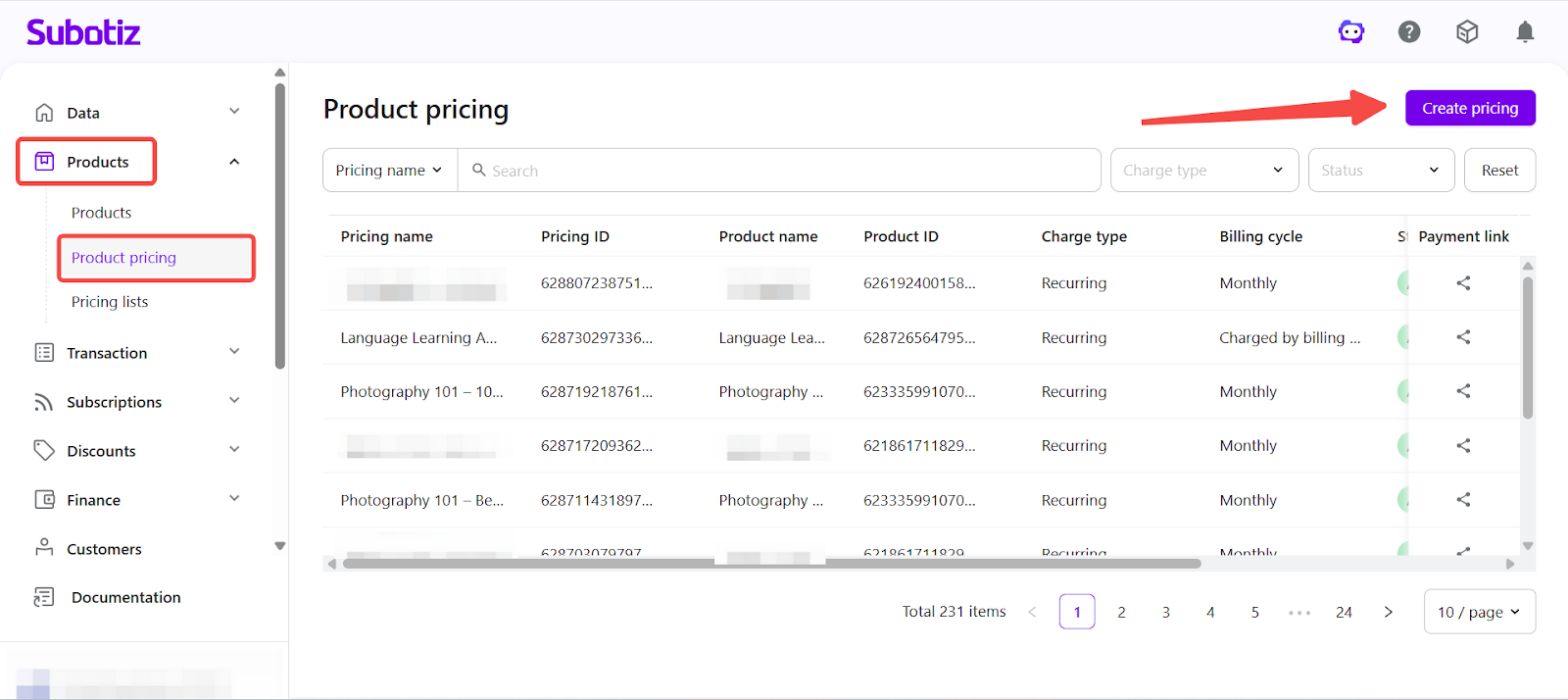
- Open the setup page: Go to Products > Product Pricing in the Subotiz admin and click Create Pricing.
-
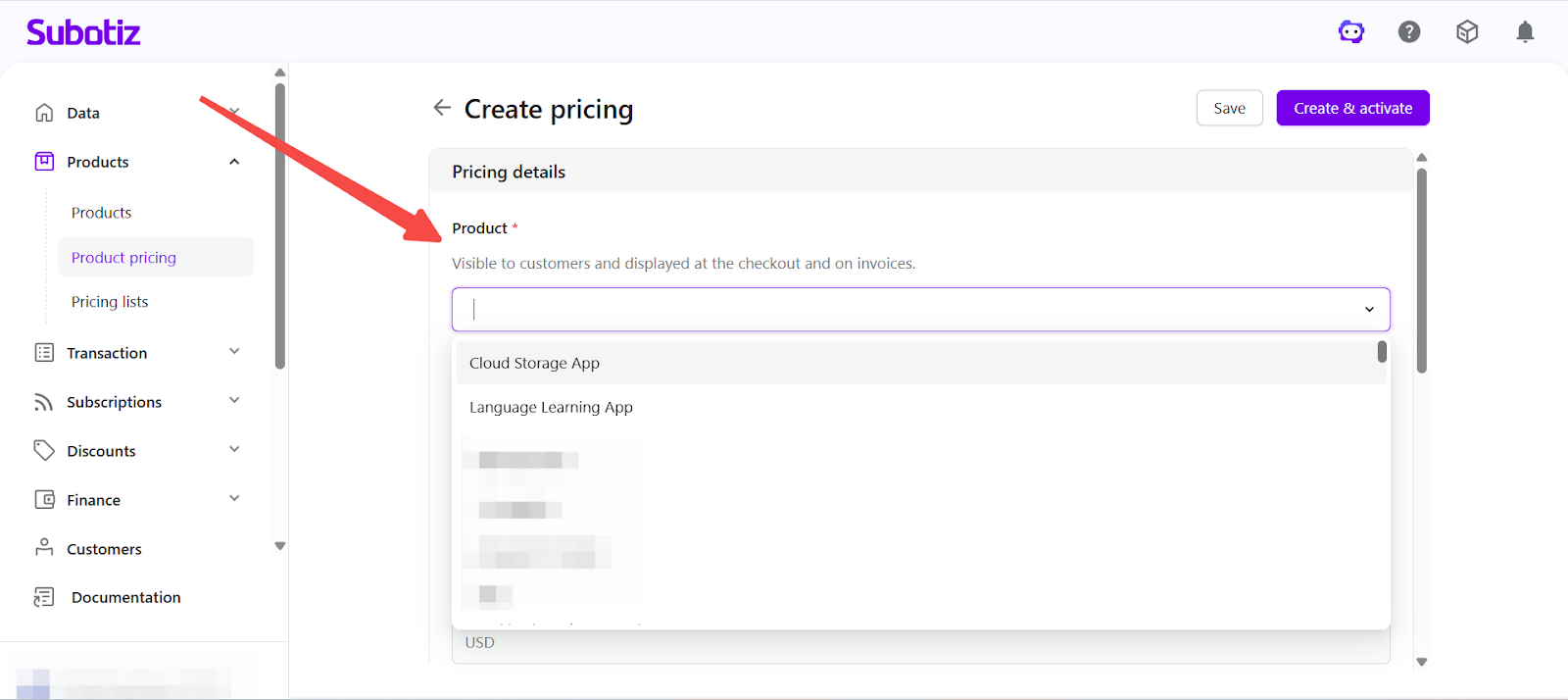
Select a product: Choose a product from the Product dropdown. Both active and inactive products are supported.
- Example: Cloud Storage App
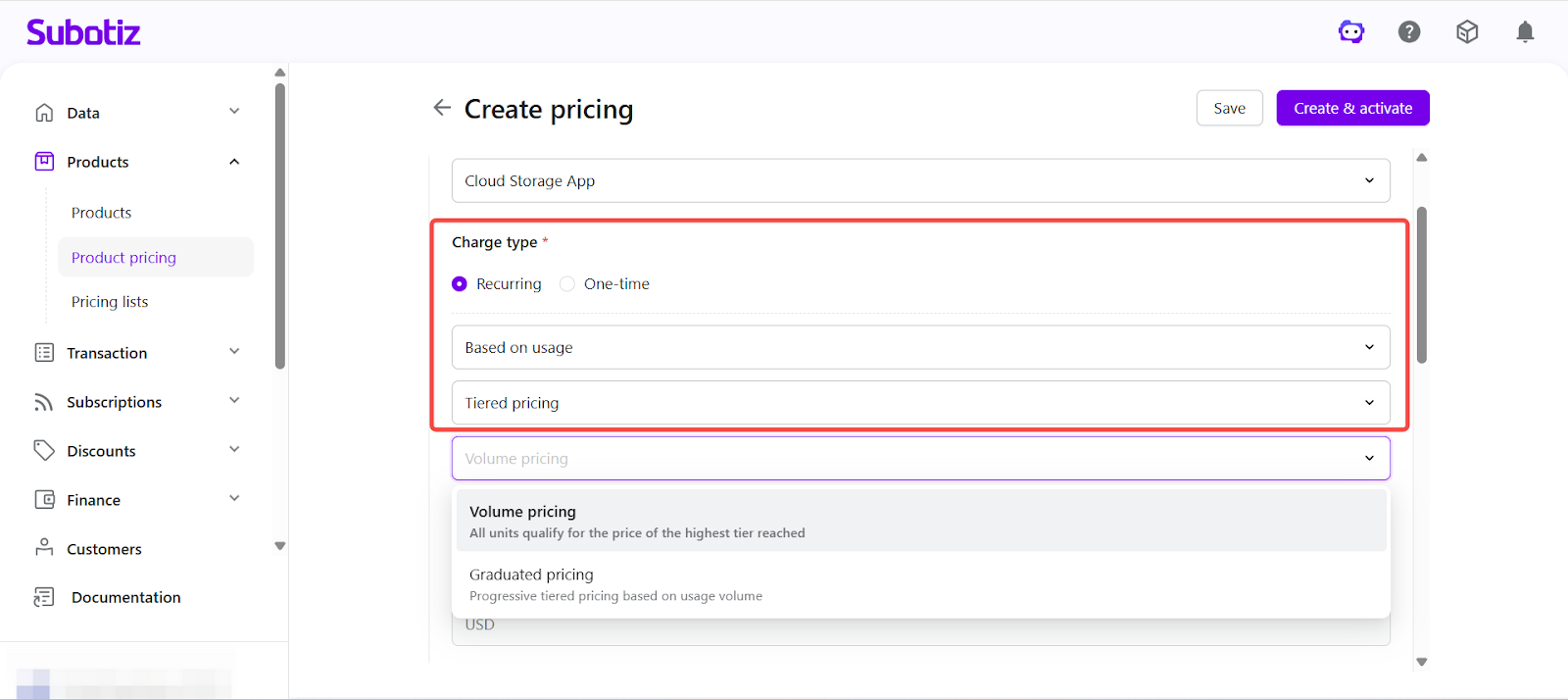
- Set charge type: In Charge type, select Recurring subscription and choose Based on usage, then choose Tiered pricing.
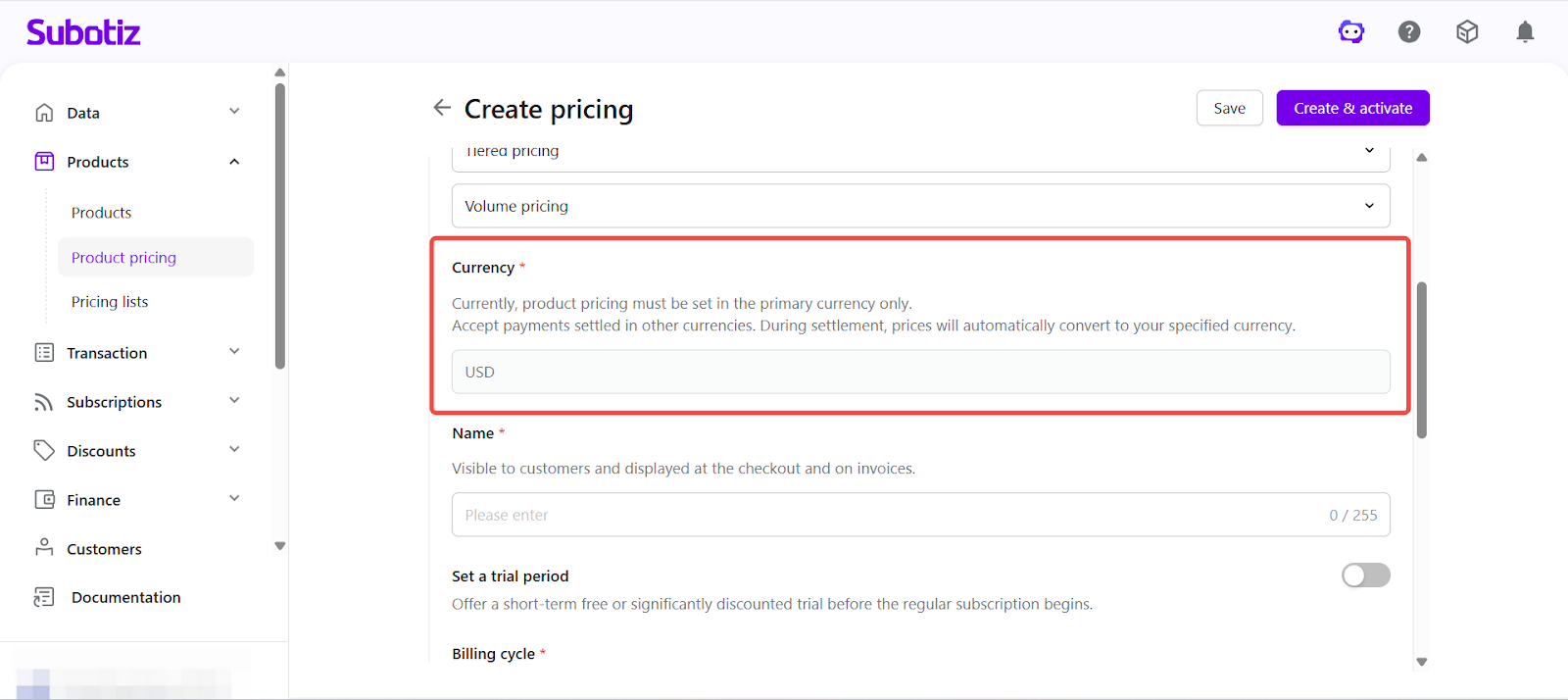
- Set currency: The system uses your store settlement currency by default. To accept payments in other currencies, specify the currency during checkout. Currency conversion is applied at checkout based on either a configured or real-time exchange rate. Learn more about Multi-Currency Payments and Settlement.
-
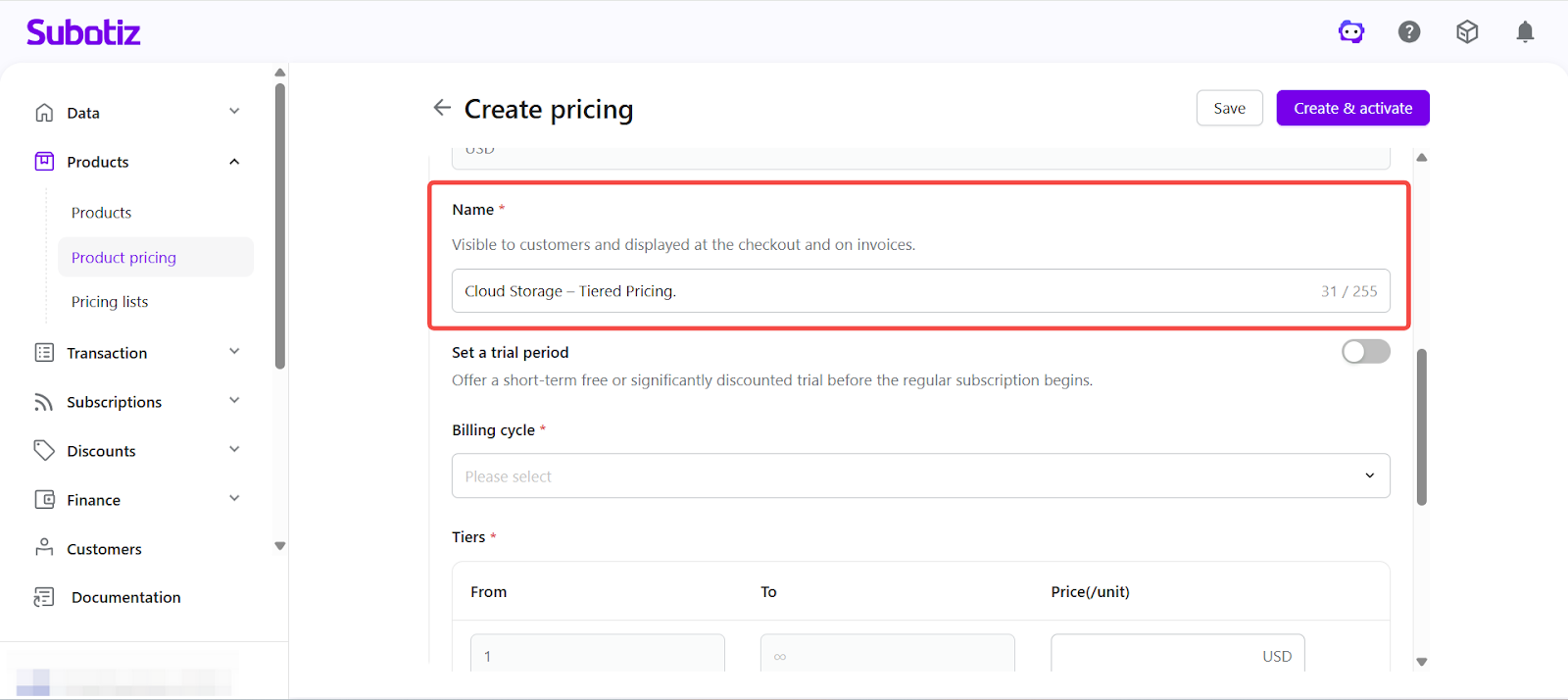
Enter pricing name: Provide a name that will be displayed on the checkout page and invoices.
- Example: Cloud Storage – Tiered Pricing
-
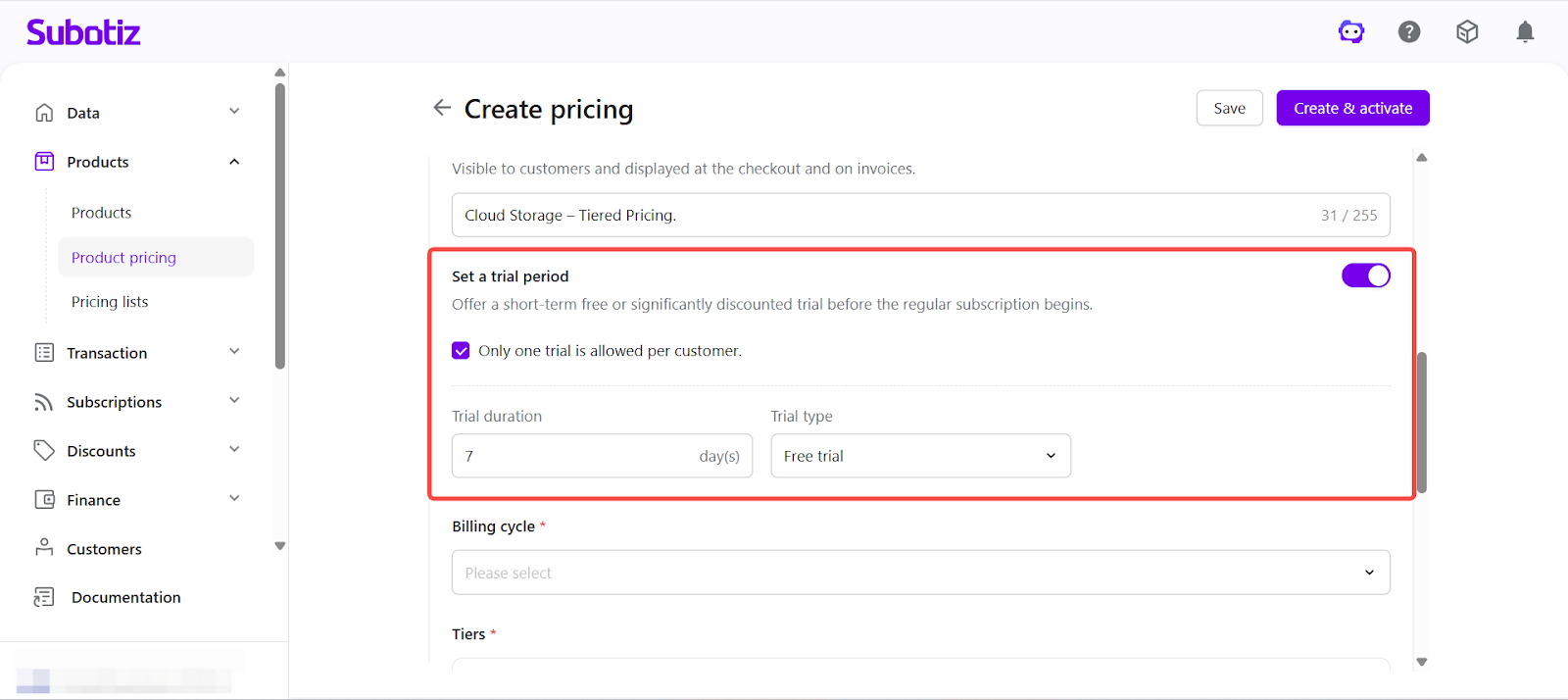
Set trial period (optional): Enable trial settings to configure either a free trial or a paid trial.
- Limit trial usage: Enable the option to allow the trial only once per customer.
- Free trial: Set the trial duration. Billing starts automatically after the trial ends.
- Paid trial: Set a trial price and duration. The subscription transitions to standard billing after the trial period ends.
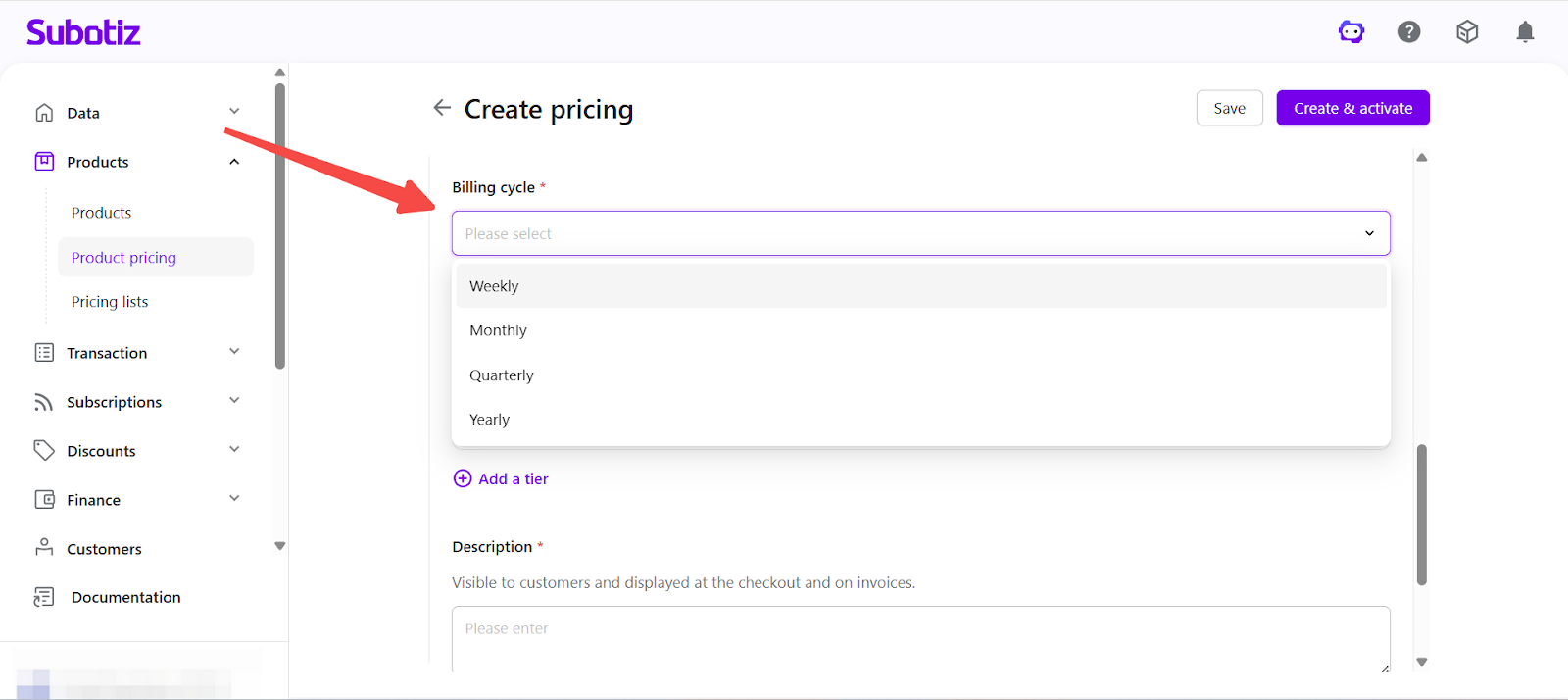
- Set billing cycle: Select a billing cycle in Billing cycle. Charges are processed automatically based on the selected interval. Supported billing cycles include weekly, monthly, quarterly, and yearly.
-
Define tier rules: After selecting Tiered pricing, configure usage ranges and corresponding unit prices.
-
Each tier includes:
- A usage range (minimum and maximum values)
- A unit price applied to that range
-
Select a calculation method:
- Volume pricing: All usage is charged at a single rate based on the final tier.
- Graduated pricing: Usage is charged across tiers, with each portion billed at its respective rate.
To learn how each method works, see: Product pricing|Understanding Tiered Pricing Models (Volume vs Graduated)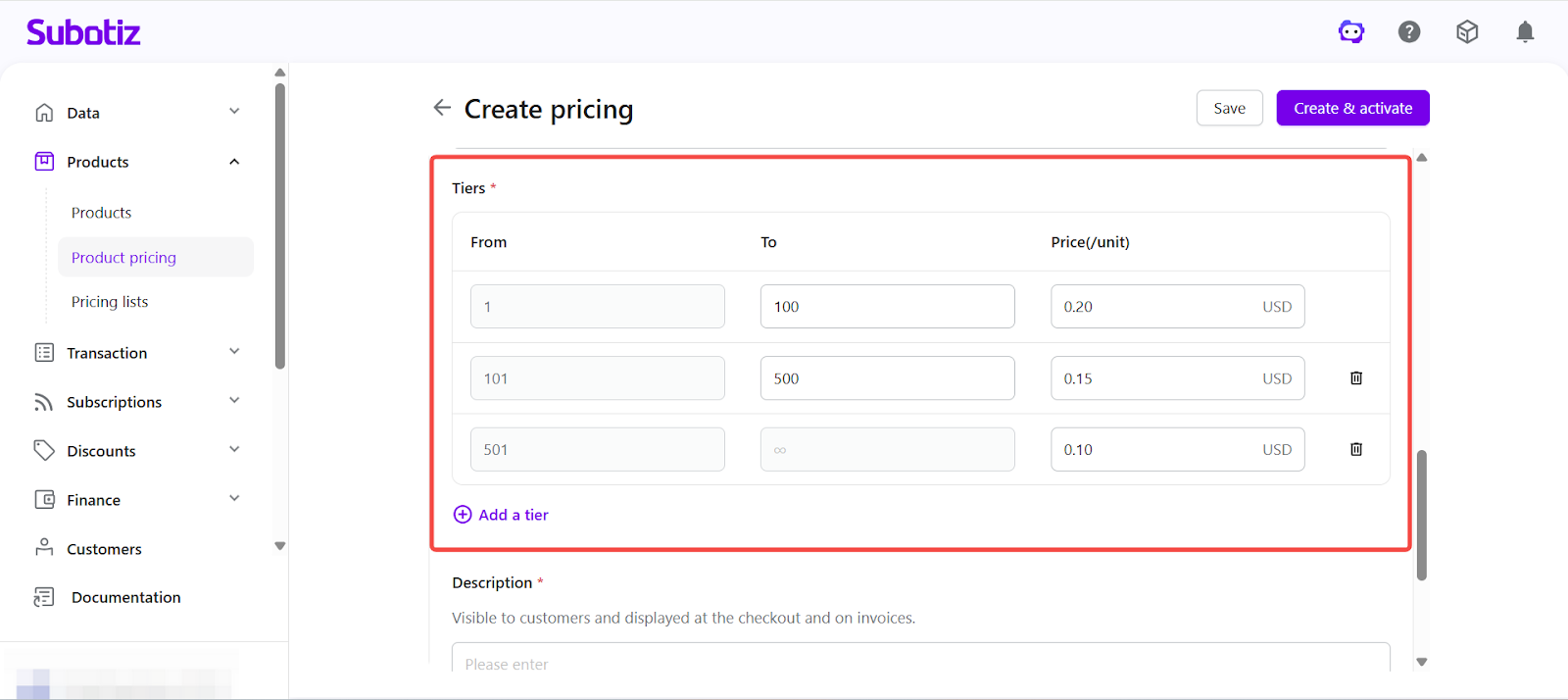
-
-
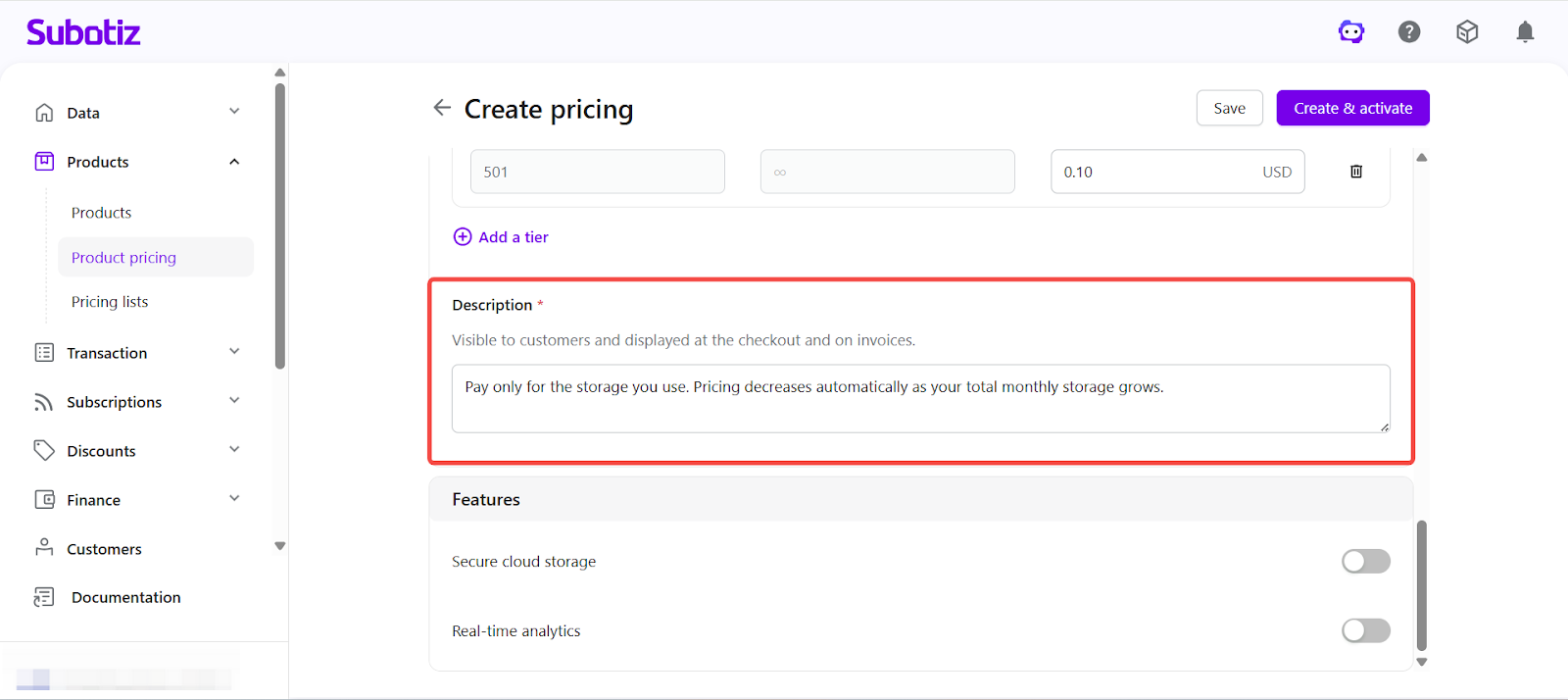
Enter description: Provide a description displayed on the checkout page to help customers understand what is included.
- Example: Pay only for the storage you use. Pricing decreases automatically as your total monthly storage grows.
-
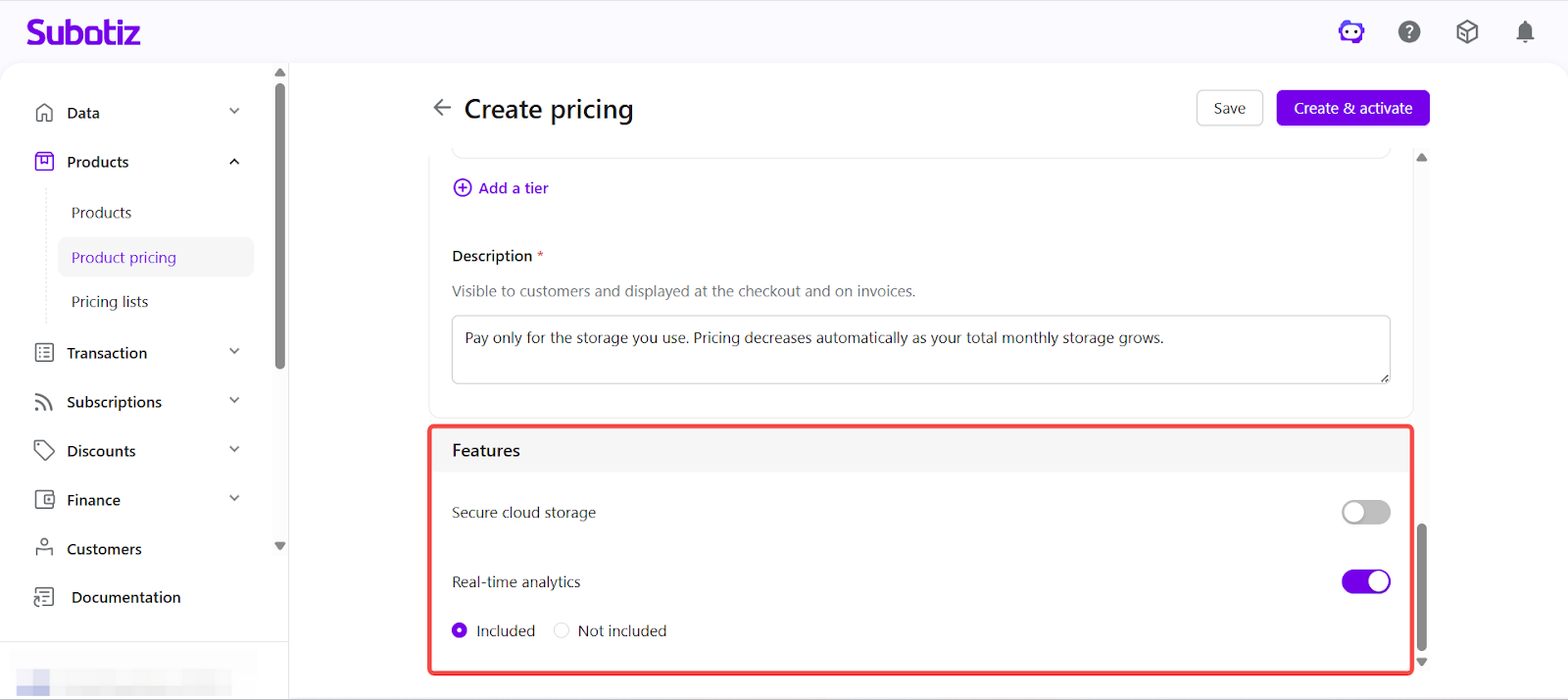
Configure Feature settings: Enable the required features, such as course content, downloadable resources, or service access.
- Set usage limits for enabled features.
- For option-based features, select whether the feature is included.
-
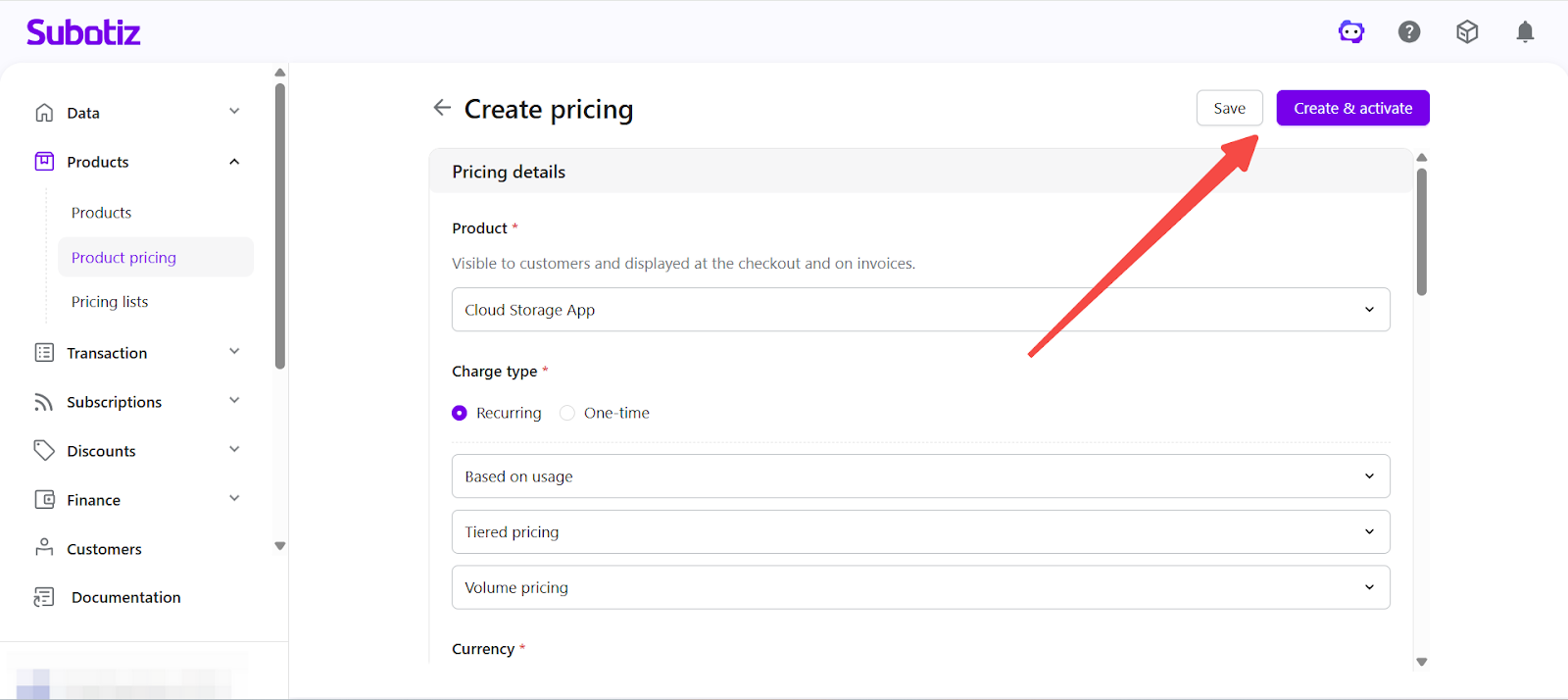
Save or activate: Choose how to finalize the pricing plan.
- Click Save to create the plan in an inactive state for further editing.
- Click Create and activate to make the plan immediately available for checkout.
- If the selected product is inactive, confirm the prompt to activate both the product and pricing.
Activation and Editing
- Activate a pricing plan: Click Create and activate to make the plan available immediately.
- Activate an existing inactive plan: Open the pricing detail page and go to Actions > Activate.
- Edit pricing: Open the pricing detail page to update configuration for both active and inactive plans.
- Versioning behavior: Updating pricing after transactions creates a new version. Historical data remains unchanged, and updates apply only to new orders.
- Manage lifecycle: Activate or deactivate pricing as needed. A confirmation prompt appears before deactivation.
Checkout Display
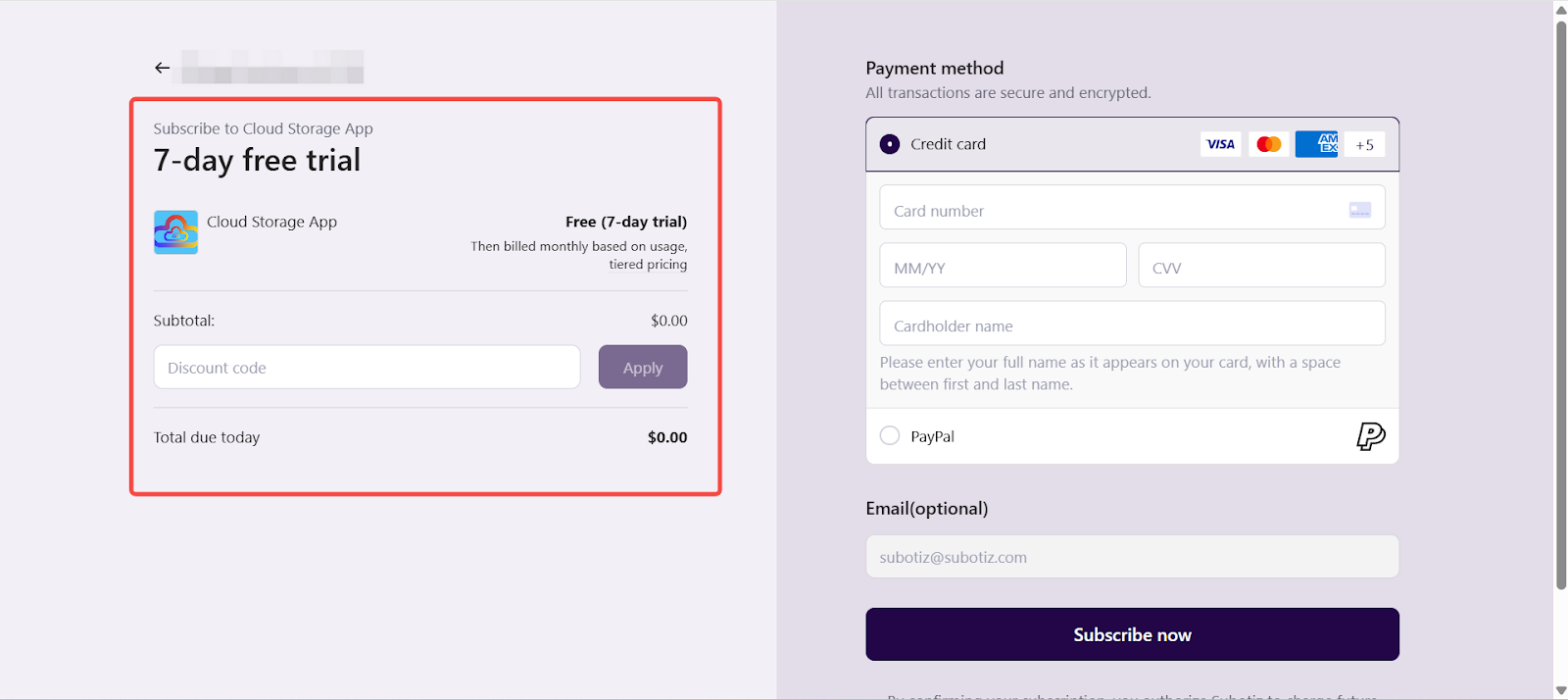
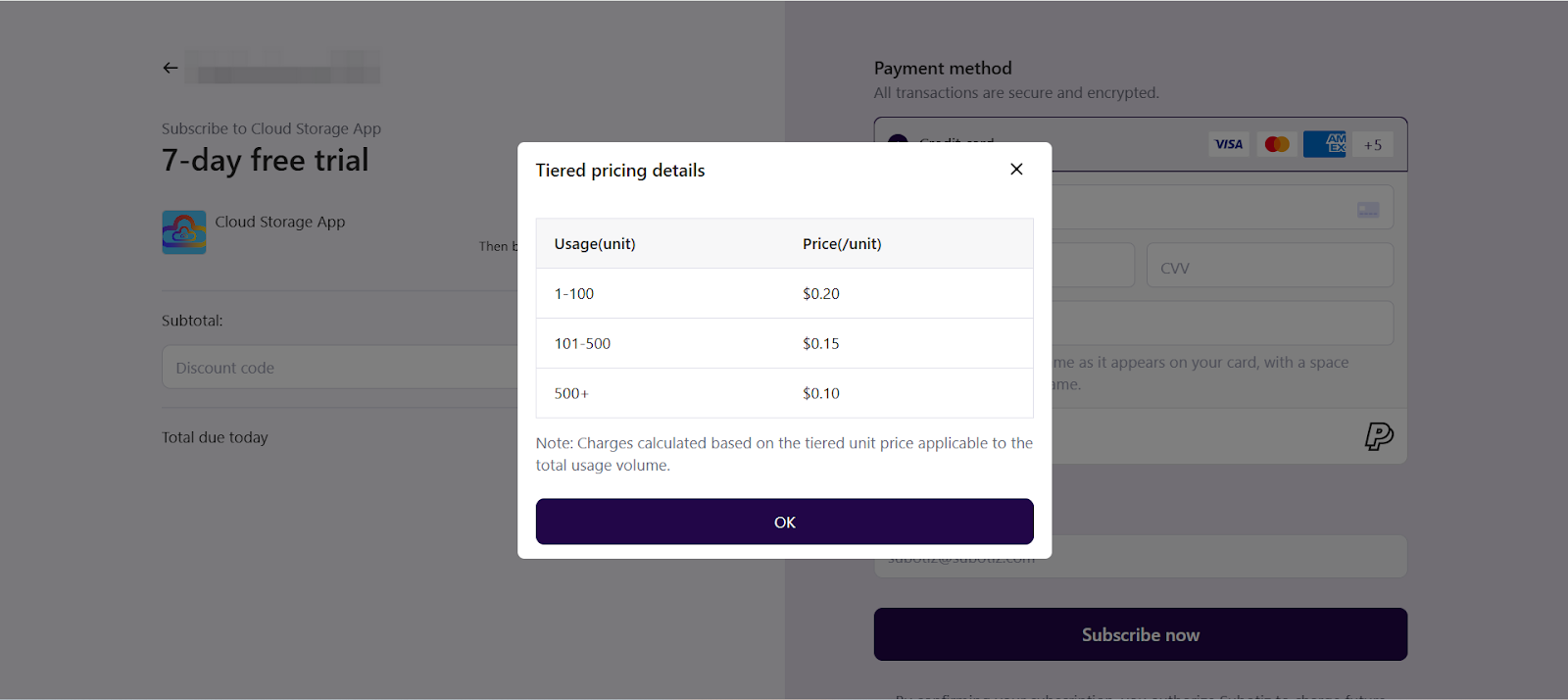
On the checkout page, the system displays the product name, description, billing method (Based on usage), billing cycle, and tiered pricing structure (such as unit prices across usage ranges).
For Tiered pricing, no fixed charge is displayed at checkout. Charges are calculated based on actual usage within the billing cycle.
Checkout Behavior
Under Tiered pricing, charges are calculated based on actual usage and generated in subsequent billing:
- Subscription creation: A subscription is created after checkout, without immediate usage charges.
- Charge calculation: Charges are calculated automatically at the end of each billing cycle based on actual usage.
-
Calculation method impact:
- Volume pricing: All usage is billed at the rate of the final tier.
- Graduated pricing: Usage is billed across tiers, with each portion charged at its respective rate.
- Invoice generation: The system automatically generates invoices and billing records based on calculated charges.
Tiered pricing enables flexible pricing based on usage ranges. By choosing Volume or Graduated pricing, merchants can apply different pricing strategies, with charges calculated automatically based on actual usage.