The dispute export feature in Subotiz allows merchants to export all or filtered dispute records as a CSV file for bulk review, case follow-up, reconciliation, and recordkeeping. Merchants can filter disputes by reason, status, payment provider, and other criteria, then export the records they need.
Exporting Disputes
- Open the dispute management dashboard: Log in to the Subotiz admin and go to Transaction > Disputes, then open the Dispute management tab.
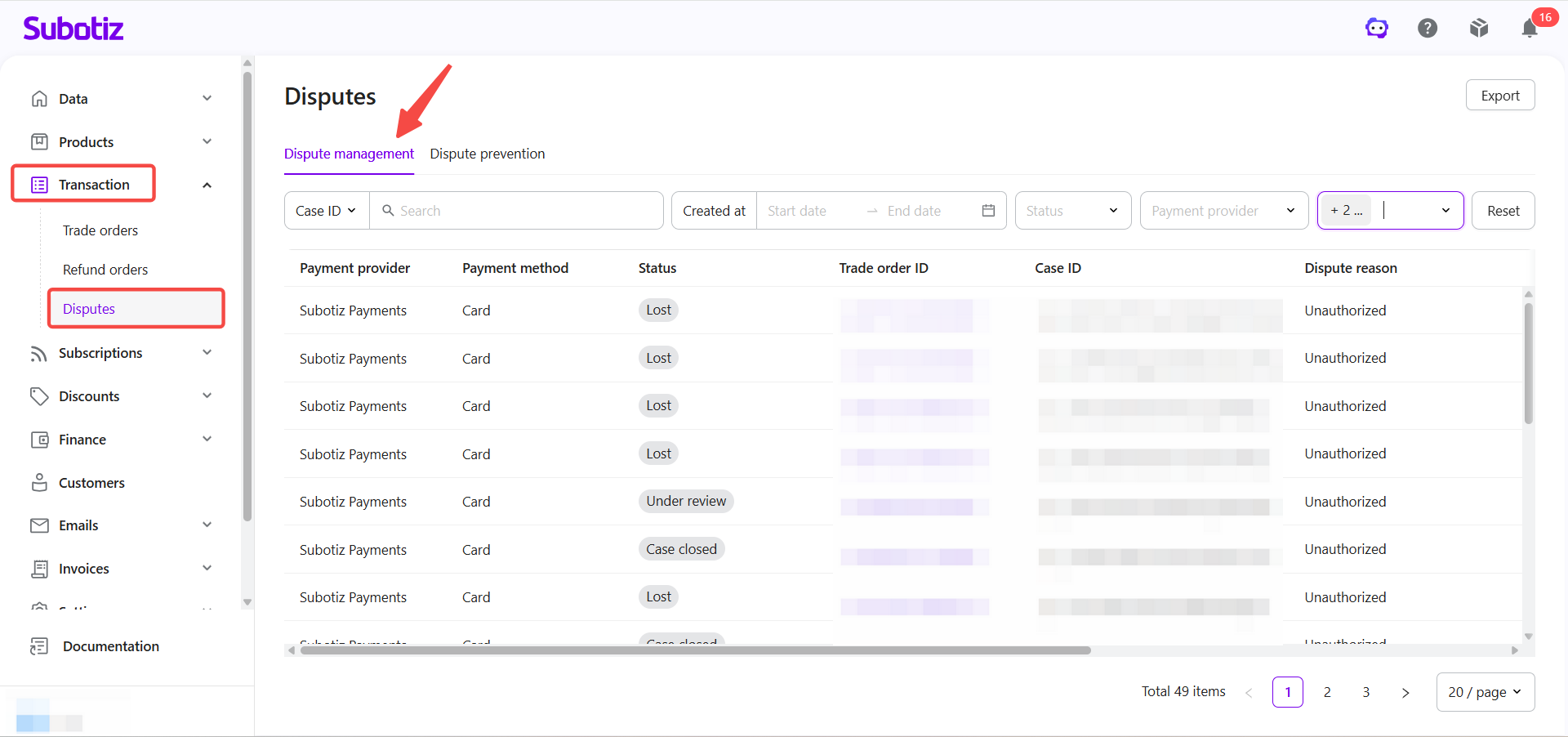
- Filter disputes (optional): To export specific disputes, apply search or filter criteria before exporting. The list displays records matching the selected criteria. To export all disputes, skip this step.
- Search: Use Case ID or Trade order ID to locate specific disputes.
- Filter: Filter by Created at, Status, Payment provider, and Dispute reason. Multiple filters can be combined, and multiple dispute reasons can be selected. Subotiz supports 11 dispute reasons across Subotiz Payments and PayPal. For details, see Disputes|Understanding Disputes.
- Reset: Click Reset to clear all search terms and filters.
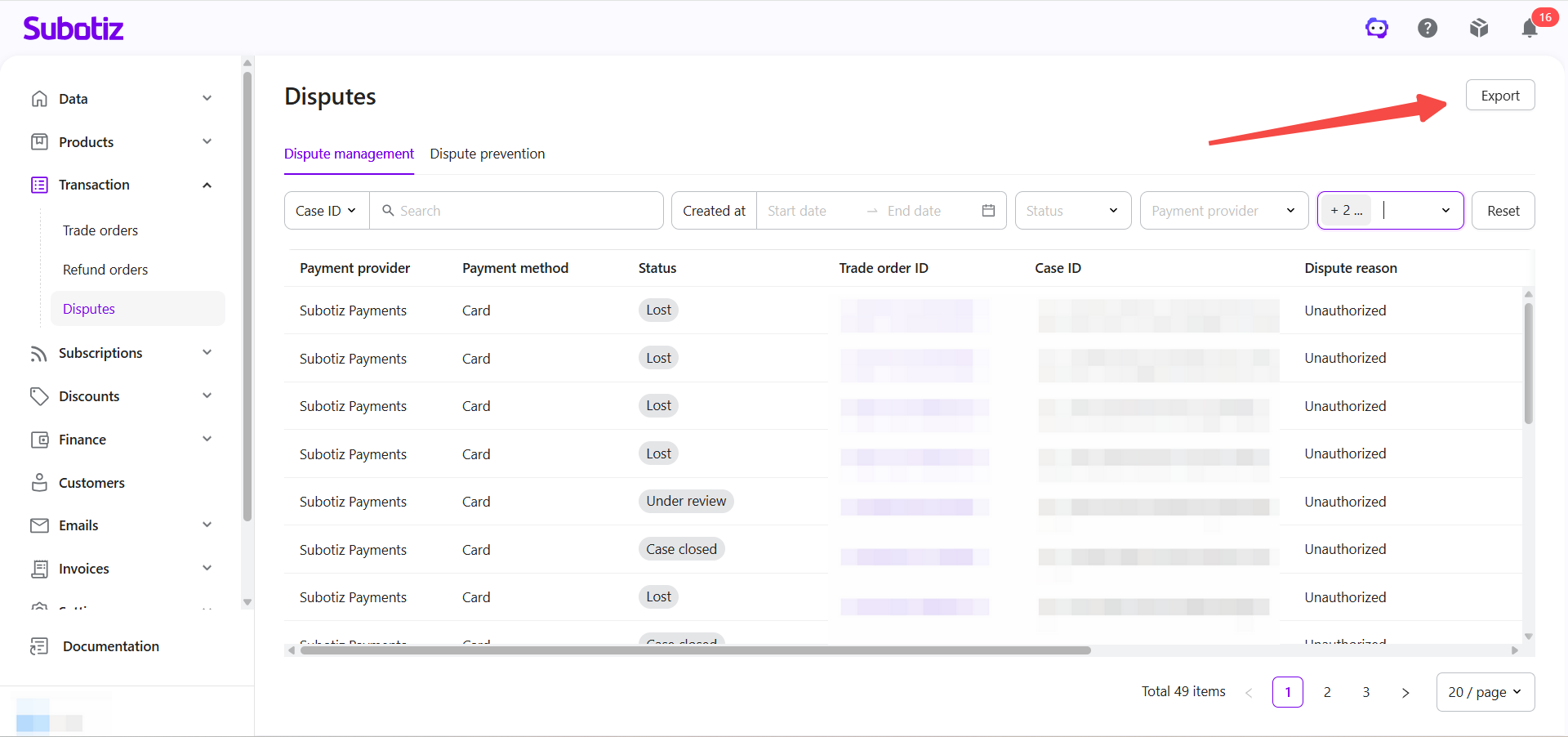
- Open the export dialog: After confirming the list shows the records to be exported, click Export in the top-right corner of the dispute management dashboard.
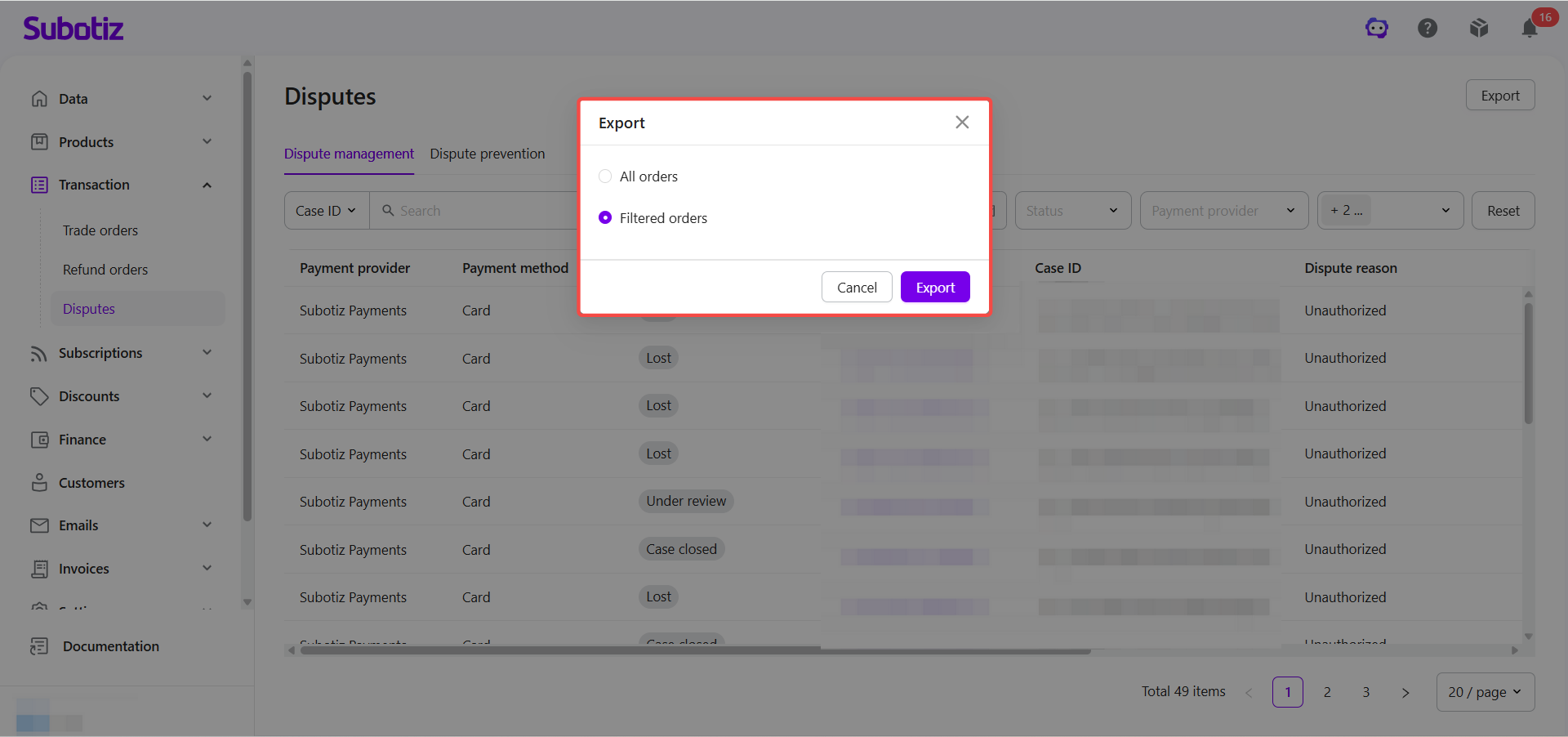
- Select the records to export: In the Export dialog, select one of the following options, then click Export.
- All orders: Export all dispute records, regardless of the current search and filter criteria.
- Filtered orders: Export all dispute records matching the current search and filter criteria, regardless of pagination. For example, if two dispute reasons are selected, the exported file includes all matching records, not just those displayed on the current page.
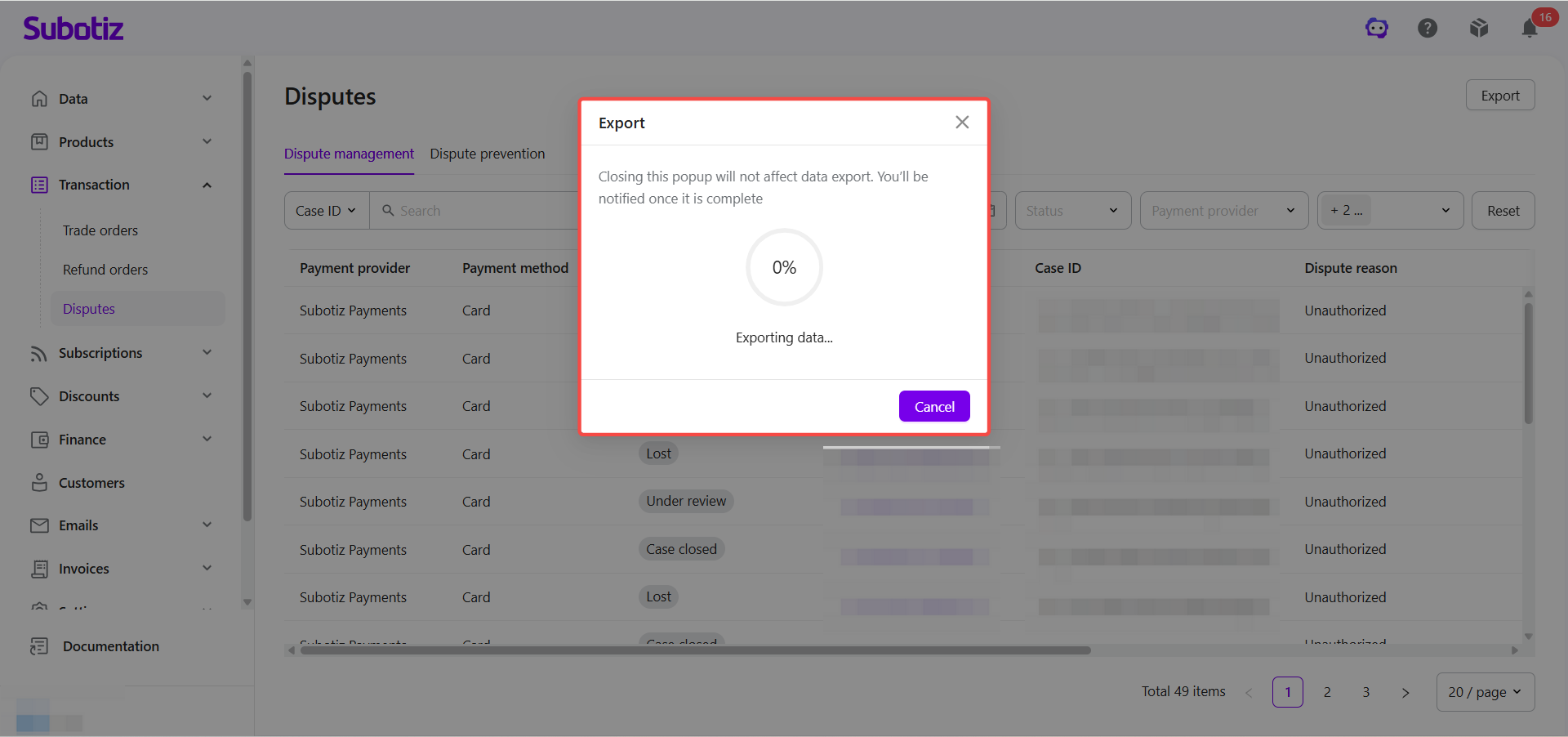
- Wait for the export to complete: Subotiz generates the CSV file in the background and displays the export progress in the dialog.
Note: Clicking the × in the top-right corner closes the dialog without interrupting the export. Clicking Cancel stops the export, and no file is generated.
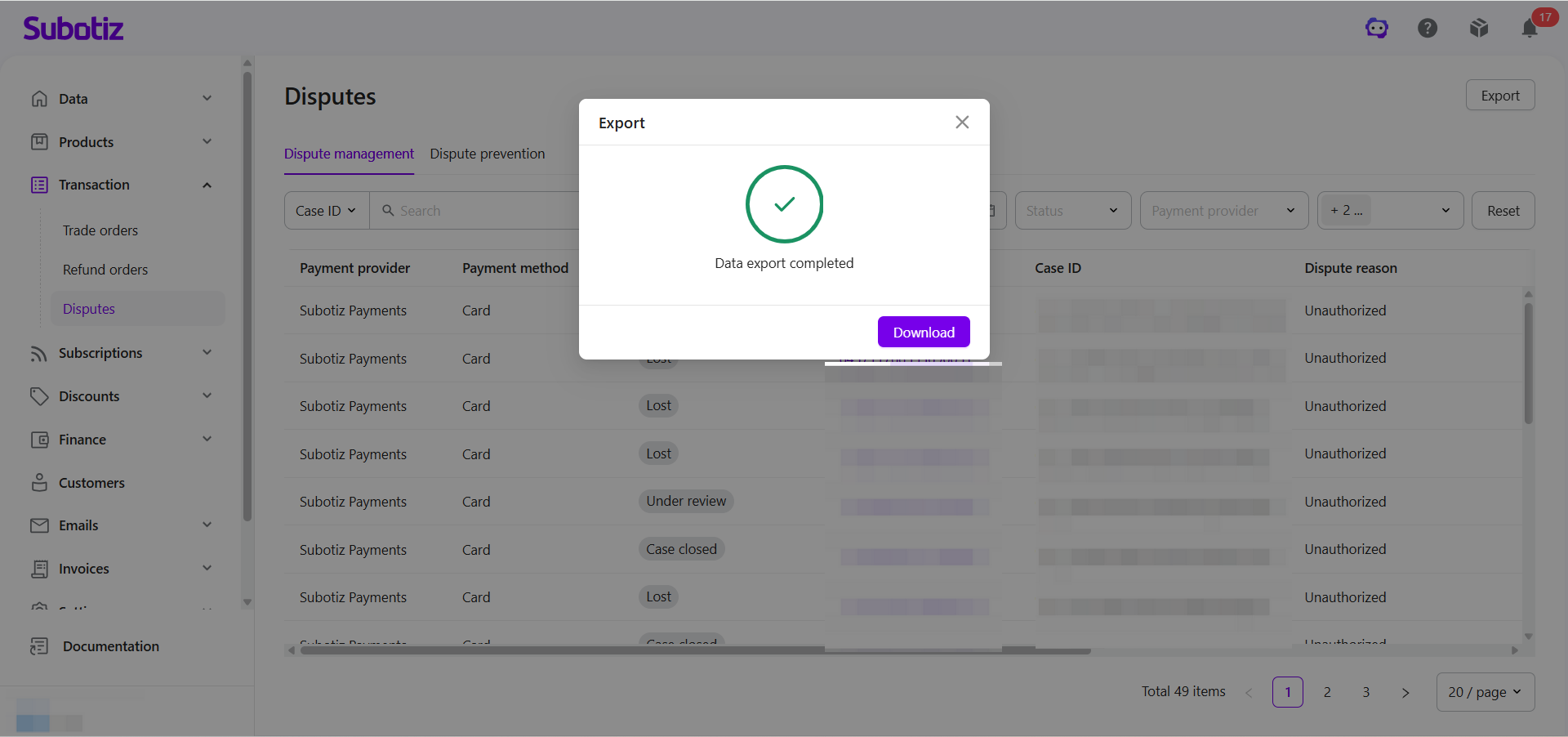
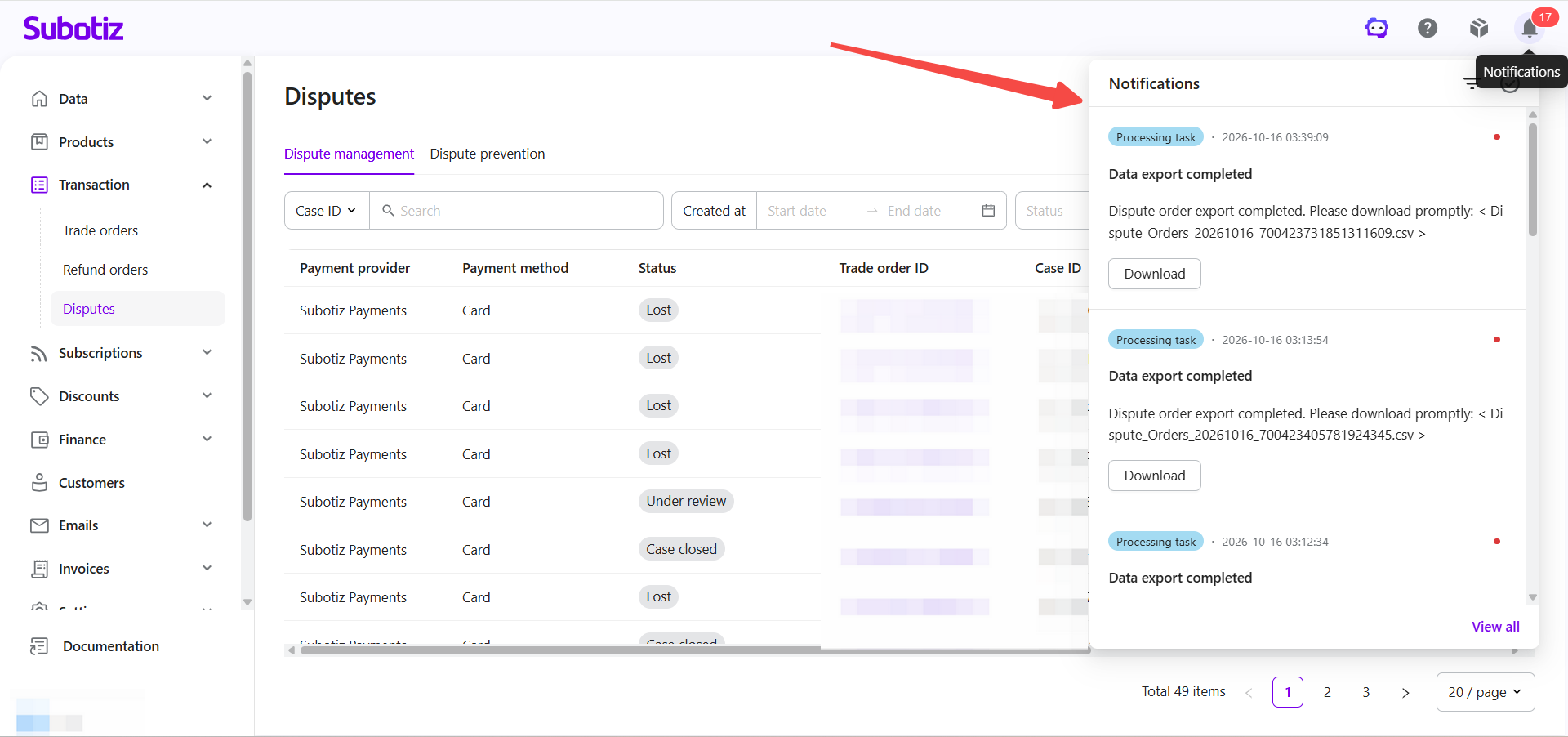
- Download the exported file: Once the export is complete, the dialog displays Data export completed. Click Download to save the CSV file. The file can also be downloaded again by clicking Download in the Data export completed notification in Notifications.
Exported File Details
The exported CSV file follows these rules:
- File format: CSV (UTF-8 encoding).
- File name: Uses the fixed English naming format
Dispute_Orders_<export date>_<task ID>.csv, for example,Dispute_Orders_20261016_700411009264794105.csv. The file name does not change based on the admin language. - Language: Column headers and values such as status and dispute reason follow the selected admin language (English or Chinese).
Export Fields
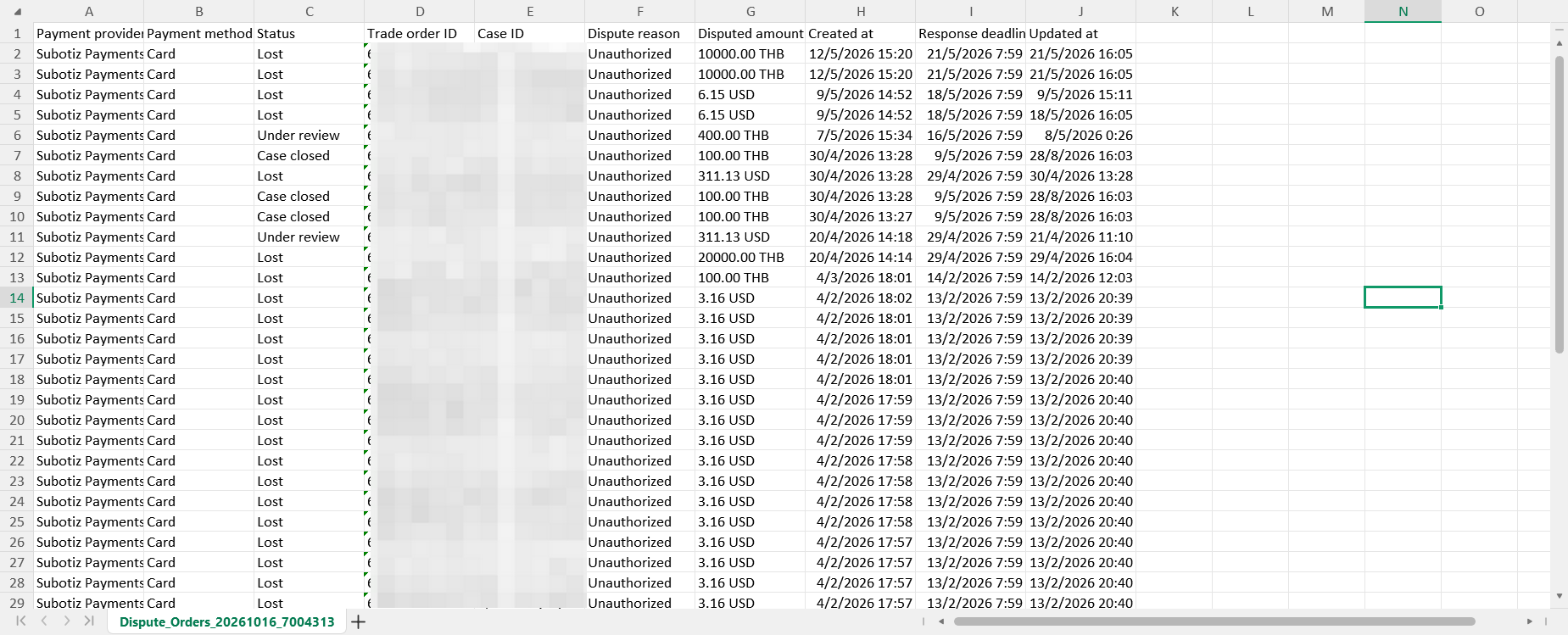
The exported CSV file contains the same 10 fields displayed in the dispute list:
Field | Description |
|---|---|
Payment provider | The payment provider associated with the dispute, such as Subotiz Payments or PayPal. |
Payment method | The payment method used for the original transaction, such as Card or PayPal. |
Status | The current status of the dispute case. |
Trade order ID | The trade order ID generated by Subotiz. |
Case ID | The dispute case reference number assigned by the payment provider. |
Dispute reason | The reason the customer initiated the dispute. |
Disputed amount | The amount under dispute. |
Created at | The date and time the dispute case was created. |
Response deadline | The deadline for submitting a dispute response. |
Updated at | The date and time the dispute case was last updated. |
Using Exported Dispute Records
- Follow up on pending disputes: Filter by Needs response and export the records to prioritize cases by response deadline.
- Analyze dispute reasons: Filter and export records by dispute reason to identify recurring issues and improve product descriptions, fulfillment, and after-sales processes.
- Reconcile dispute records: Match disputed amounts and case outcomes against transaction records using the Trade order ID.
- Maintain dispute records: Export records regularly for internal reporting, recordkeeping, and audits.
The dispute export feature in Subotiz helps merchants export all or filtered dispute records and download the CSV file from the dialog or Notifications once the export is complete, making dispute follow-up, reconciliation, and data management more efficient.