Webhooks in Subotiz send real-time payment notifications, enabling seamless Share Payment Link functionality and reliable backend integration for automated workflows.
Before configuring Webhooks for payment links, you can refer to the following articles for general setup guidance:
Accessing the Webhook Setup Page
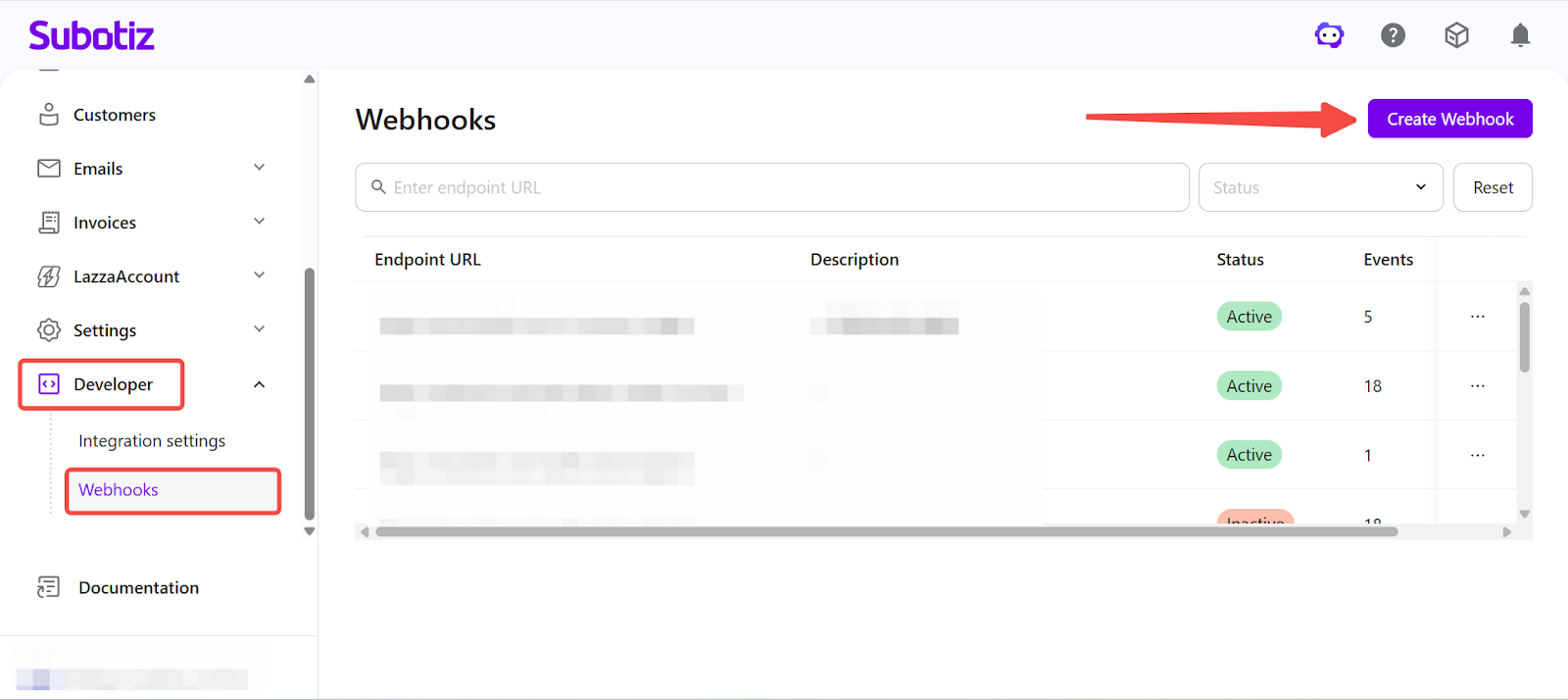
- Create a Webhook: Go to Developers > Webhooks in the Subotiz admin, then click Create Webhook.
Completing Basic Configuration
-
Enter endpoint URL: Input a valid HTTPS URL used to receive webhook notifications.
- Example:
https://your-domain.com/webhook - If no endpoint URL is available, refer to Webhook Setup Options below.
-
Add description: Enter a label to identify the webhook.
- Example:
Payment notifications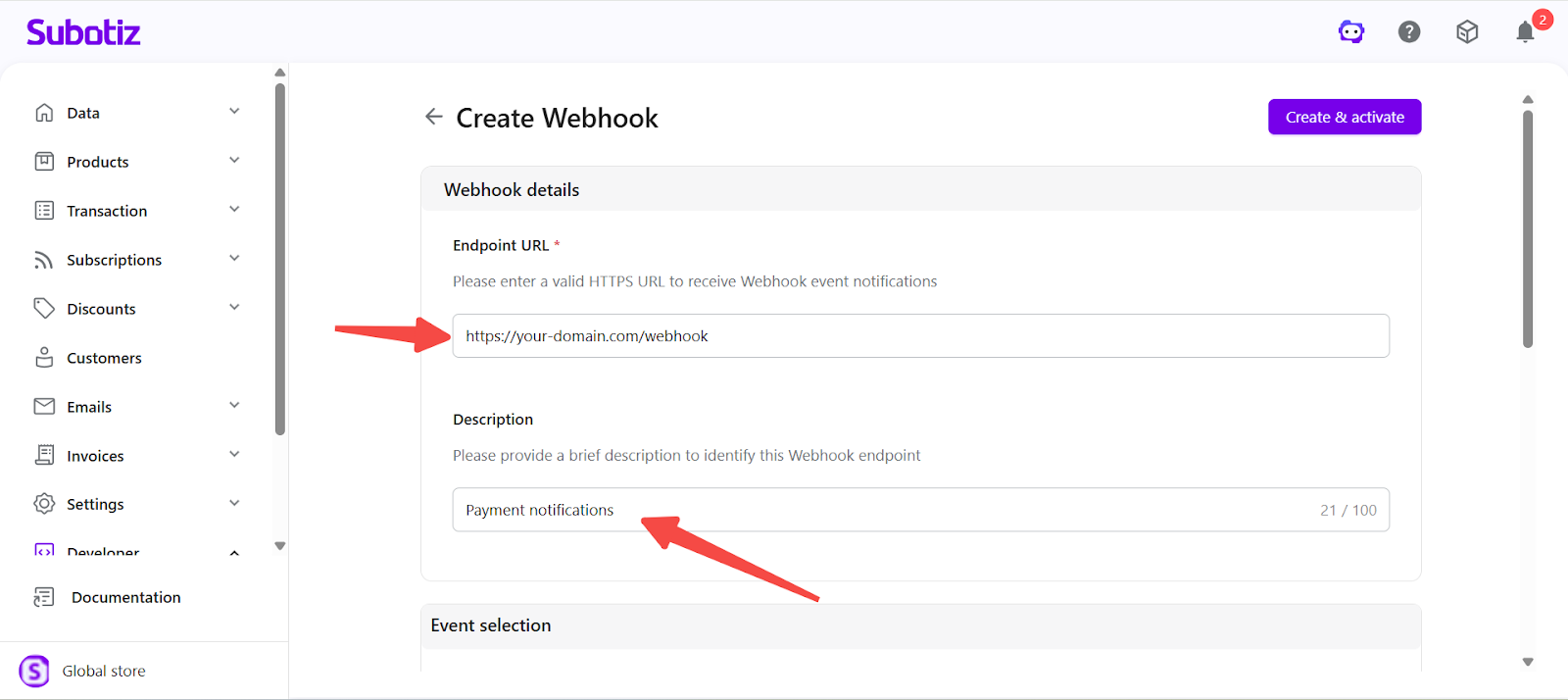
Webhook Setup Options
Choose a setup method based on your technical capability:
- Developer support: Set up a backend endpoint to receive webhook events.
- Third-party tool: Use automation tools such as Zapier or Make to generate a webhook URL without building a backend service.
Selecting Required Events
To enable Share Payment Link, only a minimal set of events is required.
-
Minimum Required (Recommended for All Merchants)
- Payment success:
v2.trades.succeeded
-
Optional (Based on Business Needs)
- Payment failure:
v2.trades.payment_failed - Subscription created:
v2.subscription.first - Subscription canceled:
v2.subscription.canceled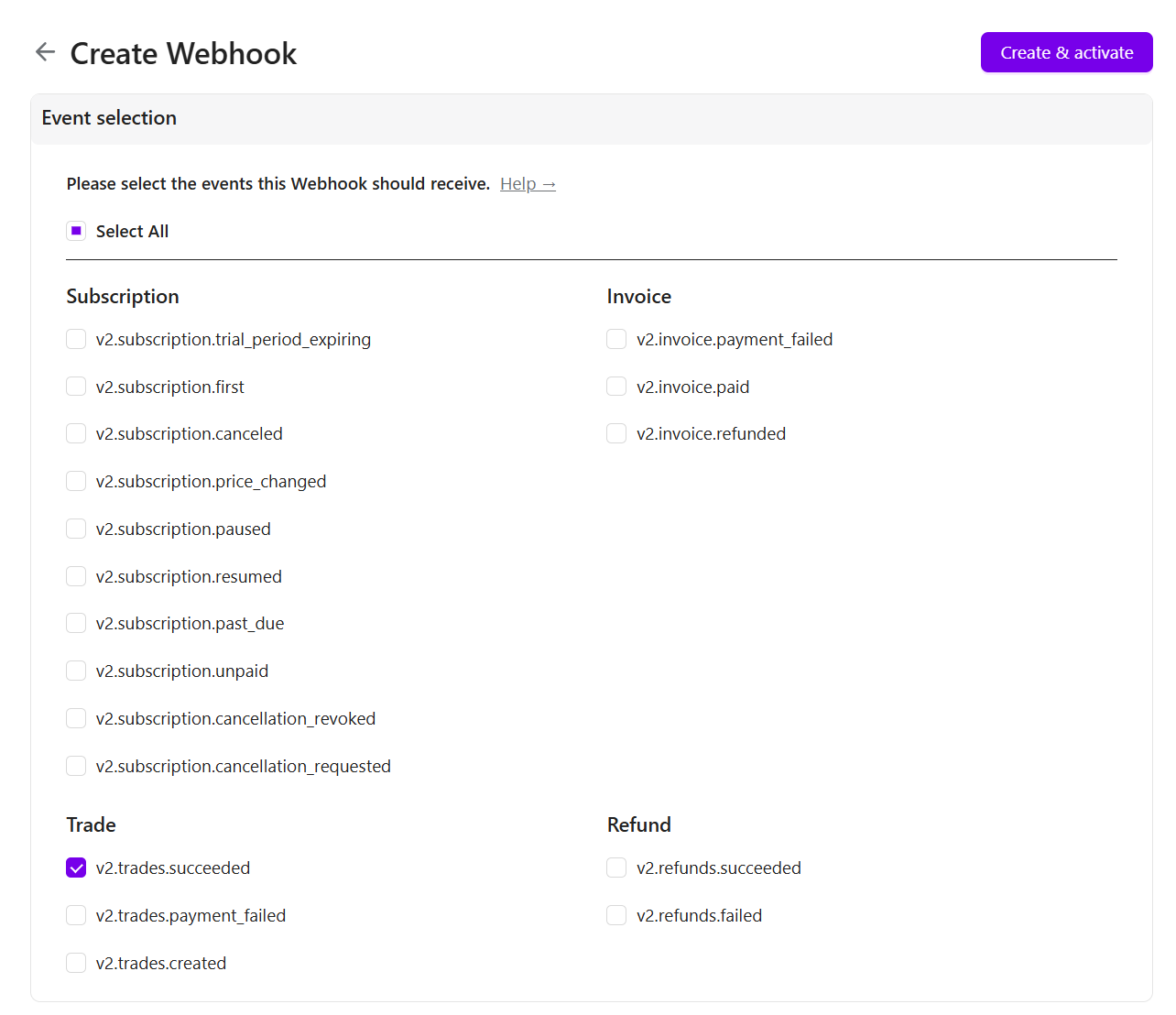
Selection Guidance
- One-time products: Select Payment success only.
- Subscriptions: Select Payment success and add subscription-related events.
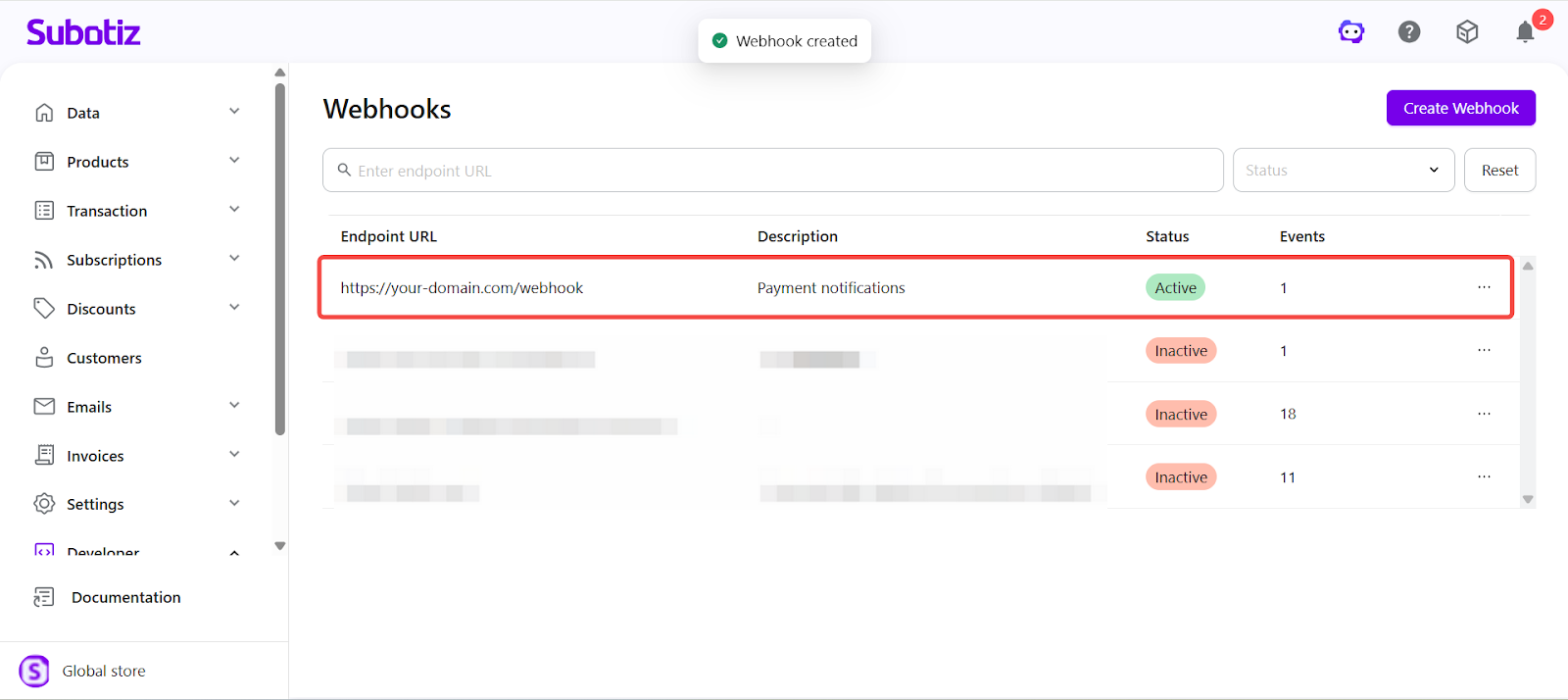
Activating the Webhook
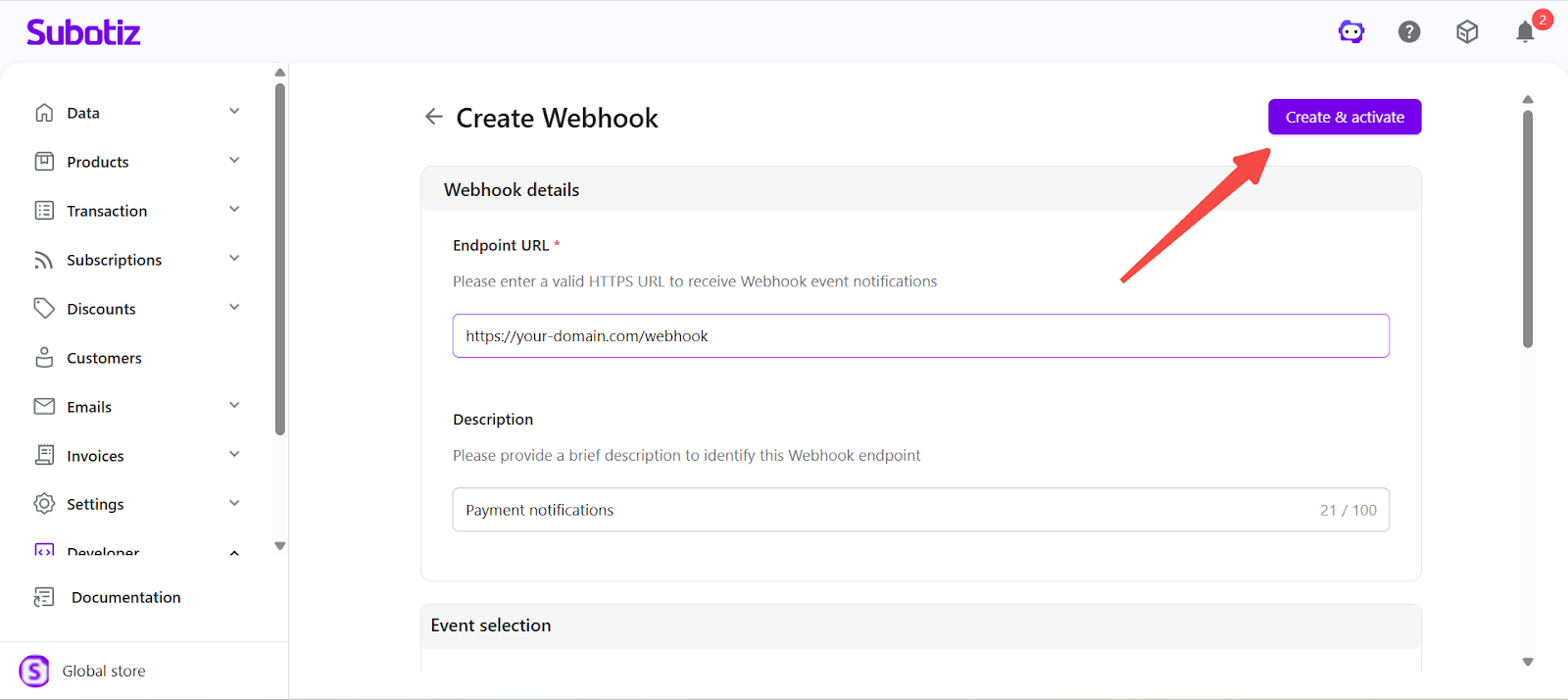
- Click Create and Activate.
- Verify that the webhook status displays as Active.
Requirements and Limitations
- A valid HTTPS server endpoint is required for webhook configuration to function. This typically requires a backend service or a third-party automation tool.
- Share Payment Link cannot be used without at least one active webhook configured.
Webhook configuration is a required step to enable payment link sharing in Subotiz. By configuring a valid endpoint and selecting the required events, merchants can receive payment results in real time and trigger backend processing as needed.