The Share Product feature in Subotiz allows merchants to generate dedicated payment links for active pricing plans. These links can be distributed via social media, email, or messaging channels, enabling customers to access checkout directly without a standalone storefront.
Prerequisites
The Share Product feature is only available for pricing plans with an Active status.
Before using this feature, complete Webhook configuration to ensure payment result notifications (such as payment success or failure) are received correctly.
For setup guidance, refer to:
Share from the Pricing List
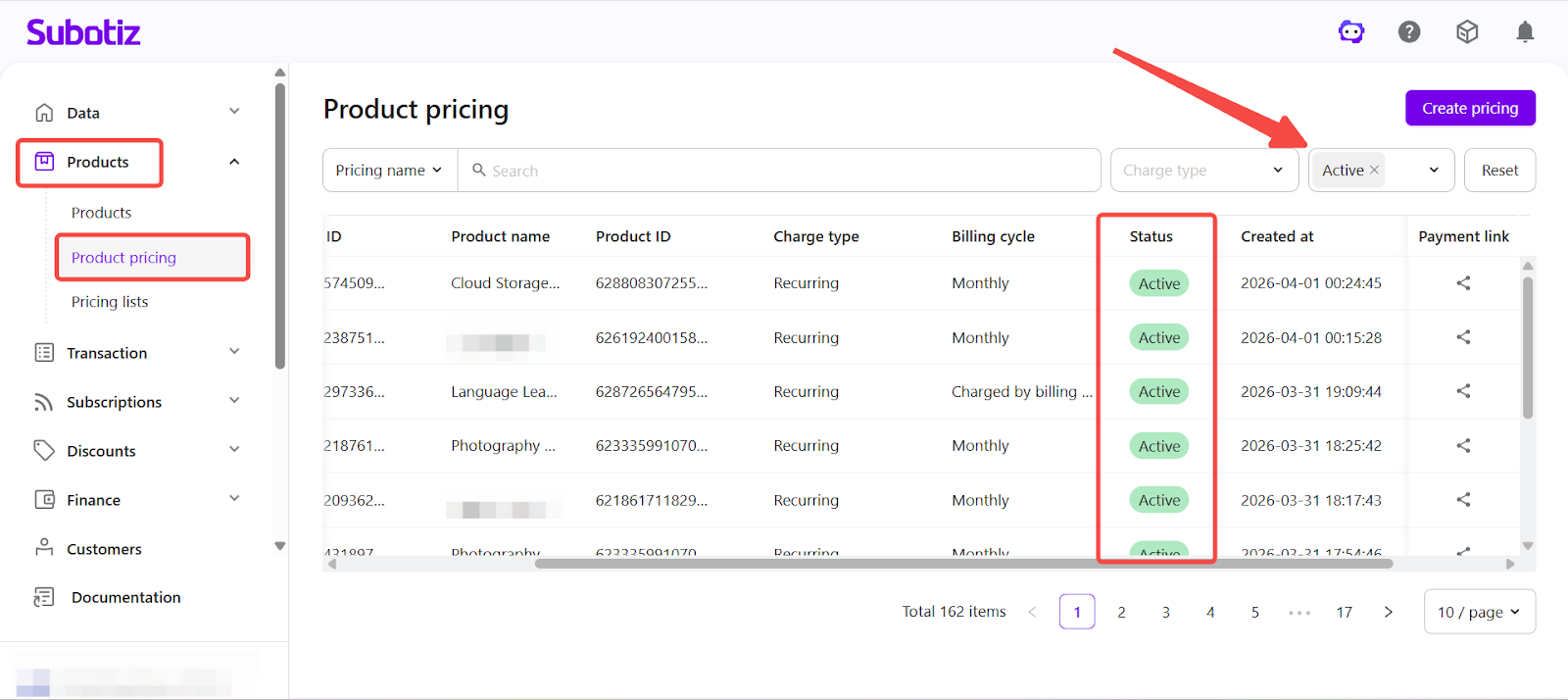
- Open the pricing list: Go to Products > Product Pricing and set the status filter to Active.
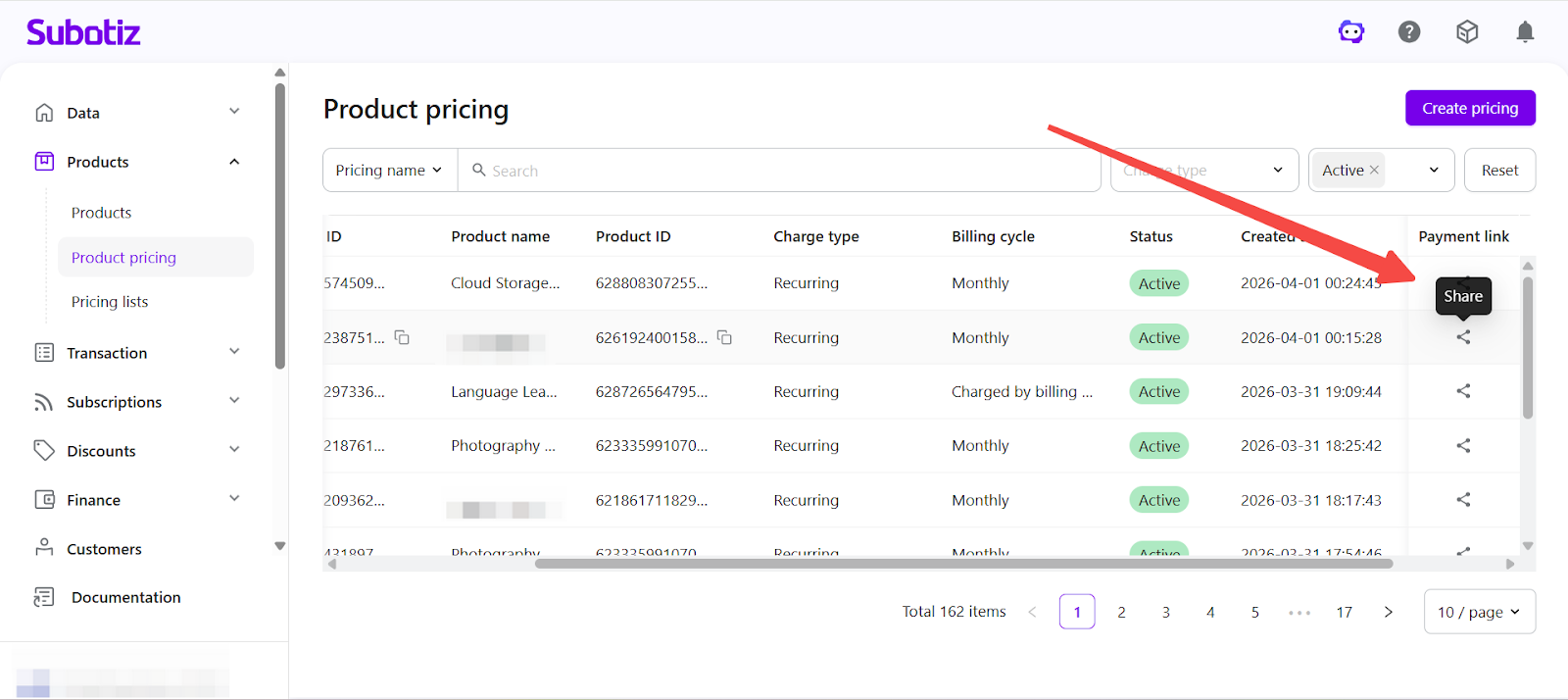
- Select a pricing plan: Locate the target pricing plan and click the Share icon on the right.
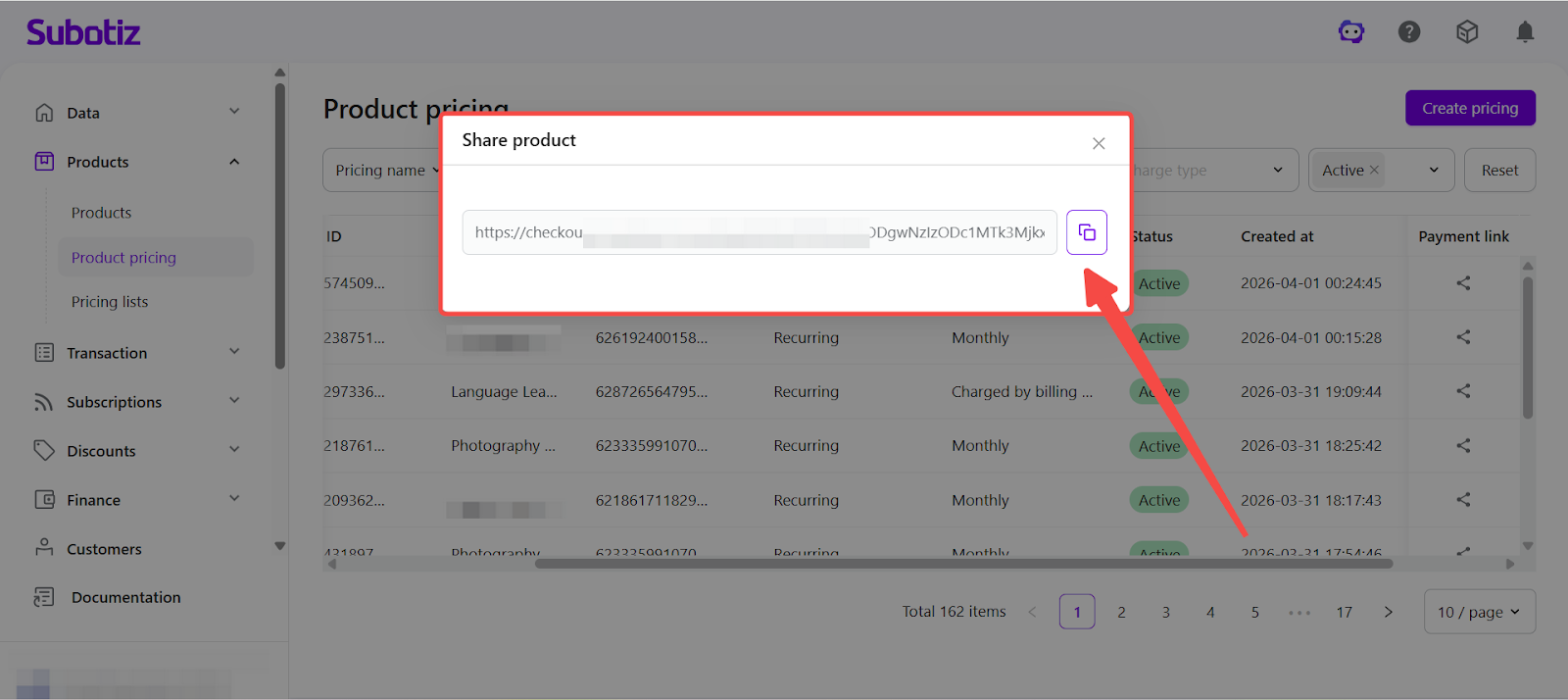
- Copy the payment link: In the pop-up, click Copy Link to use it for distribution.
Share from the Pricing Details Page
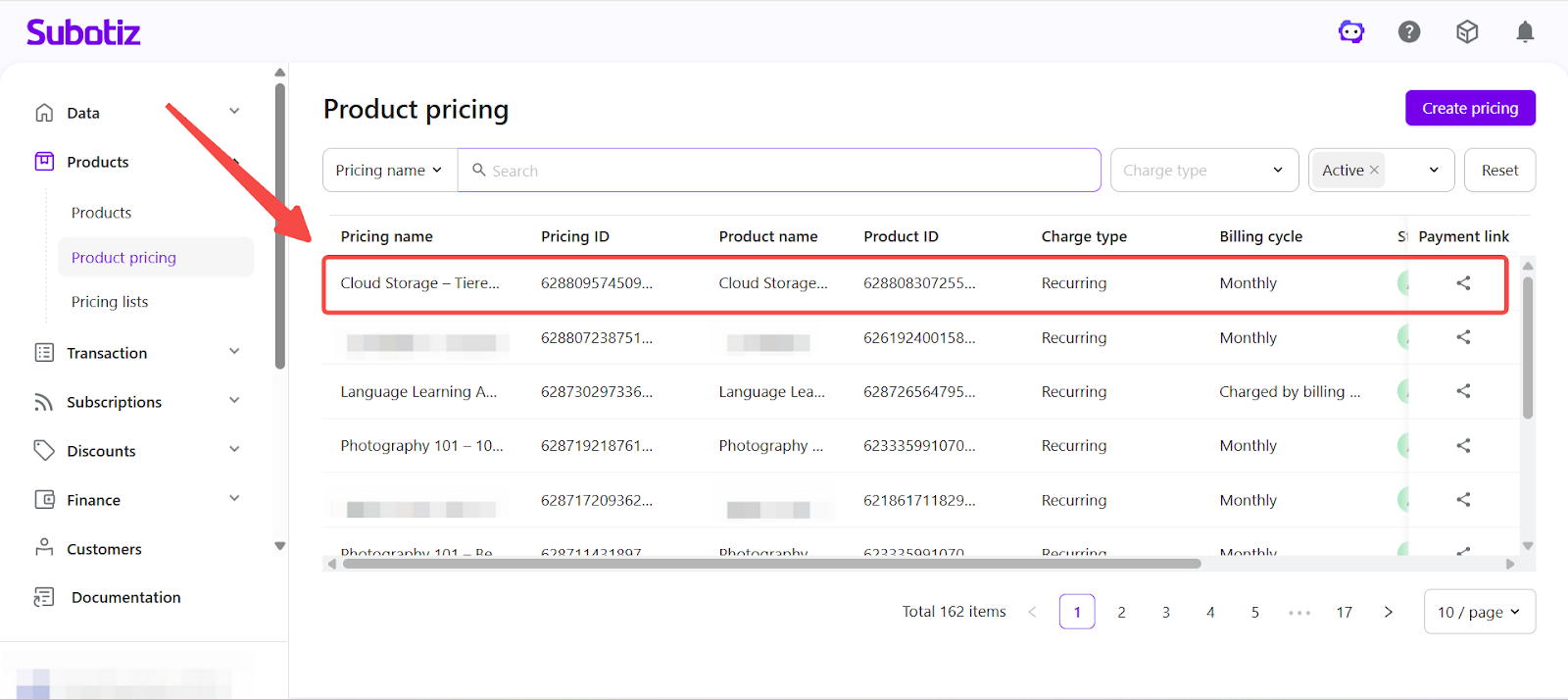
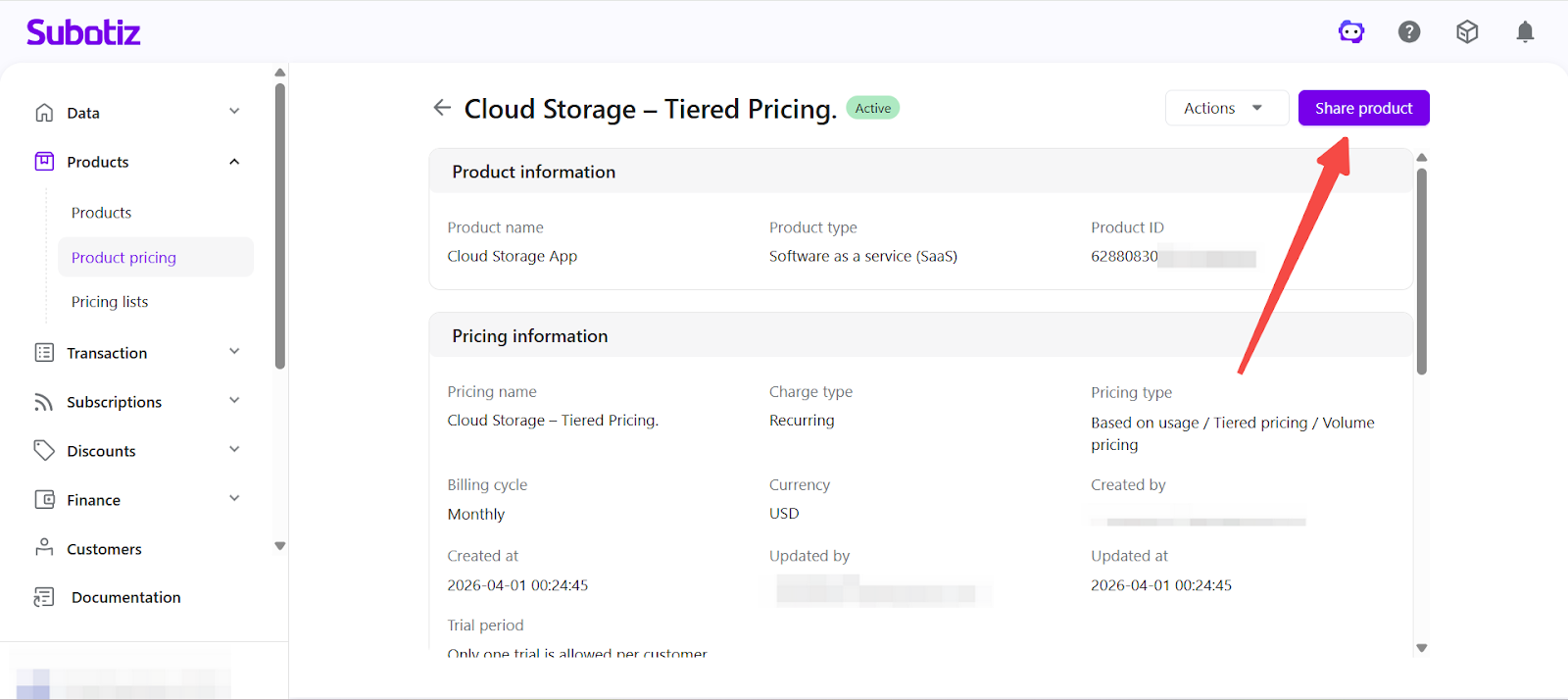
- Open the pricing details page: Go to Products > Product Pricing and select a pricing plan to open the details page.
- Generate the payment link: In the top-right corner, click Share Product to generate a payment link.
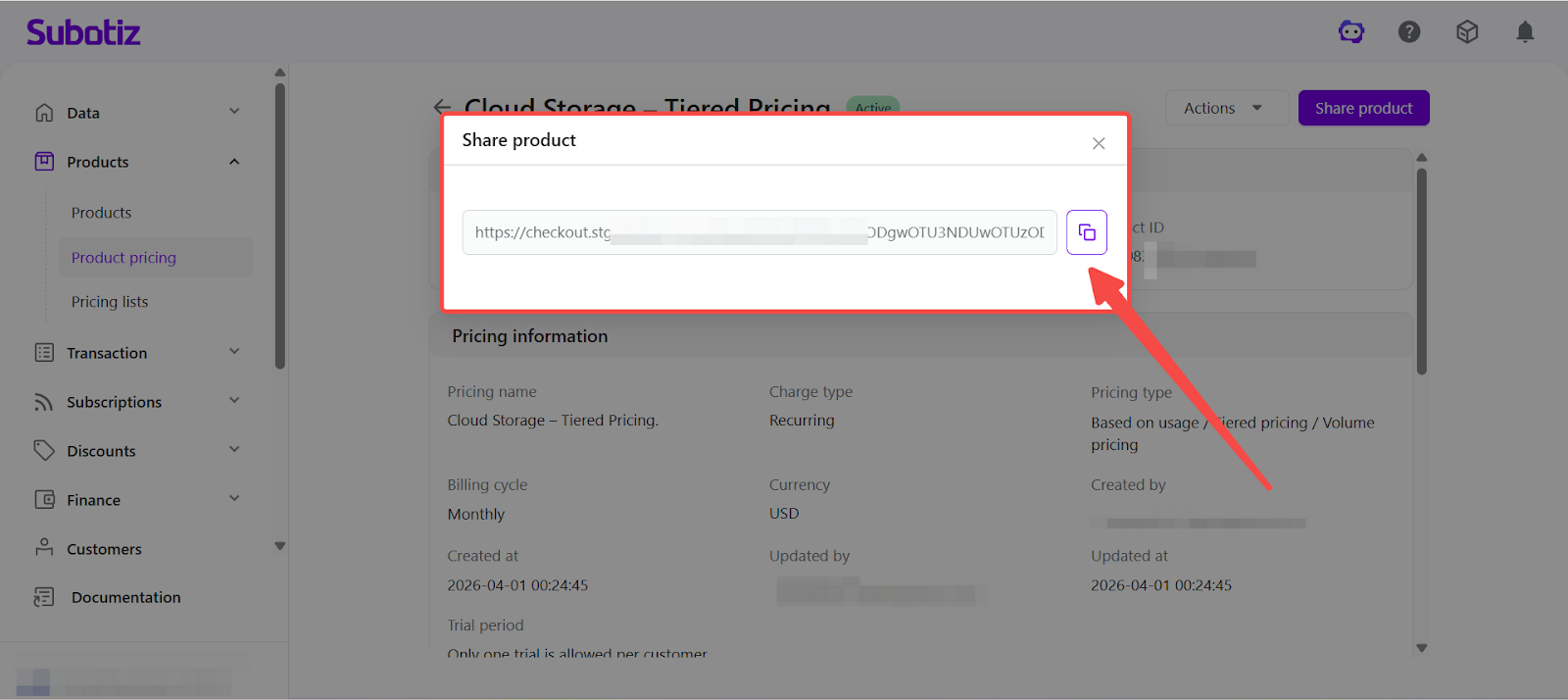
- Copy the payment link: In the pop-up, click Copy Link to distribute it across your channels.
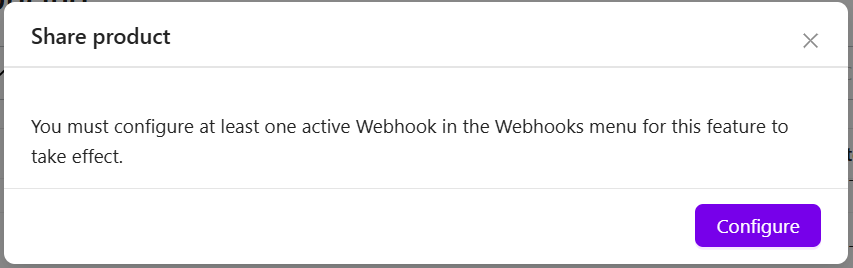
If the Share Feature Is Unavailable
If Webhook is not configured or no active Webhook exists, the system will prompt that the payment link cannot be generated. If the pricing plan status is not Active, the Share option will not be available.
For setup guidance, refer to Webhook Configuration: Webhooks | Configure Webhook for Share Payment Links
Use Cases
- Social media promotion: Share links via platforms such as WeChat, Xiaohongshu, or TikTok to reach potential customers.
- Content conversion: Embed payment links in landing pages, websites, or articles to enable direct checkout.
- Email marketing: Include payment links in campaigns, newsletters, or promotional emails.
- Direct messaging: Send links via tools like WeChat or Feishu to convert leads into customers.
By using payment links, merchants can enable a streamlined checkout experience for customers without building a standalone storefront. With an active pricing plan and proper Webhook setup, payment links can be generated and shared instantly.