The Translations feature in Subotiz allows merchants to manage localized content across products, product pricing, and the customer portal. Merchants can configure translations manually or use AI translation to deliver content in different languages and provide a localized customer experience across markets.
Translation Use Cases
Standard interface text provided by Subotiz is displayed in the language used on the customer-facing page. Merchant-created content, such as product names, pricing names, and customer portal text, requires separate translations to display localized versions.
For example, a merchant selling to English-, Spanish-, and French-speaking customers can add translations for product names and descriptions. When customers access the relevant pages in a supported language, Subotiz displays the corresponding translated content.
Translations currently support the following content:
Module |
Translatable Content |
|---|---|
Products |
Product name, product description, and other supported custom text |
Product pricing |
Pricing name, pricing description, and other supported custom text |
Customer Portal |
Portal title, portal description, and other supported custom text |
Note: Translations apply only to supported merchant-created custom content. They add localized versions to existing products, product pricing, and customer portal content and do not create or modify the source content.
Translation Behavior
Merchants can add translations for supported custom content in the languages configured under Settings > Translations. When customers access the relevant customer-facing pages, Subotiz displays content based on the language being used:
- Translation available: Subotiz displays the configured translation.
- Translation unavailable: Subotiz falls back to the source text.
For example, if a merchant adds a Spanish translation for a product name, customers using Spanish will see the translated product name. If no Spanish translation is available, Subotiz displays the source text instead.
Supported Translation Languages
Subotiz currently supports 16 translation languages:
Simplified Chinese, Traditional Chinese, English, Arabic, German, Spanish, French, Indonesian, Italian, Japanese, Korean, Dutch, Polish, Portuguese, Russian, and Thai.
Merchants can select the languages they need and manage translations separately under Products, Product pricing, and Customer Portal.
Accessing Translations in the Admin
-
Access Translations: Log in to the Subotiz admin and go to Settings > Translations.
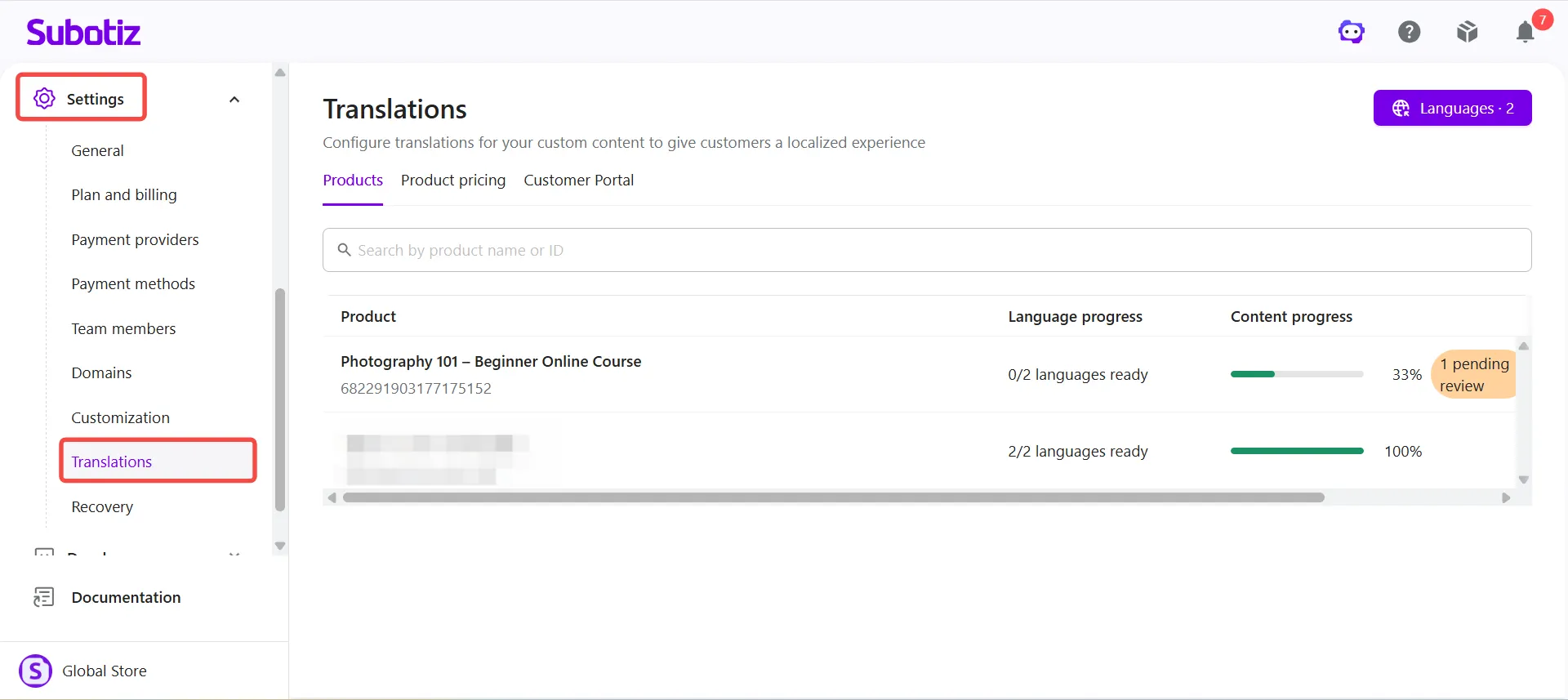
For instructions on adding translation languages, configuring translations manually, using AI translation, and managing translated content, see Settings | Configuring Translations.
The Translations feature helps merchants deliver localized content across products, product pricing, and the customer portal. With manual and AI-assisted translations, merchants can provide localized content across supported languages while Subotiz falls back to the source text when a translation is unavailable.