The Authorization transaction feature in Subotiz Accounts allows merchants to review virtual credit card authorization records, including authorization results, amounts, merchant information, and related original transactions. Merchants can quickly confirm authorization status, investigate failed transactions, and compare authorization records with Settlement transaction records to verify subsequent charges or refunds.
Accessing Authorization Transactions
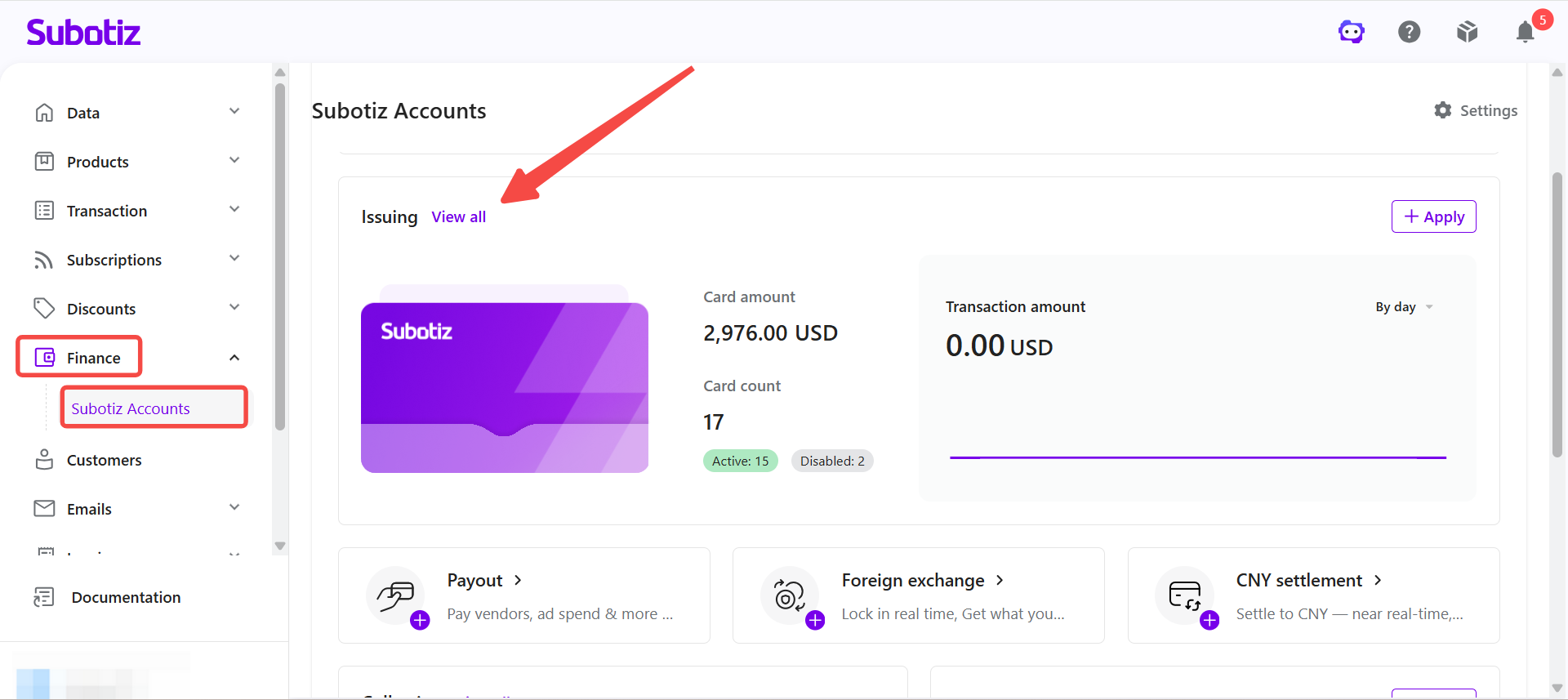
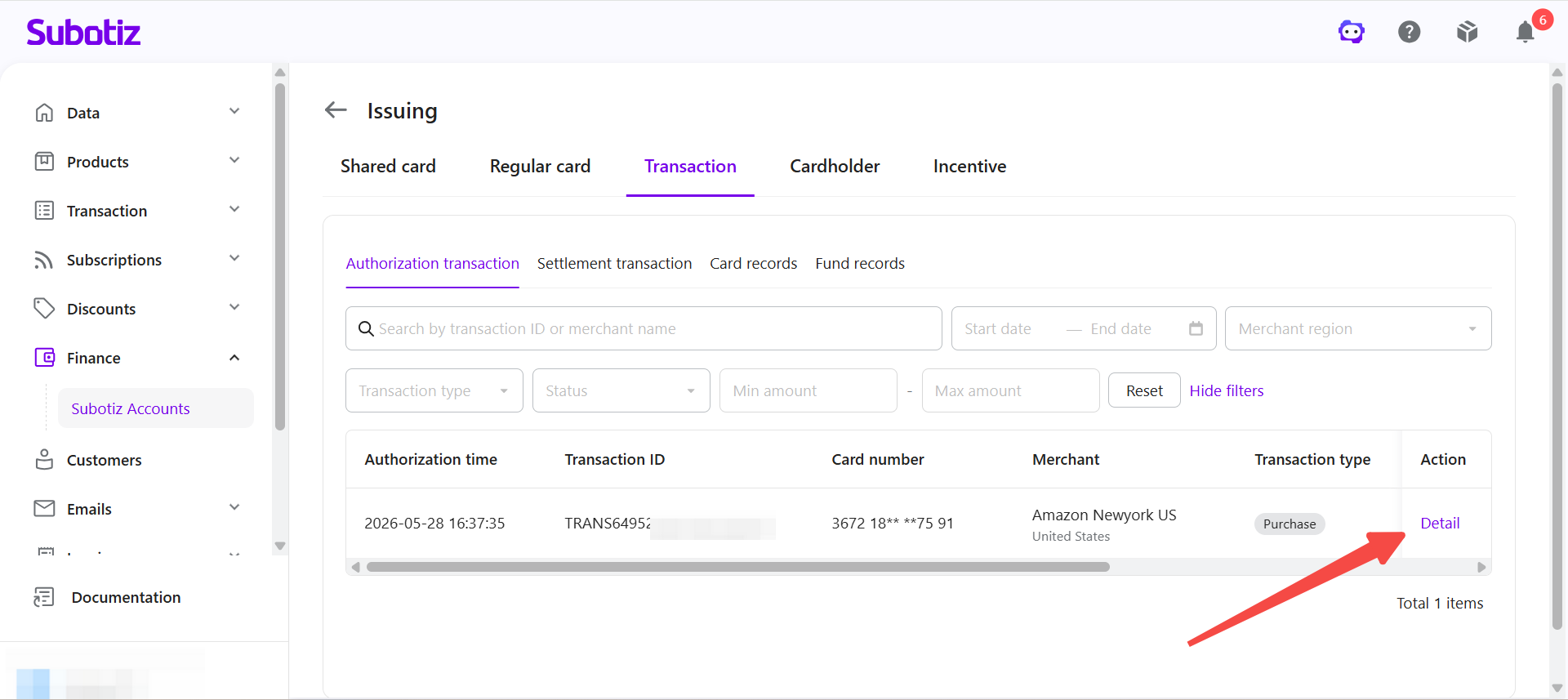
- Open Issuing: Log in to the Subotiz dashboard and go to Finance > Subotiz Accounts > Issuing, then click View All.
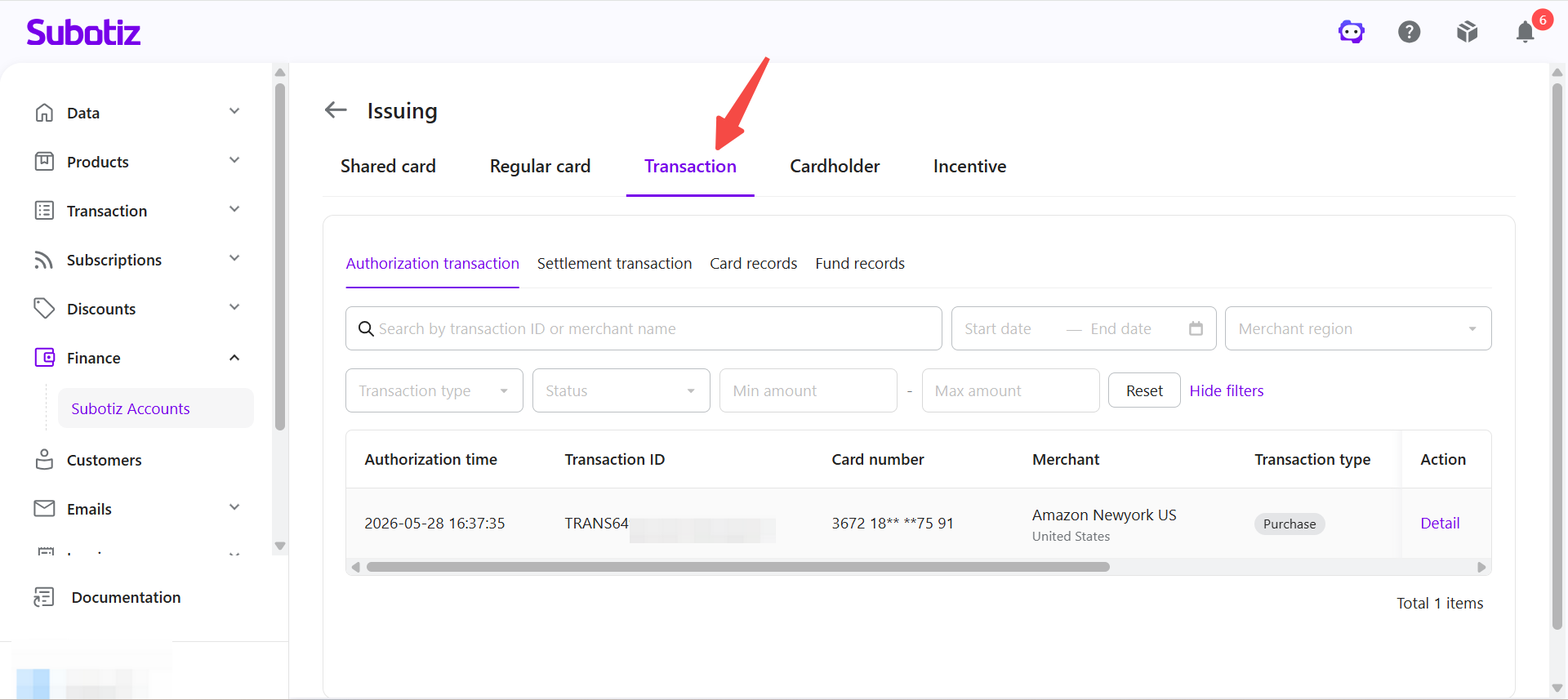
- Open Transaction: Click the Transaction tab.
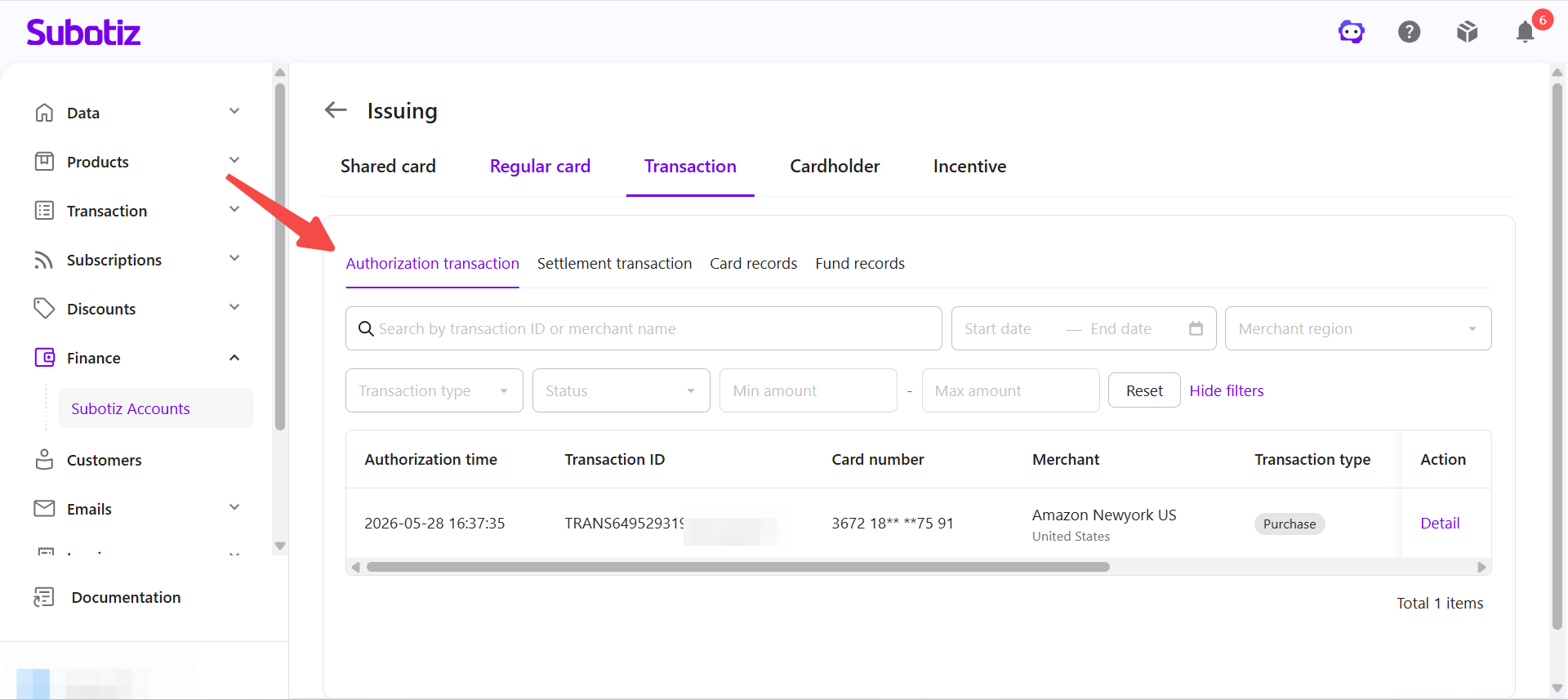
- Open Authorization transaction: Click Authorization transaction to view the authorization transaction list.
Authorization Transaction List
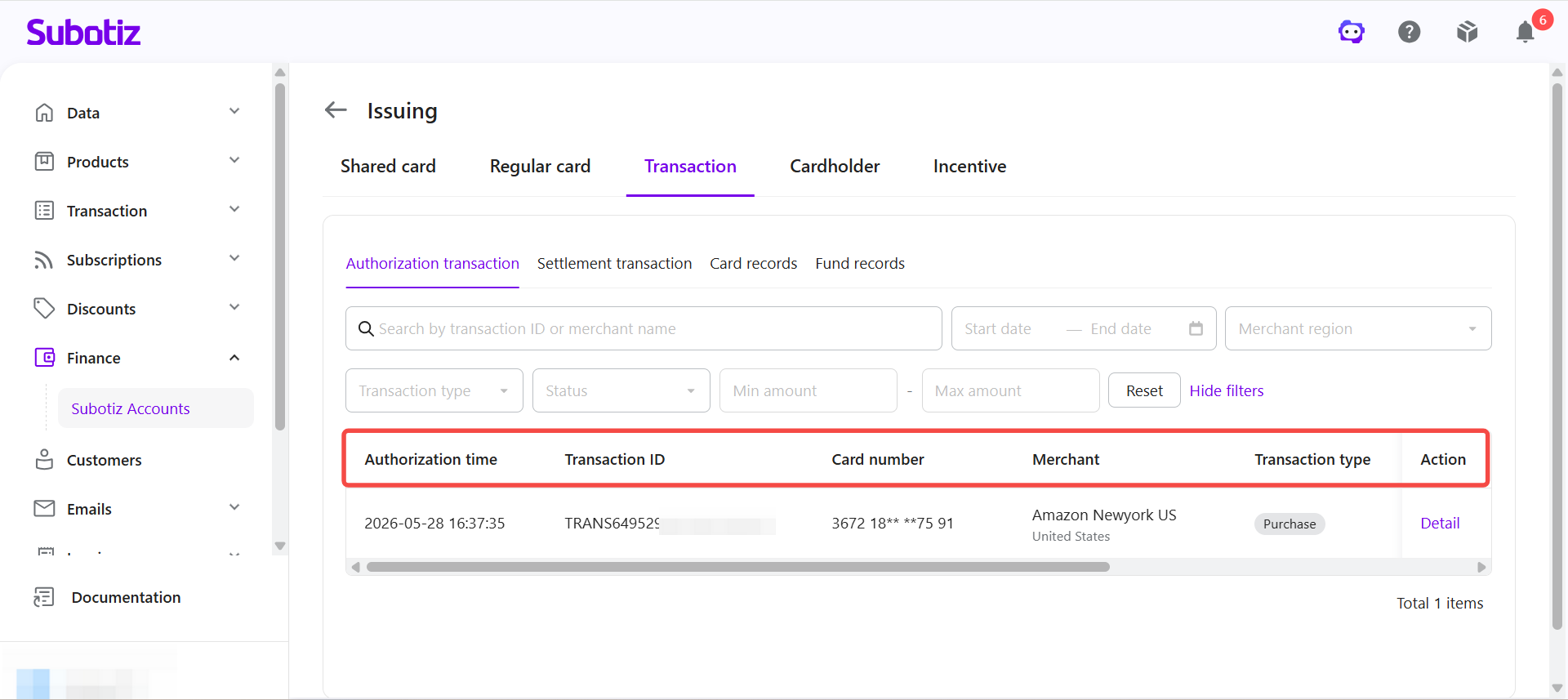
The authorization transaction list records each virtual credit card authorization request and provides key information about the transaction, authorized amount, merchant, and authorization status.
The list includes the following information:
- Authorization time: The date and time the authorization request was initiated.
- Transaction ID: The unique transaction identifier generated by the system.
- Card number: The virtual card used for the transaction, with some digits masked.
- Merchant: The merchant name and country or region.
- Transaction type: The type of transaction, such as Purchase, Refund, Void, or Verification.
- Transaction amount: The transaction amount and currency.
- Authorization amount: The amount and currency submitted for authorization.
- Status: The current authorization status.
- Action: Click Detail to view complete transaction information.
Searching for a Transaction
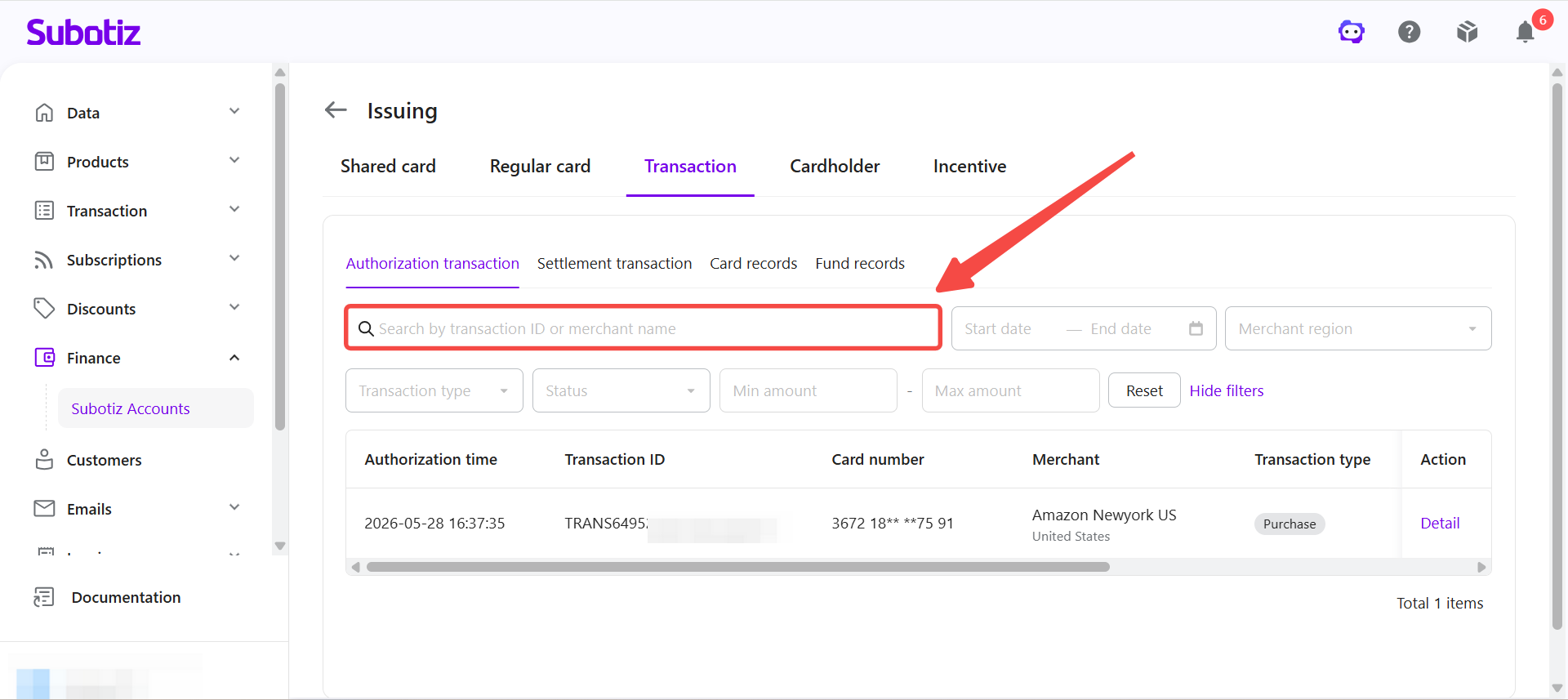
Use the Transaction ID or merchant name to quickly locate a specific authorization transaction.
- Search for a transaction: Enter the Transaction ID or merchant name in the search box.
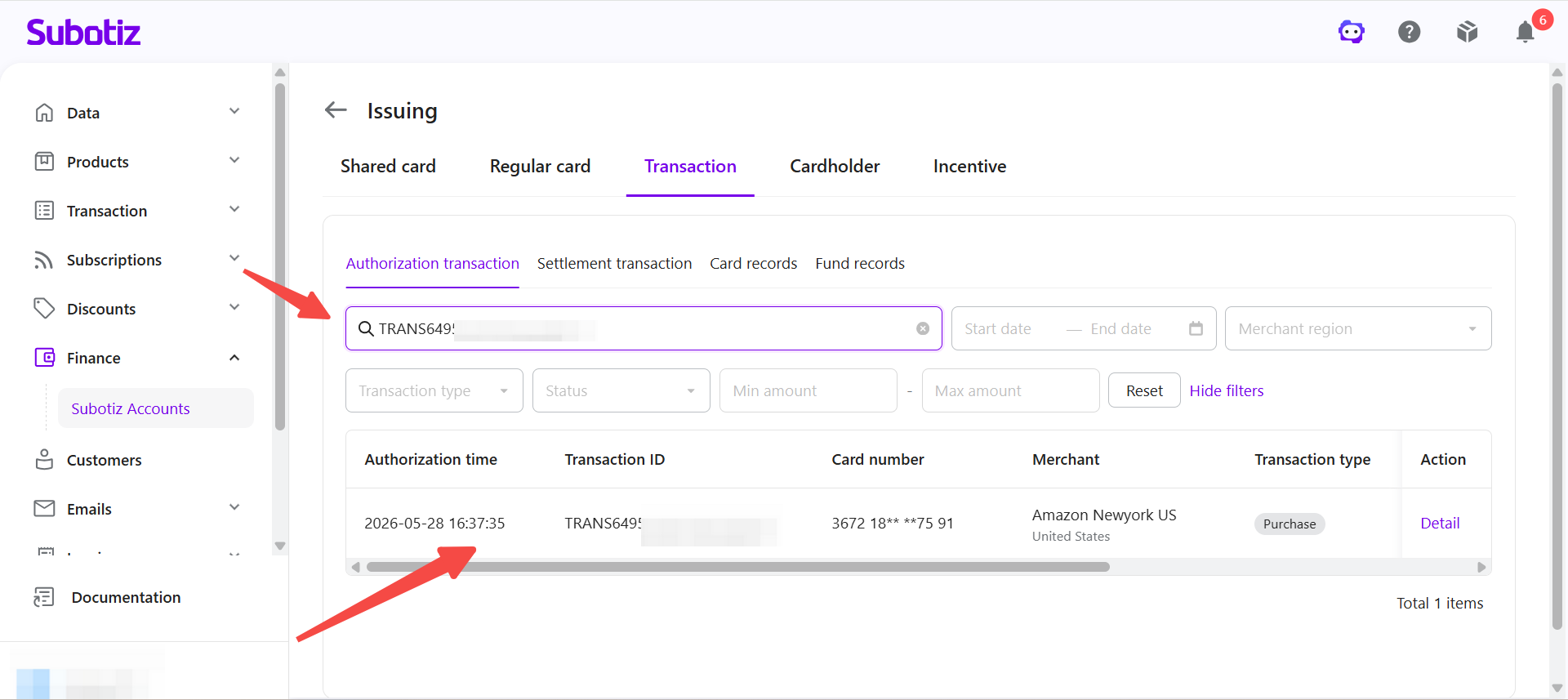
- Review the results: The system automatically displays authorization transactions that match the search criteria.
Filtering Transaction Records
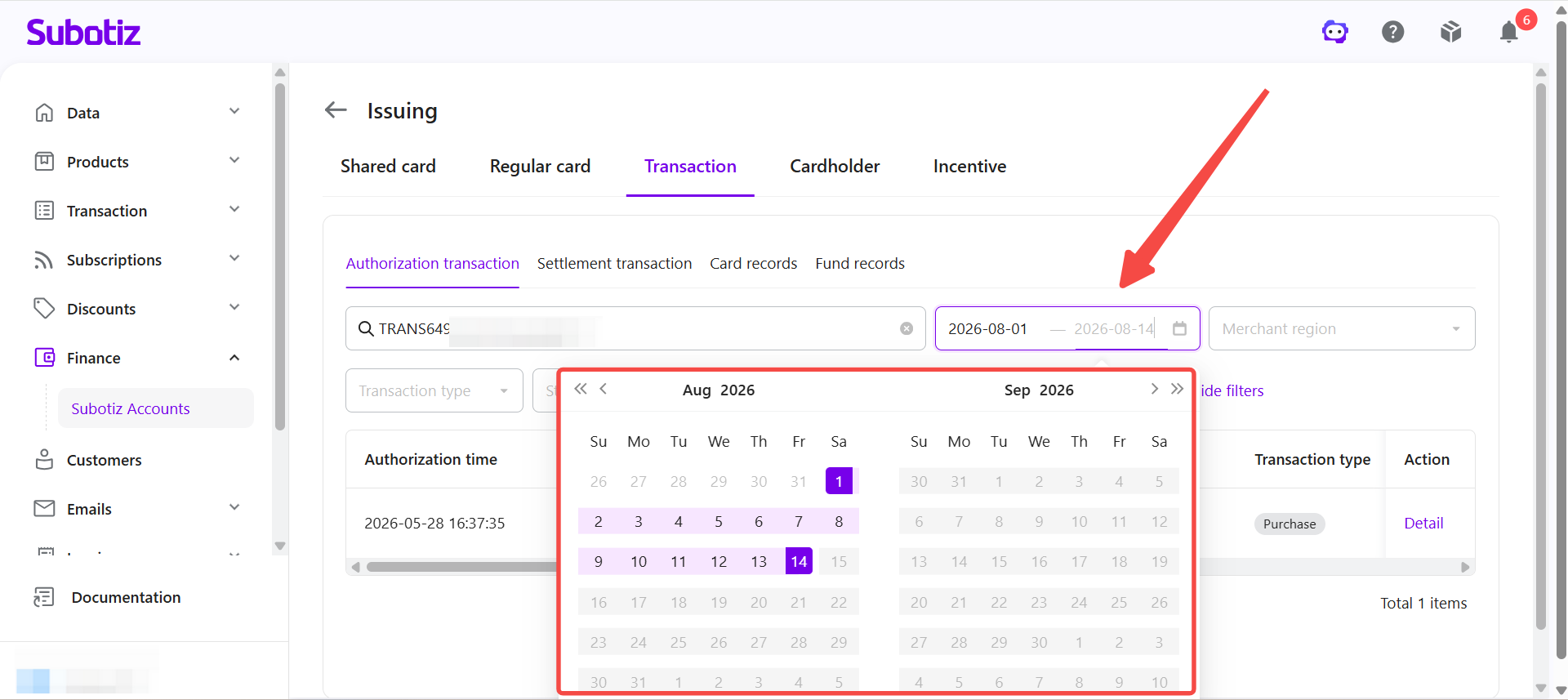
Filter authorization transactions by date, merchant region, transaction type, status, or transaction amount.
- Filter by date: Select a Start date and End date to display transactions within a specific date range.
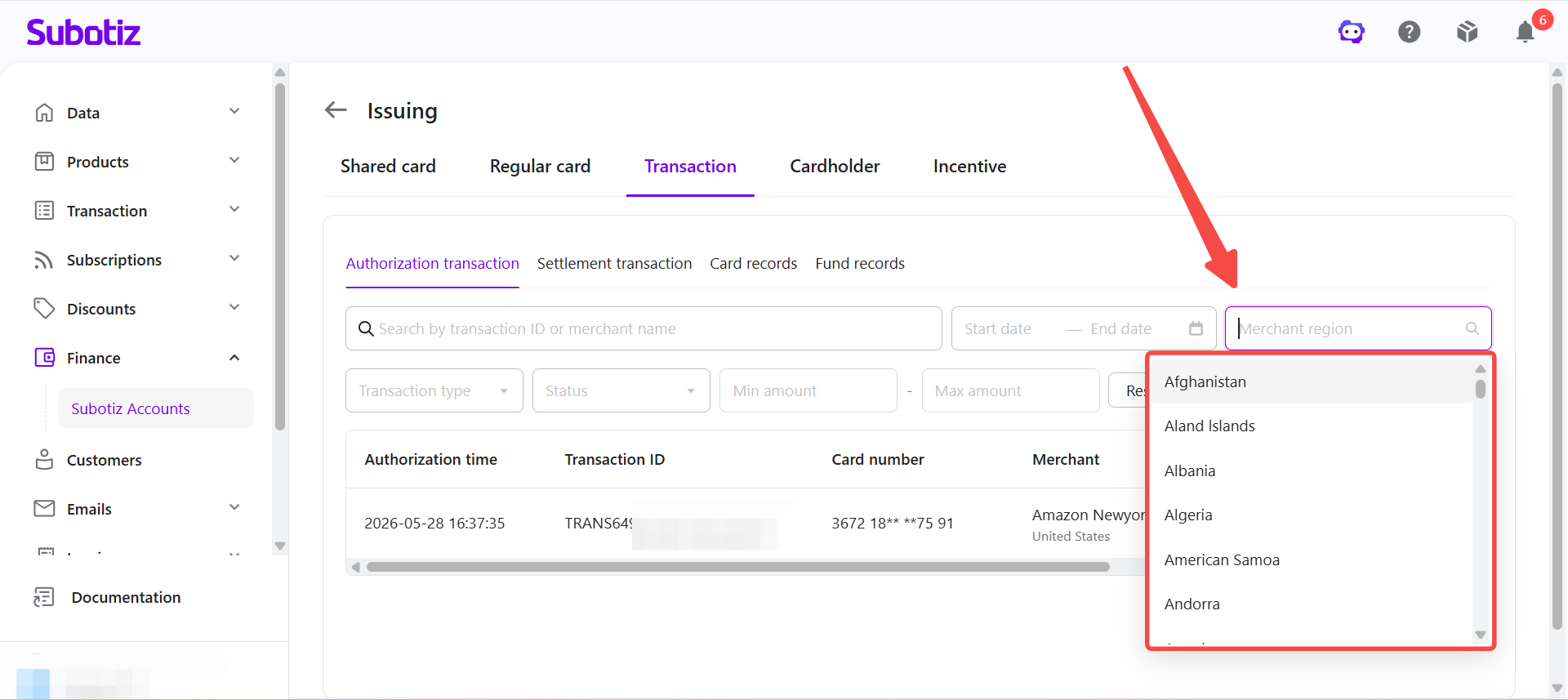
- Filter by merchant region: Select Merchant region to display transactions for a specific country or region.
-
Apply additional filters: Click More filters to access the following options:
-
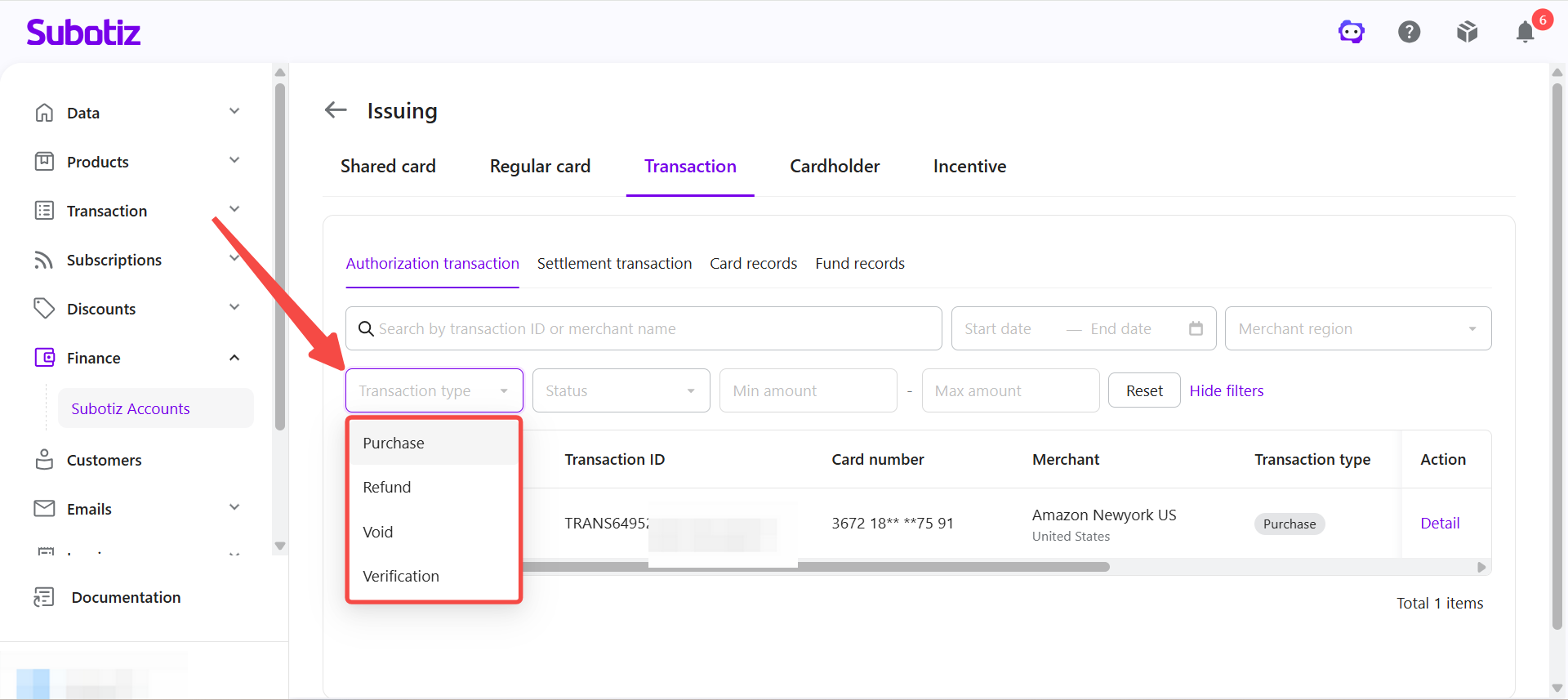
Transaction type
- Purchase: An authorization generated when a virtual card is used for a purchase.
- Refund: A transaction that returns funds from a previous transaction to the virtual card.
- Void: An authorization that is canceled before settlement.
- Verification: An authorization request used to verify that a card is valid. Verification transactions generally do not result in an actual charge.
-
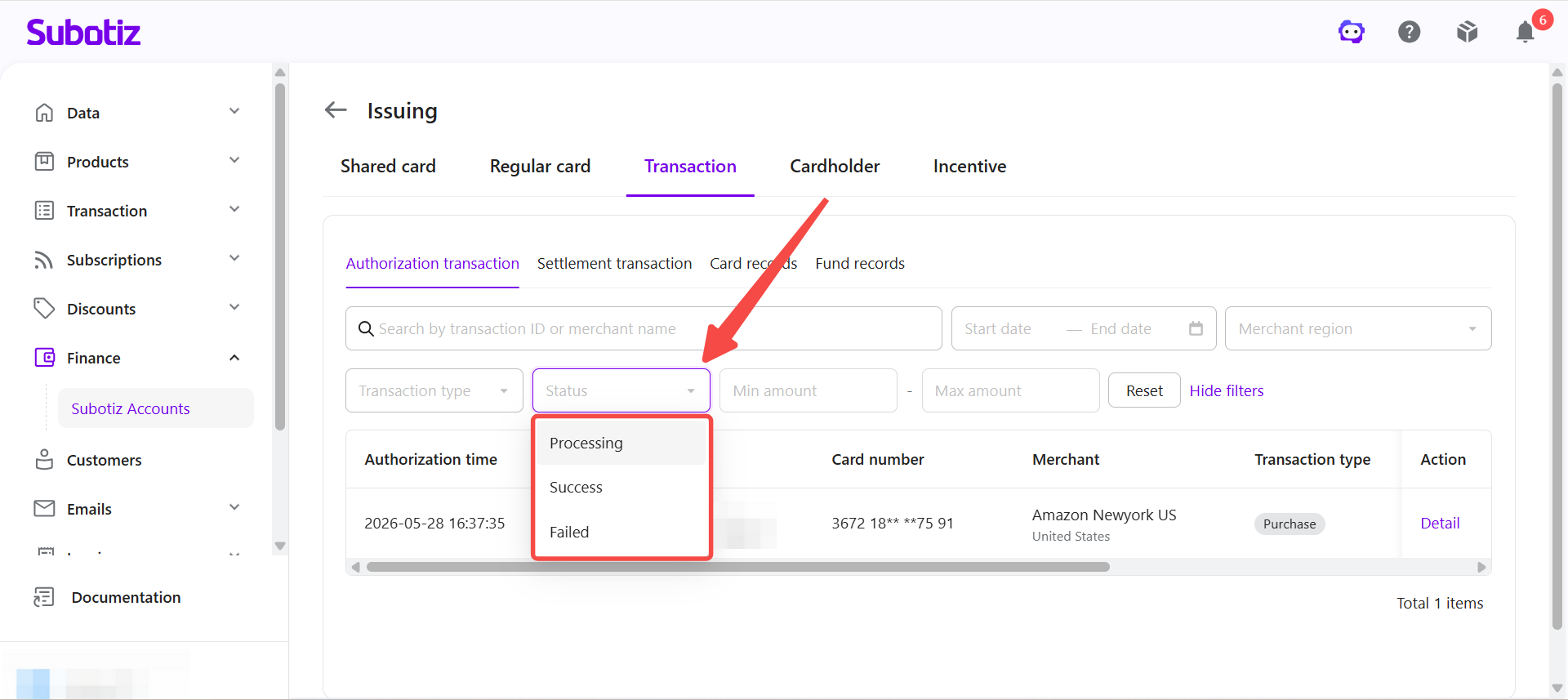
Status
- Processing: The authorization request is being processed.
- Success: The authorization request was approved.
- Failed: The authorization request was declined. Open the transaction details to review the available information about the failure.
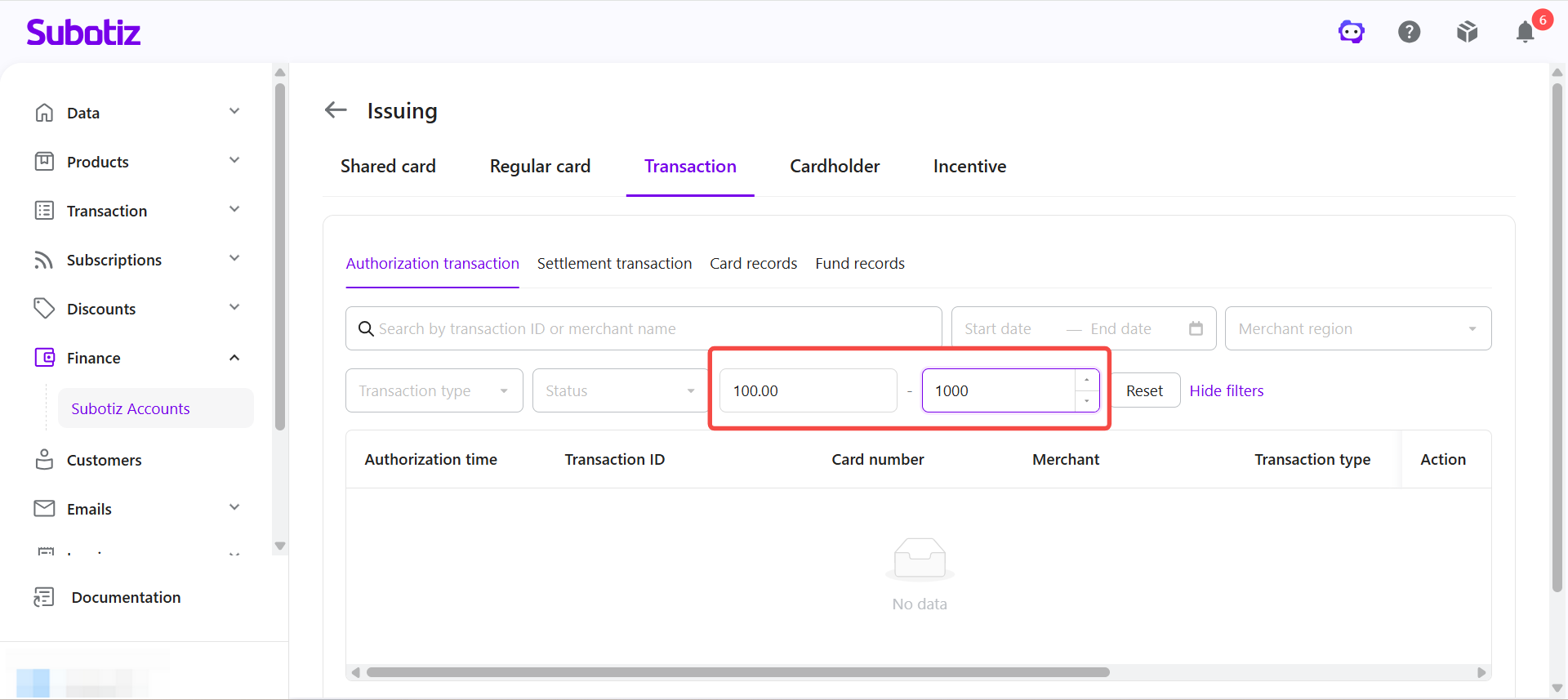
- Transaction amount: Enter a Min amount and Max amount to display transactions within a specific amount range.
-
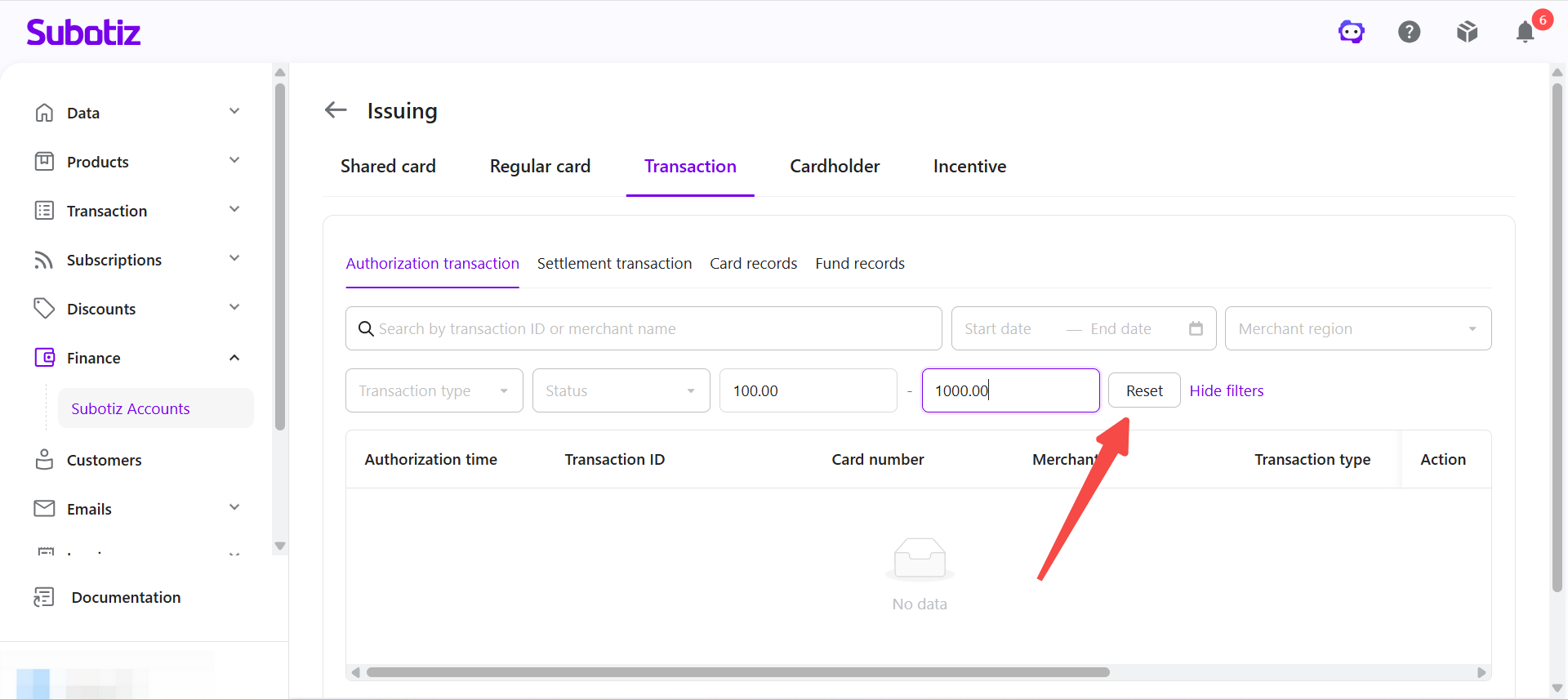
- Reset the filters: Click Reset to clear all applied filters.
Authorization Transaction Details
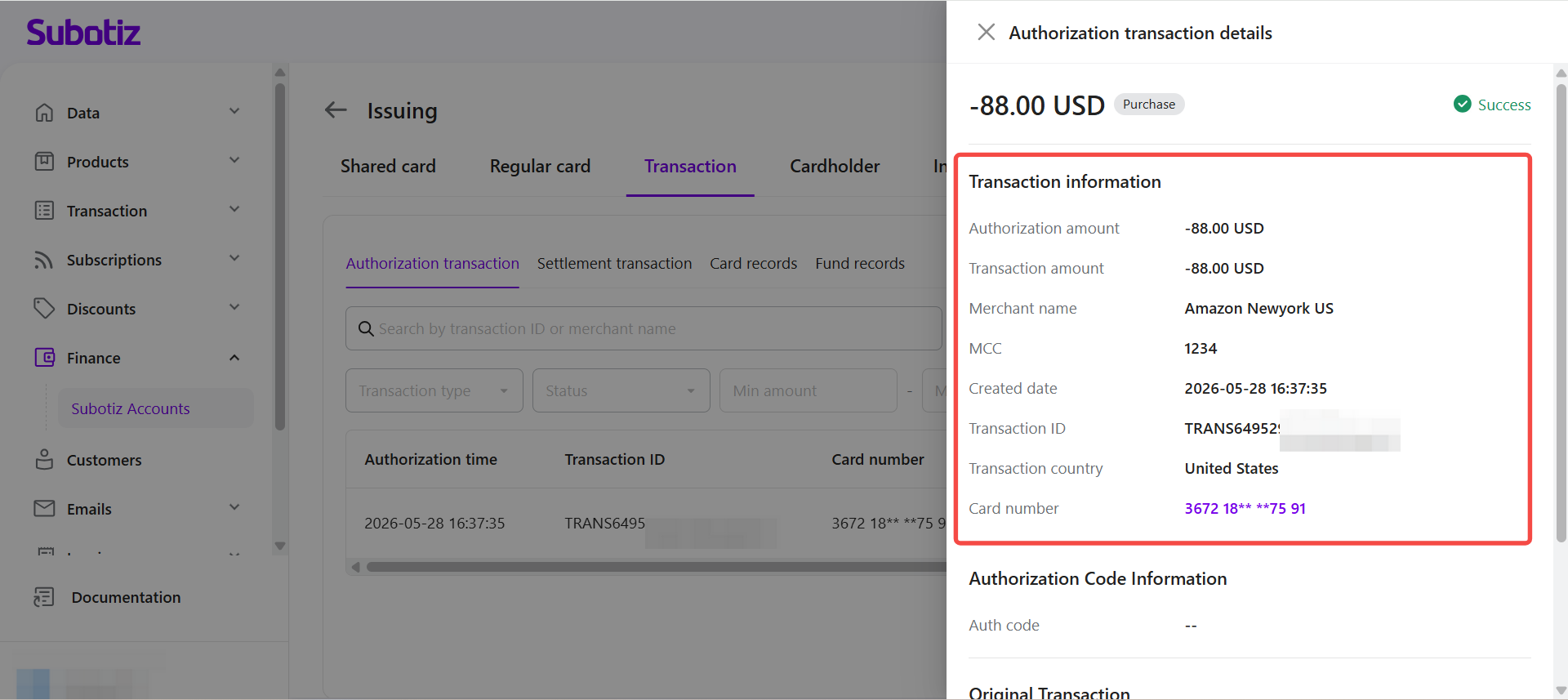
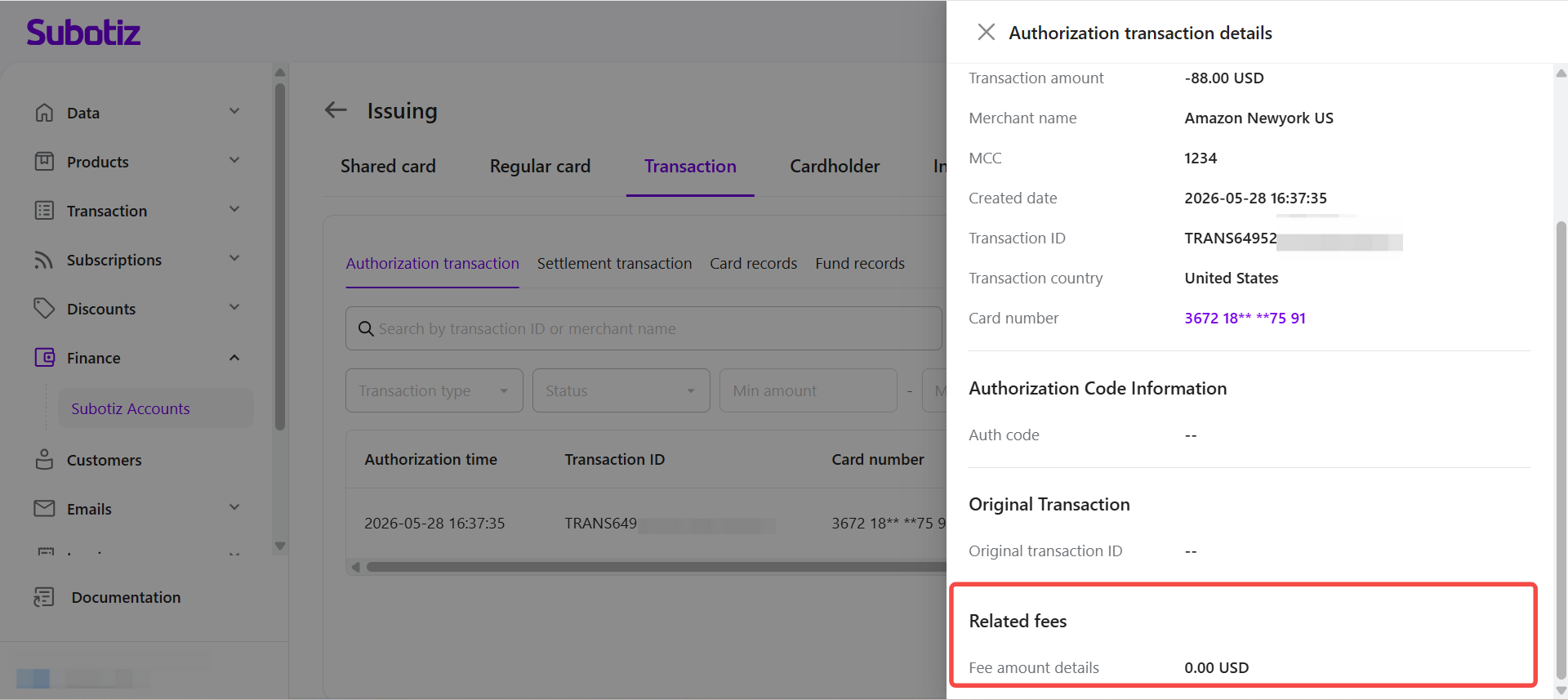
The authorization transaction details panel provides transaction, authorization, original transaction, and fee information for reconciliation and troubleshooting.
- Open transaction details: Click Detail for the corresponding transaction.
-
Review transaction information: Under Transaction information, review the available transaction details, including:
- Authorization amount
- Transaction amount
- Merchant name
- MCC (Merchant Category Code)
- Created date
- Transaction ID
- Transaction country
- Card number
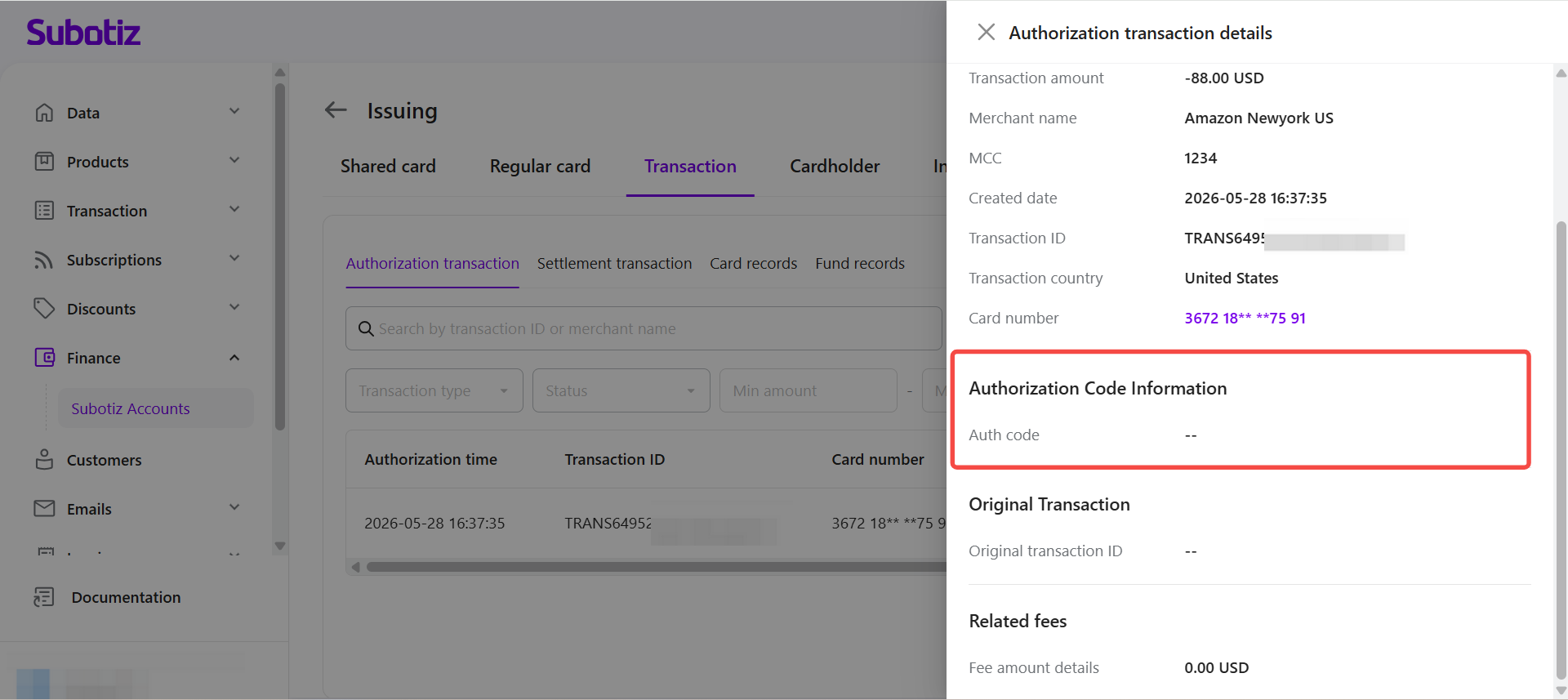
- Review the authorization code: Under Authorization Code Information, review the Auth code associated with the transaction, when available. Use this information together with the transaction status to confirm the authorization result.
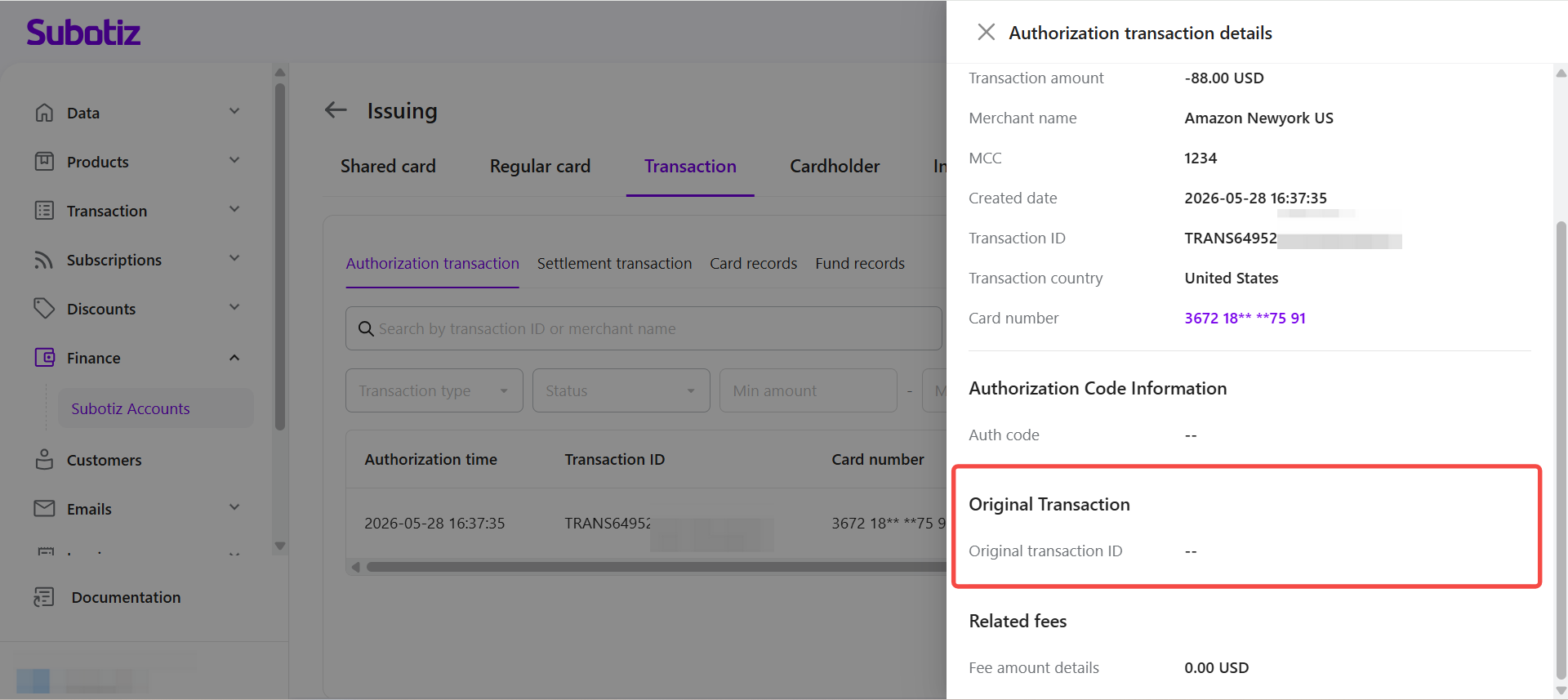
- Review the original transaction: Under Original Transaction, review the Original transaction ID for related transactions, such as refunds or voids, when available.
- Review related fees: Under Related fees, review the Fee amount details for any fees associated with the transaction.
Authorization vs. Settlement Transactions
Authorization transactions and settlement transactions represent different stages of a virtual credit card transaction.
- Authorization transaction: Records the result of an authorization request. After a transaction is successfully authorized, the corresponding amount may be reserved but has not yet been settled.
- Settlement transaction: Records transactions that have completed clearing and reflects the final settlement amount. Because the authorized amount and final settlement amount can differ, use the settlement transaction record to confirm the actual amount charged or refunded.
Not every successful authorization proceeds to settlement. For example:
- A transaction may be voided before settlement.
- An authorization may expire before settlement is completed.
- A Verification transaction may only verify that the card is valid and does not represent an actual purchase.
For more information about settlement transactions, refer to Issuing VCC | Settlement Transactions.
The Authorization transaction feature provides a complete view of virtual credit card authorization records, helping merchants review authorization status and amounts, identify related transactions, and investigate failed authorizations. Search and filtering tools help merchants quickly locate specific records for transaction reconciliation and day-to-day virtual card management.