The CNY Settlement feature allows merchants to manage CNY Settlement orders, review transaction details, monitor processing progress, and quickly locate specific orders using search and filter options, helping streamline cross-border fund settlement management.
Viewing the CNY Settlement List
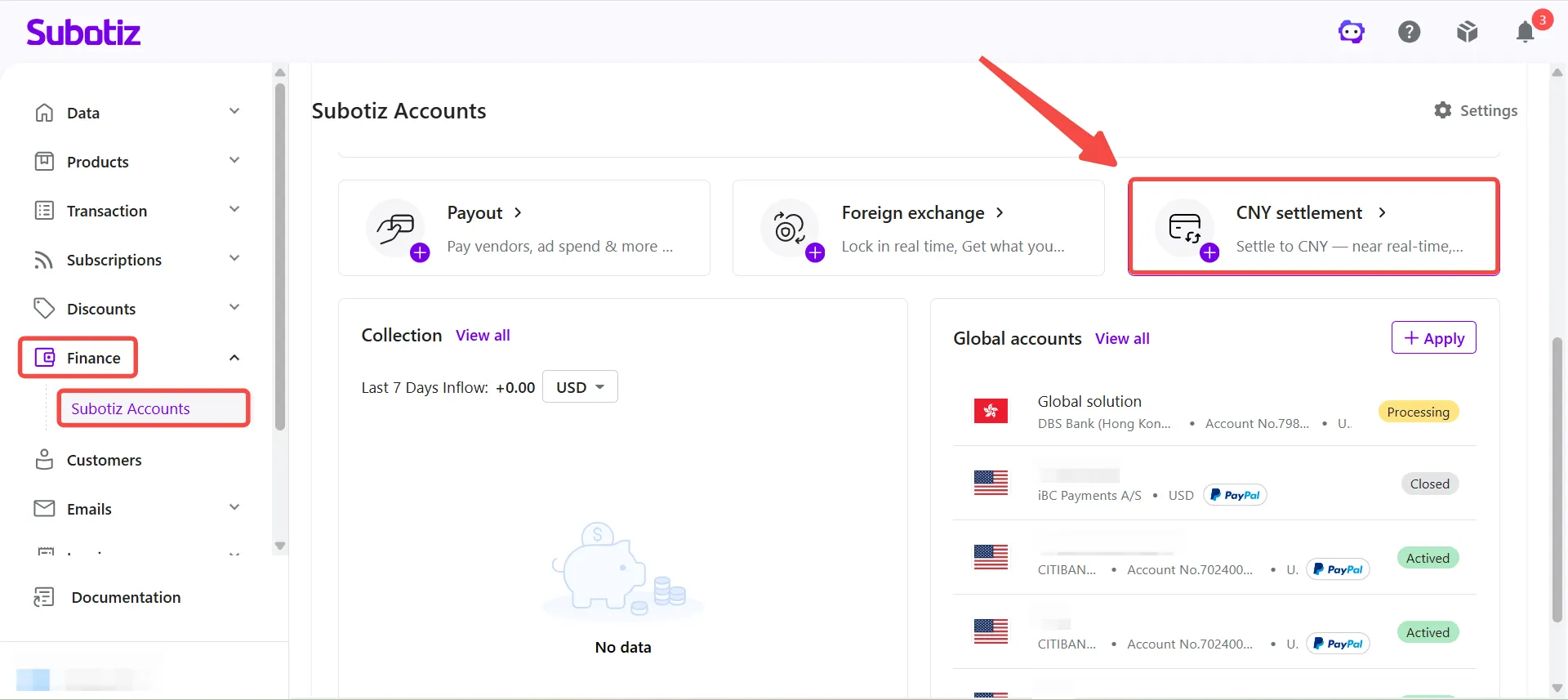
- Open CNY Settlement: Go to Finance > Subotiz Accounts > CNY Settlement.
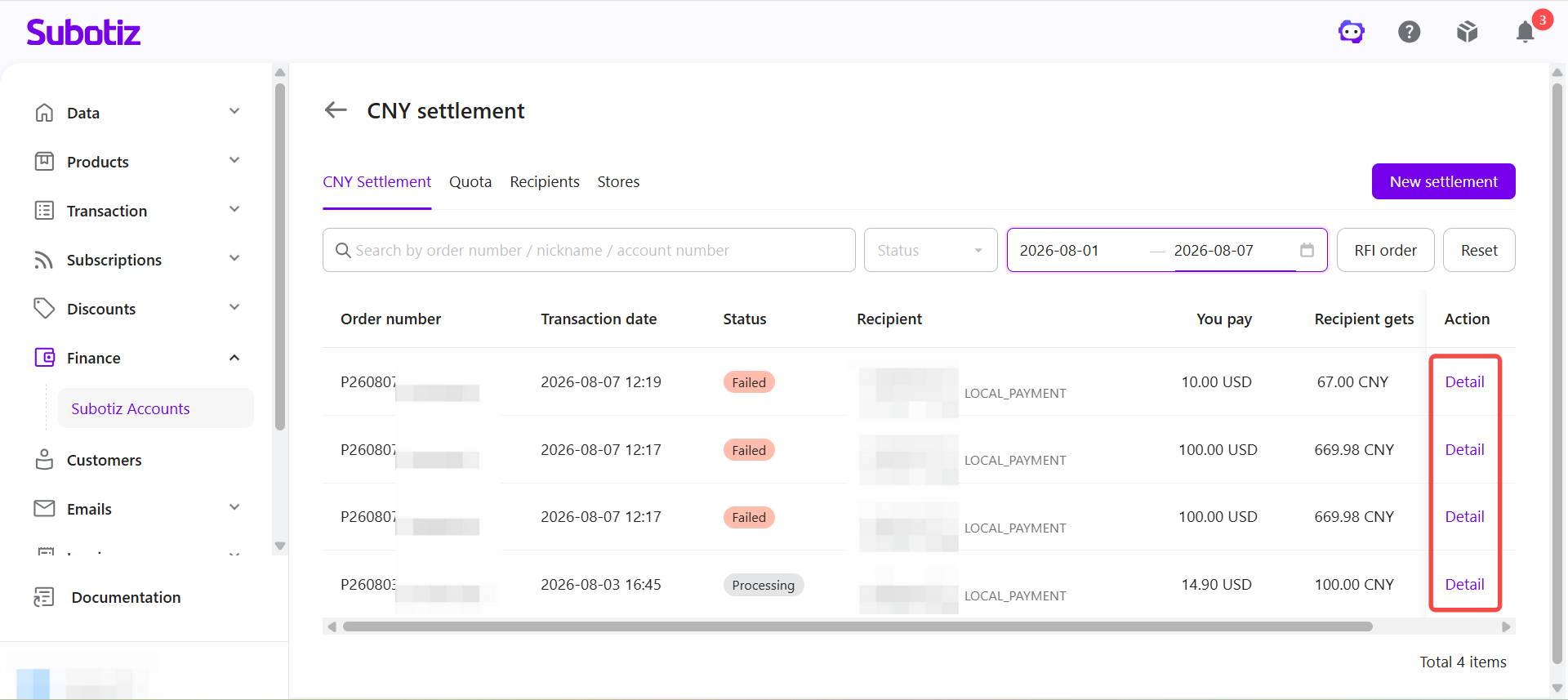
- View the order list: The order list displays all CNY Settlement orders with the following information:
- Order number
- Transaction date
- Status
- Recipient
- You pay
- Recipient gets
Order status updates automatically as processing progresses, allowing merchants to monitor each settlement request in real time.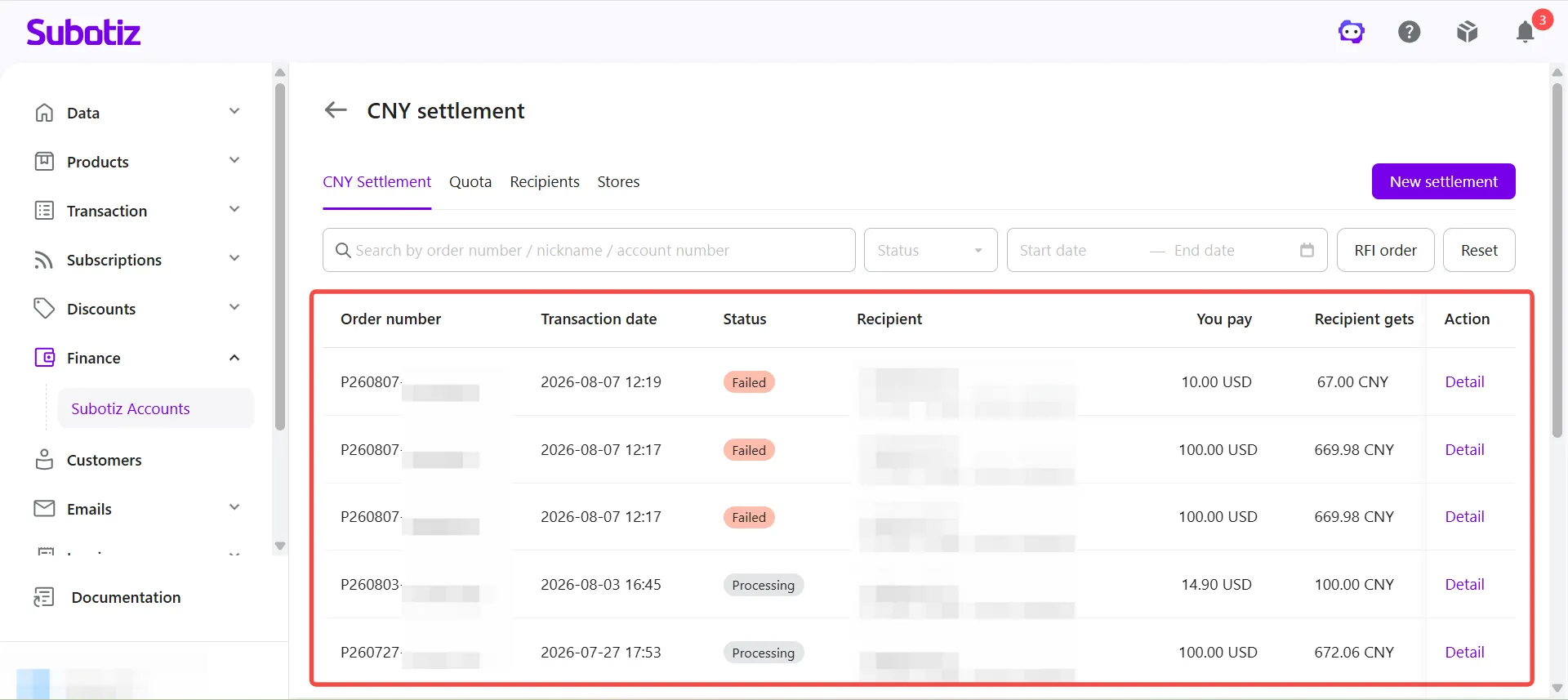
Searching and Filter Settlement Orders
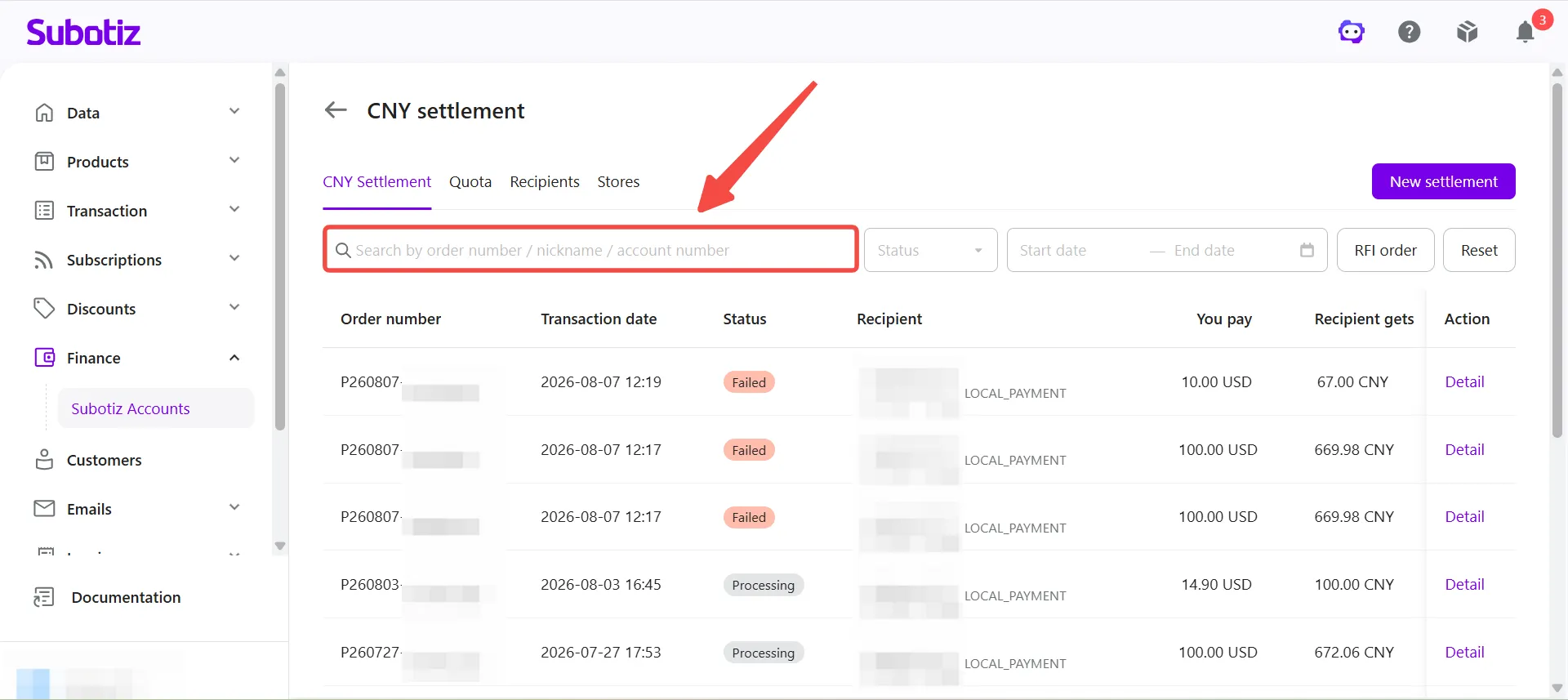
- Search for an order: Enter an order number, recipient nickname, or account number in the search box to locate a specific settlement order.
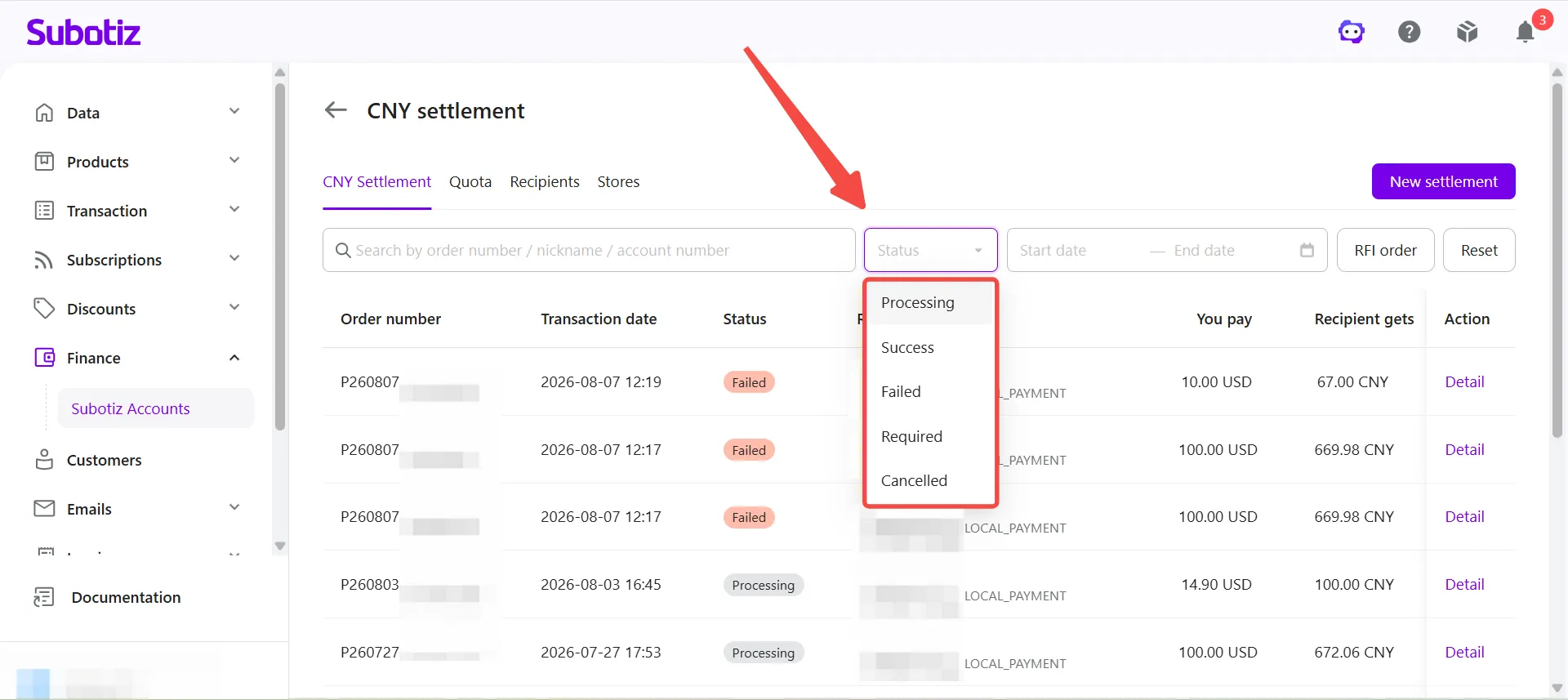
- Filter by status: Click Status and select one of the following statuses:
- Processing
- Success
- Failed
- Required
- Cancelled
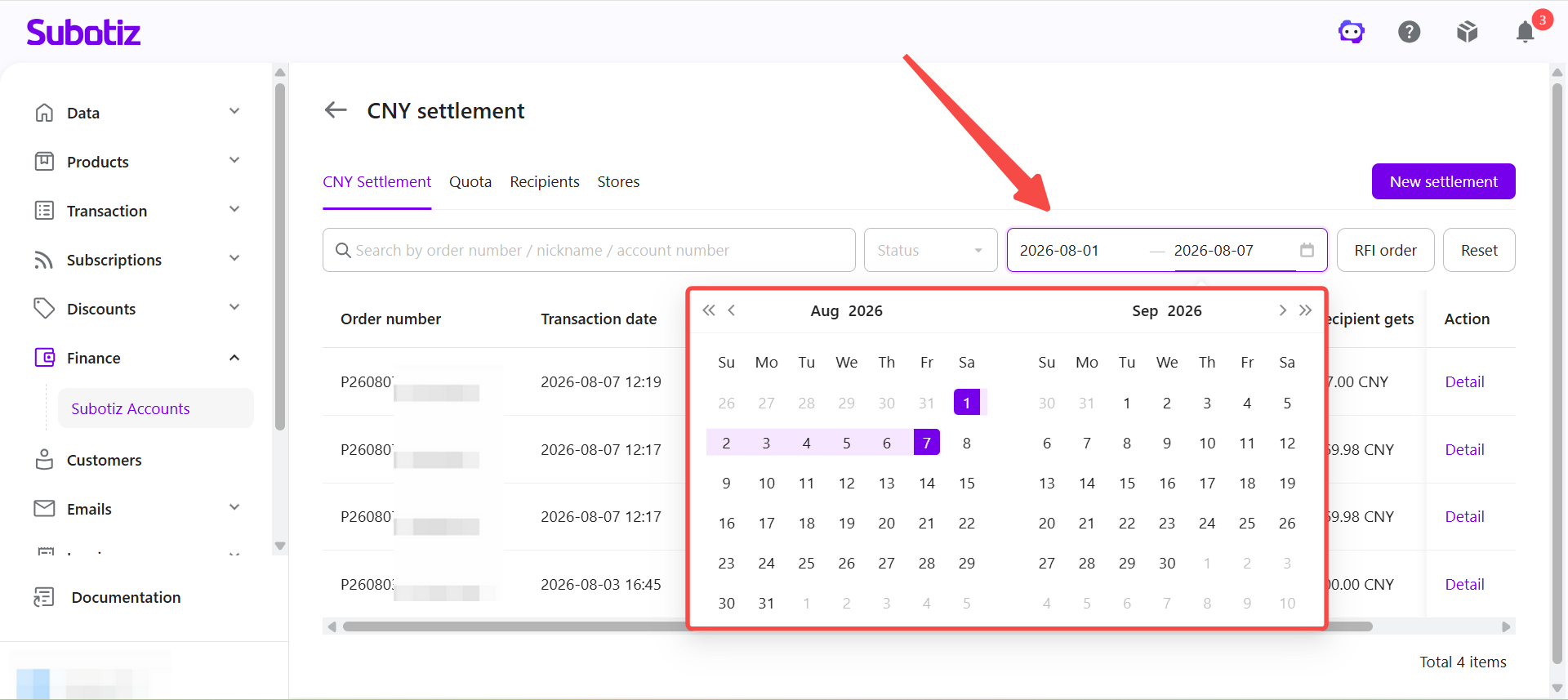
- Filter by date: Select a Start date and End date to display settlement orders created within a specific time range.
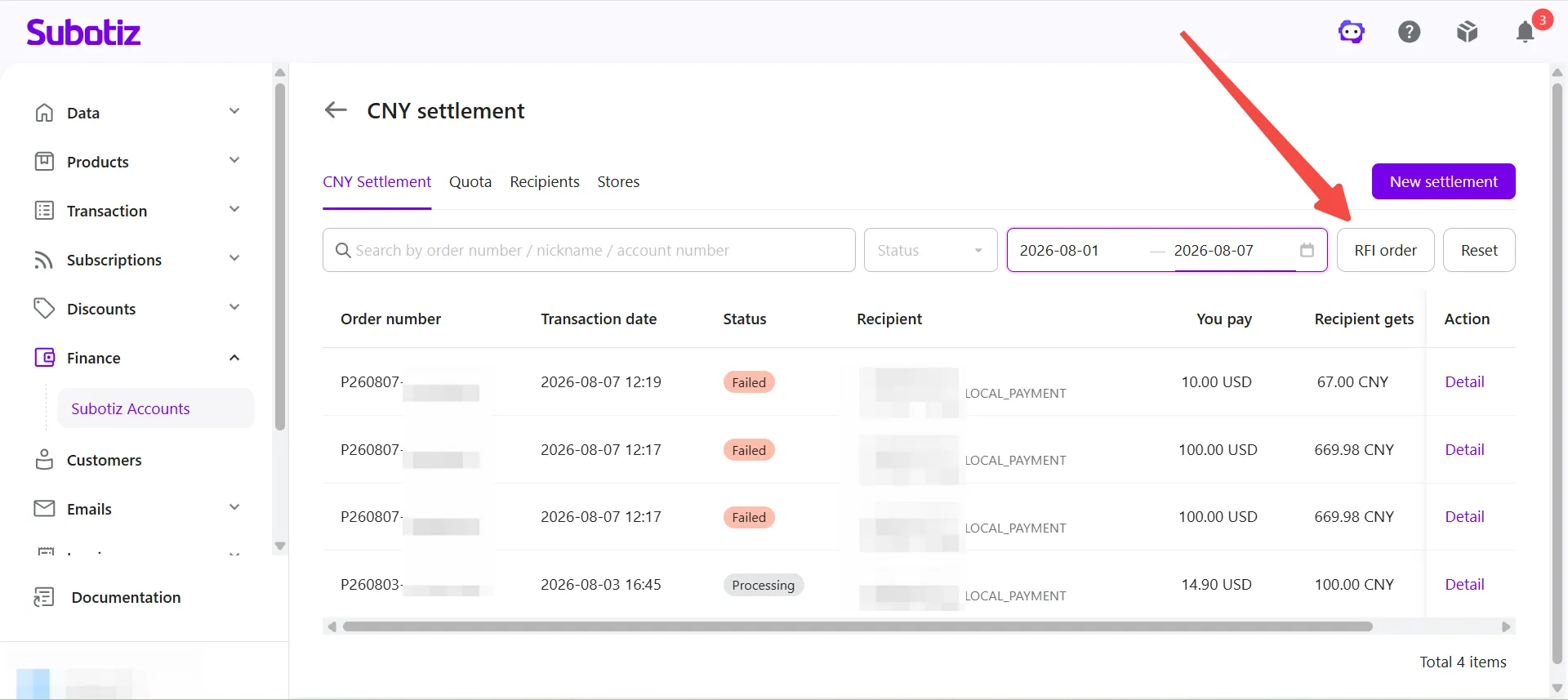
- View RFI orders: Click RFI order to display settlement orders that require additional information or supporting documents.
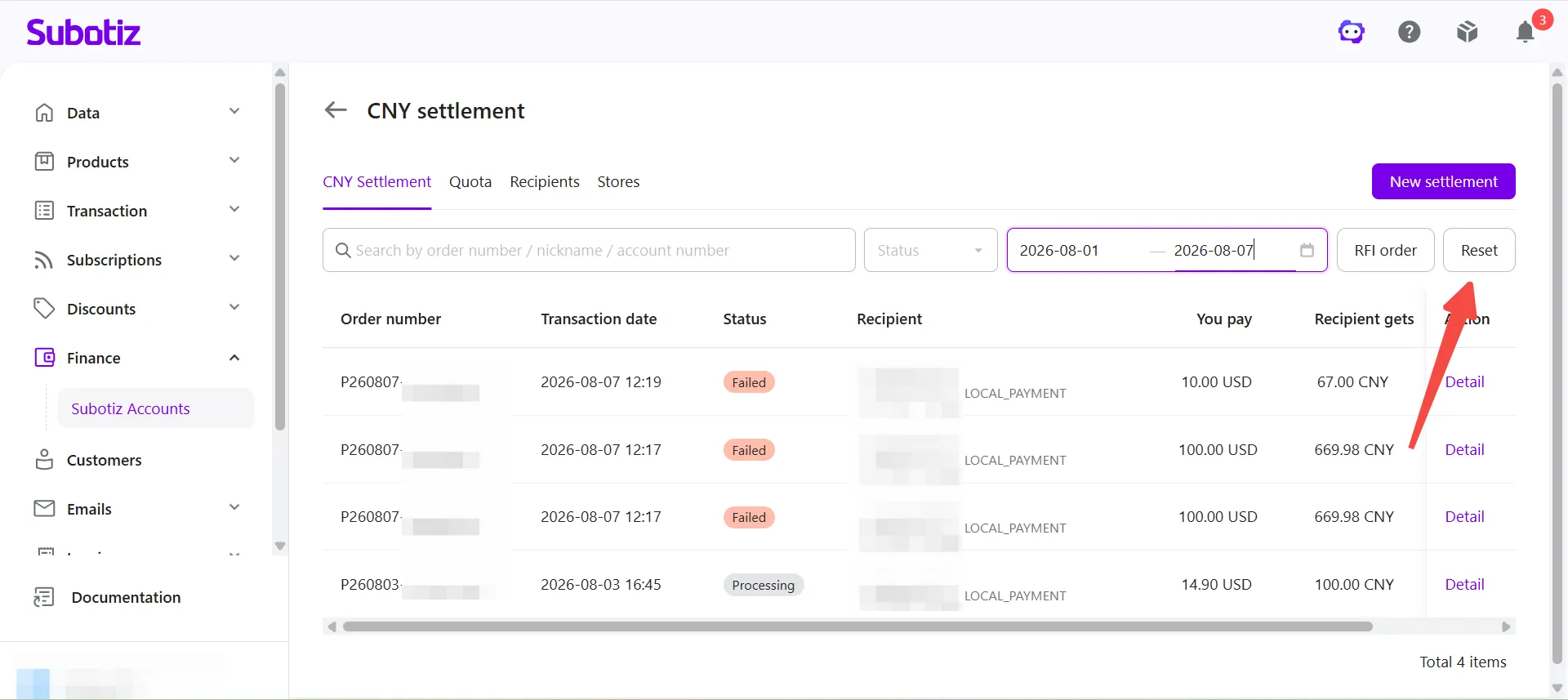
- Reset filters: Click Reset to clear all search criteria and filters.
Viewing Settlement Details
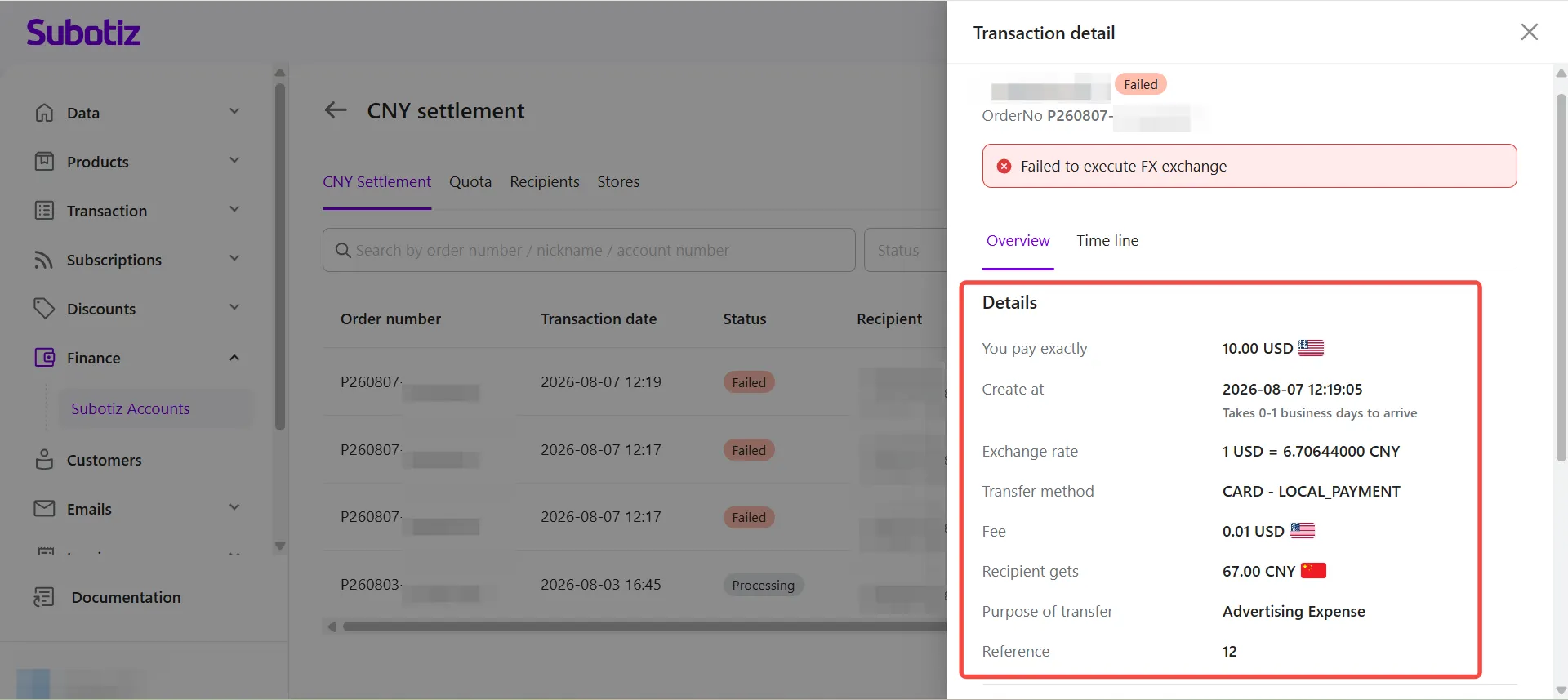
- Open transaction details: Click Detail for the corresponding settlement order.
- Review transaction information: On the Overview tab, review the settlement details, including:
- You pay
- Created at
- Exchange rate
- Transfer method
- Fee
- Recipient gets
- Purpose of transfer
- Reference
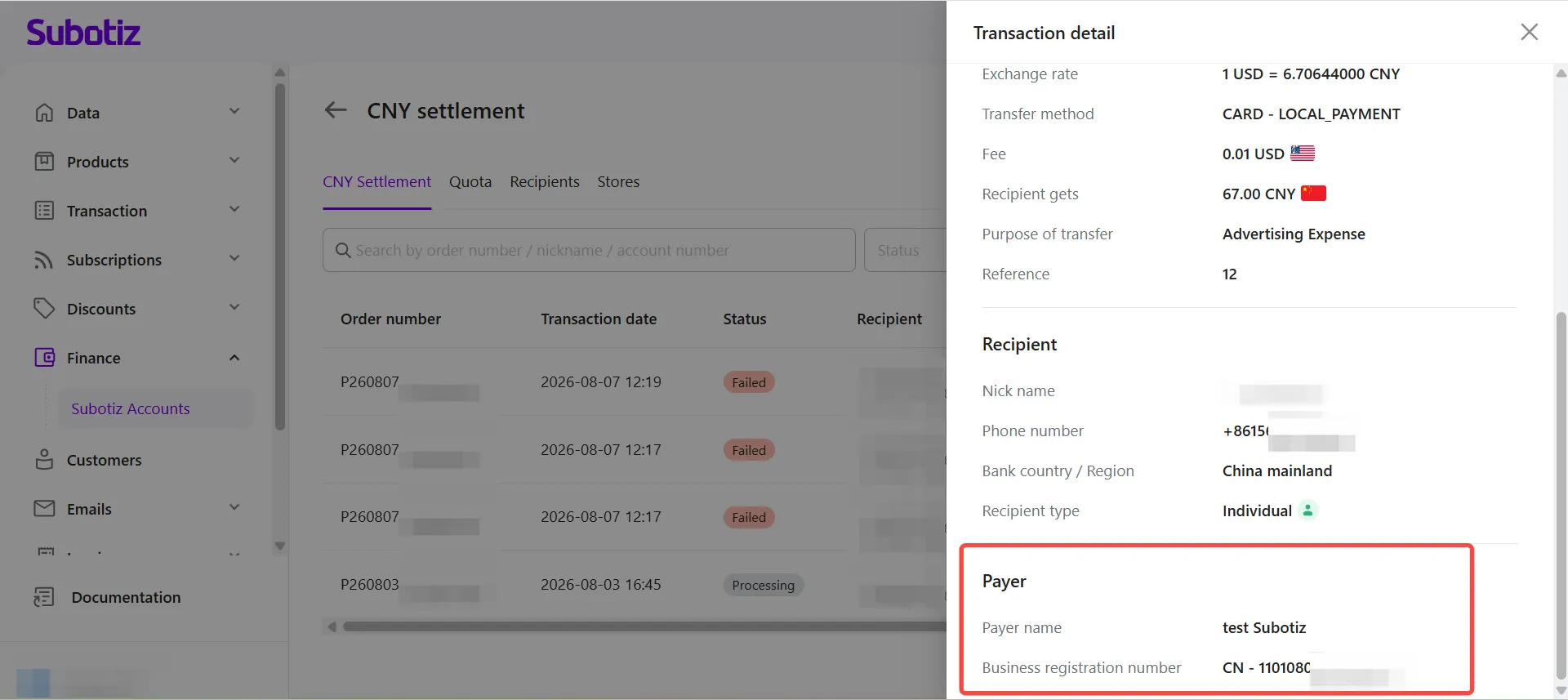
- View recipient information: Scroll down to review the recipient details, including:
- Nickname
- Phone number
- Bank country / Region
- Recipient type
- View payer information: Continue scrolling to review the payer information, including:
- Payer name
- Business registration number
Tracking Processing Progress
- Open the Timeline: On the transaction details page, switch to the Timeline tab.
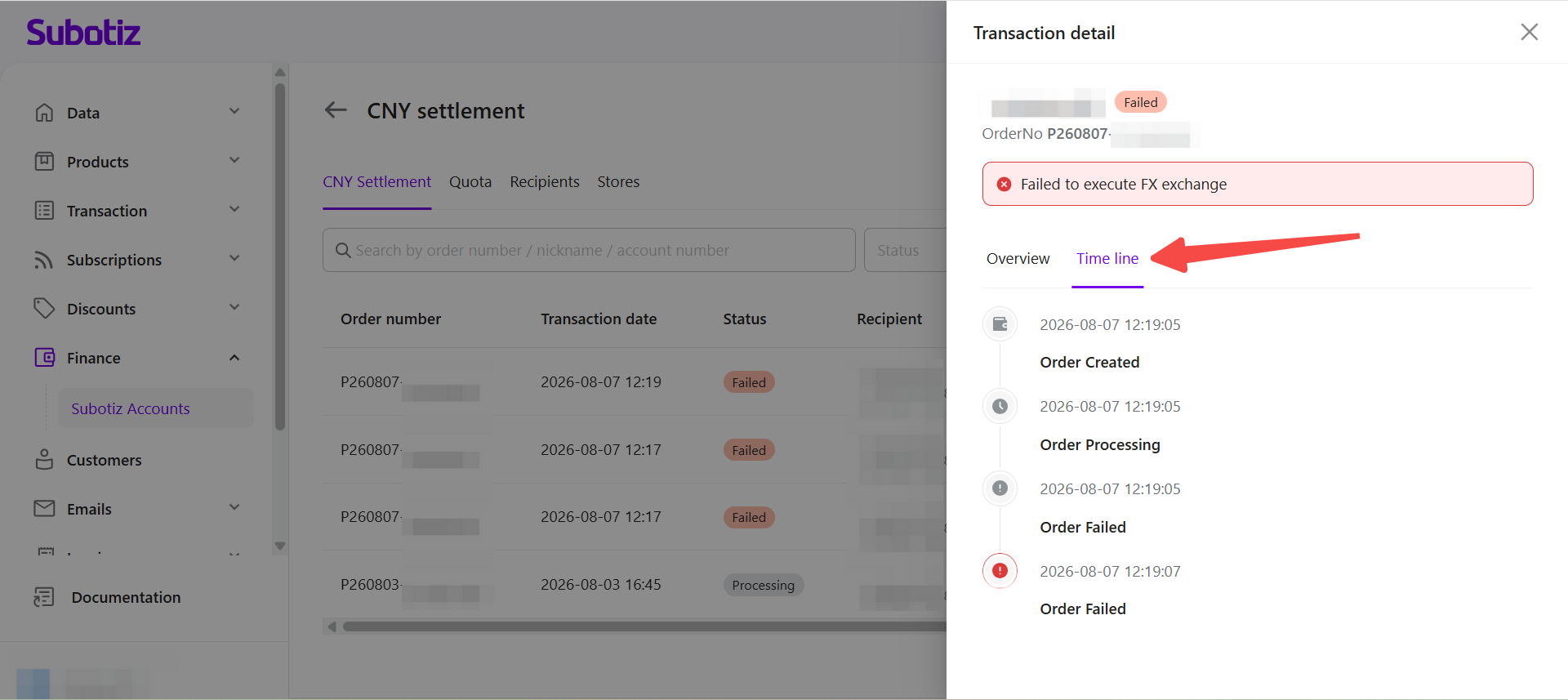
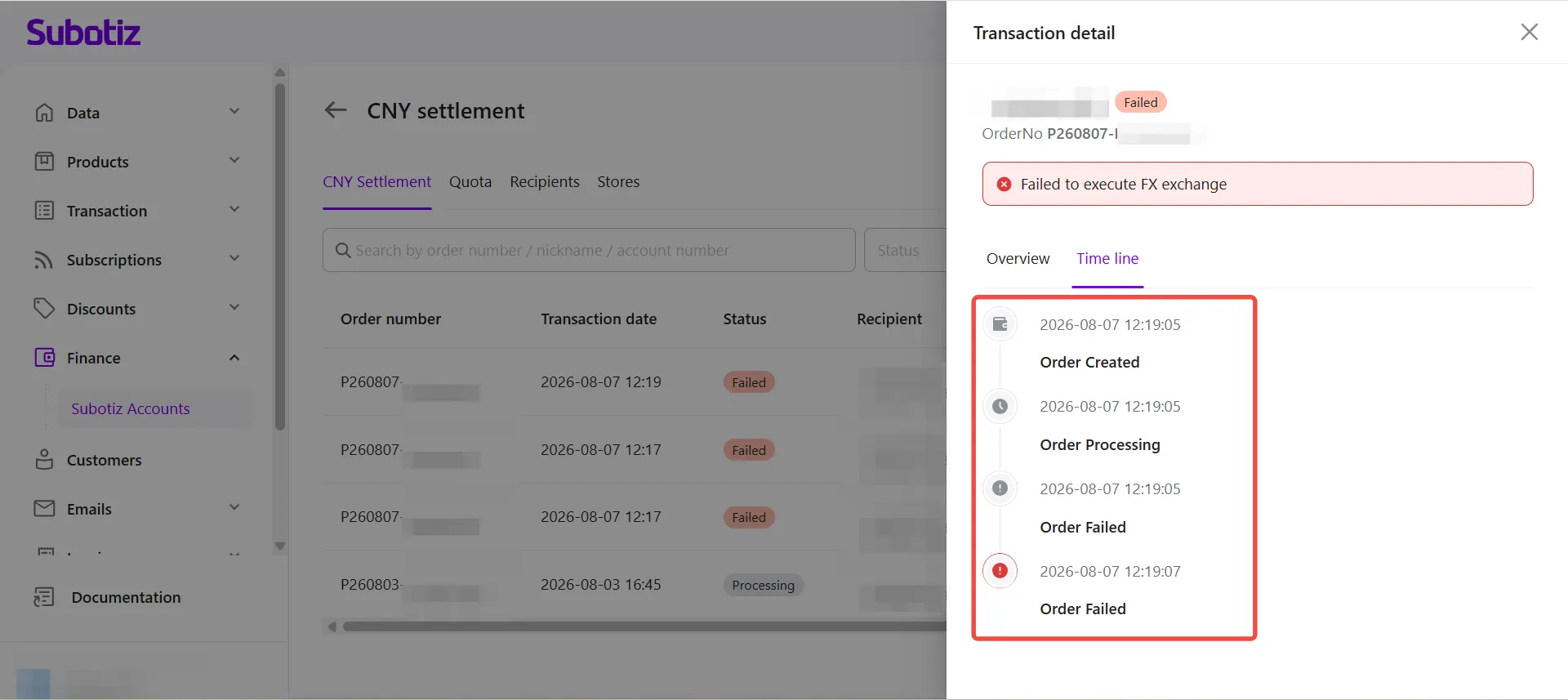
- Review the processing timeline: The Timeline displays each status update in chronological order, allowing merchants to track the progress of a settlement request from submission to completion.
Understanding Order Statuses
Settlement orders display different statuses based on their current processing stage.
Status | Description |
|---|---|
Processing | The settlement request has been submitted and is currently being processed. |
Success | The settlement has been completed successfully, and the funds have been transferred to the recipient. |
Failed | The settlement request could not be completed. Review the transaction details to identify the reason for the failure. |
Required | Additional information or supporting documents are required before processing can continue. Follow the on-screen instructions to complete the request. |
Cancelled | The settlement order has been cancelled and will not be processed further. |
The CNY Settlement page provides a centralized view of all settlement orders, including transaction details, order status, and processing progress. Merchants can use search, filters, transaction details, and the Timeline to efficiently monitor and manage every CNY Settlement transaction.