The Recipients feature in CNY Settlement allows merchants to manage recipient bank accounts used for CNY Settlement. Merchants can view recipient information, monitor review status, manage recipient accounts after submission, and quickly locate recipients using search and filter options. Once approved, recipients can be selected directly when creating CNY Settlement orders without re-entering bank account information.
Viewing the Recipients List
View all saved recipients and their basic information.
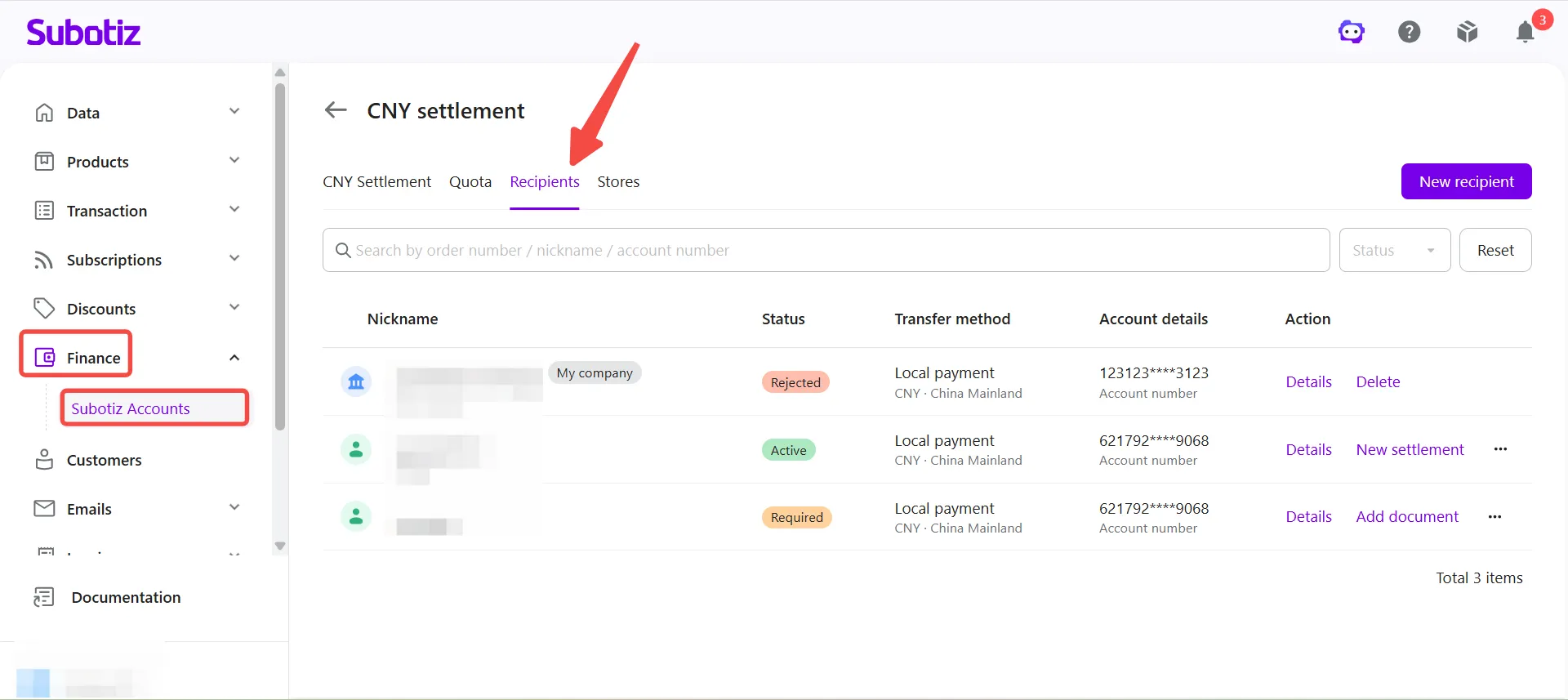
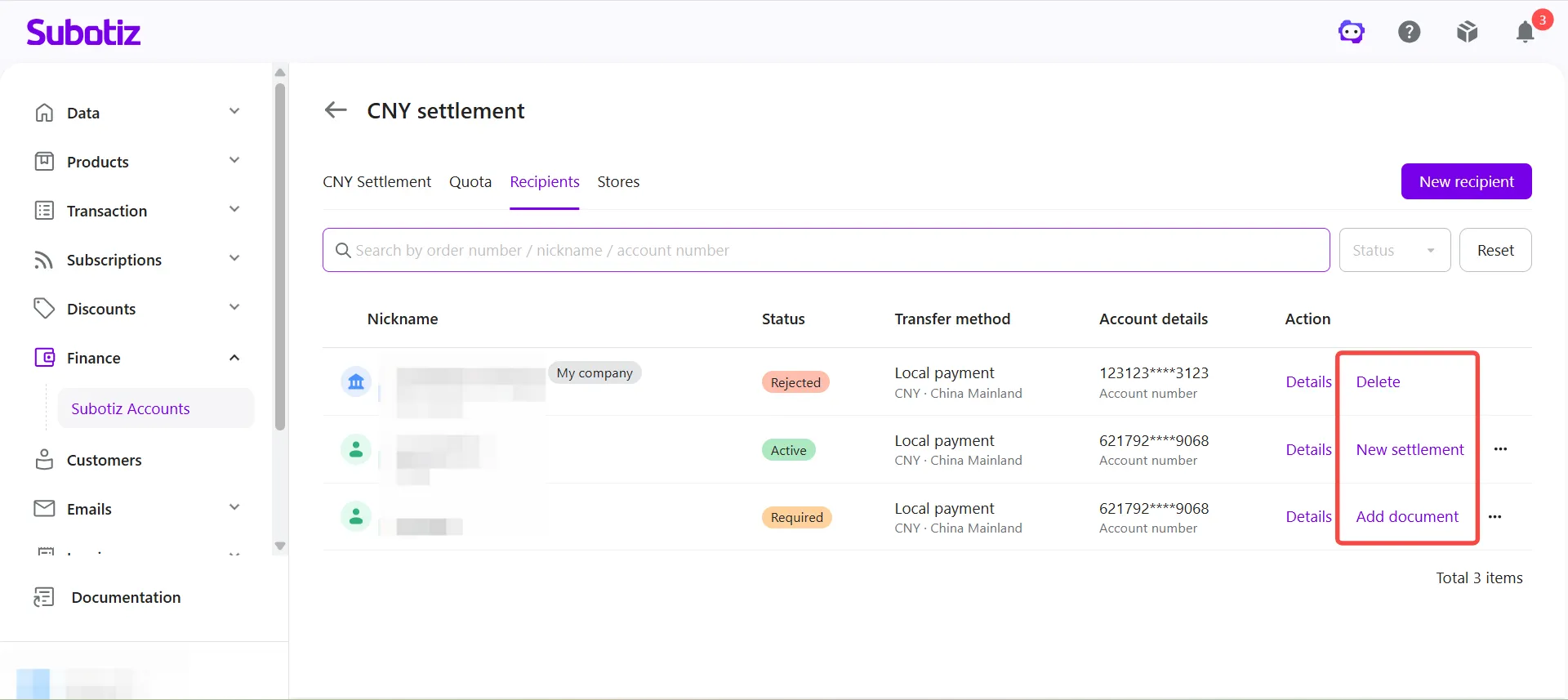
- Open the Recipients page: Go to Finance > Subotiz Accounts > CNY Settlement > Recipients.The page displays the following information for each recipient:
- Nickname
- Status
- Transfer method
- Account details
- Actions
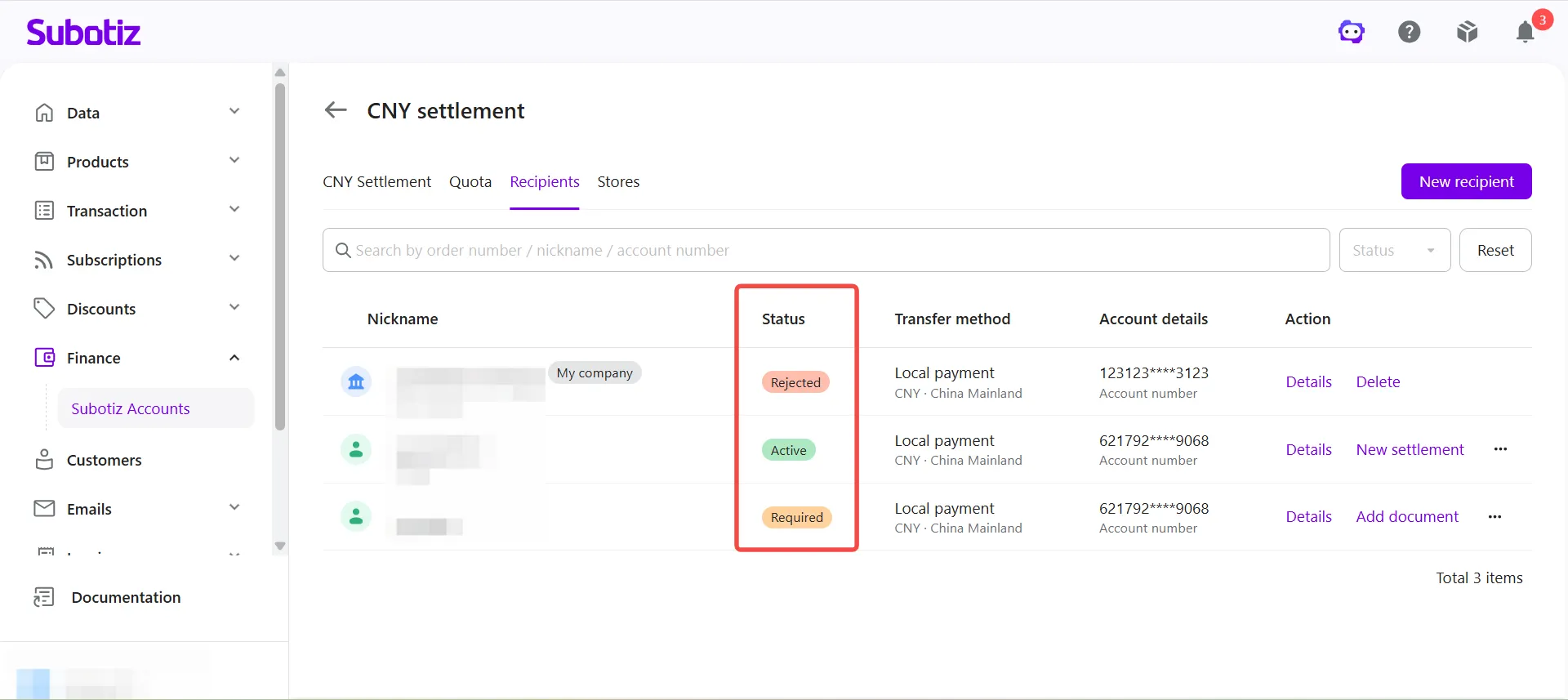
- Check recipient status: Review the current status for each recipient in the list.
Recipients can display one of the following statuses.
Status | Description |
|---|---|
Active | The recipient has been approved and is available for creating CNY Settlement orders. |
Required | Additional documents are required. Upload the requested documents and resubmit the recipient for review. |
Rejected | The recipient information was not approved. Update the required information and resubmit the recipient for review. |
Viewing Recipient Details
Recipient details include account details and recipient information.
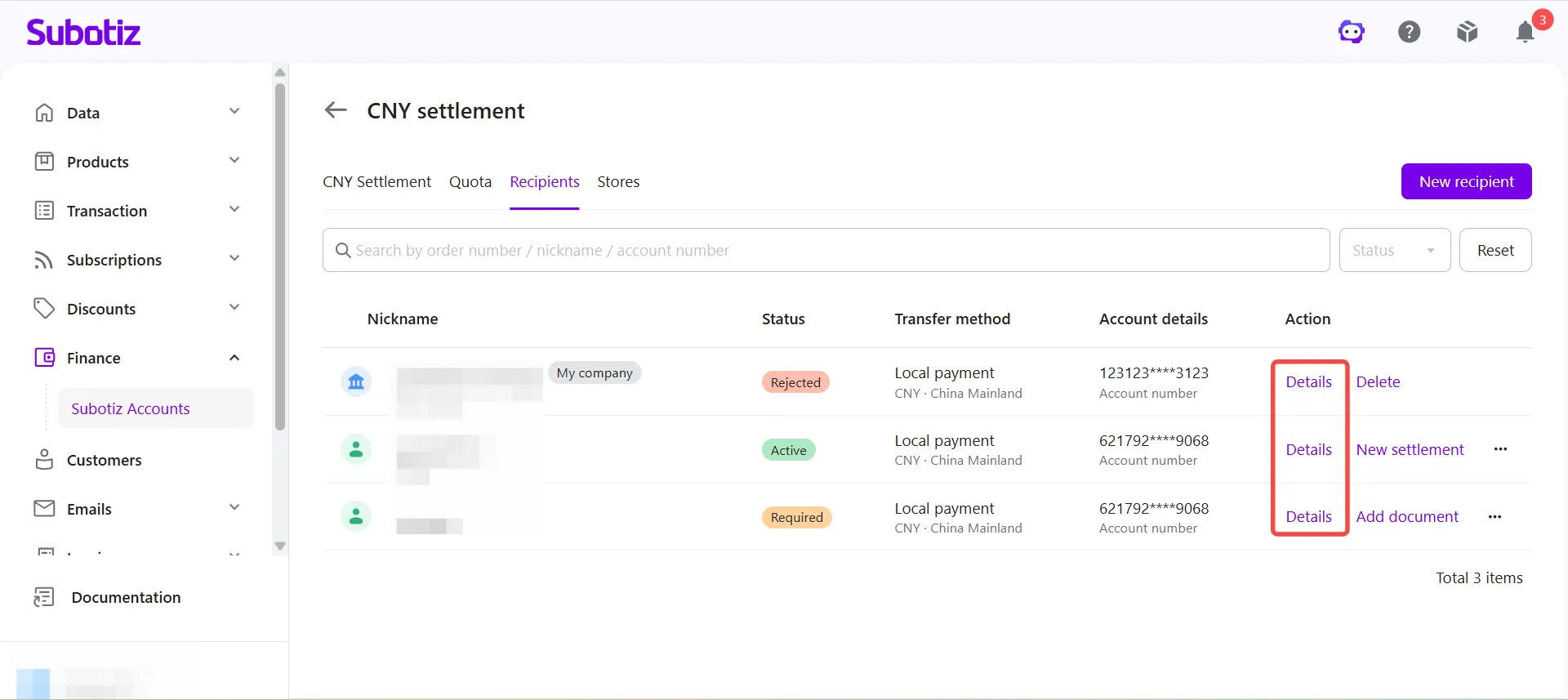
- Open recipient details: Click Details for the corresponding recipient.
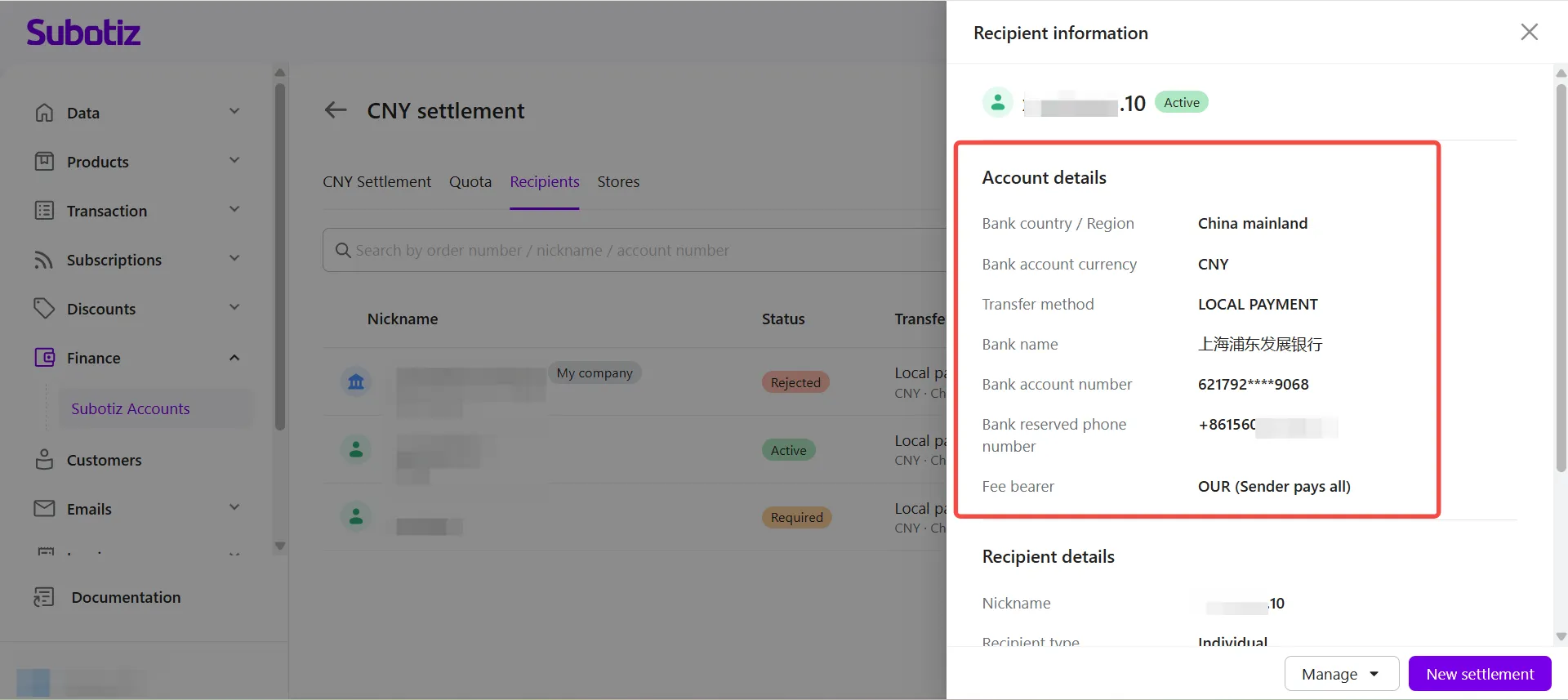
- Review account details: The Account details section displays:
- Bank country / Region
- Bank account currency
- Transfer method
- Bank name
- Bank account number
- Bank reserved phone number
- Fee bearer
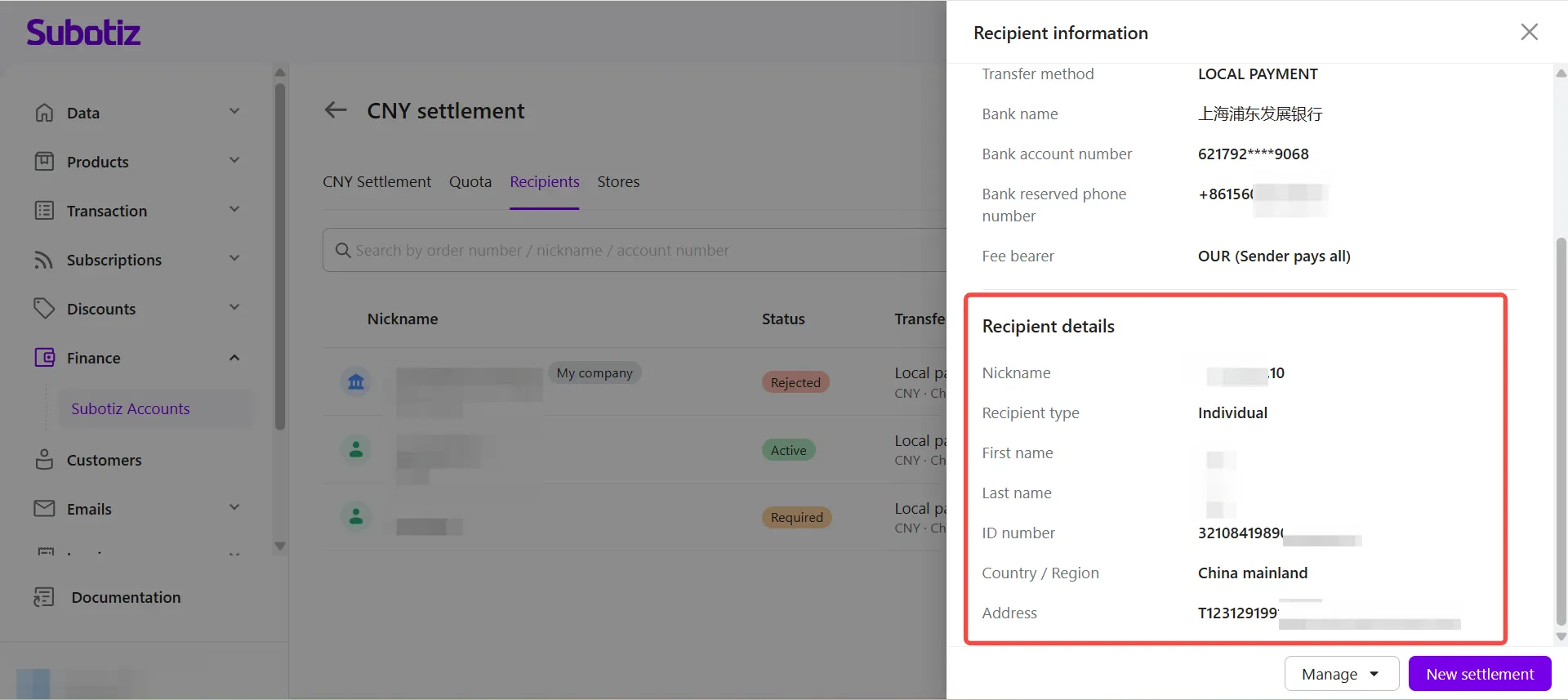
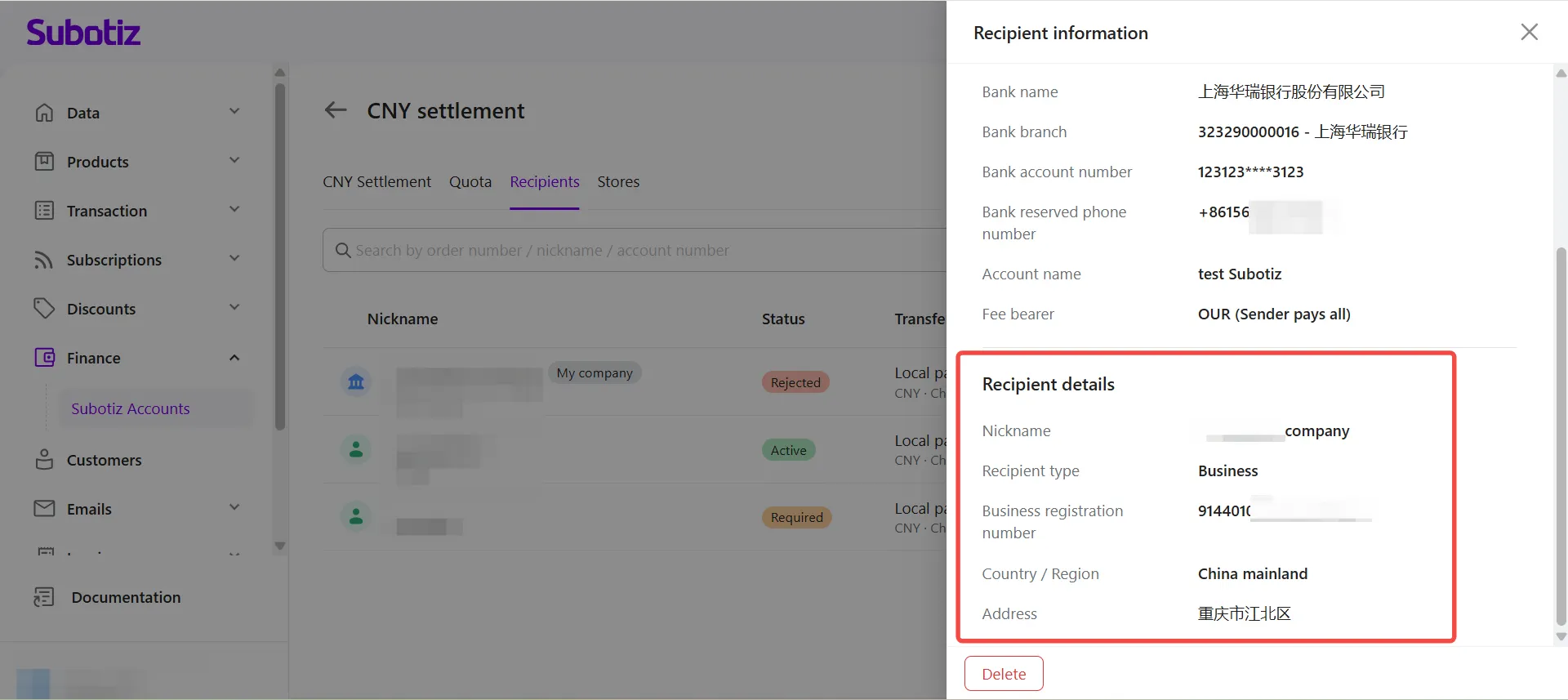
- Review recipient information: The information displayed varies depending on the recipient type.
- Individual recipients
- Nickname
- Recipient type
- First name
- Last name
- ID number
- Country / Region
- Address
- Business recipients
- Nickname
- Recipient type
- Business name
- Unified Social Credit Code
- Country / Region
- Address
- Manage the recipient: Available actions depend on the recipient's current status.
- Details: Review the submitted recipient information.
- New Settlement: Available when the recipient status is Active. Create a new CNY Settlement order using this recipient.
- Add Document: Available when the recipient status is Required. Upload the requested documents and resubmit the recipient for review.
- Edit: Update recipient information when editing is available.
- Delete: Remove recipients that are no longer needed.
Available actions vary depending on the recipient's current status and the options displayed on the page.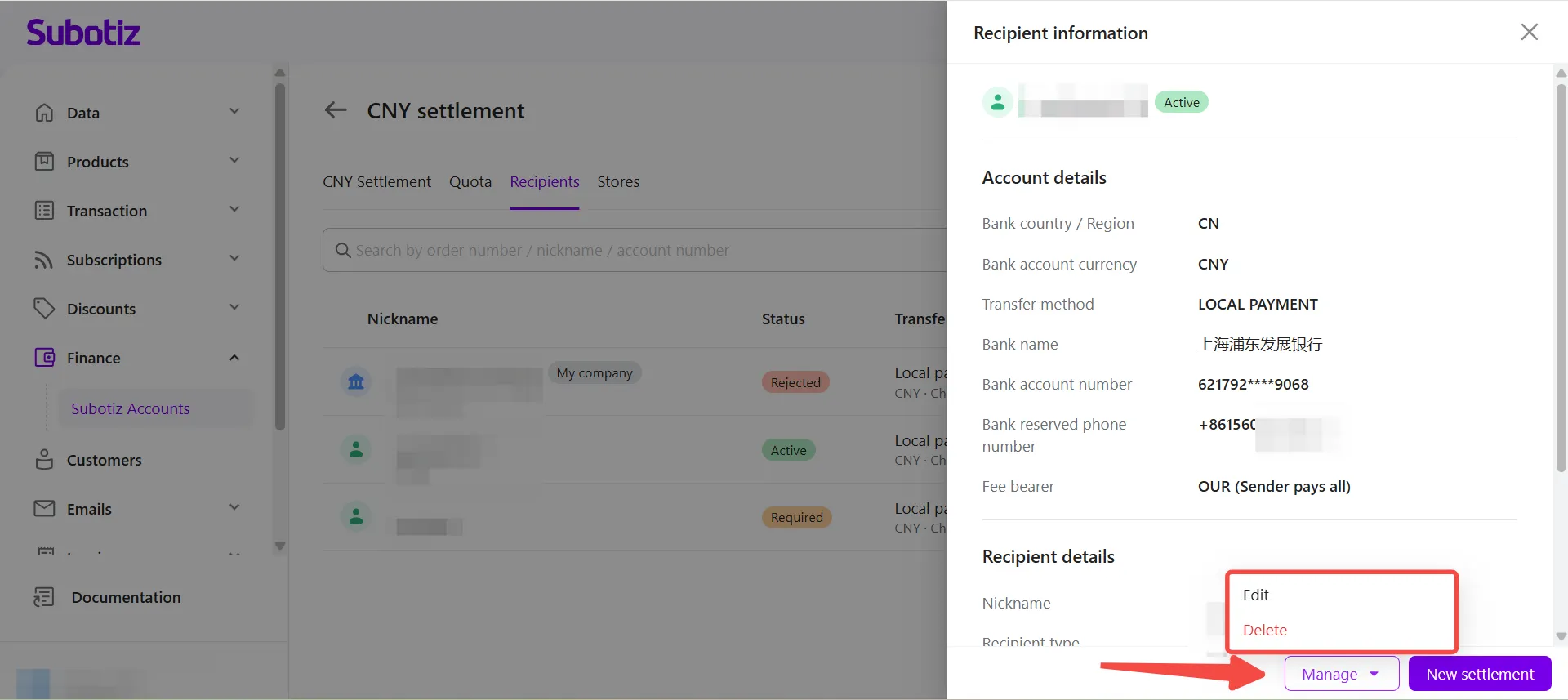
Searching and Filtering Recipients
Use the search and filter options to quickly locate a specific recipient.
- Search for a recipient: Enter a recipient nickname or account number in the search box.
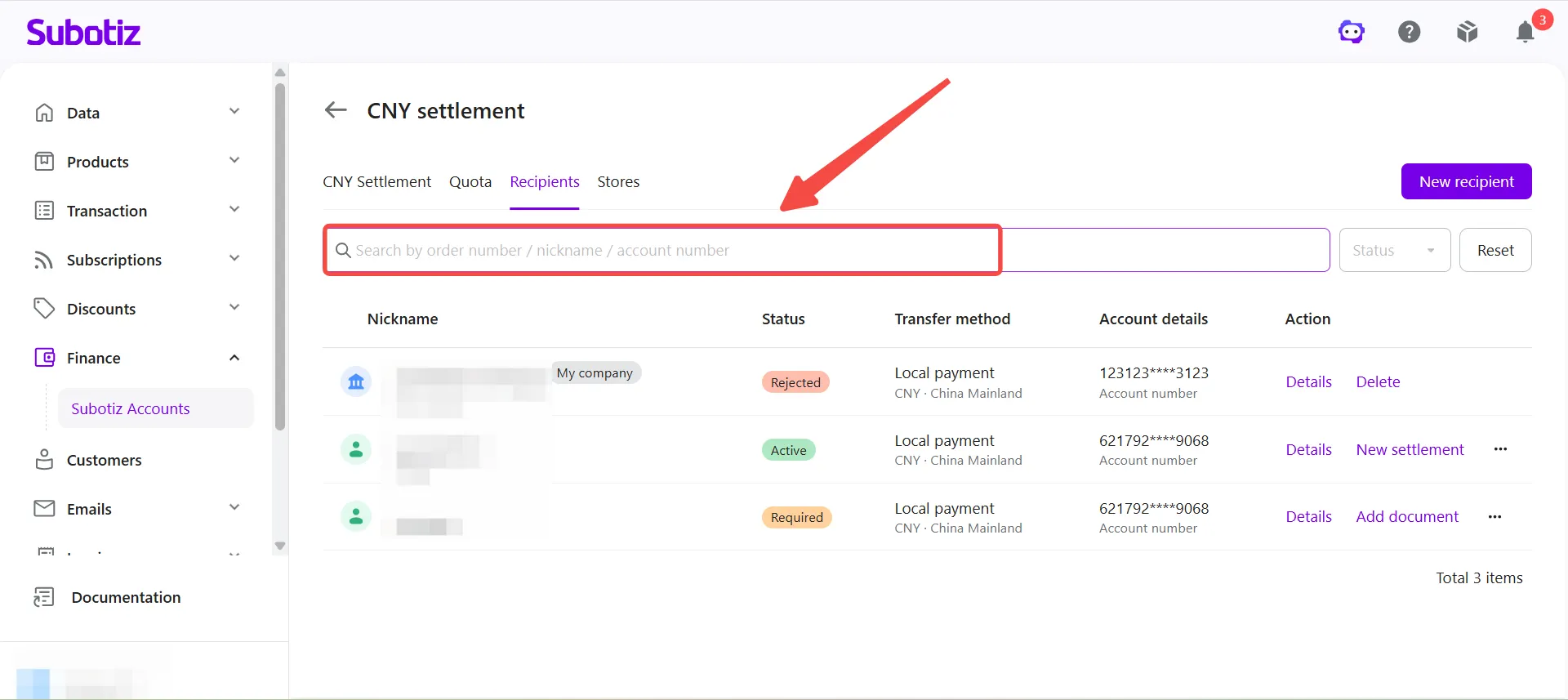
- Filter by status: Select a recipient status to display matching recipients.
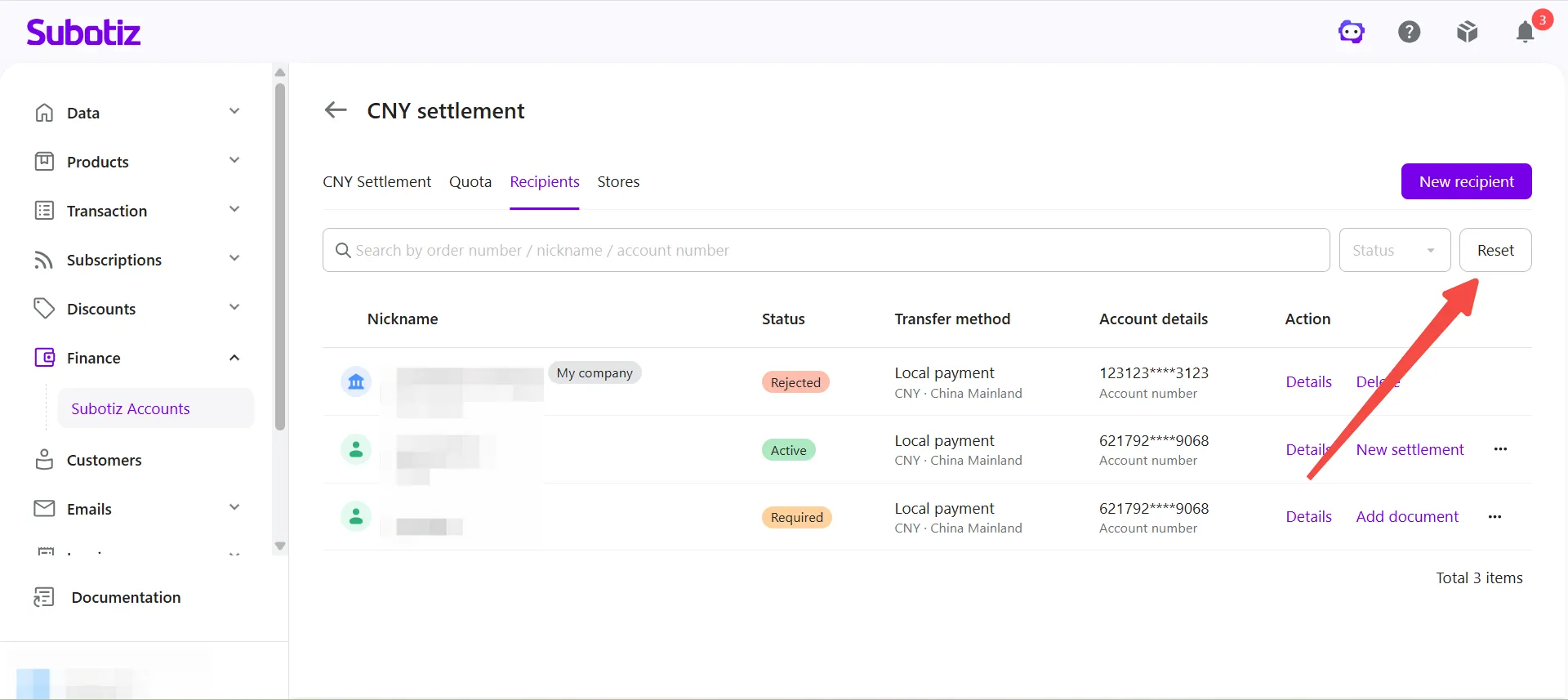
- Reset filters: Click Reset to clear all search and filter conditions.
Best Practices
- Provide accurate recipient information: Ensure all bank account, identity, and business information is complete, accurate, and consistent with the bank account holder information.
- Use the correct recipient type: Select Business or Individual based on the actual account owner to help avoid review delays.
- Monitor recipient status: Create CNY Settlement orders using recipients with an Active status.
- Respond to review results promptly: If the status changes to Required or Rejected, follow the on-screen instructions as soon as possible to avoid delaying future CNY Settlement orders.
- Remove unused recipients: Delete recipients that are no longer needed to keep the recipient list organized.
Managing recipients in one place makes it easy to maintain recipient information, monitor review status, and create CNY Settlement orders more efficiently. Once a recipient is approved, it can be selected directly when creating CNY Settlement orders without re-entering bank account information.