The CNY Settlement feature allows merchants to convert foreign currency held in a Global Account into Chinese Yuan (CNY) and transfer the funds to an approved recipient bank account in mainland China. Merchants can confirm the exchange rate, enter payment details, and submit the transaction in a single workflow, making cross-border settlement faster and more efficient.
Creating a CNY Settlement
- Open CNY Settlement: Go to Finance > Subotiz Accounts > CNY Settlement.
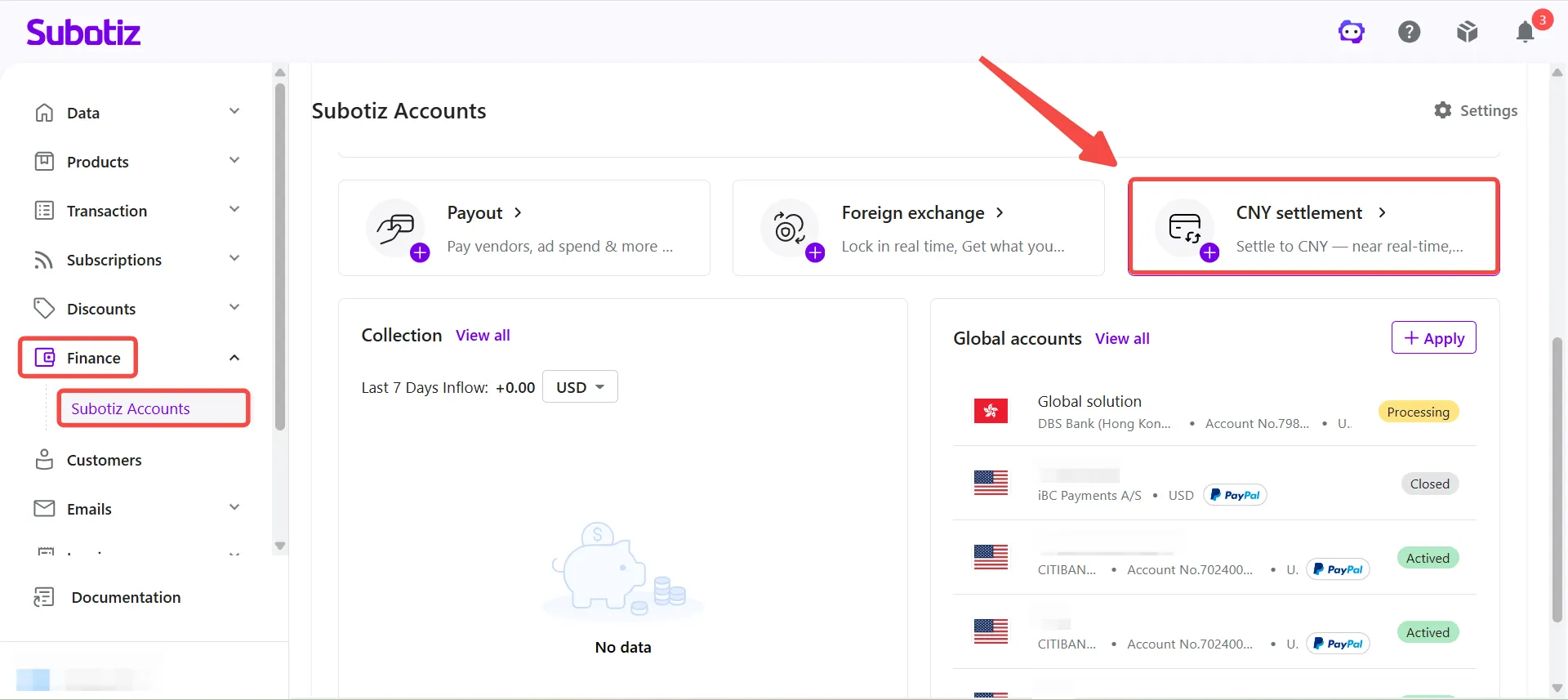
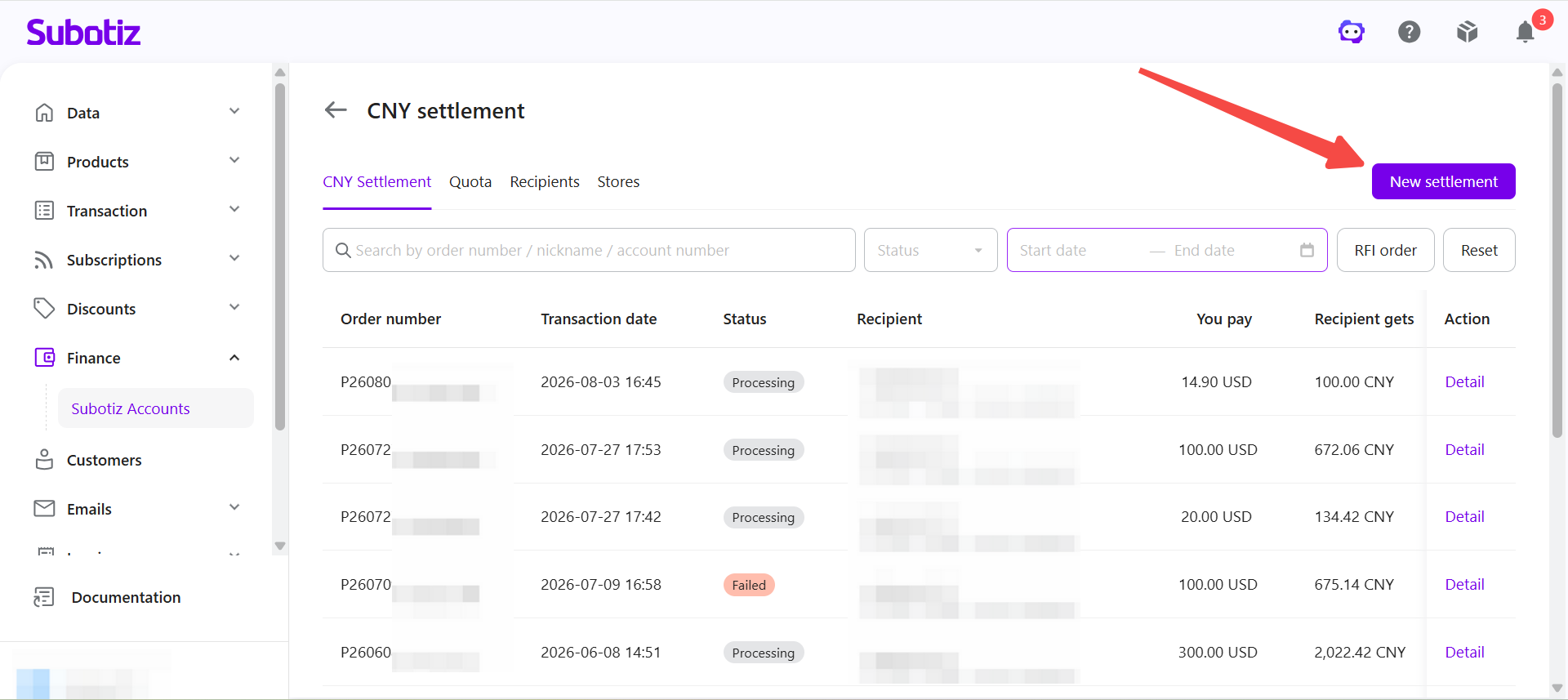
- Create a settlement: Click New settlement.
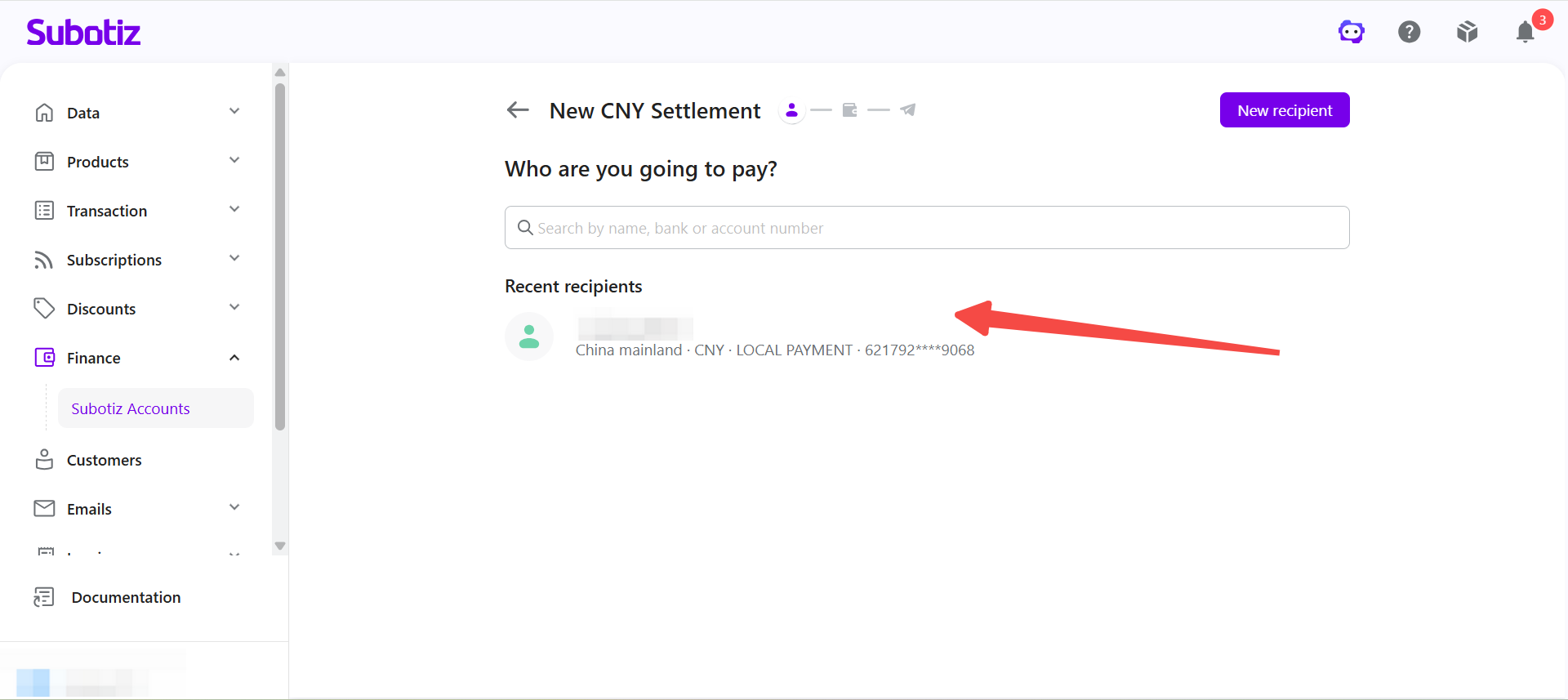
- Select a recipient: Select an approved recipient. The payment is sent to the bank account associated with the selected recipient. To add a new recipient, click New recipient, then refer to CNY Settlement | Adding a Recipient.
- Enter the payment amount: Enter the foreign currency amount to pay from the Global Account, then select the payment currency. Based on the current reference exchange rate, the system automatically calculates the estimated amount the recipient will receive in CNY and the settlement quota required for the transaction.The page also displays the following information:
- Available balance
- Remaining settlement quota
- Estimated arrival time
- Current reference exchange rate
- Payment method
- Fee
If the required settlement quota exceeds the remaining available quota, the settlement request cannot be submitted.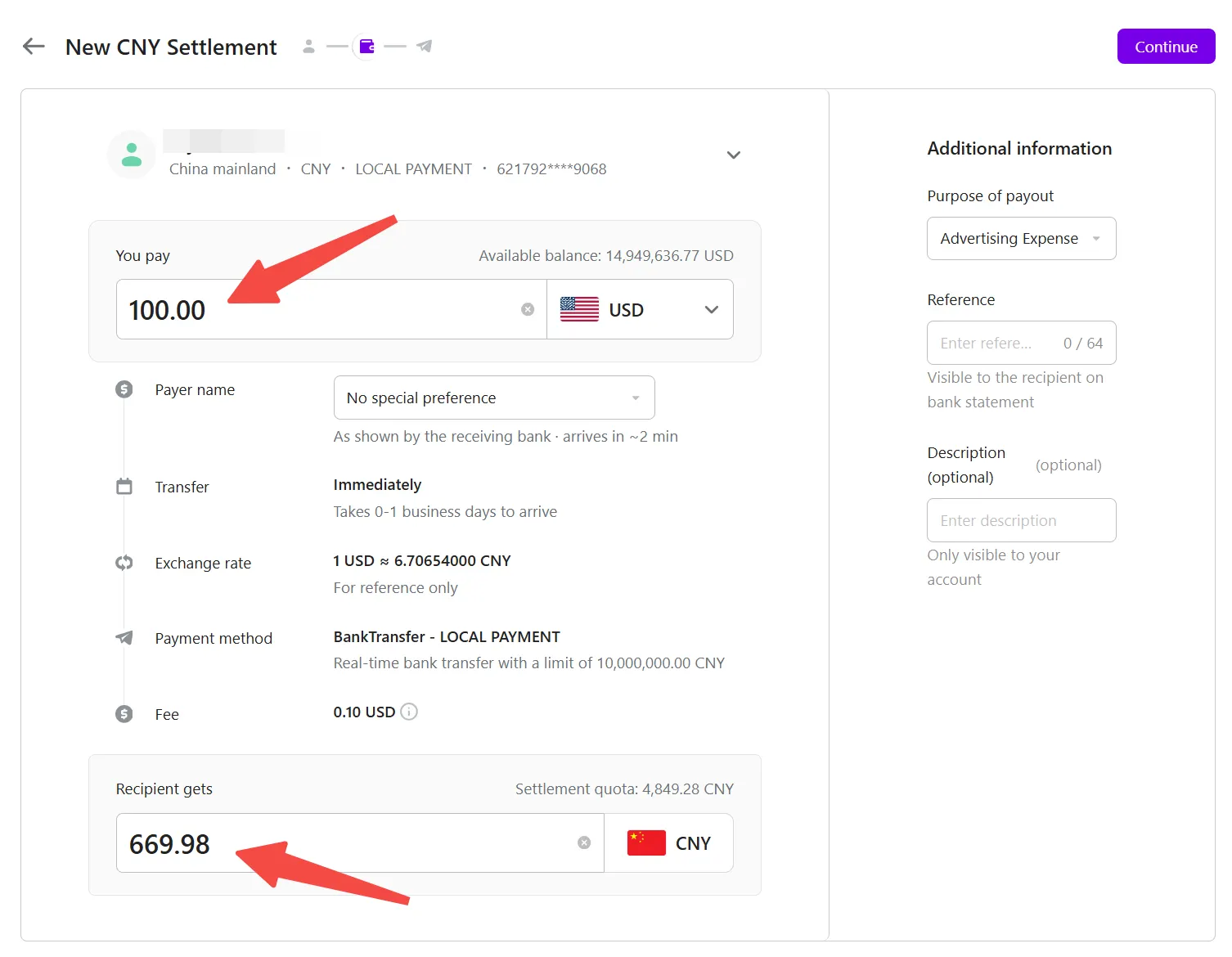
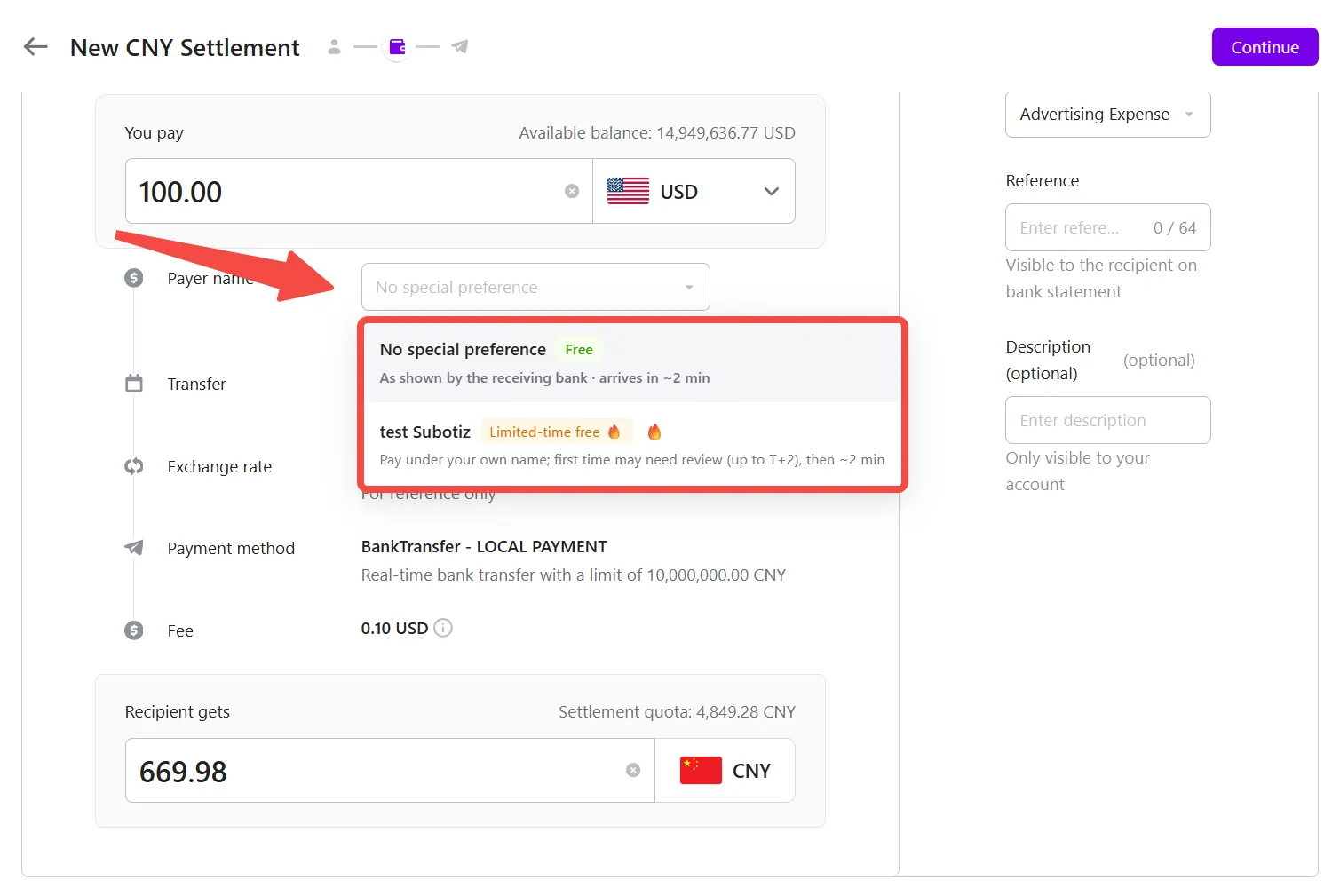
- Select a payer name: Choose the payer name that appears on the recipient's bank statement.
- No special preference (Free): The receiving bank displays the actual payer name on the bank statement. Funds typically arrive in as little as 2 minutes.
- Same-name payment (Limited-time free): The payment is made under the legal entity registered during Subotiz Accounts onboarding. The first transaction requires manual review, which may take up to T+2 business days. Once approved, subsequent transactions typically arrive in as little as 2 minutes.
Note: Applicable fees and estimated arrival times are based on the information displayed on the page.
- Enter payment details: Enter the payment details based on the purpose of the transaction.
- Purpose of payout: Select the purpose of the payment.
- Reference: Enter the information that will appear on the recipient's bank statement.
- Description (optional): Enter internal notes. This information is only visible to your account.
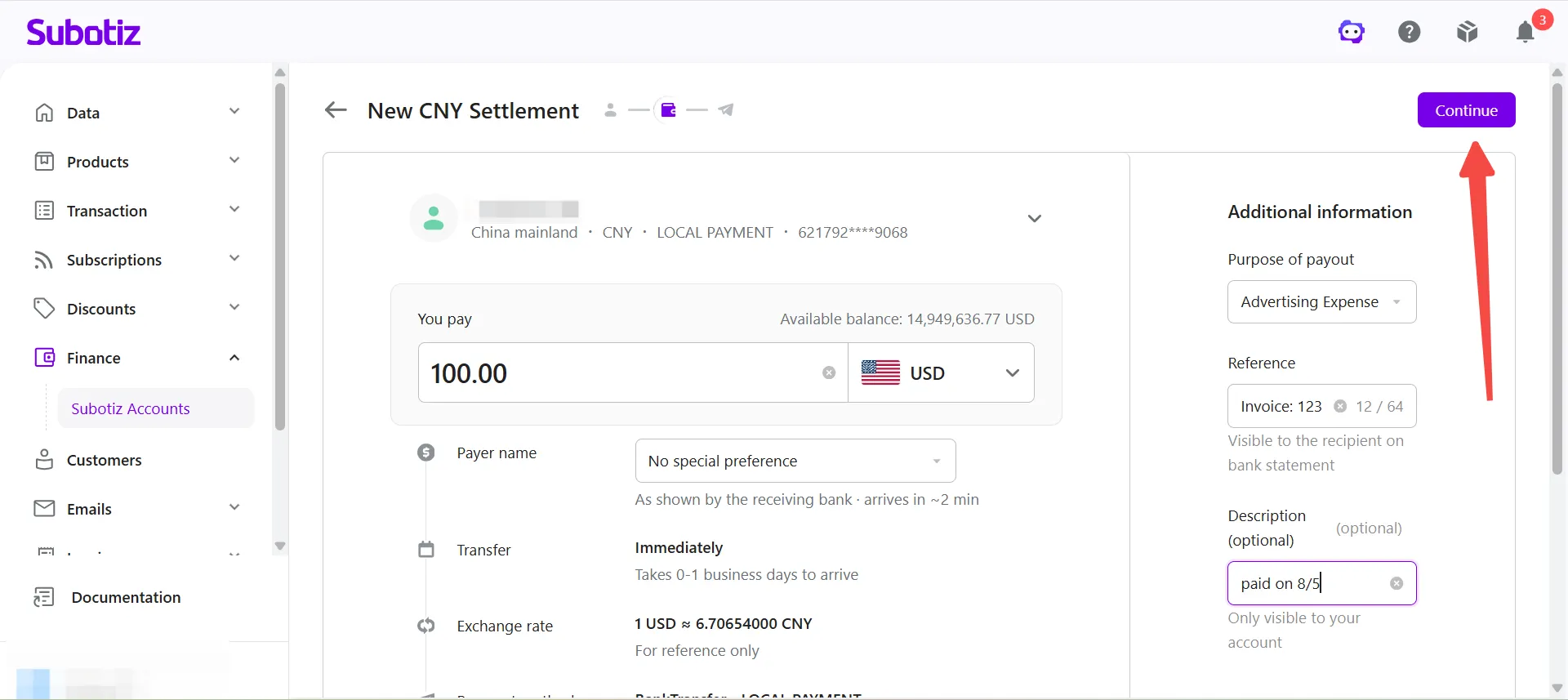
After completing the required information, click Continue.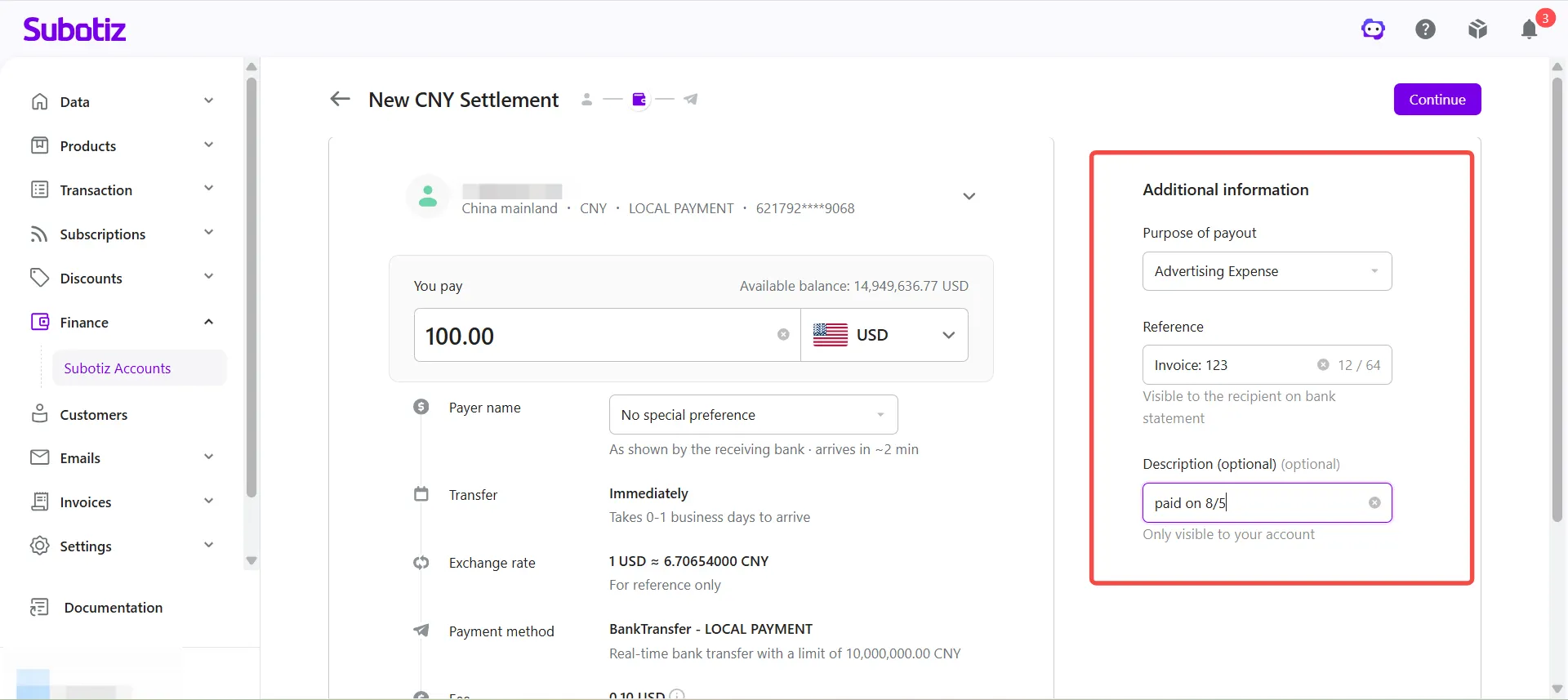
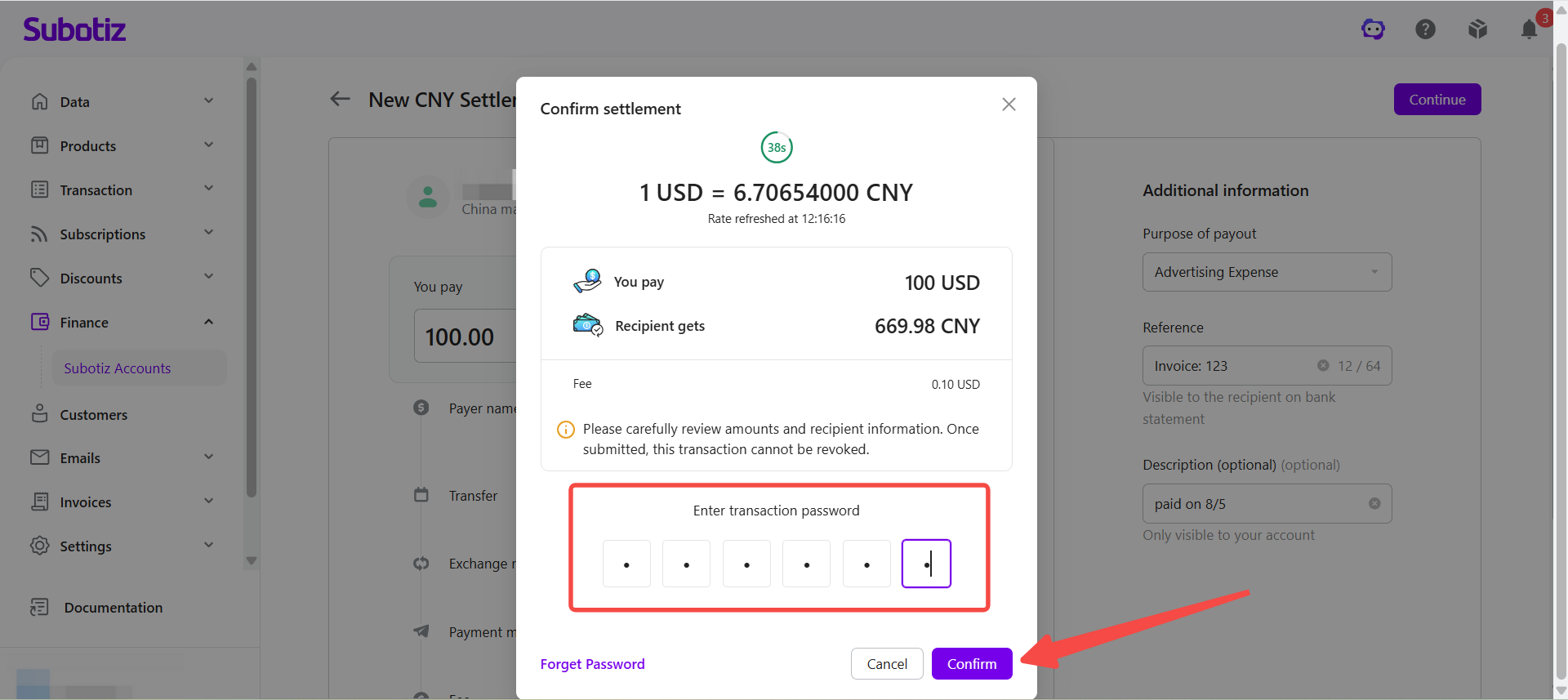
- Review the settlement details: Verify the recipient, payment amount, exchange rate, fee, and estimated recipient amount.When you reach the confirmation page, the exchange rate is locked for 45 seconds, and the remaining lock time is displayed on the page. If the lock period expires, the system automatically refreshes the exchange rate and recalculates the estimated recipient amount.
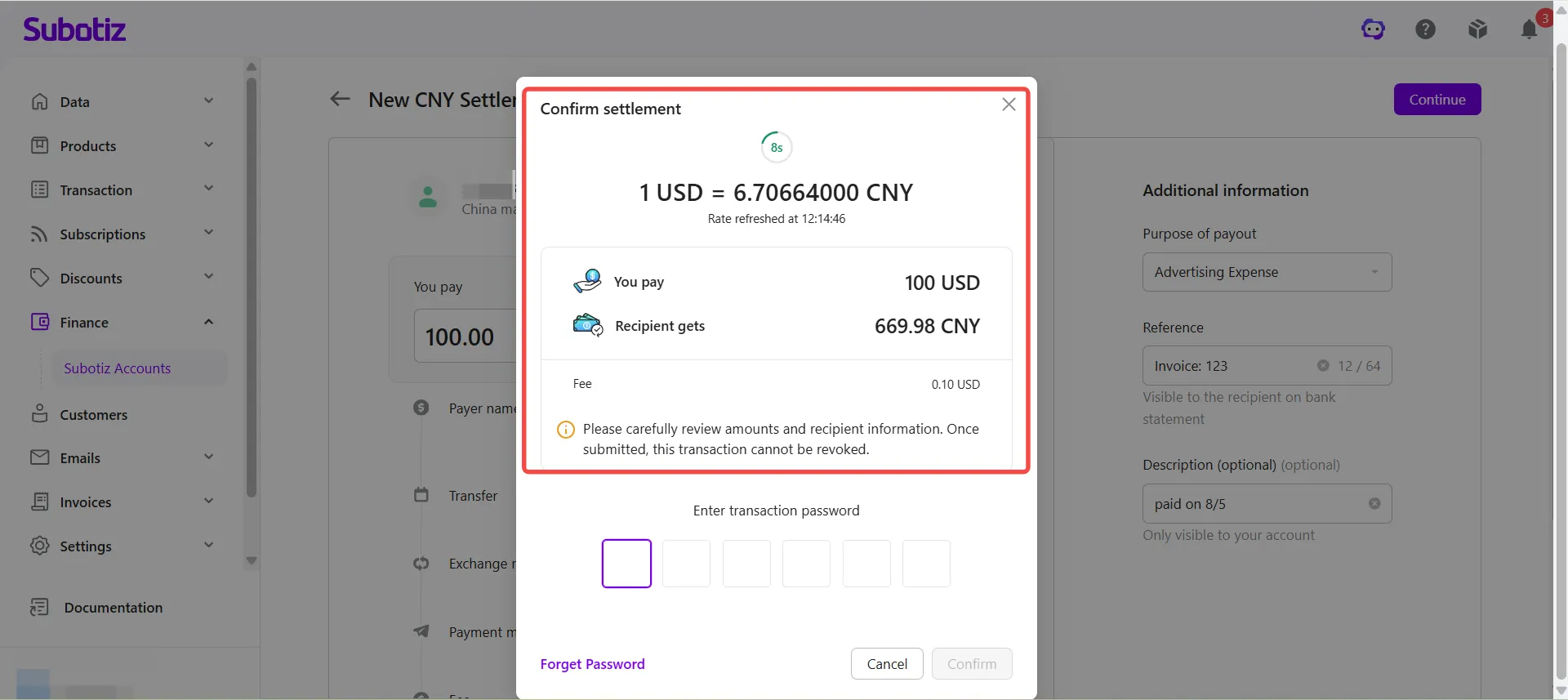
- Submit the settlement: Enter the transaction password within the exchange rate lock period, then click Confirm.
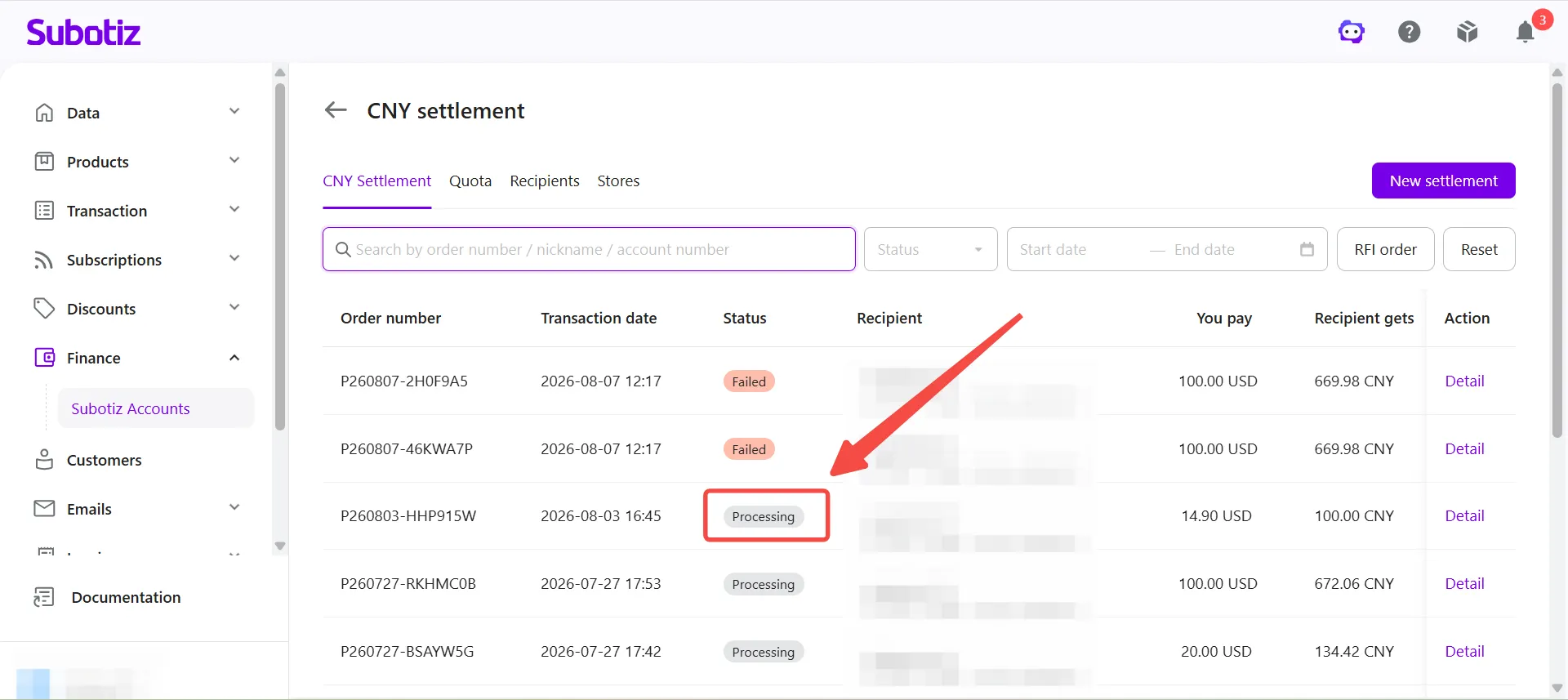
- View the result: After the request is submitted successfully, the system creates a CNY Settlement order and begins processing it. Go to the CNY Settlement list to view the order status, transaction details, and processing progress.
Best Practices
- Confirm the settlement quota: Make sure the remaining settlement quota is sufficient before creating a settlement order.
- Verify the recipient information: Select an approved recipient with accurate bank account information to help avoid payment delays or returned funds.
- Submit within the exchange rate lock period: Complete the transaction before the 45-second exchange rate lock expires to avoid exchange rate recalculation.
- Review the settlement details carefully: Verify the payment amount, exchange rate, fee, and estimated recipient amount before submitting the request.
Once a CNY Settlement request is submitted, the system converts the foreign currency at the applicable exchange rate and initiates a CNY payment to the selected recipient. Merchants can track the order status, transaction details, and processing progress on the CNY Settlement page.