The Settlement Quota Applications feature in CNY Settlement allows merchants to manage submitted settlement quota applications, track review progress, handle failed applications, and resubmit them when necessary. This helps maintain sufficient available settlement quota for future CNY Settlement orders.
Viewing Settlement Quota Applications
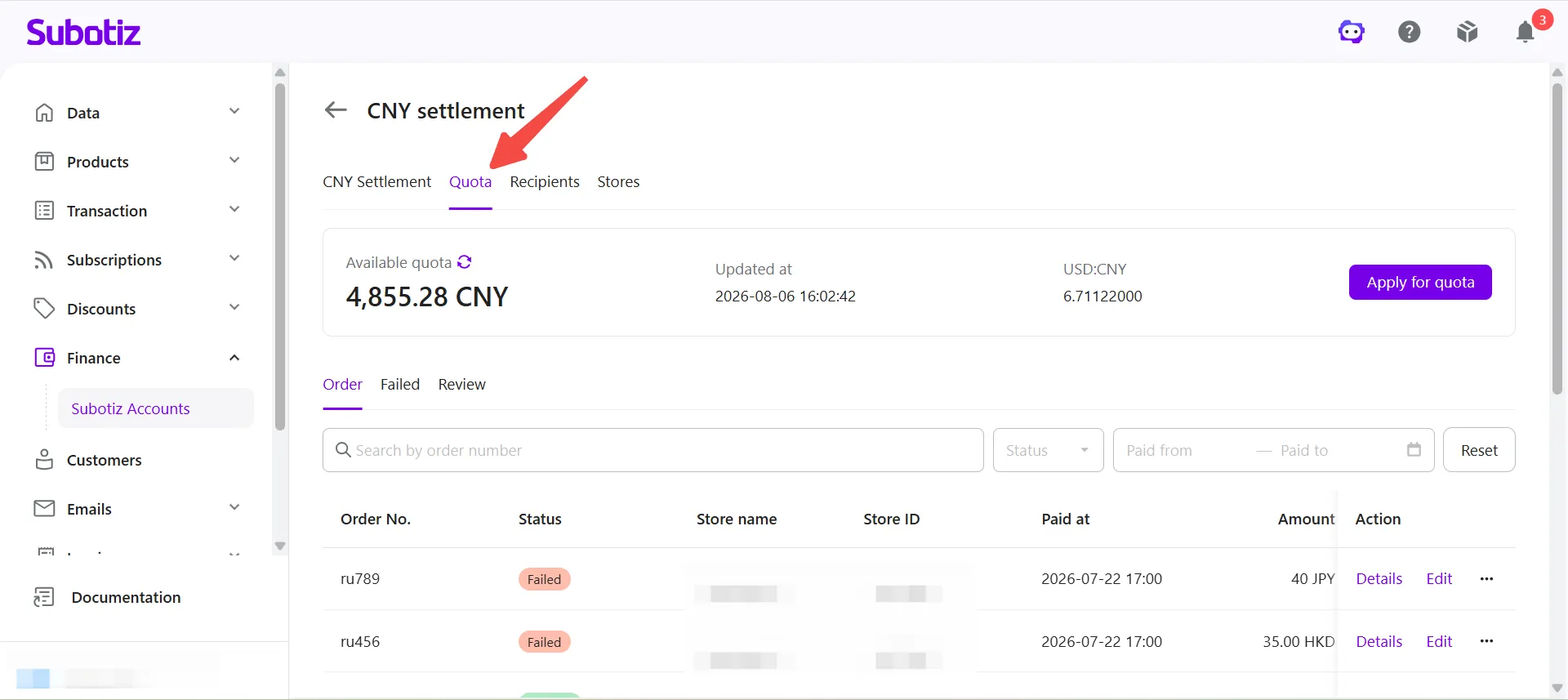
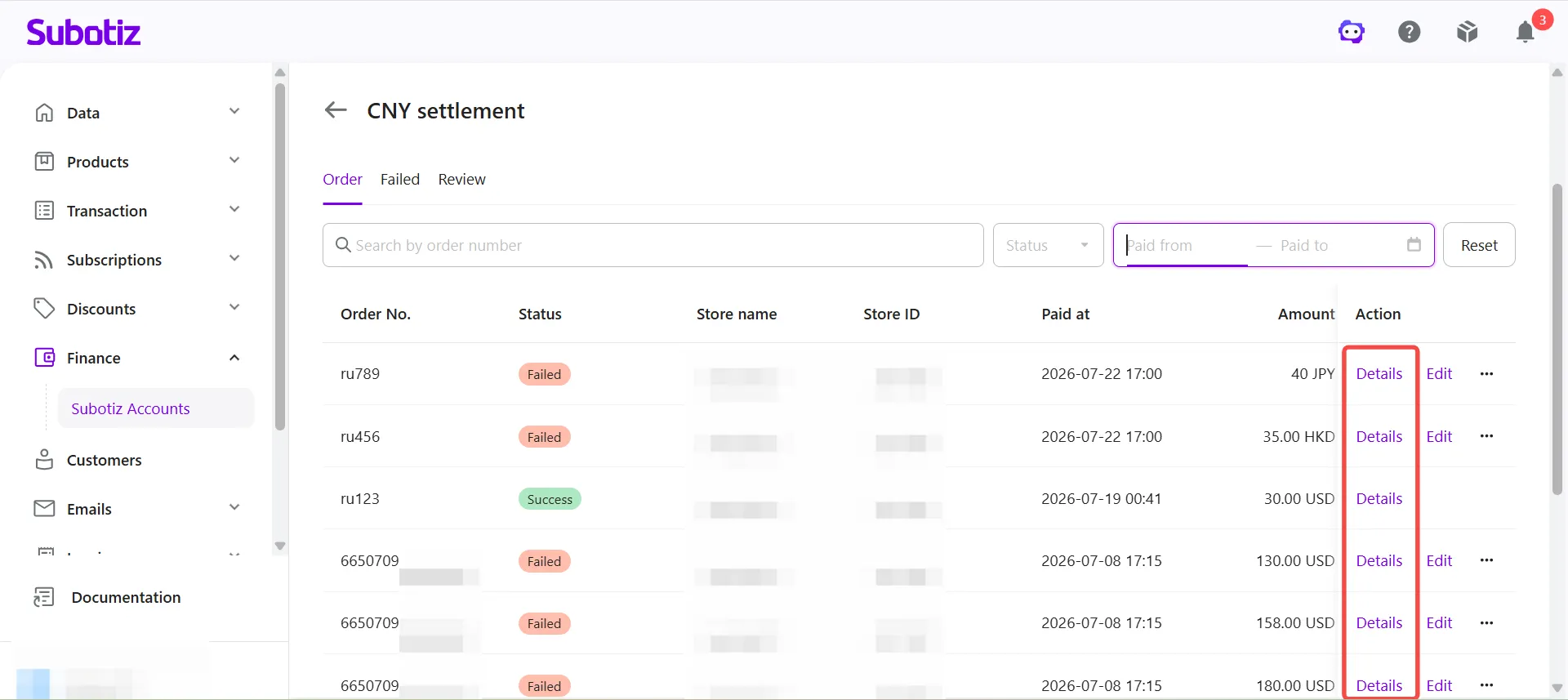
- Open the Quota page: Go to Finance > Subotiz Accounts > CNY Settlement > Quota.The page displays all submitted settlement quota applications, including:
- Order No.
- Status
- Store name
- Store ID
- Paid at
- Amount
- Actions
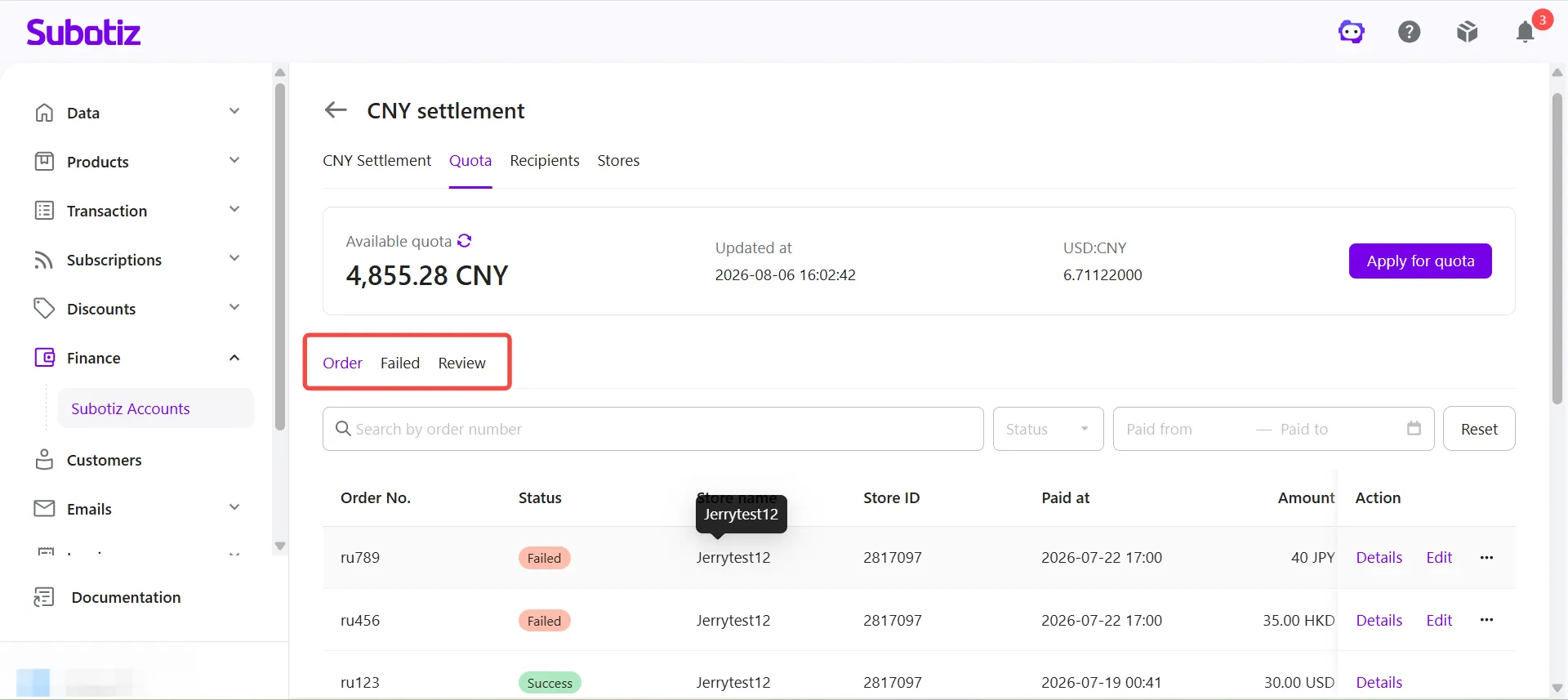
- Select an application tab: Choose one of the following tabs based on the application status.
- Order: Manage all settlement quota applications.
- Failed: Resolve failed applications and resubmit them after updating the required information.
- Review: Track applications currently under review.
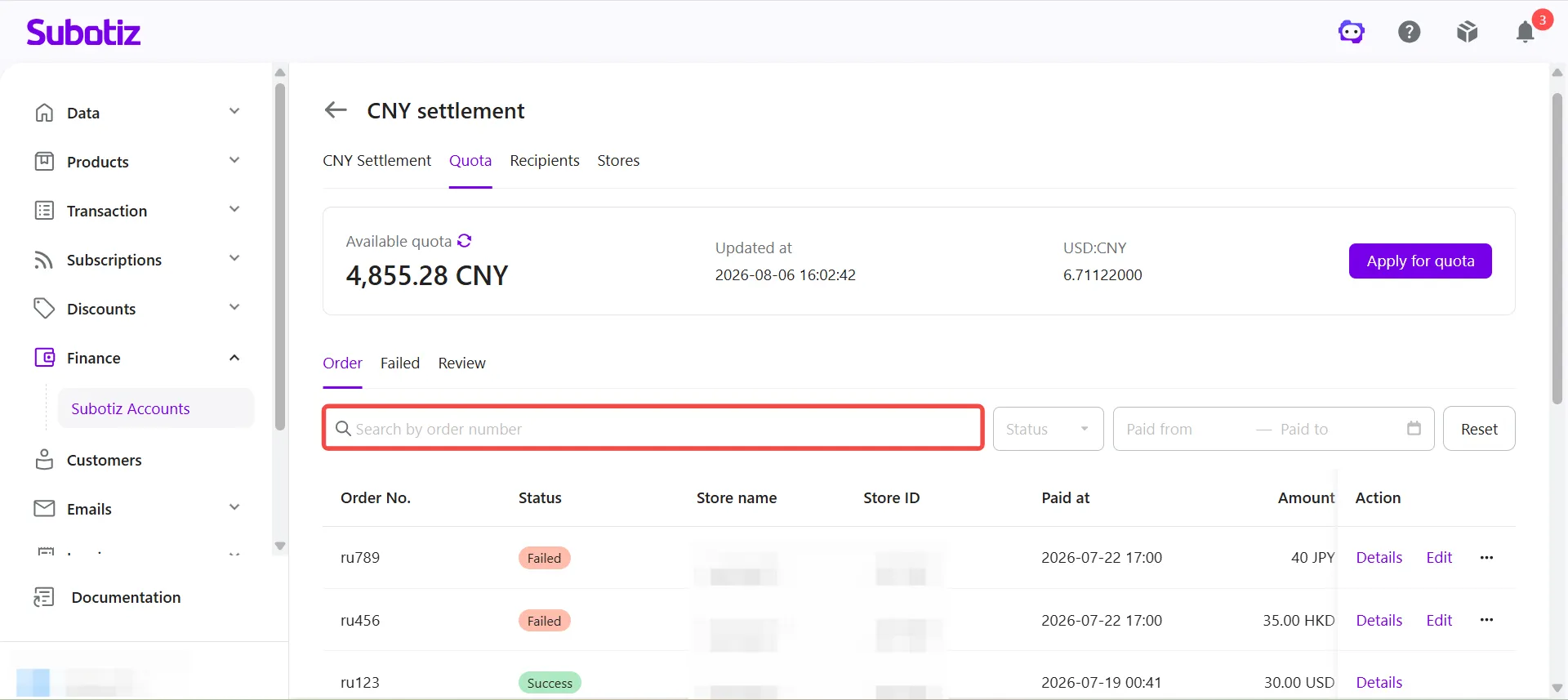
- Search and filter applications:
- Search by order number: Enter an Order No. to quickly locate a specific application.
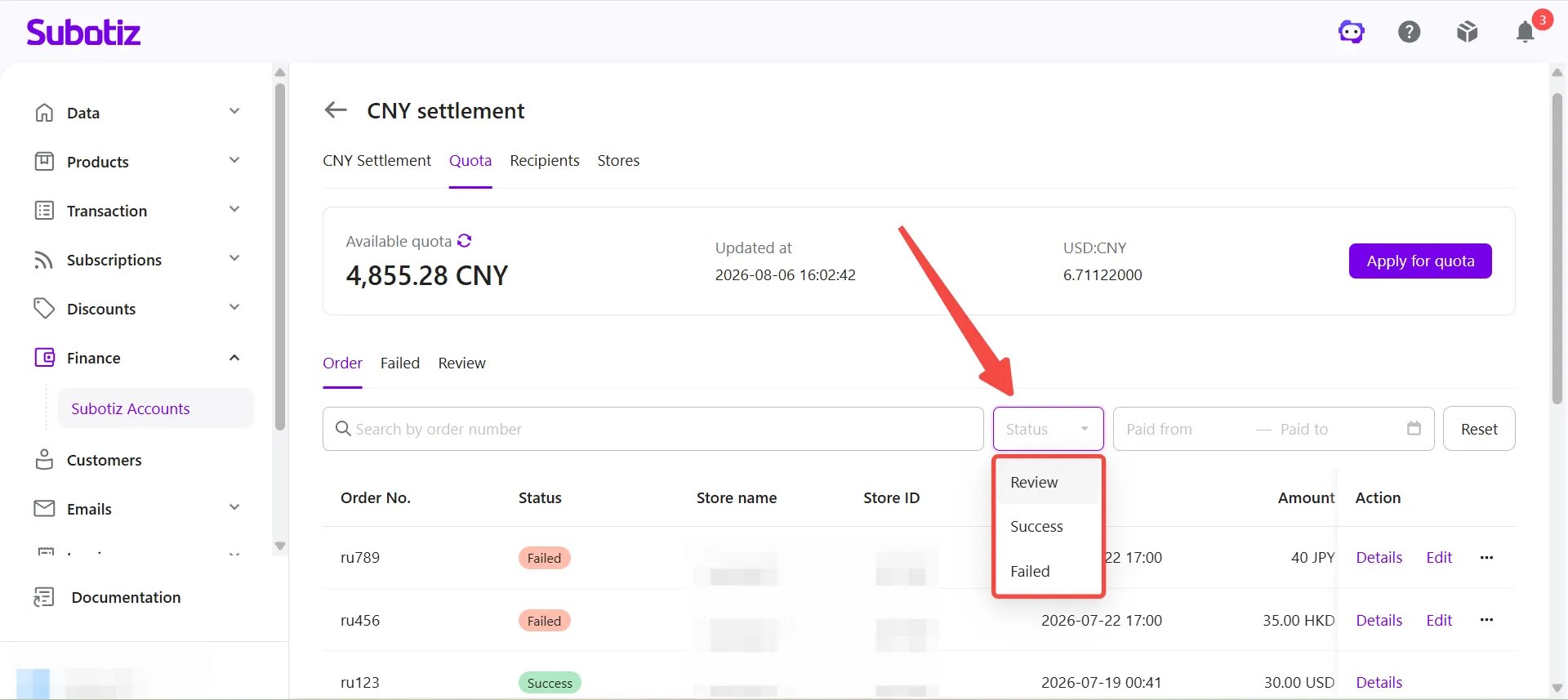
- Filter by status: Select a status to display matching applications.
- Review: The system is reviewing the order and settlement declaration information.
- Success: The application has been approved, and the corresponding amount has been added to the available settlement quota.
- Failed: The application was not approved. Review the failure message and update the required information before resubmitting.
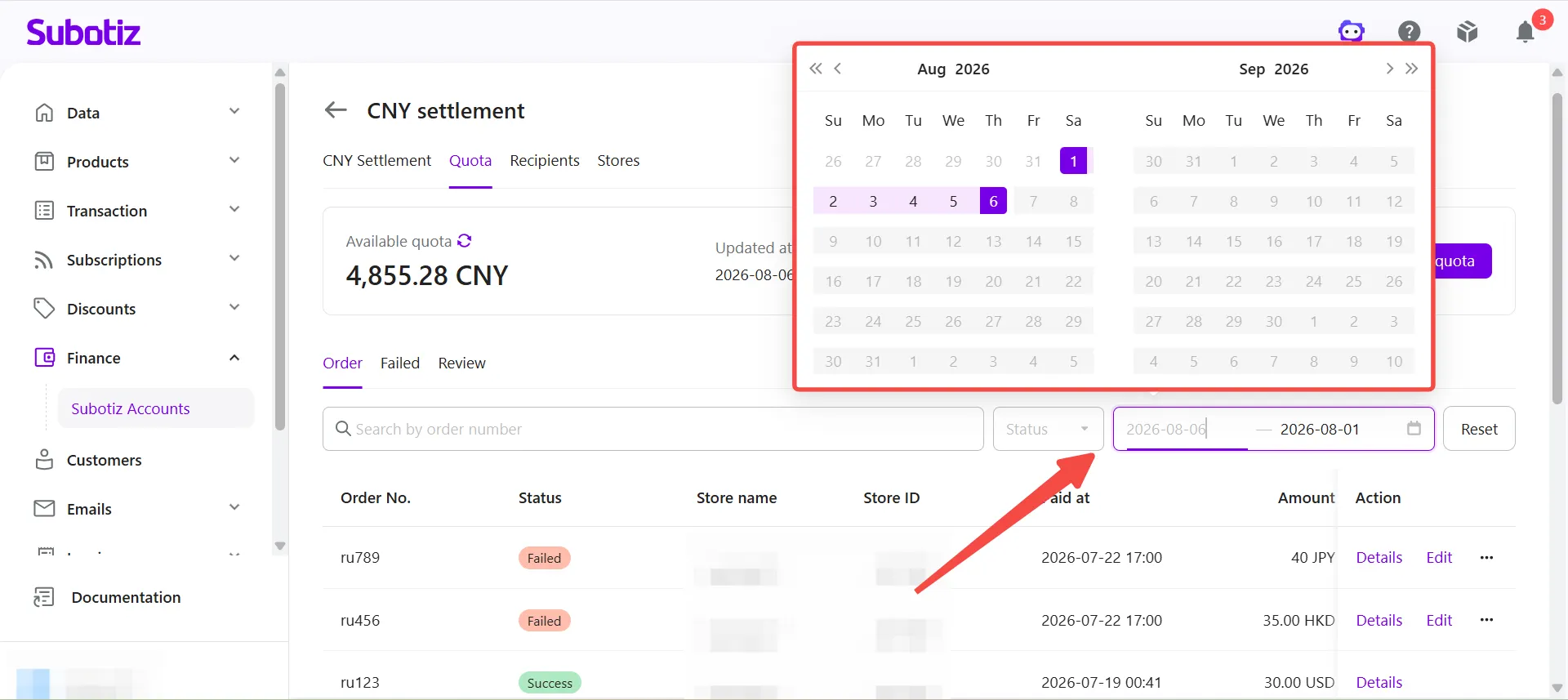
- Filter by payment time: Select a payment time range to view applications from a specific period.
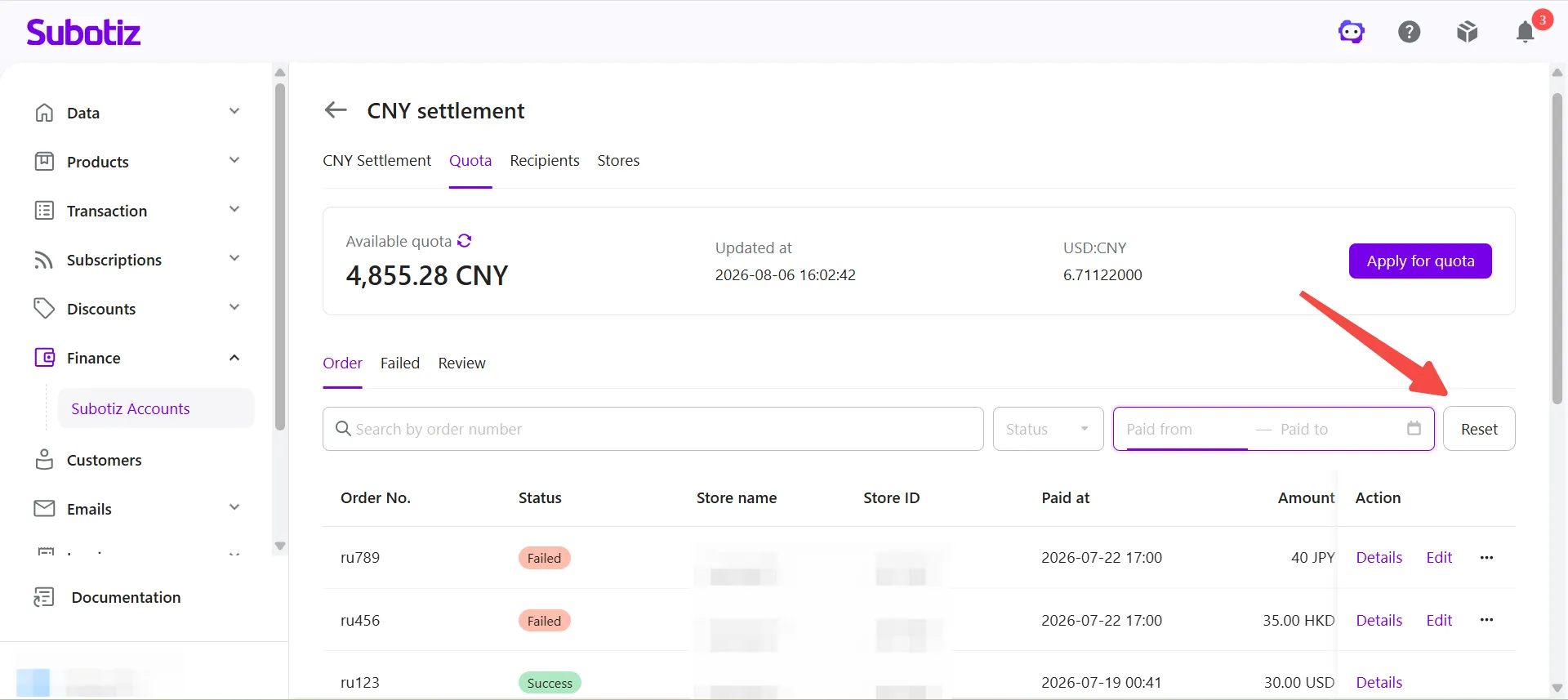
- Reset filters: Click Reset to clear all search and filter conditions.
Viewing Application Details
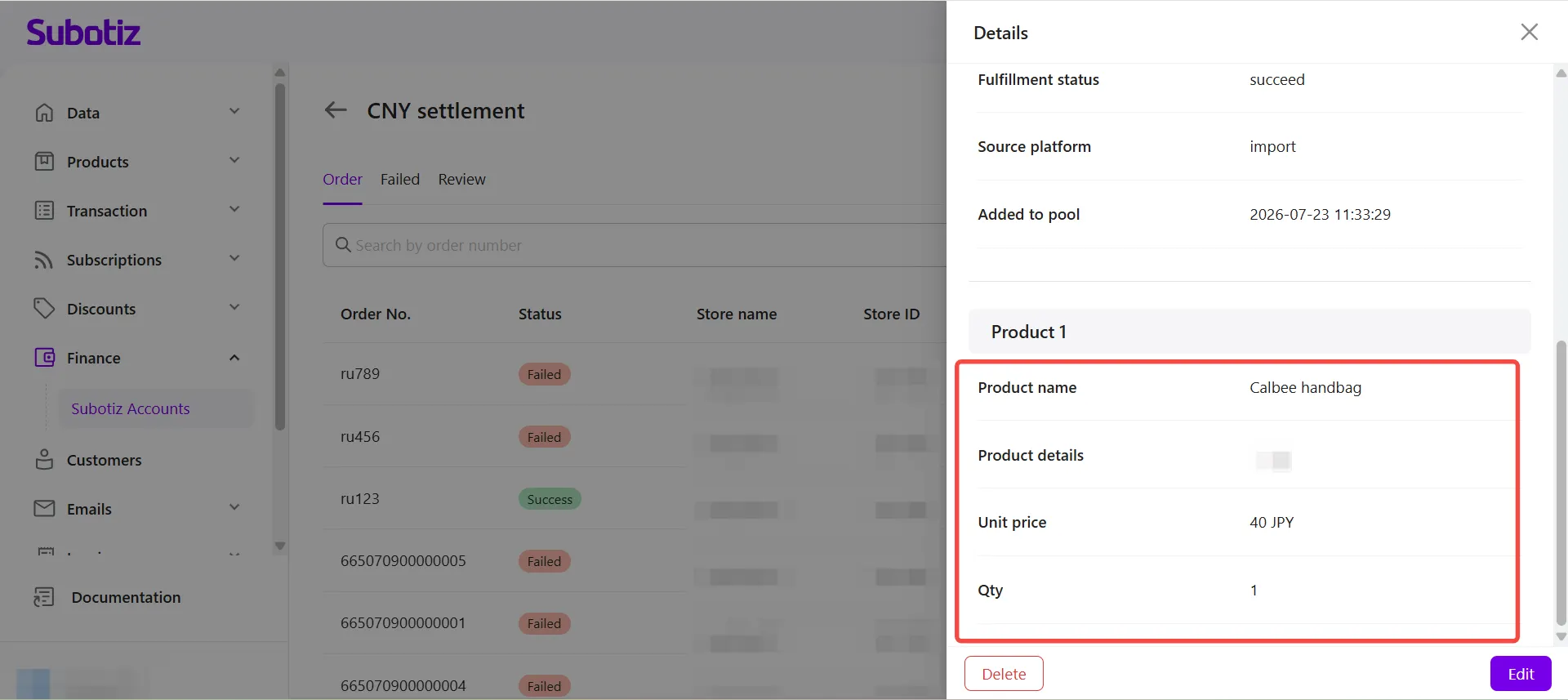
Application details include the submitted order information and the associated product information for each settlement quota application.
- Open application details: Click Details for the corresponding application.
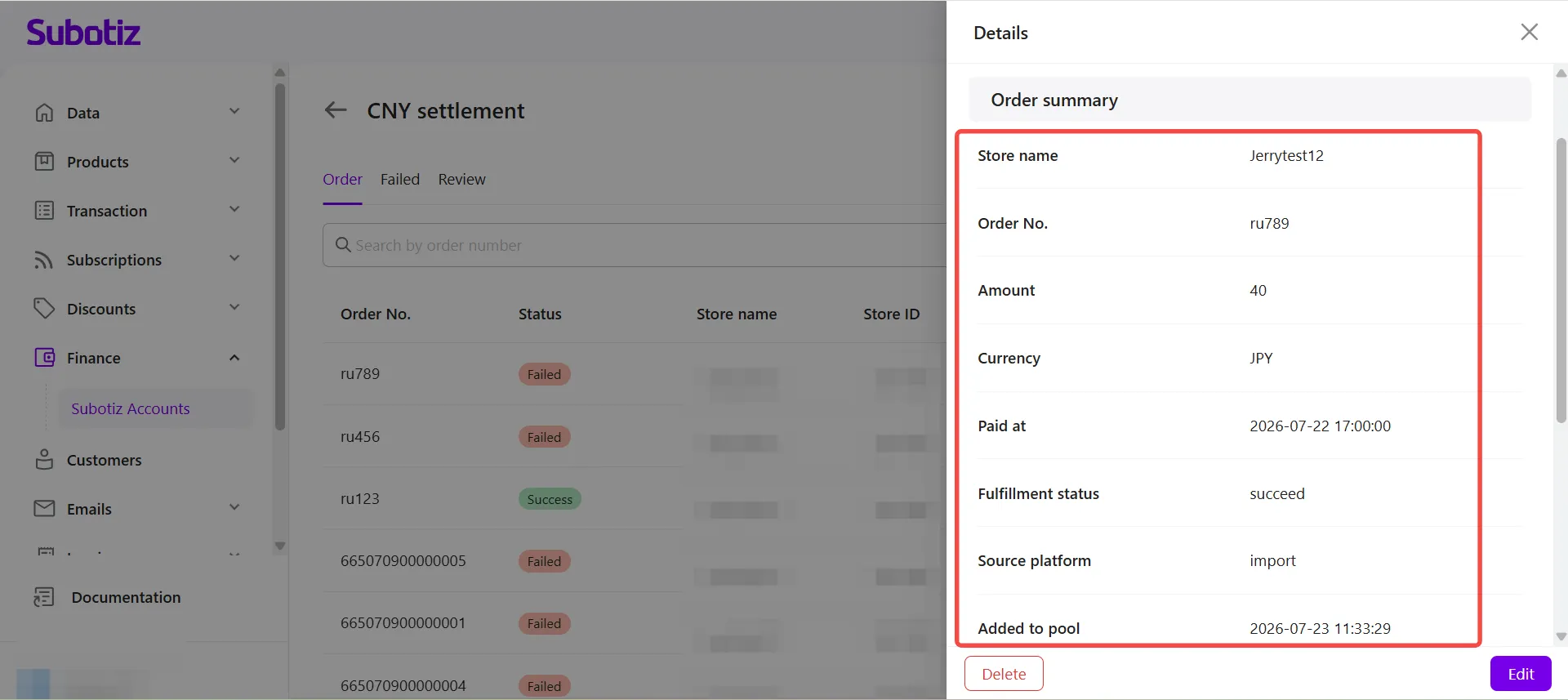
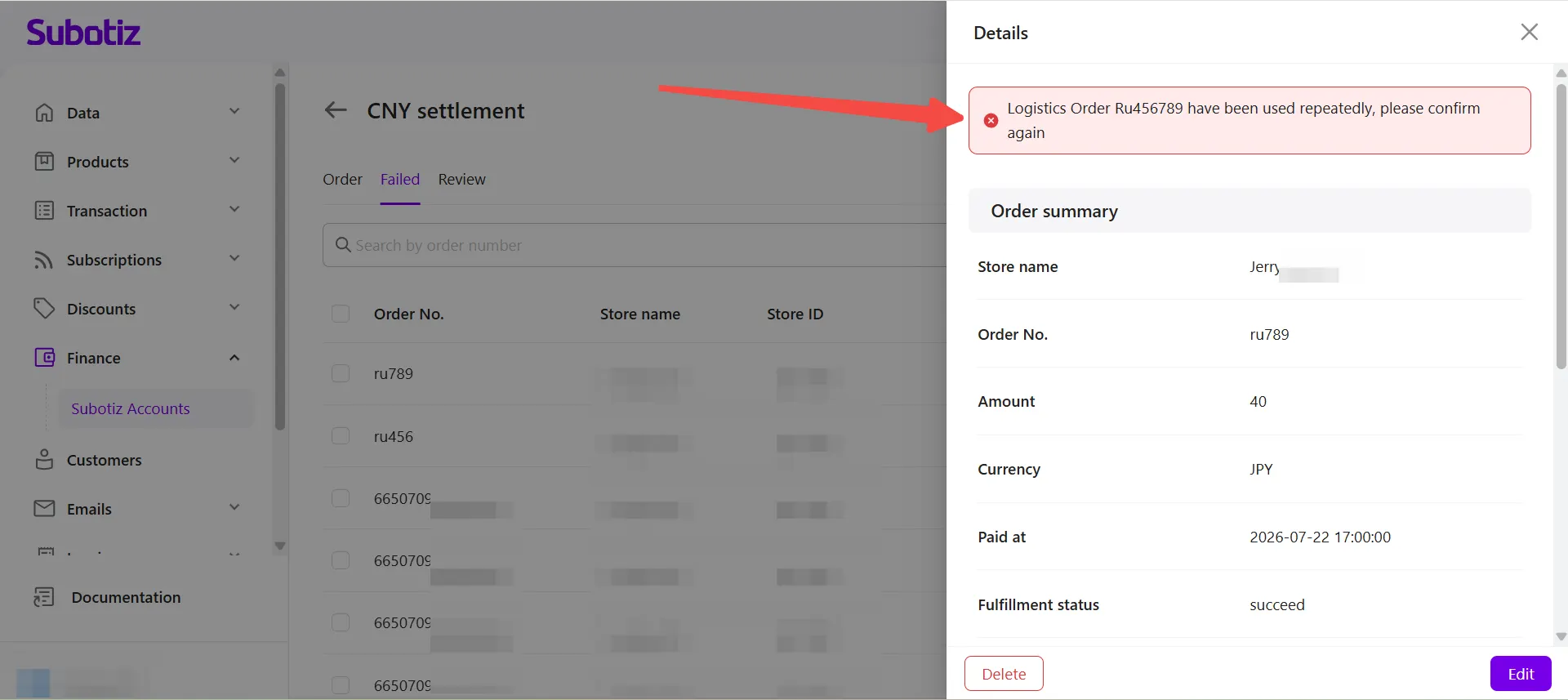
- Review the order summary: The Order summary section displays:
- Store name
- Order No.
- Amount
- Currency
- Paid at
- Fulfillment status
- Source platform
- Added to pool
- View product information: Scroll down to view the submitted product information, including:
- Product name
- Product details
- Unit price
- Qty
Handling Failed Applications
If an application does not pass review, merchants can review the failure message, update the required product information, and resubmit the application.
- Open the Failed tab: Click Failed to display all applications that did not pass review.
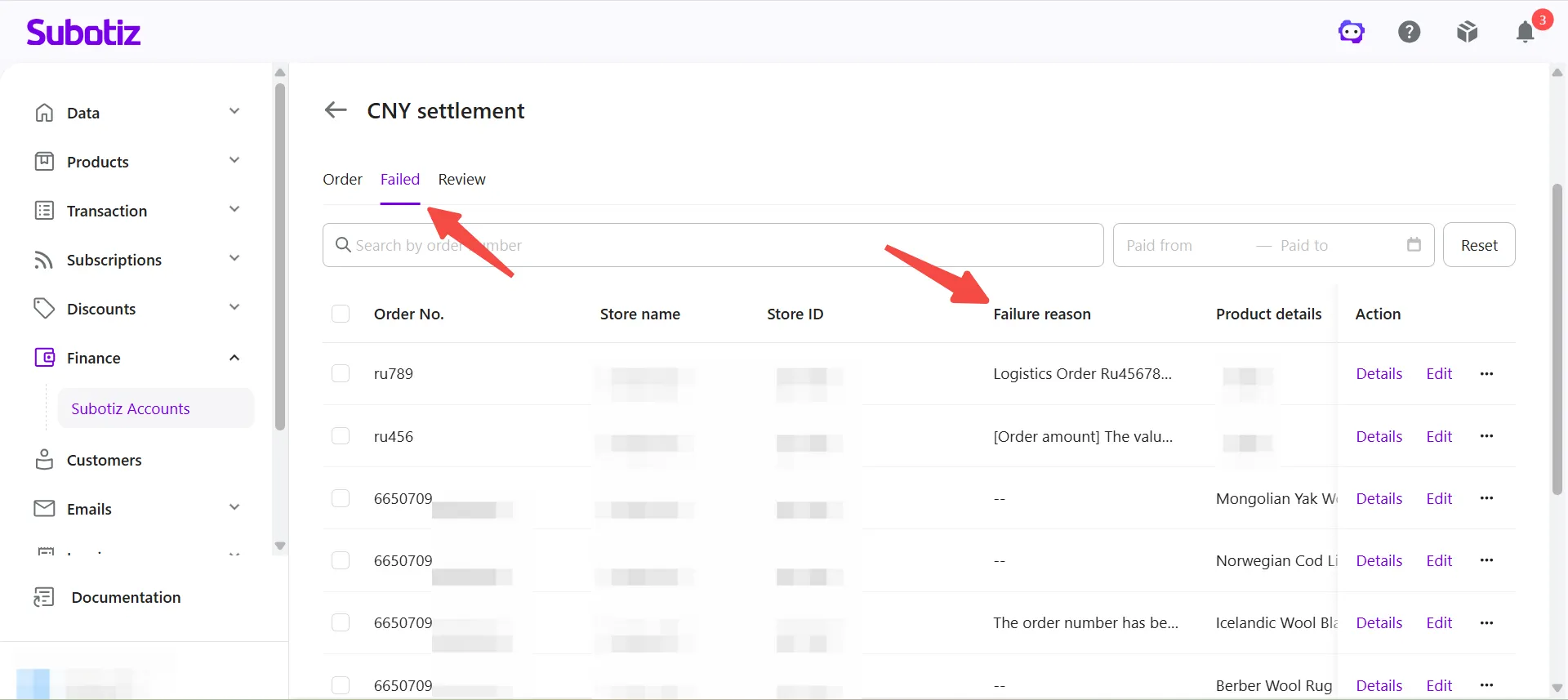
- Review the failure message: Click Details to open the application. The Details panel displays the failure message at the top, along with the submitted order and product information.
Resubmitting Failed Applications
Applications that fail due to issues with product information can be updated and resubmitted.
- Open the edit window: Click Edit.
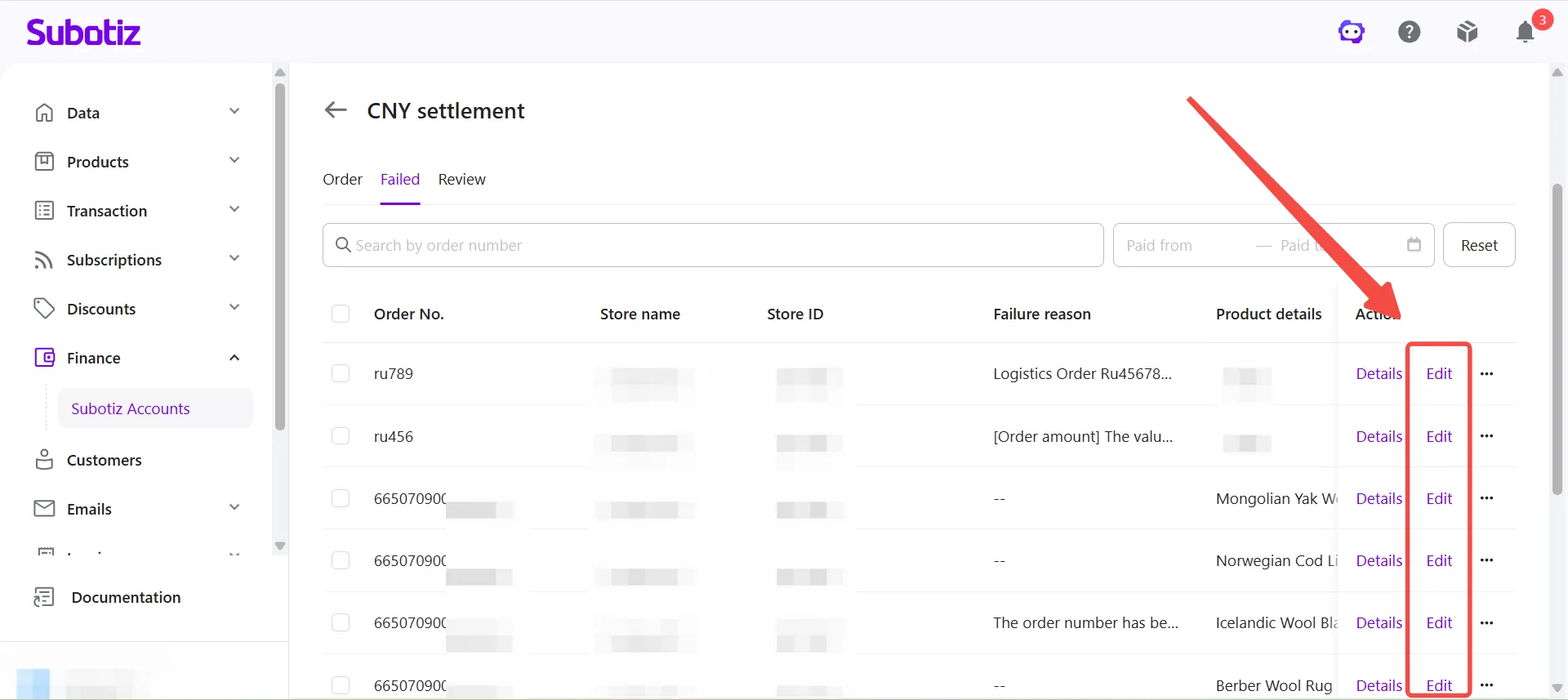
- Update product information: Modify the required fields according to the failure message.You can update:
- Product name
- Product details
After completing the changes, click Reapply. The application is submitted for review again.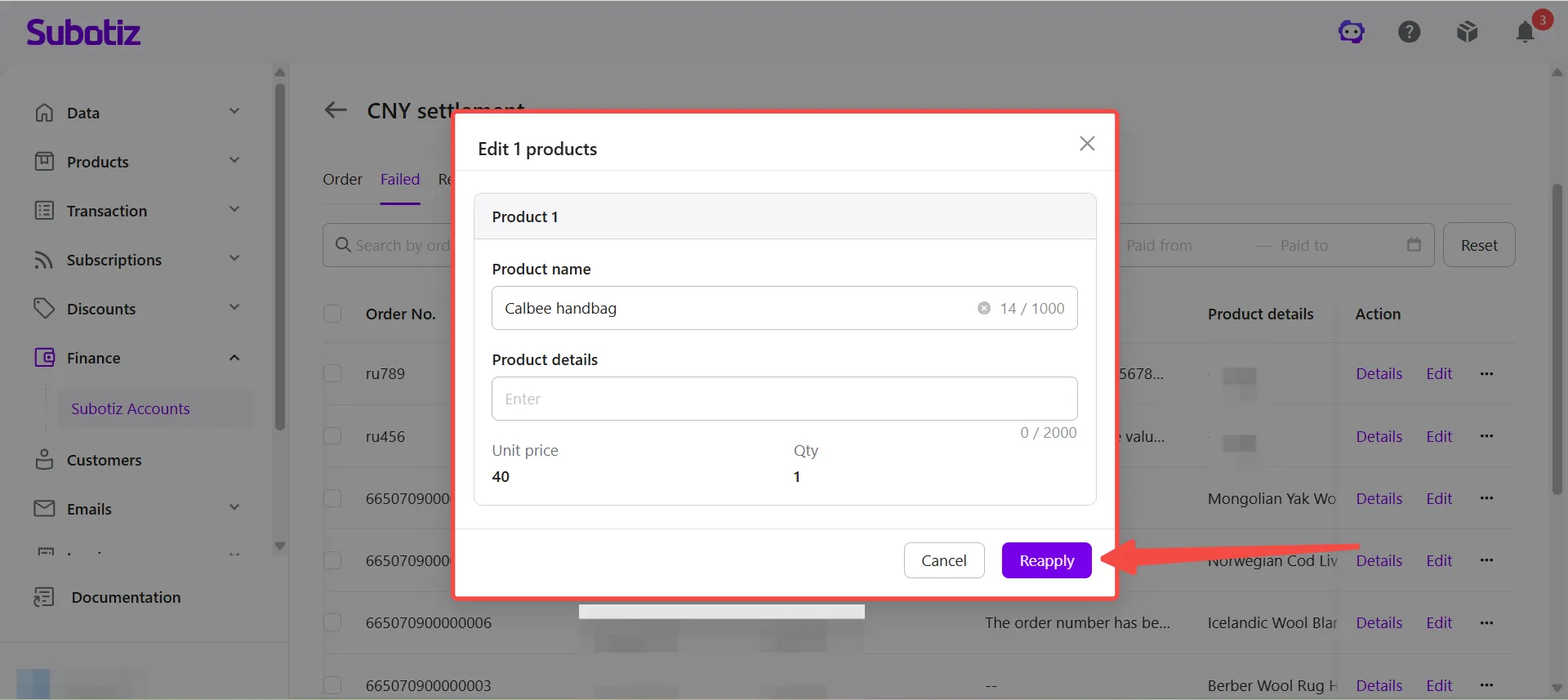
Note: Edit and Reapply are available only when an application fails because of product information, such as an invalid product name or product details. If the application failed for reasons unrelated to product information, updating product information alone will not resolve the issue. Follow the failure message displayed in the Details panel.
Deleting Failed Applications
Applications that are no longer needed can be removed from the application list.
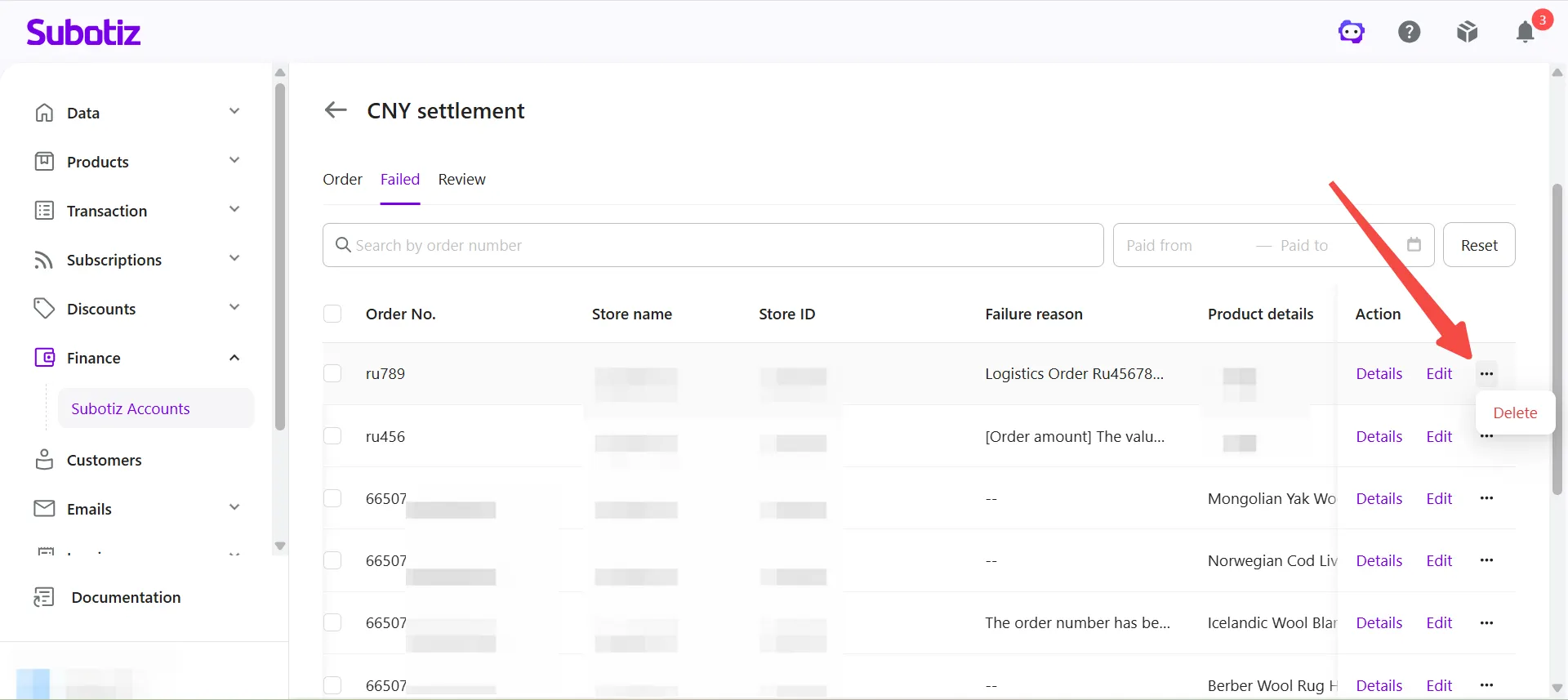
- Delete an application: Click ⋯ > Delete. After deletion, the application is removed from the application list. To apply again, submit the corresponding order as a new settlement quota application.
Best Practices
- Provide accurate product information: Ensure product names and product details accurately describe the products or services being sold to improve approval rates.
- Review failure messages promptly: Check the failure message in the Details panel before updating any information.
- Resubmit updated applications promptly: After updating the required product information, click Reapply as soon as possible to avoid affecting your available settlement quota.
- Monitor application status regularly: Check the Review and Failed tabs regularly so issues can be resolved before creating future CNY Settlement orders.
The Settlement Quota Applications feature helps merchants monitor application progress, resolve failed applications efficiently, and maintain sufficient available settlement quota for future CNY Settlement orders.