The Settlement Quota feature in CNY Settlement allows merchants to view and manage the amount available for creating CNY Settlement orders. Subotiz Accounts calculates the quota based on eligible orders from authorized stores to support the required foreign exchange declaration. Once approved, the corresponding amount is automatically added to the available settlement quota and can be used to create CNY Settlement orders.
What Is a Settlement Quota
A settlement quota is the maximum amount currently available for creating CNY Settlement orders.
The system calculates the available settlement quota based on eligible orders submitted for settlement declaration. Each merchant’s available quota varies based on store orders, declaration records, and review results.
The available settlement quota is updated continuously as additional orders are approved.
Viewing the Settlement Quota
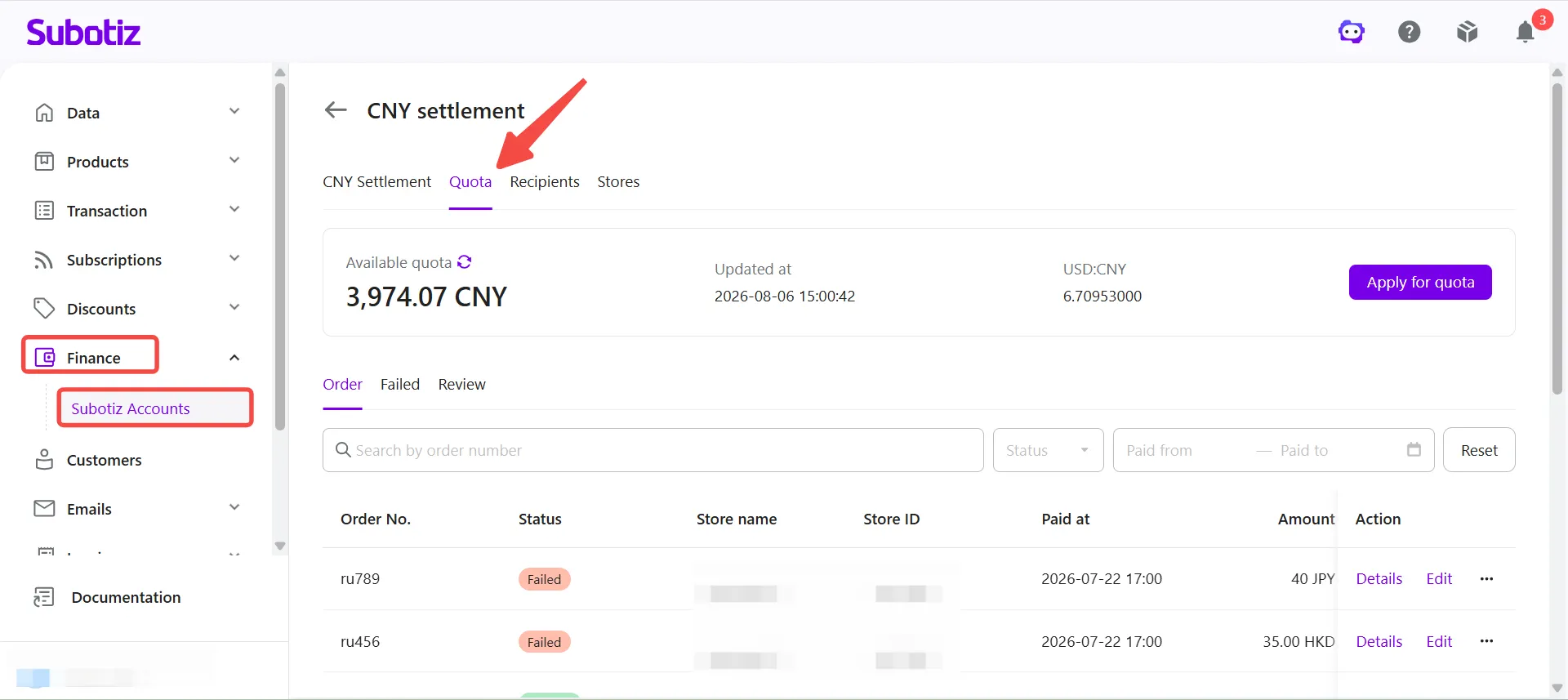
- Open the Quota page: Go to Finance > Subotiz Accounts > CNY Settlement > Quota.The page displays:
- Available settlement quota
- Last updated time
- Current exchange rate
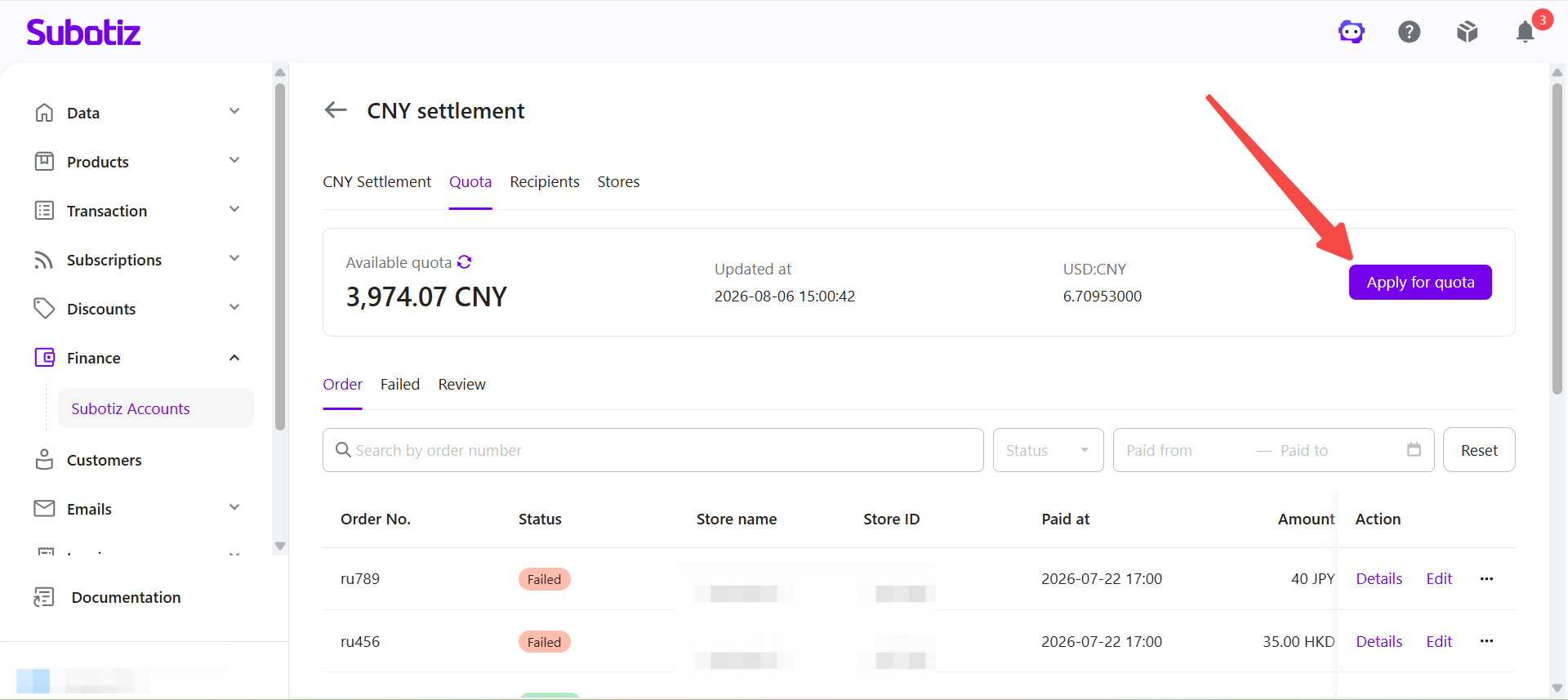
- Start a settlement quota request: Click Apply for quota.
Applying with Synced Store Orders
After a store has been authorized, merchants can apply for additional settlement quota using automatically synchronized store orders.
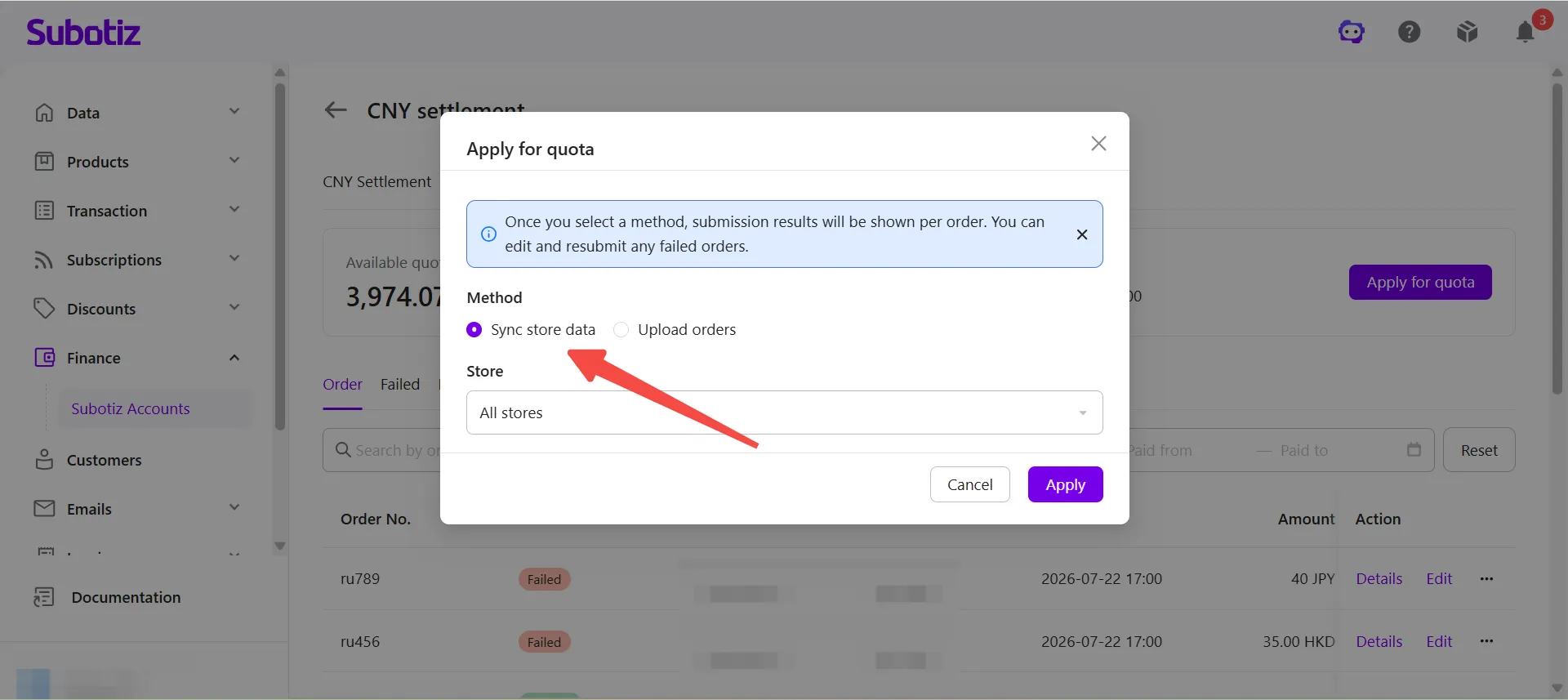
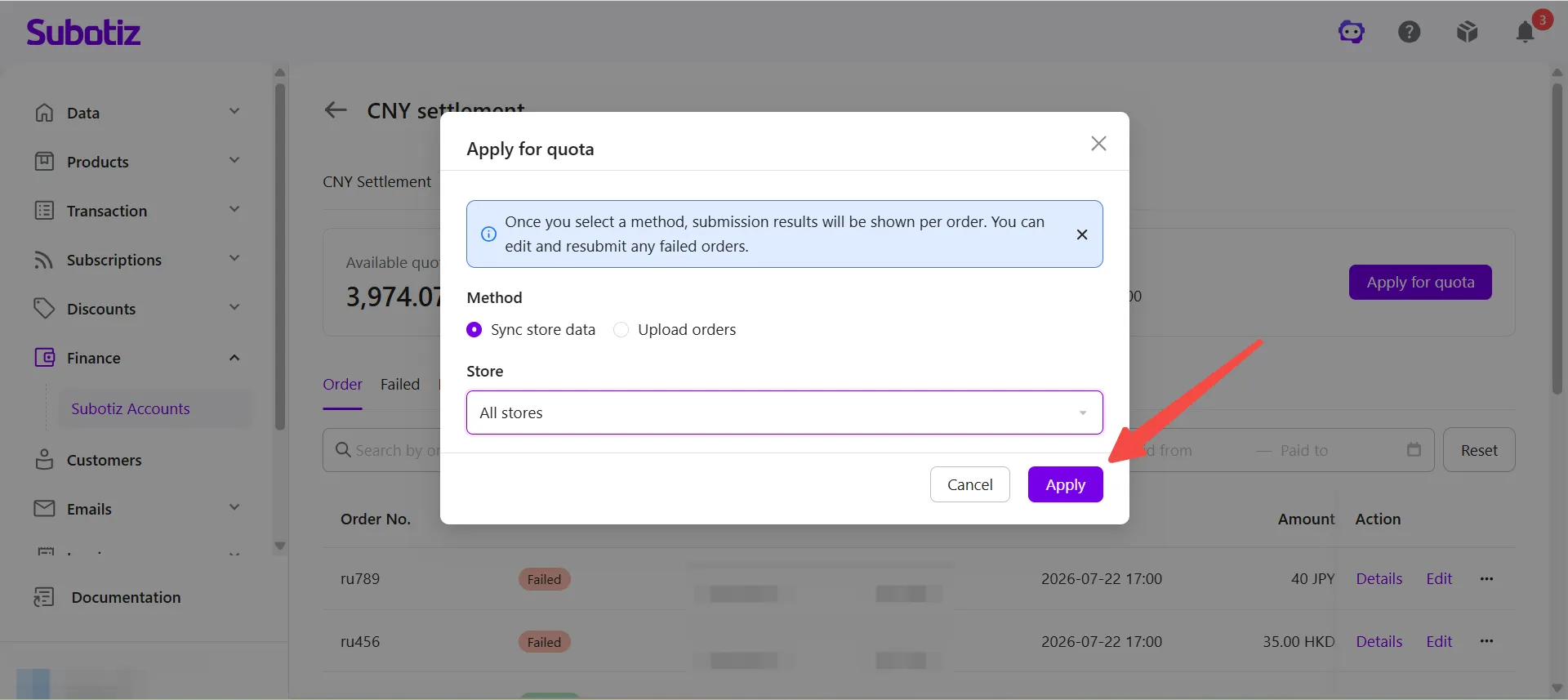
- Select a submission method: Select Sync store data. The system automatically retrieves eligible store orders for the settlement quota application.
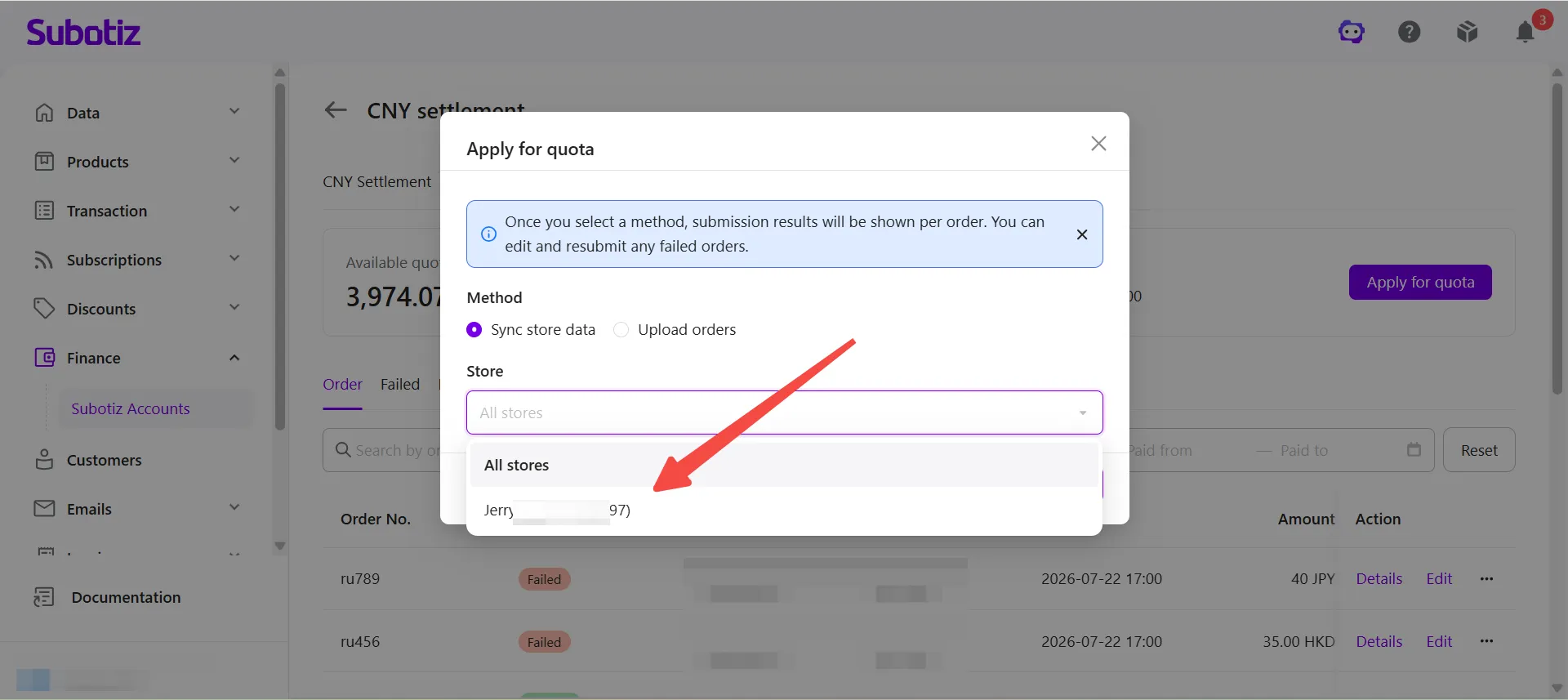
- Select a store: Choose one authorized store or select All stores.
- Submit the request: Click Apply. The system submits the selected orders for settlement declaration. Once approved, the corresponding amount is automatically added to the available settlement quota.
Applying by Uploading an Order File
If eligible orders are not synchronized automatically, merchants can upload an order file to apply for additional settlement quota.
- Select a submission method: Select Upload orders.
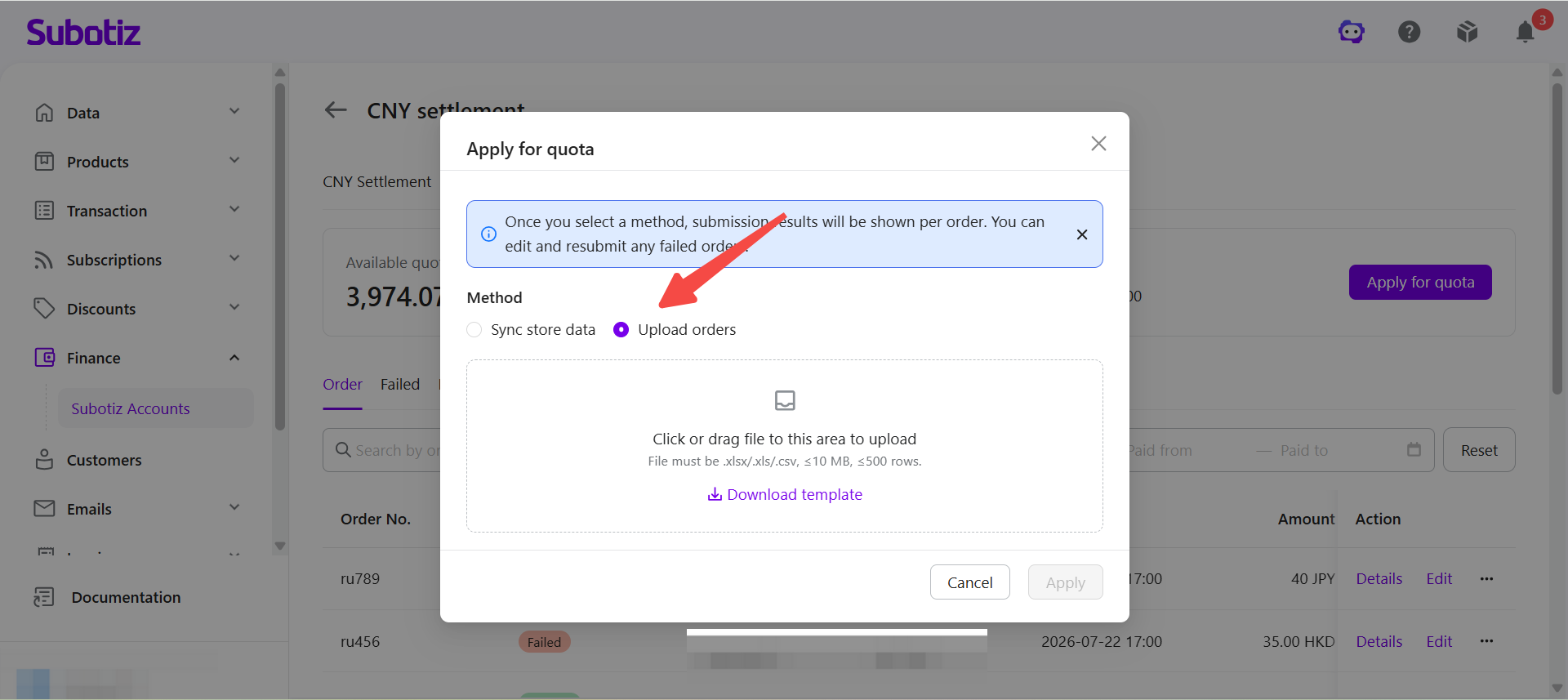
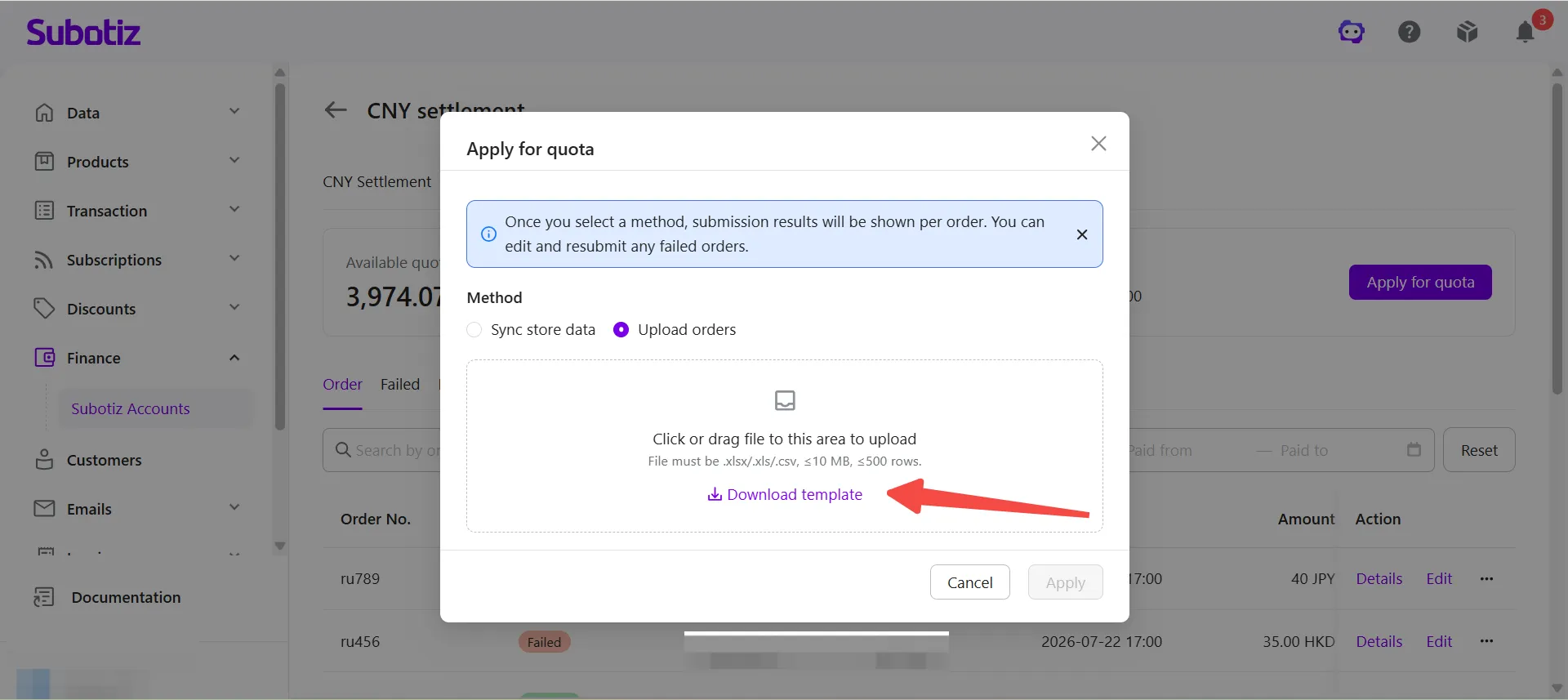
- Download the template: Click Download Template.
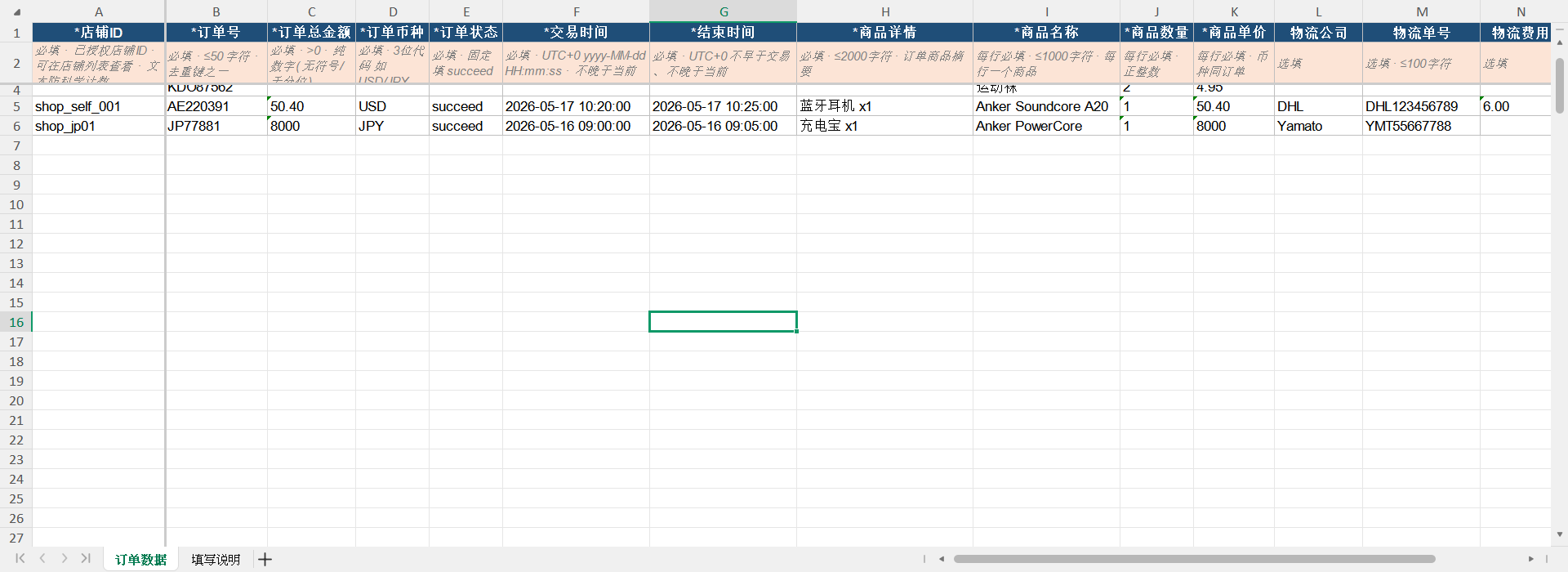
- Complete the template: Enter the required order information. Supported file formats include .xlsx, .xls, and .csv. Each file can be up to 10 MB and contain a maximum of 500 orders.
- Upload the order file: Upload the completed file.
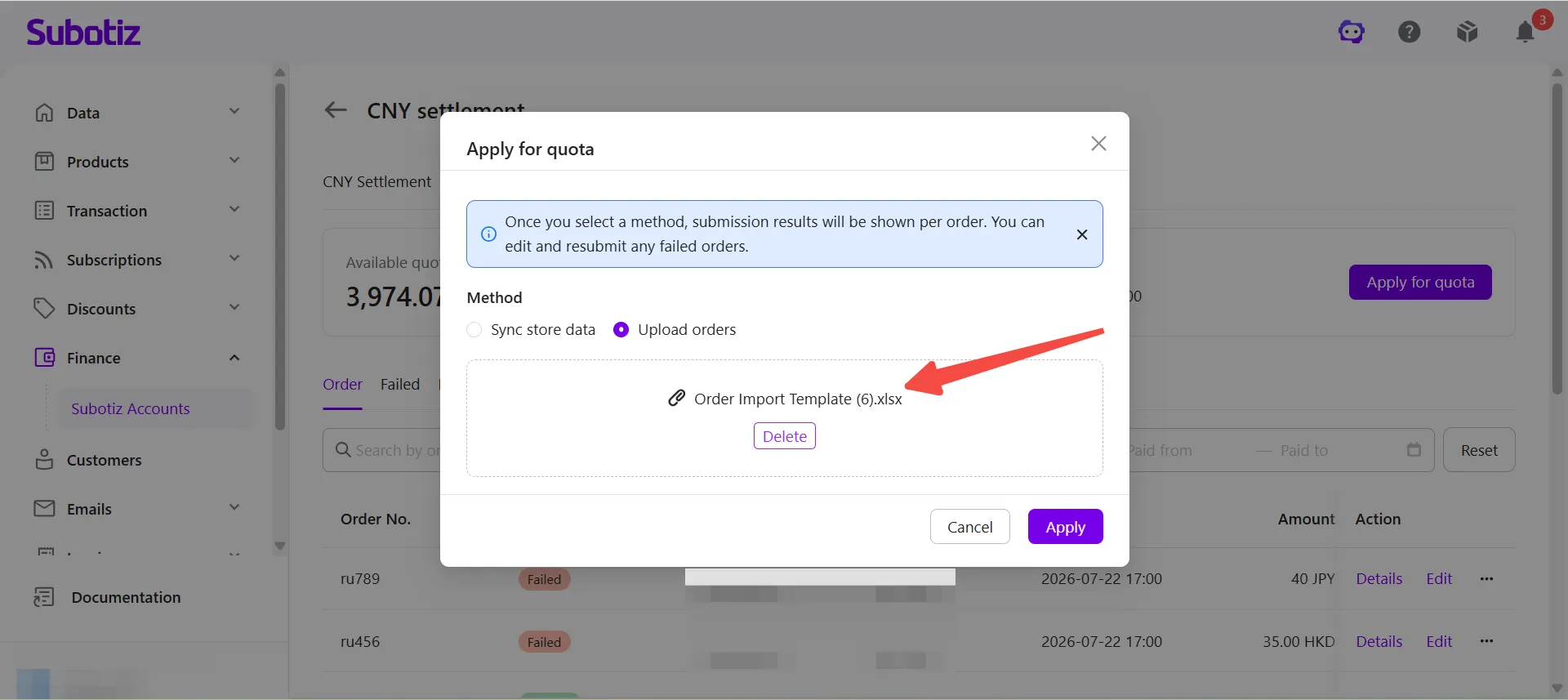
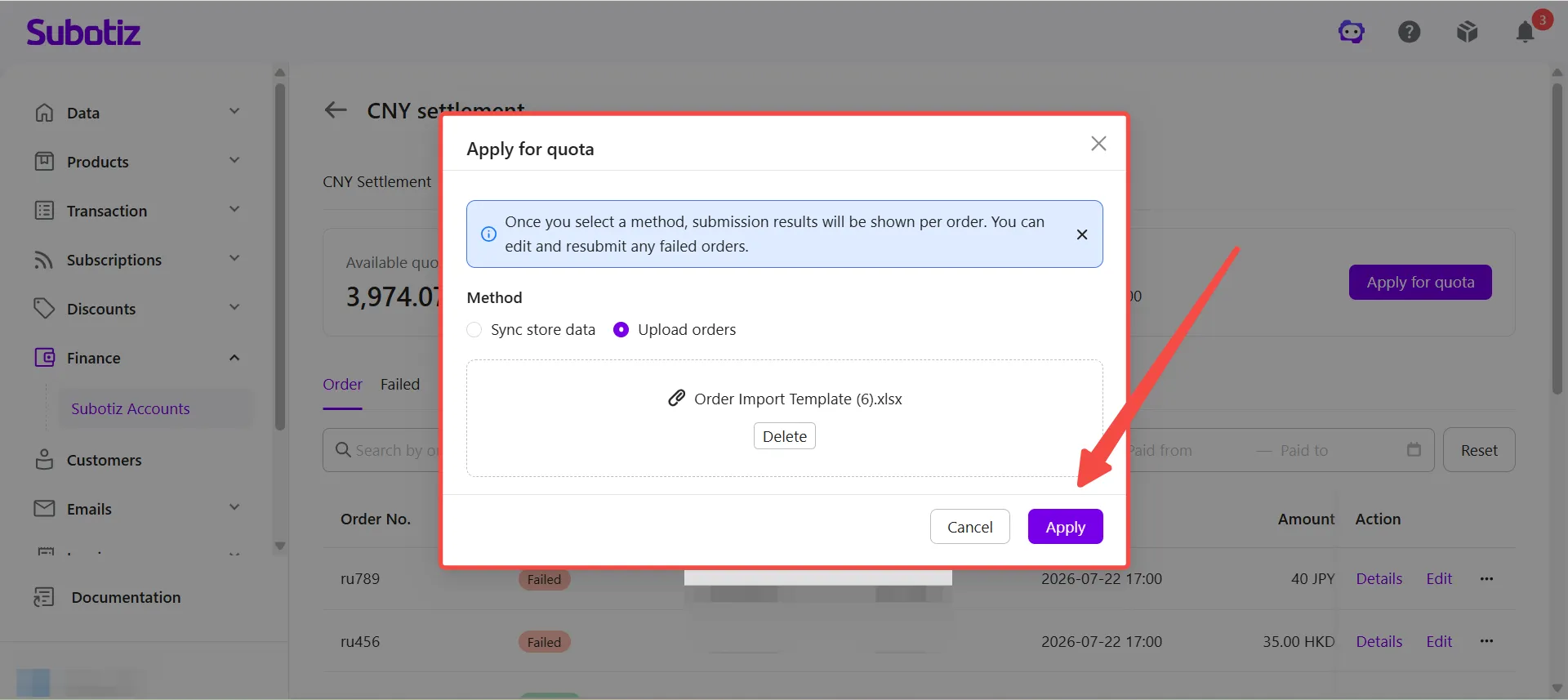
- Submit the request: Click Apply. Once approved, the corresponding order amounts are automatically added to the available settlement quota.
Reviewing Application Status
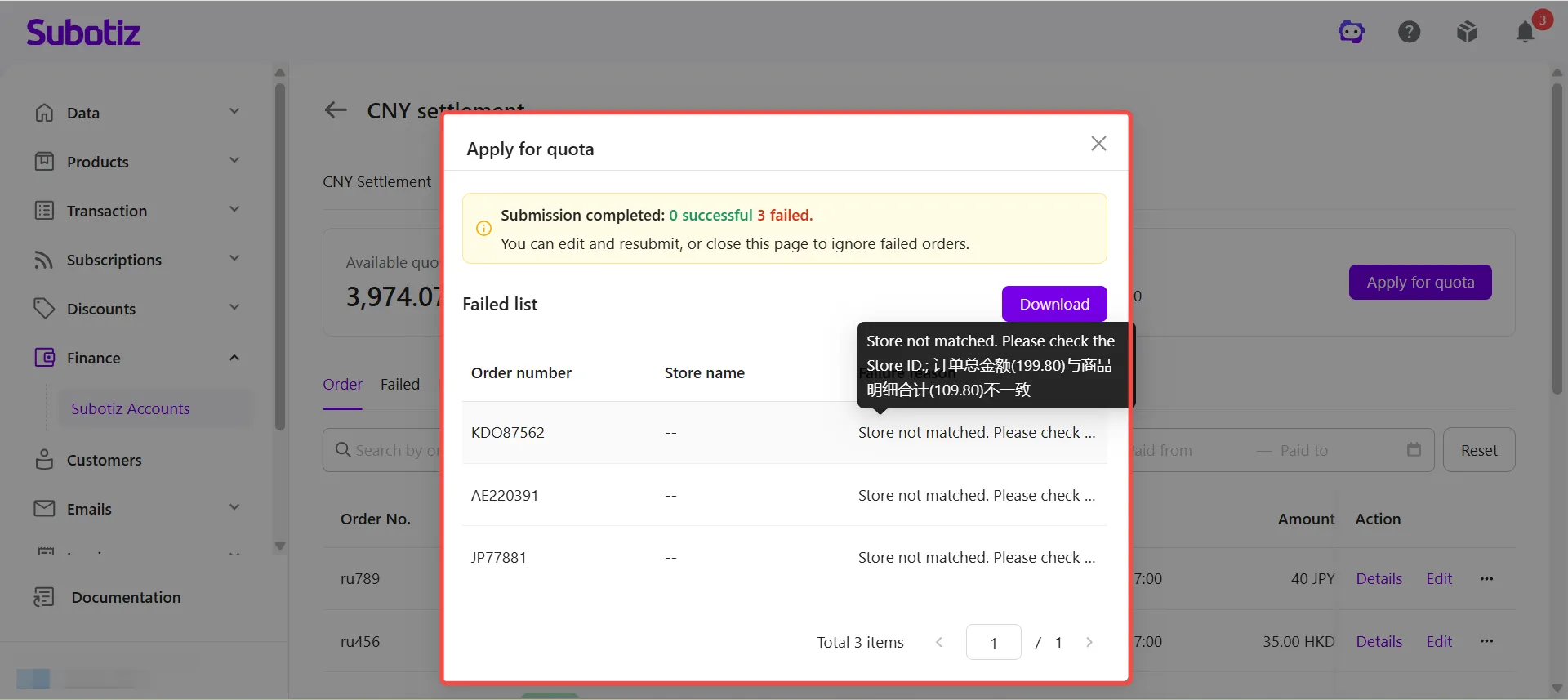
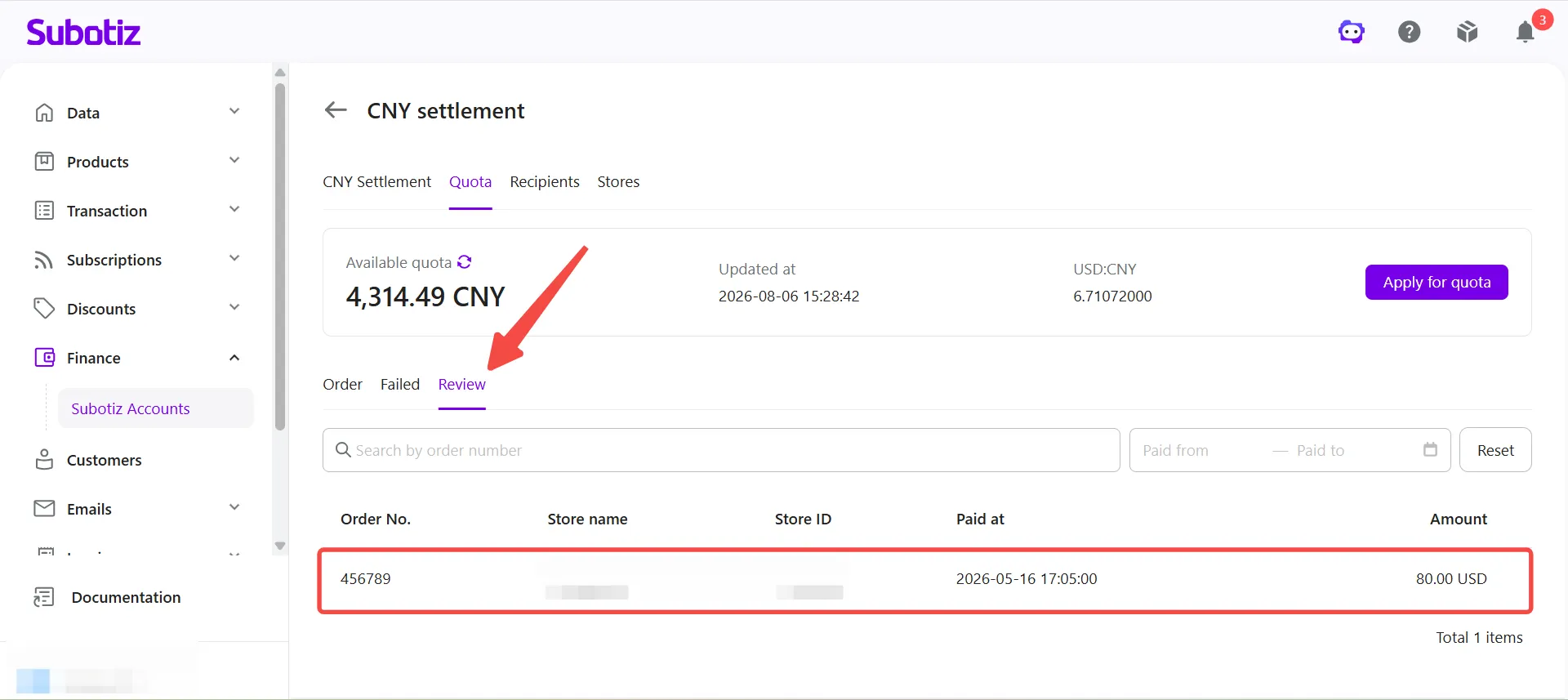
After submitting a settlement quota request, merchants can track its review status.
Status | Description |
|---|---|
Review | The submitted orders and settlement declaration are under review. |
Success | The request has been approved. The corresponding order amount has been added to the available settlement quota. |
Failed | The request was not approved. Review the failure reason, update the information as required, and submit the request again. |
Best Practices
- Authorize stores before applying: Complete store authorization first so eligible orders can be synchronized automatically.
- Submit valid order information: Use genuine and complete order information that meets CNY Settlement requirements.
- Confirm approval before creating a settlement order: Order amounts are added to the available settlement quota only after the review is complete.
- Check the available quota before creating a settlement order: The available settlement quota changes as additional orders are approved. Always refer to the amount displayed on the Quota page.
The Settlement Quota feature allows merchants to apply for settlement quota using synchronized store orders or uploaded order files. Once approved, the corresponding amount is added to the available settlement quota and can be used to create CNY Settlement orders.