The Store Management feature in CNY Settlement allows merchants to authorize one or more e-commerce stores so the system can automatically sync eligible orders and apply for settlement quotas. Once stores are authorized, the system continuously syncs new order data from each authorized store and combines approved settlement quotas into a single available settlement quota. This reduces manual reporting and improves CNY Settlement efficiency.
Adding a Store
Before using CNY Settlement for the first time, merchants must add and authorize a store.
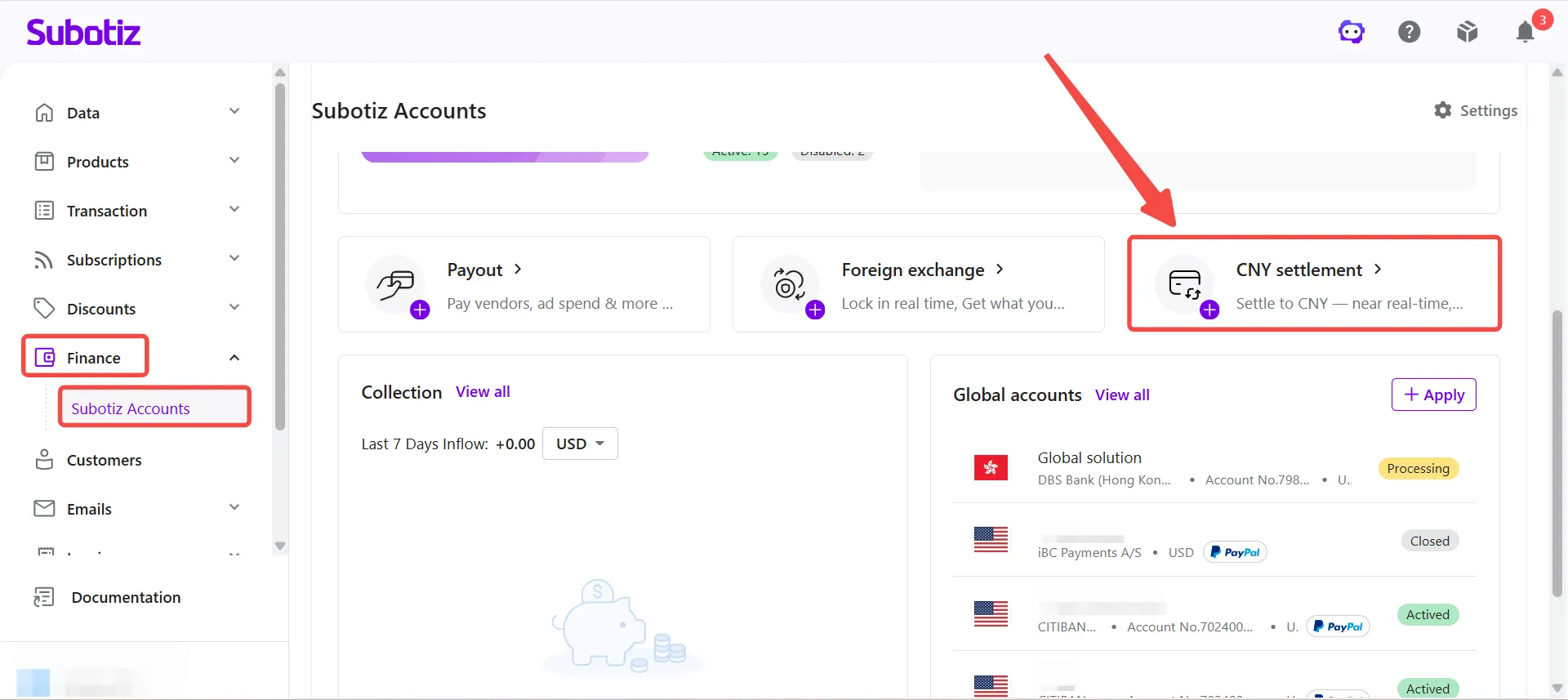
- Open the Stores page: Go to Funds > Subotiz Accounts > CNY Settlement.
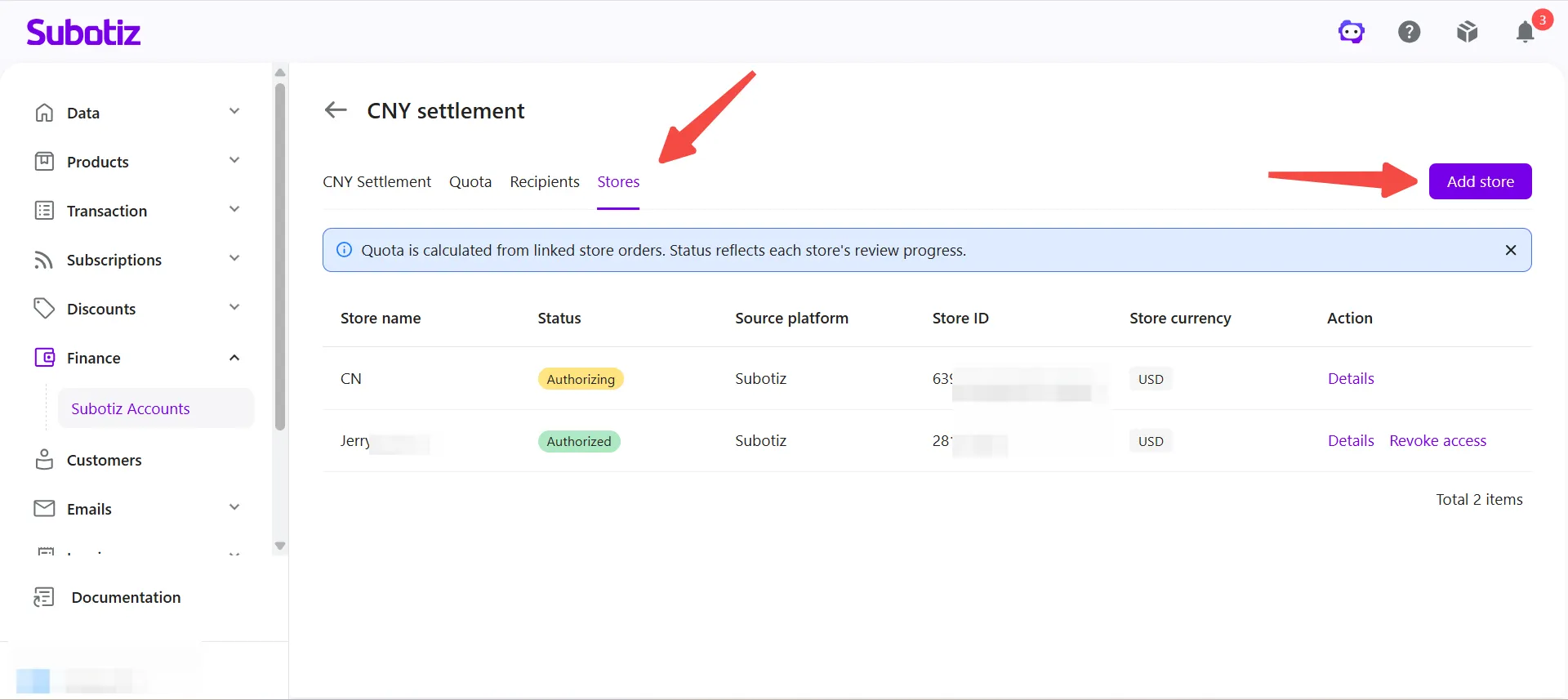
- Add a store: Click Add Store on the Stores page. Merchants can add and authorize multiple stores based on their business needs.
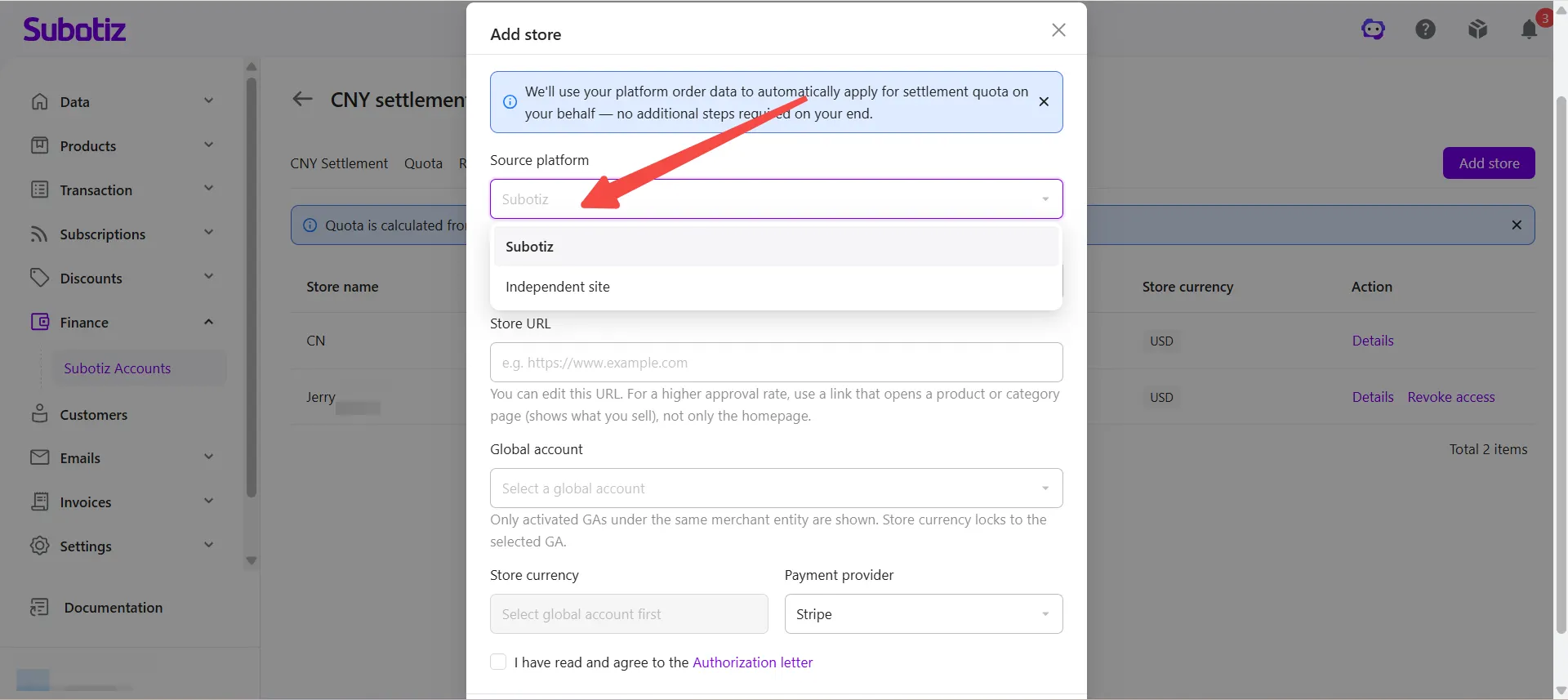
- Select a source platform: Under Source Platform, choose the platform associated with the store.
- Subotiz: Select an existing Subotiz store from the list. The system automatically populates the store name and store ID.
- Independent Site: Select Independent Site, then manually enter the store name, store ID, and store URL.
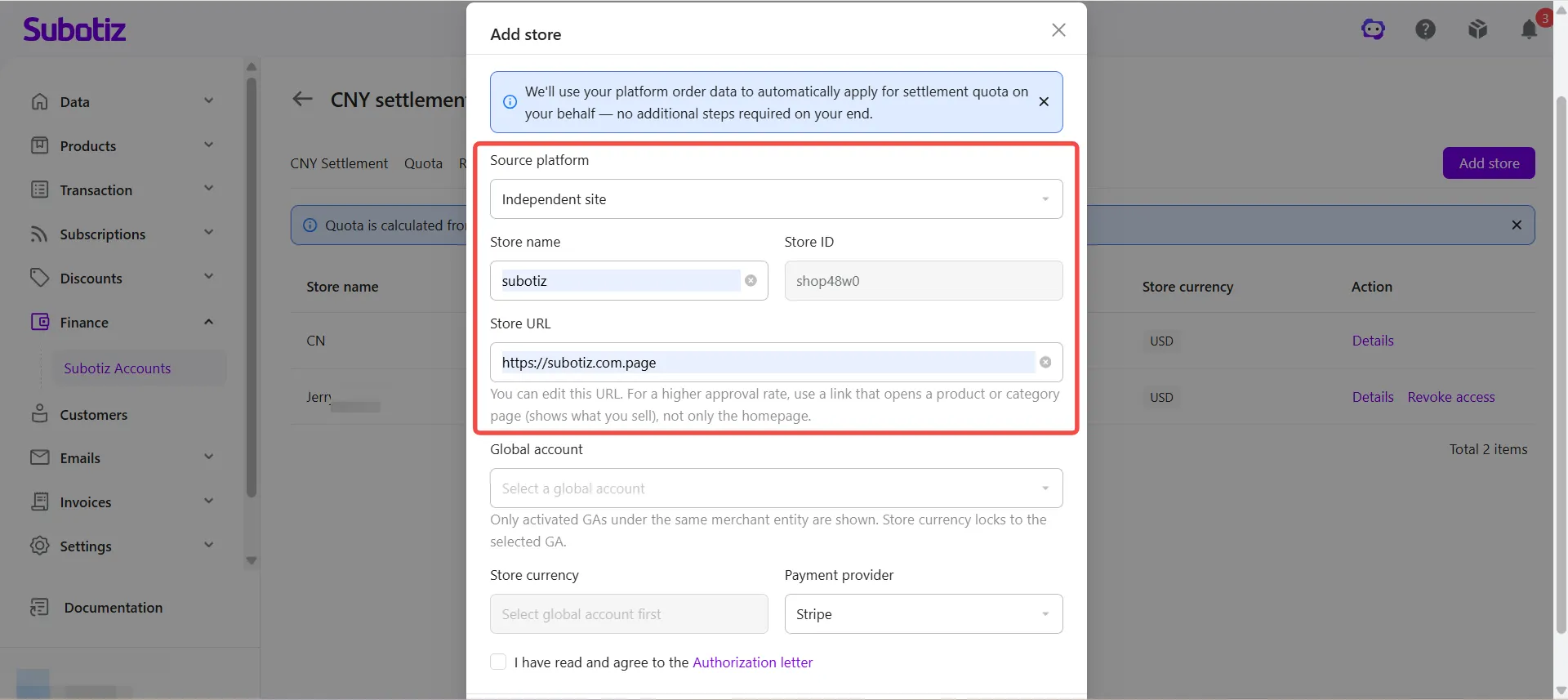
- Configure the store information: Complete the required information based on the selected platform.
- Subotiz store
- Select a store: Choose the store to authorize from the drop-down list.
- Enter the store URL: Use a product or category page instead of the homepage to increase the likelihood of approval.
- Independent Site
- Enter the store name: Enter the store name.
- Confirm the store ID: The system automatically generates the store ID. No manual entry is required.
- Enter the store URL: Use a product or category page instead of the homepage to increase the likelihood of approval.
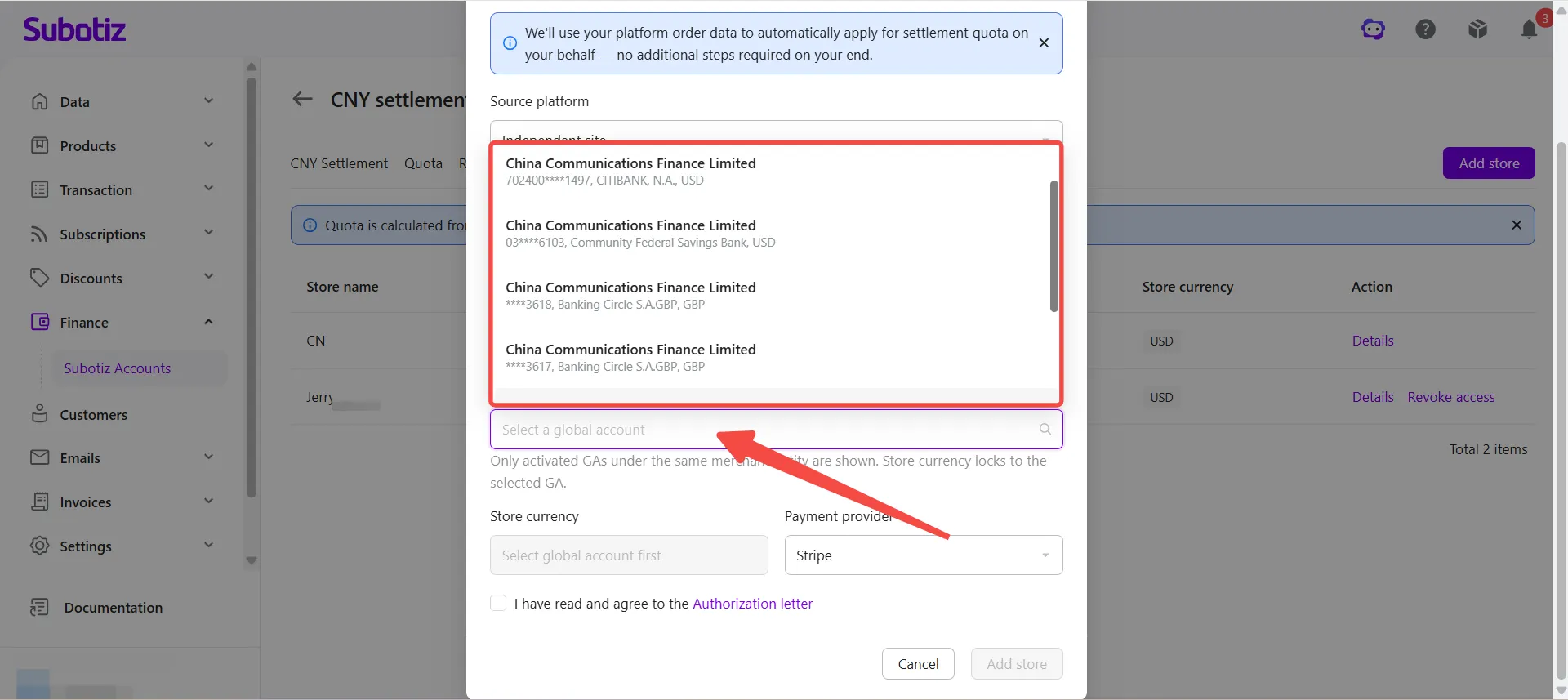
- Select a Global Account: Choose the Global Account to associate with the store. Only activated Global Accounts under the current merchant entity are available. The store currency automatically matches the selected Global Account.
- Select a payment provider: Confirm the payment provider used by the store. The system automatically displays the payment provider associated with the store. Merchants can change the selection if necessary.
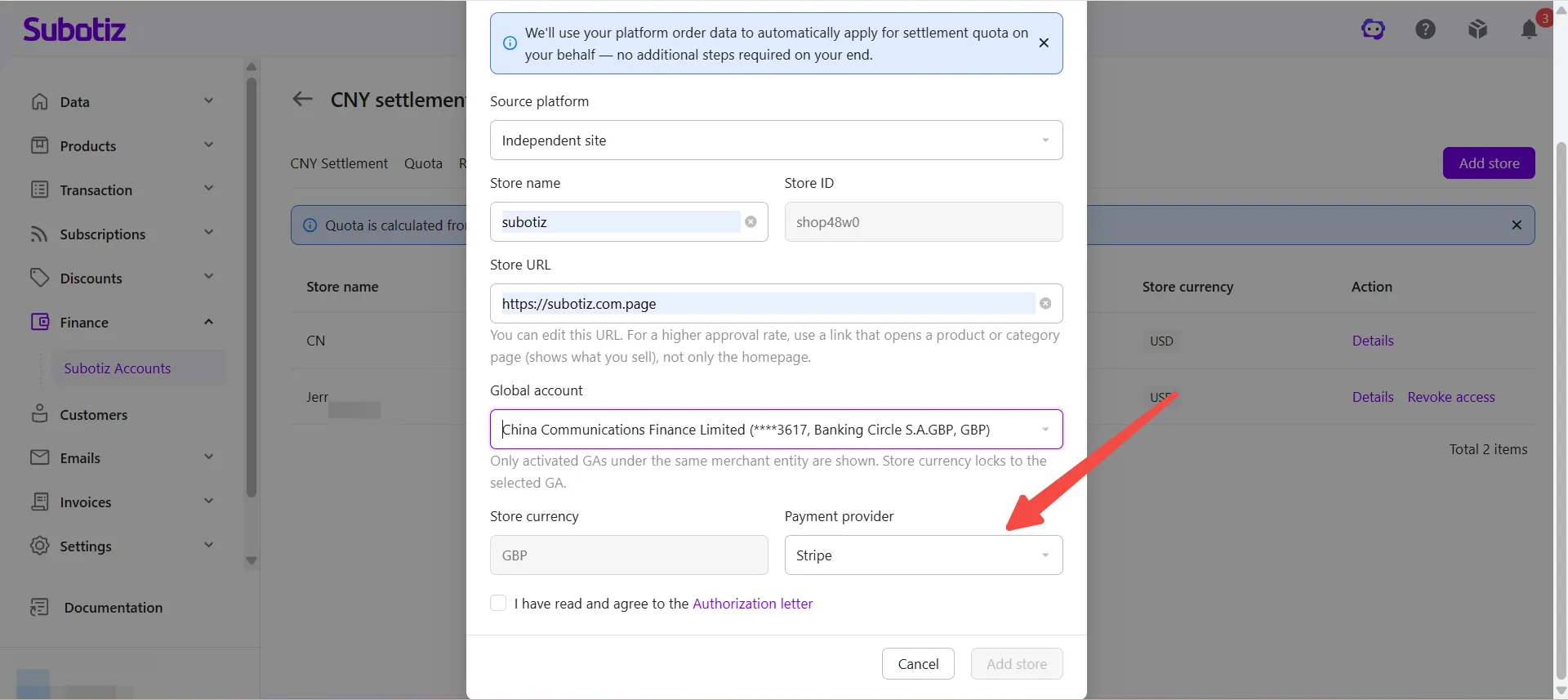
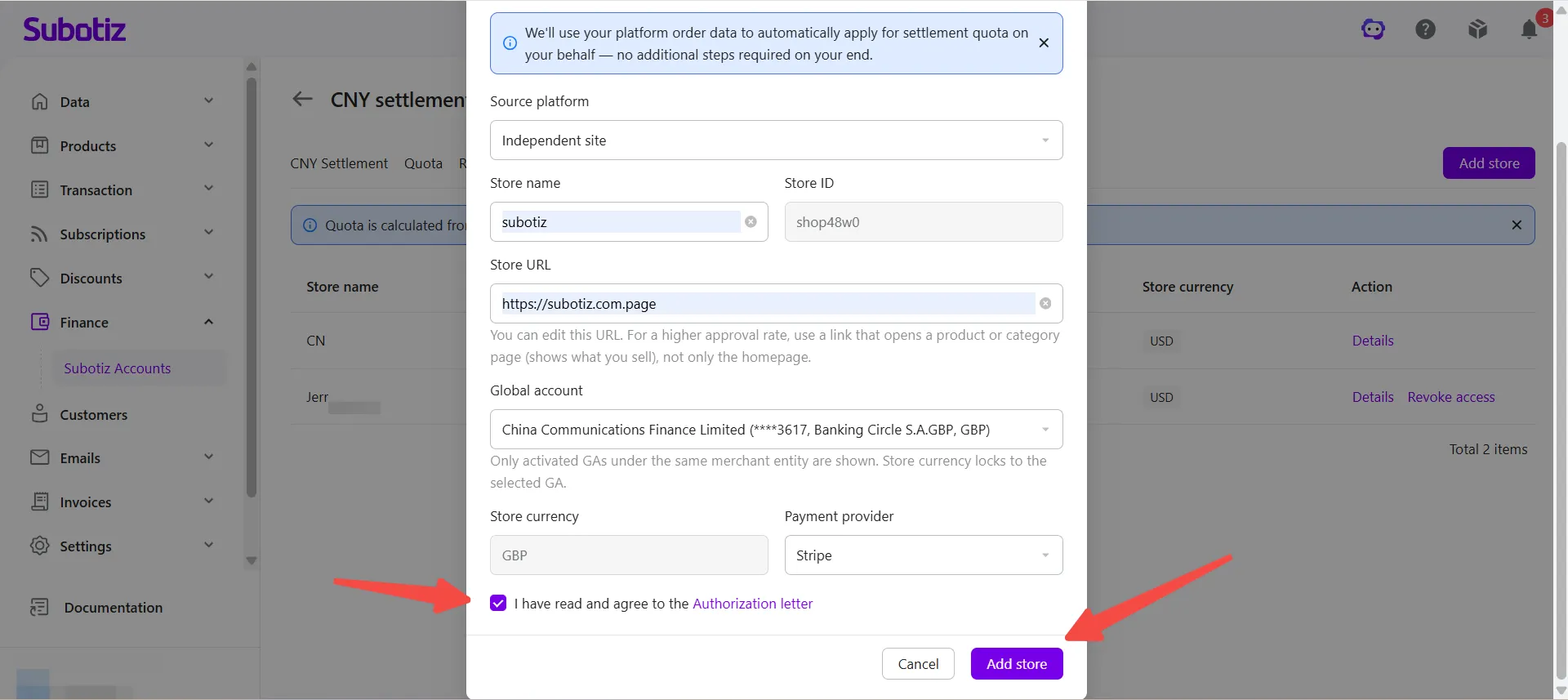
- Agree to the Store Declaration and submit: Select I have read and agree to the Store Declaration, then click Add Store to submit the authorization request.
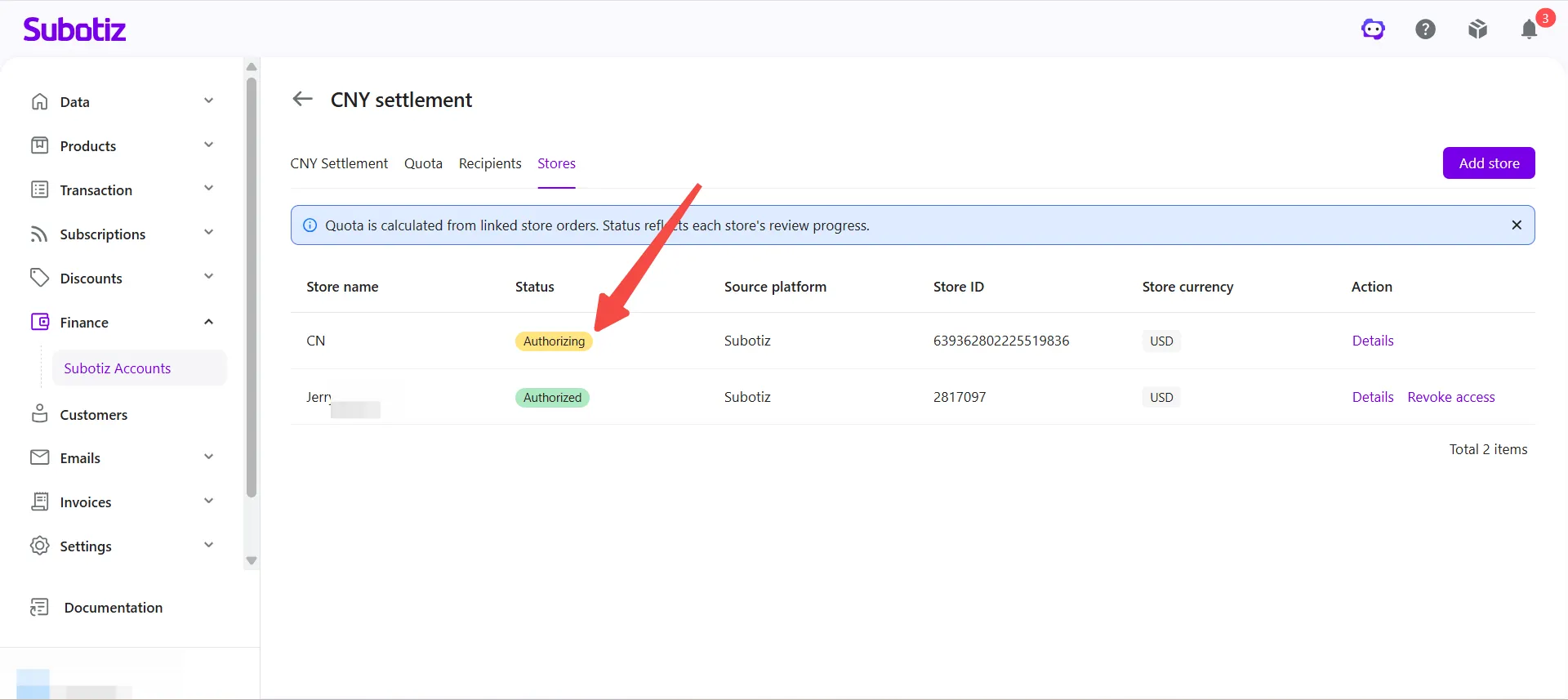
After the request is submitted, the store status changes to Authorizing while the system reviews the submitted store information. Once approved, the status changes to Authorized, and the system automatically syncs eligible order data to support settlement quota requests.
Managing Stores
- Check the store status: After submitting the authorization request, merchants can view the authorization status on the Stores page.
Status | Description |
|---|---|
Authorizing | The authorization request has been submitted and is under review. The store cannot be used to apply for settlement quotas until the review is complete. |
Authorized | The store is authorized. The system automatically syncs eligible orders to support settlement quota requests. |
Failed | The authorization request was not approved. Update the information based on the review result and submit the request again. |
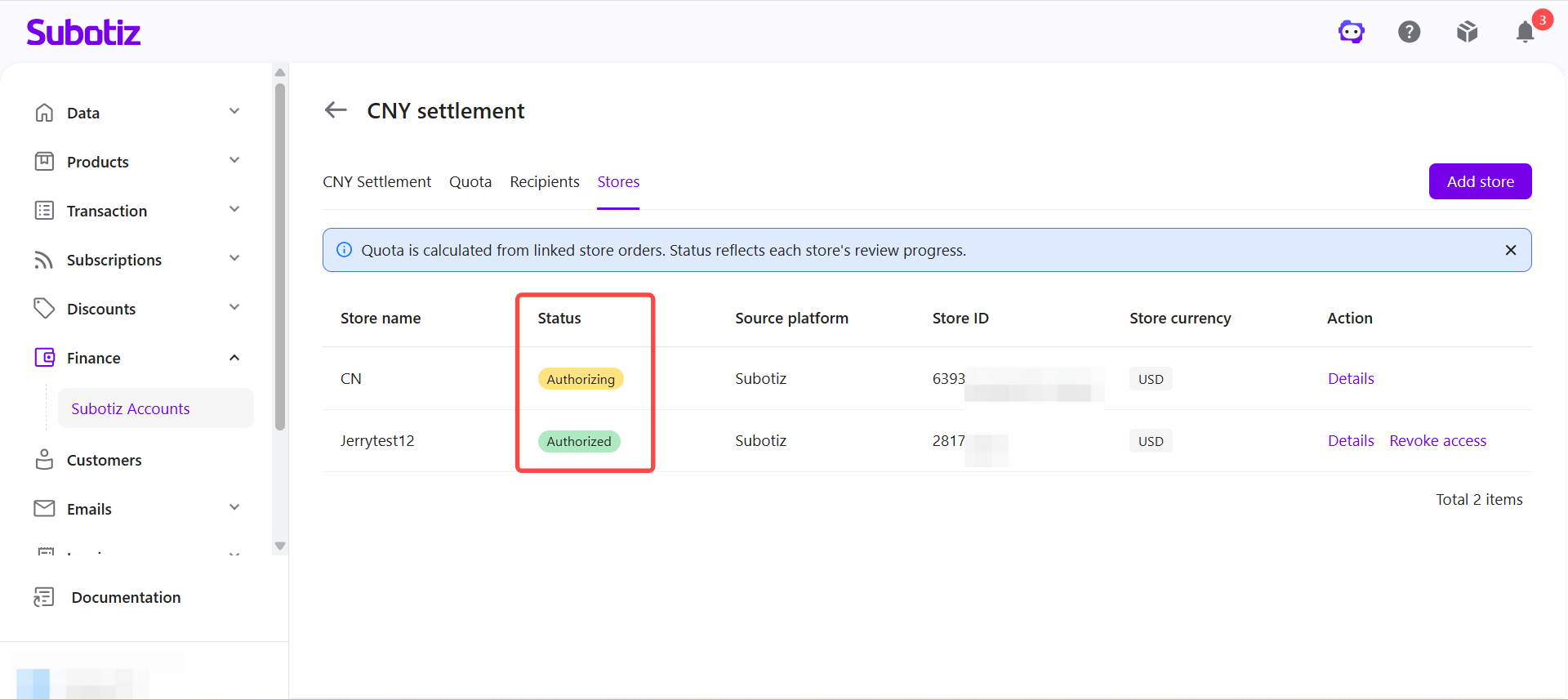
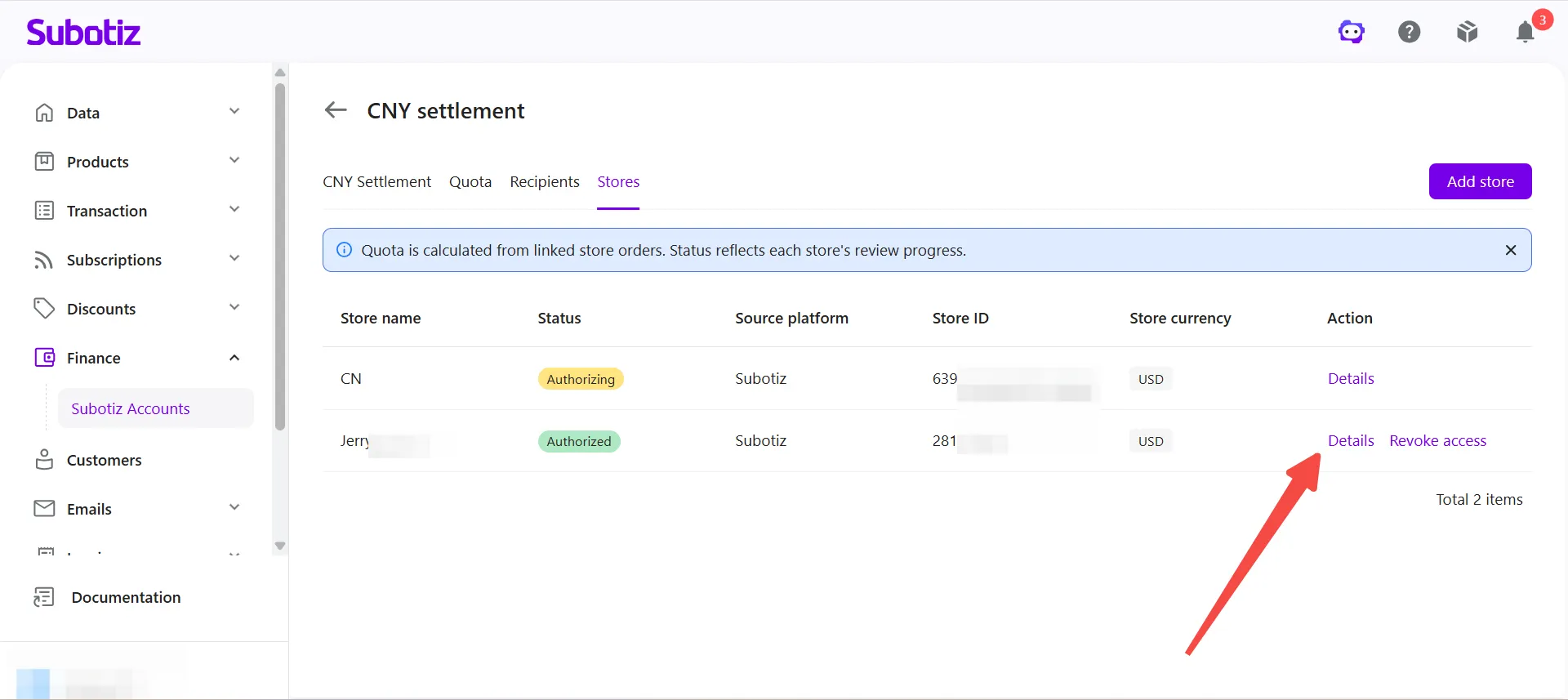
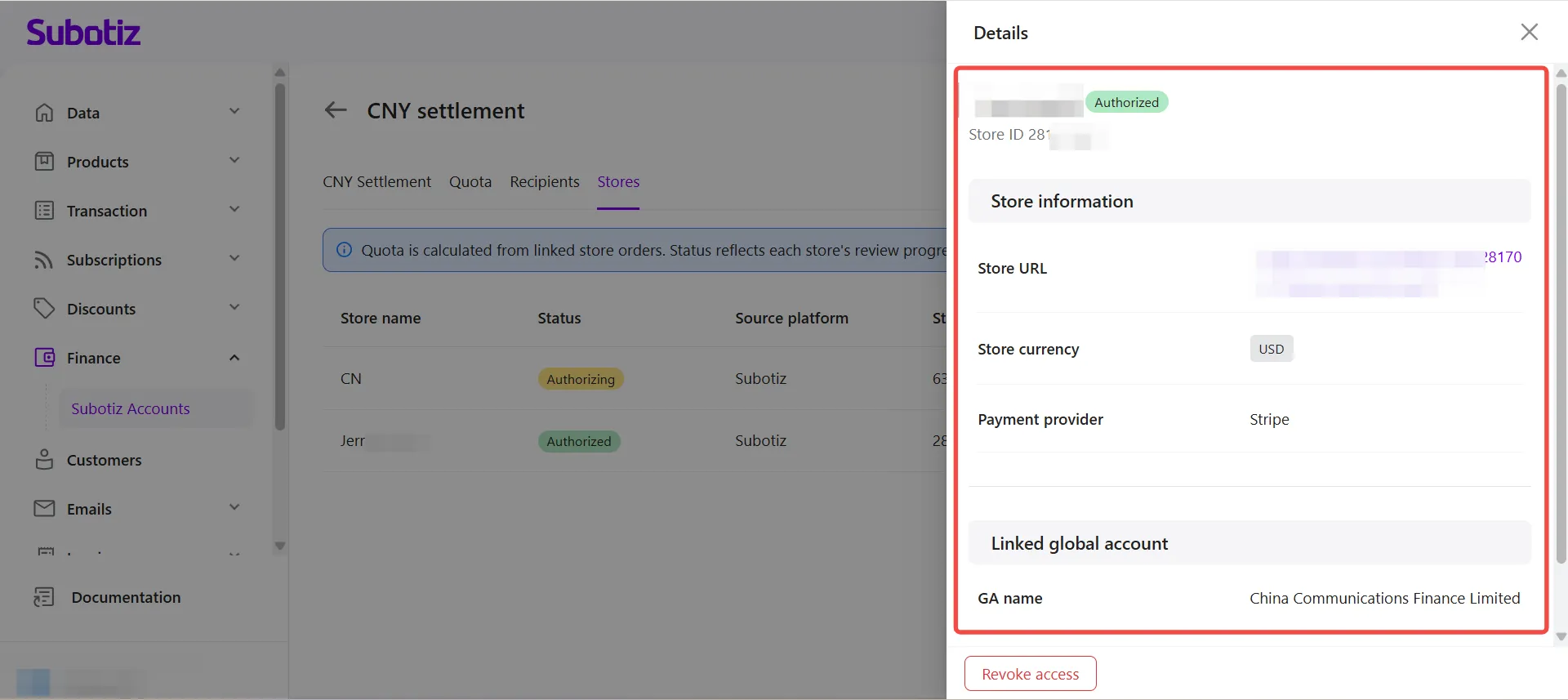
- View store details: Click Details for the corresponding store to view its information and authorization status.
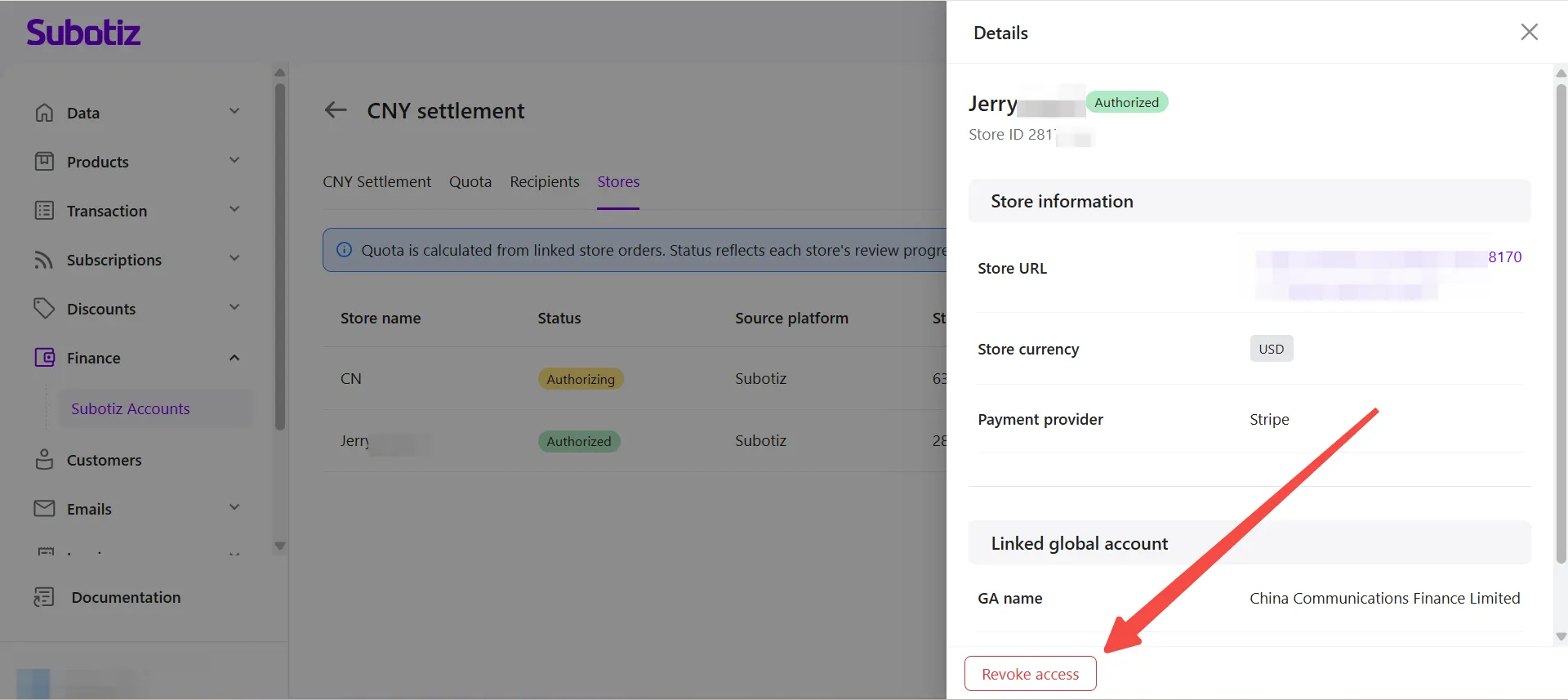
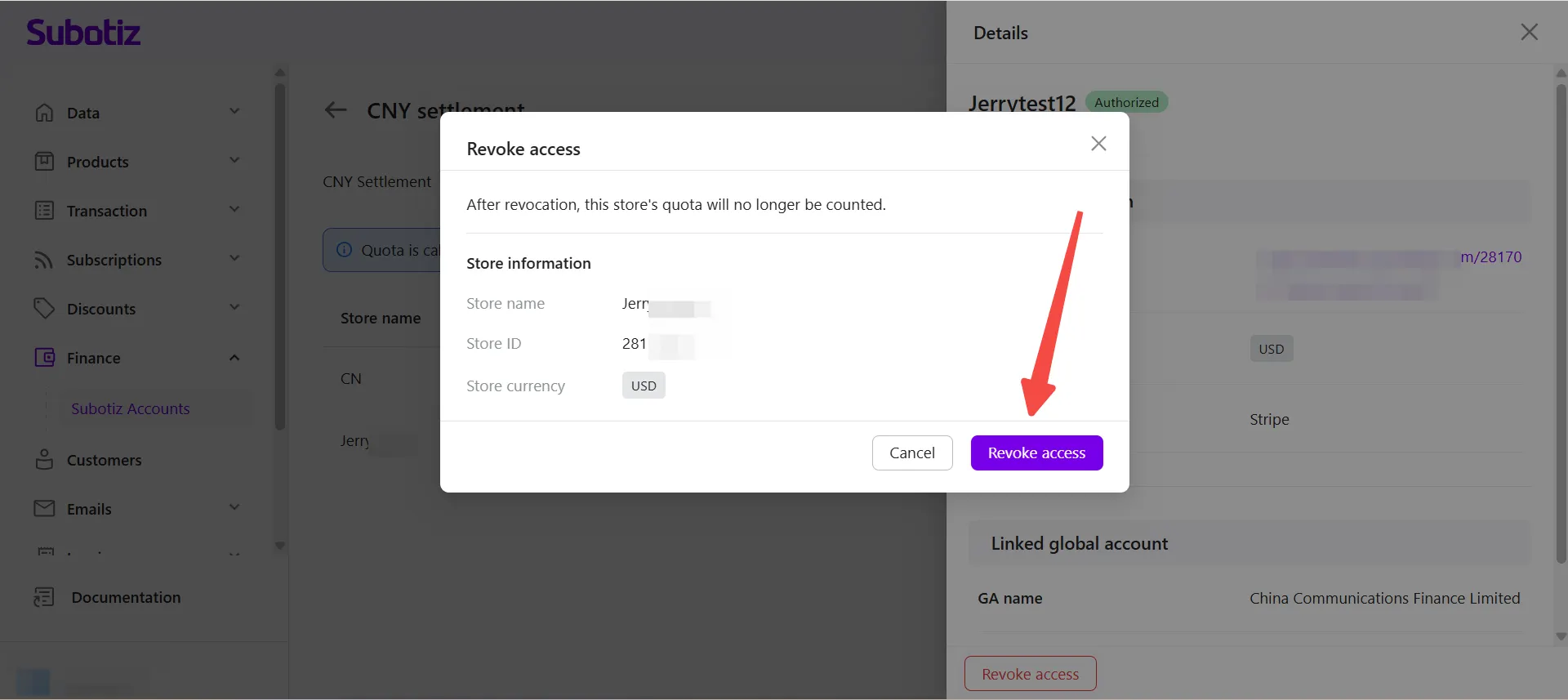
- Revoke authorization: Click Revoke Authorization for an authorized store to stop syncing new order data from that store. New orders from the store will no longer be used to apply for settlement quotas. Completed CNY Settlement orders are not affected.
Best Practices
- Authorize active stores only: Ensure the store sells legitimate products or services to increase the likelihood of approval.
- Use a valid store URL: Enter a product or category page so reviewers can verify the business information more easily.
- Select the correct Global Account: Once the store is authorized, it is linked to the selected Global Account. Confirm the correct account before submitting the request.
Limitations
- Store authorization is required before applying for settlement quotas: Unauthorized stores cannot be used to obtain settlement quotas automatically.
- Each store can be linked to only one Global Account: Select the account that best matches the business.
- Review times vary: Manual reviews may take longer than automated reviews.
Store authorization is the foundation of CNY Settlement. After one or more stores are authorized, the system automatically syncs eligible orders and combines approved settlement quotas into a single available settlement quota, supporting future settlement quota applications and CNY Settlement orders.