The Payout feature in Subotiz Accounts allows merchants to view and track all submitted payouts from a single location. You can search payout records, monitor payout status, review transaction details, and respond to requests for additional information (RFI), helping streamline global payouts, payout records, and cross-border payment management.
Viewing Payout Records
- Open the Payout page: Go to Finance > Subotiz Accounts > Payout.
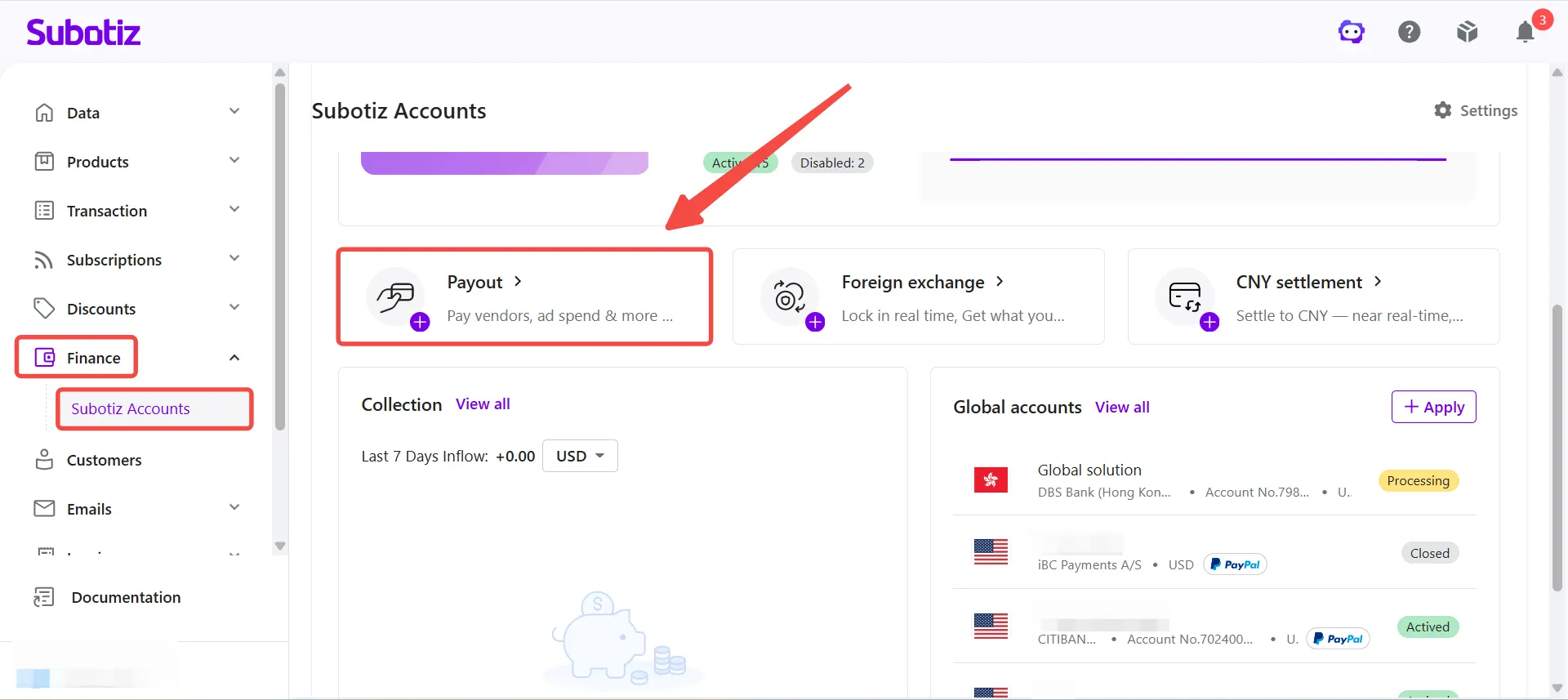
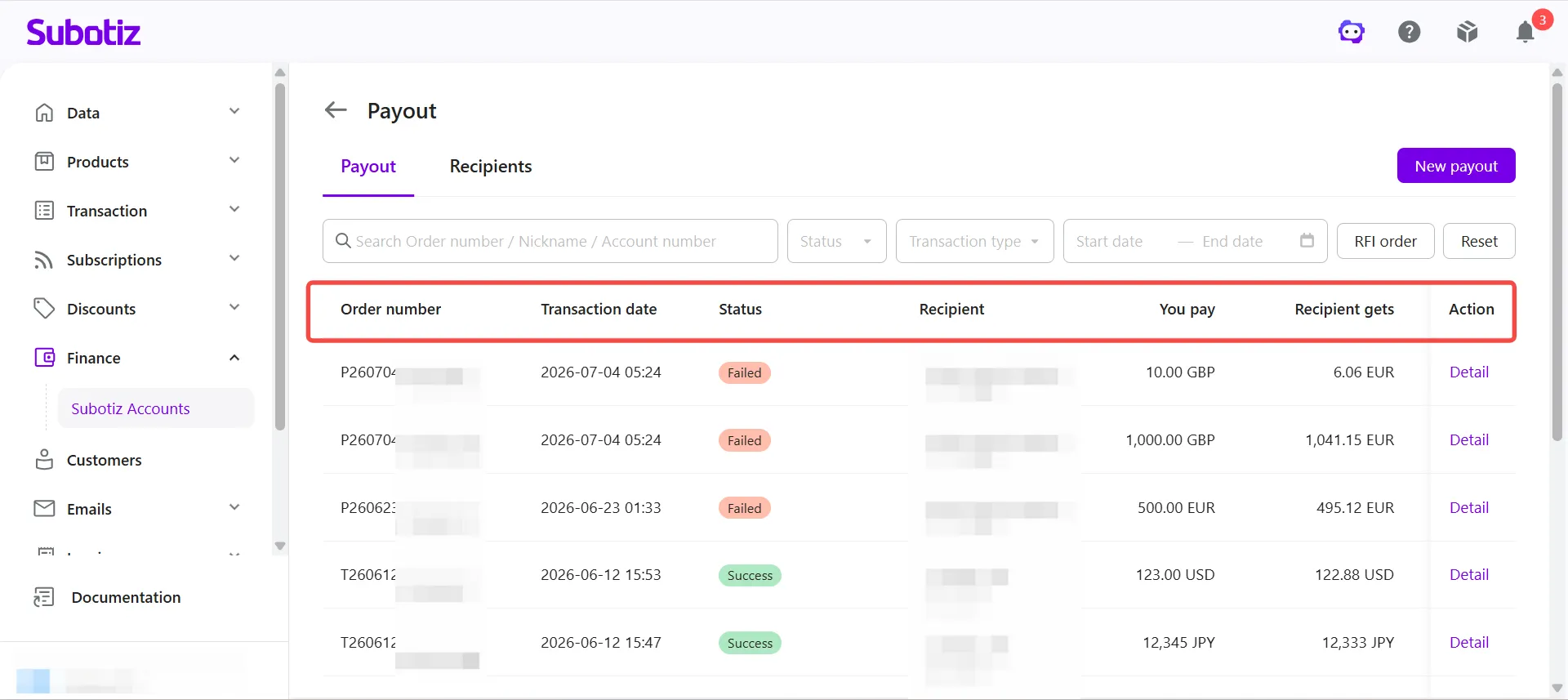
- View the payout list: The payout list displays key information for each payout, including:
- Order number
- Transaction date
- Status
- Recipient
- You pay
- Recipient gets
- Reference
- Action
Searching and Filtering Payout Records
When you have multiple payout records, use the available search and filter options to quickly find the transaction you need.
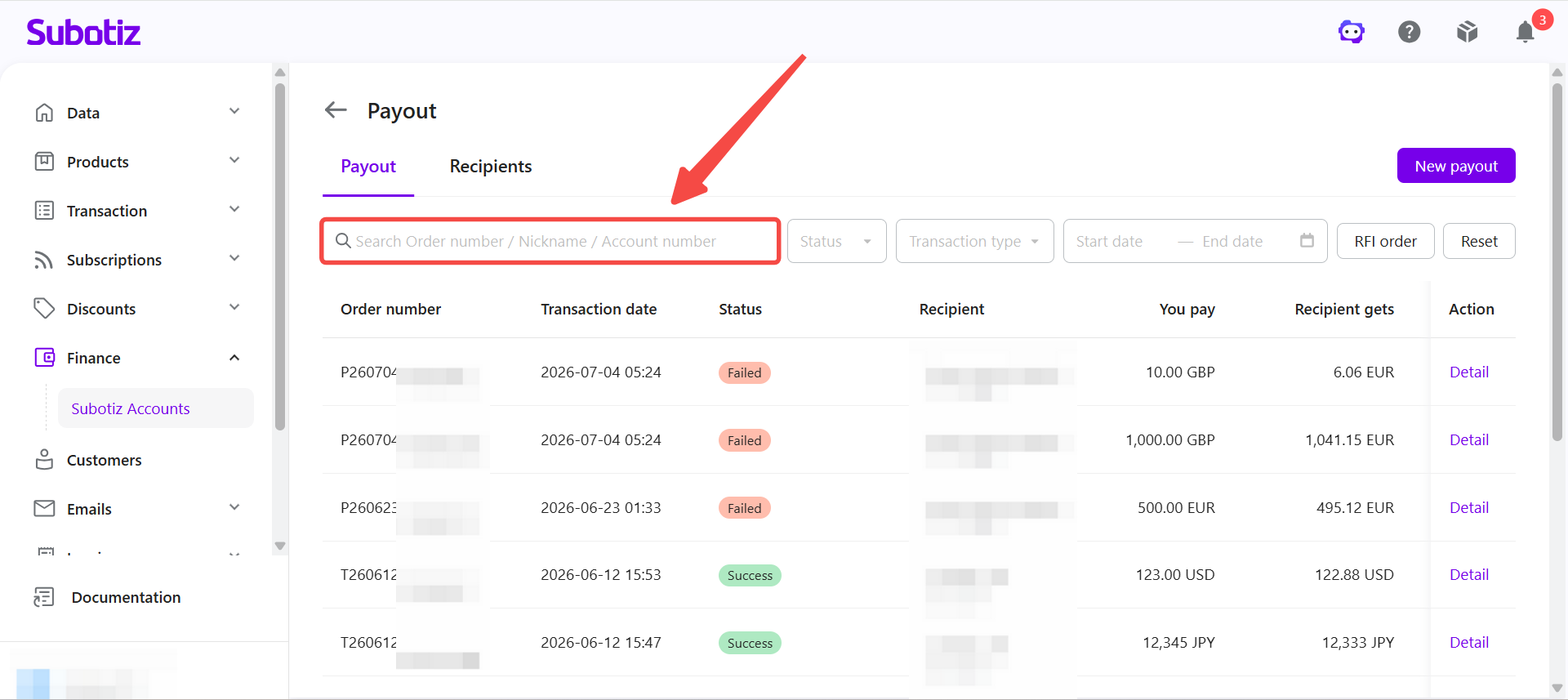
- Search by order number, recipient, or account number: Enter an Order number, Nickname, or Account number in the search box.
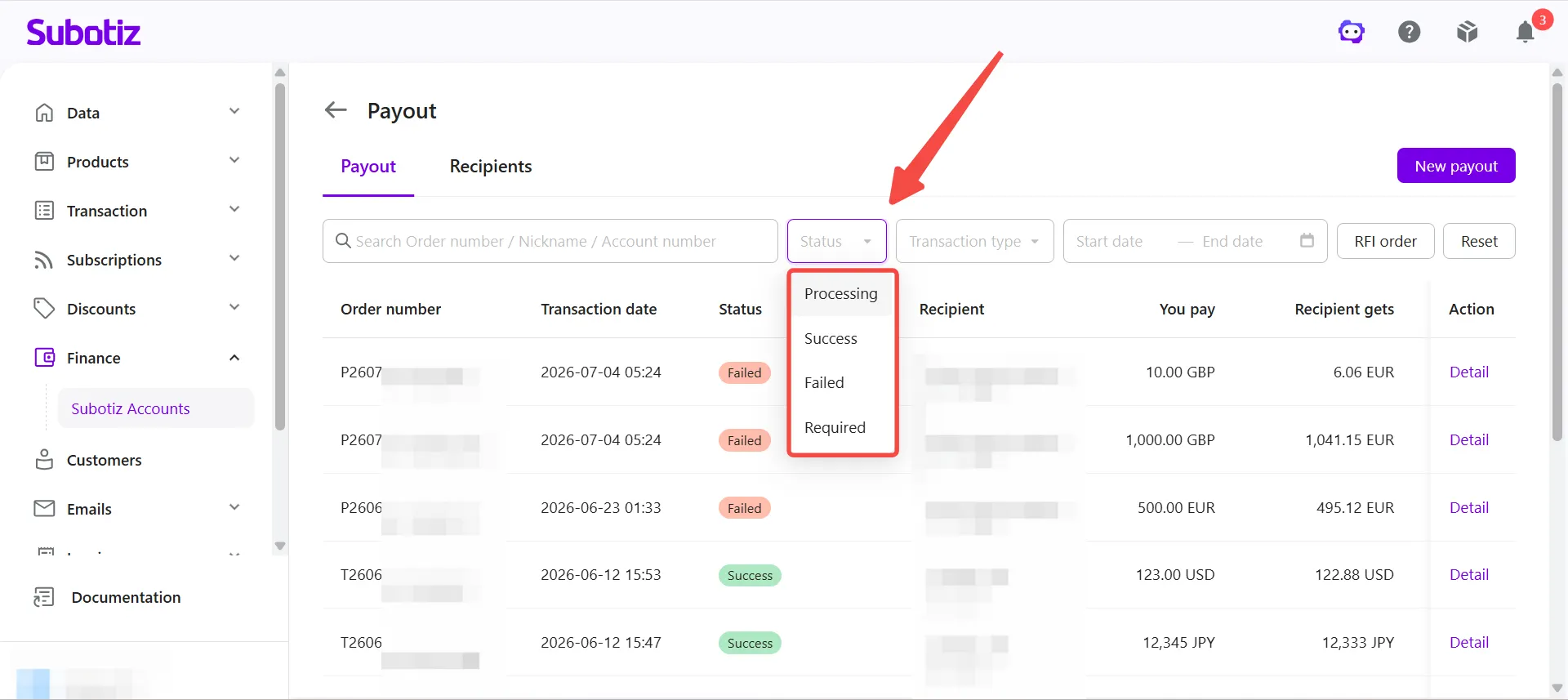
- Filter by status: Use the Status filter to display payouts with a specific processing status.
- Processing: The payout is currently being processed.
- Success: The payout has been completed successfully.
- Failed: The payout was not completed. Review the transaction details for more information.
- Required: Additional information is required before processing can continue.
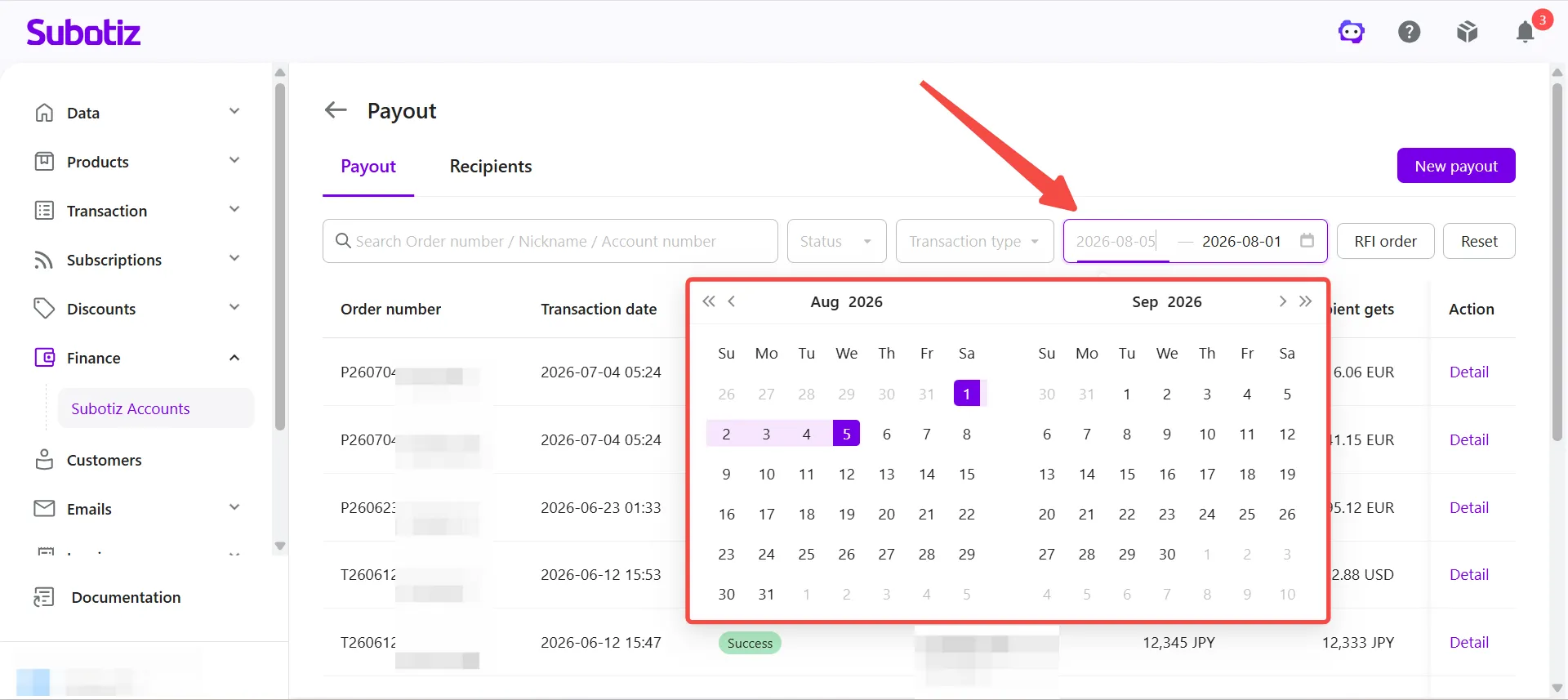
- Filter by transaction date: Select a Start date and End date to display payouts within a specific date range.
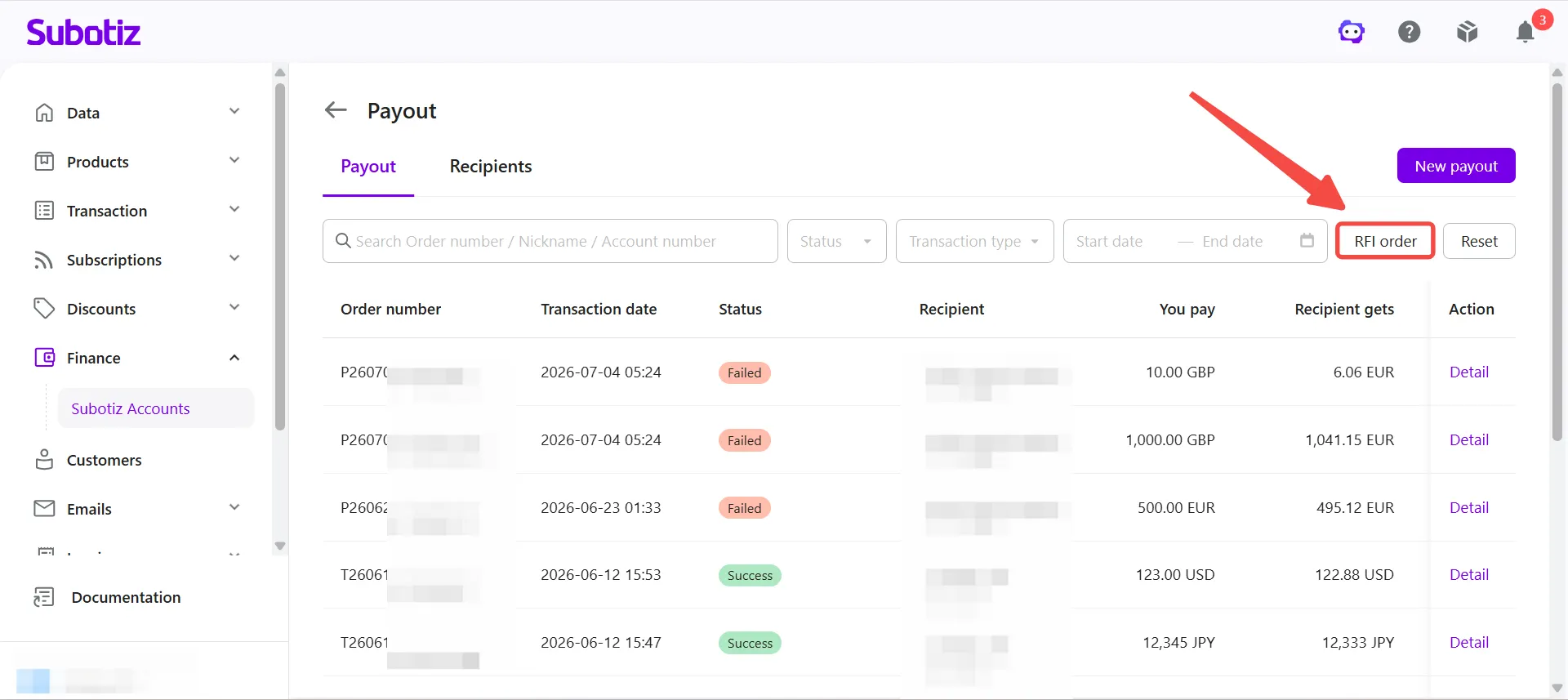
- View RFI orders: Click RFI order to display payouts that require additional information. If a payout requires supporting documents during compliance review, such as the purpose of transfer, invoices, or other supporting documents, it appears in the RFI order list. After the requested information is submitted, the payout continues processing.
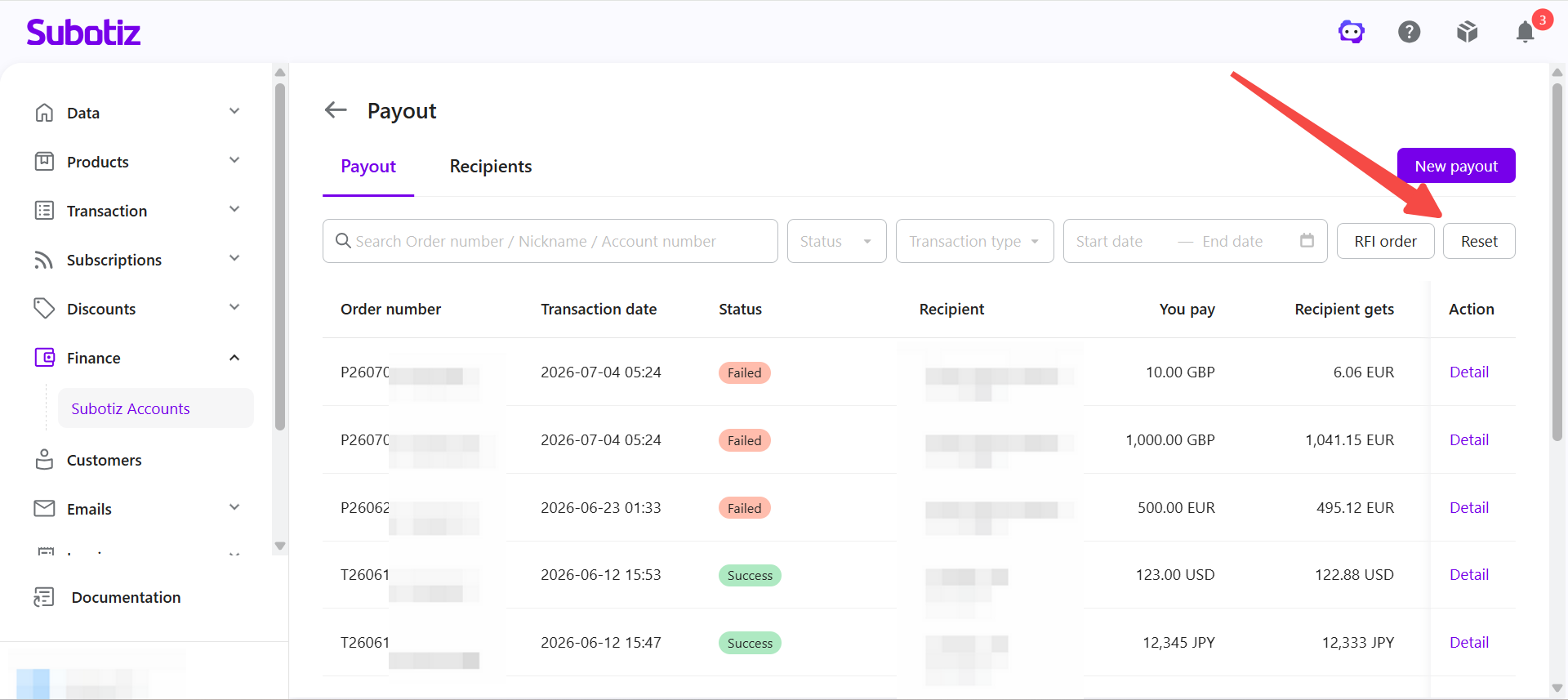
- Reset search filters: Click Reset to clear all search keywords and filter criteria.
Viewing Payout Details
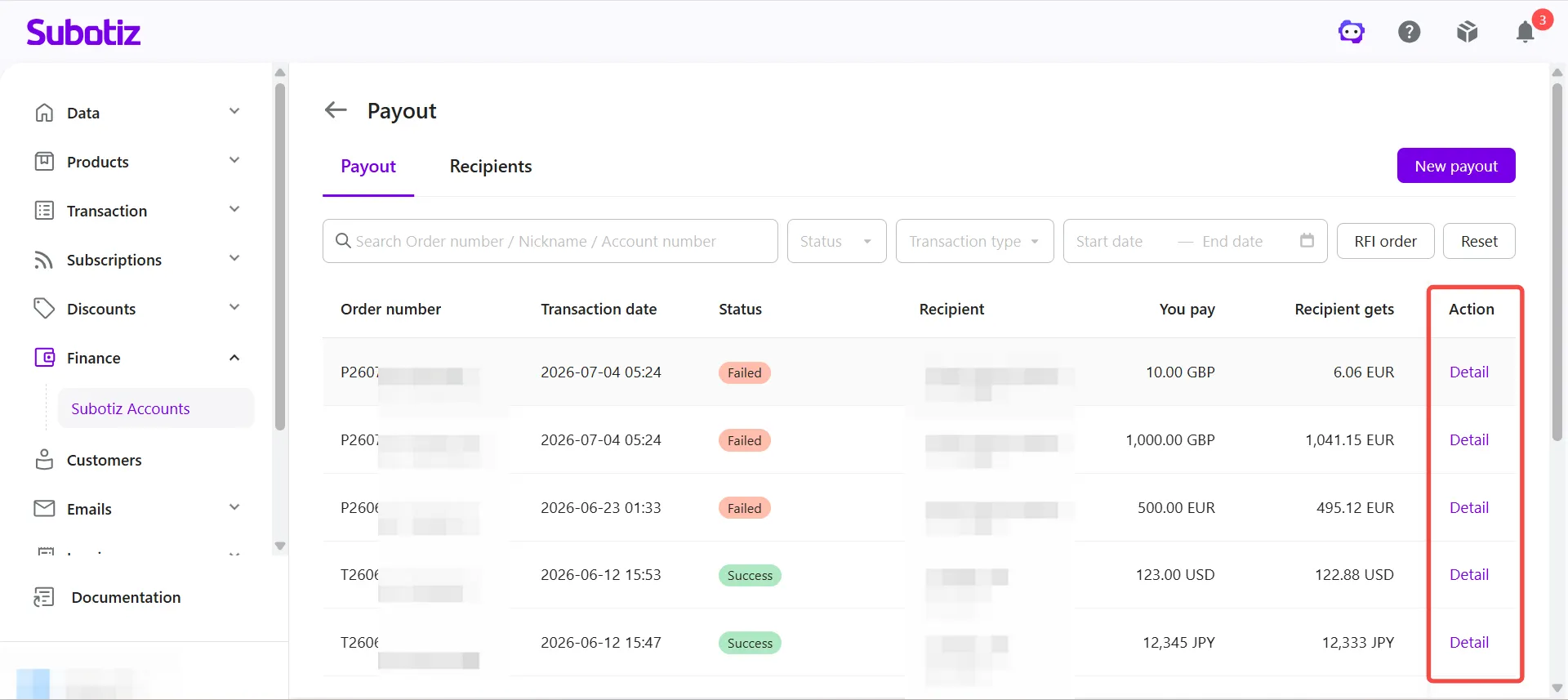
- Open the transaction details: Click Detail for the payout you want to review.
- View transaction information: The Details section may display the following information:
- Order number
- Status
- You pay exactly
- Create at
- Exchange rate
- Transfer method
- Fee
- Recipient gets
- Purpose of transfer
- Reference
If currency conversion applies, the exchange rate is also displayed.If additional information is required during compliance review, the transaction details page displays the request and guides you through the next steps.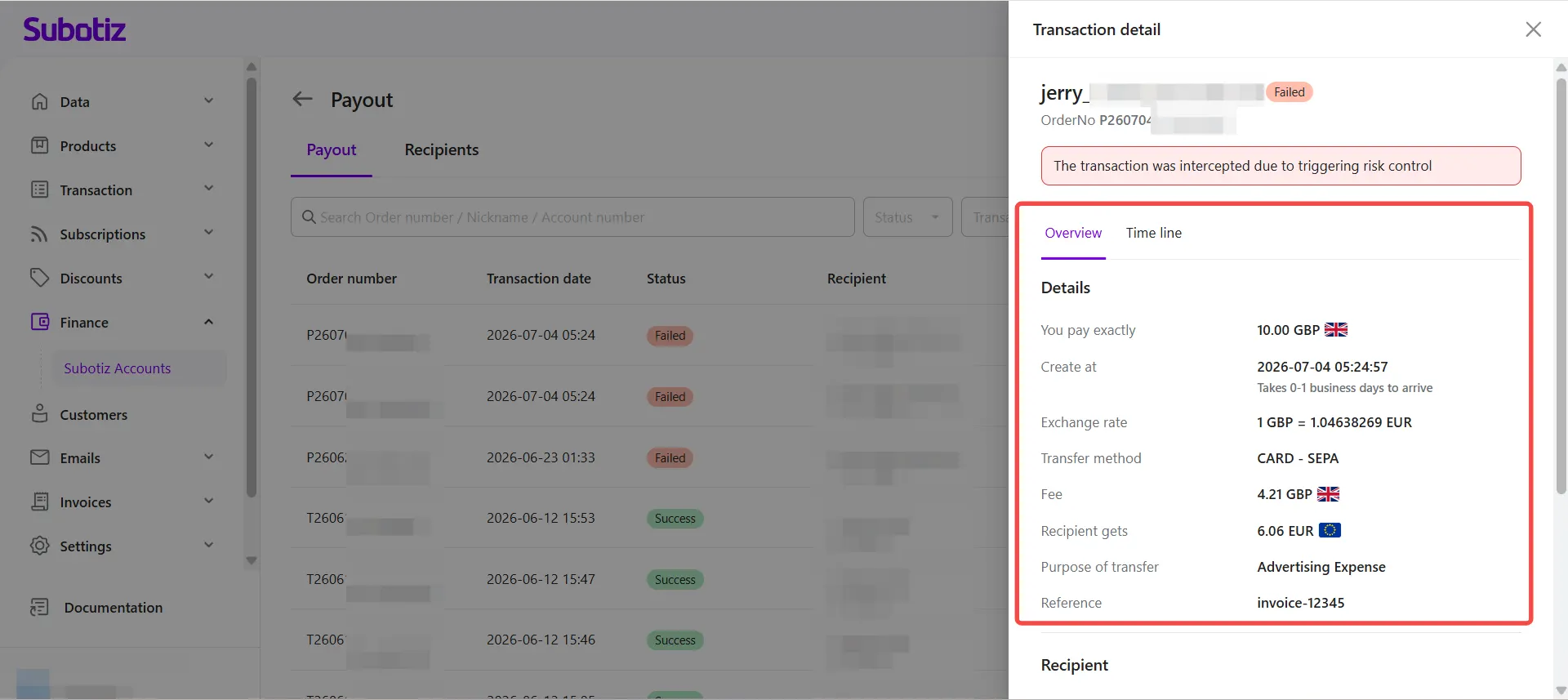
- View recipient information: The Recipient section may display:
- Nick name
- Phone number
- Bank country / Region
- Recipient type
The information displayed depends on the payout method and recipient type.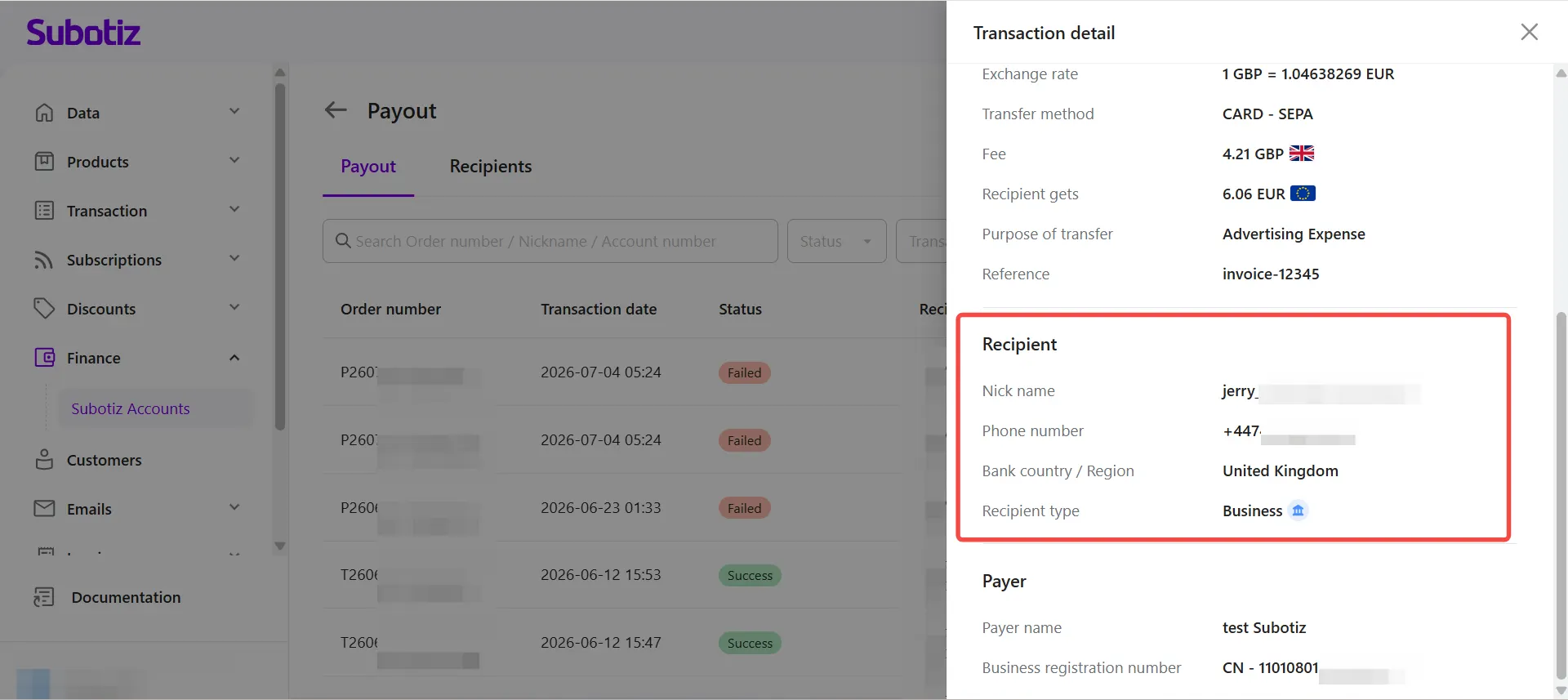
- View payer information: The Payer section may display:
- Payer name
- Business registration number
The information displayed may vary depending on the payout.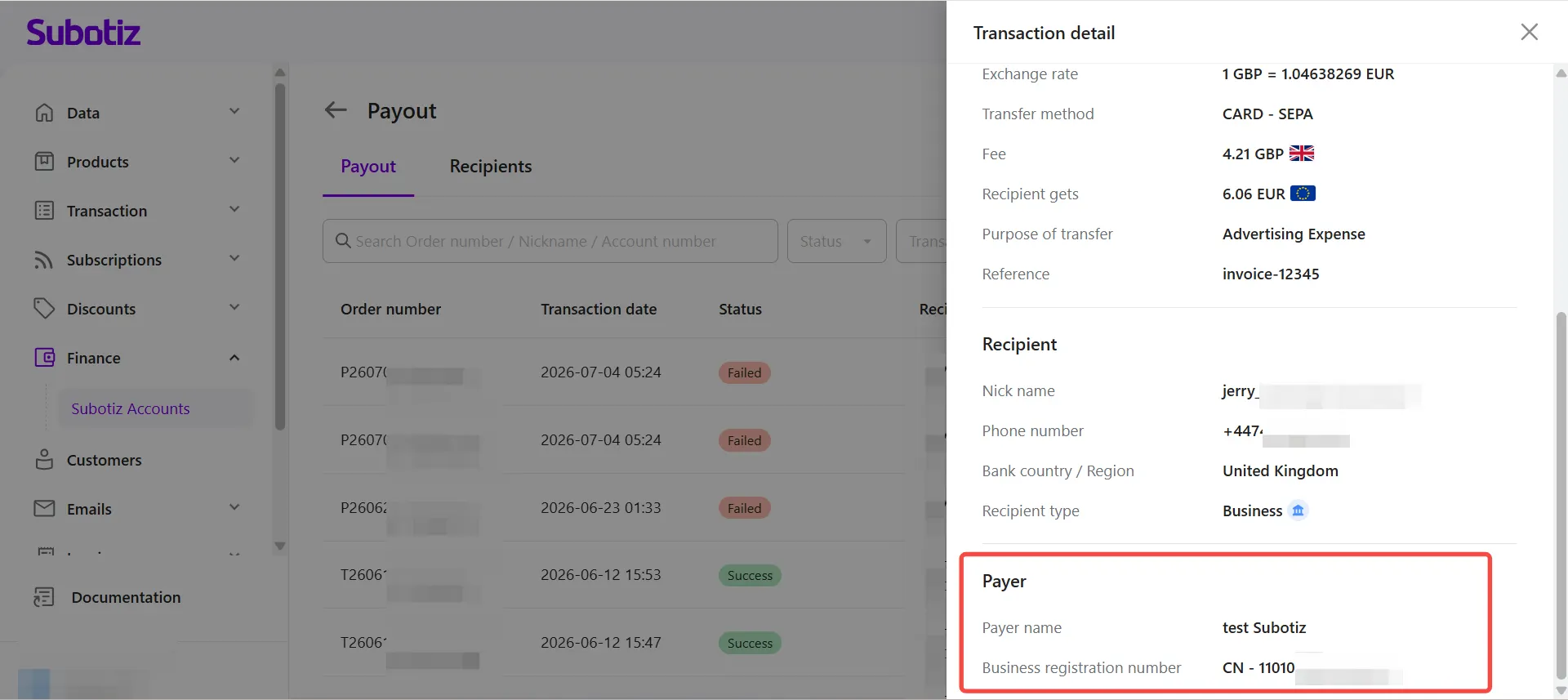
Best Practices
- Search efficiently: Search by order number, recipient, or account number to quickly locate a specific payout.
- Monitor processing payouts: Review payouts with a Processing status regularly for updates.
- Respond to RFI requests promptly: Submit the requested information as soon as possible to avoid processing delays.
- Filter by transaction date: Use date filters to simplify reconciliation and financial reporting.
The Payout page allows merchants to view payout records, monitor payout status, review transaction details, and manage RFI requests from a single location. Combined with powerful search and filtering tools, it helps simplify global payout management and provides greater visibility into every payout transaction.