The Create Payout feature in Subotiz Accounts allows you to send global payouts to saved recipients using your available account balance. Before you submit a payout, the system automatically displays the exchange rate, fees, estimated delivery time, and the amount the recipient will receive, helping you complete cross-border payouts efficiently and with confidence.
Before You Begin
Before creating a payout, make sure the following requirements are met:
- Your Subotiz Accounts account has been approved.
- Your account has sufficient available balance.
- At least one recipient has been added.
- A transaction password has been set.
If you have not added a recipient yet, complete one of the following first:
Creating a Payout
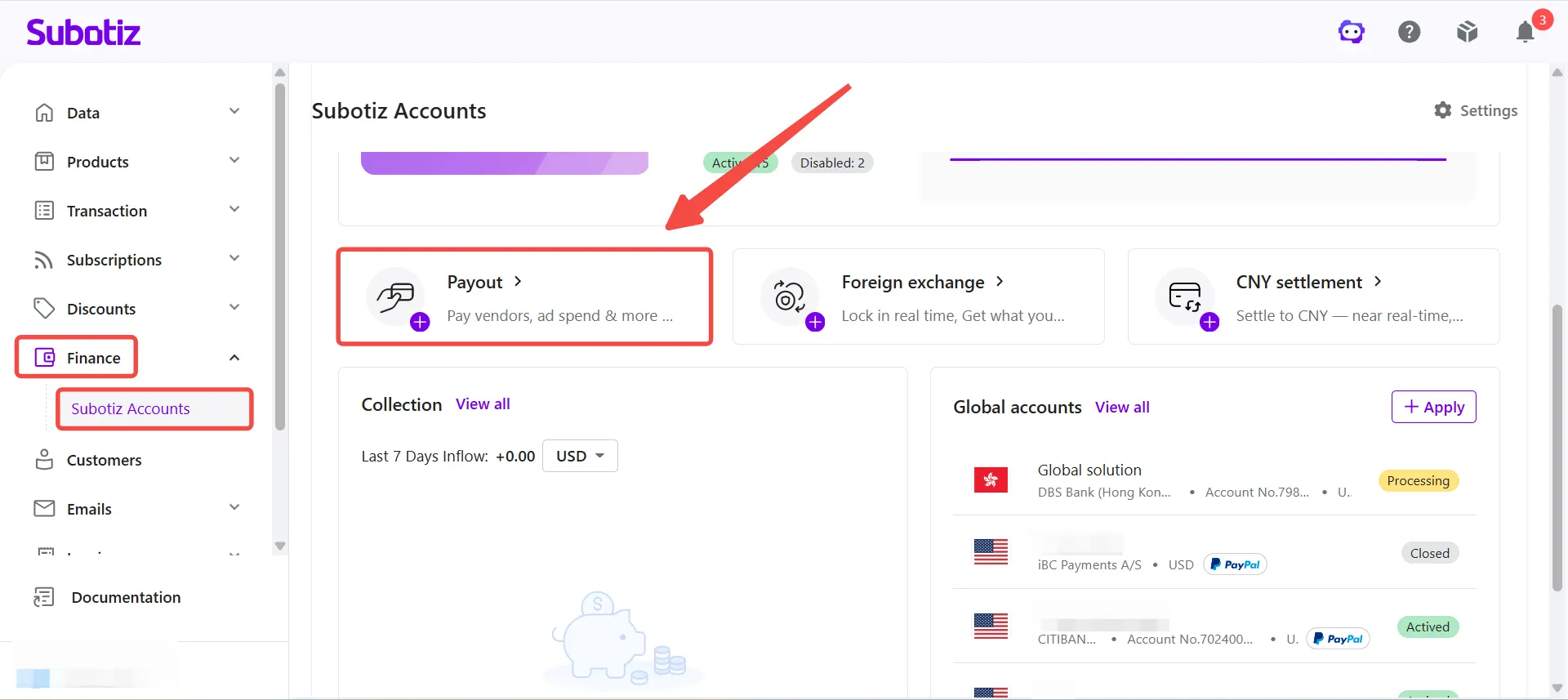
- Open the Payout page: Go to Finance > Subotiz Accounts > Payout.
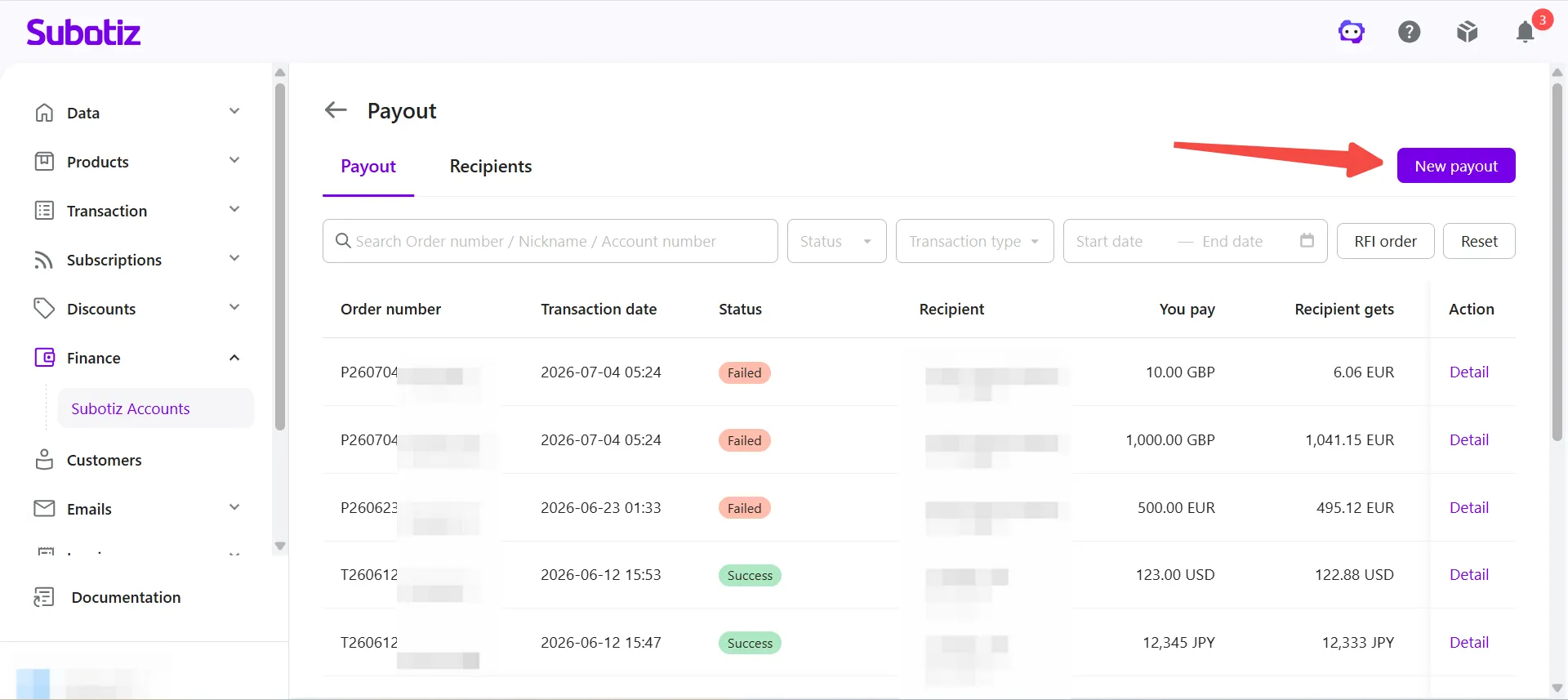
- Create a payout: Click New payout.
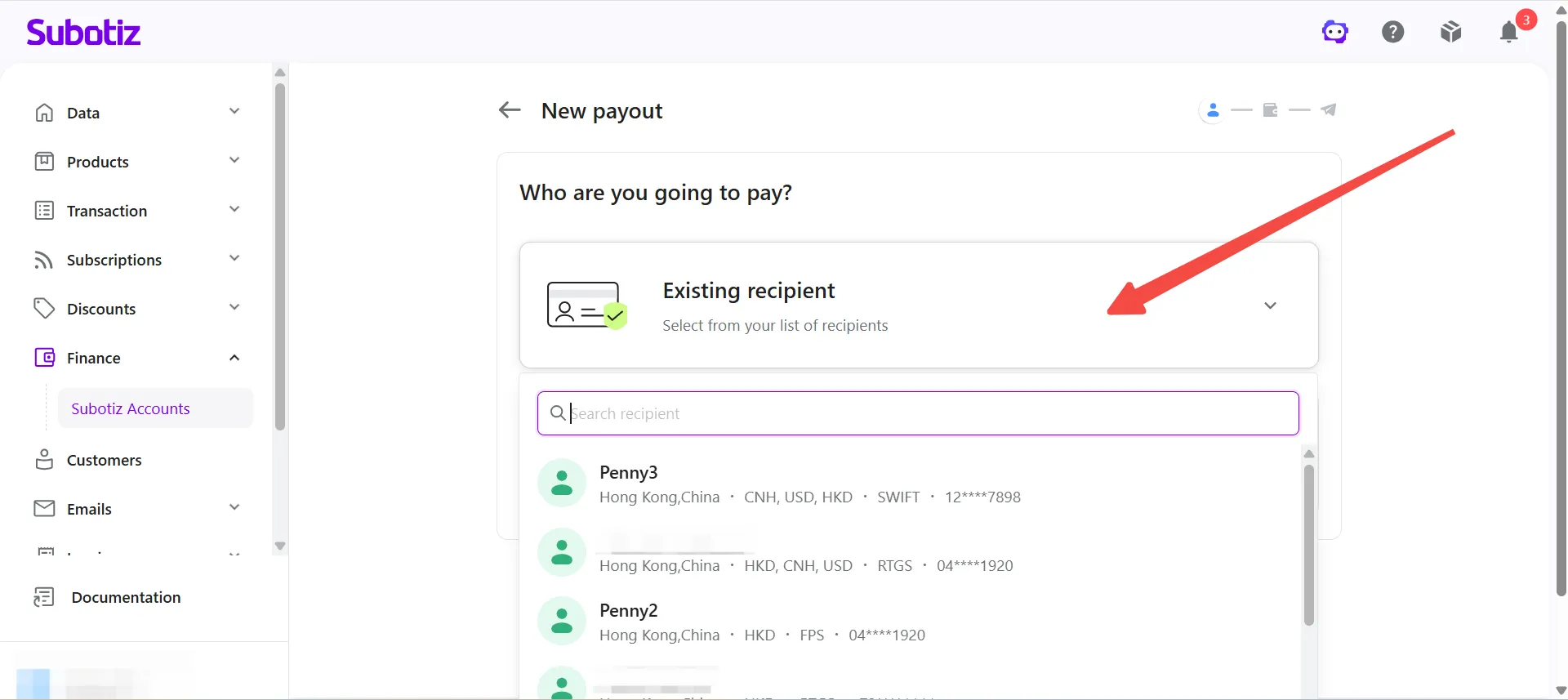
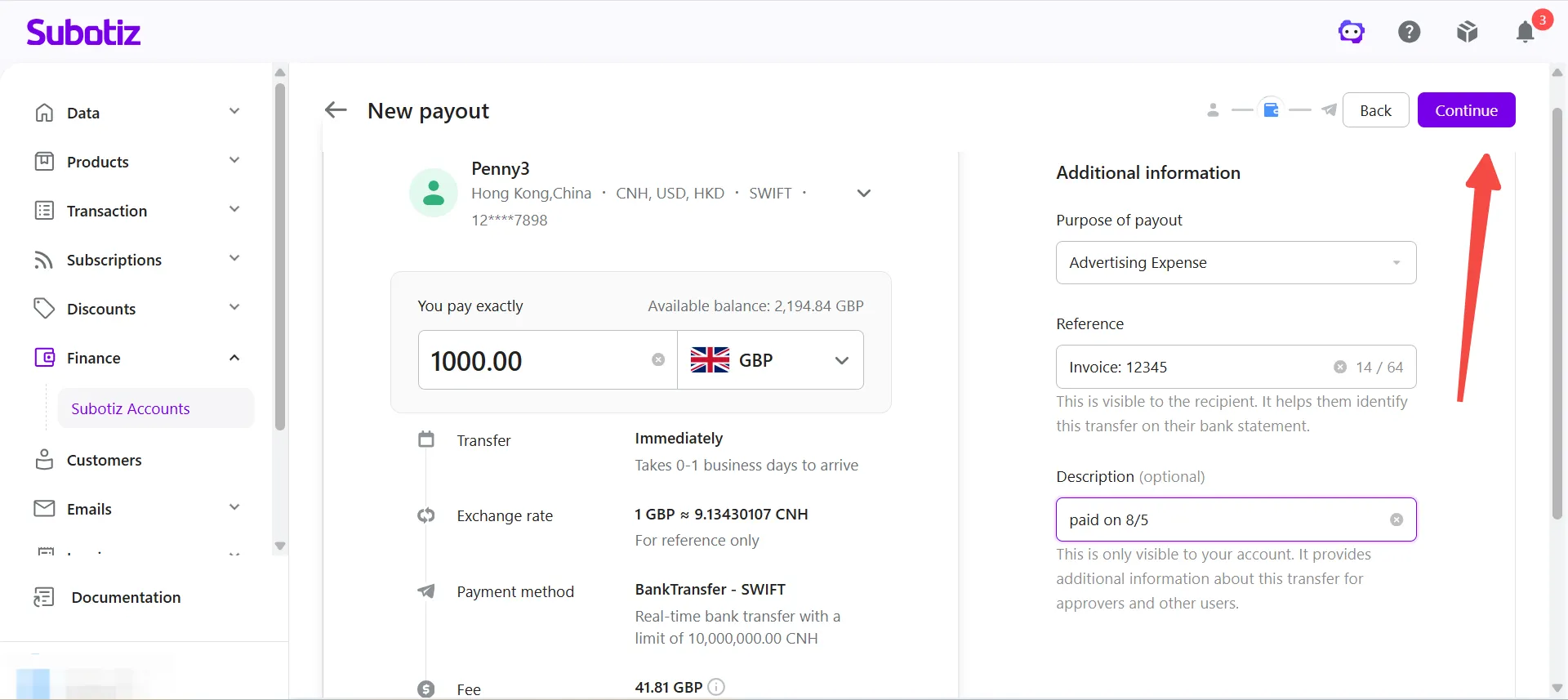
- Select a recipient: Select the recipient you want to pay from the saved recipient list.
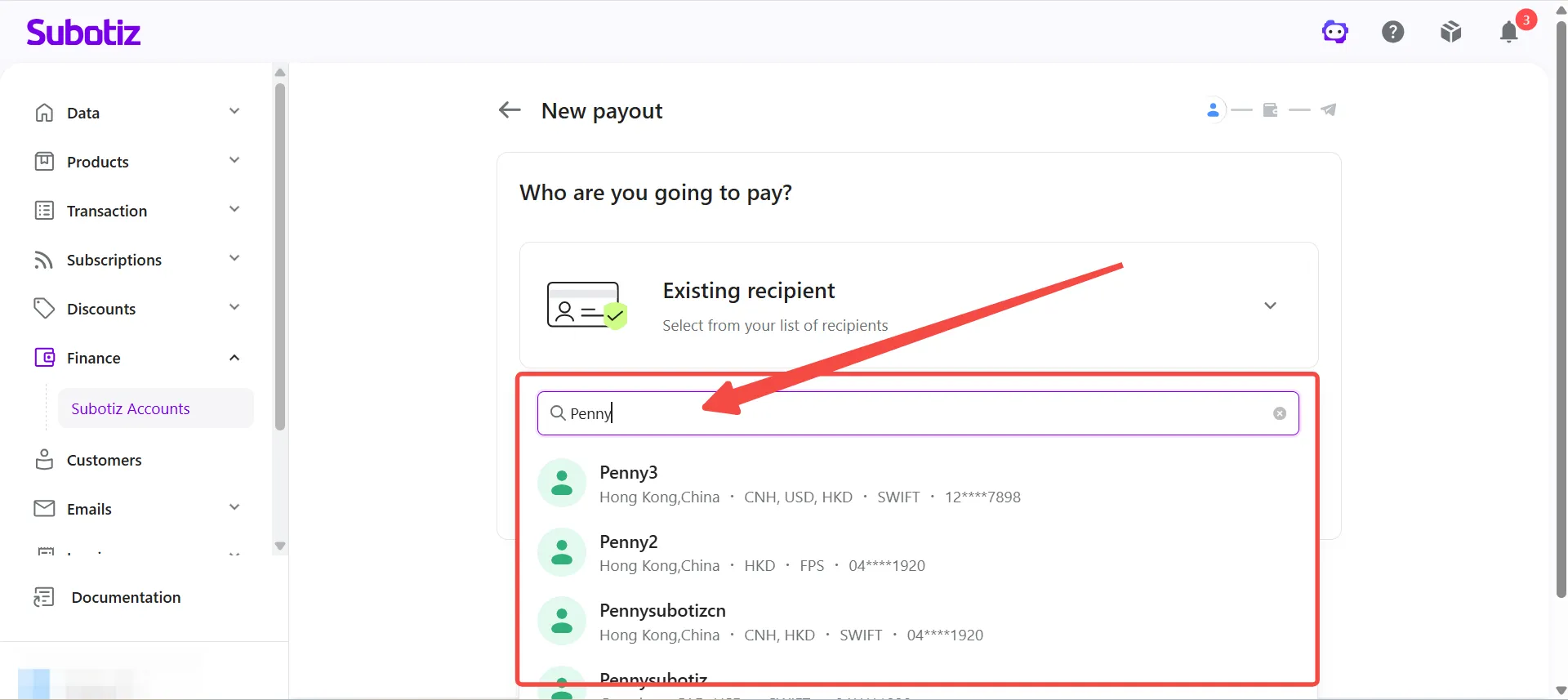
- Search for a recipient (Optional): Enter the recipient's name to quickly find the recipient you want to pay.
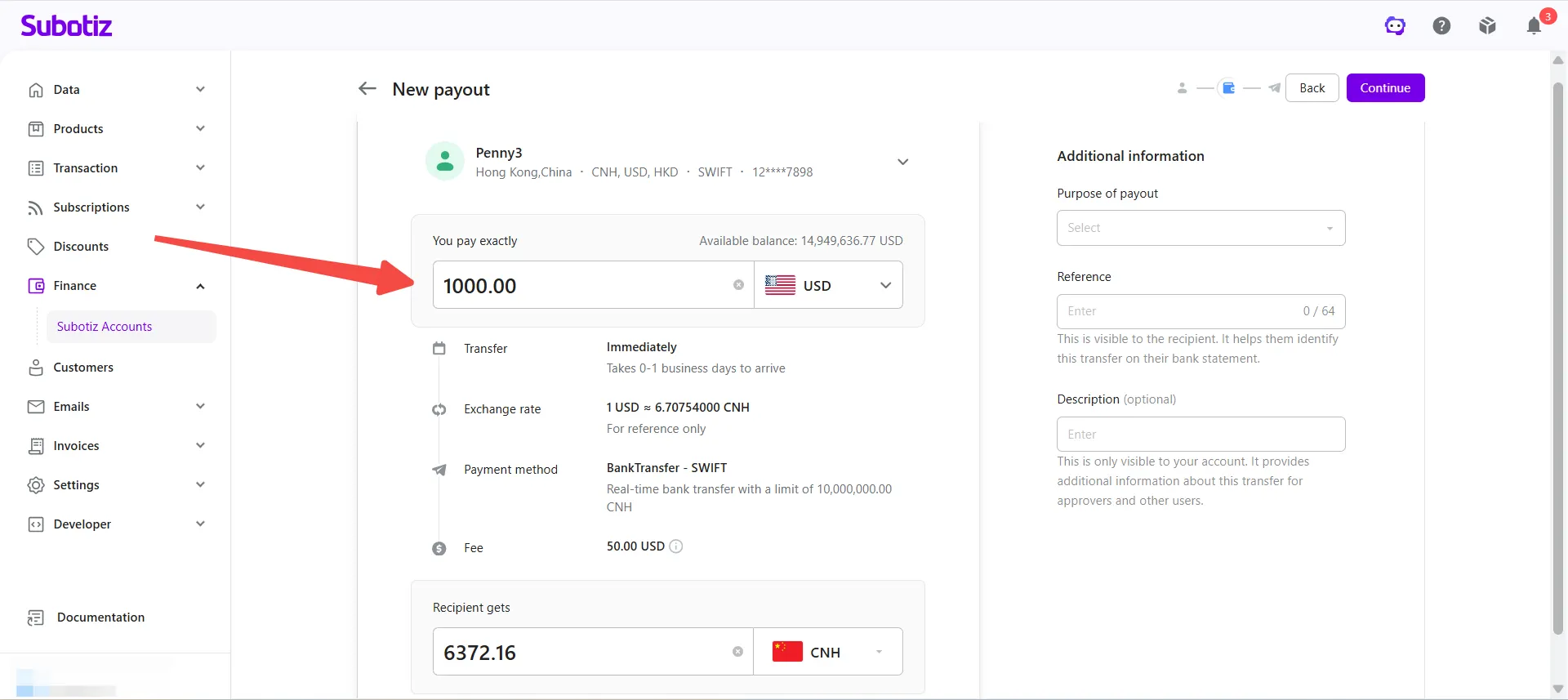
- Enter the payout amount: Enter the amount you want to send.
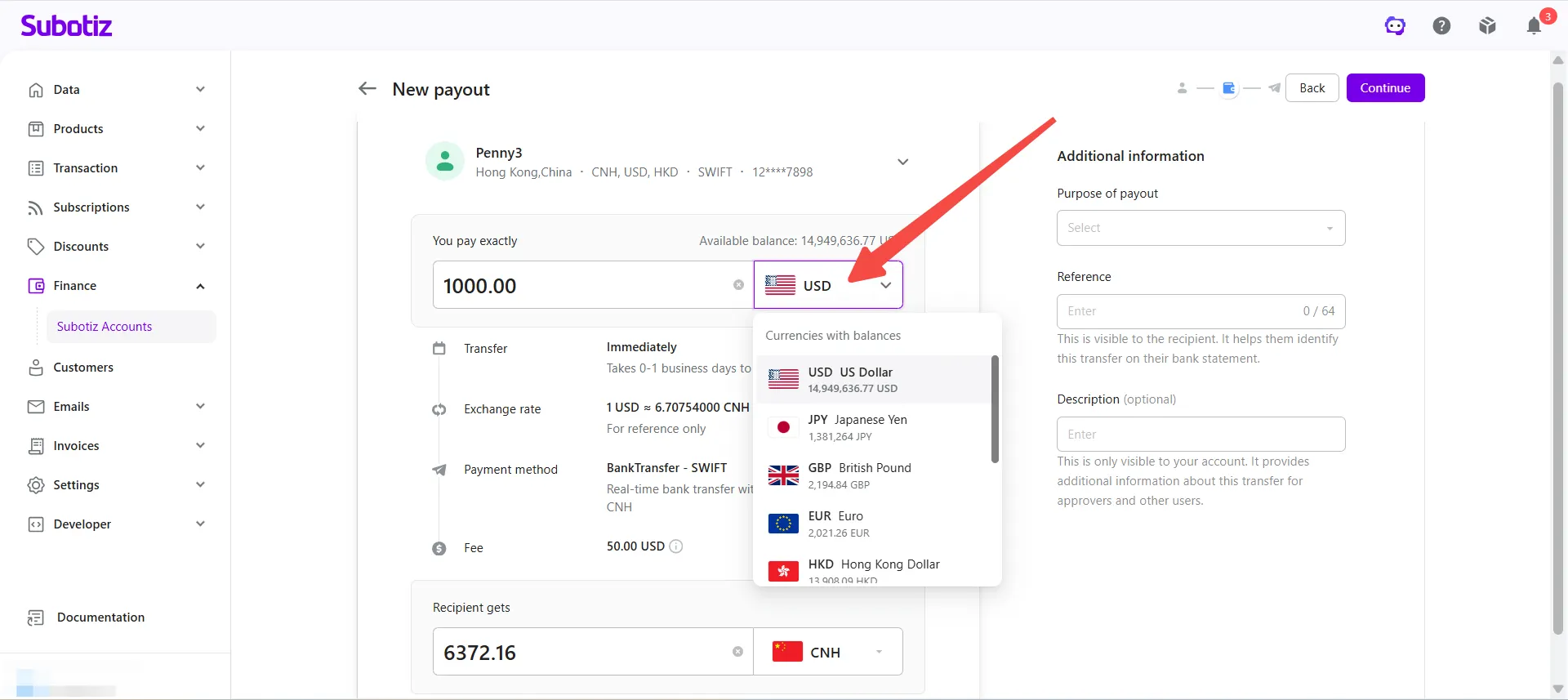
- Select the payout currency: Choose the account balance currency you want to use for this payout.
-
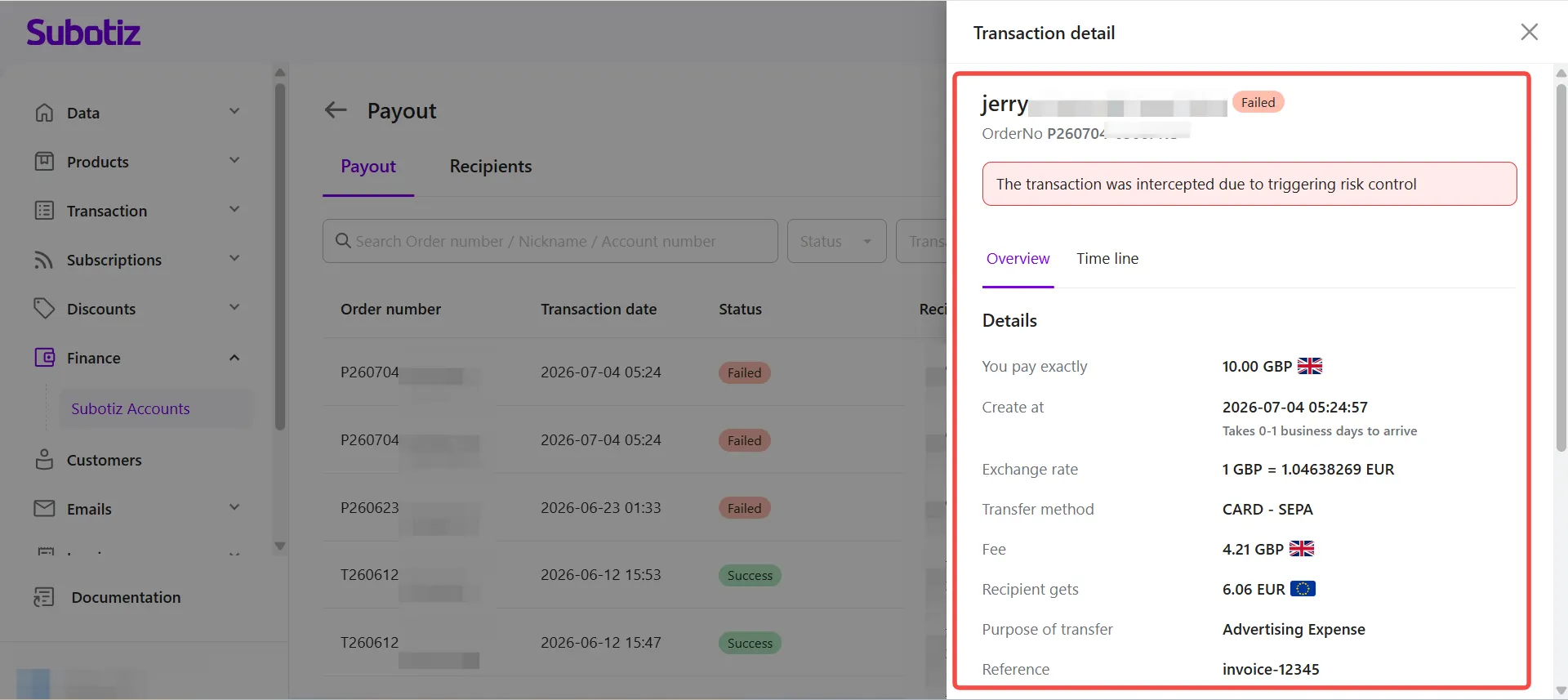
Review the payout details: The system automatically displays the payout details before you continue, including:
- Estimated delivery time
- Exchange rate (if currency conversion applies)
- Payment method
- Fee
- Recipient gets
Review the information carefully before proceeding.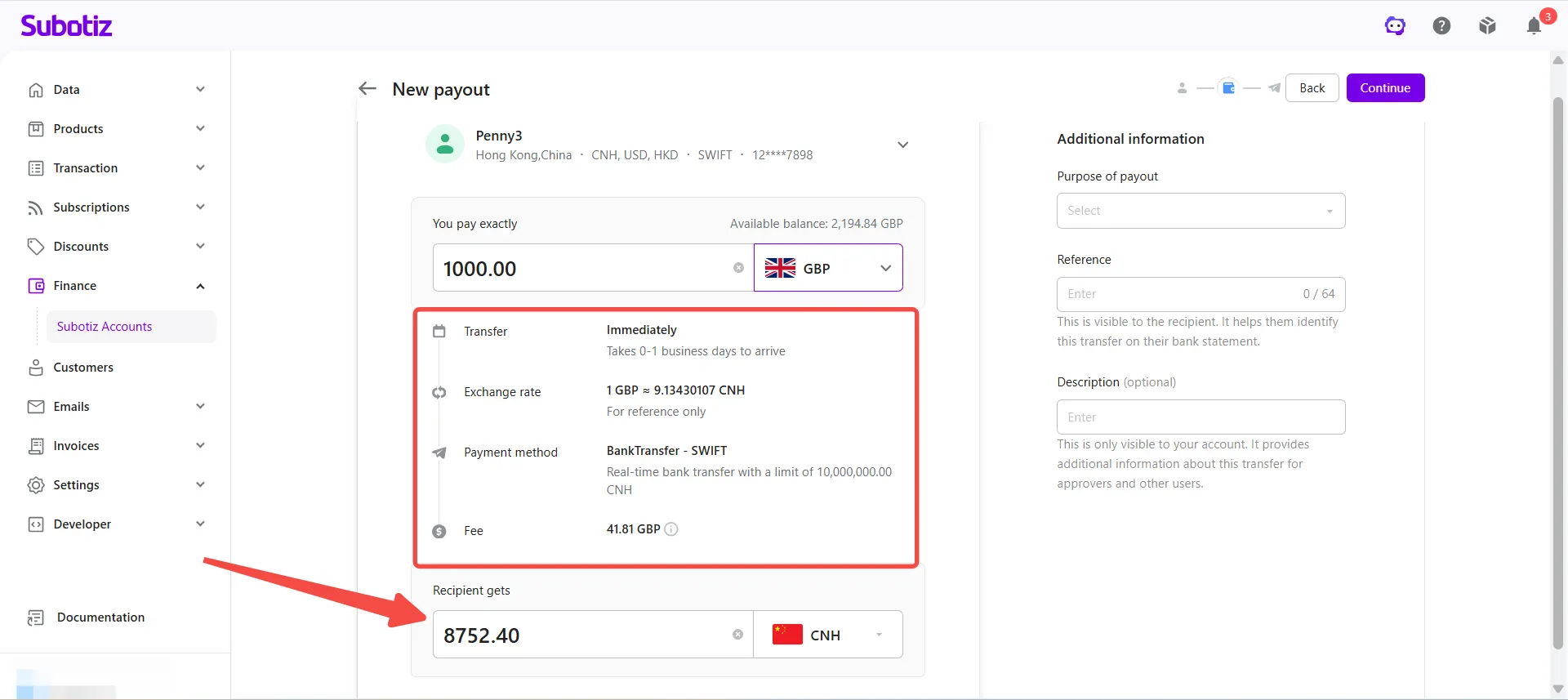
-
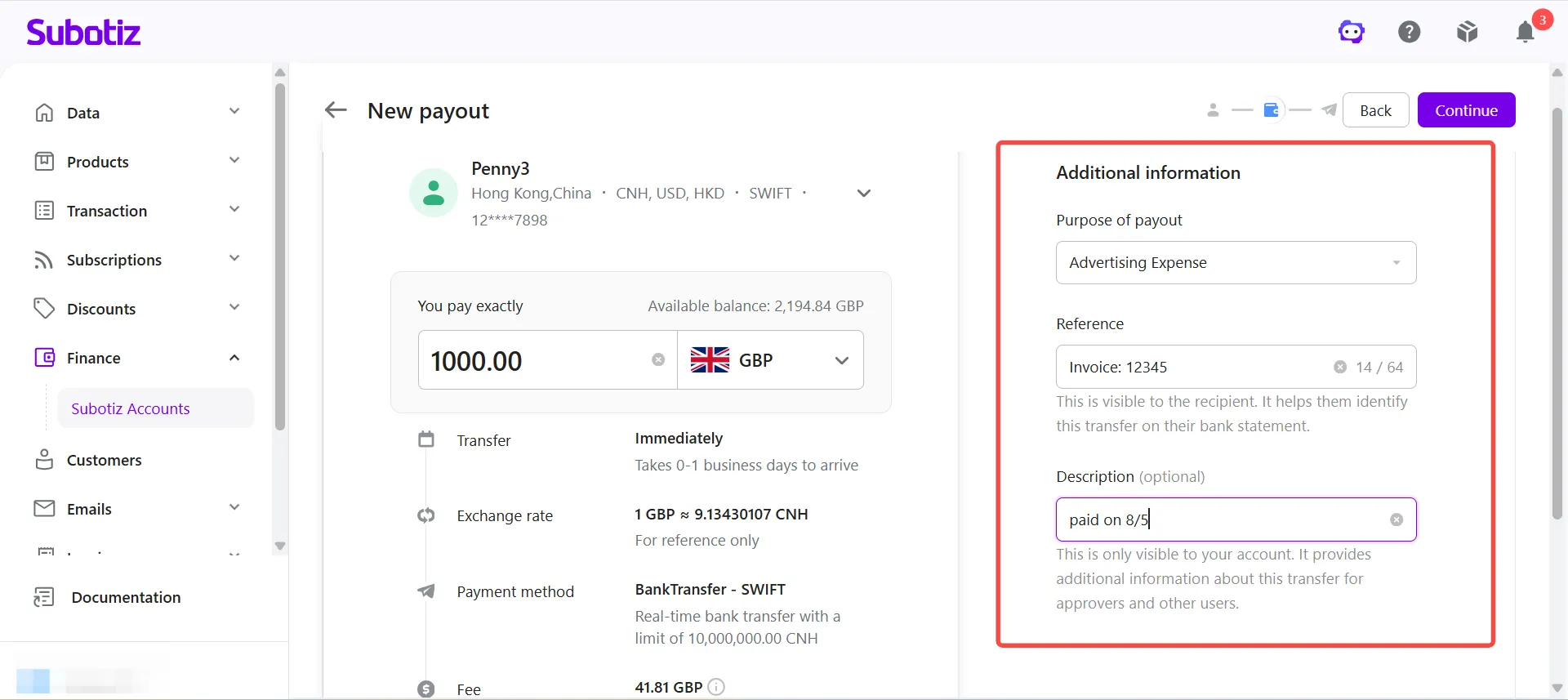
Enter additional information: Complete the following fields:
- Purpose of payout: Select the purpose of this payout.
- Reference (Optional): Enter a reference that may appear on the recipient's bank statement.
- Description (Optional): Enter an internal note that is visible only within your Subotiz Accounts.
- Continue: Click Continue.
-
Confirm the payout: Review the following information before submitting the payout:
- Recipient
- Payout amount
- Exchange rate
- Payment method
- Fee
- Recipient gets
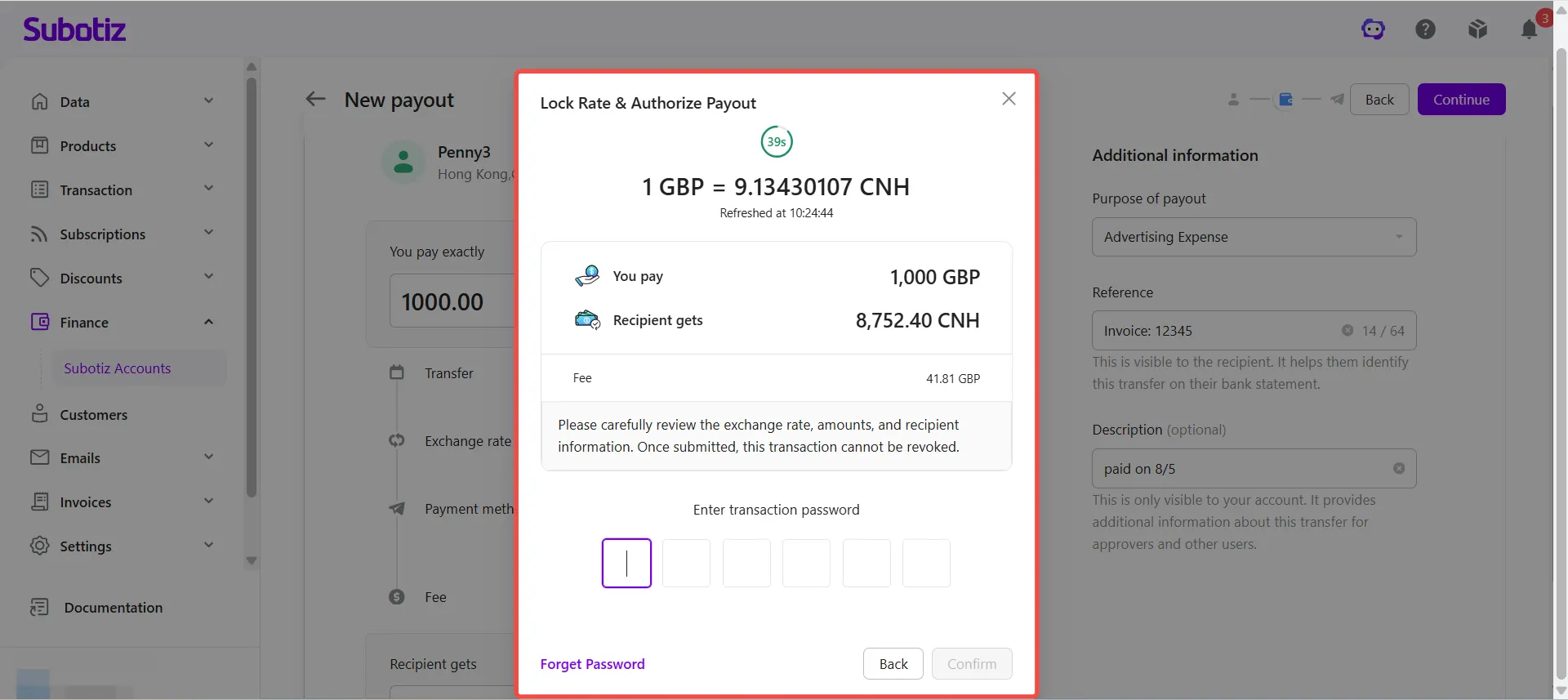
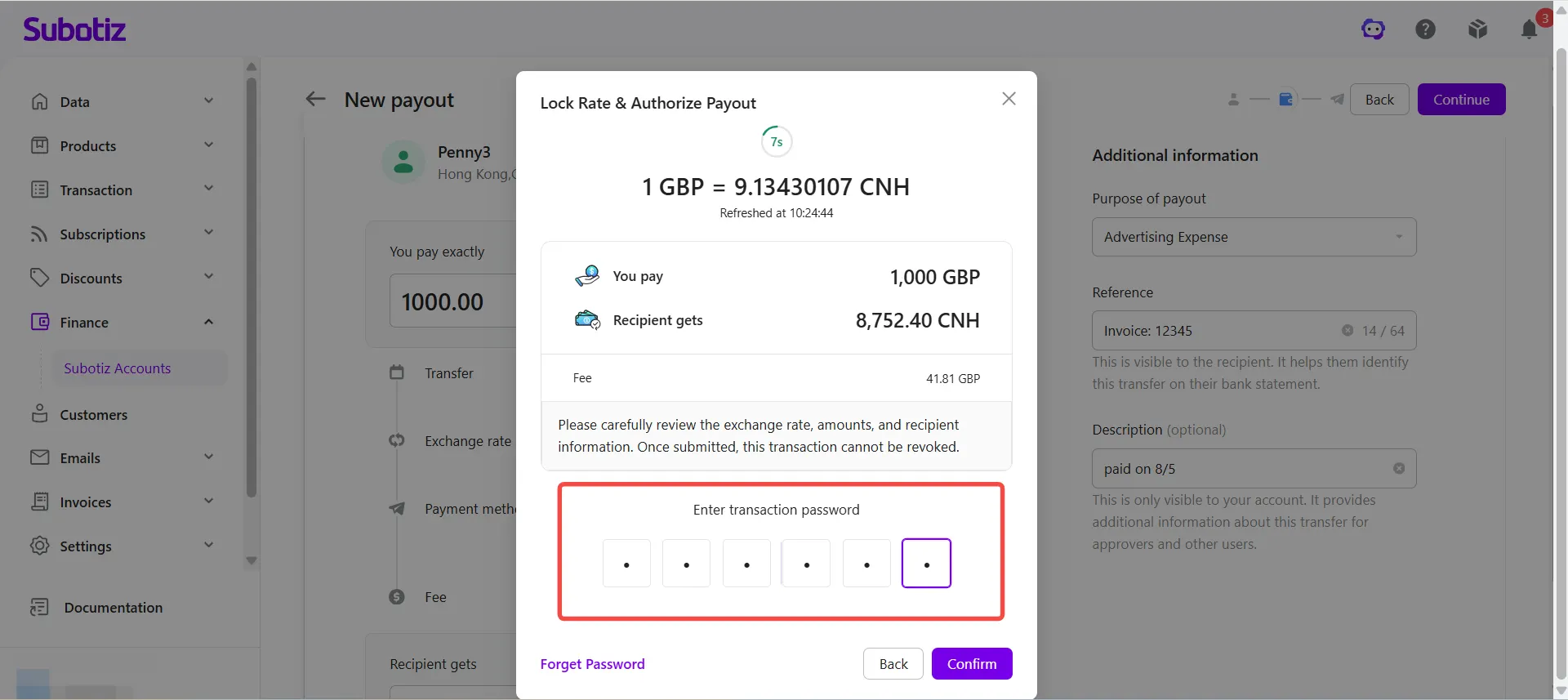
- Enter your transaction password: Enter your 6-digit transaction password to verify the payout.
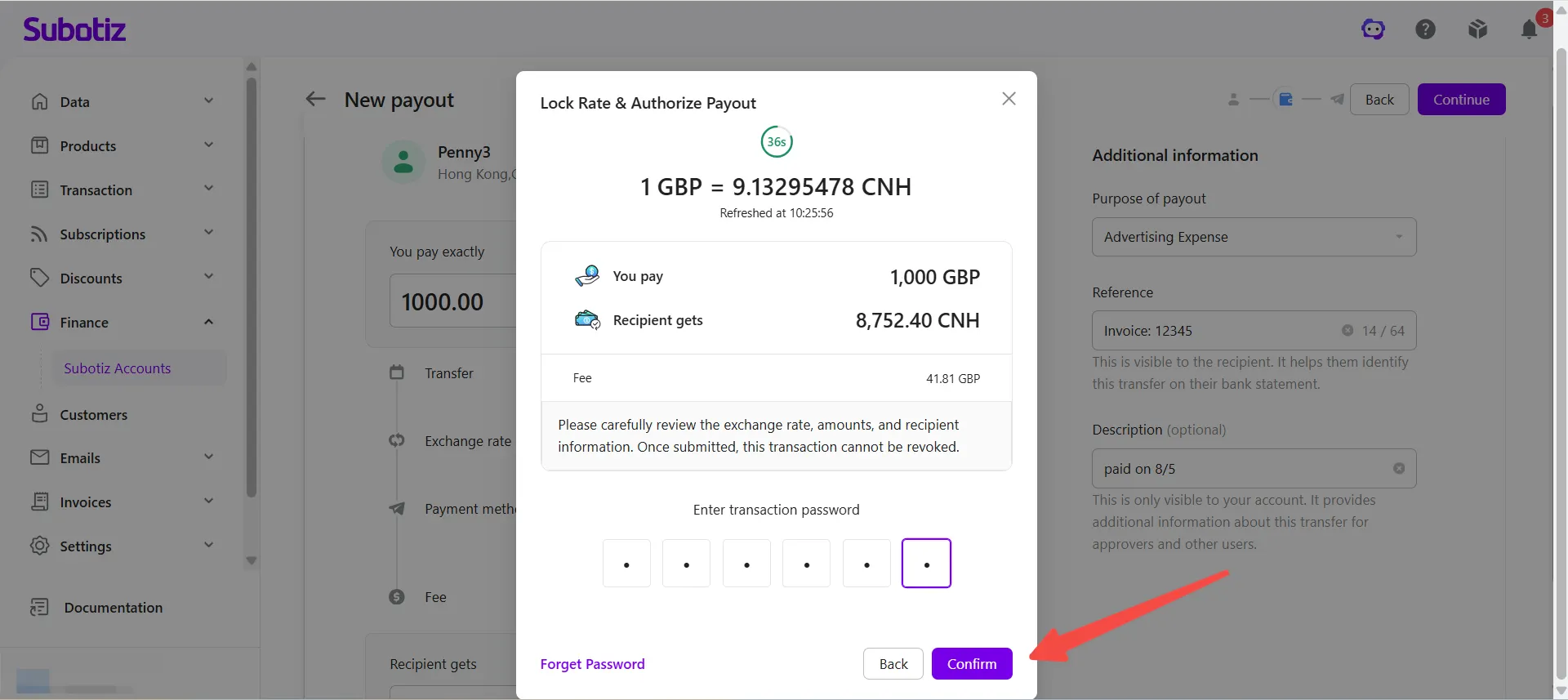
- Submit the payout: Click Confirm to submit the payout request.
Checking Payout Status
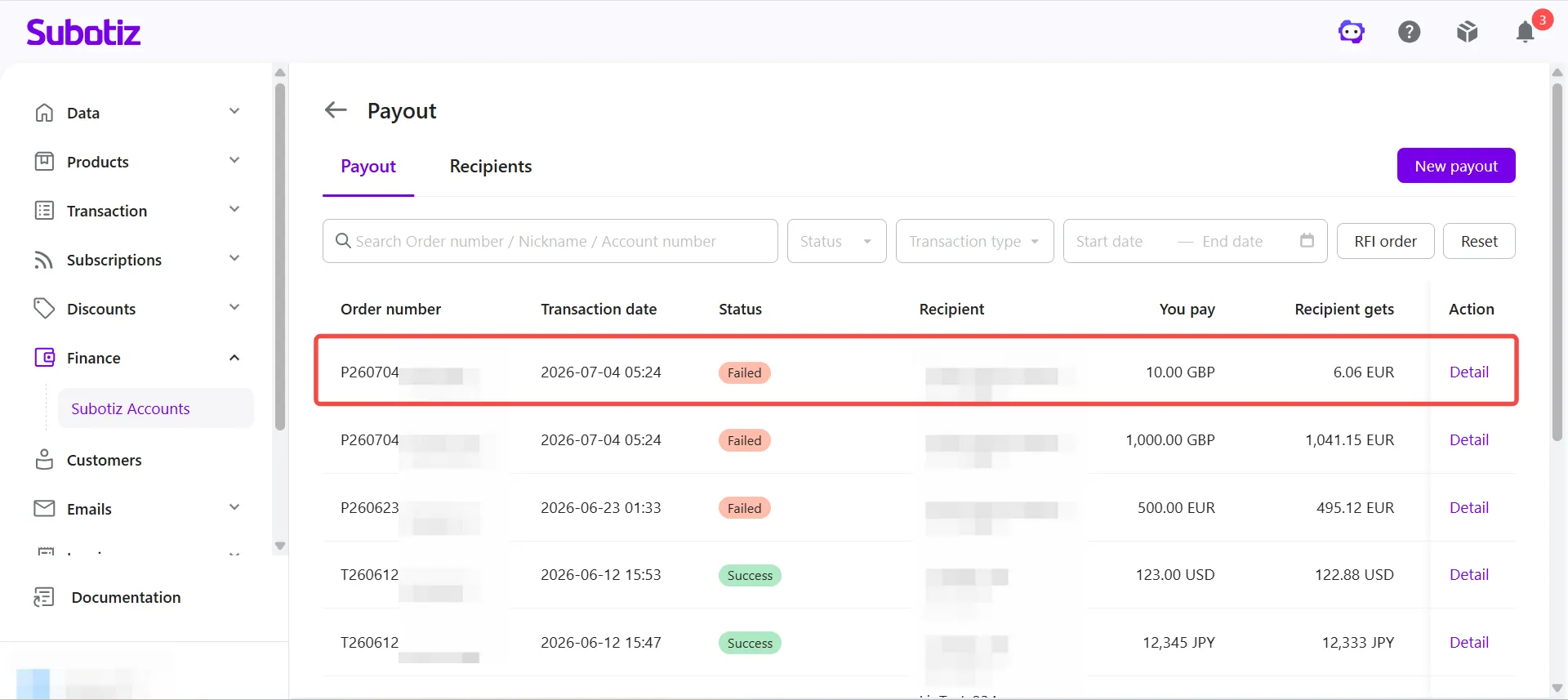
After submitting a payout, go to Finance > Subotiz Accounts > Payout to monitor its progress.
You can view:
- Payout status
- Transaction details
- Transaction timeline
- Requests for additional information (RFI), if required
- Failure reason, if applicable
If additional information is required for compliance or risk review, the system prompts you to submit the requested documents. The payout continues processing after the required information has been submitted.
Important Notes
- Confirm your available balance: The payout amount and applicable fees are deducted from your available account balance.
- Verify recipient information: Make sure the recipient's banking information is accurate before submitting the payout.
- Review the exchange rate: If currency conversion applies, the real-time exchange rate is displayed before submission.
- Review the fee: Hover over the ⓘ icon next to Fee to view how the payout fee is calculated.
- Review the estimated delivery time: Delivery times vary depending on the payment method and destination. Refer to the estimated delivery time displayed by the system.
- Understand the difference between Reference and Description: Reference may appear on the recipient's bank statement. Description is visible only within your Subotiz Accounts.
- Complete the payout before the rate lock expires: After you click Continue, the displayed exchange rate is temporarily locked. Complete the transaction password verification before the countdown ends to keep the quoted exchange rate.
- Payouts cannot be modified or canceled after submission: Once a payout request has been submitted, it cannot be edited or canceled.
The Create Payout feature allows you send funds to saved recipients while reviewing the payment method, exchange rate, fees, estimated delivery time, and the amount the recipient will receive before submission. By reusing saved recipients and reviewing payout details in advance, you can reduce manual data entry and complete global payouts more efficiently.