An International Bank Recipient allows you to send payments to business and individual bank accounts worldwide through the SWIFT network. It supports payouts to more than 200 countries and regions in a wide range of supported currencies. Once added, the recipient can be selected directly when creating future payouts without entering the banking details again.
Before You Begin
Before adding an international bank recipient, make sure you have the following ready:
- Recipient information (Business or Individual)
- International bank account details
- The country or region of the recipient's bank account
Adding an International Bank Recipient
- Open the Payout page: Go to Finance > Subotiz Accounts > Payout.
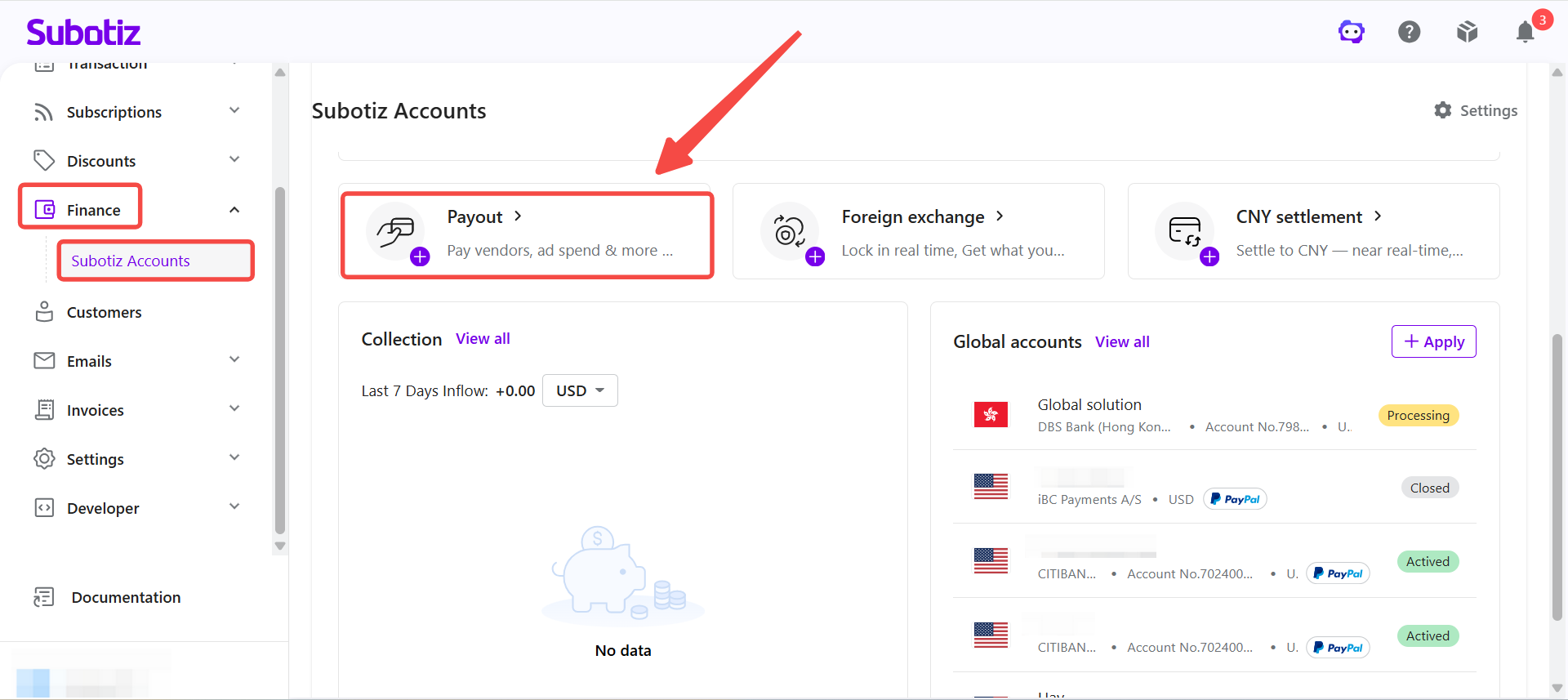
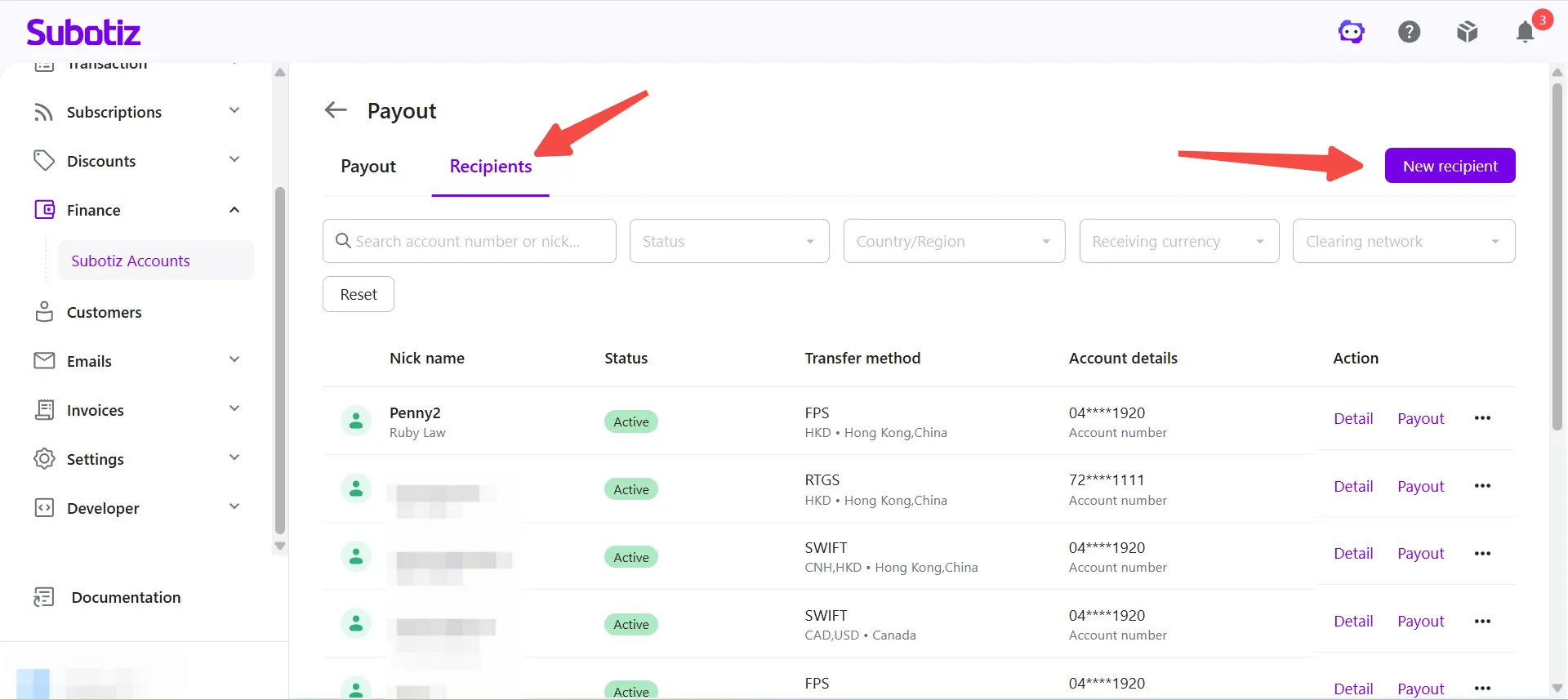
- Open the Recipients page: Click Recipients, then click New recipient.
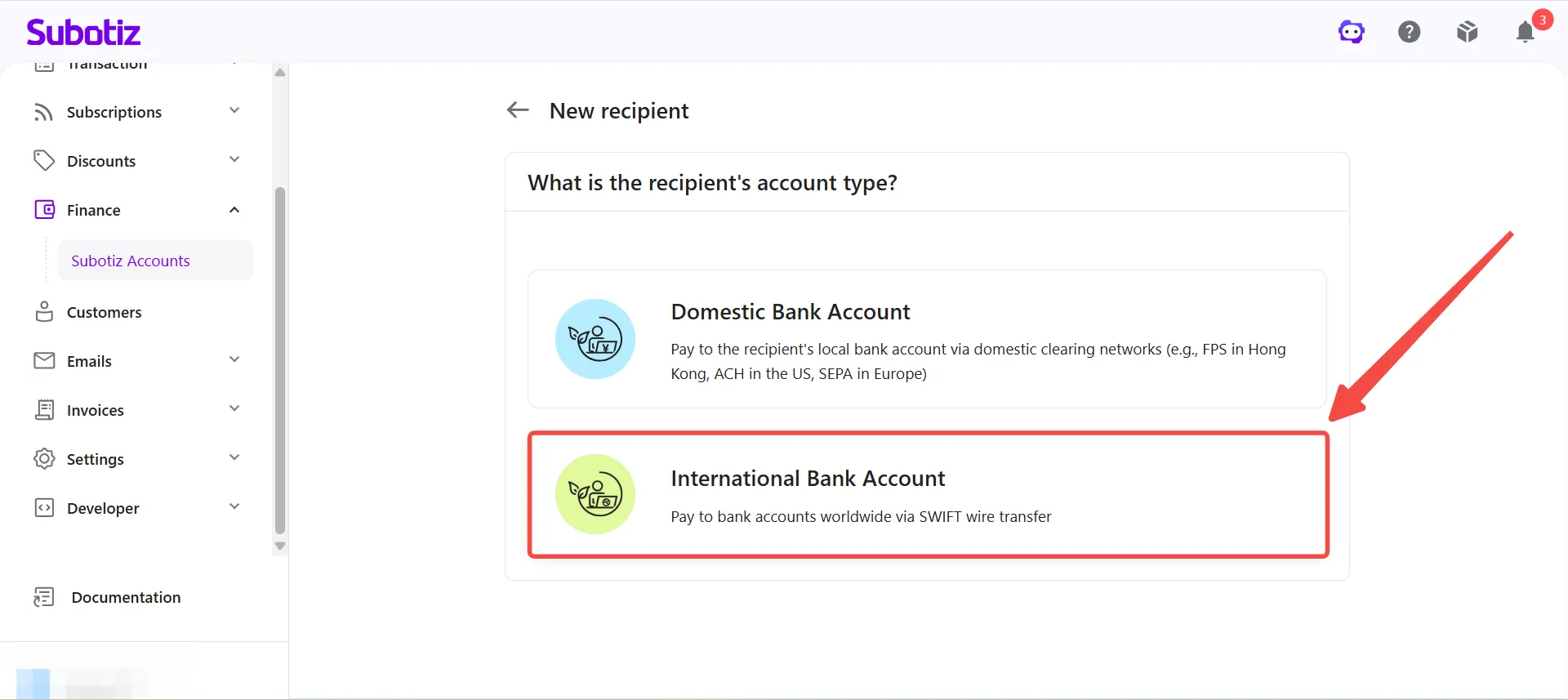
- Select the account type: Select International Bank Account.
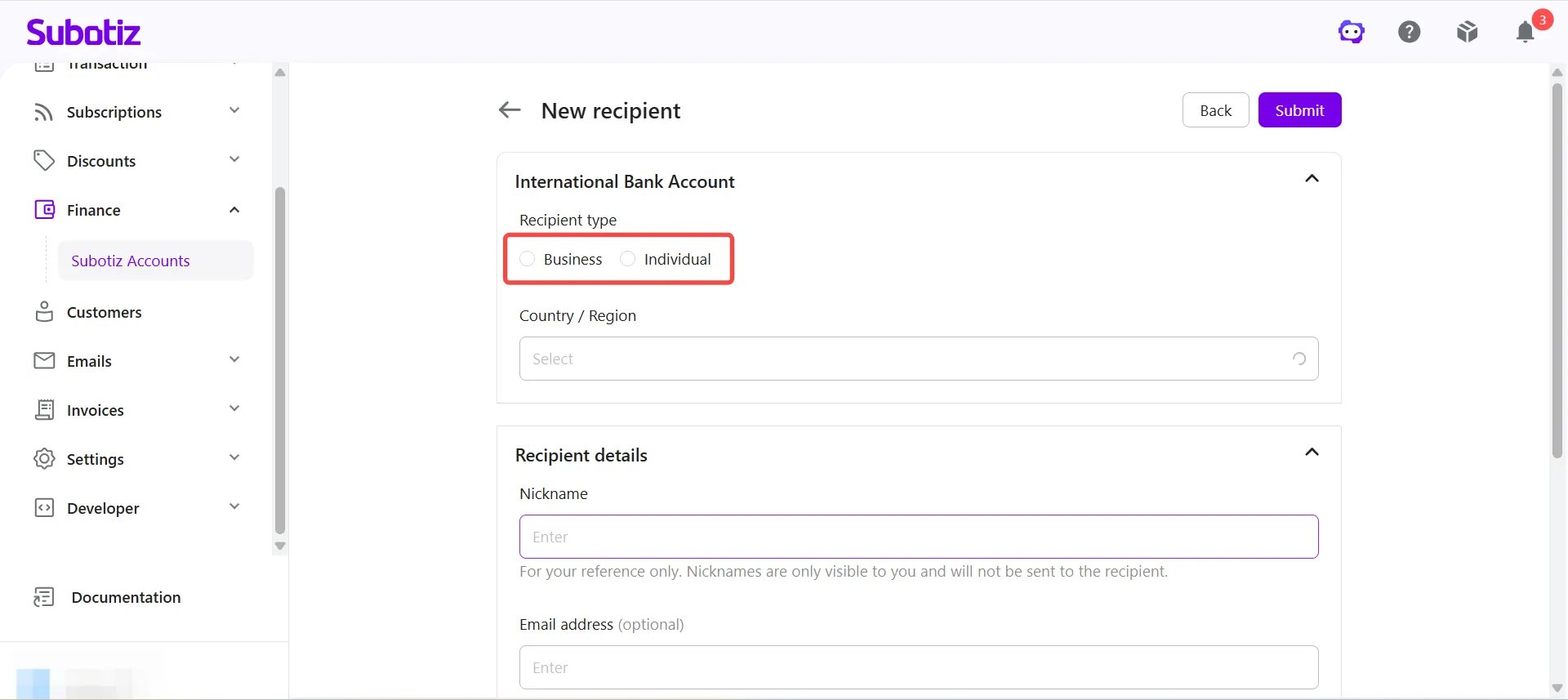
- Select the recipient type: Under Recipient type, choose Business or Individual.
-
Enter recipient information: Complete the required information based on the selected recipient type.Before entering the bank account details, select:
- Country / Region
- Receiving Currency
- Transfer Method (SWIFT)
The required bank account fields are displayed automatically based on the selected Country / Region, Receiving Currency, and Transfer Method. Complete all required fields displayed on the page.-
Business: Complete the information under Enterprise information, including:
- Account name (must match the name registered with the receiving bank)
- Business registration number (optional)
Then complete the information under Recipient details, including:- Nickname (for your reference only)
- Email address (optional)
- Country / Region
- State (optional)
- City (optional)
- Postal code (optional)
- Address
The required banking fields vary depending on the selected country or region and receiving currency. You may be required to provide information such as:- Bank Name
- Bank Address
- SWIFT/BIC Code
- IBAN
- Account Number
- Routing Number
- Intermediary Bank
Complete all required fields displayed on the page.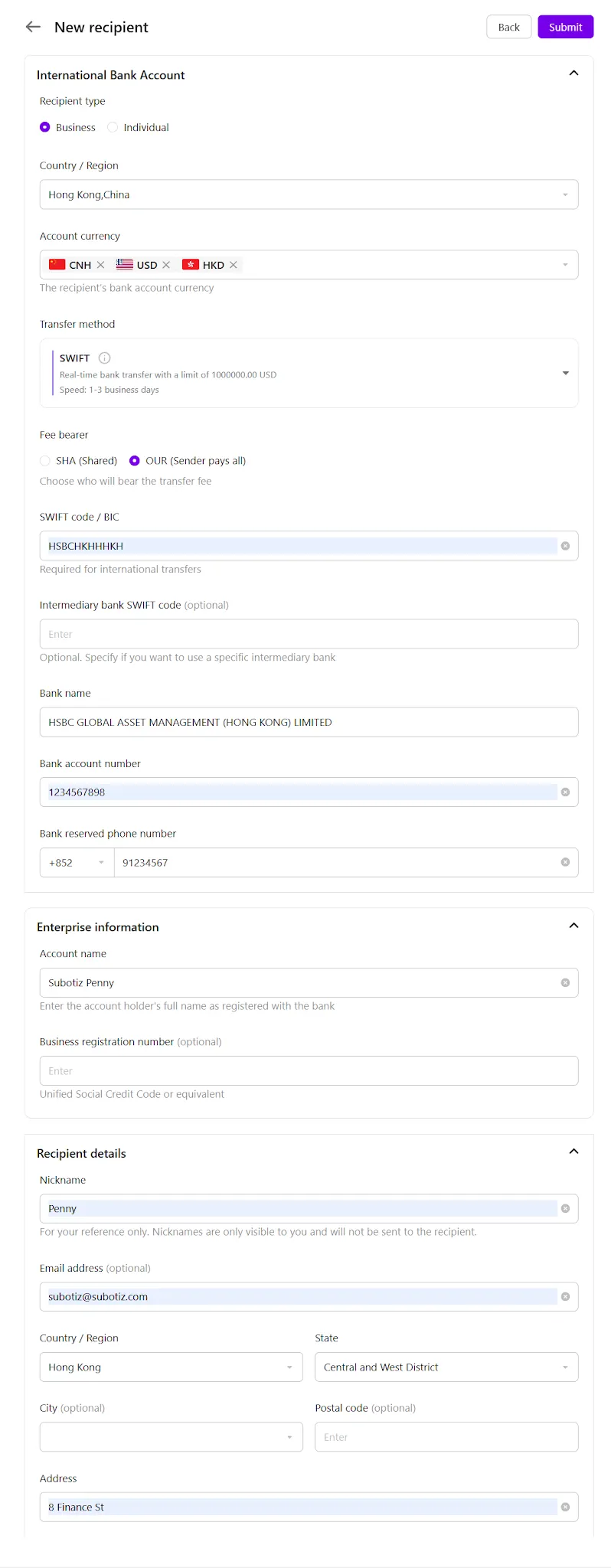
-
Individual: Complete the information under Card holder information, including:
- First name
- Last name
- ID number (optional)
Then complete the information under Recipient details, including:- Nickname (for your reference only)
- Email address (optional)
- Country / Region
- State (optional)
- City (optional)
- Postal code (optional)
- Address
The required banking fields vary depending on the selected country or region and receiving currency. You may be required to provide information such as:- Bank Name
- Bank Address
- SWIFT/BIC Code
- IBAN
- Account Number
- Routing Number
- Intermediary Bank
Complete all required fields displayed on the page.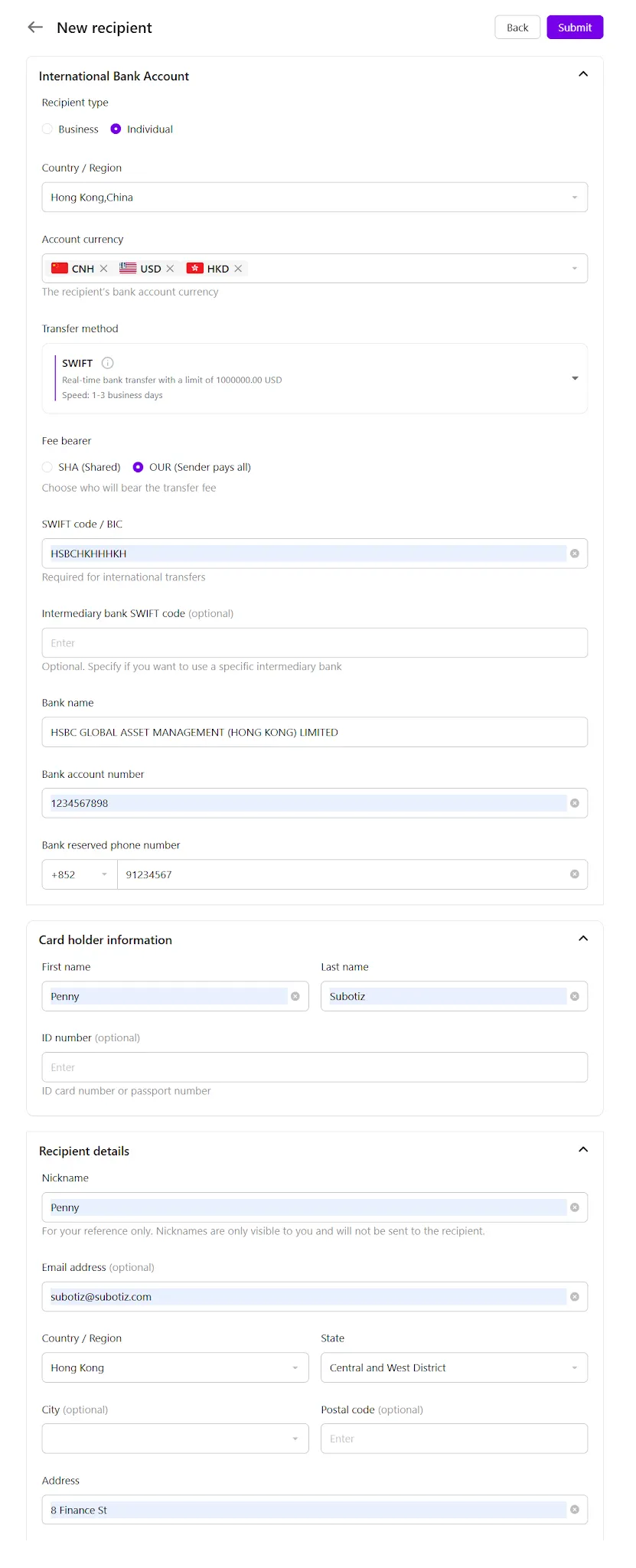
NoteRequired banking information varies by country or region, receiving currency, and transfer method. Depending on the destination bank, additional information such as SWIFT/BIC Code, IBAN, Routing Number, or Intermediary Bank may be required. Complete all required fields displayed on the page.
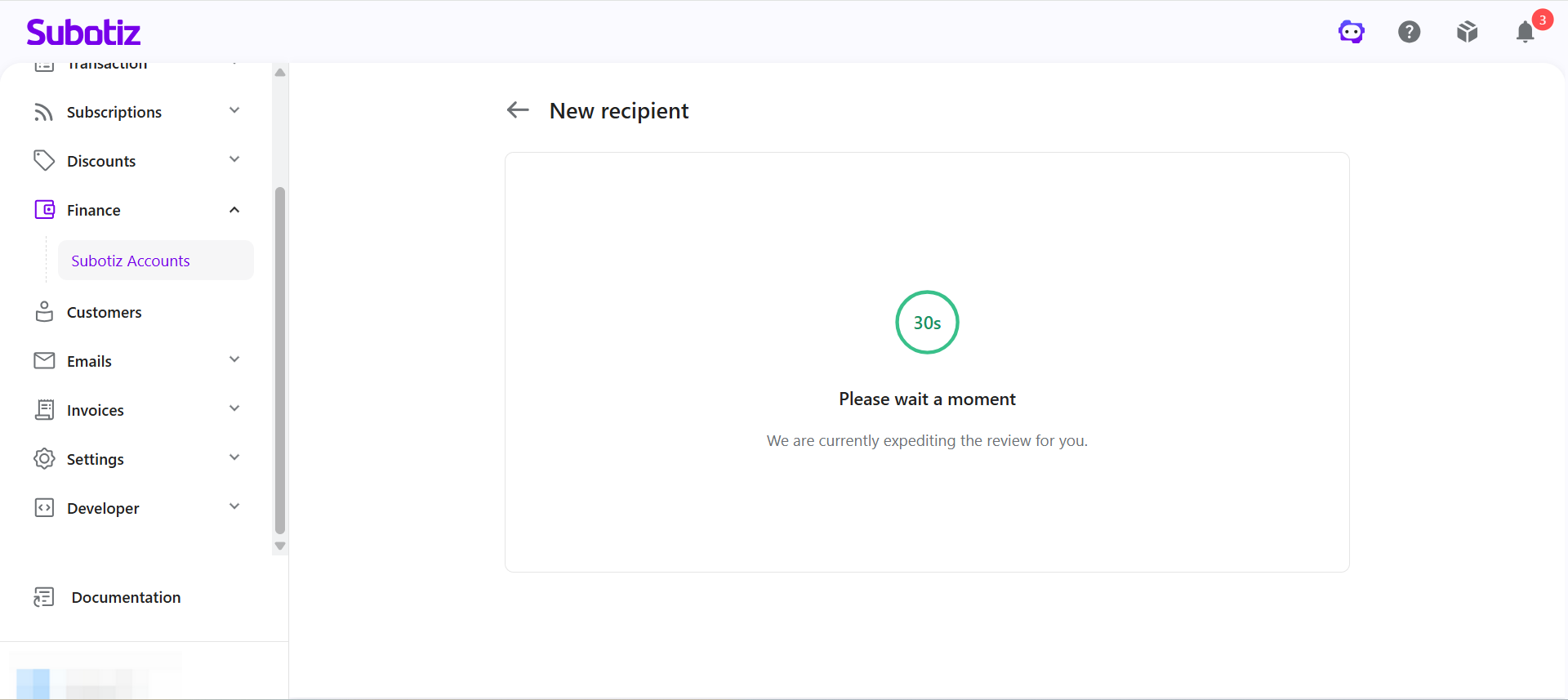
- Submit the recipient: Click Submit. Once created, the recipient is added to the Recipients list and is available for future payouts.
Important Notes
- Use the registered account name: The account name must exactly match the name registered with the receiving bank. Otherwise, the payout may fail.
- Verify the banking details carefully: Incorrect SWIFT/BIC Code, IBAN, Account Number, or other banking details may cause the payout to fail or be returned. If the recipient's bank requires an Intermediary Bank, make sure the intermediary bank information is also entered correctly to help avoid returned payments or additional bank fees.
- Nickname is for your reference only: Nicknames are visible only within Subotiz Accounts and are not shared with the recipient.
- Complete all required fields: Required banking details vary depending on the selected country or region, receiving currency, and transfer method.
- Confirm supported currencies: The recipient's bank account must support the selected payment currency. Otherwise, the payout may fail or be returned.
After adding an international bank recipient, you can select it directly when creating future payouts without entering the banking details again. To help ensure successful payouts, verify that the account name matches the name registered with the receiving bank and that all required banking details have been entered correctly.
Next Steps
After adding an international bank recipient, continue with: