During the collection review process, the system may request supporting documents to verify the source of funds, transaction details, or fulfillment status. When a collection record shows a status of Documents Required, upload the required documents following the on-screen prompts. Once submitted, the record re-enters the review workflow.
Access the Document Submission Page
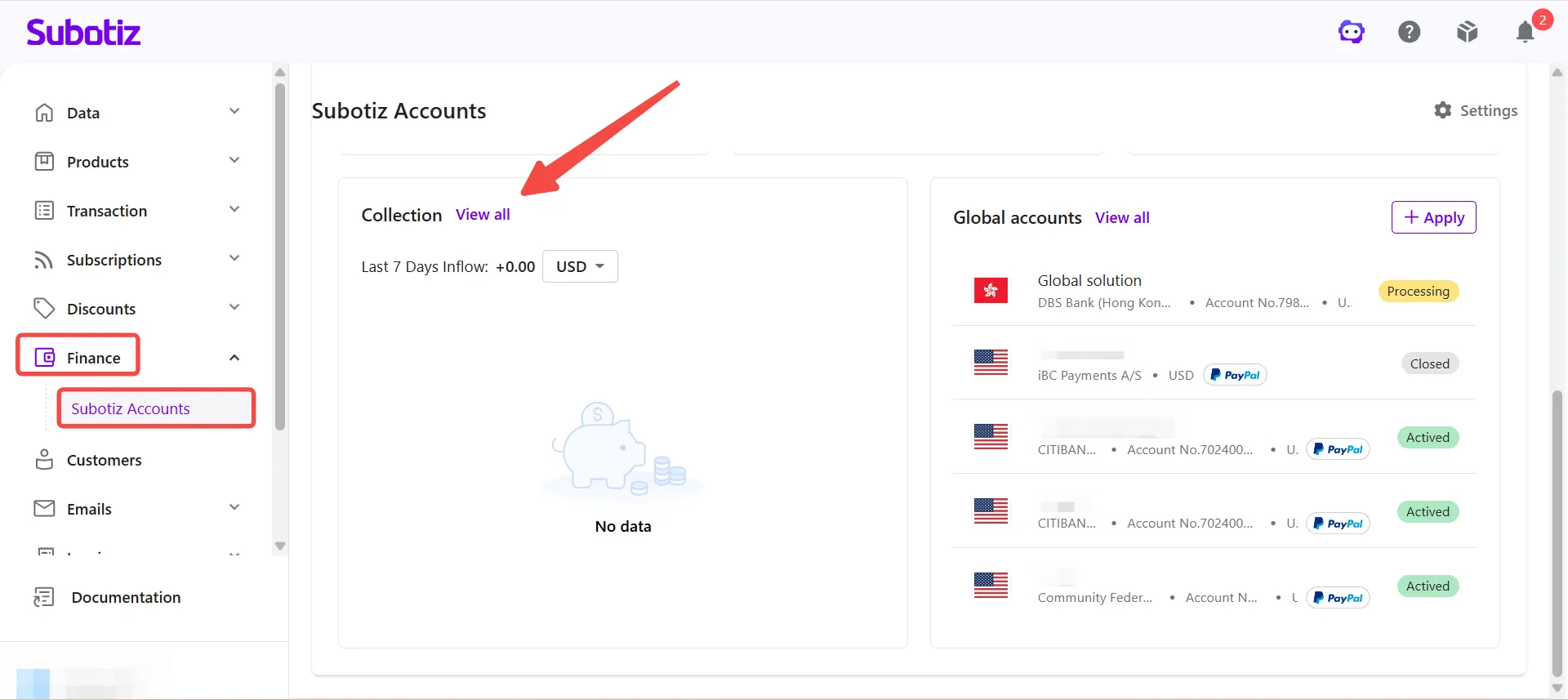
- Go to the collection list: Navigate to Finance > Subotiz Accounts > Collection and click View All.
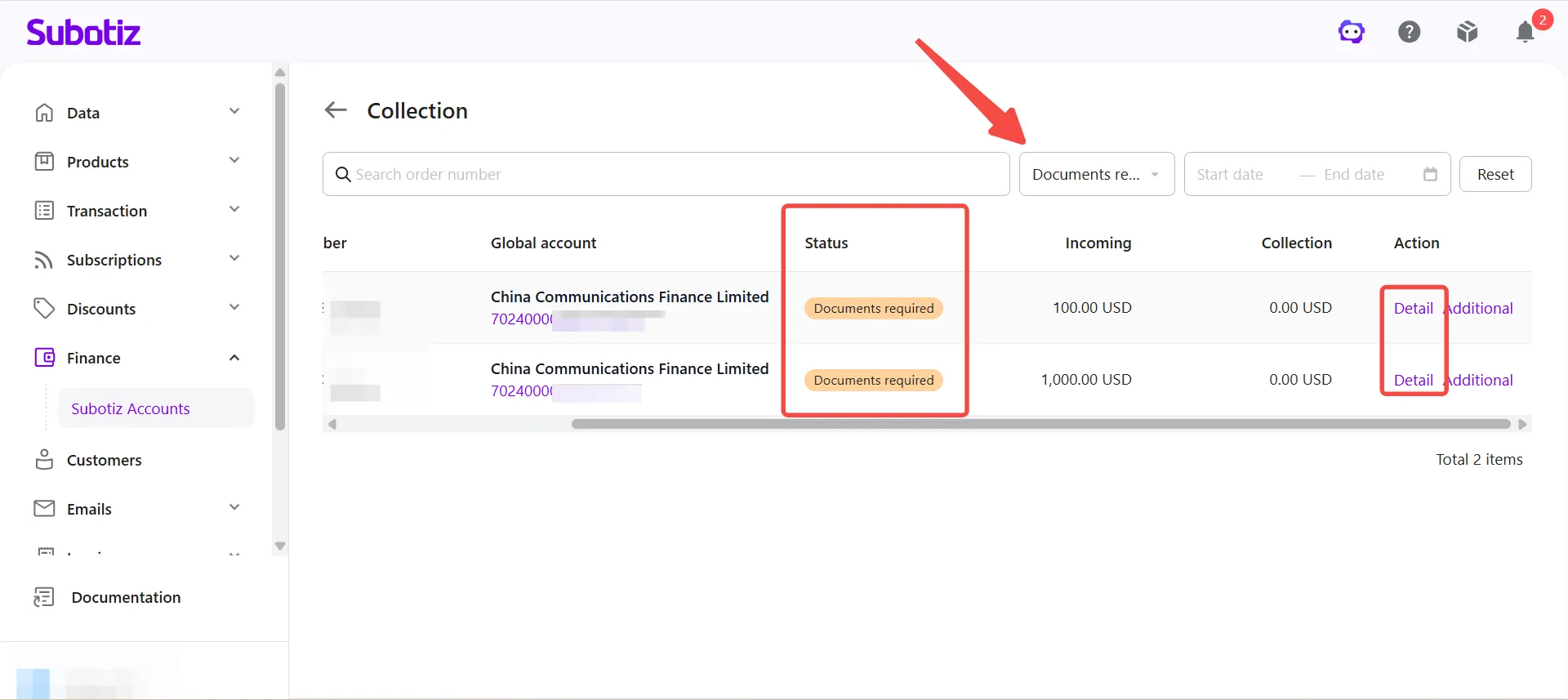
- View collection details: Locate the collection record with a status of Documents Required and click Details.
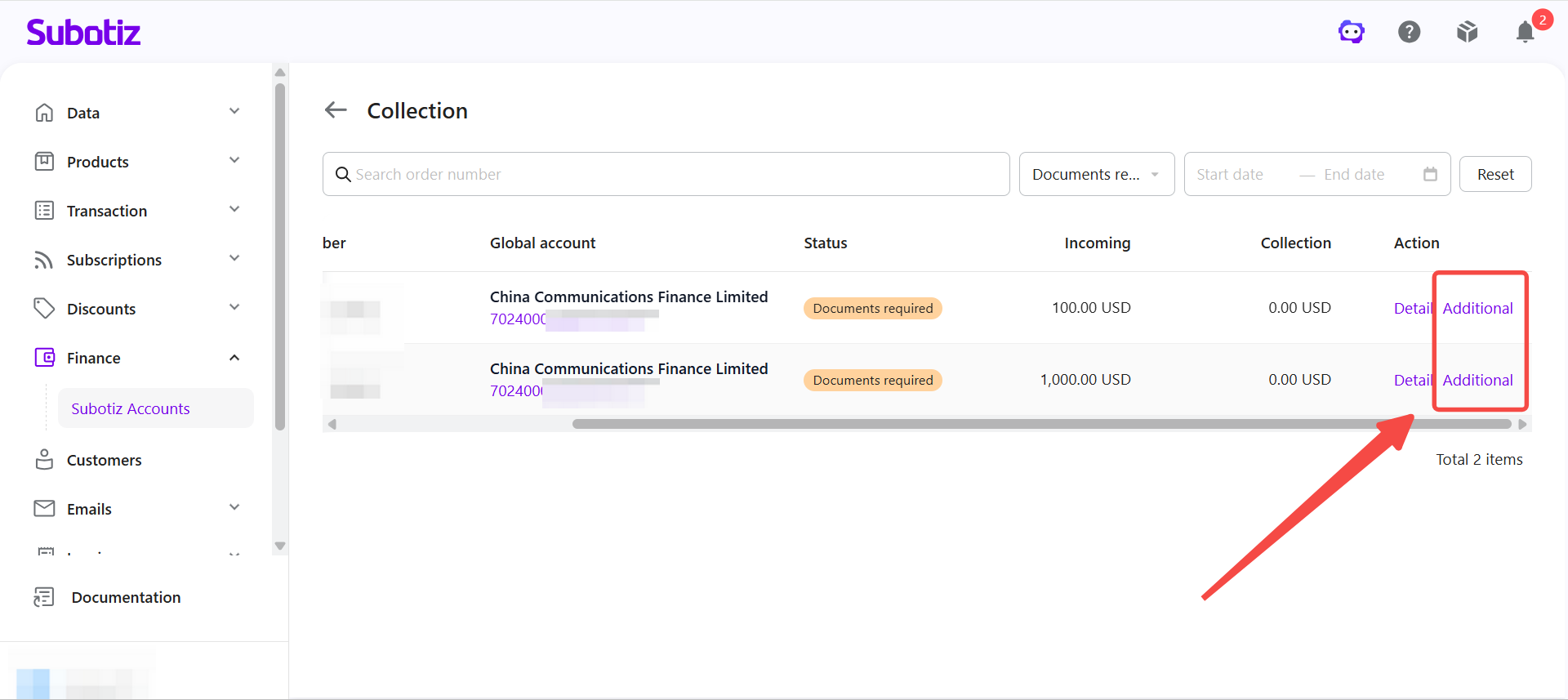
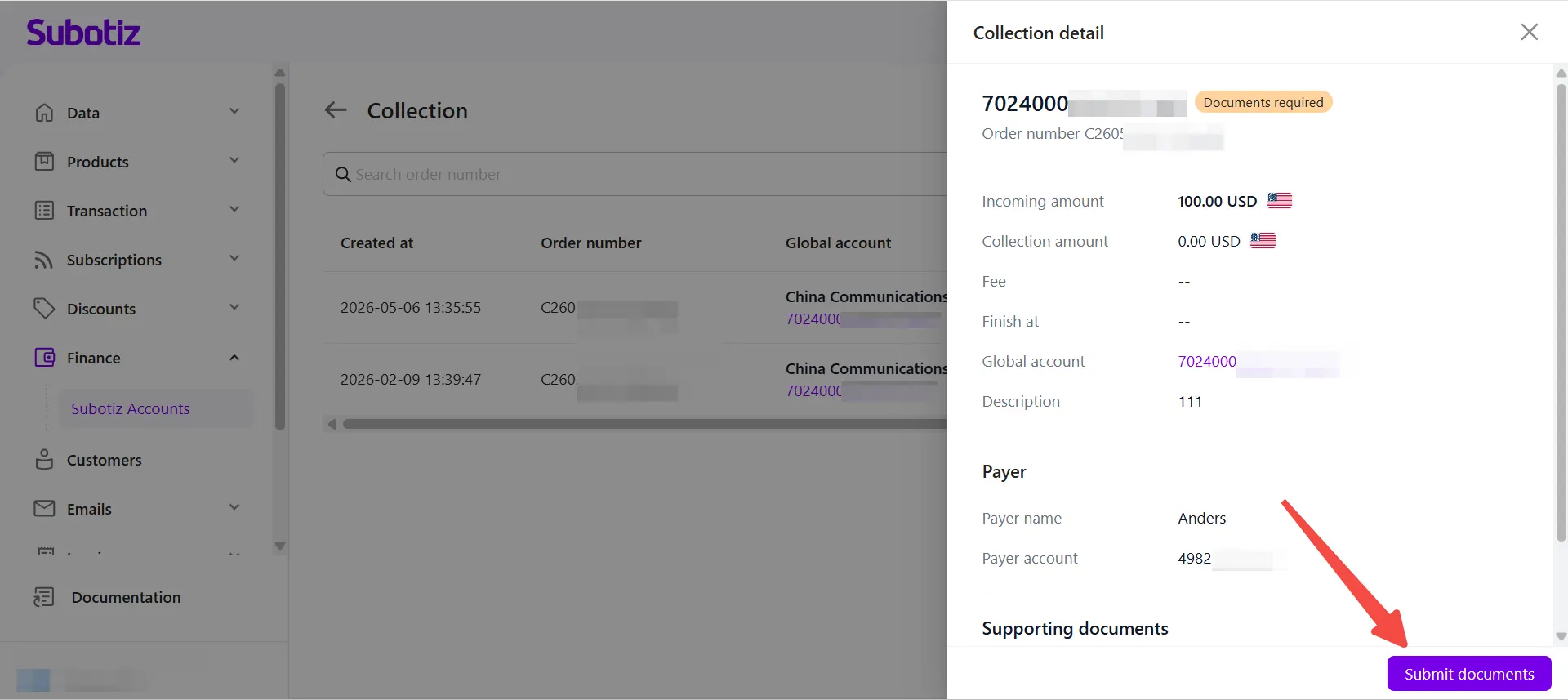
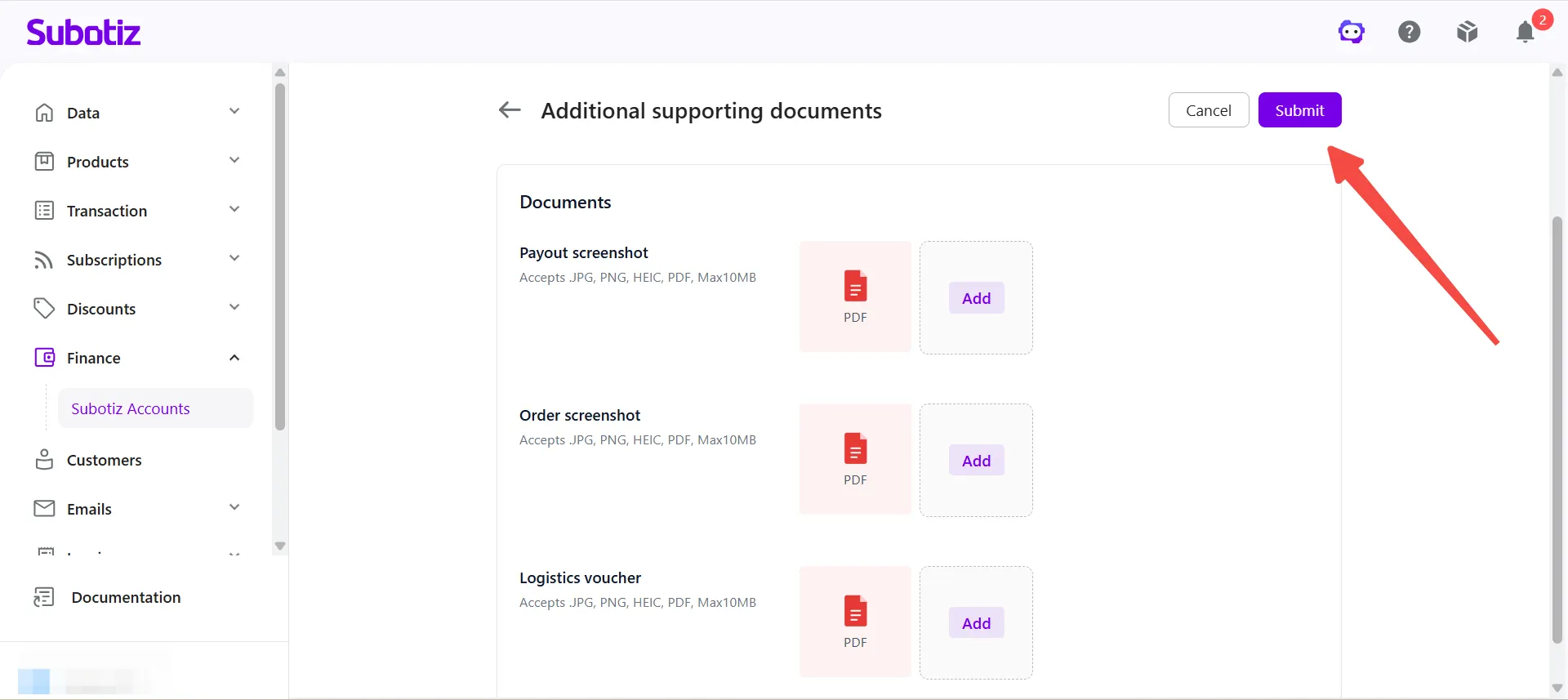
- Submit supporting documents: Click Additional to the right of the collection record, or click Submit Documents on the collection details page to open the document upload page.
- Verify store information: The top of the submission page displays the store name, store ID, and URL associated with the collection record. Confirm these details before proceeding.
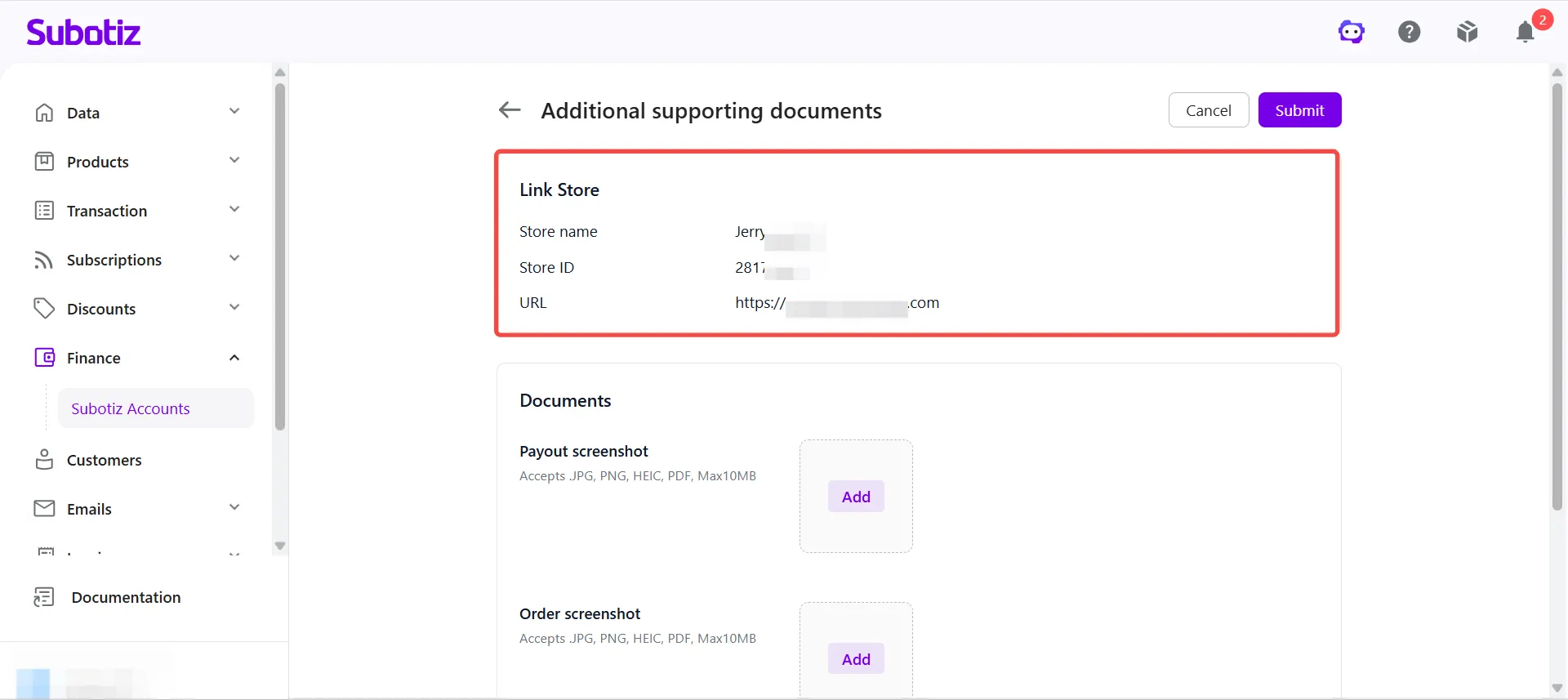
Upload Requirements
All files must meet the following requirements before submission:
- Supported formats: JPG, PNG, HEIC, and PDF.
- File size: Each file must not exceed 10 MB.
- Multiple files: Multiple files can be uploaded per document type. If a single file cannot capture all relevant information, split the content across multiple files.
- File quality: All files must be clear, complete, and unobstructed, with all key fields legible.
Supporting Document Guidelines
The system may request the following document types depending on the collection scenario and review requirements. Always refer to the page for the exact documents required.
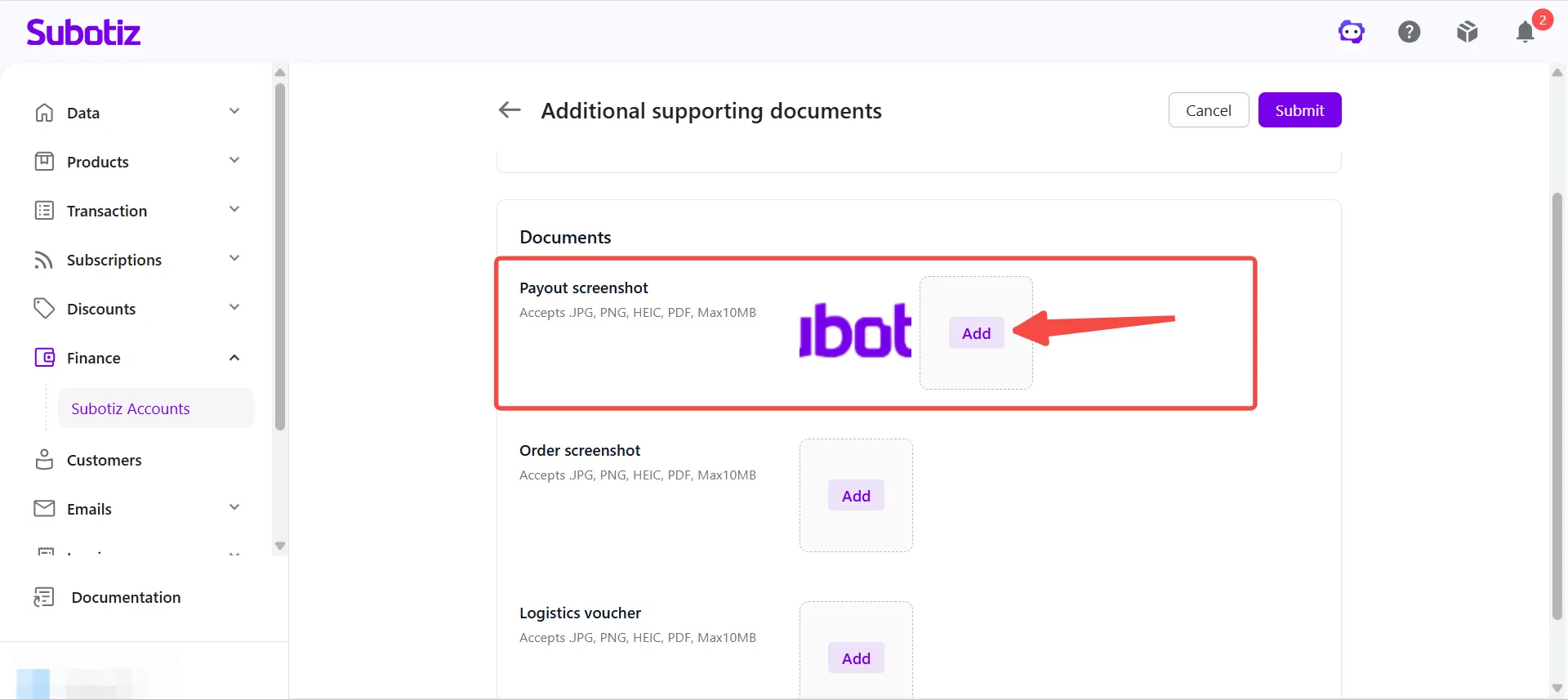
- Payout screenshot: Used to verify the source of funds.
- Payment platform name (e.g., PayPal, Stripe)
- Payer and payee account information
- Collection amount and currency
- Payment date and time
- Transaction or reference number
- Payment memo or notes (if applicable)
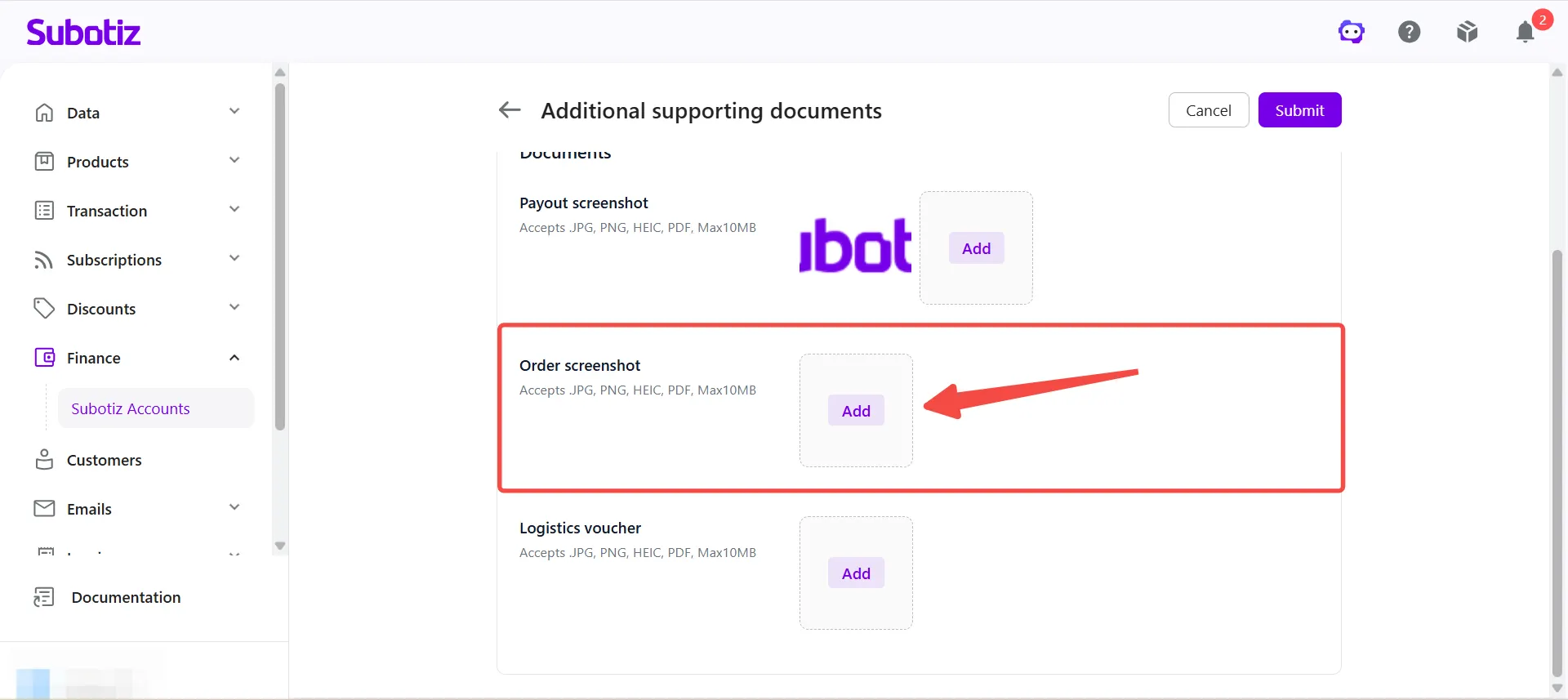
- Order screenshot: Used to verify the transaction associated with the collection.For physical goods, the order screenshot must include:
- Order number
- Product name
- Order amount
- Customer information (if applicable)
For SaaS, subscription, or digital product businesses, submit one of the following as transaction proof:- Subscription records
- Service activation records
- Backend transaction record screenshots
- Member account activation records
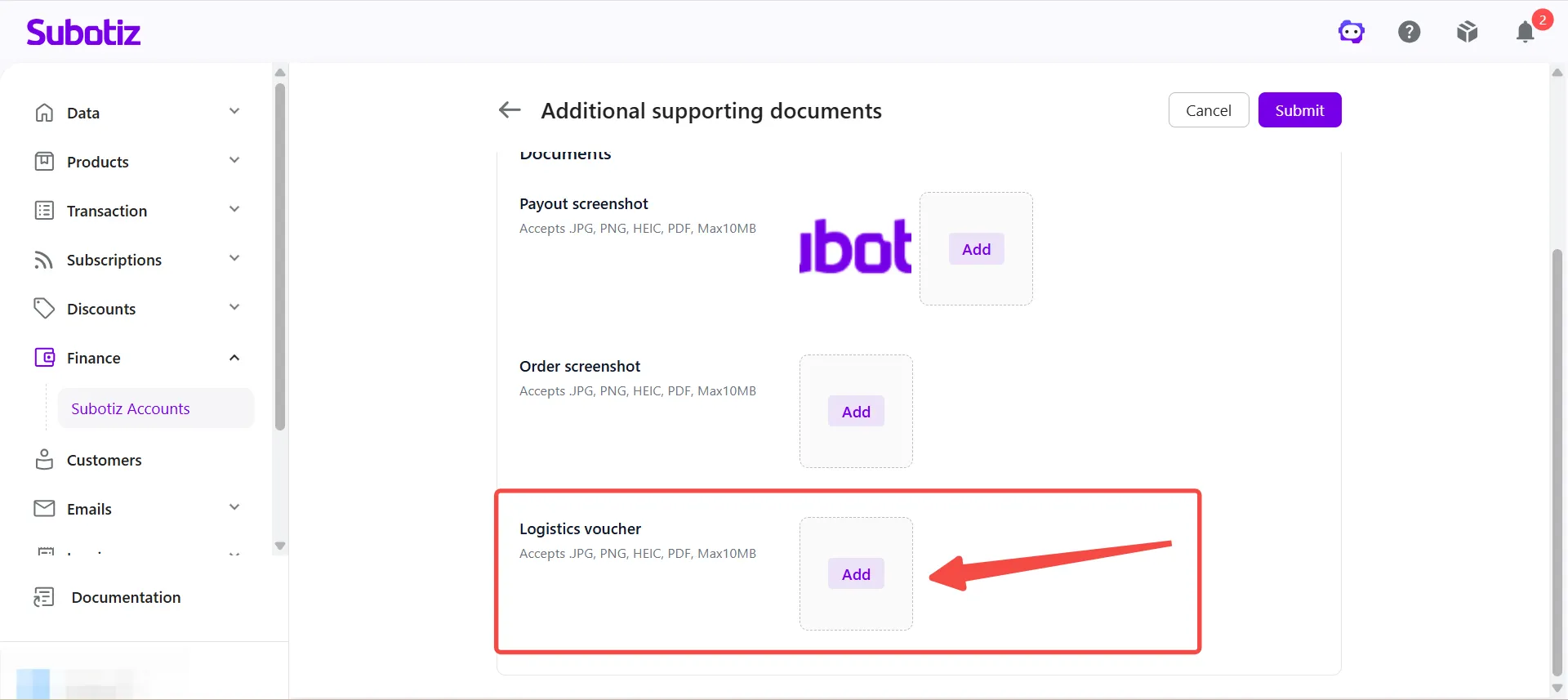
- Logistics voucher: Used to verify that goods or services have been delivered.For physical goods, submit one of the following:
- Tracking number
- Shipment tracking records
- Delivery confirmation
For businesses that do not ship physical goods (e.g., SaaS, digital products, subscriptions, or services), submit one of the following instead:- Service delivery confirmation records
- Digital product delivery screenshots
- Project completion proof
- Customer acknowledgment records
Submit for Review
After uploading all required documents, click Submit. The collection record re-enters the review workflow upon successful submission. Check the dashboard for status updates.
Important Notes
- All uploaded documents must be authentic, legible, and consistent with the corresponding collection record.
- The document types shown on the page are general templates. If they do not fully match the actual business scenario, submit the most relevant supporting documents available.
- All documents listed on the page must be uploaded before submission is possible. Businesses that do not ship physical goods (e.g., SaaS, digital products, subscriptions, or services) may substitute shipping proof with service delivery records, account activation records, digital product delivery screenshots, or other fulfillment proof.
- Required documents may vary across collection records. Always follow the requirements displayed on the page.
When a collection record enters Documents Required status, upload the required supporting documents as prompted before the review can continue. Once submitted, the record re-enters the review workflow and the outcome is reflected on the dashboard.