The Collection page in Subotiz Accounts lets you view incoming funds, monitor review progress, and check settlement details for payments received through your Global Accounts. Use this page to monitor collection progress and reconcile incoming payments.
View Collection Records
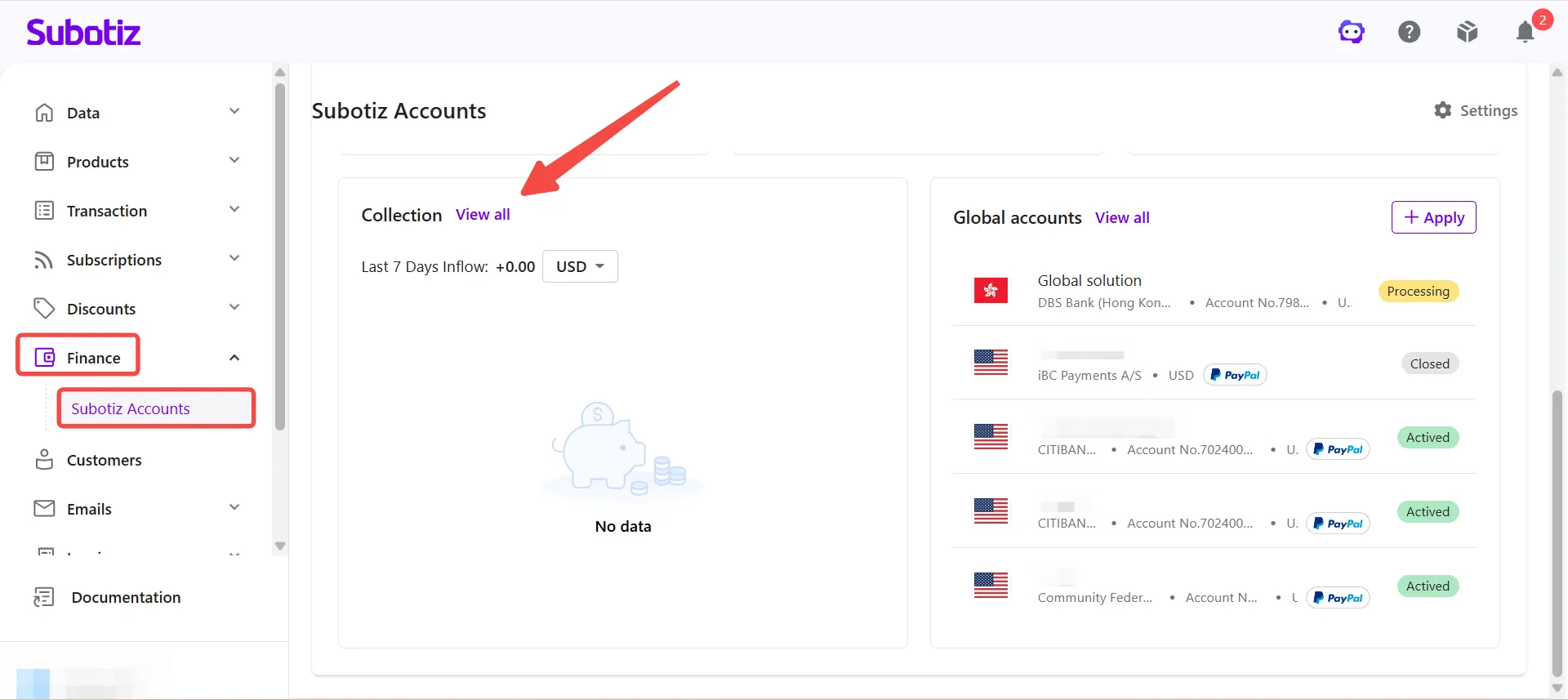
- Go to the collection page: Navigate to Finance > Subotiz Accounts > Collection, then click View All to open the collection record list.
-
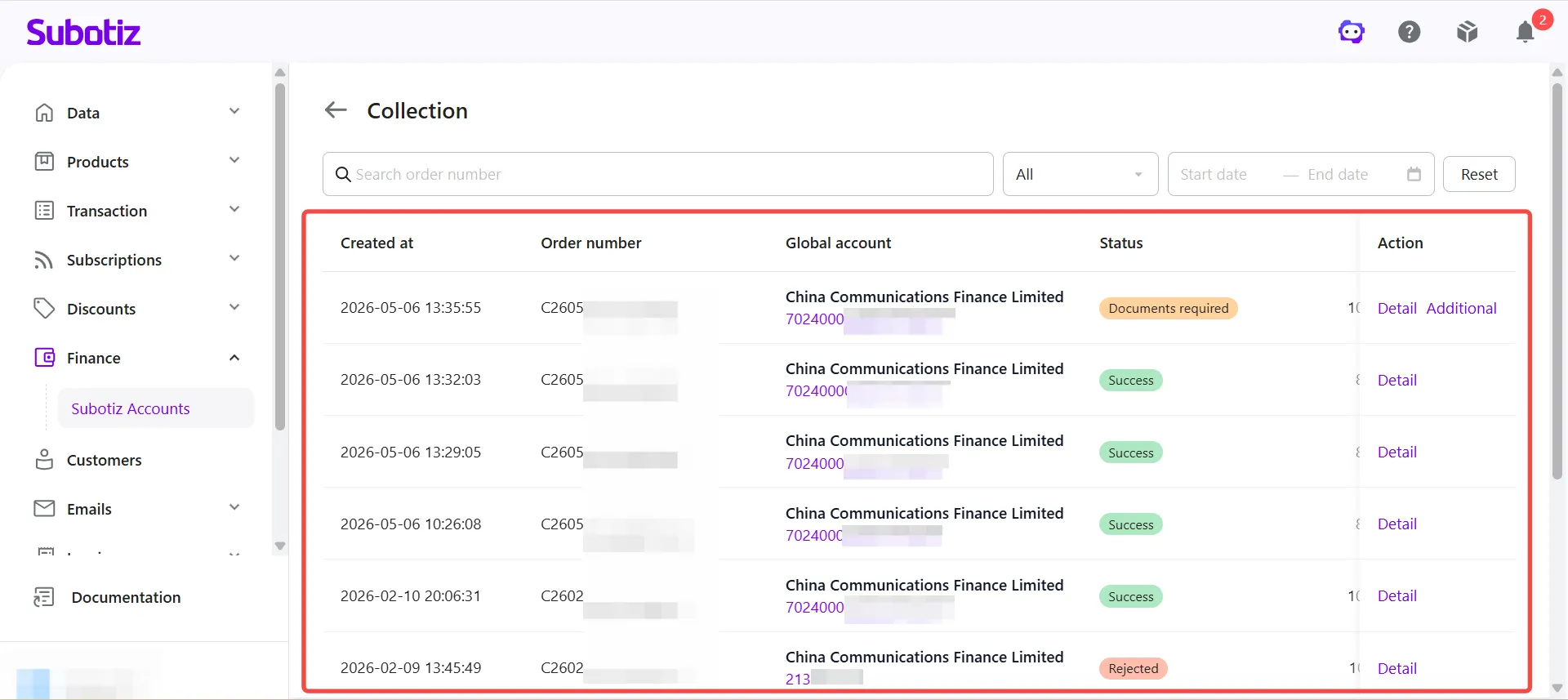
Review collection information: The list displays all collection records. Each record includes:
- Created date
- Order number
- Global account
- Current status
- Incoming
- Collection
- Available actions
Filter Collection Records
Use the search bar and filter tools at the top of the page to locate specific records quickly.
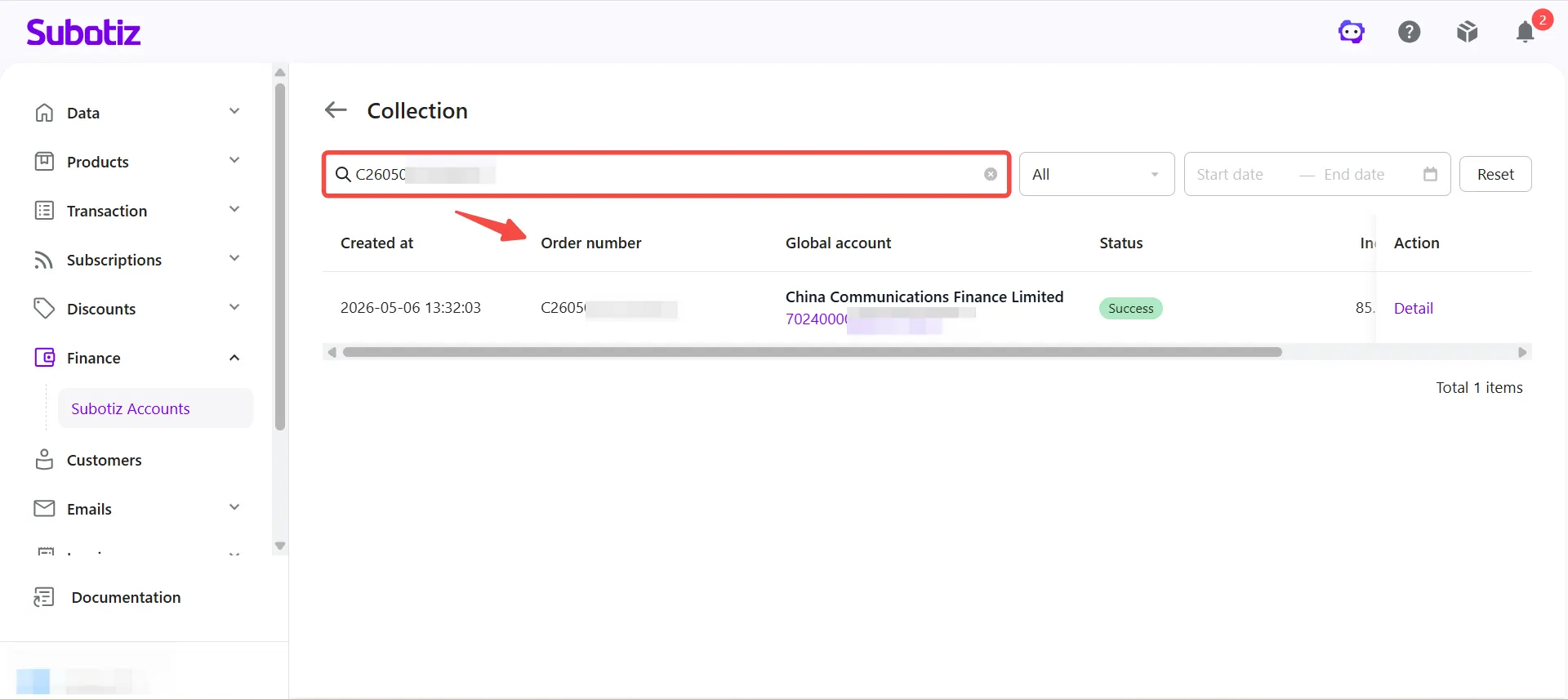
- Search by order number: Enter an order number to find the corresponding collection record.
-
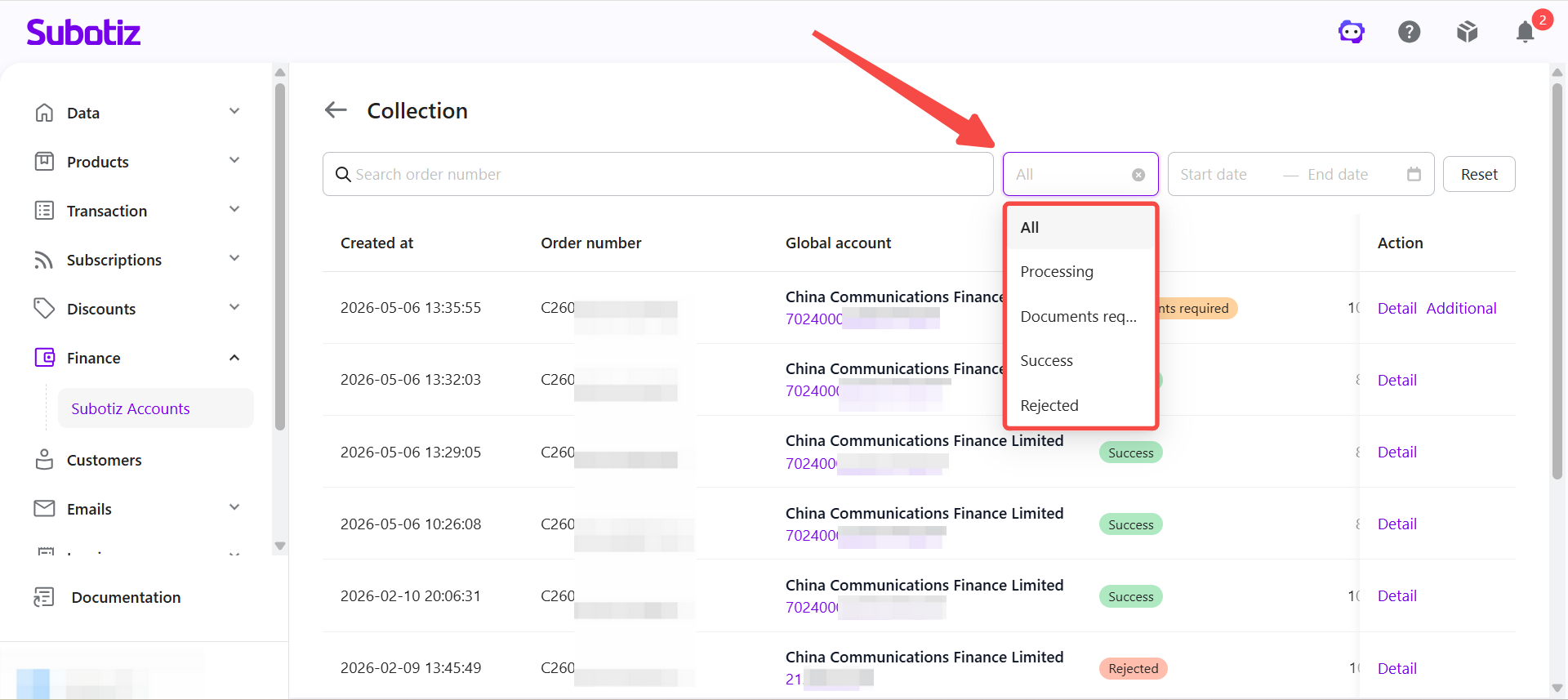
Filter by status: Click the status dropdown and select a status to view the corresponding records.
- Success: The collection has been reviewed and settled. Funds have been credited to your corresponding currency balance.
- Pending: The collection is under review. Settlement information, including fees and settlement amount, may not be available until the review is complete.
- Documents Required: Supporting documents are needed before the review can continue. Click Submit to upload the required documents. See Collection | Submit Supporting Documents for details.
- Rejected: The collection did not pass review and funds were not settled. Contact support for more information.
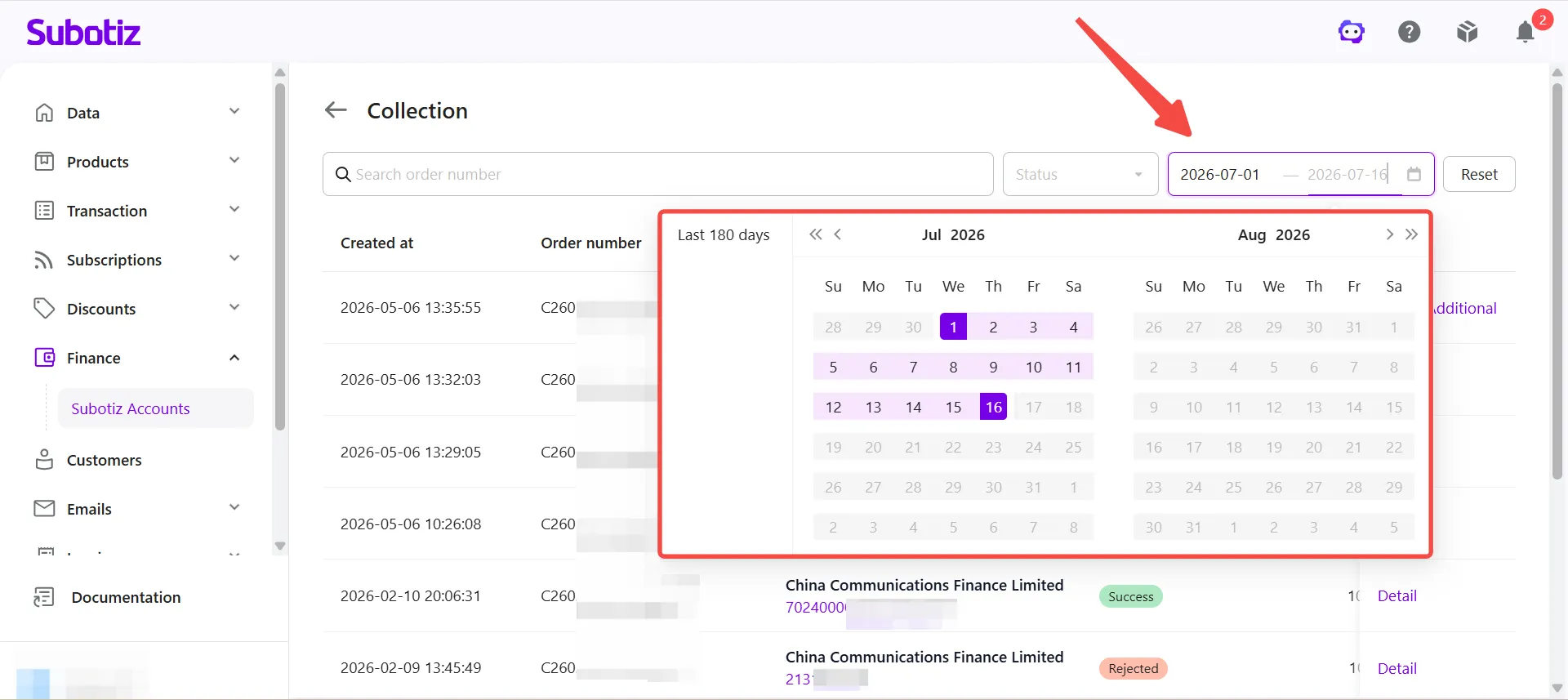
- Filter by date: Set a start and end date to view records within a specific time range.
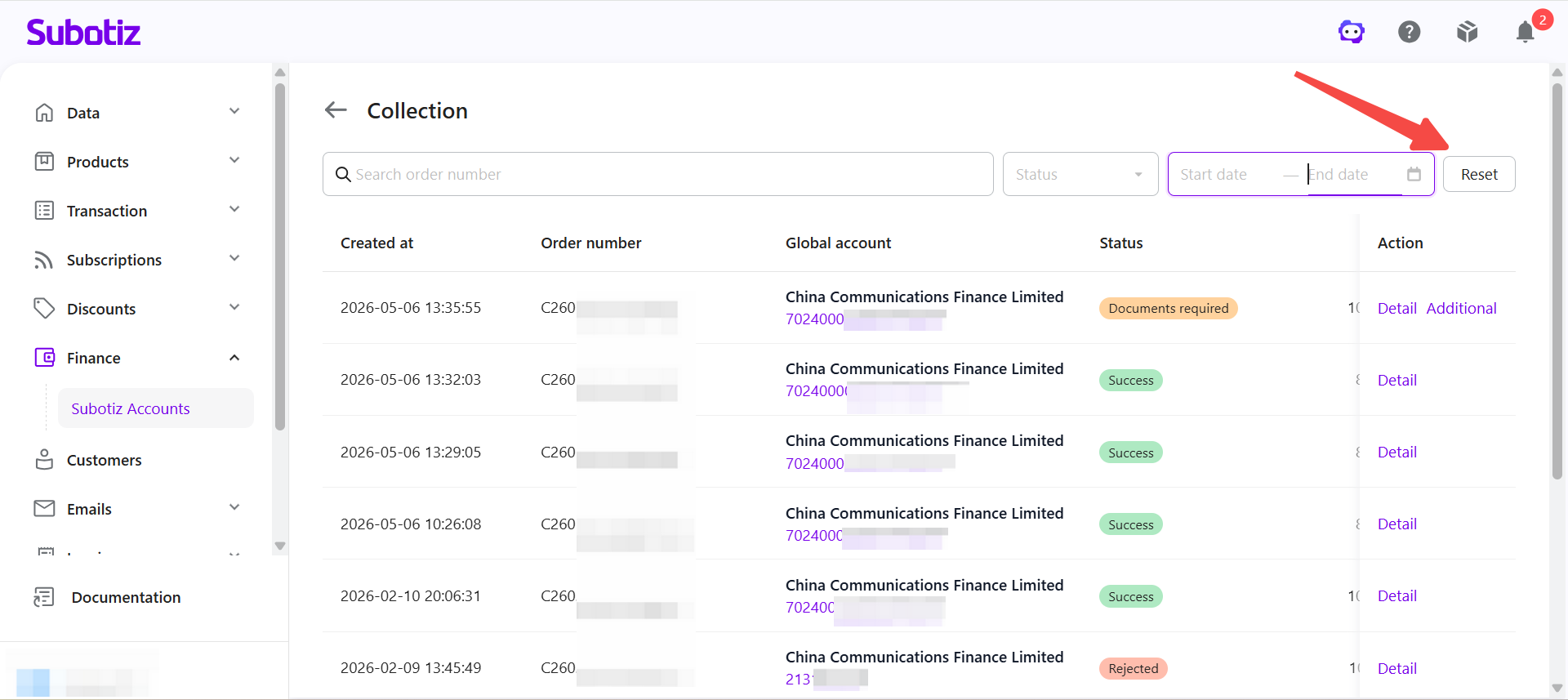
- Reset filters: Click Reset to clear all filters and return to the default list.
View Collection Details
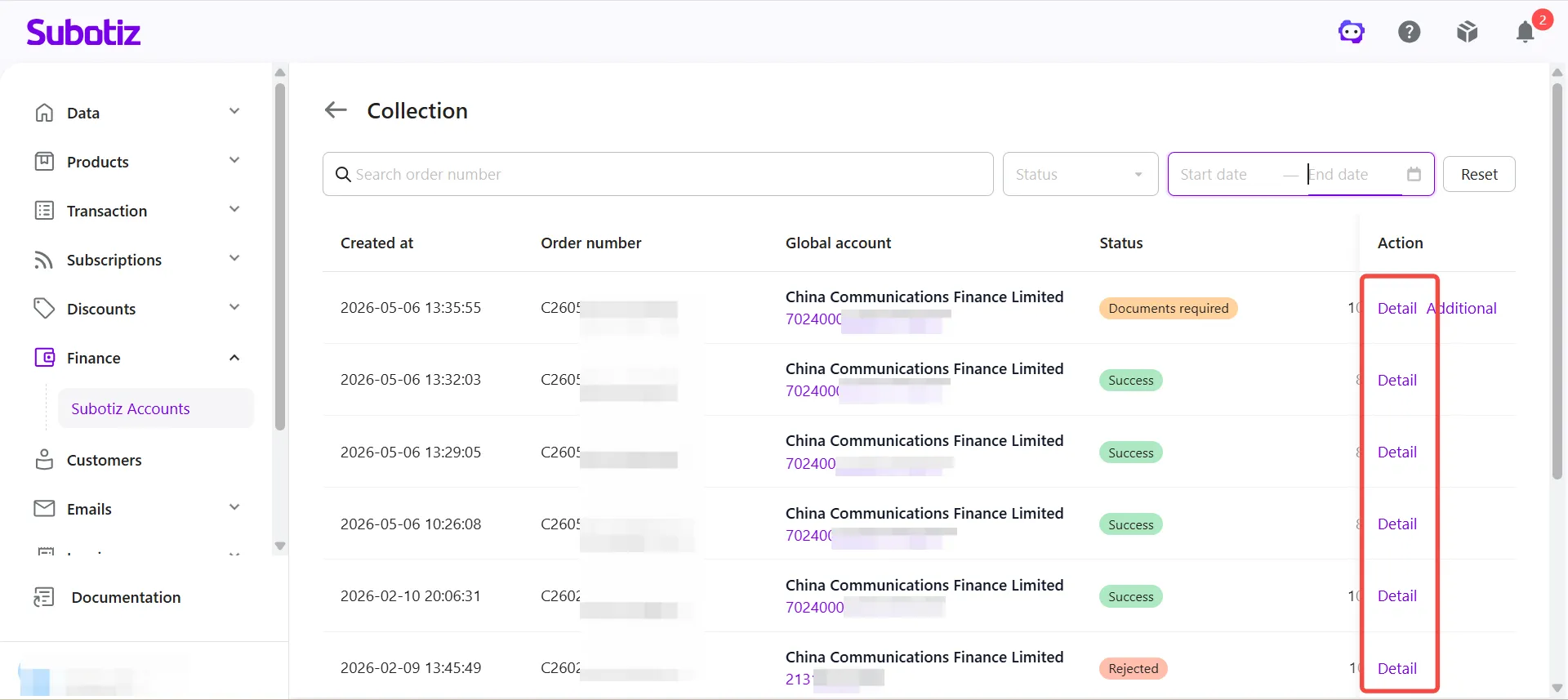
- Open the details page: Click Details to the right of any record to open its details page.
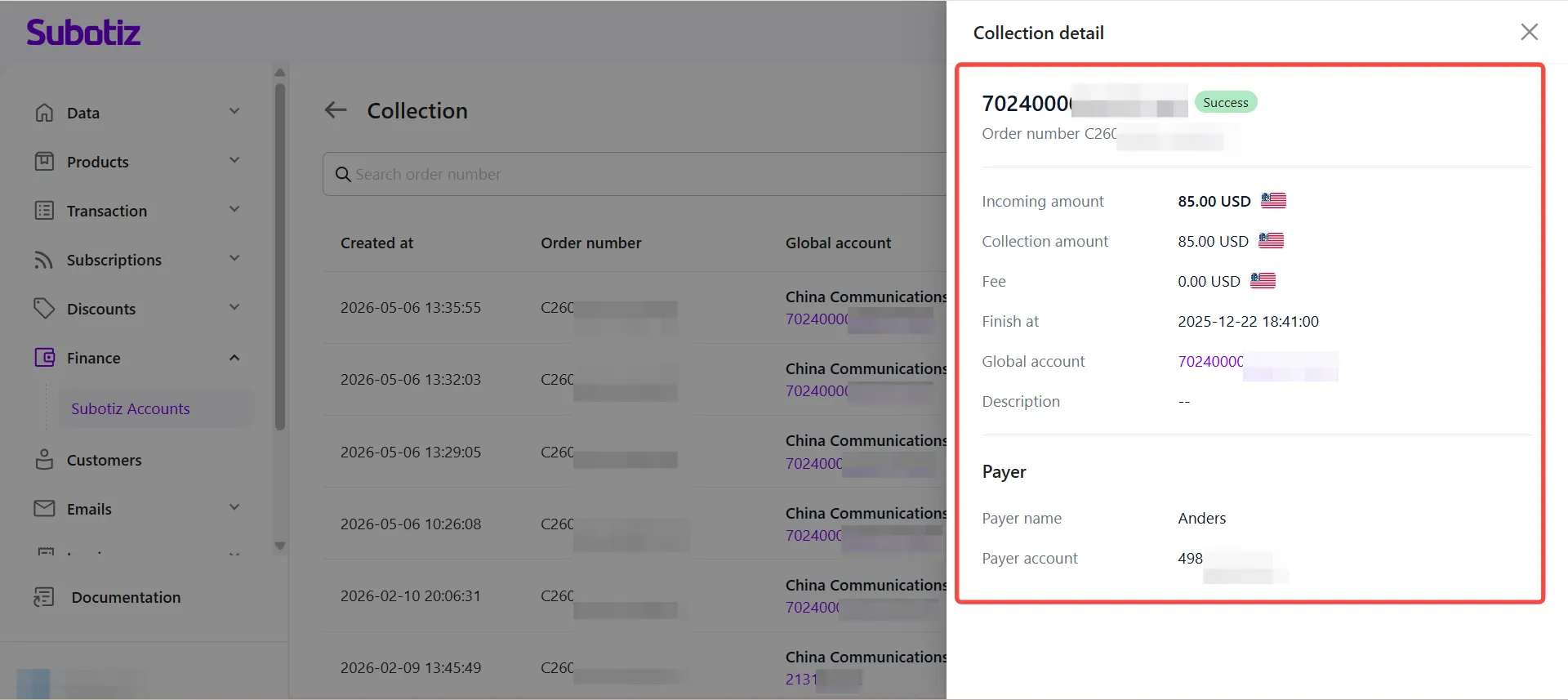
- View collection details: The information shown depends on the collection status.
Field |
Description |
|---|---|
Collection Order |
The system-generated unique order number for this collection. Use this number when contacting support or for internal reconciliation. |
Received Amount |
The original amount sent by the payer. |
Settlement Amount |
The amount credited to the account balance after applicable fees are deducted. This may differ from the received amount. |
Fees |
Any platform or bank fees charged for this collection, if applicable. Some collections carry no fees. |
Settlement Time |
The date and time the funds were credited to the corresponding currency balance after the review was completed. |
Global Account |
The global account associated with this collection. Click the account name to open its details page. |
Payment Reference |
The payment reference or memo provided by the payer, if applicable. |
The details page may also display the following payer information for reconciliation and verification purposes:
- Payer Name: The legal entity name or individual name of the remitting party.
- Payer Account: The remitting party's original bank account number, used to verify the source of the payment.
Important Notes
- Collection records only appear after the funds enter processing. Payments that have not yet reached the global account will not appear.
- The information available depends on the collection status. Some fields are not displayed until the review is complete.
- The settlement amount may be lower than the received amount due to fees or intermediary bank charges. This is expected.
- When a collection status is Documents Required, complete the document submission promptly to avoid delays or a return of funds.
- If a collection remains in Pending status for an extended period with no document submission prompt, contact support and provide proof of payment to assist with the investigation.
The Collection page lets you monitor funds received through your Global Accounts, including review status, settlement details, and payment information. Use the available search and filter tools to track collection progress and reconcile incoming payments efficiently.