The Global Accounts feature in Subotiz Accounts lets merchants view account status, retrieve collection details, manage linked stores, and close accounts from a single dashboard. Once an account is activated, all of these actions are available from a single interface.
Global Accounts Module
-
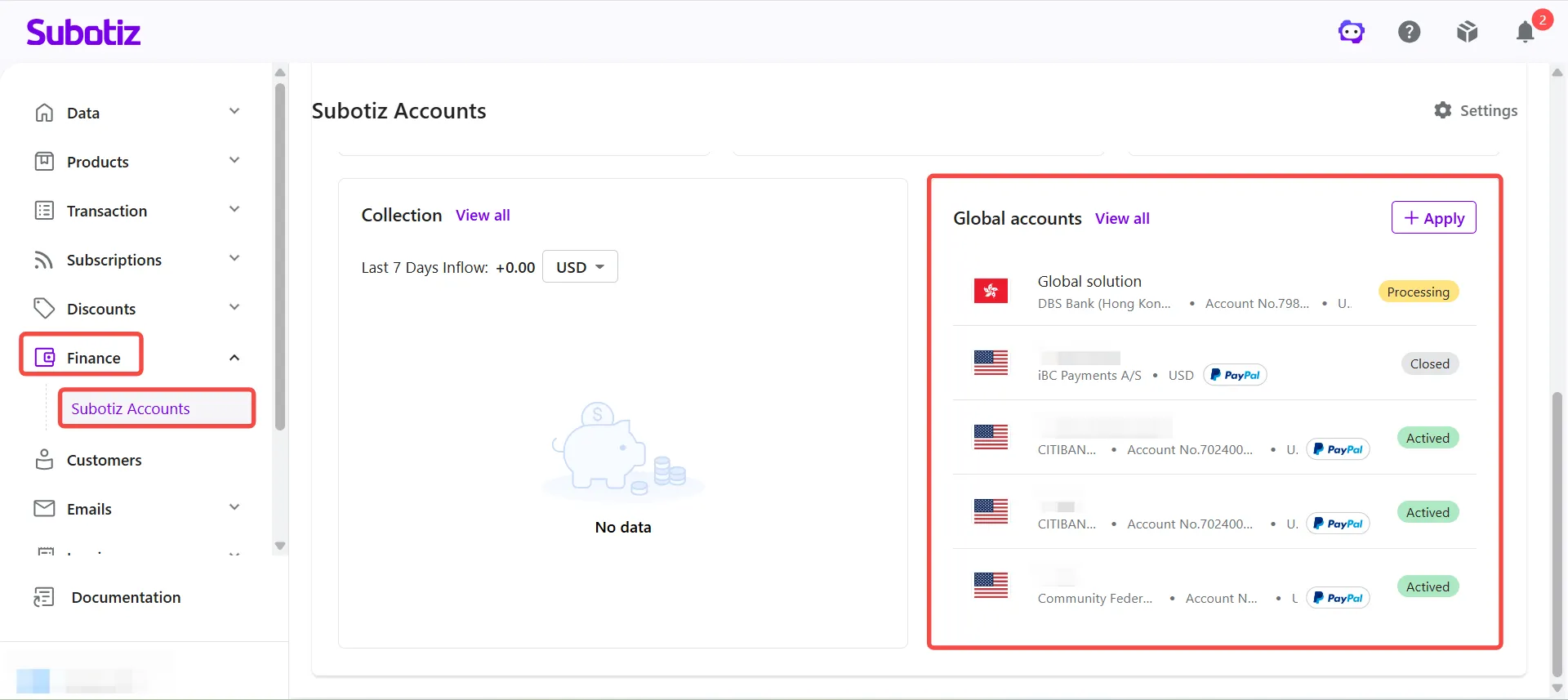
Open the Global Accounts page: Go to Finance > Subotiz Accounts. The Global Accounts module on the right side of the page displays all submitted and activated Global Accounts.From this module, merchants can:
- View existing accounts: Review account information and current status.
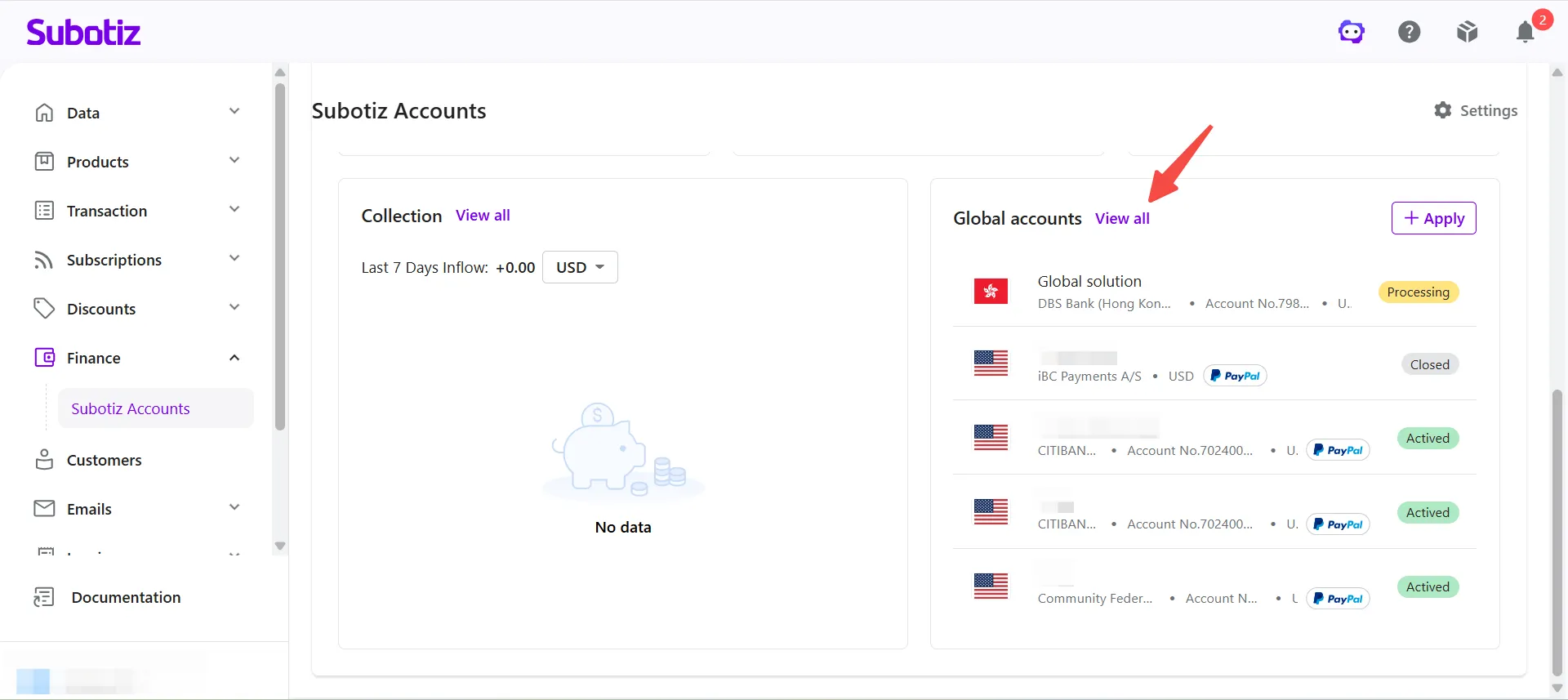
- View all: Navigate to the Global Accounts list to manage all accounts in one place.
- Apply: Submit an application for a new Global Account. See Global Accounts | Apply for a Global Account for the full application process.
Manage the Global Accounts List
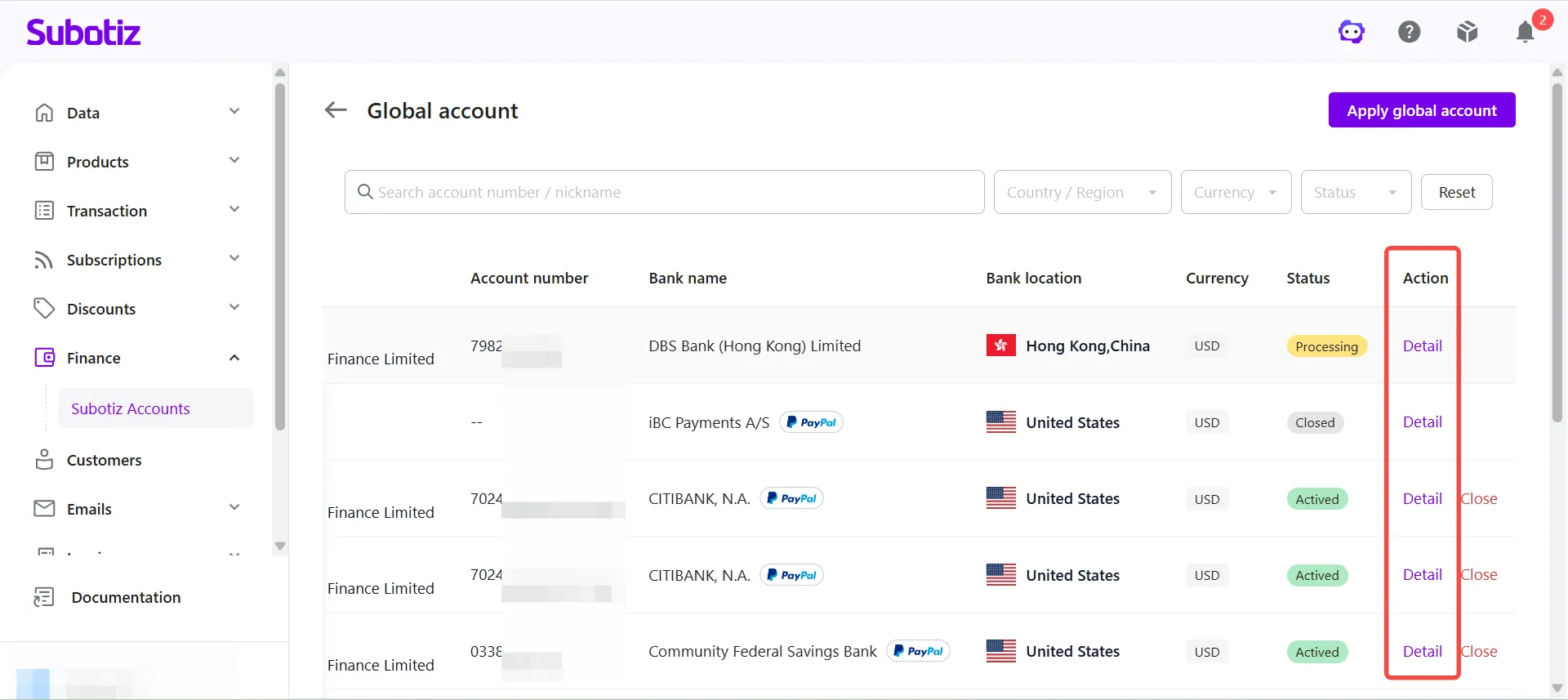
- Open the account list: Click View All in the Global Accounts module.
-
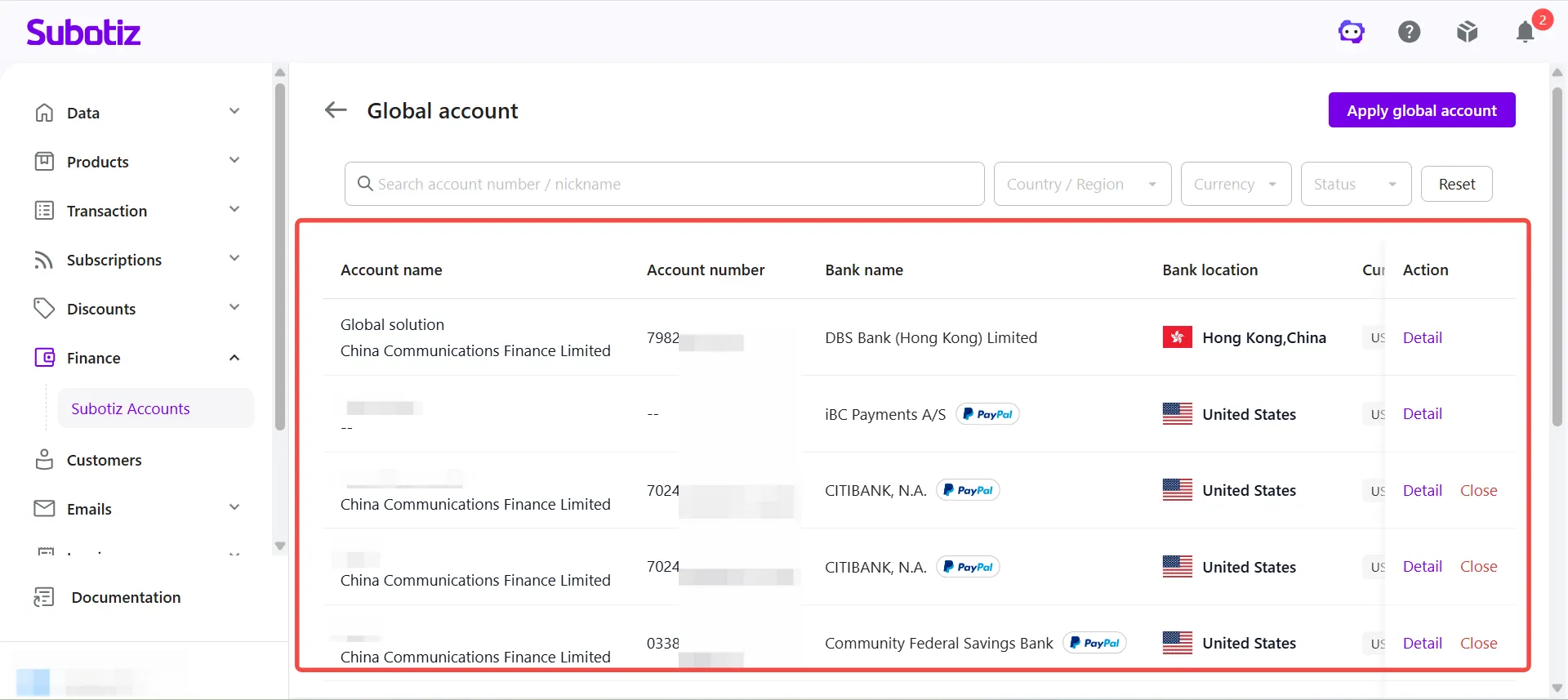
Filter accounts: Use the search bar and filter tools at the top of the page to locate a specific account:
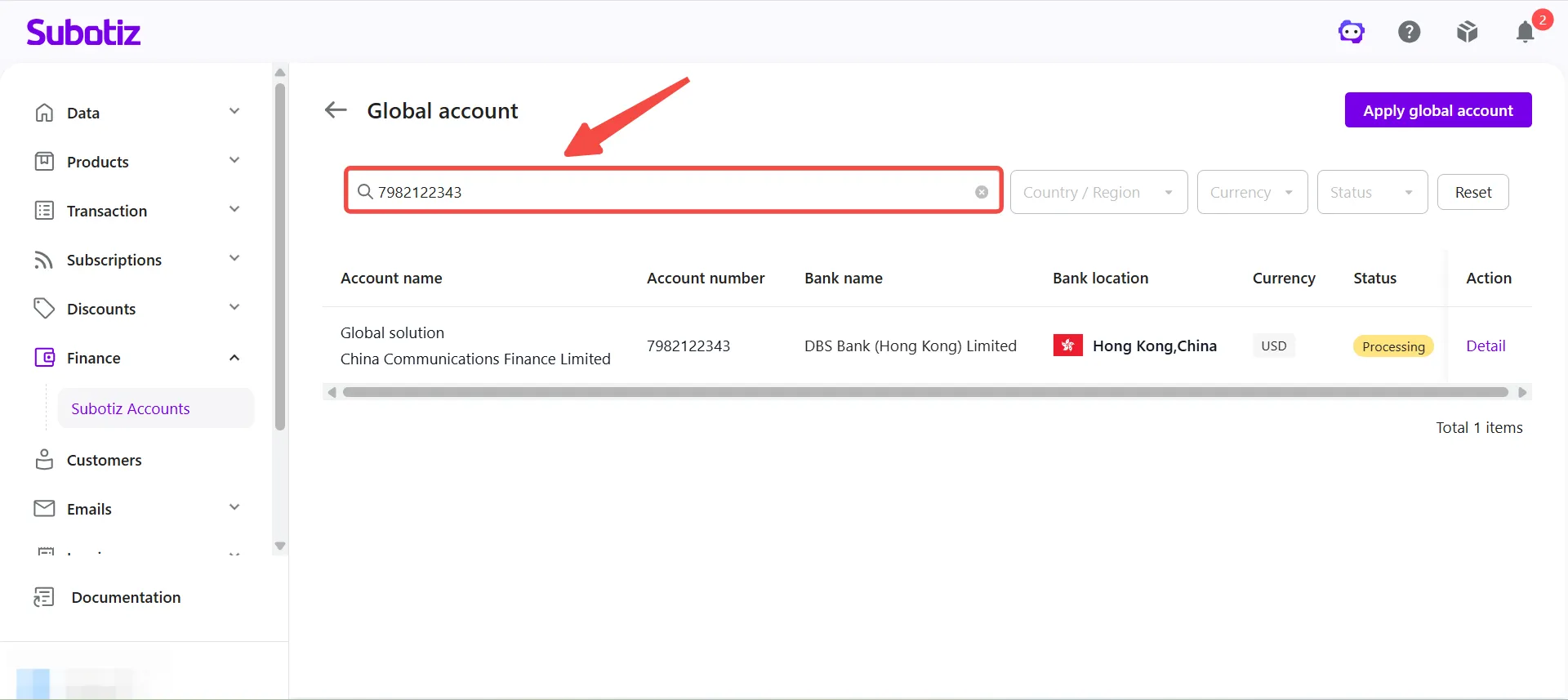
- Search: Enter an account number or nickname to find the target account quickly.
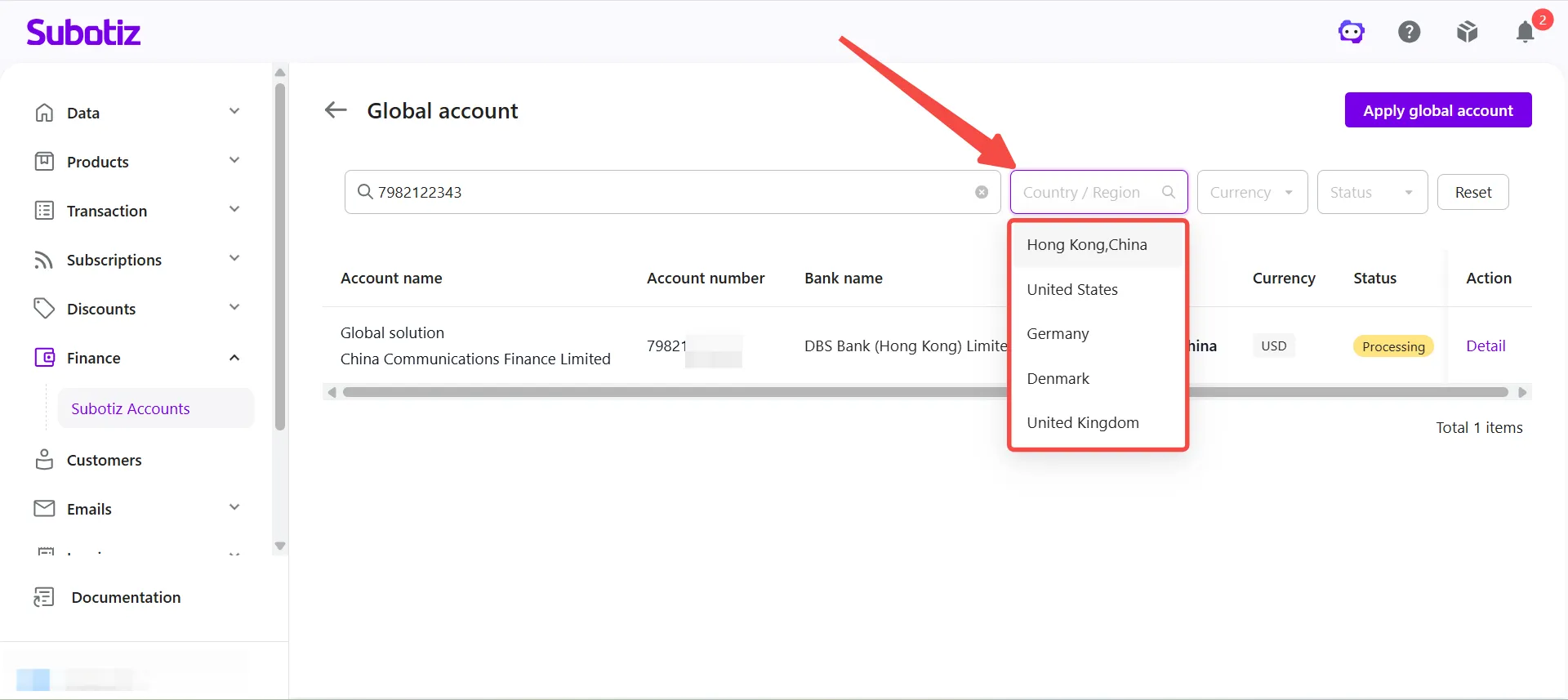
- Filter by country or region: Click the Country/Region dropdown and select the relevant region.
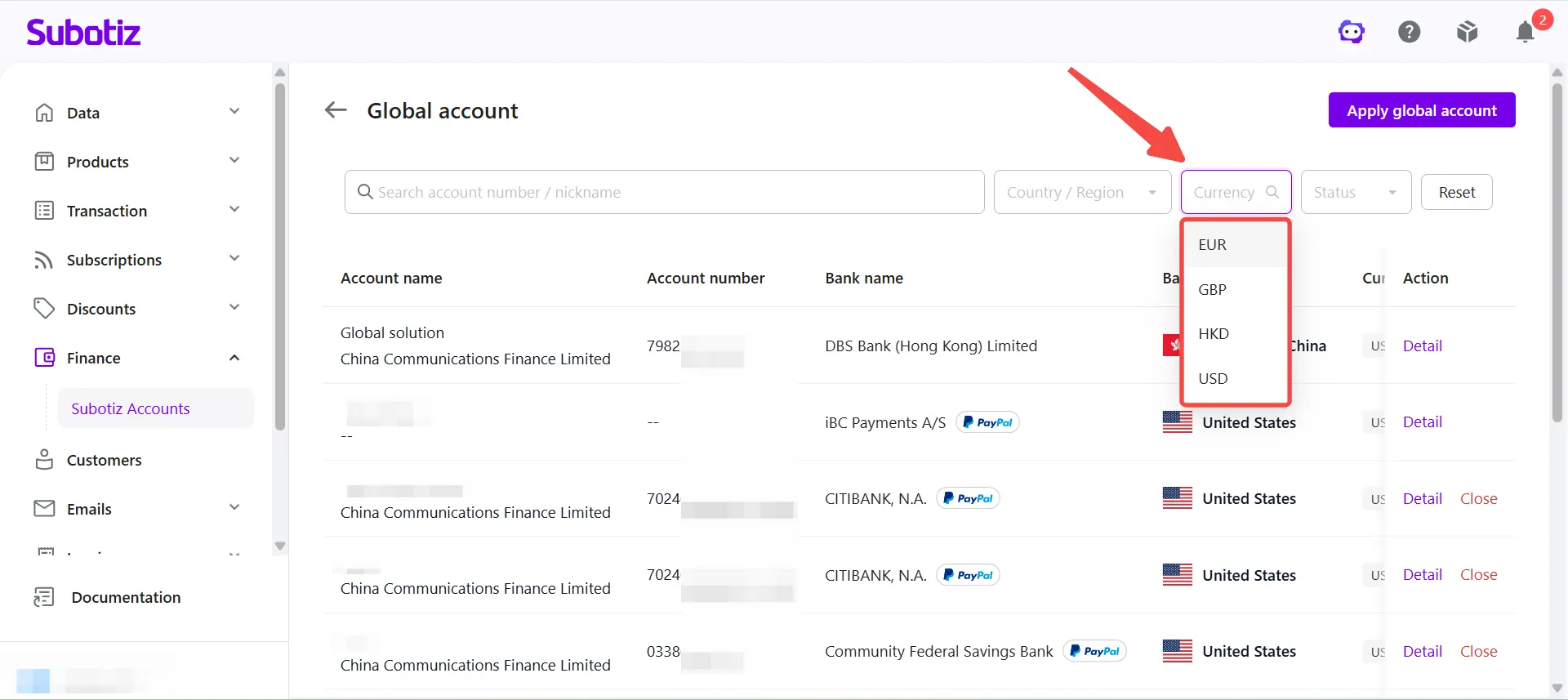
- Filter by currency: Click the Currency dropdown and select a currency. Supported options are USD, EUR, GBP, and HKD.
-
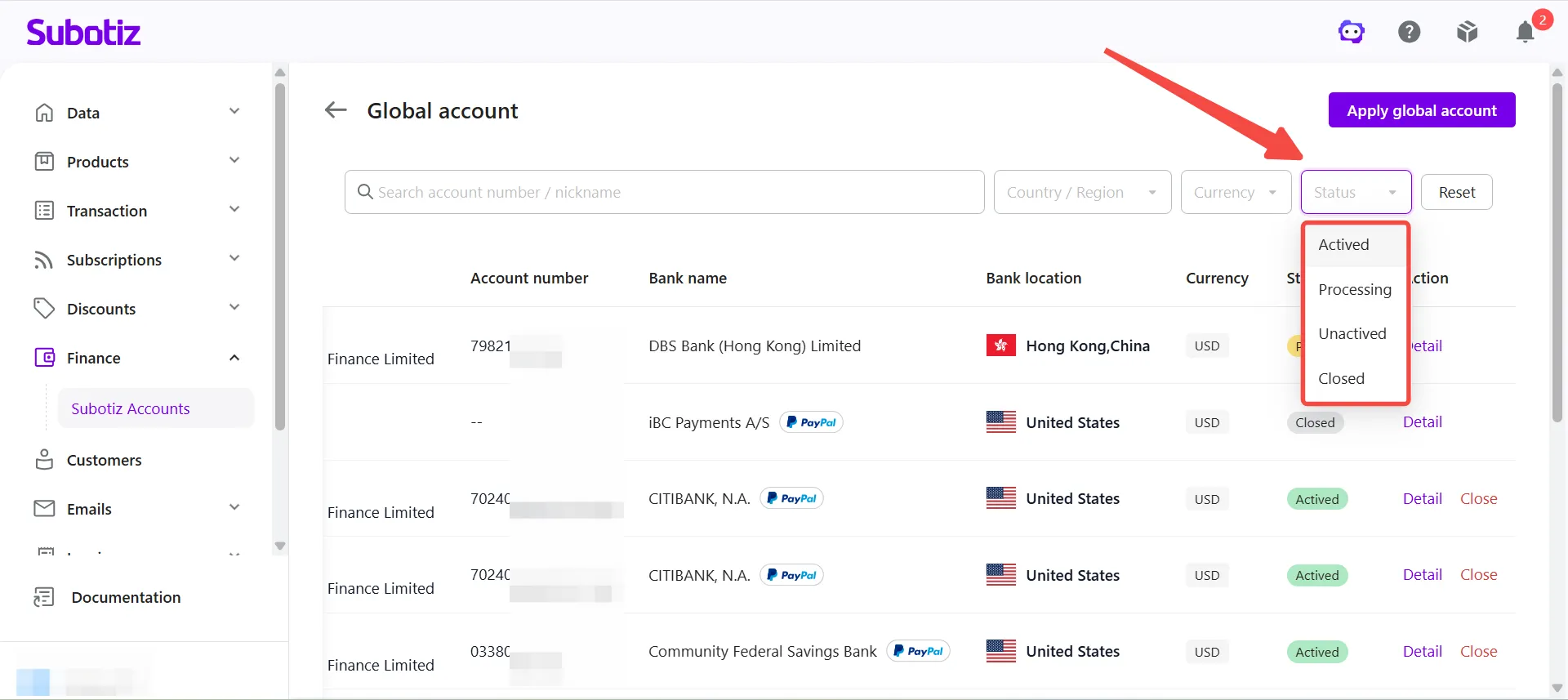
Filter by status: Click the Status dropdown and select a status. Available statuses are:
- Processing: The account is under review. Collection details have not yet been generated, and the account cannot receive funds. An estimated completion time may be displayed.
- Activated: The account is open and ready to receive collections. Full collection details are available to share with payers. Incoming funds are credited automatically to the corresponding currency balance.
- Unactivated: Account setup is incomplete and the account cannot yet receive funds. Follow the on-screen prompts to complete the remaining steps, or wait for account activation.
- Closed: The account has been closed and can no longer receive funds. Closed accounts remain visible in the list but cannot be reactivated.
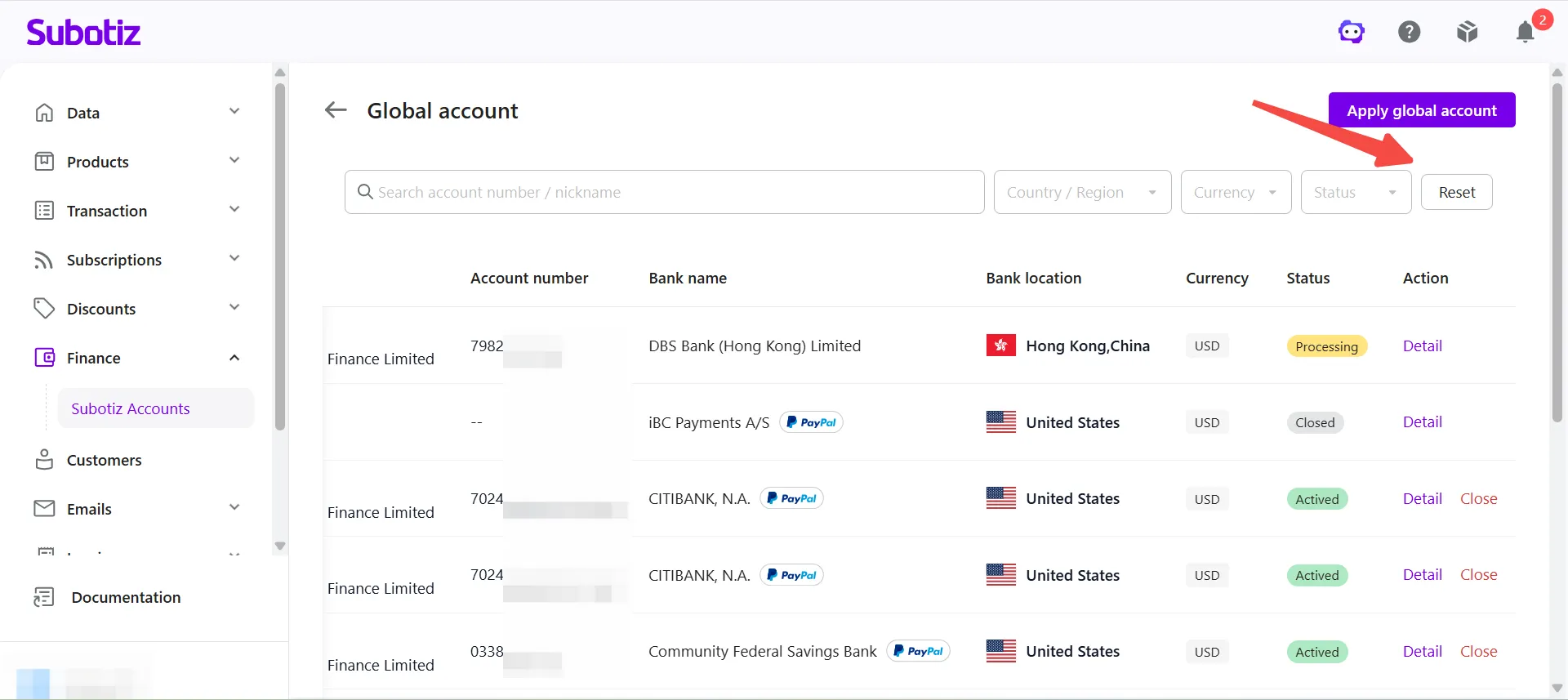
- Reset filters: Click Reset to restore the default list view.
-
Review list information: The list displays all submitted and activated Global Accounts. Each entry typically includes:
- Account number
- Bank name
- Bank location
- Currency
- Current status
- Available actions (Details, Close)
Account Details Page
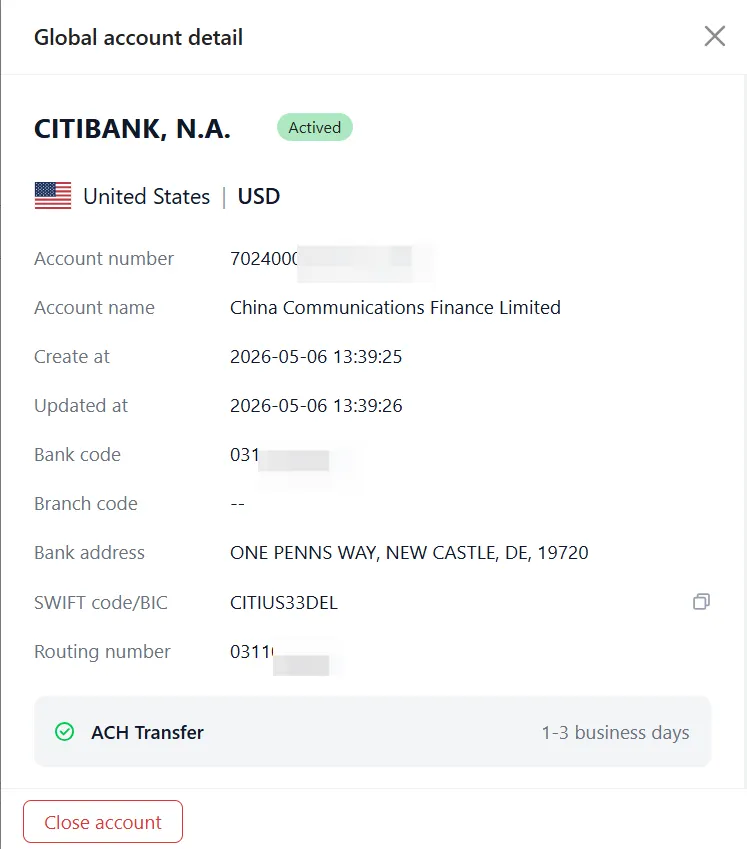
- Open the details page: Click Details next to the relevant account in the Global Accounts list.
- Review account details: Displayed information varies by account status, country or region, and partner bank. The details page typically includes:
Field |
Description |
|---|---|
Account status |
Current status — Processing, Unactivated, Activated, or Closed |
Collection details |
Account number, account name, bank code, bank address, SWIFT/BIC, and routing number (where applicable) |
Transfer methods |
Supported transfer networks and estimated arrival times — for example, ACH Transfer, International SWIFT Transfer, Domestic RTGS Transfer, or Domestic FPS Transfer |
Linked stores |
Store name, Store ID, and URL associated with the global account |
Fee information |
Account opening fees, where applicable, as shown in the dashboard |
Close a Global Account
Activated Global Accounts can be closed at any time. Before closing, confirm there are no pending or in-transit funds on the account. Once closed, the account can no longer receive funds.
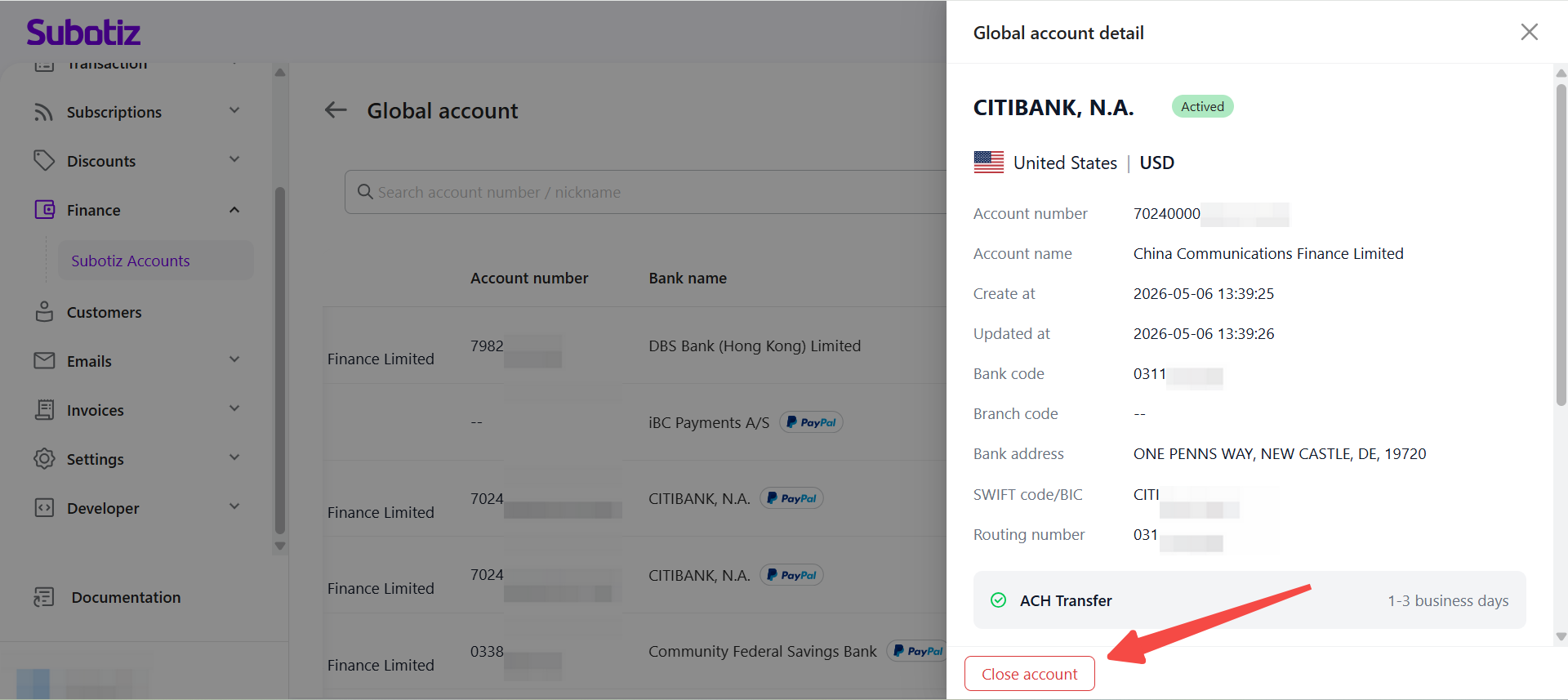
- Initiate closure: Scroll to the bottom of the account details page and click Close Account.
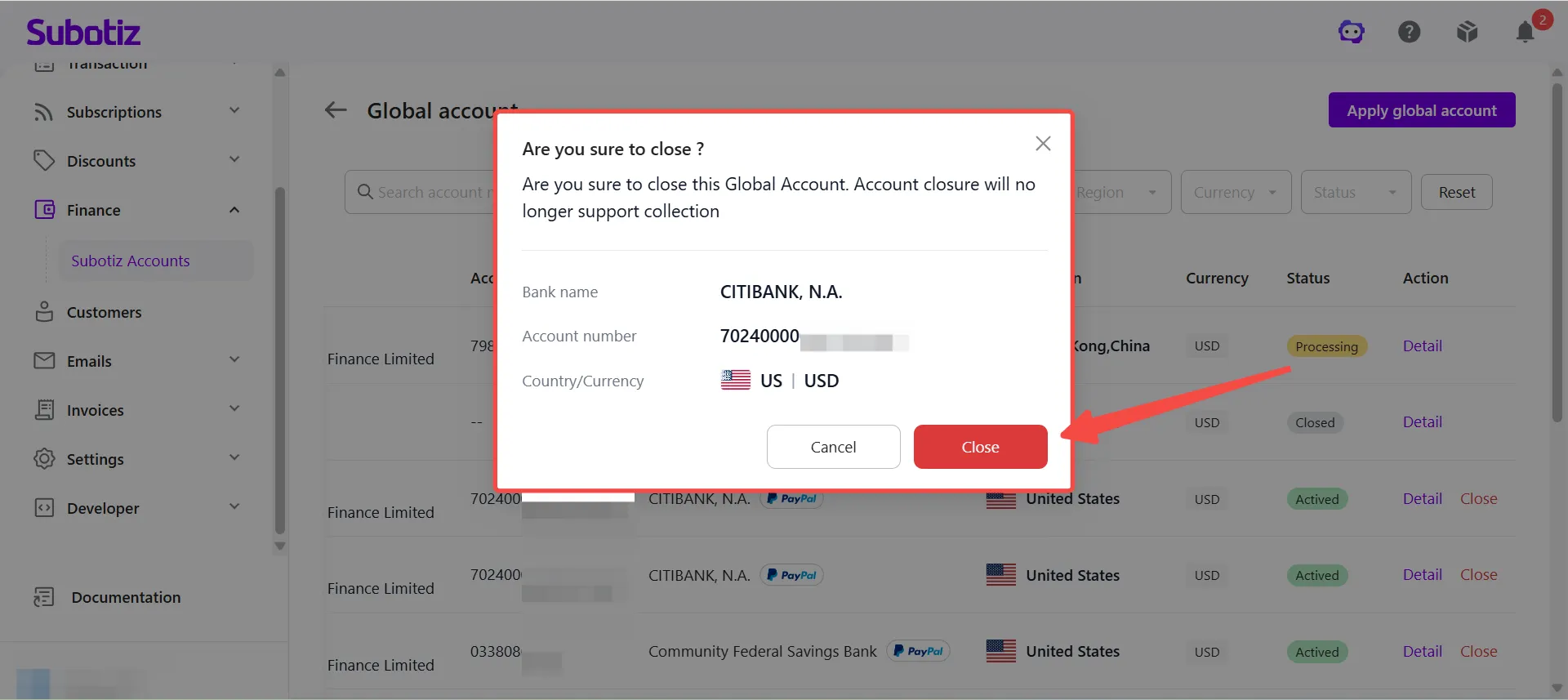
- Confirm closure: Review the account information in the confirmation prompt, then click Close. The account will stop receiving funds immediately after closure.
Important Notes
- Account details are available after a Global Account application has been submitted.
- Displayed fields vary by country or region and partner bank. Certain fields, such as Routing Number or Sort Code, are shown only for applicable account types.
- While an account is in the Processing status, some collection details may not yet be available and may appear as "--".
- Refer to the dashboard for the supported transfer methods and estimated arrival times available for your account.
- If an account remains in the Processing status for an extended period, contact your account manager for further assistance.
Global Accounts help merchants manage account status, collection details, and linked store information from a single dashboard. Search, filters, and detailed account information make it easy to manage multiple Global Accounts and close accounts that are no longer needed.