Global Accounts can be applied for and managed directly from the Subotiz Accounts dashboard. After your Subotiz Accounts application is approved, you can apply for additional Global Accounts in different currencies to support cross-border collections. Each store supports a maximum of five Global Accounts. Available countries or regions, currencies, and partner banks are based on the options displayed in the dashboard at the time of application.
Before Applying
- Account status: The Subotiz Accounts application must be completed and approved.
- Account limit: The store must have fewer than five active Global accounts.
For merchants using Subotiz Payments, the first Global Account may be opened automatically during onboarding. You can still apply for additional Global Accounts through the dashboard.
Apply for a Global Account
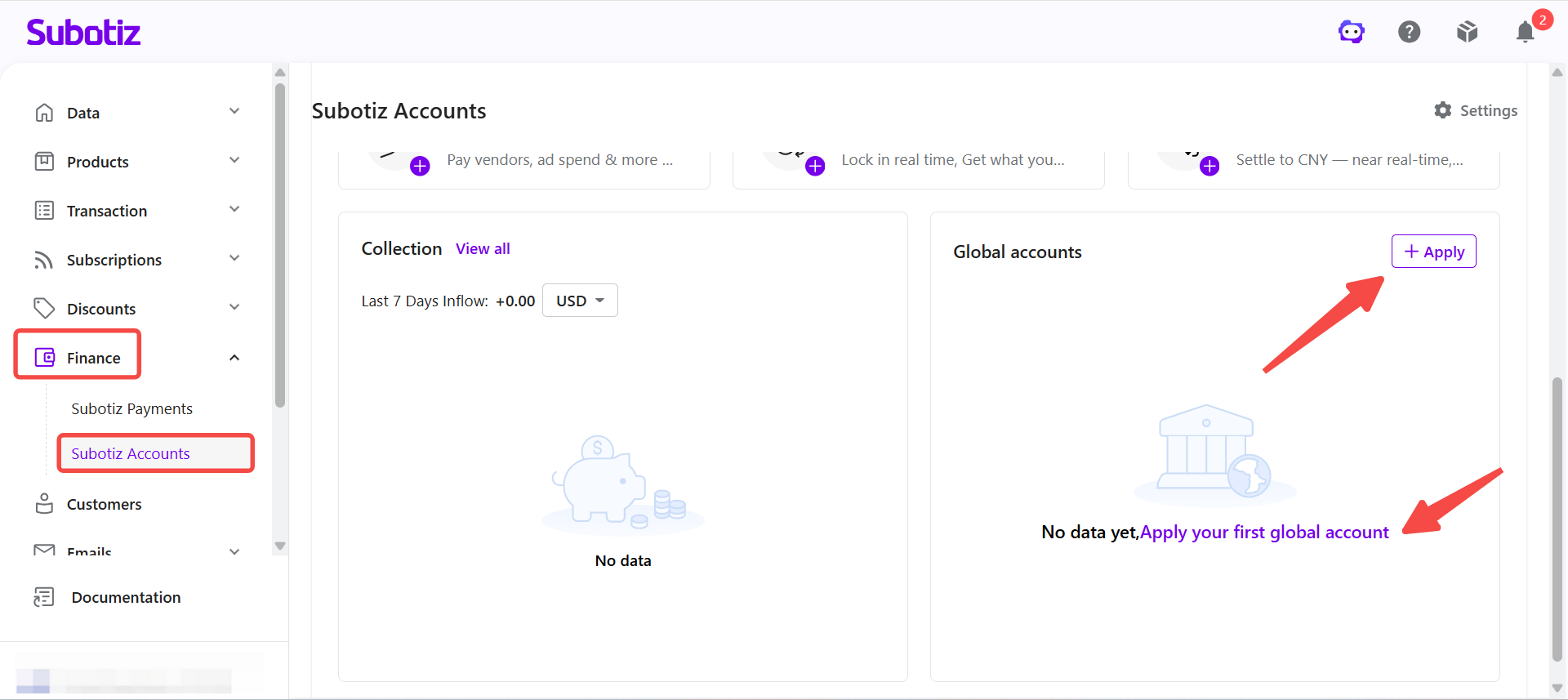
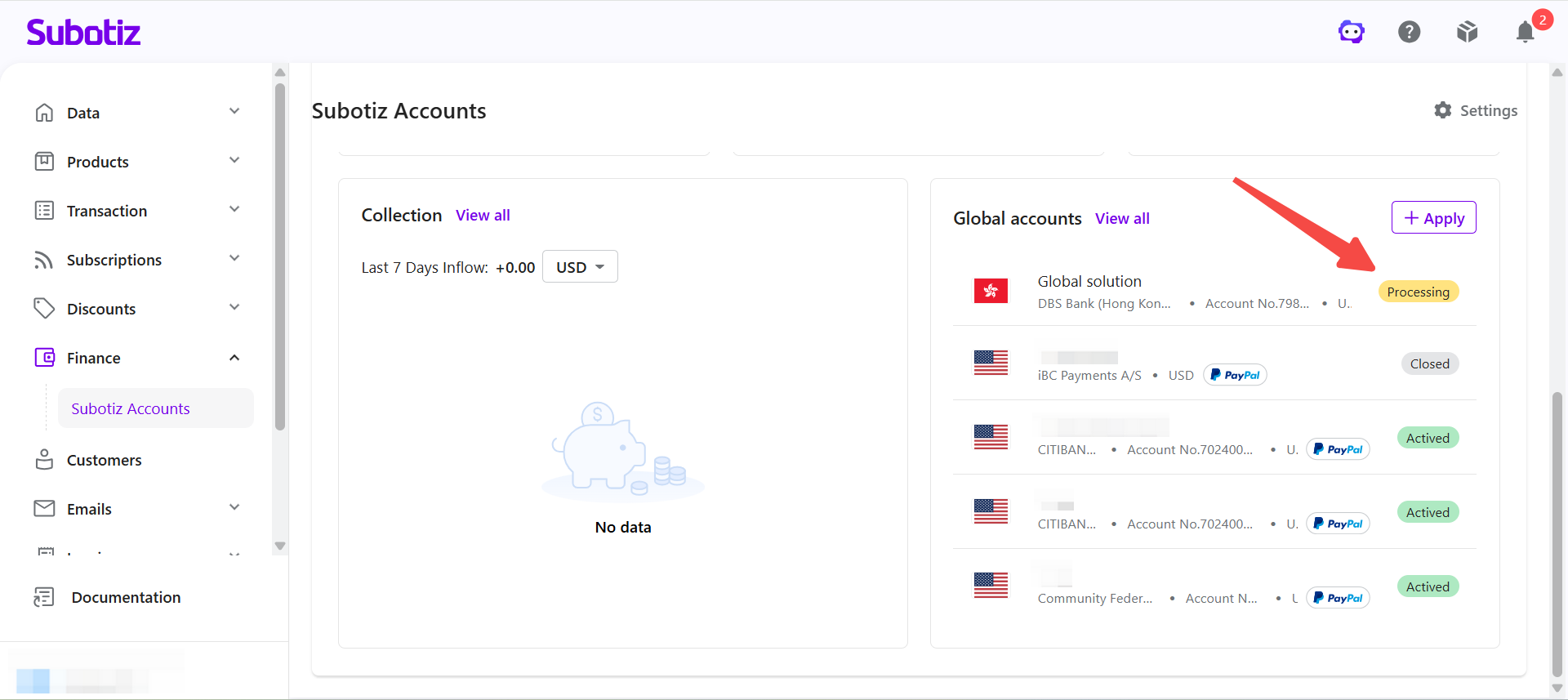
- Open the application page. Go to Finance > Subotiz Accounts. In the Global Accounts section on the right, click Apply.
-
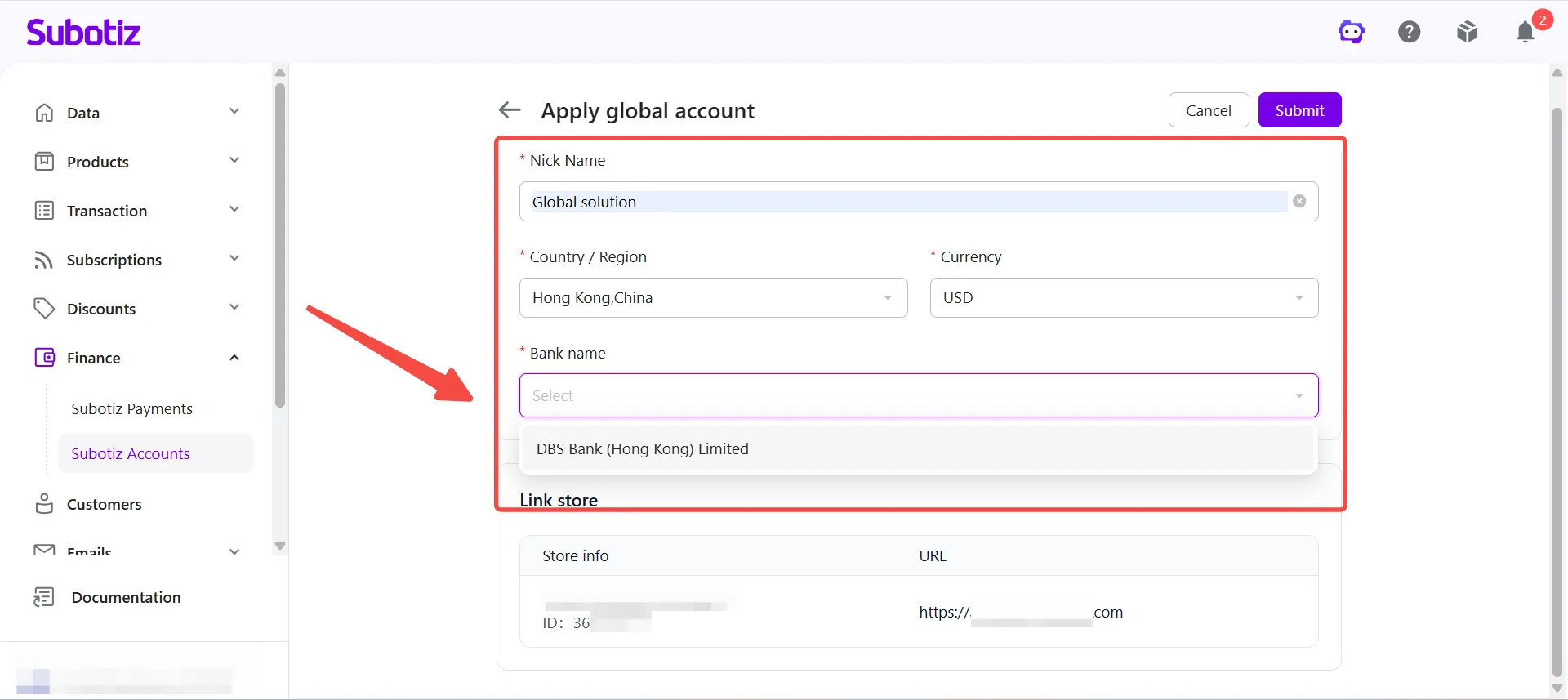
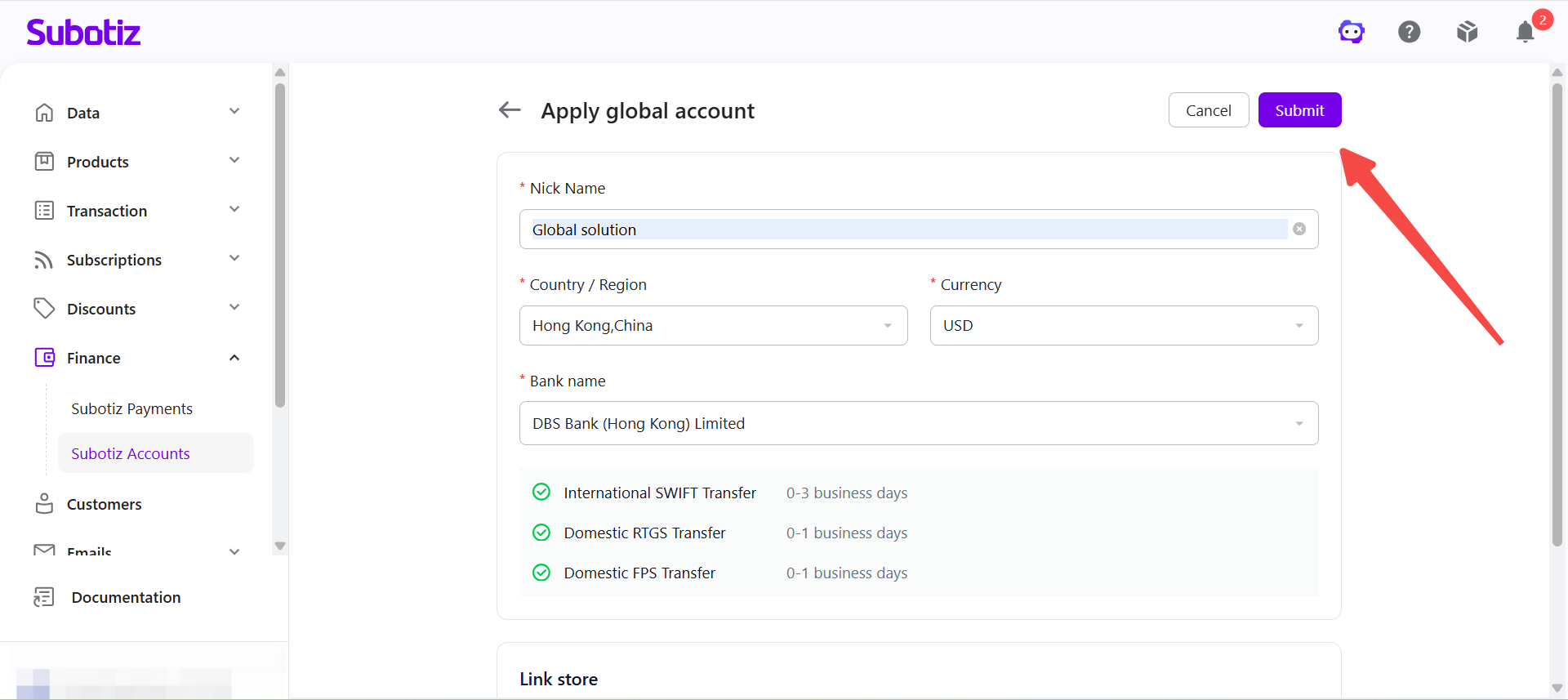
Fill in the application details. Complete the following fields:
- Nickname
- Country or region
- Currency
- Bank name
Based on the selected country or region, the system automatically displays the available currencies and partner banks.
Country / Region |
Available Currencies |
Example Partner Banks |
|---|---|---|
United States |
USD |
Citi Bank N.A., Community Federal Savings Bank |
Germany |
EUR |
Banking Circle S.A. |
United Kingdom |
GBP |
Banking Circle S.A. |
Hong Kong, China |
USD, HKD, GBP, EUR |
Standard Chartered Bank (Hong Kong) Limited, DBS Bank (Hong Kong) Limited |
Denmark |
USD |
Banking Circle S.A. |
Note: Available countries or regions, currencies, and partner banks vary by entity type, account permissions, and business scenario. The dashboard reflects the options available for each account.
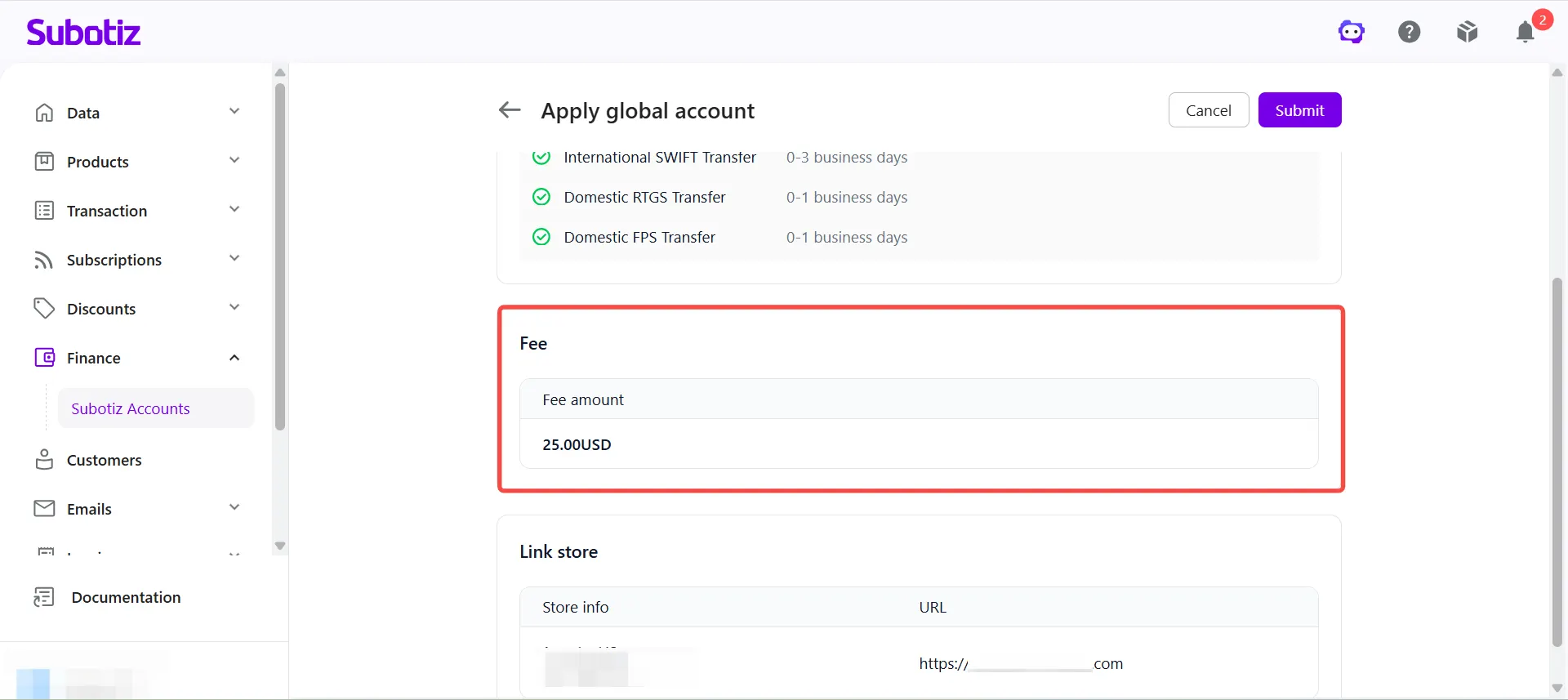
- Review the account opening fee. The dashboard displays the applicable fee based on the selected account type and partner bank. If no fee appears, no account opening fee applies. Fees vary by country or region, currency, and partner bank. Refer to the dashboard for the applicable fee.
- Confirm store information. Verify that the associated store details are correct.
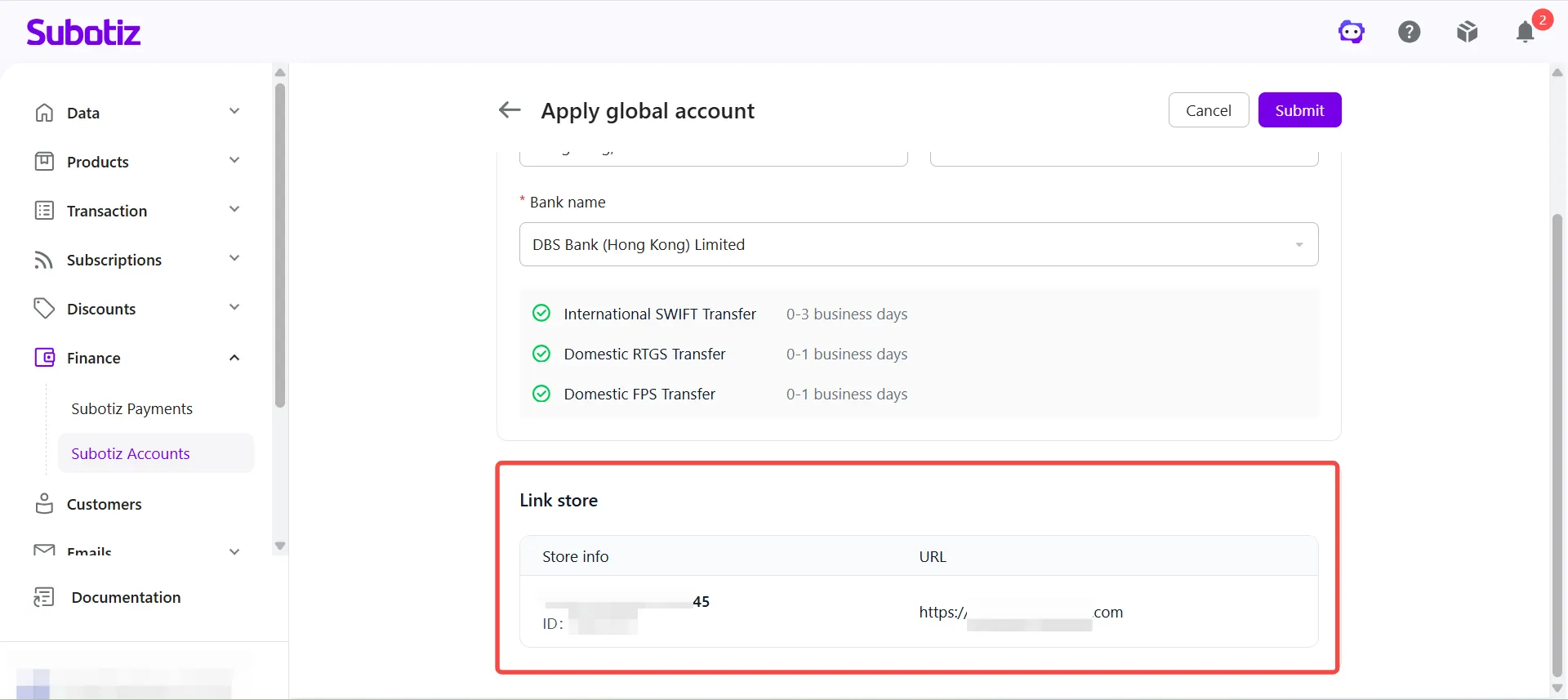
- Submit the application. Once all details and fees are confirmed, click Submit. Your application will be submitted for review.
Check Application Status
- View account status. After submitting, go to Finance > Subotiz Accounts and view the application result and current account status. For details on each status and how to manage accounts, see: Global Accounts | View and Manage Global Accounts
Important Notes
- Each store supports a maximum of five Global accounts. To apply beyond this limit, contact an account manager to confirm available options.
- Supported currencies, banks, and account types vary by entity type and account configuration.
- Merchants whose first Global account was opened automatically can still apply for additional Global Accounts in other supported currencies.
- After submitting, monitor the dashboard for status updates on account activation.
Once your Global Account is activated, you can receive cross-border collections in the corresponding currency. Funds are automatically credited to your Subotiz Accounts balance and are immediately available for foreign exchange, global payouts, and CNY settlement.