Subotiz Accounts supports two entity types: enterprise and personal. Once approved, merchants can access global accounts, cross-border collections, foreign exchange, global payouts, CNY settlement, and virtual cards. Personal applications are available to residents of Mainland China only.
Before You Apply
Prepare the following before submitting an application:
- Supported file formats: JPG, JPEG, PNG, HEIC, and PDF. Each file must not exceed 10 MB.
- Entity name consistency: The applicant entity name must exactly match the business registration records, bank account records, and acquiring institution records to help avoid review delays or requests for additional documentation.
Start an Application
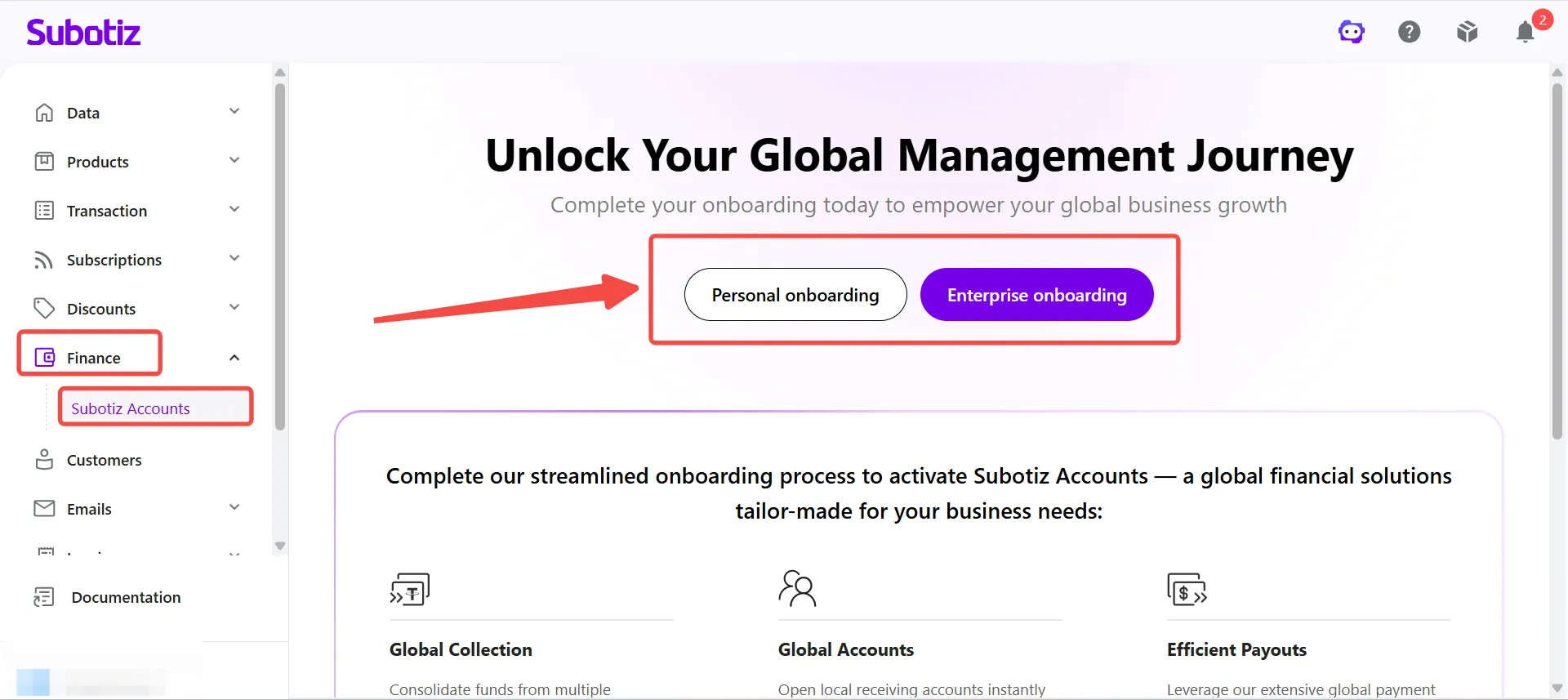
- Open the application page: Sign in to the Subotiz Admin, go to Finance > Subotiz Accounts, then select Enterprise Onboarding or Personal Onboarding based on your entity type.
Enterprise Application
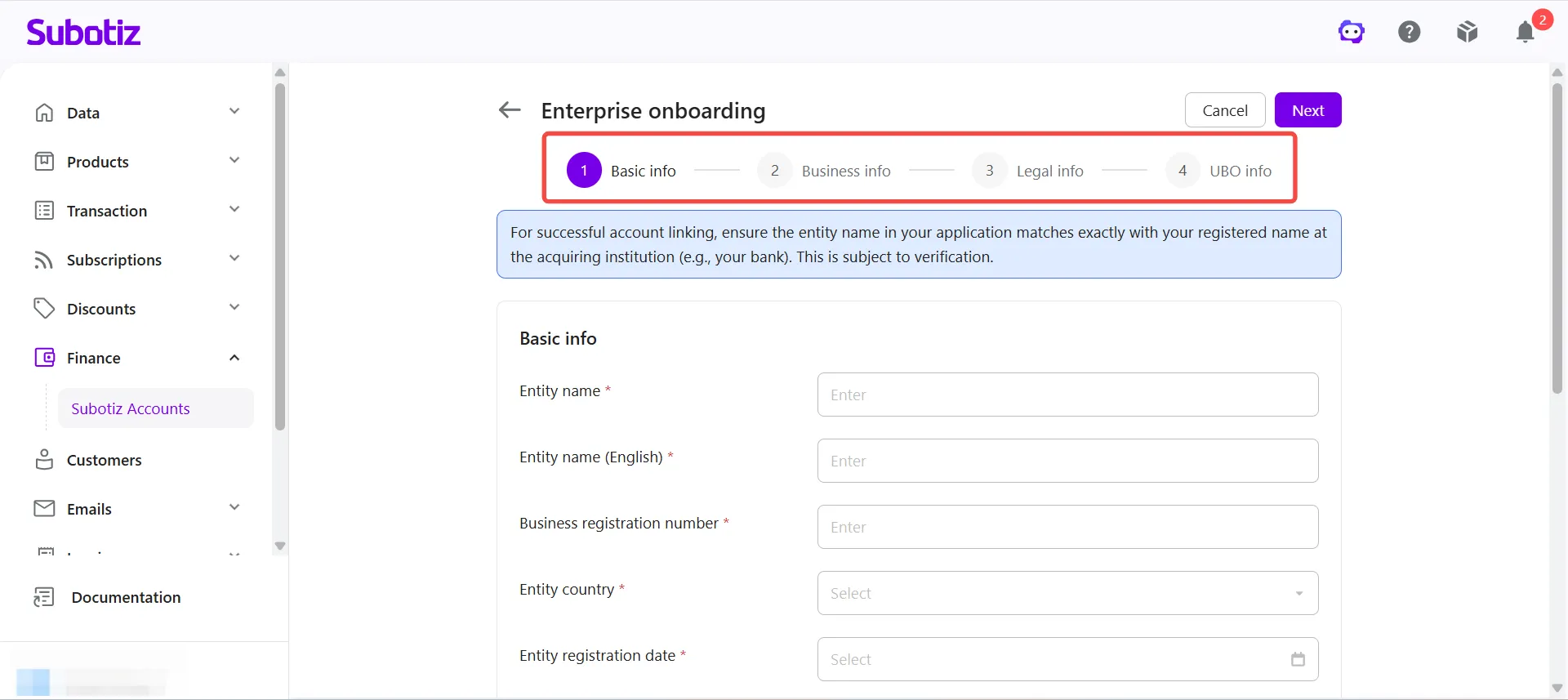
An enterprise application consists of four steps. Complete all required information, accept the relevant agreements, and submit the application for review.
Business Information
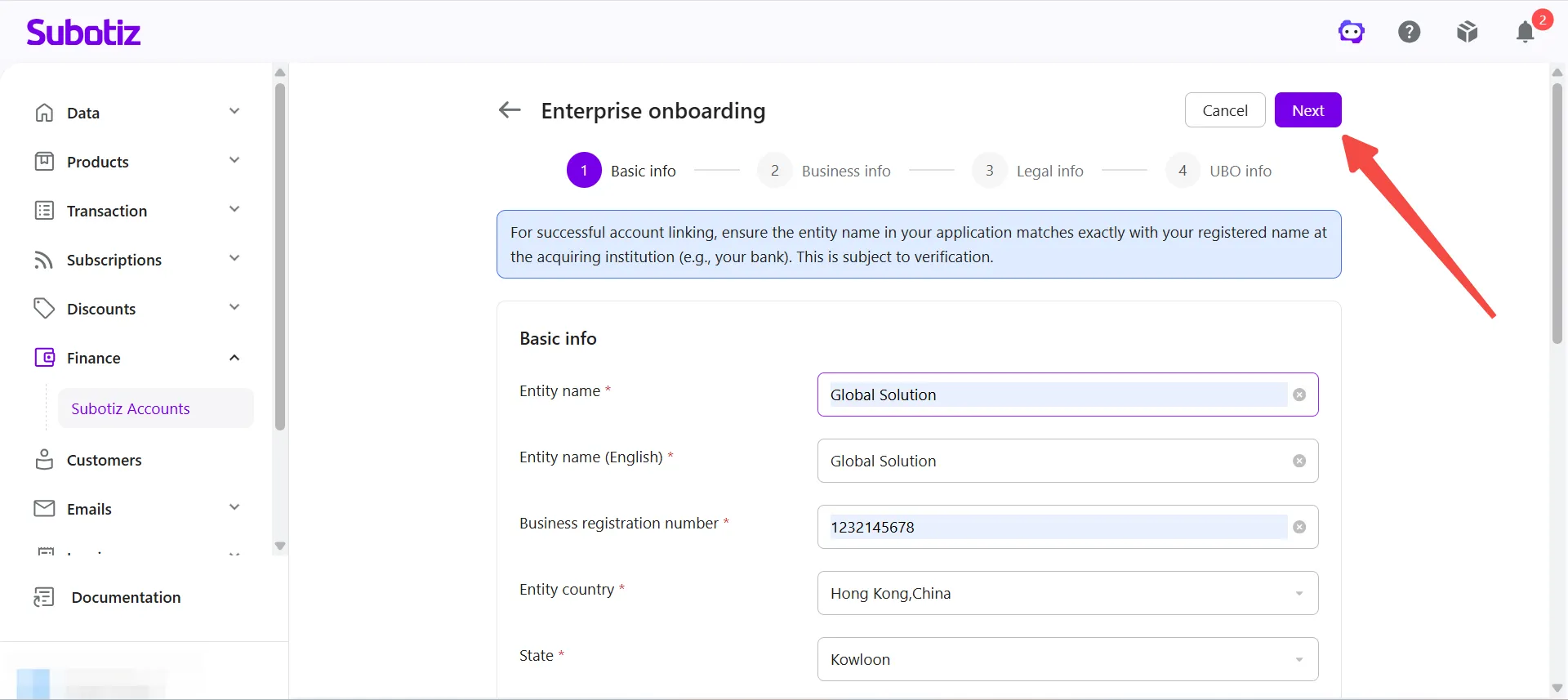
- Enter business information: Provide the registered entity name and English name, company registration number, country or region of registration, province/state, primary operating currency, and contact information. Confirm that the registered business address matches the submitted documentation.
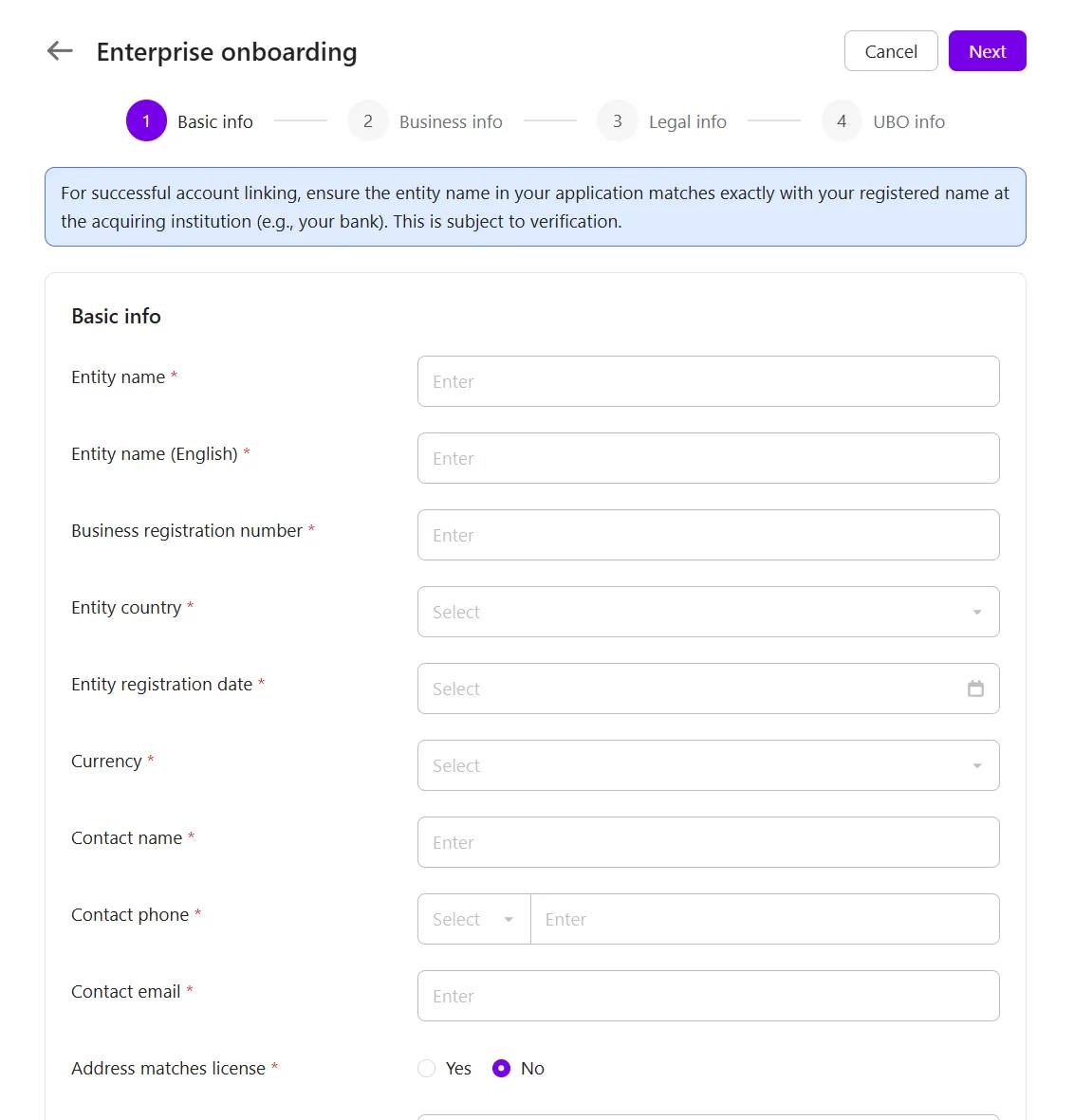
- Upload business verification documents: Upload the required business documents as prompted. Requirements vary by country or region, business type, and registration status. Additional supporting documents may be requested.Examples include:
- Business registration certificate
- Business license or operating permit
- Documentation for the legal representative or company director
- Storefront or merchant dashboard screenshots
- Other documents required for KYC verification
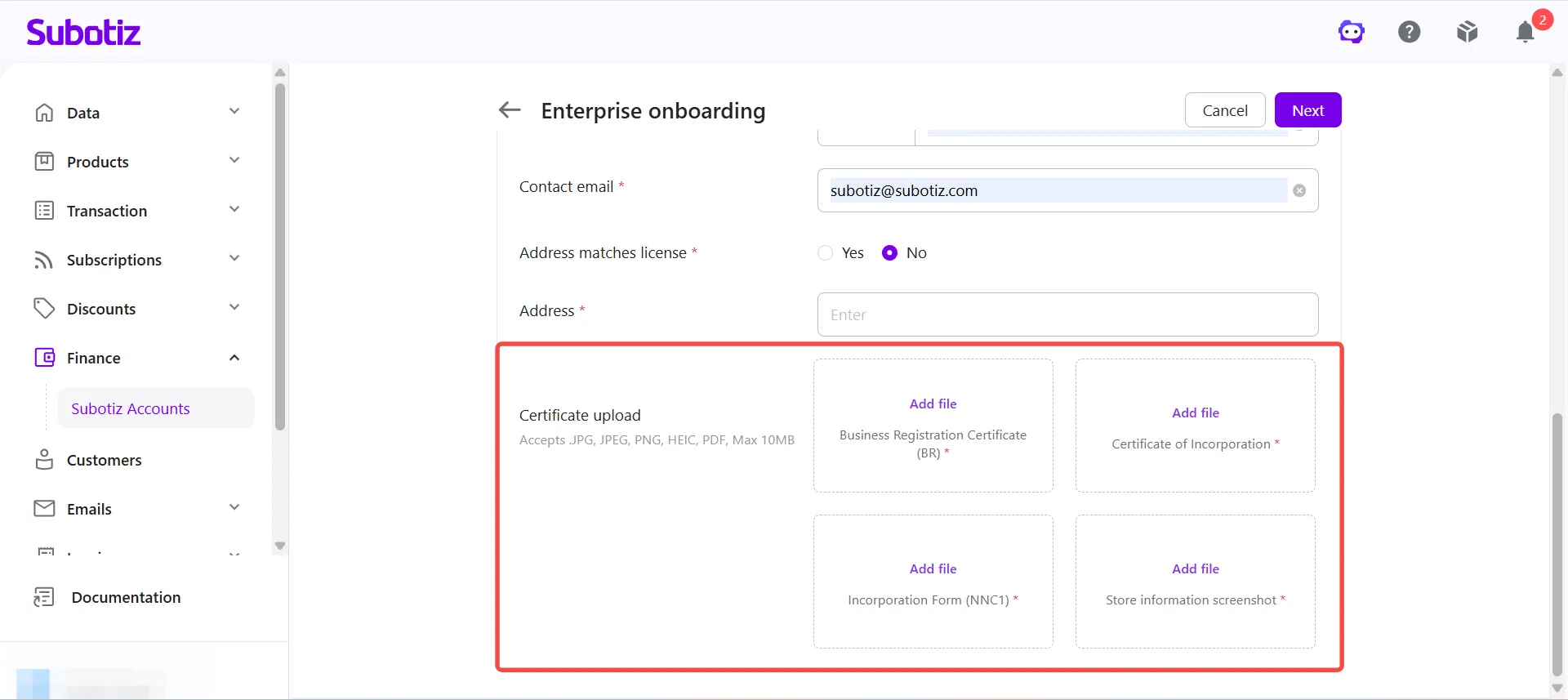
- Proceed to the next step: Click Next in the upper-right corner.
Business Operations Information
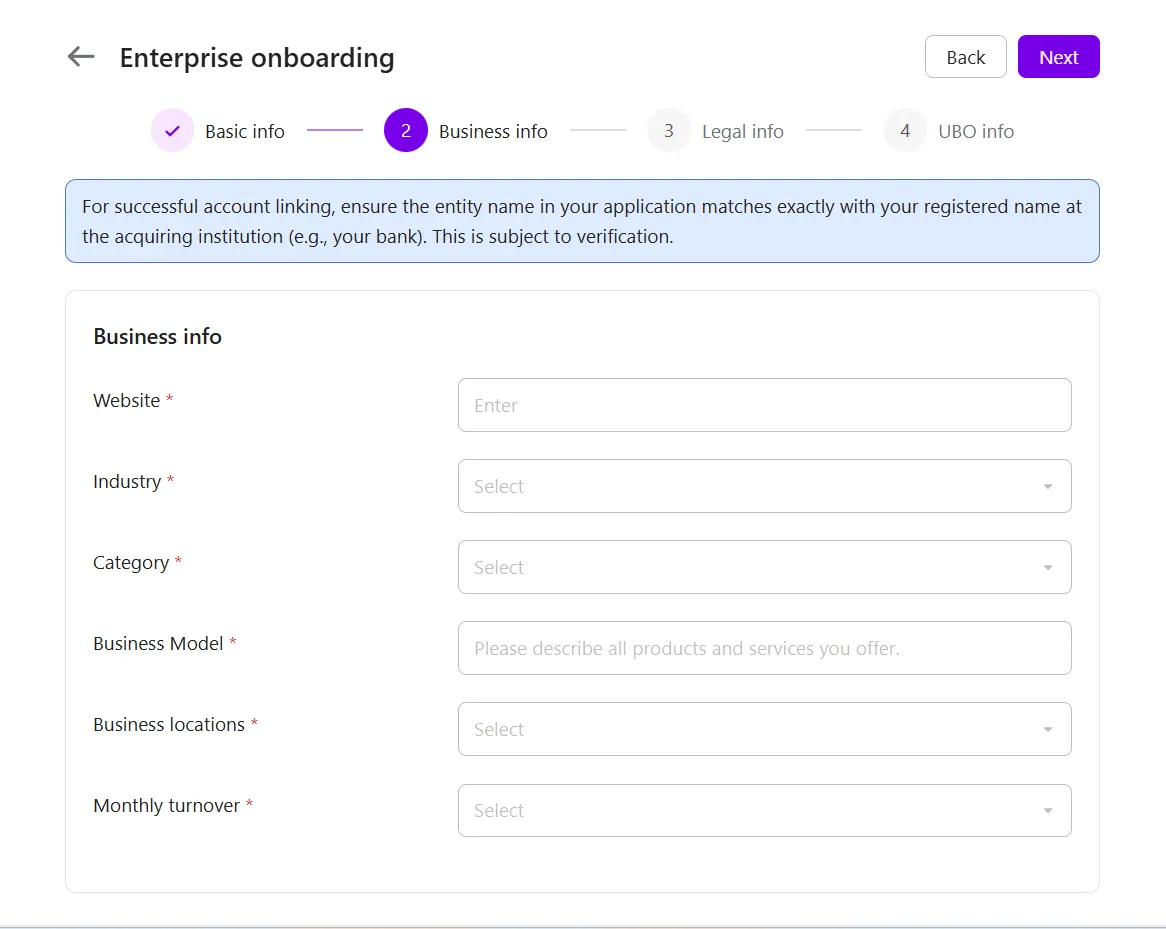
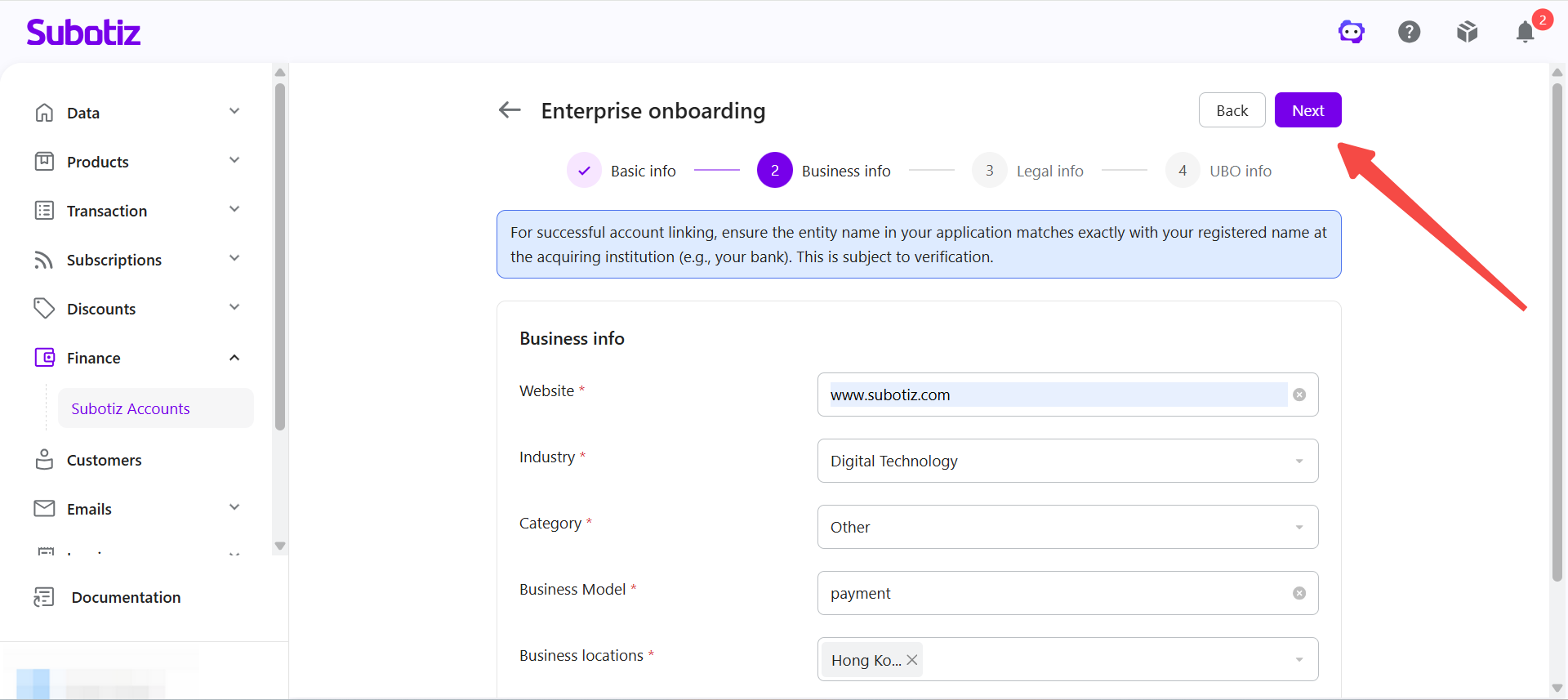
- Enter business operations information: Provide the company website or store URL, then select the industry, business model, primary sales countries or regions, and estimated monthly revenue.
- Proceed to the next step: Click Next.
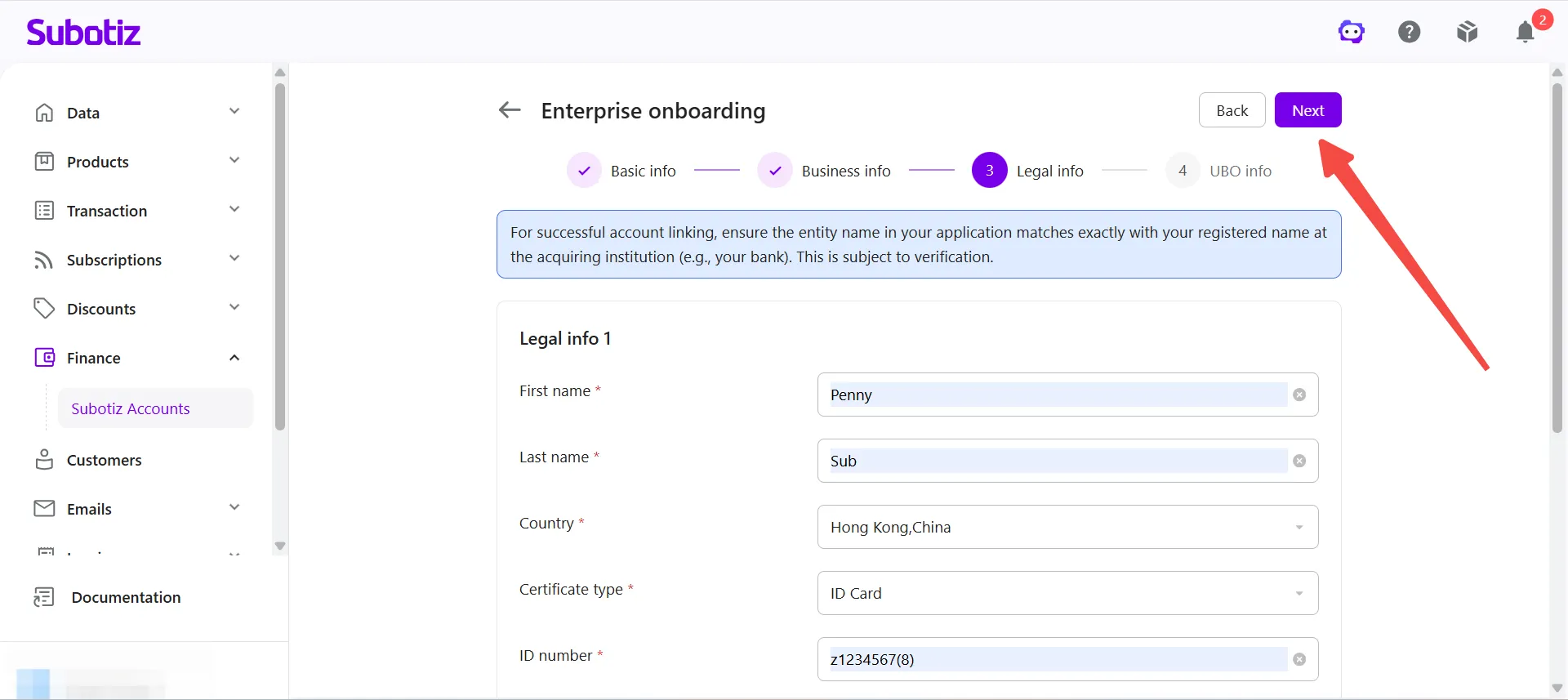
Legal Representative Information
- Enter legal representative information: Provide the legal representative's full name, nationality, ID type, ID number, and registered address. Indicate whether the legal representative is also the ultimate beneficial owner.
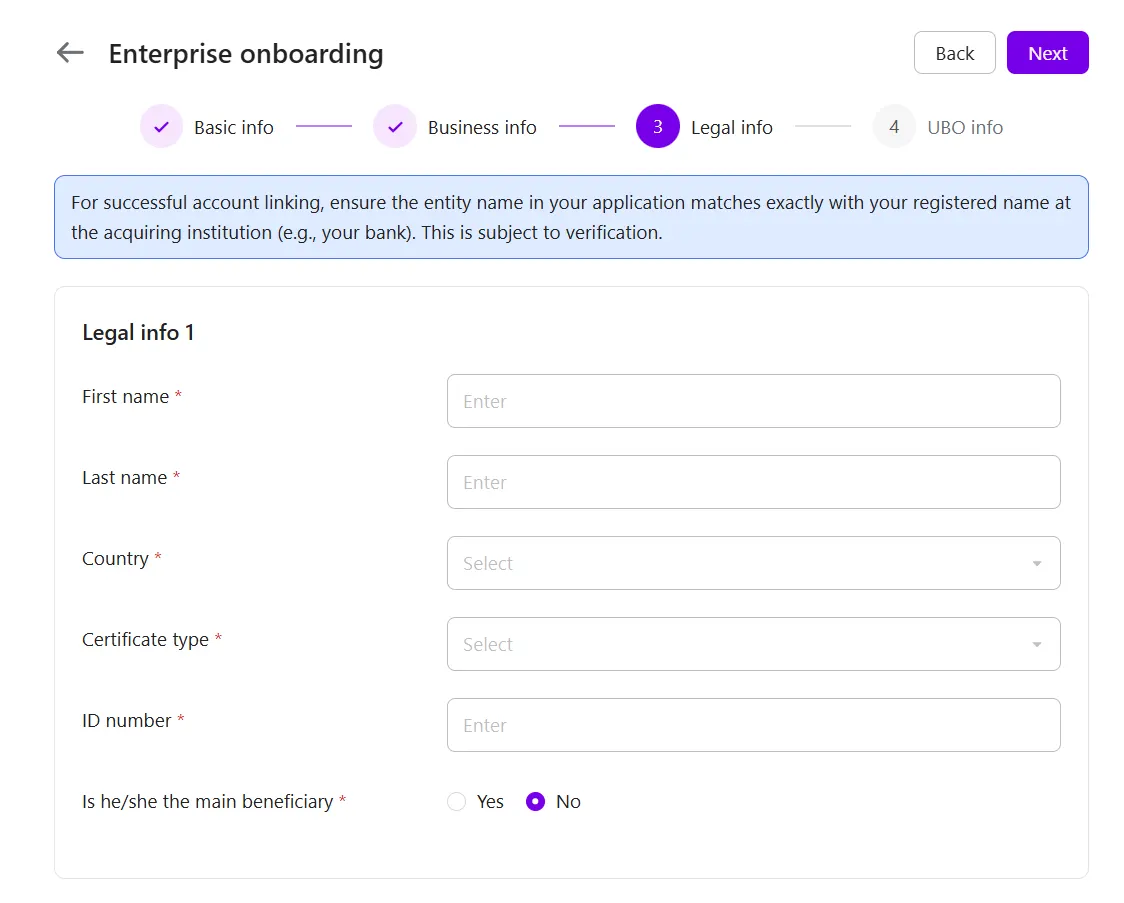
- Upload identity documentation: Upload a government-issued ID (front and back) or a passport.
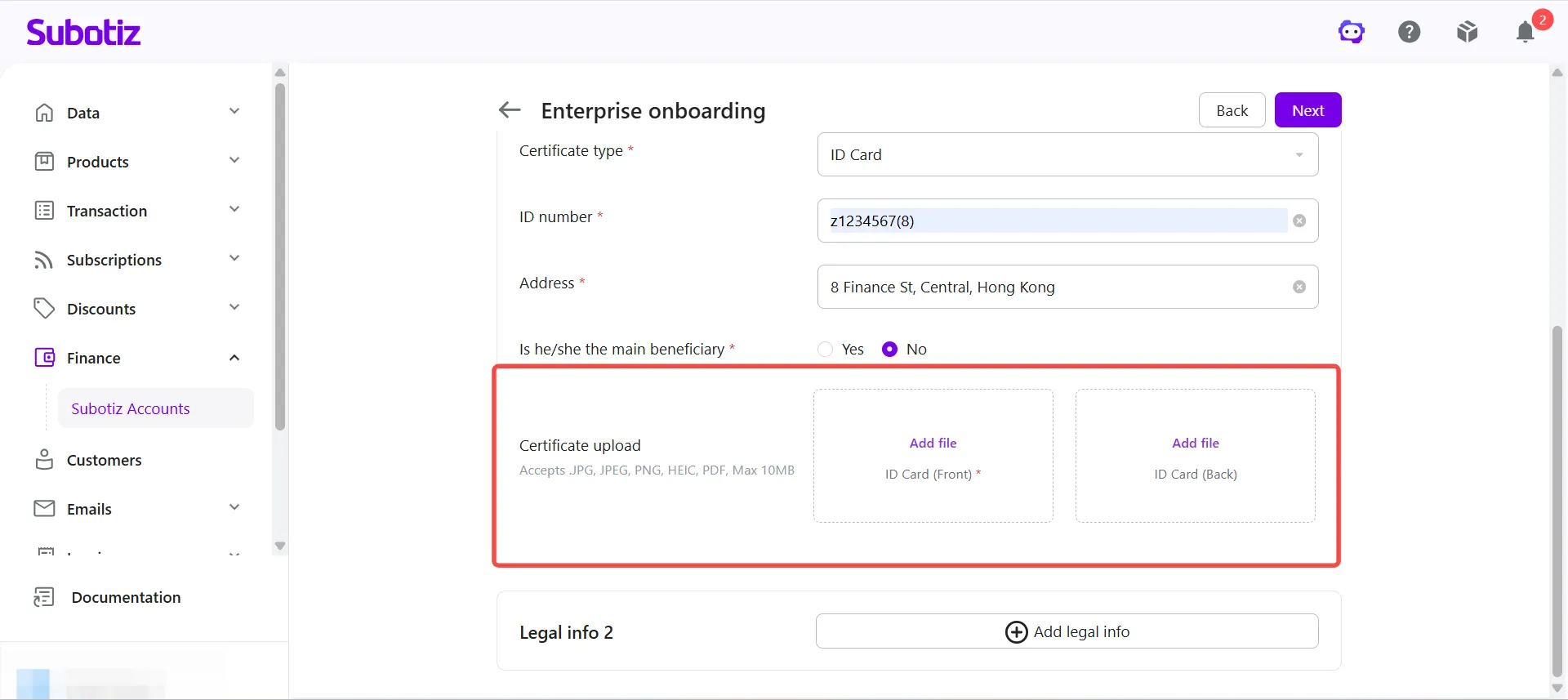
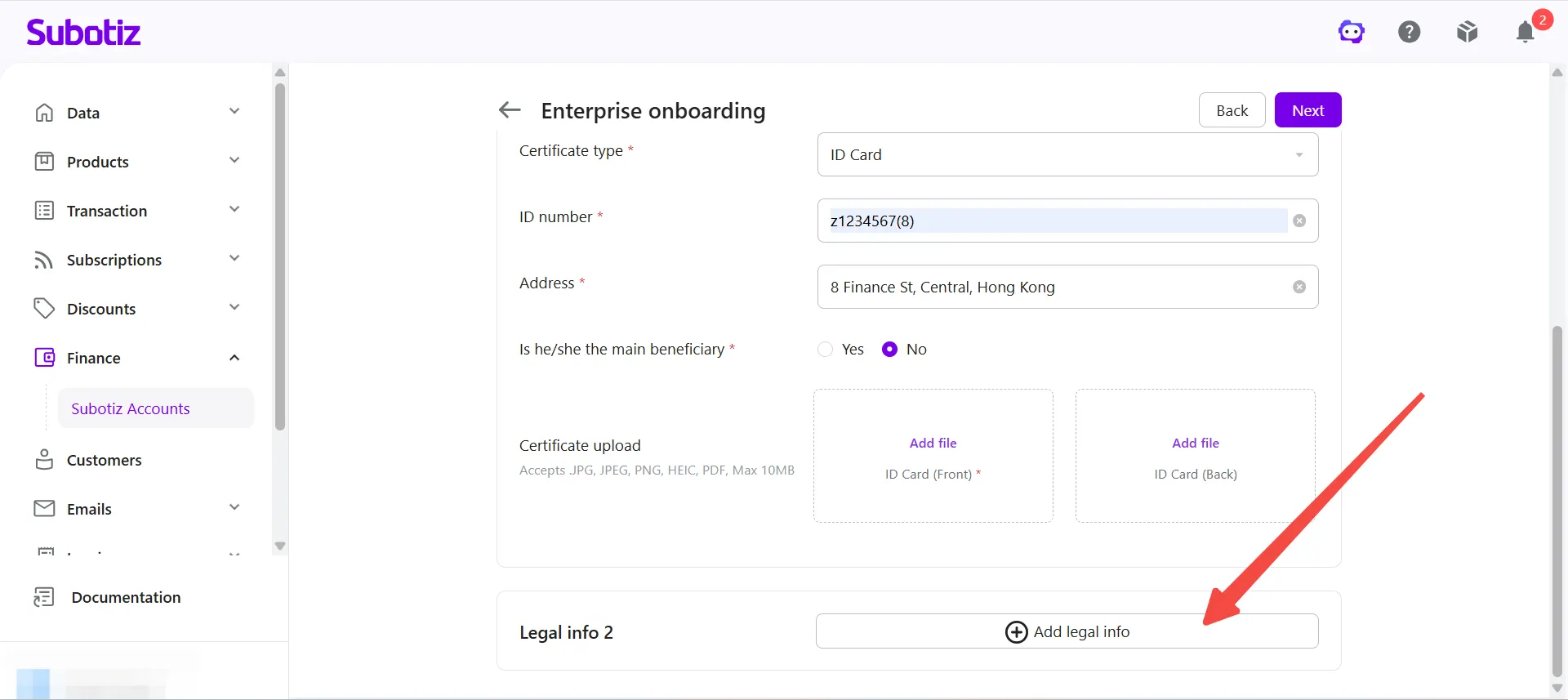
- Add additional legal representatives (if applicable): If the business has multiple legal representatives, click Add Legal Representative. You can add up to three legal representatives.
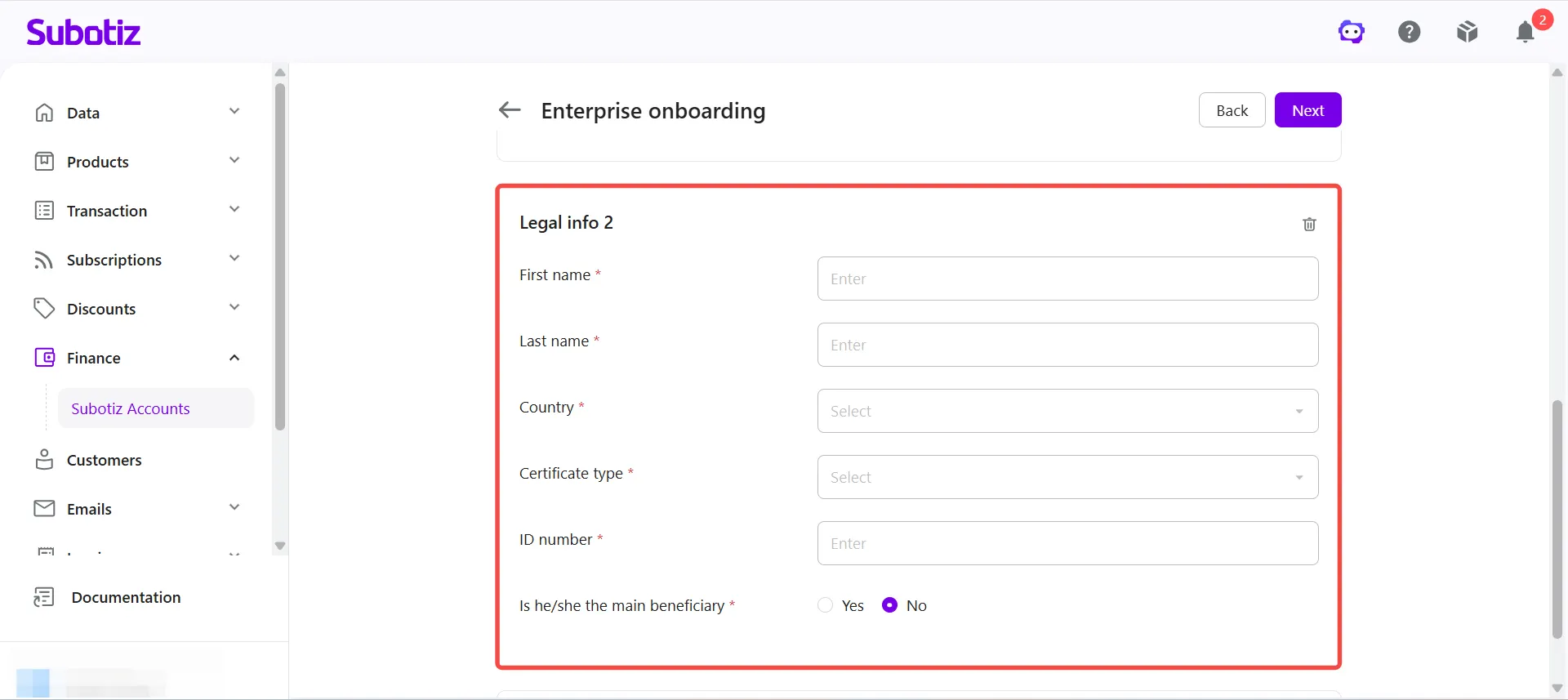
- Proceed to the next step: Click Next.
Beneficial Owner Information
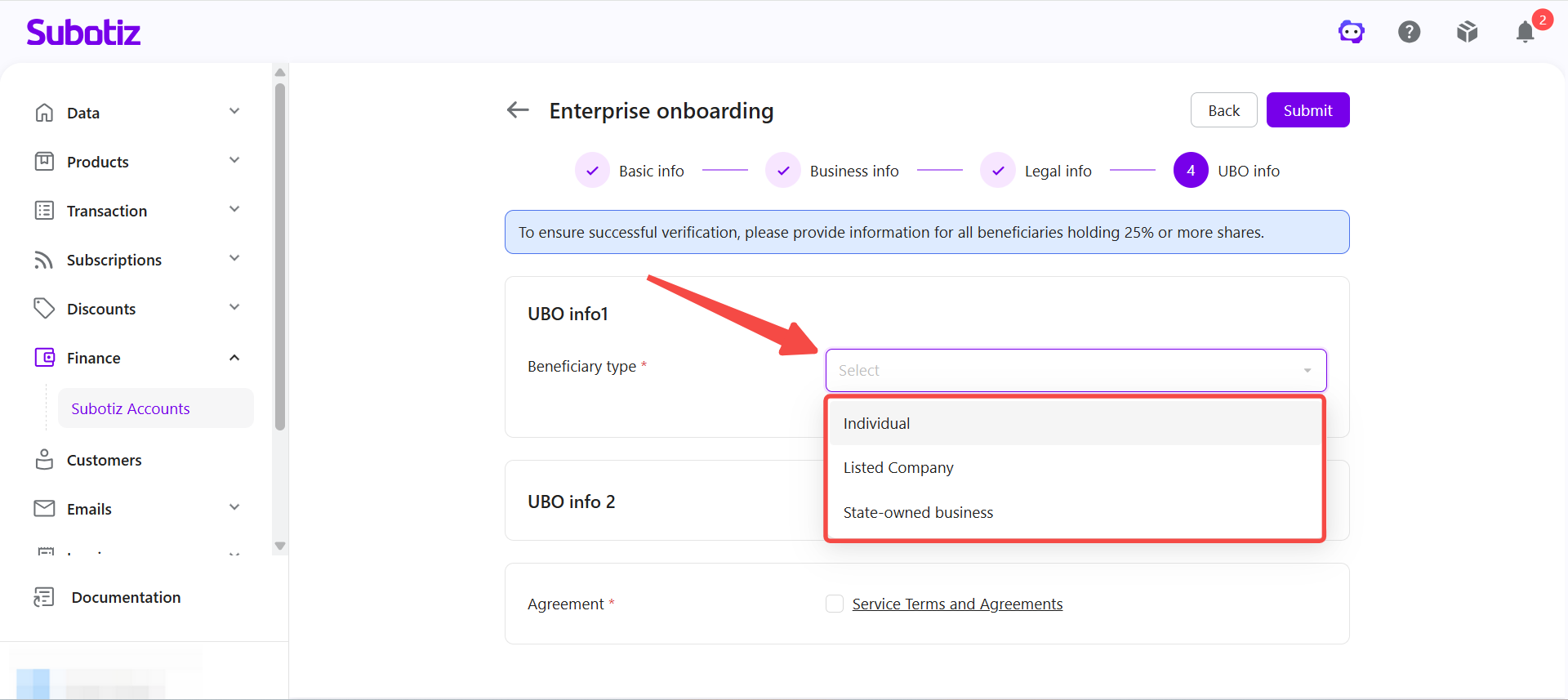
To comply with KYC requirements, businesses must provide information for all ultimate beneficial owners who own 25% or more of the company.
- Select the beneficial owner type: Choose Individual, Listed Company, or State-owned Business.
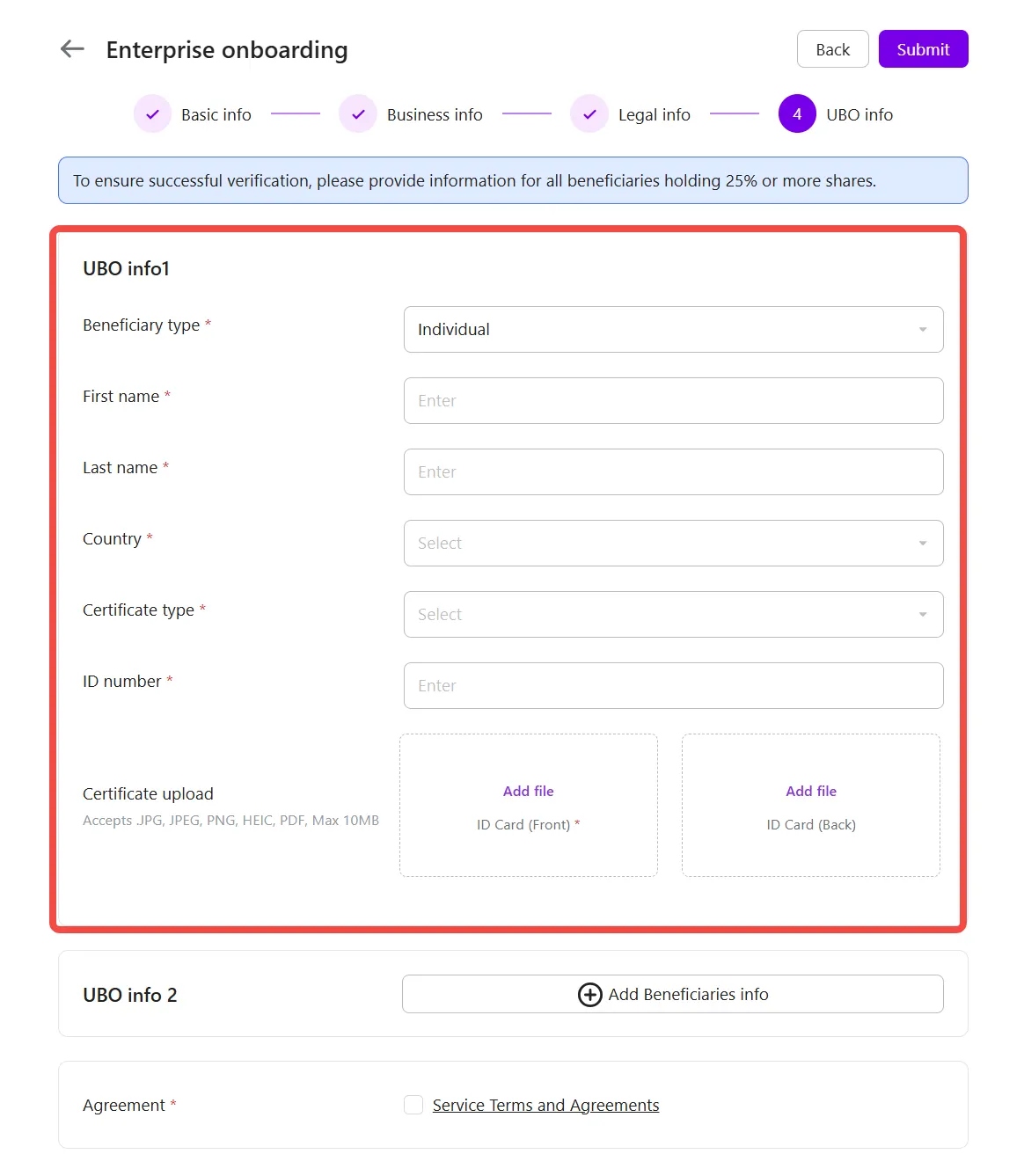
- Enter beneficial owner information: Provide the required information based on the selected beneficial owner type, then upload the corresponding supporting documents.
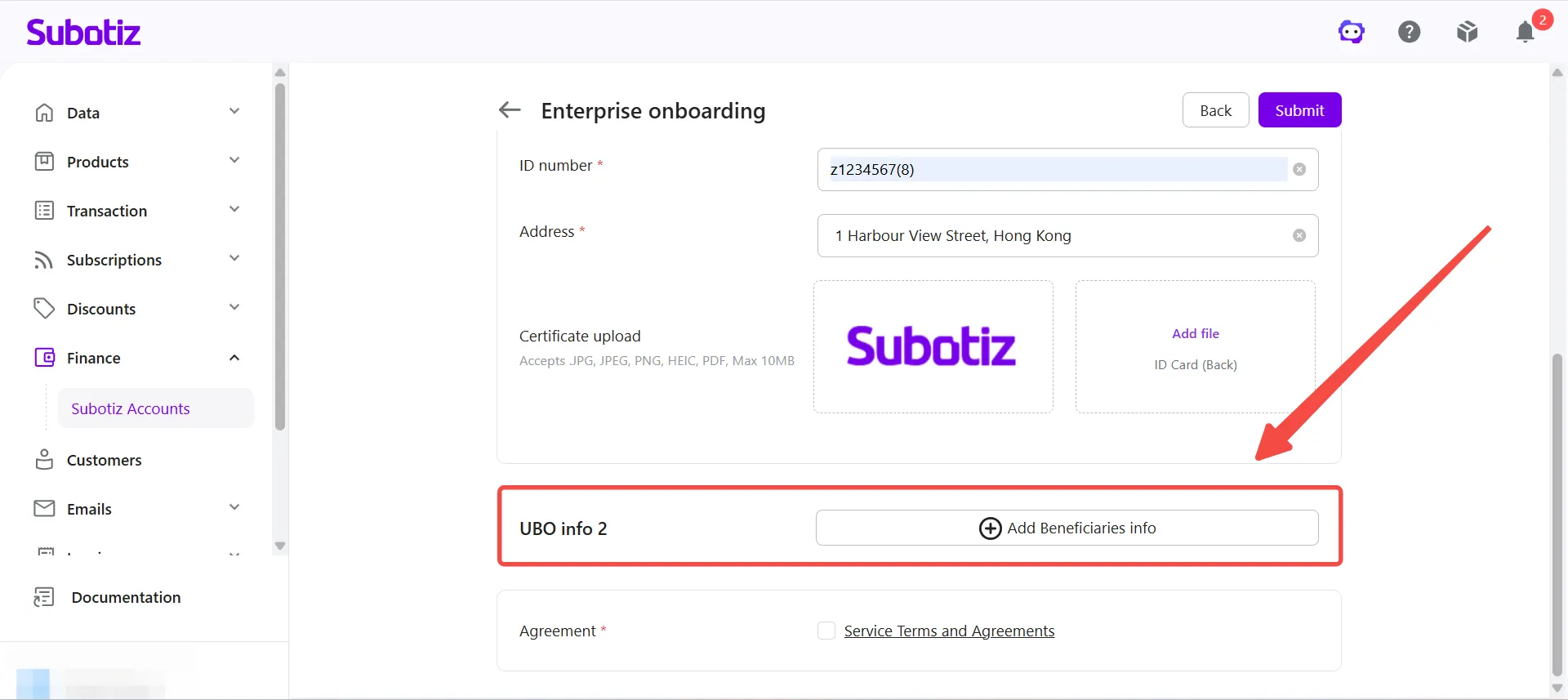
- Add additional beneficial owners (if applicable): If multiple ultimate beneficial owners meet the ownership requirement, click Add Beneficiaries info to continue.
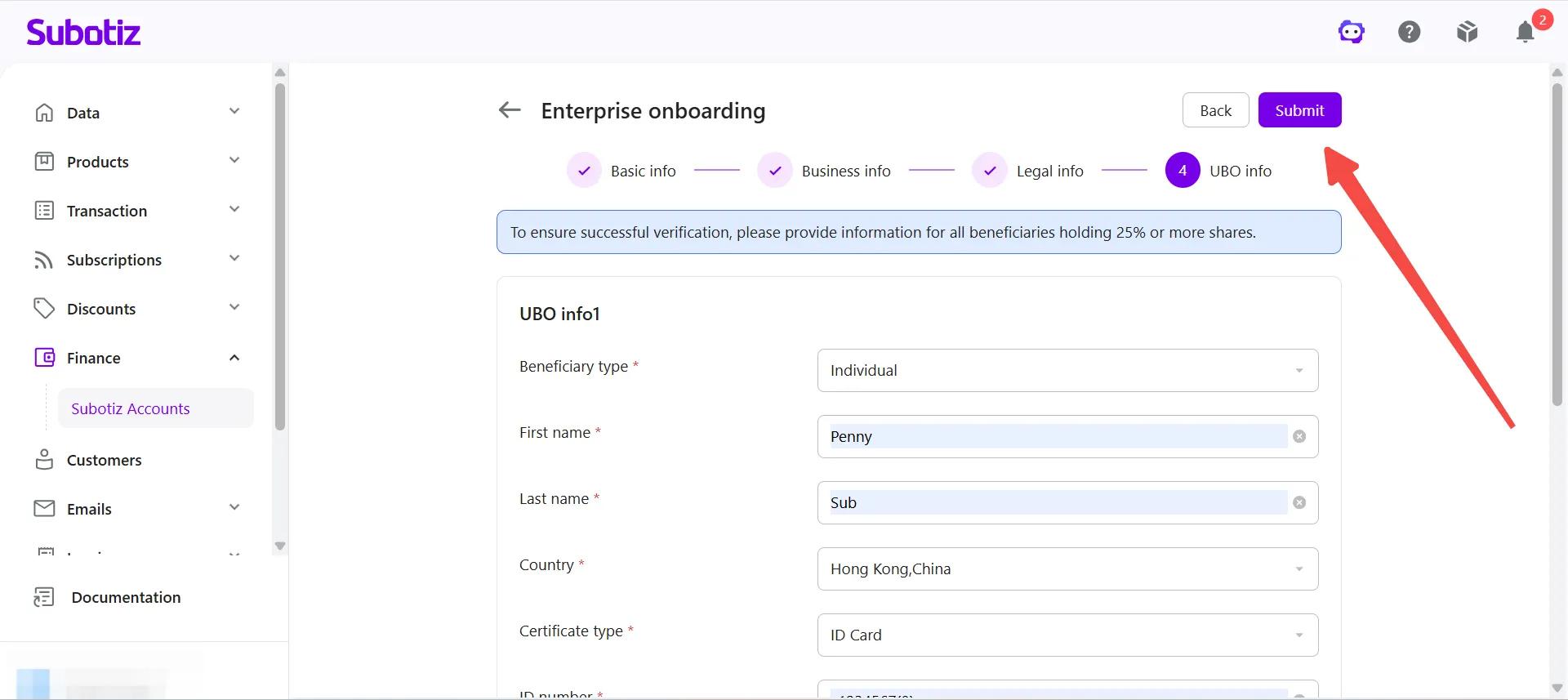
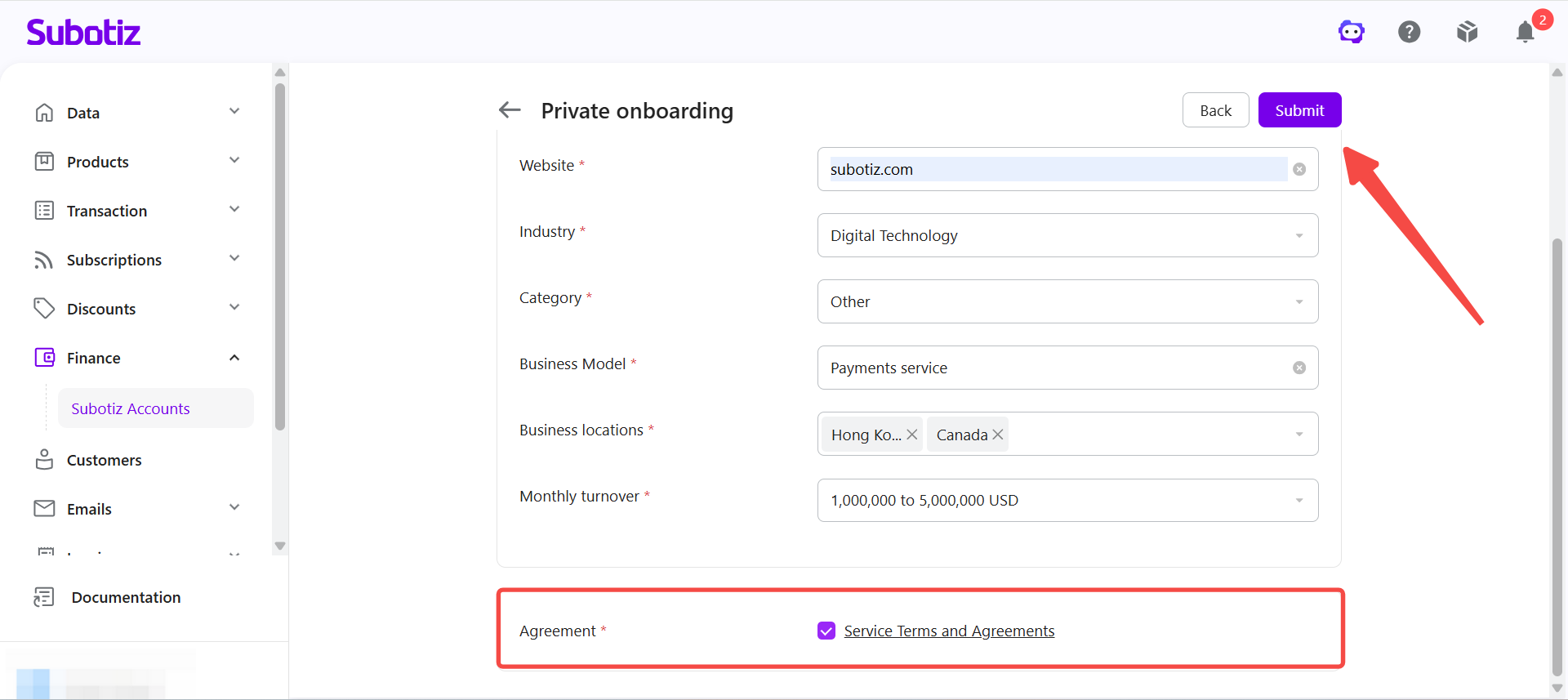
- Submit the application: Review and accept the relevant agreements, then click Submit to complete the enterprise application.
Personal Application (Mainland China Only)
A personal application consists of two steps.
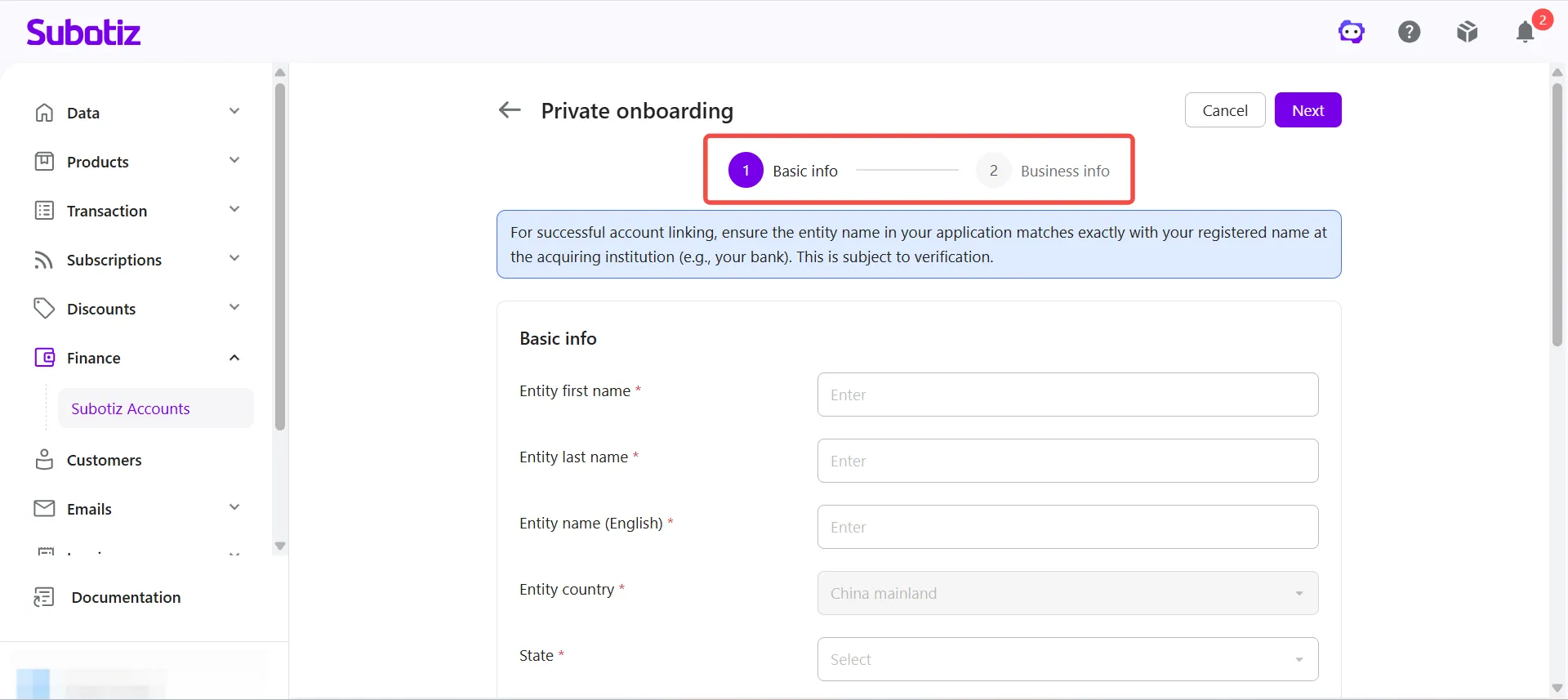
Basic Information
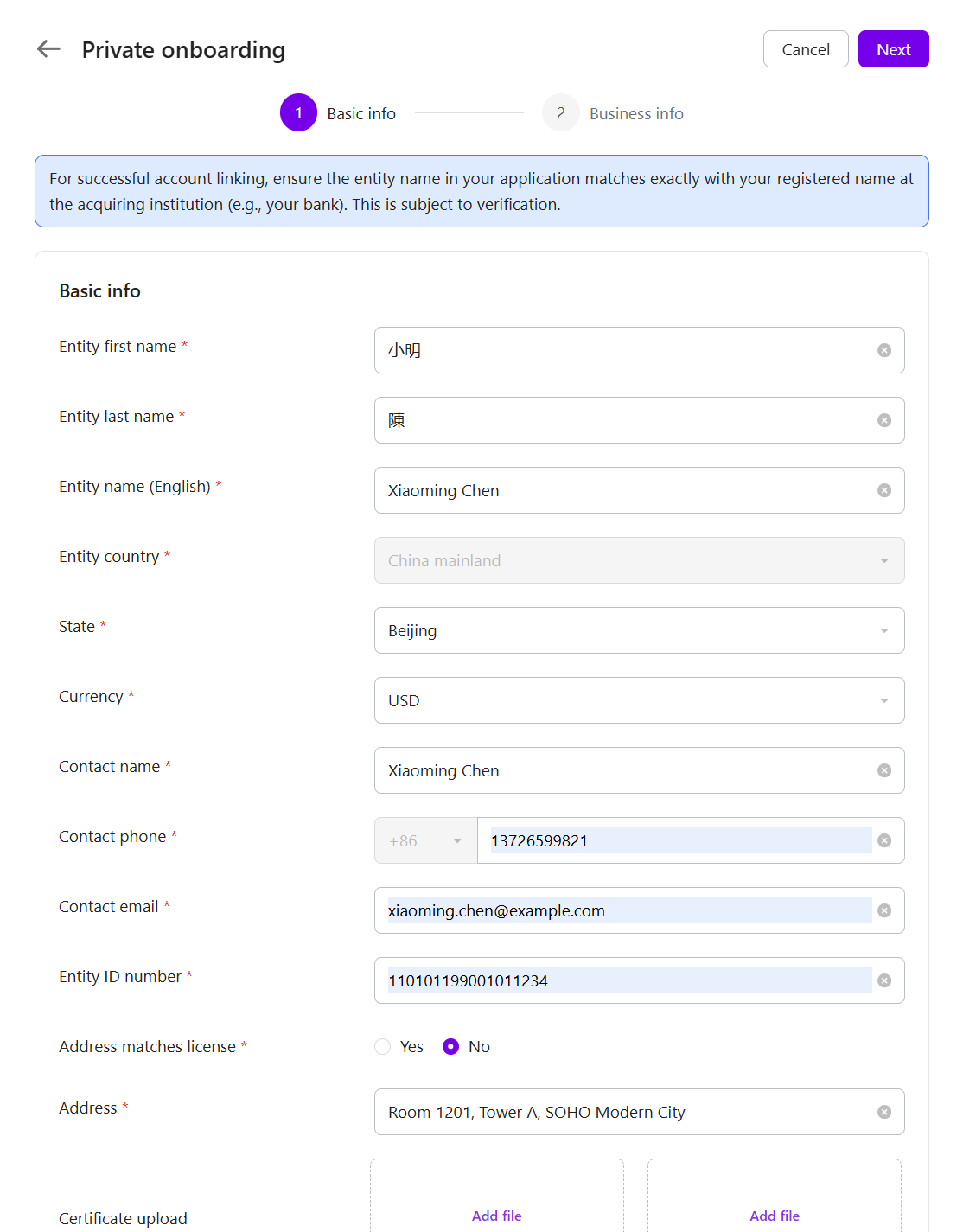
- Enter personal information: Provide your legal name, English name, national ID number, phone number, email address, residential address, province/state, and primary operating currency. Make sure the address matches the information on your identity document.
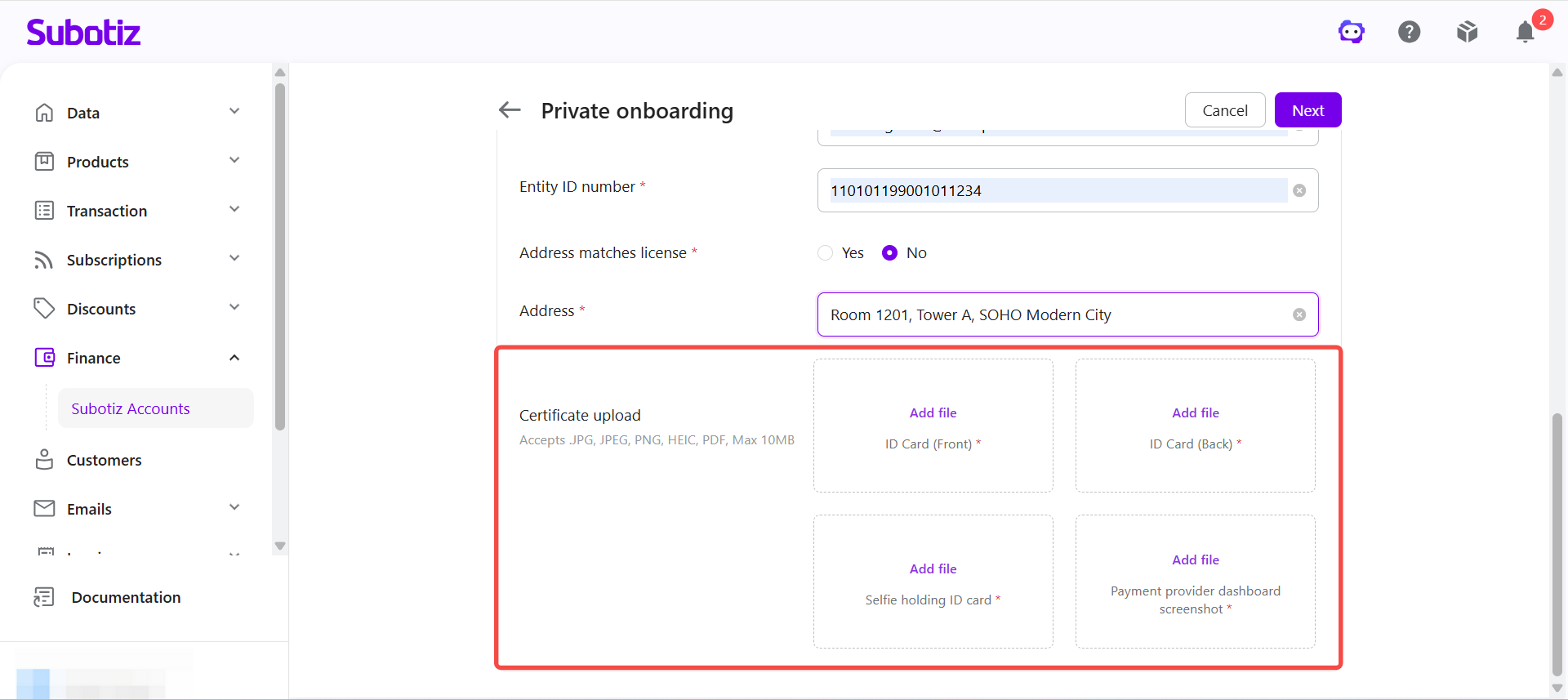
- Upload identity documentation: Upload the required identity documents, including front and back images of the national ID, a photo of the applicant holding the ID, and a screenshot of the acquiring institution dashboard.
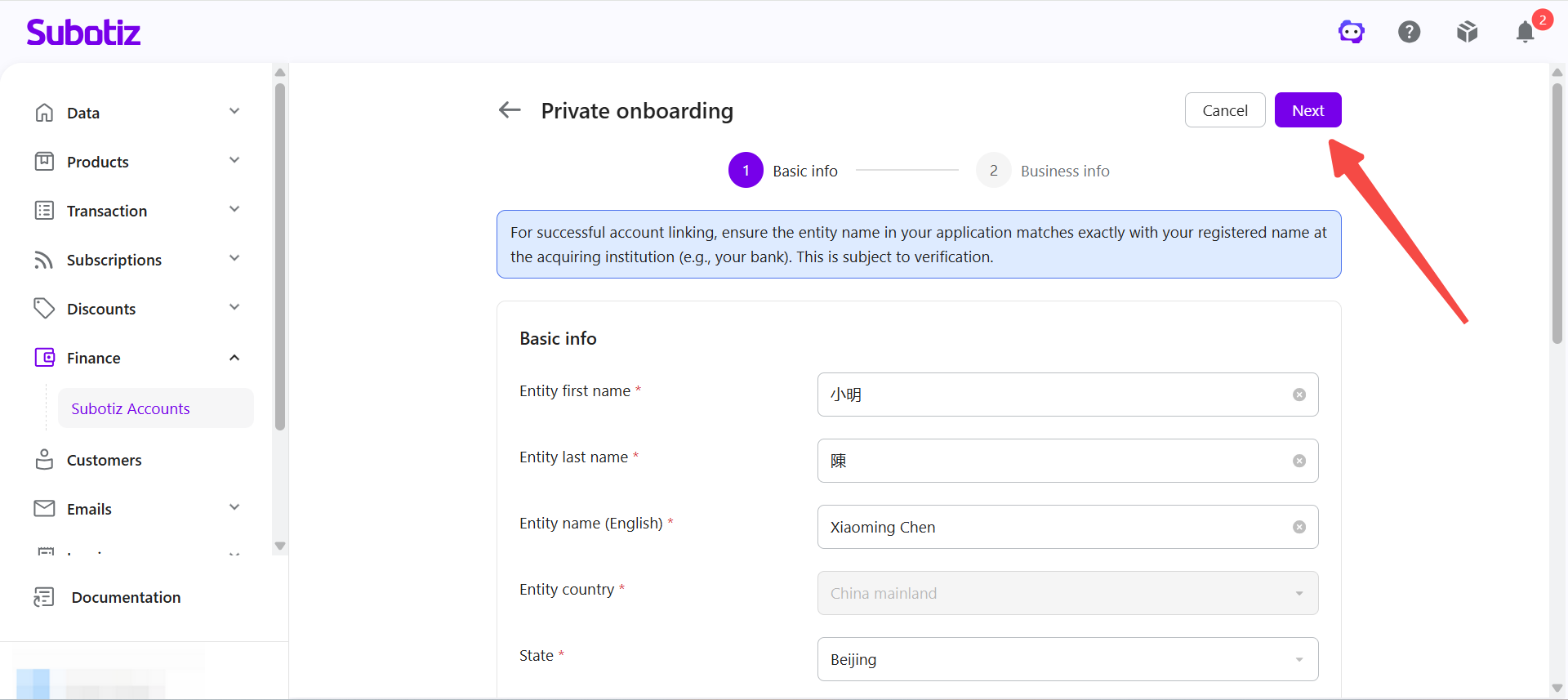
- Proceed to the next step: Click Next.
Business Operations Information
- Enter business operations information: Provide the independent website or store URL, then select the primary industry, business model, primary sales countries or regions, and estimated monthly revenue.
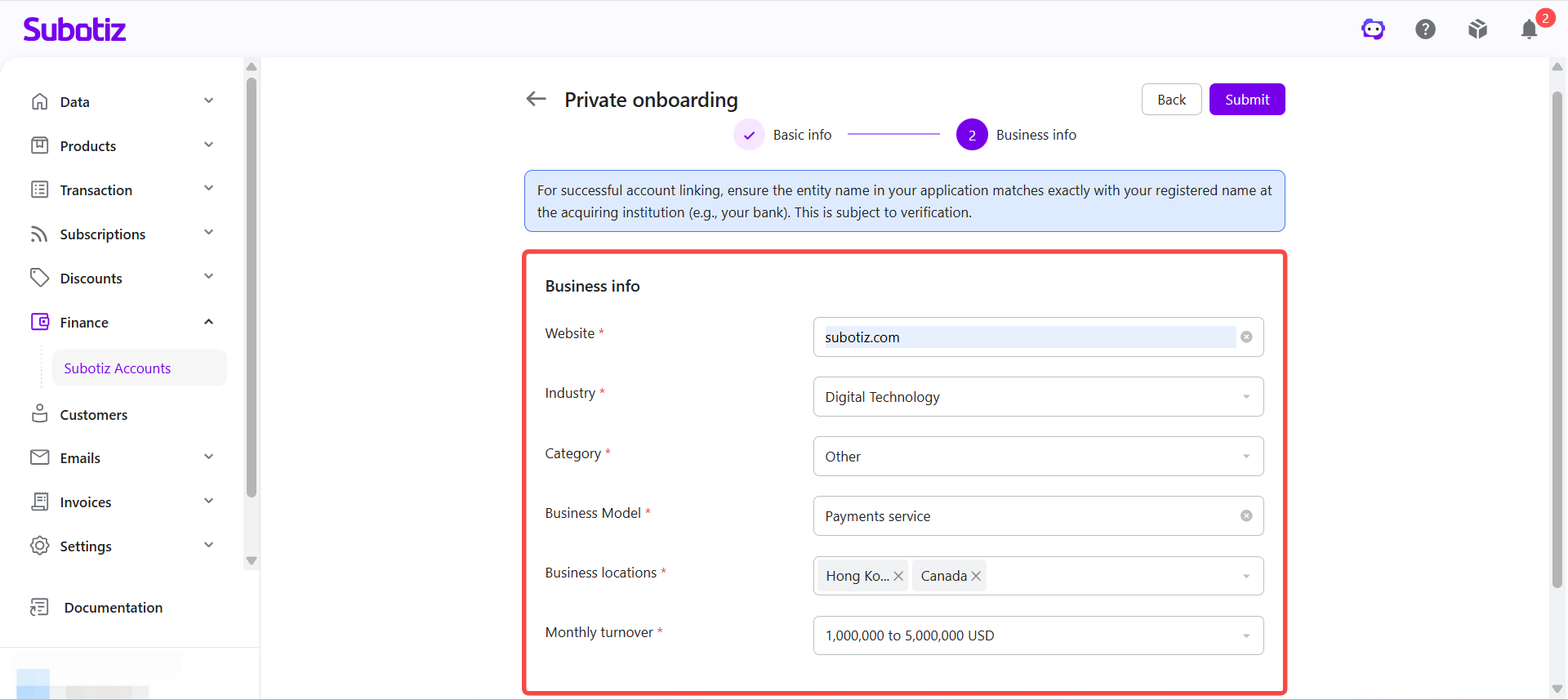
- Submit the application: Review and accept the relevant agreements, then click Submit to complete the personal application.
Application Review
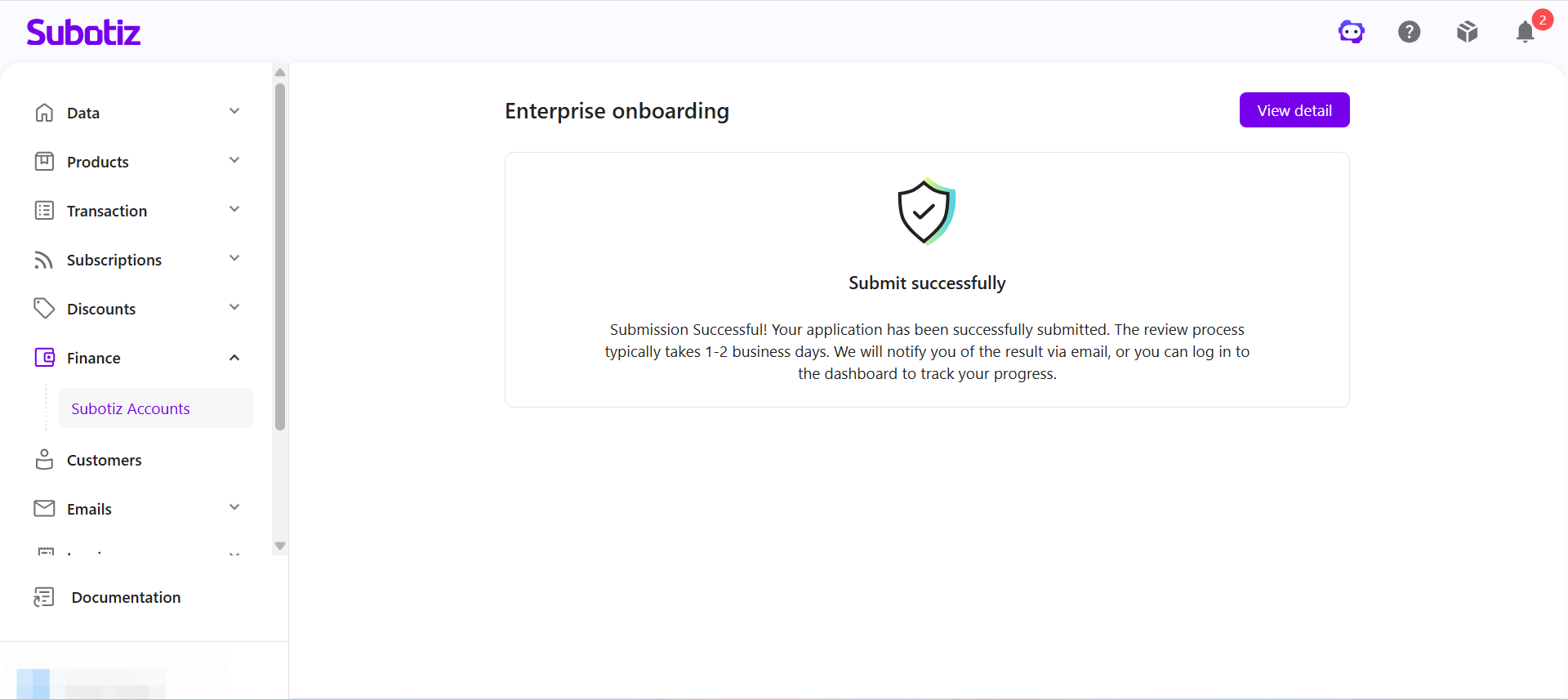
- Review begins: After the application is submitted, the review process begins.
- Additional documentation (if required): If additional documents are required during the review, notifications will be sent through the Subotiz Admin and to the registered email address. Submit the requested documents as soon as possible.
- Review completed: Once approved, you can access your available Subotiz Accounts features.
Application Notes
- Verify entity information: Ensure the applicant entity name matches the information registered with the bank account, acquiring institution, and other official records.
- Provide accurate information: All submitted information and documents must be accurate, complete, and up to date.
- Respond promptly to document requests: If additional documents are requested during the review, submit them as soon as possible to avoid delays.
- Follow on-screen requirements: Required information and documents may vary depending on the entity type and region. Refer to the information displayed on the application page.
Once your application is approved, you can manage cross-border collections, foreign exchange, global payouts, CNY settlement, and other available Subotiz Accounts features from a single dashboard—eliminating the need to maintain multiple overseas bank accounts or switch between different platforms.