FX conversions in Subotiz Accounts support real-time exchanges between supported currencies. The current exchange rate is locked for 45 seconds after a conversion is initiated, giving merchants time to review the exchange rate and confirm the conversion before submitting it.
Initiating an FX Conversion
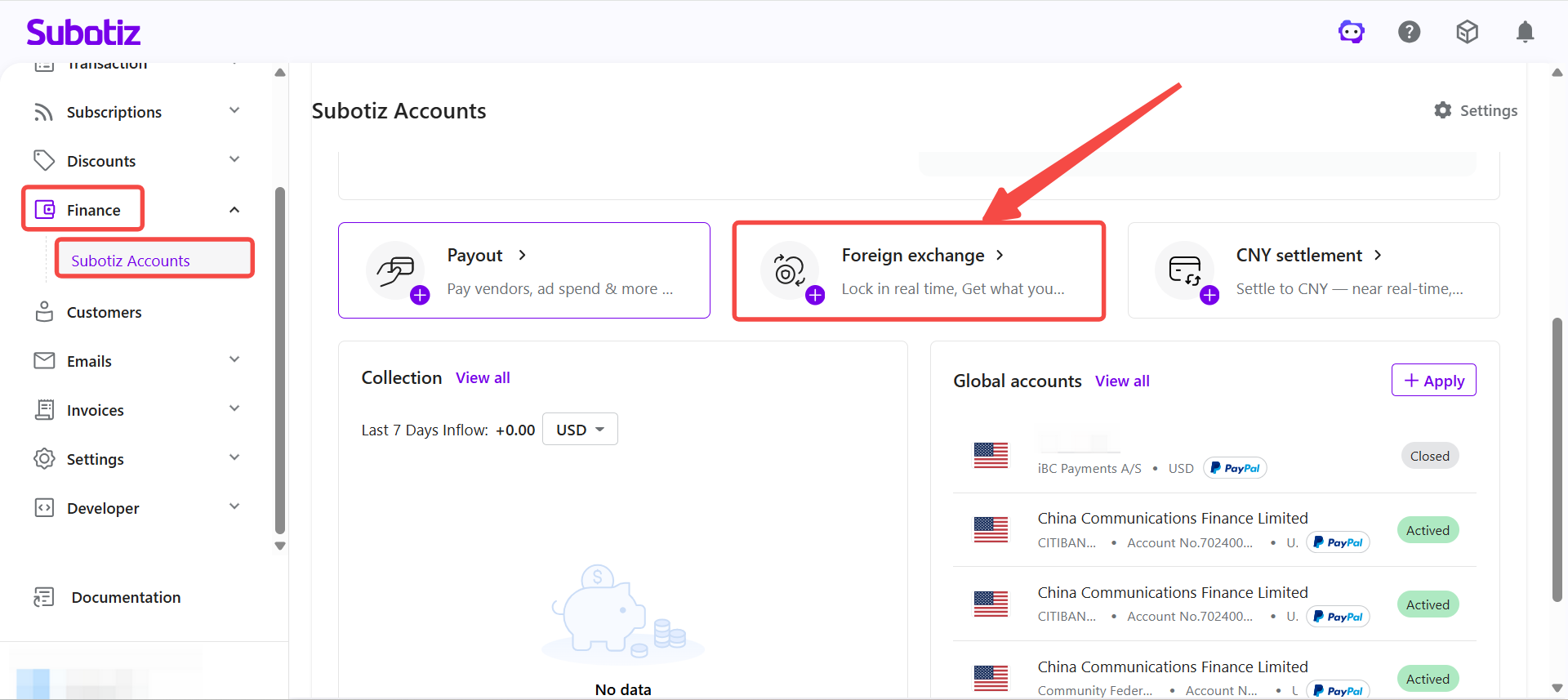
- Open the FX conversion page: Go to Finance > Subotiz Accounts and select Foreign Exchange.
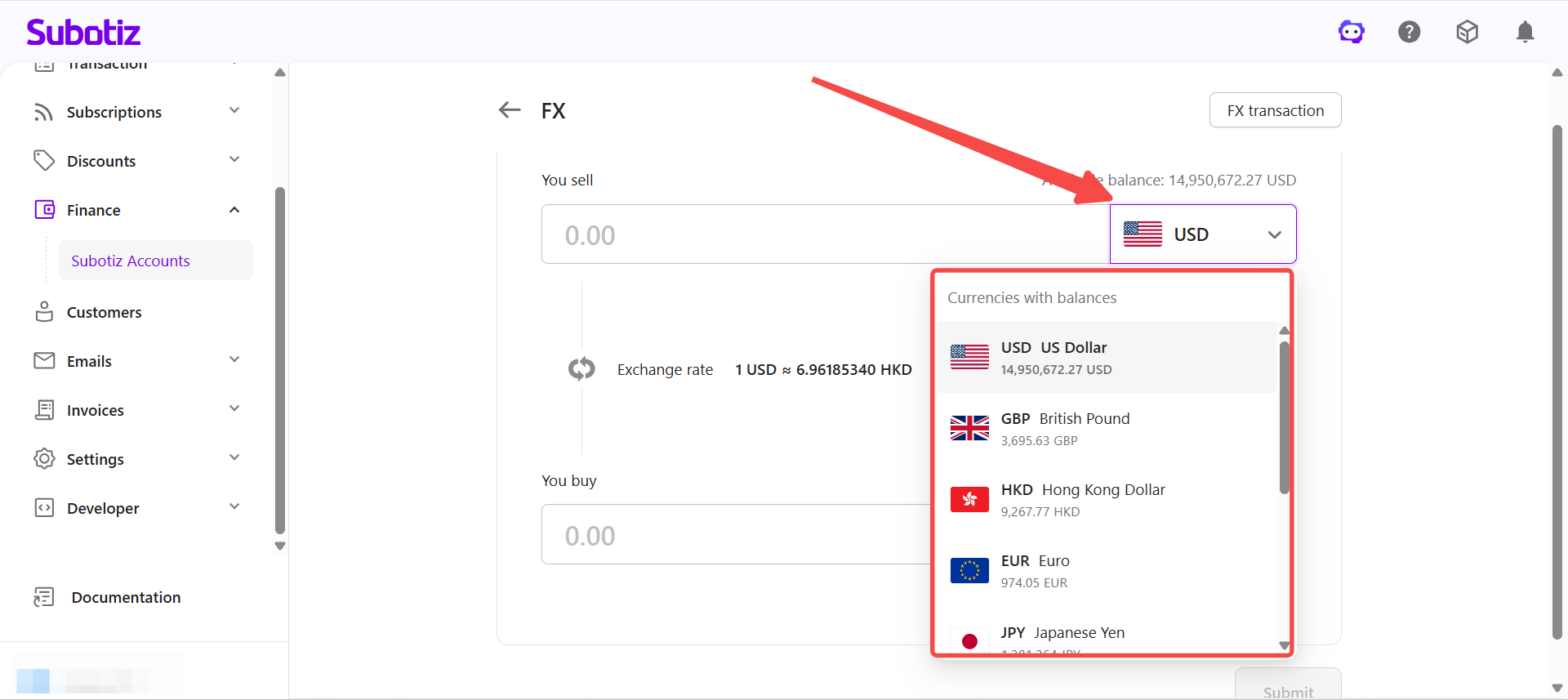
- Select currencies: Select the currency to sell and the currency to buy. The available balance for each currency is displayed on the page.
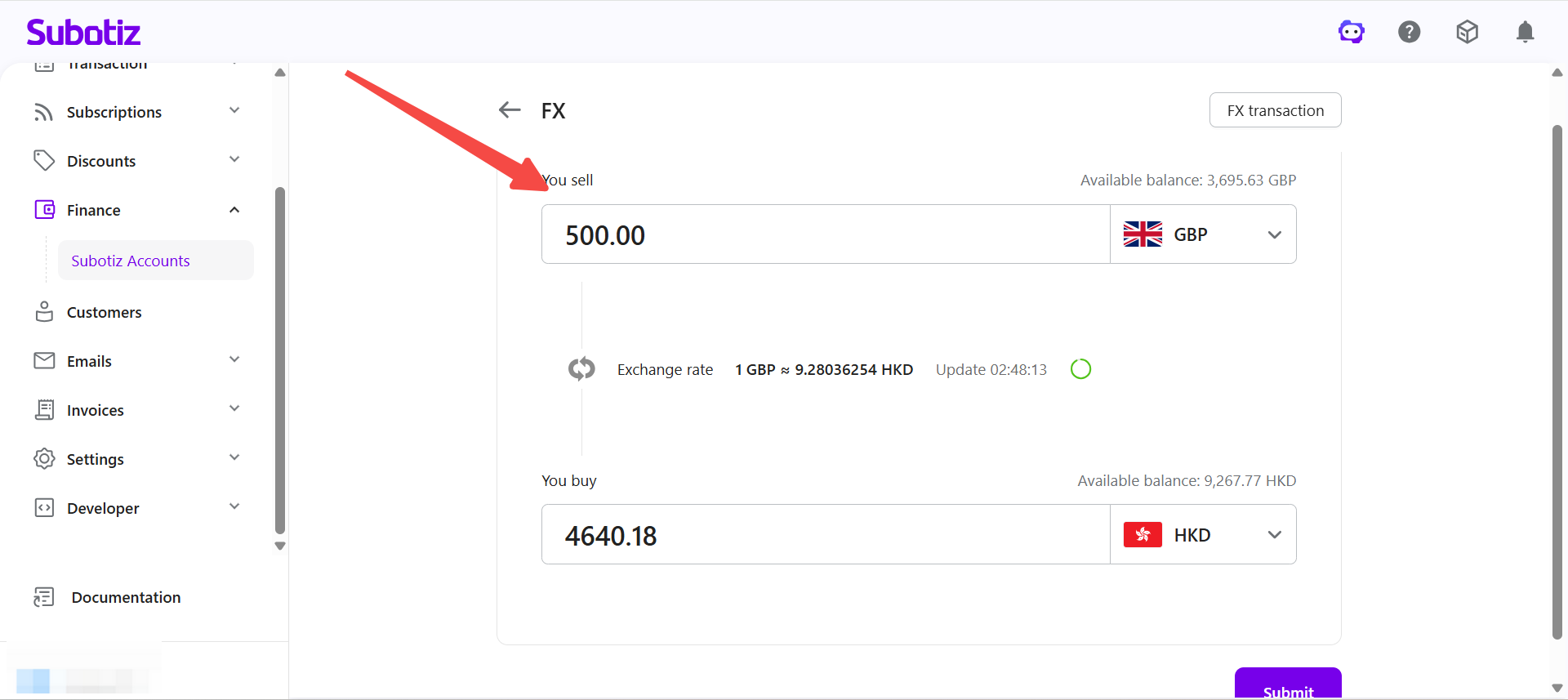
- Enter the conversion amount: Enter the amount to convert. The system automatically calculates the estimated converted amount based on the current exchange rate.
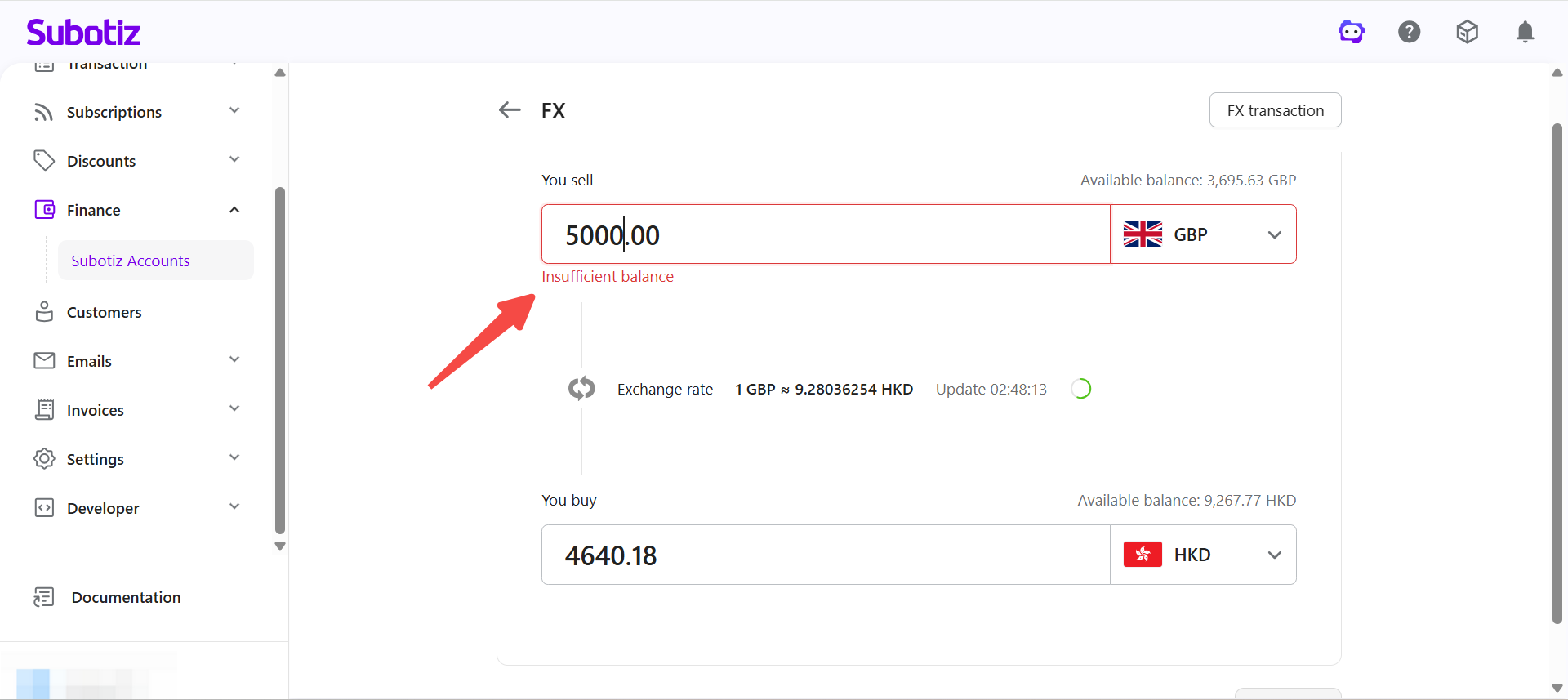
- If the available balance of the sold currency is insufficient, the page displays an insufficient balance notice and the conversion cannot be submitted.
- Review the exchange rate: The page displays the following information:
- Current exchange rate
- Rate expiry countdown
- Estimated converted amount
- Available balance for each currency
After a conversion is initiated, the quoted exchange rate is locked for 45 seconds. If the quote expires before the conversion is confirmed, the system automatically refreshes the exchange rate.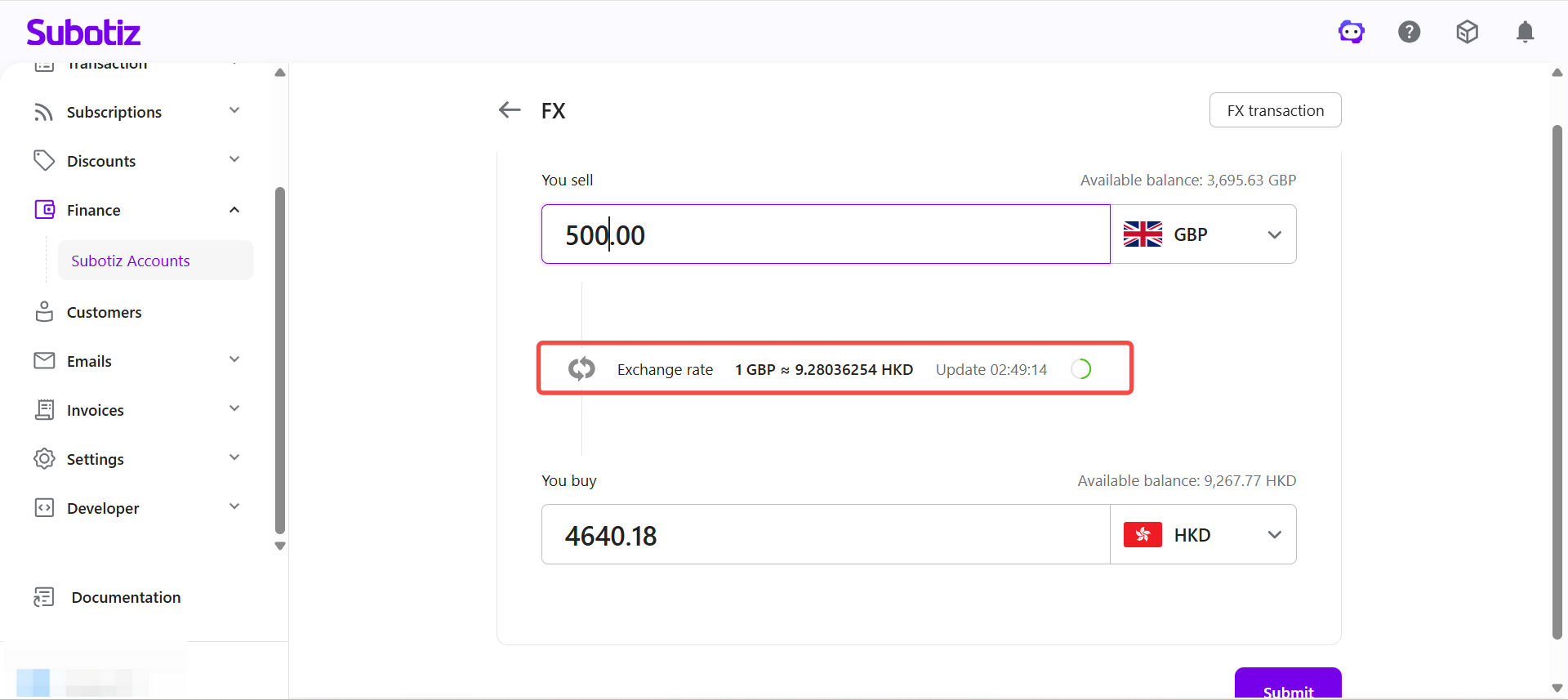
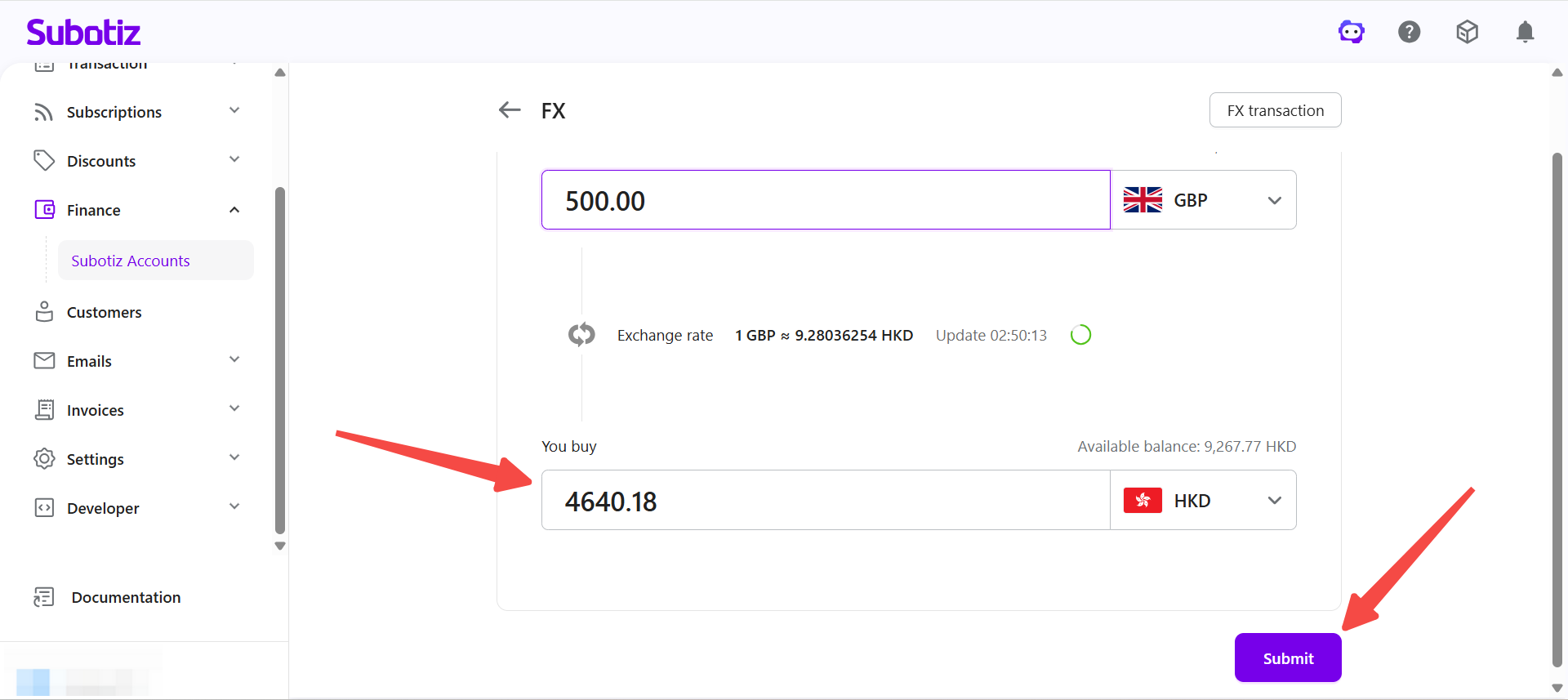
- Submit the conversion: Once the amount and currencies are confirmed, click Submit.
- Enter the transaction password: The page displays a summary of the conversion, including:
- Locked exchange rate
- Sell amount
- Buy amount
Review the details, enter the 6-digit transaction password, and click Confirm.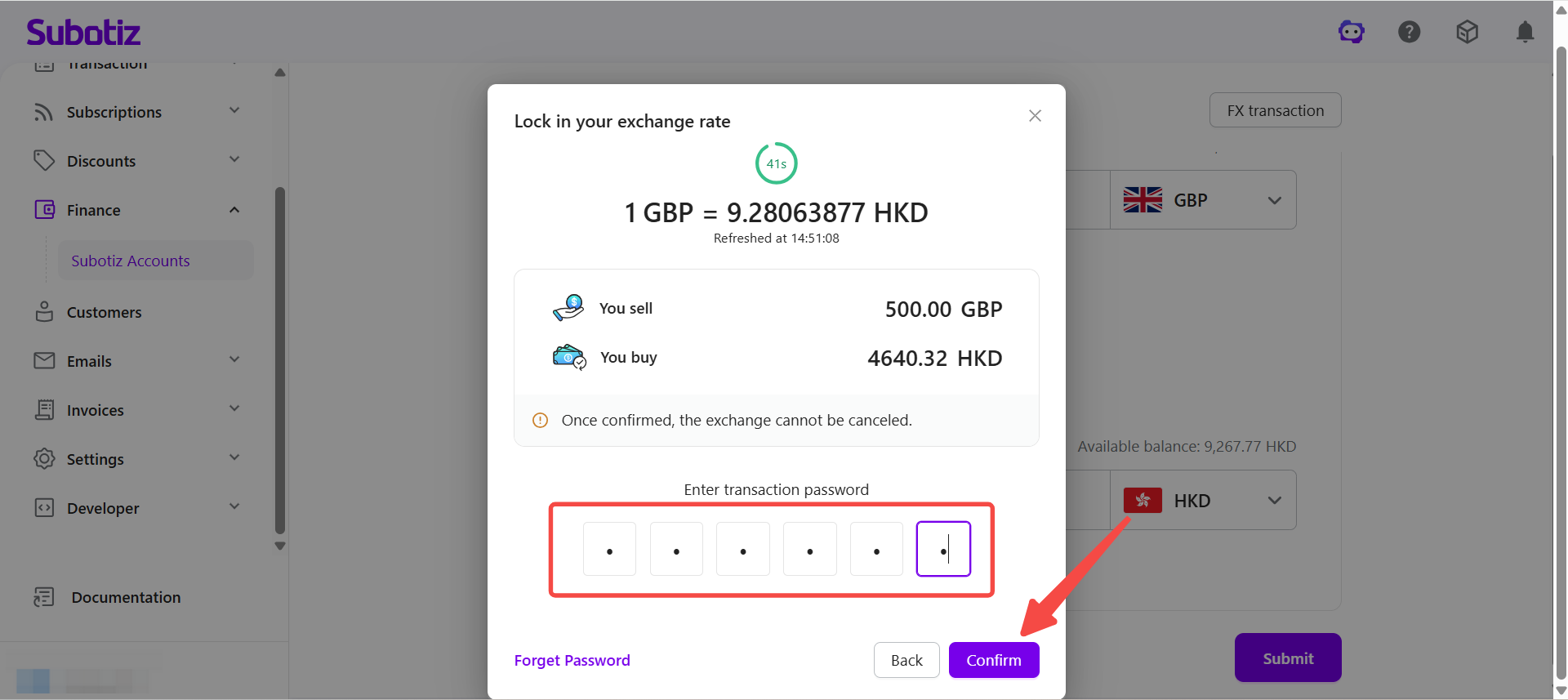
Note: Before using FX conversion for the first time, complete the transaction password setup. The exchange rate lock lasts 45 seconds. Conversions cannot be cancelled or modified once confirmed.
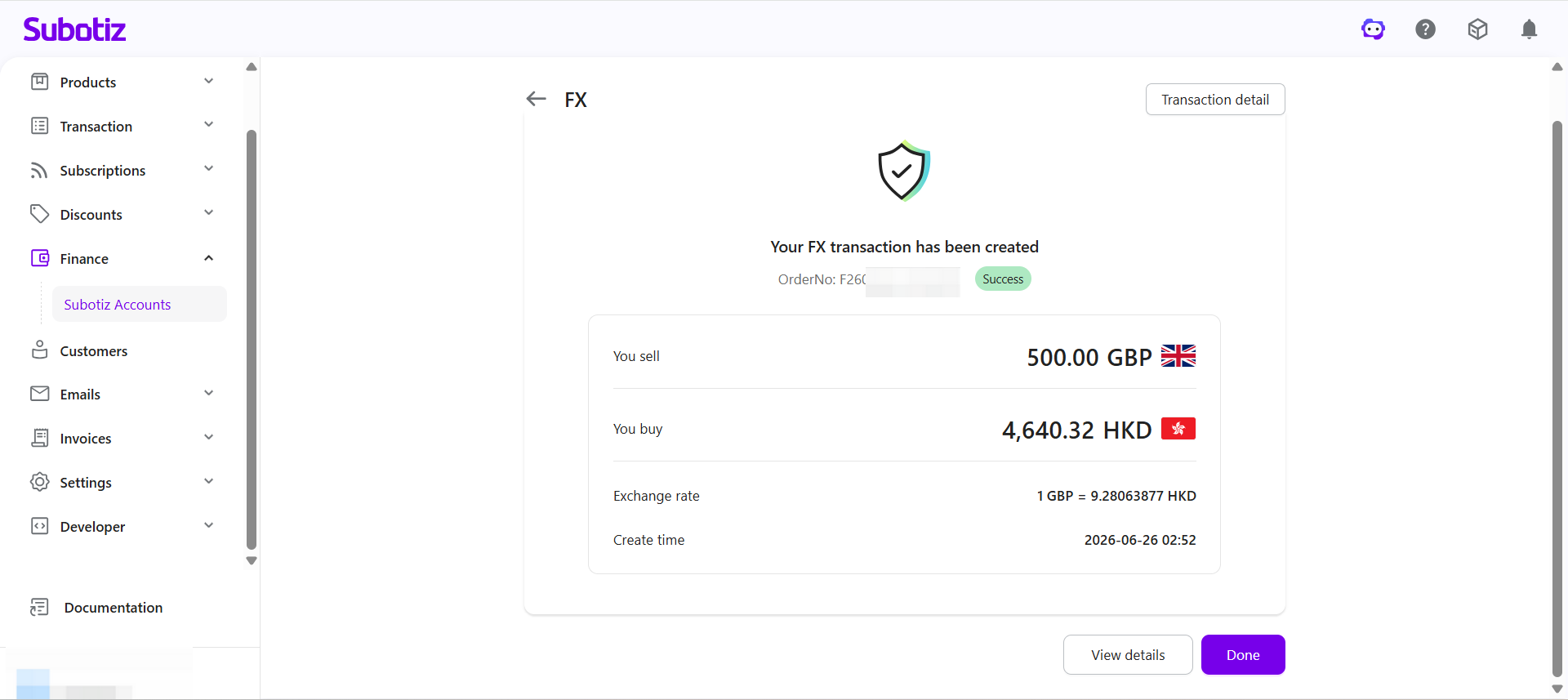
- Conversion complete: Once the conversion is successful:
- The corresponding currency balances are updated immediately.
- Converted funds are immediately available for subsequent treasury management activities.
- The conversion record can be viewed under Transaction Details.
FX Conversion Rules
Item | Details |
|---|---|
Transaction mode | Conversions are executed using the current exchange rate at the time of submission. Only immediate conversions are supported. Limit orders, scheduled conversions, and forward contracts are not supported. |
Supported currencies | Real-time conversions between supported currencies |
Minimum amount | Equivalent to USD 0.01 per transaction |
Large conversions | For conversions exceeding the equivalent of USD 1,000,000, contact your Account Manager in advance |
Important Notes
- Conversions cannot be cancelled or modified once confirmed.
- Conversion requests cannot be submitted if the available balance of the sold currency is insufficient.
- Funds in pending or awaiting documentation status are not available for FX conversion.
- To reset a forgotten transaction password, go to Finance > Subotiz Accounts > Settings > Global Settings.
- Supported currencies and transaction rules are subject to availability in the Subotiz Accounts dashboard.
FX conversions in Subotiz Accounts allow merchants to exchange supported currencies in real time using their available account balance. Once a conversion is complete, the corresponding currency balances are updated immediately and the converted funds are available for subsequent treasury management activities.