During the Subotiz Payments review process, you may be asked to submit additional business, identity, or operational information. Submitting the requested information promptly helps avoid delays and allows you to continue through the review process toward account activation.
Access the Verification Page
When additional information is required, you'll receive a system notification. The required actions also appear on the Payment Providers page.
- Open Subotiz Payments: Go to Settings > Payment Providers > Subotiz Payments. Once you receive a notification, click Complete Information in the message. If the Payment Providers page shows Complete Information or Edit Information, click the corresponding button to access the form.
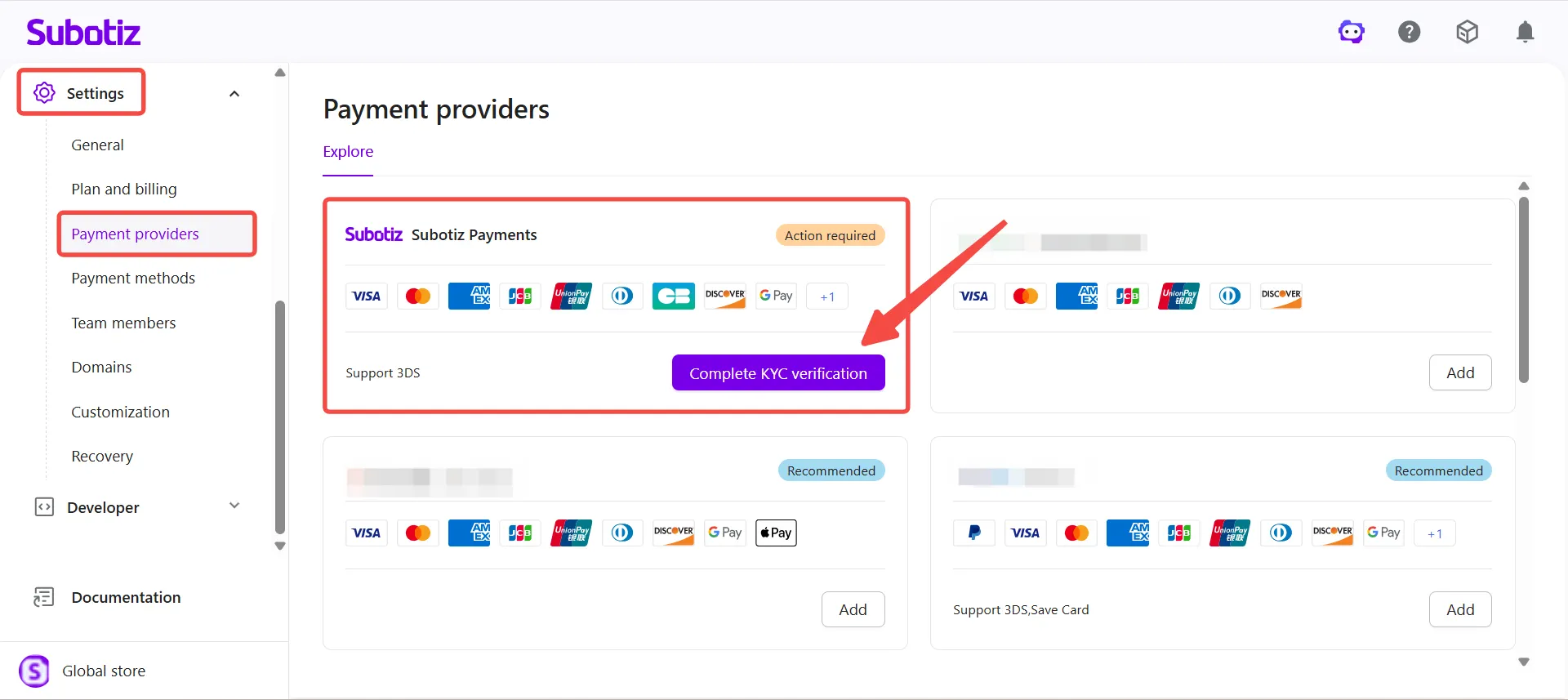
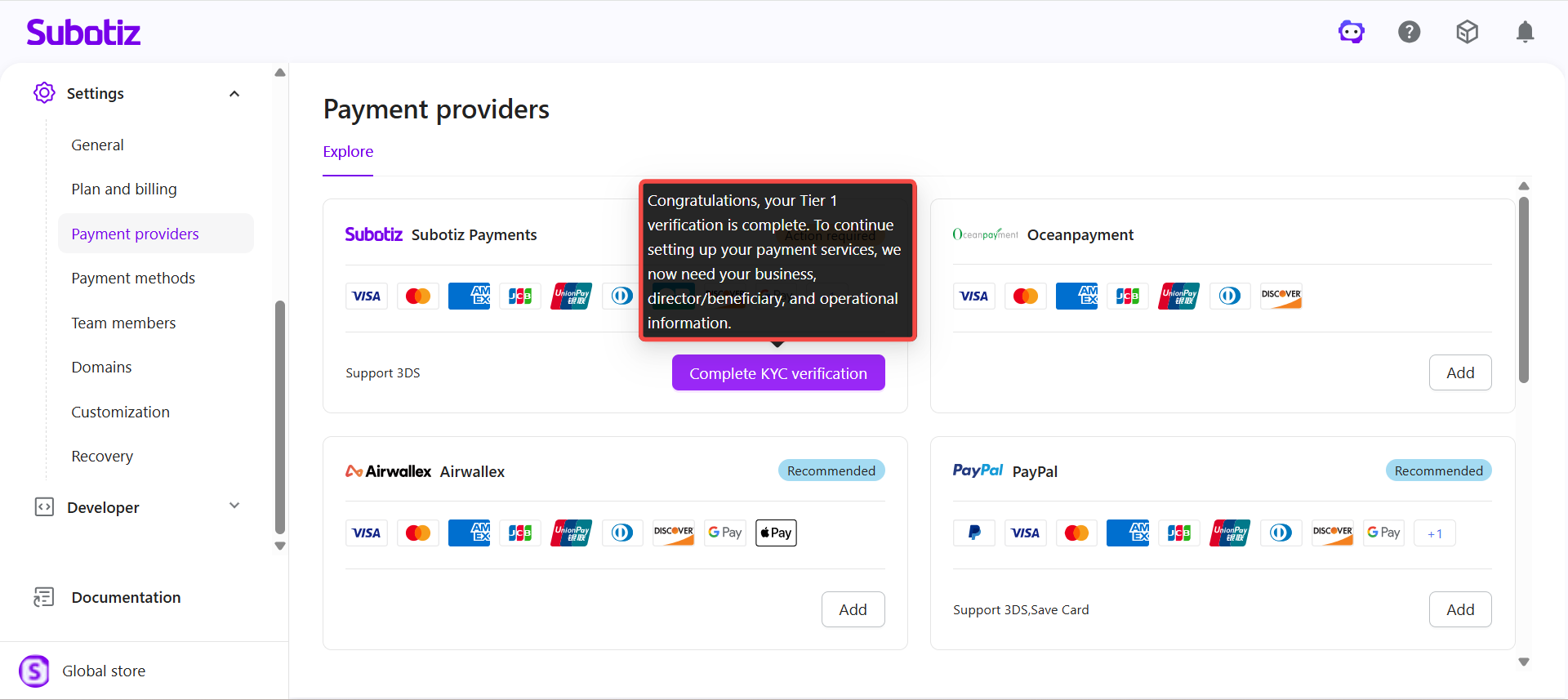
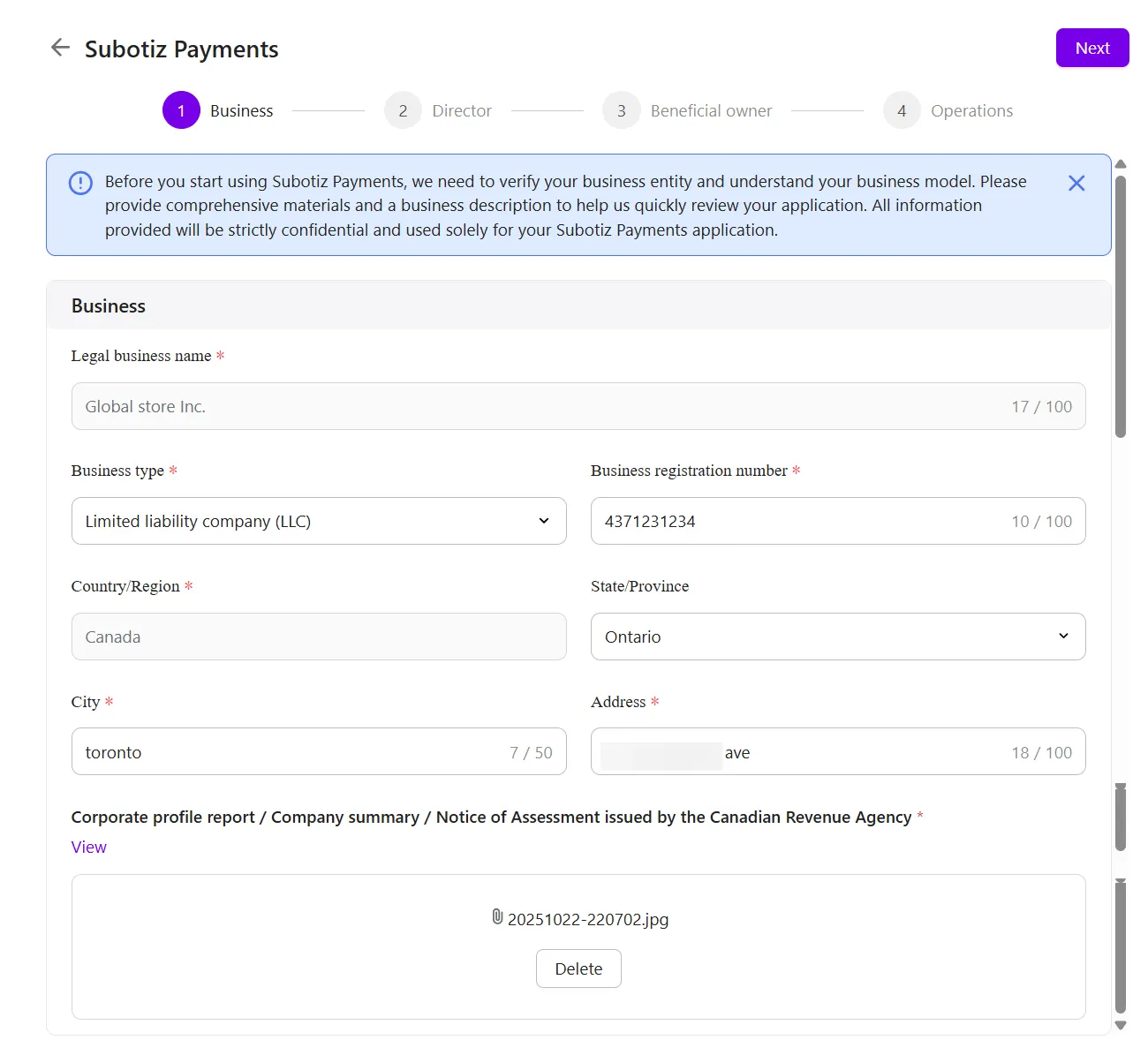
- Provide business information: Fill in the required fields as prompted on the page.Commonly requested information includes:
- Legal business name: Enter the company’s registered legal name and ensure it matches the business name shown on the submitted bank statement.
- Business type
- Business registration number, Unified Social Credit Code, or other business identification number
- Country or region
- Registered business address
- Business registration documents
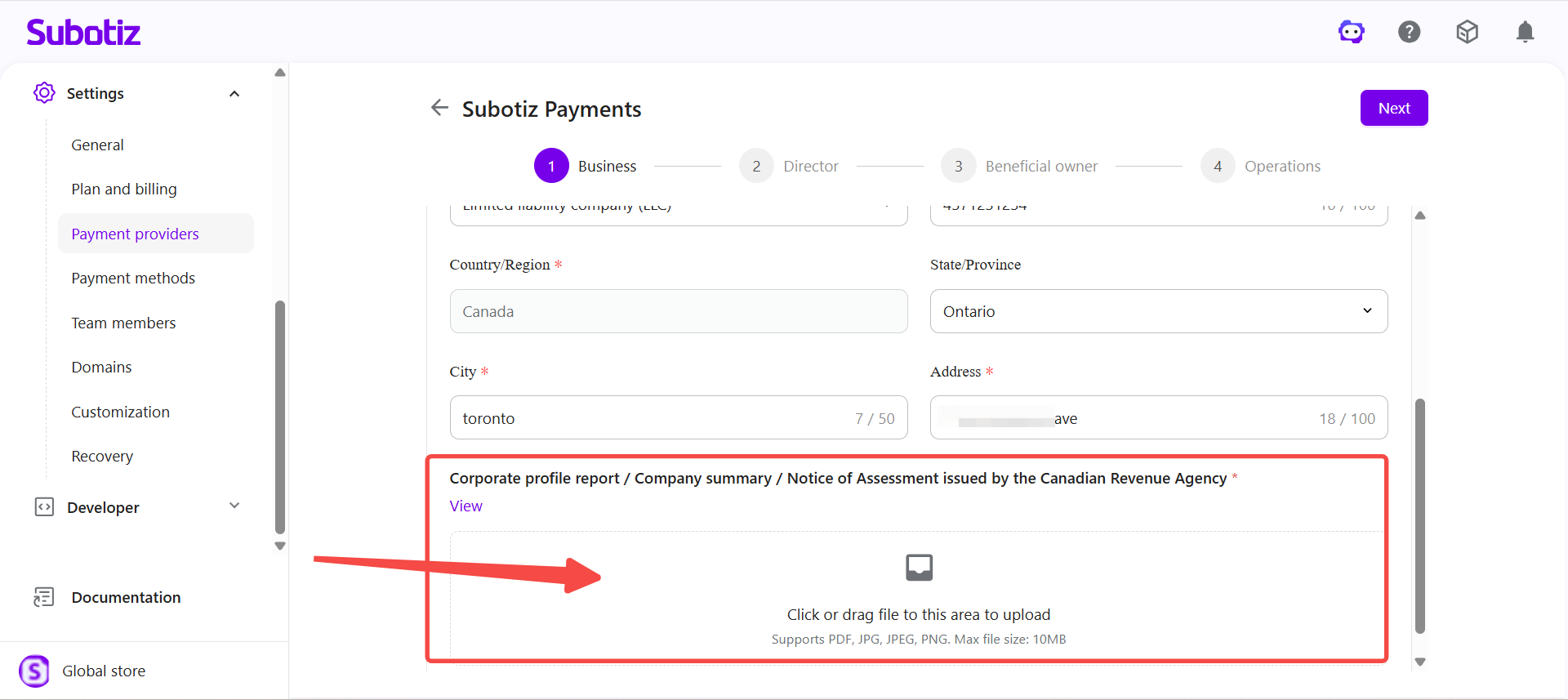
- Upload business registration documents: Upload the required files as prompted. Before uploading, confirm that:
- Documents are complete and clearly legible.
- No information is obscured or cut off.
- Documents are current and valid.
- The business name matches what's entered in the system.
Note: Required documents vary by country, region, business type, and review scenario. Refer to the fields shown on your page for what applies to your business.
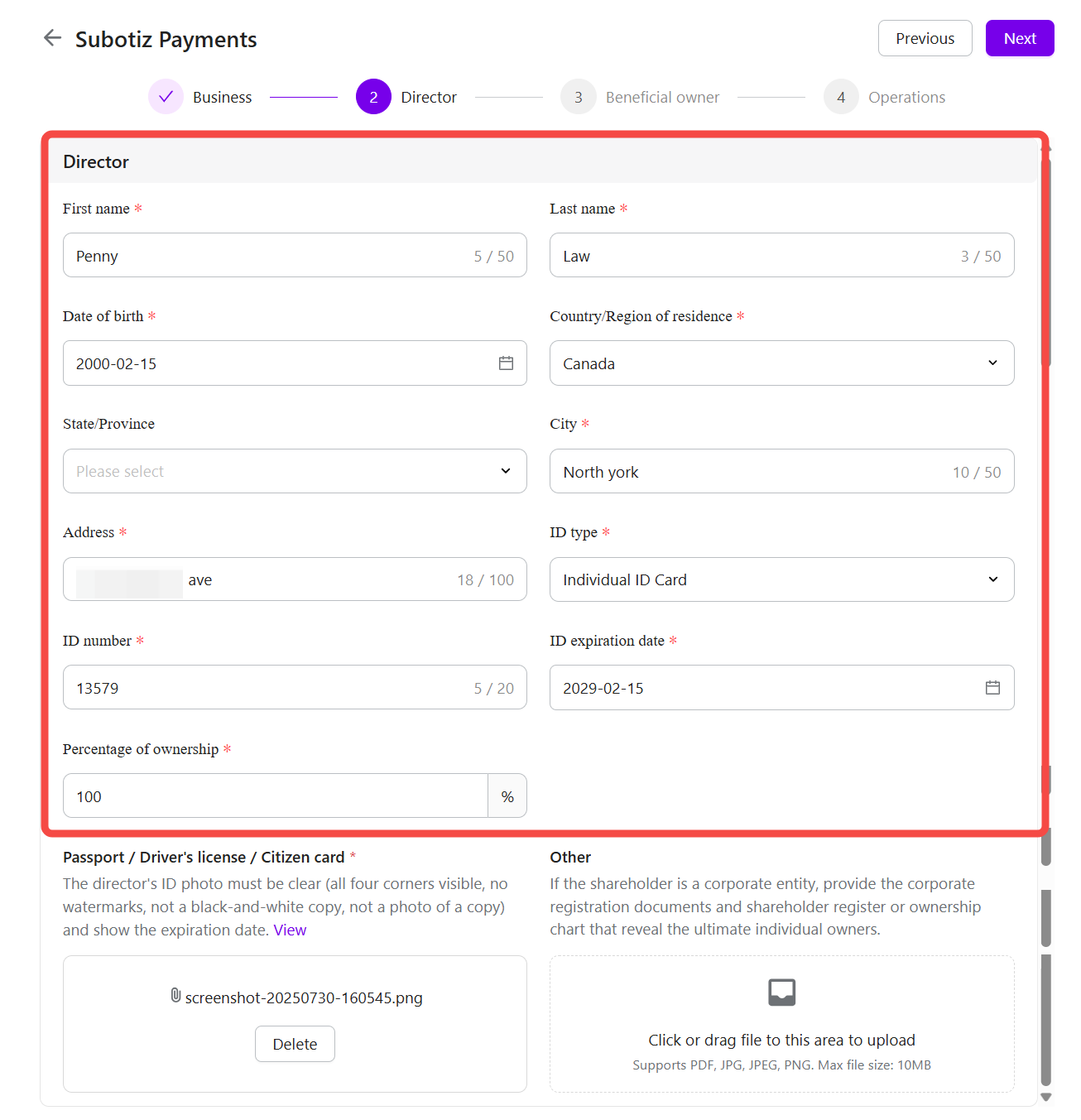
- Enter director or representative information: Fill in the required details for the director or authorized representative as prompted. Commonly requested information includes:
- Full name
- Date of birth
- Residential address
- Identification document type
- Document number
- Document expiration date
- Ownership percentage (if applicable)
Note:
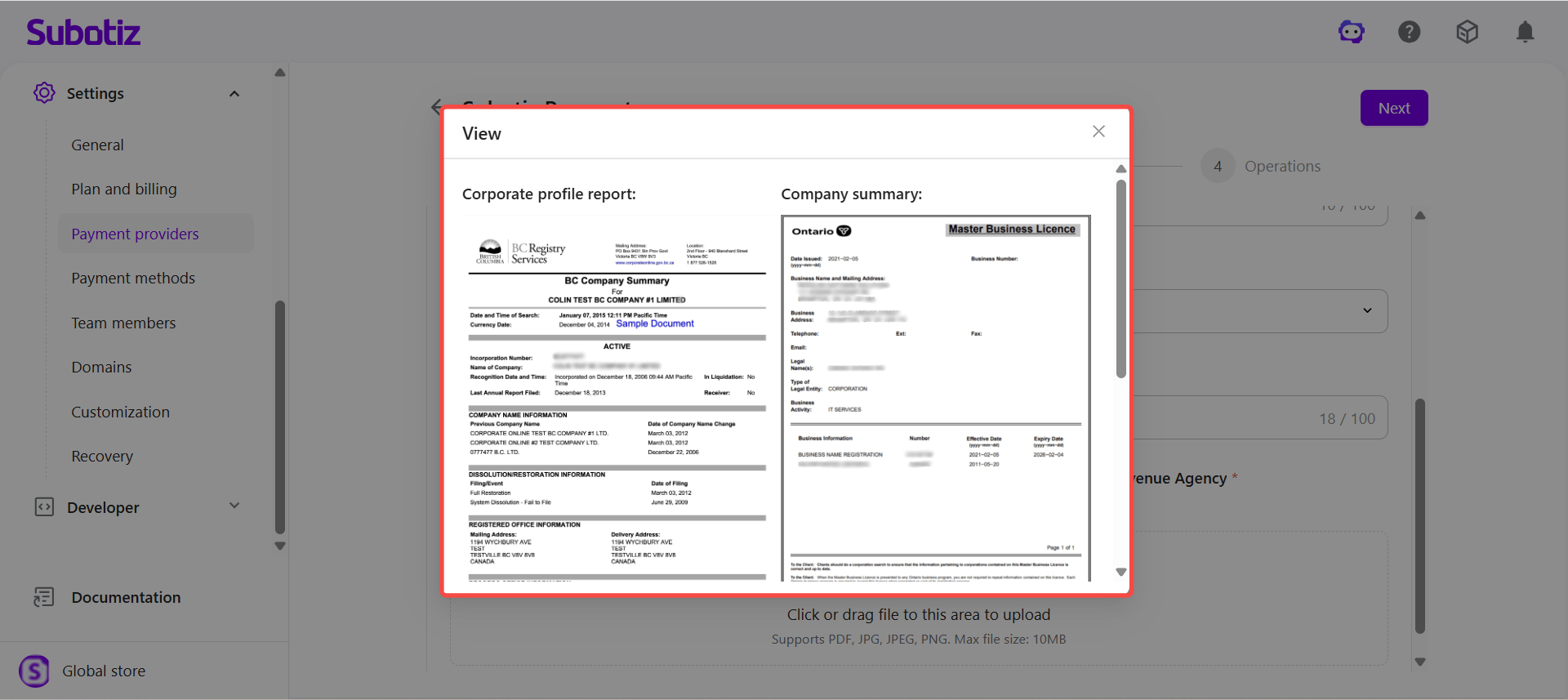
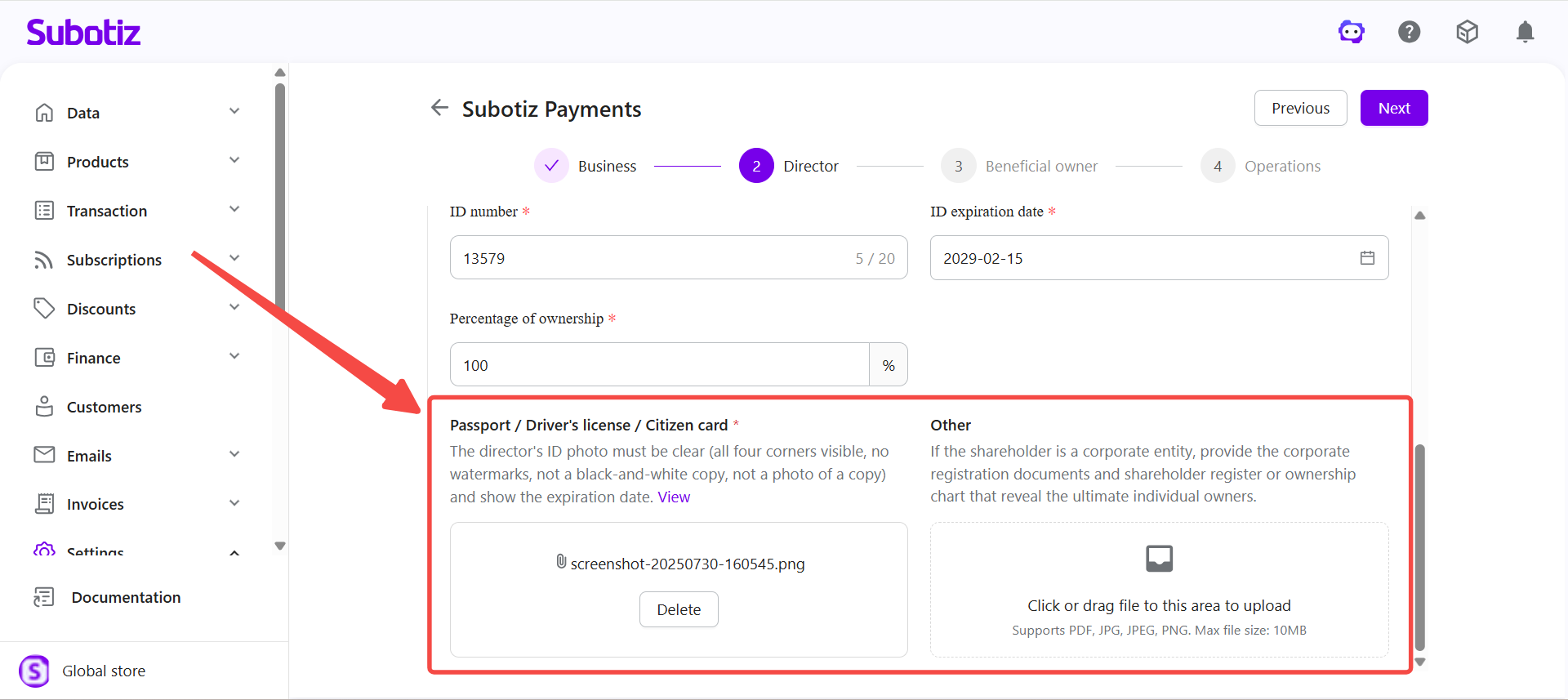
- Upload identity documents: Accepted document types are shown on the page and may include a national ID card, passport, or driver's license. Before uploading, confirm that:
- The document is valid and not expired.
- Images are clear and complete, with all four corners visible.
- Document details match the information entered in the form.
- Upload proof of address (if required): Some countries or regions require proof of address.Accepted documents may include:
- Bank statement
- Utility bill
- Government-issued correspondence
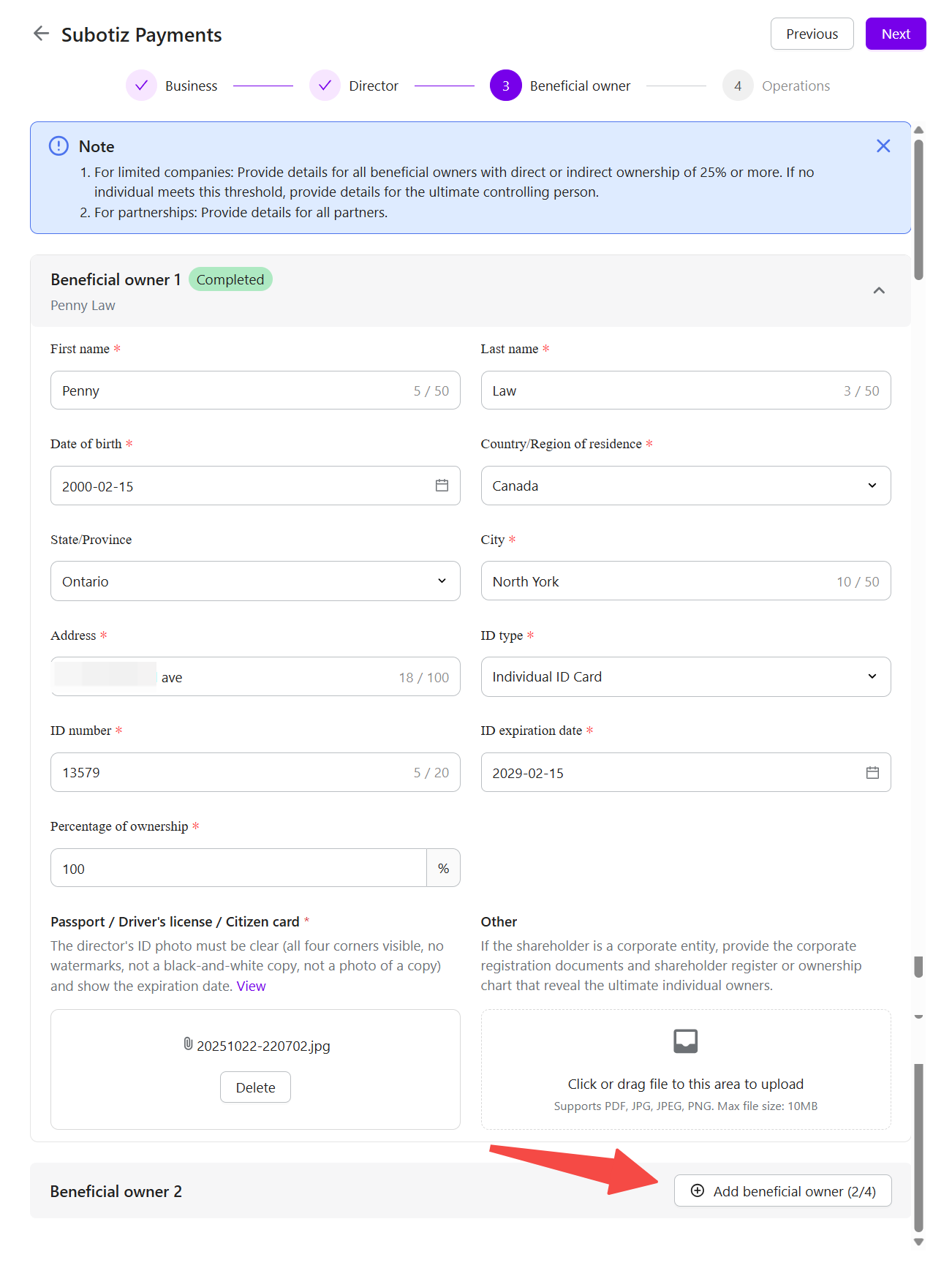
- Enter beneficial owner information (if required): If the Beneficial Owner section appears, fill in the required details and upload any supporting documents.Commonly requested information includes:
- Full name
- Date of birth
- Residential address
- Ownership percentage
- Identity document details
Additional supporting documents may also be required, depending on the information displayed on the page. To add multiple beneficial owners, click Add beneficial owner and continue filling in the details.
Note: Required information and documents vary by business type and ownership structure. Refer to the fields shown on your page for what applies to your business.
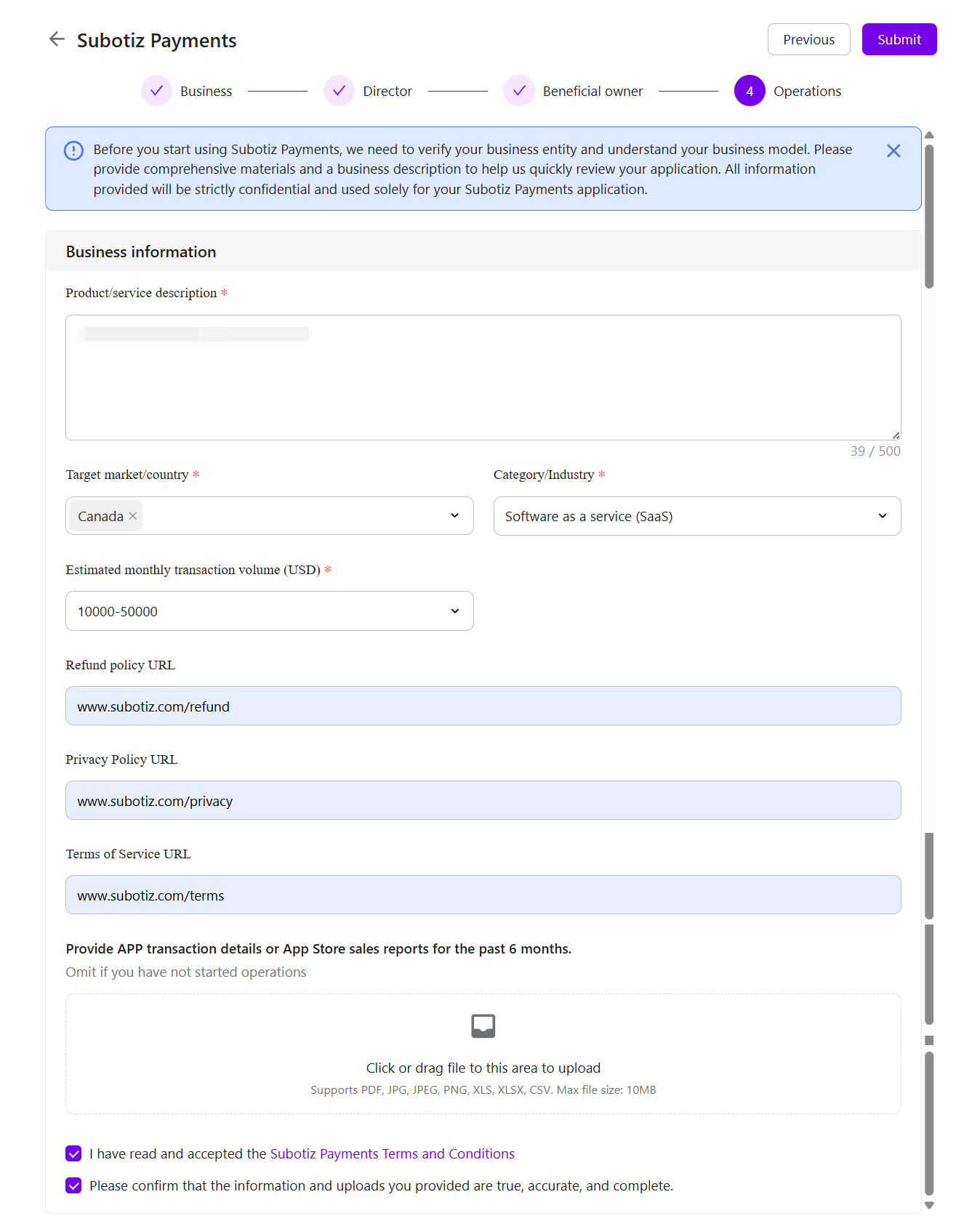
- Enter business operation details: Fill in the required business information as prompted.Commonly requested information includes:
- Product or service description
- Target market or country
- Industry category
- Estimated monthly transaction volume
- Refund Policy URL
- Privacy Policy URL
- Terms of Service URL
Ensure that your website accurately reflects your current business activities.
Submit Your Information
Before submitting, confirm the following:
- Business information is accurate and complete.
- Identity details match the uploaded documents.
- All uploaded documents are clear and valid.
- Website information reflects your actual business.
- Policy pages are publicly accessible.
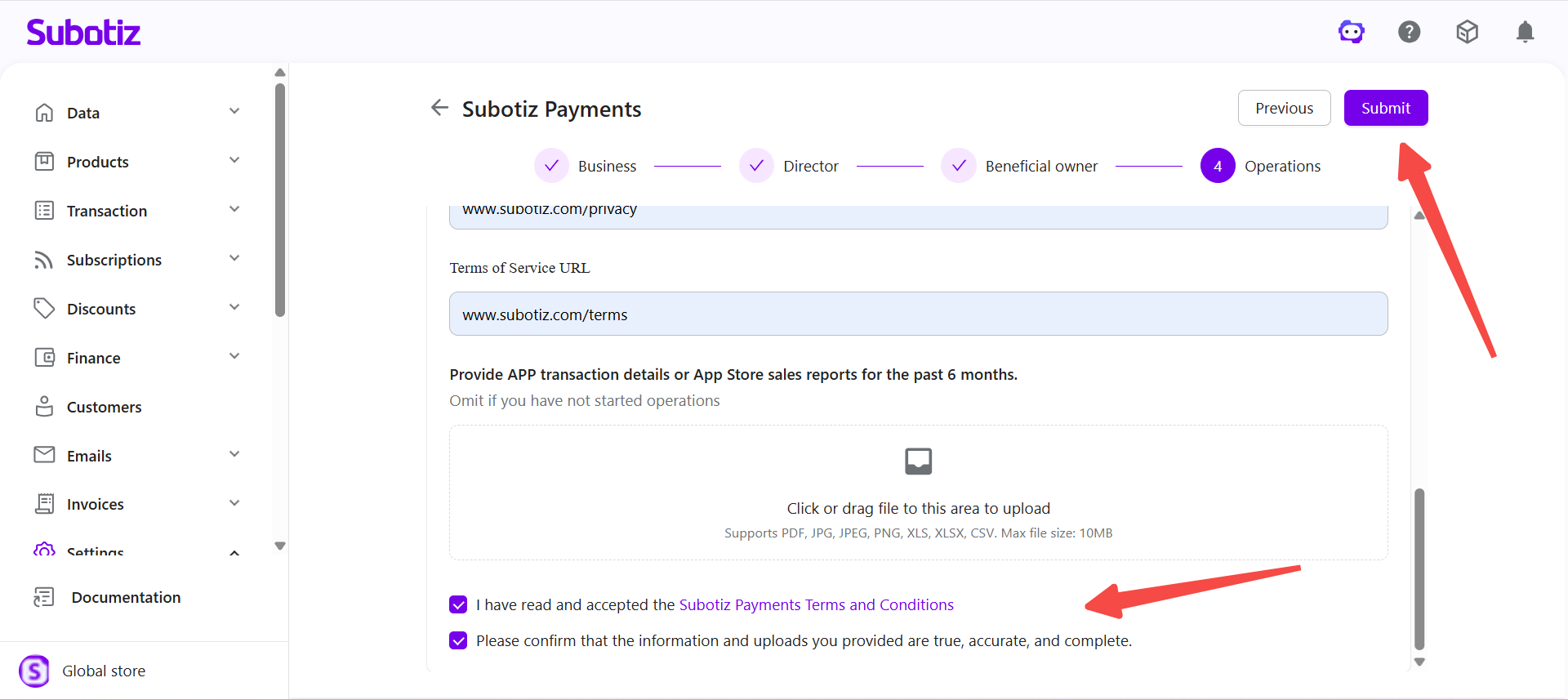
When ready, click Submit in the upper-right corner.
Check Review Status
Review updates are communicated through system notifications and the Payment Providers page. You may see one of the following statuses:
- Under review: Your submitted information is currently being reviewed.
- Edit Information: Additional information or corrections are required before the review can continue.
- Review rejected: Your submission was not approved. Update the required information according to the instructions provided and resubmit.
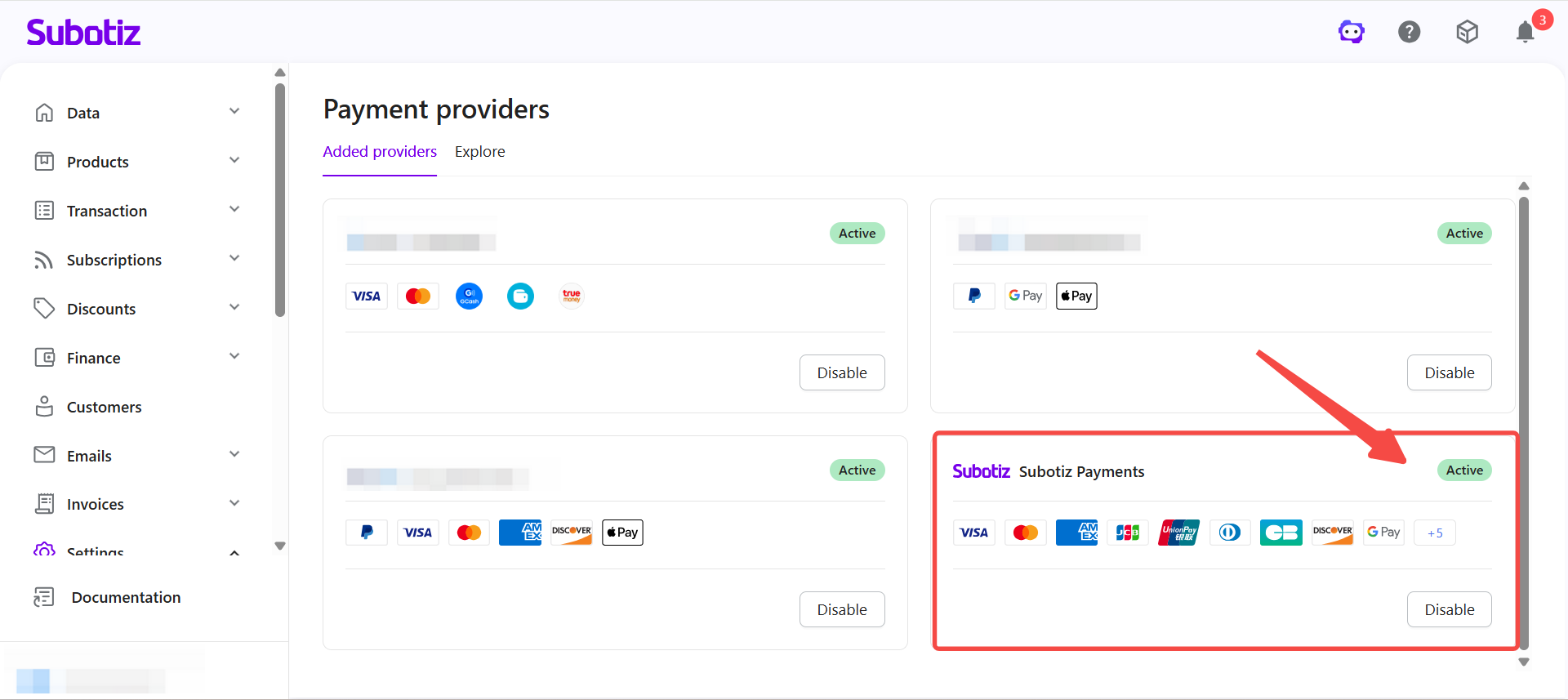
- Activate: The review is complete. Subotiz Payments has been activated, and the available payment and account features are determined by your current account status.
Respond to a Rejected Review
If your submission is not approved, the rejection reason is displayed on the page. Update the relevant information according to the instructions and resubmit.
For payout account reviews, you may also select a different payout method if applicable, such as:
- Apply for Global Account
- Link an Existing Account
Your application re-enters review once the updated information is submitted.
Before You Submit
- Make sure all information is accurate and complete.
- Business details, identity information, and supporting documents must be consistent with one another.
- Upload clear, complete documents with no missing sections or obstructions.
- Make sure your website reflects your current business activities.
- Monitor system notifications during the review period and respond promptly to any requests for additional information or corrections.
Providing accurate information and responding promptly to verification requests helps reduce review delays and supports successful activation of your Subotiz Payments account.