AI Data Search is a key feature of the Subotiz AI Assistant that enables merchants to search transactions, subscriptions, customers, and invoices using natural language. Compared with traditional menu-based filtering, the AI Assistant reduces page switching and repetitive filtering, helping merchants search and troubleshoot more efficiently.
Access the AI Assistant
- Open the AI Assistant: Go to Subotiz Admin > AI Assistant to open the AI Assistant page.
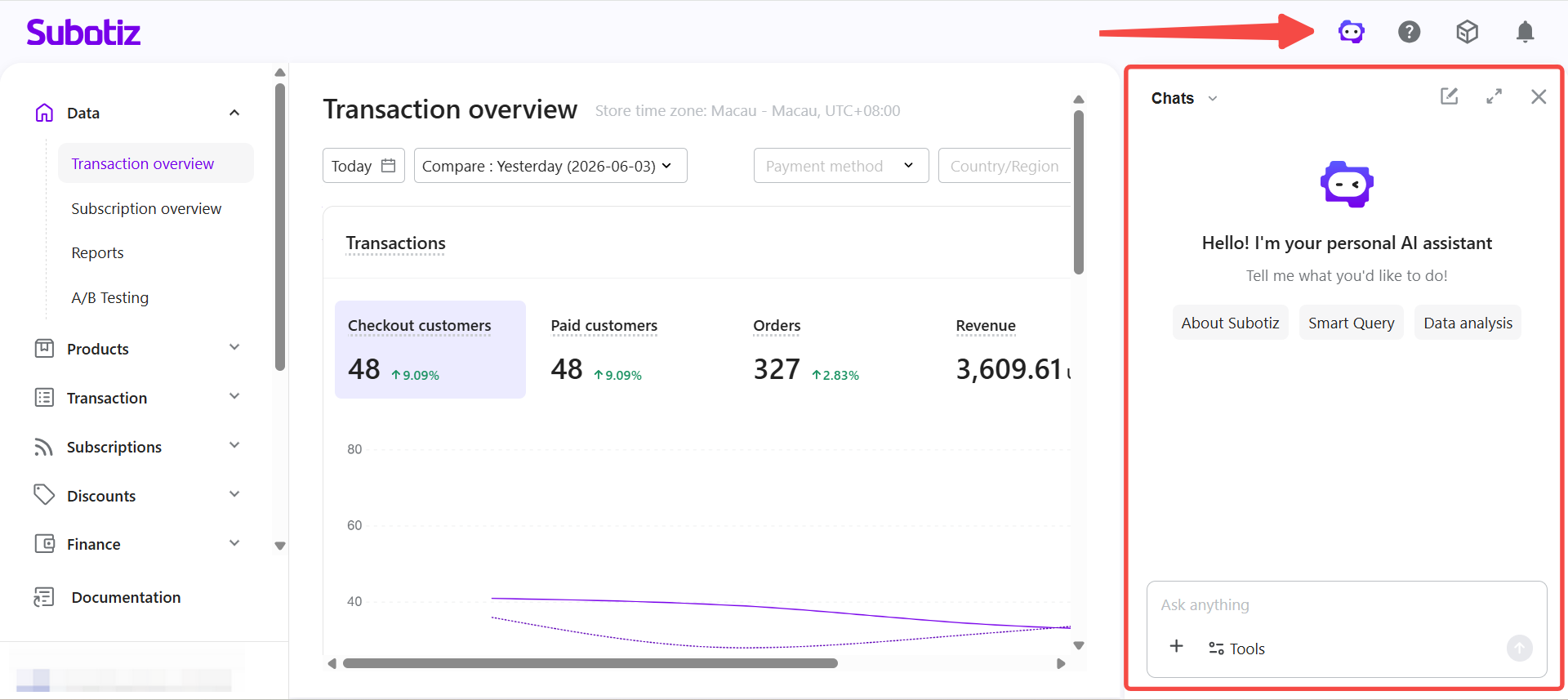
Search Data Using Natural Language
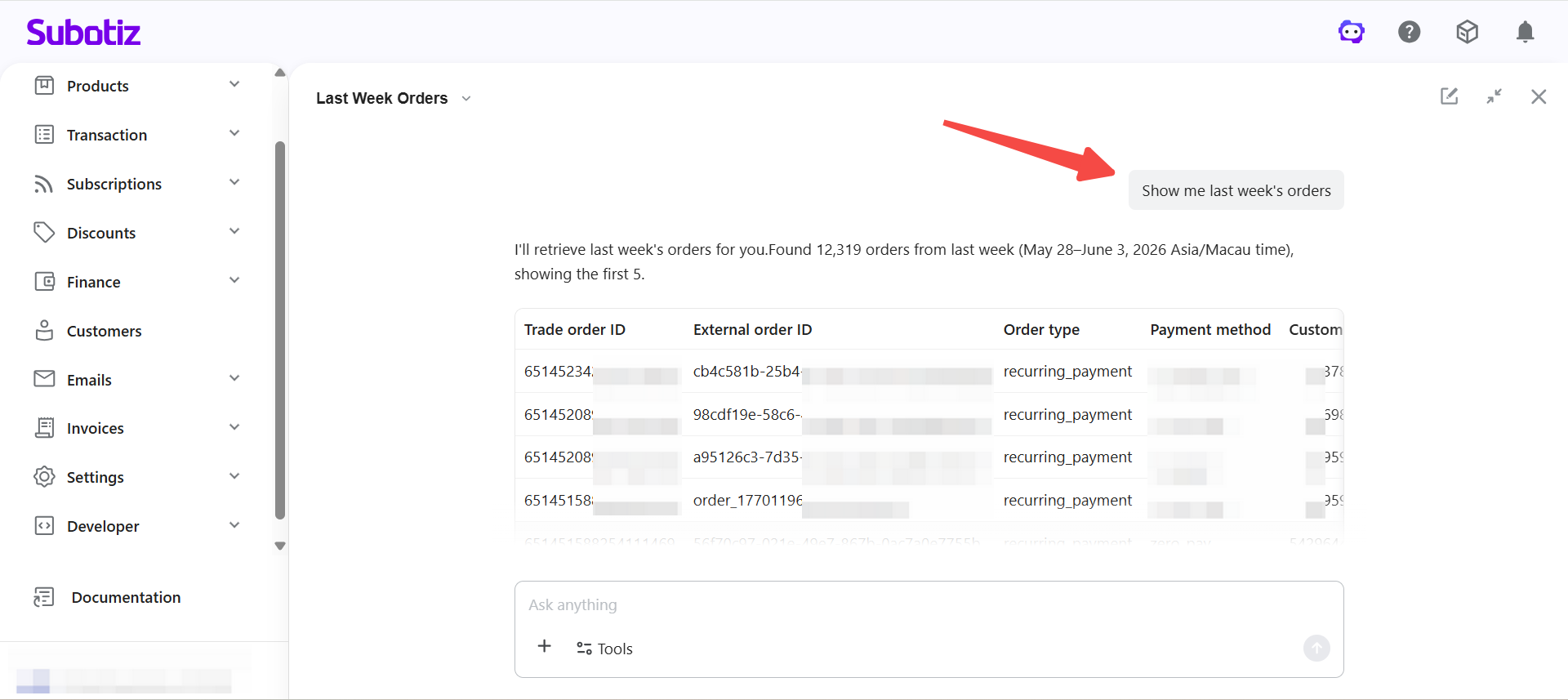
The AI Assistant supports natural language search without manually configuring complex filters.
- Supported Query TypesThe AI Assistant supports a range of query types, including:
- Search by ID or keyword:
- ID 12138
- Customer email contains xxx
- Search by time range:
- Last week
- Last 7 days
- This month's transactions
- Search by status:
- Inactive subscriptions
- Refunded transactions
- Search by amount range:
- Greater than USD 100
- Transactions over USD 500
- Flexible Search Requests
- Large transactions
- New customers
- Recent refunds
For these types of requests, the AI Assistant returns matching results and displays the filters applied, allowing merchants to refine the search if needed.
Refine Results with Follow-Up Questions
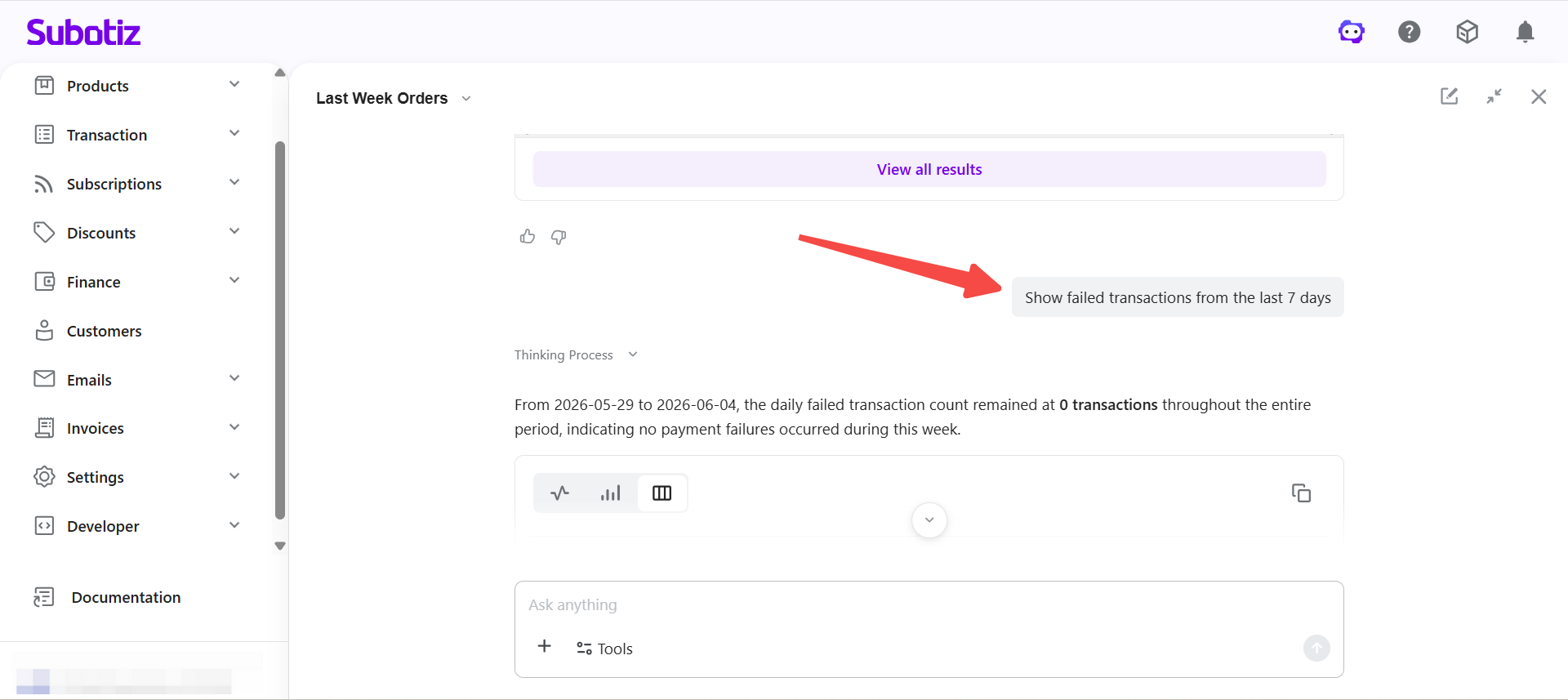
The AI Assistant supports follow-up questions within the same conversation and automatically keeps existing search conditions to help narrow results step by step.
Merchants do not need to repeat the full query. The system continuously updates search results based on the ongoing conversation.
For example:
- Search failed transactions from the last 7 days
- View records with refund amounts over USD 100
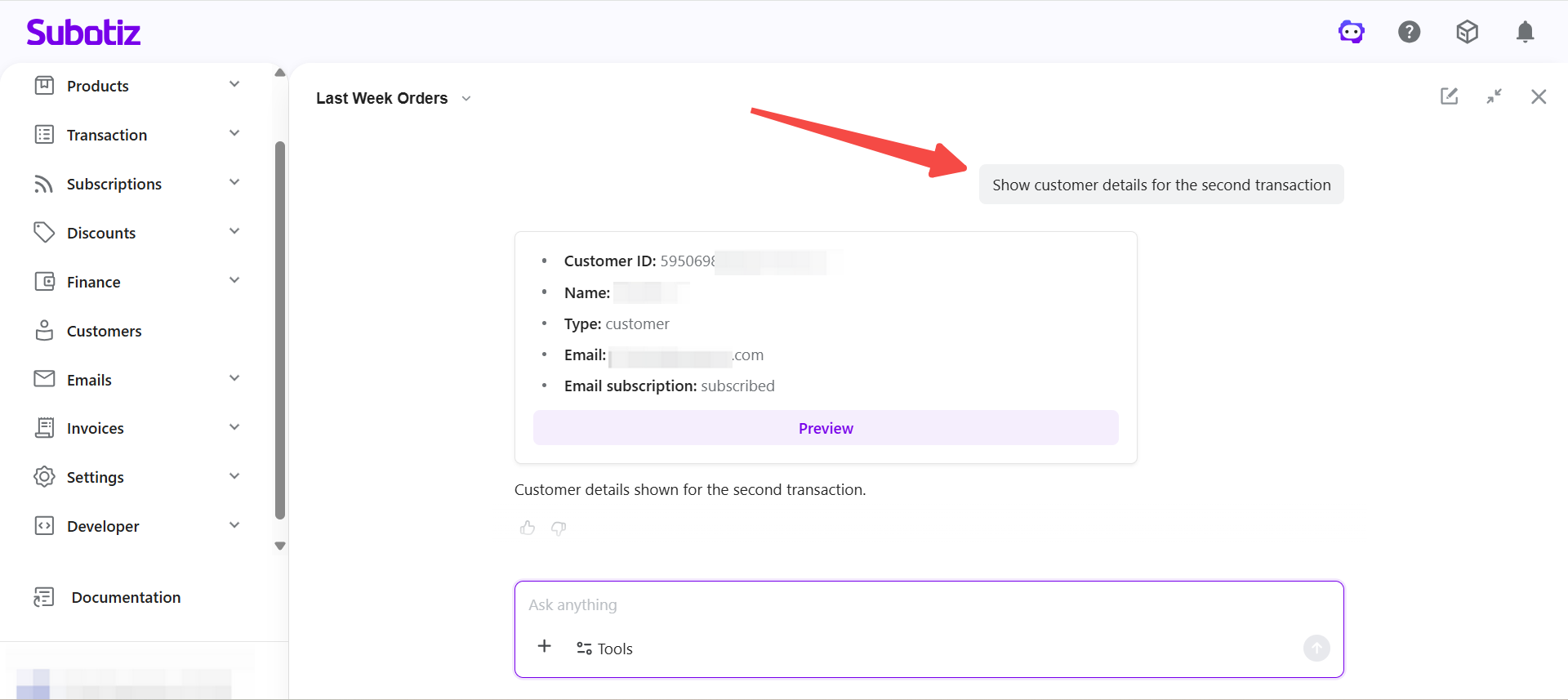
- Check the customer information linked to a specific transaction
Through follow-up questions, merchants can locate target data more quickly and streamline troubleshooting.
Search Related Data
The AI Assistant can search across related business data without requiring merchants to switch between different menus.
- Supported Data Types
- Transactions
- Customers
- Subscriptions
- Invoices
Merchants can continue exploring related information based on current search results, for example:
- View a customer's subscriptions and payment records
- Check the customer and invoice linked to a refunded transaction
- Review historical payment status for a subscription
By linking related data, merchants can access more complete information within a single conversation and reduce repeated navigation between modules.
View Full Results and Continue with Existing Filters
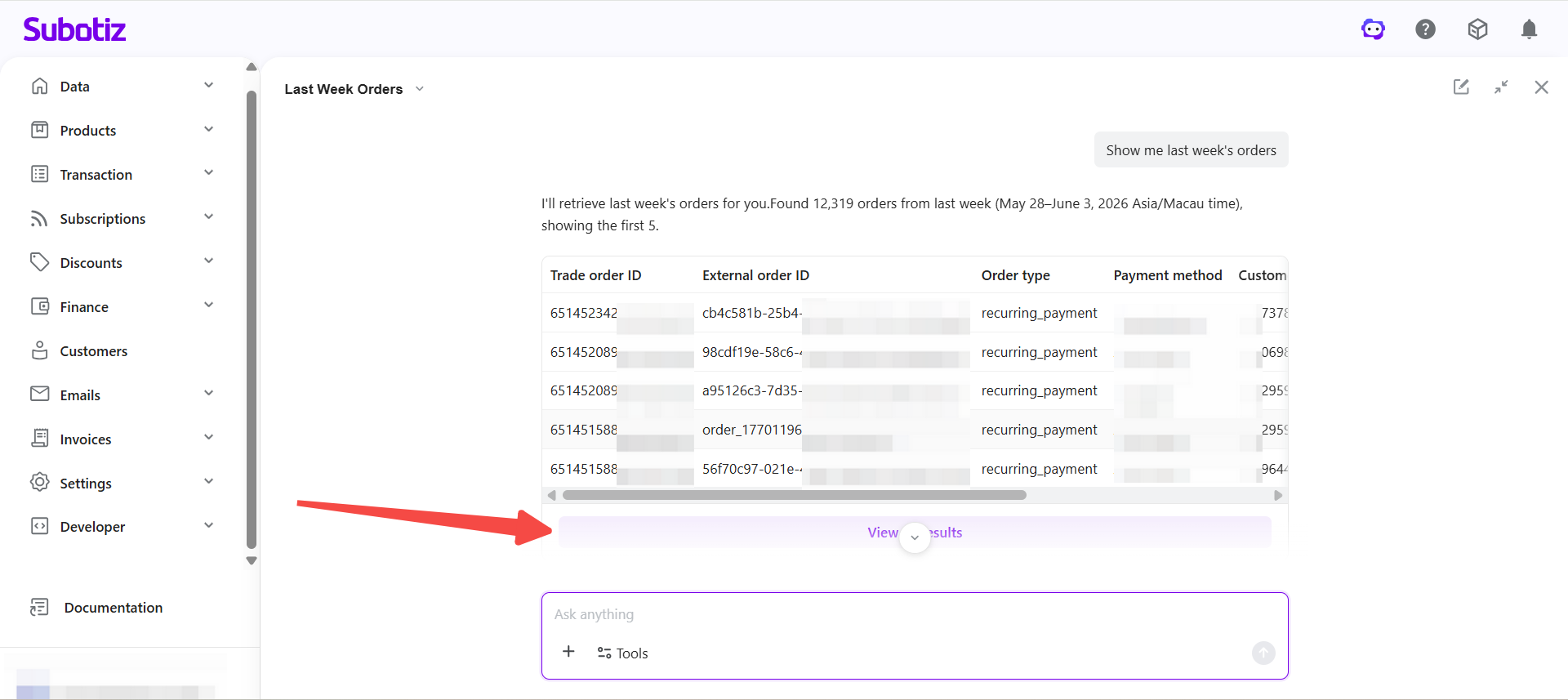
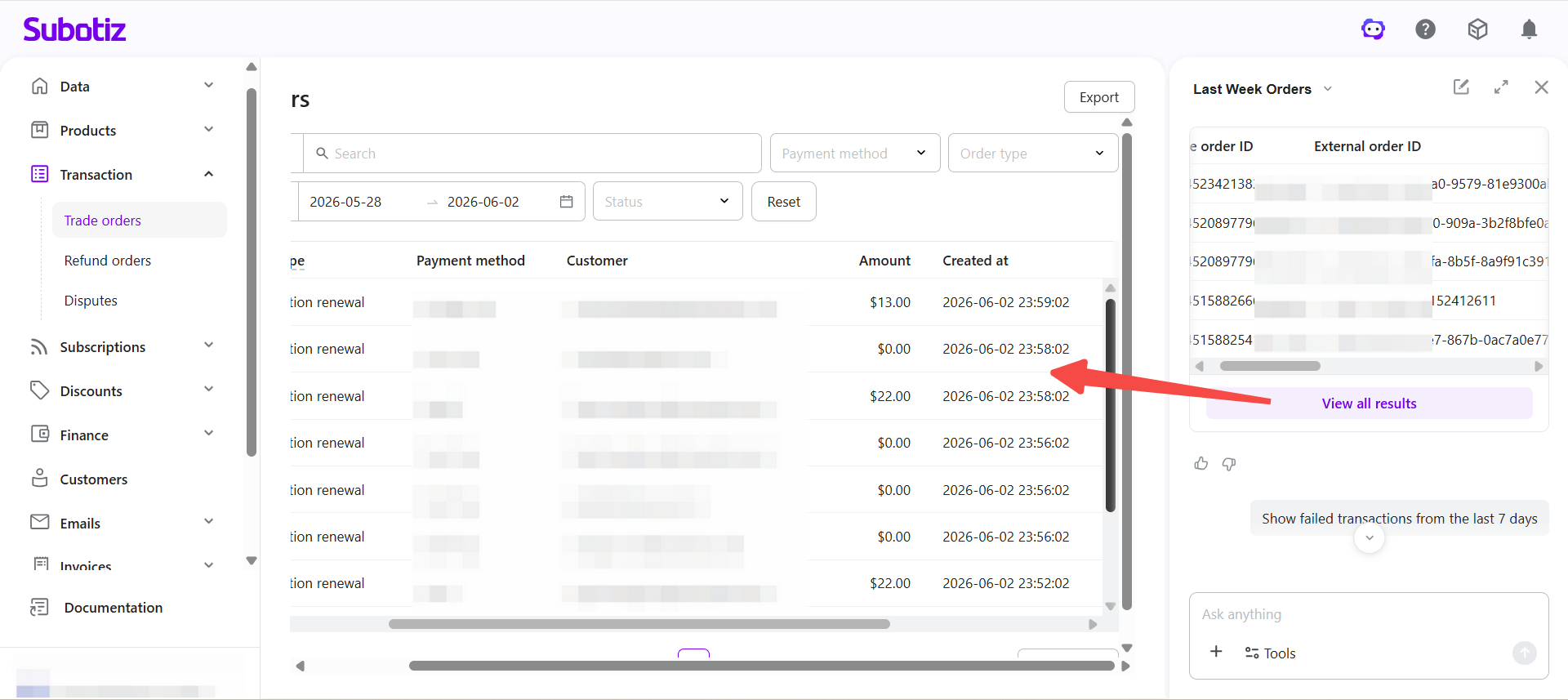
When a query returns a large number of results, merchants can use View all results to open the corresponding list page and review the full dataset.
The AI Assistant automatically carries over the filters used in the conversation, removing the need to configure them again manually.
Merchants can continue to:
- View full results
- Adjust filters
- Export data
This creates a seamless workflow between AI-powered search and standard list management.
Usage Limitations
- Permission-based access: AI search results follow the permissions assigned to the current account and only display accessible data.
- Conversation context limit: Each conversation supports up to 50 rounds of context retention.
With natural language search, follow-up questions, related data search, and automatic filter carryover, the AI Assistant gives merchants a faster way to search, trace, and troubleshoot business data from a single entry point.