The Data Analysis Assistant in Subotiz enables merchants to query store data using natural language. Each request is converted into a structured query, returning aggregated results for quick and consistent analysis. This feature is designed for fast insights rather than full report replacement.
Asking Data Questions
The assistant supports multiple types of data queries across key business metrics.
- Retrieve metrics: Get aggregated values such as revenue, order count, or active subscriptions within a specific time range.
- Compare performance: Compare metrics across time periods, products, or payment methods.
- Analyze trends: Review how metrics change over time to identify growth or decline patterns.
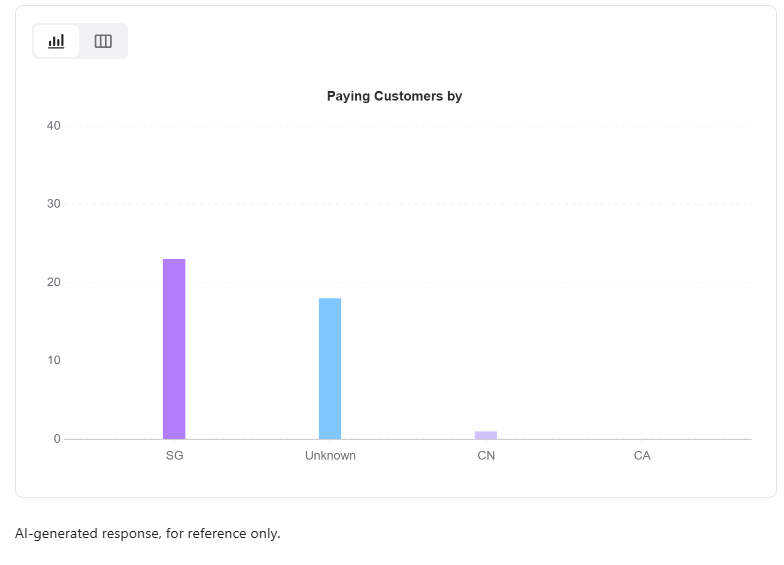
- Break down data: Analyze distributions by country, payment method, or product.
- Investigate changes: Identify possible causes behind unexpected changes in metrics.
Improving Query Accuracy
Clear and specific queries improve the relevance of results.
- Specify time range: Use timeframes such as “last 30 days” or “this month.” If not specified, the system defaults to the most recent 30 days.
- Define metrics: Use specific terms such as subscription revenue or refund rate.
- Specify dimensions: Include product, country, or payment method where relevant.
- Use natural language: Describe the business question directly if unsure about exact metric names.
- Refine queries: Ask follow-up questions within the same conversation to continue the analysis.
Viewing Example Questions
The following examples illustrate common query patterns.
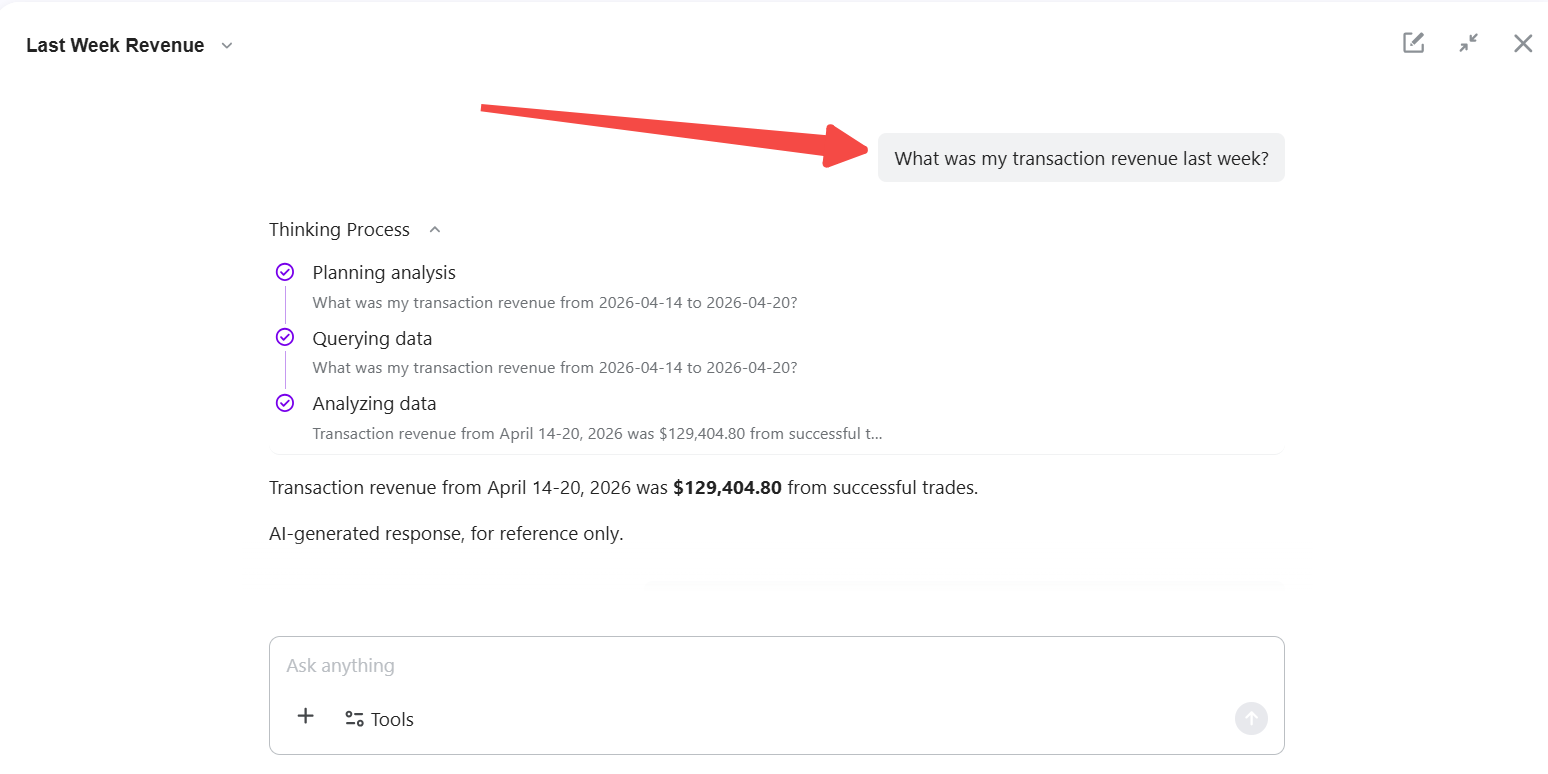
- Check revenue: What was my transaction revenue last week?
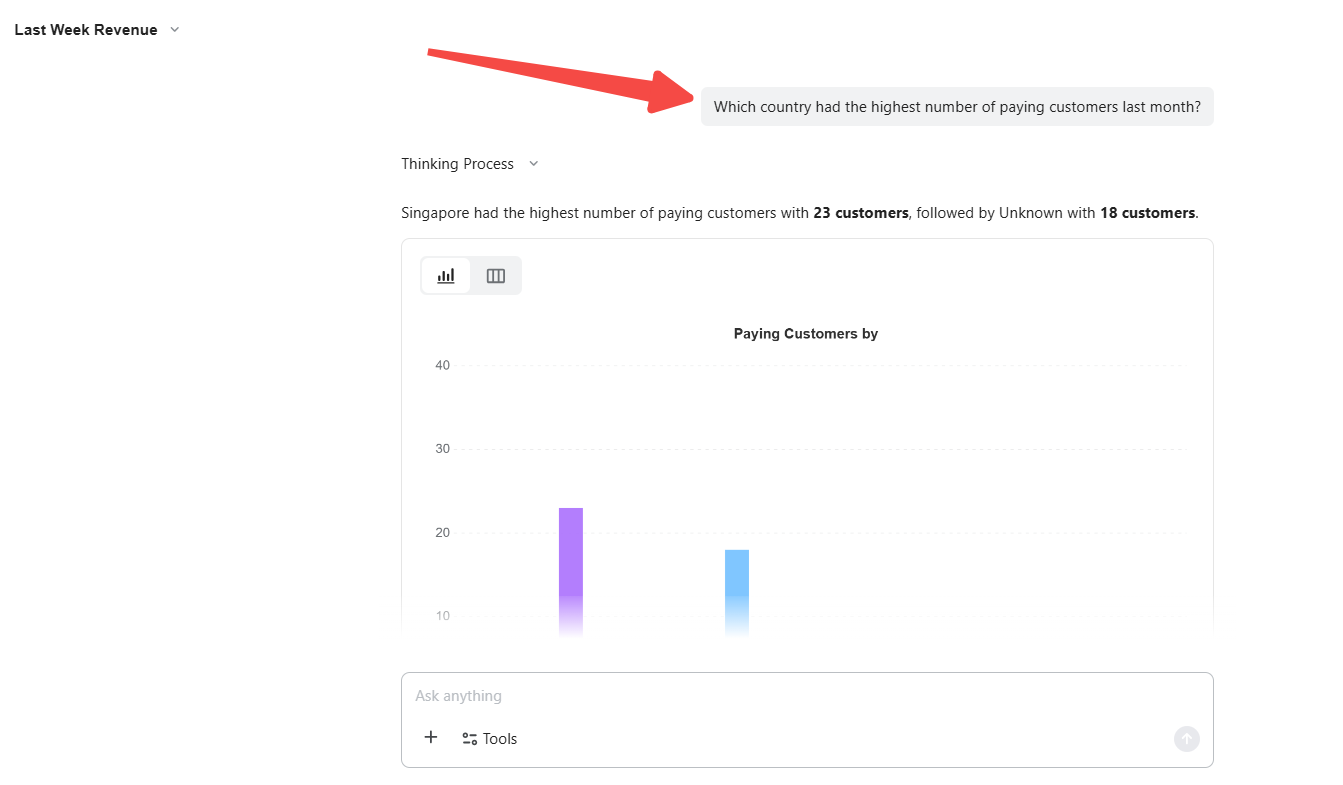
- Analyze source: Which country had the most paying customers last month?
- Compare performance: Compare subscription counts between this month and last month.
- Break down data: Show transactions by payment method for the last 30 days.
- Investigate change: Why did revenue drop last Tuesday?
Understanding Processing Status
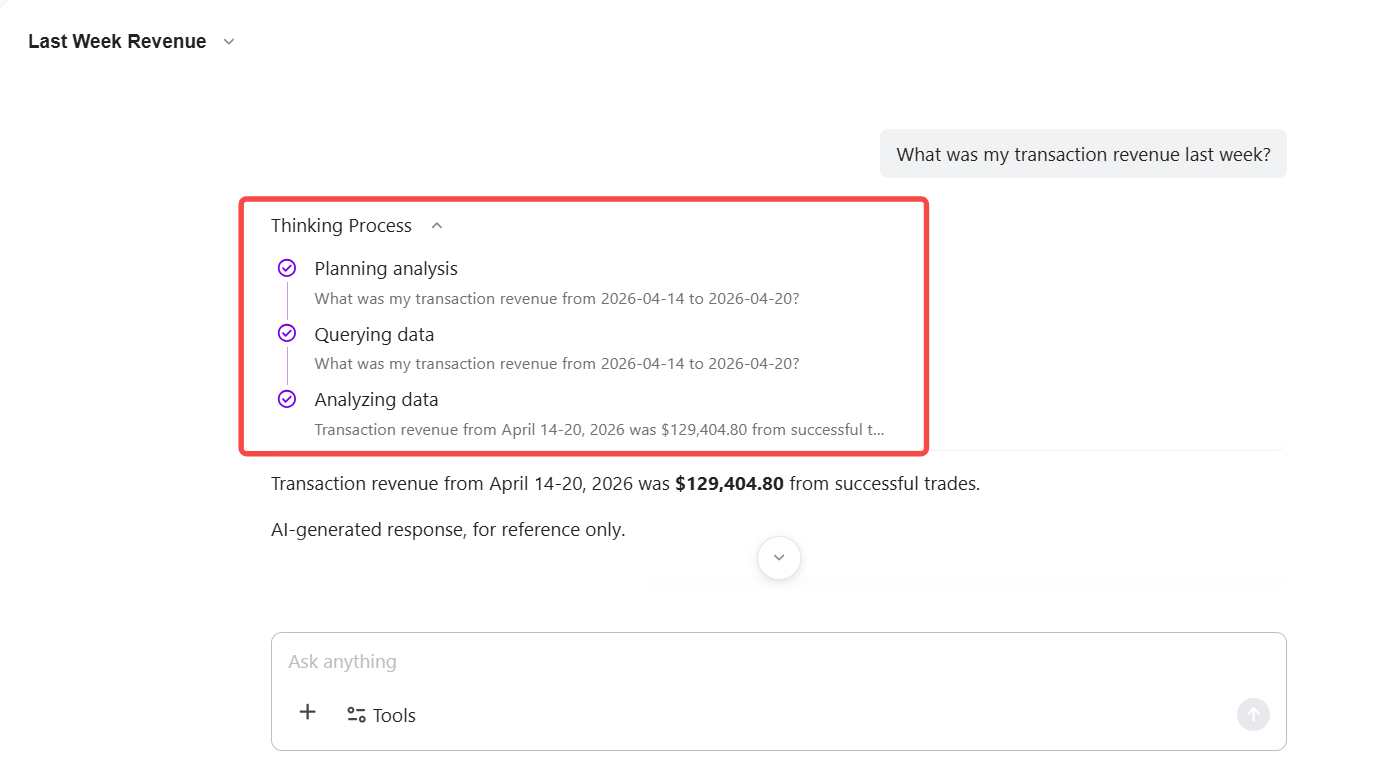
Data analysis queries display a thinking process so merchants can follow the progress. Status indicators are automatically replaced once results are ready.
If a query cannot be answered with available data, the assistant explains why and suggests how to adjust the request.
Limitations
- Aggregated data only: Results do not include individual transactions or customer-level details.
- Store scope only: Queries are limited to the current Subotiz account.
- Supported metrics only: Questions outside the available data scope cannot be answered.
The Data Analysis Assistant enables merchants to query store data using natural language and receive structured results. Analysis is based on aggregated data and can be refined through follow-up questions. The feature supports efficient data exploration within defined system boundaries.