AI Onboarding in Subotiz starts automatically after registration and guides merchants through store setup using a short, conversation-based workflow. Instead of manual configuration, merchants provide business details through guided questions, and the system generates a personalized onboarding plan.
Starting AI Onboarding
AI Onboarding launches automatically after registration.
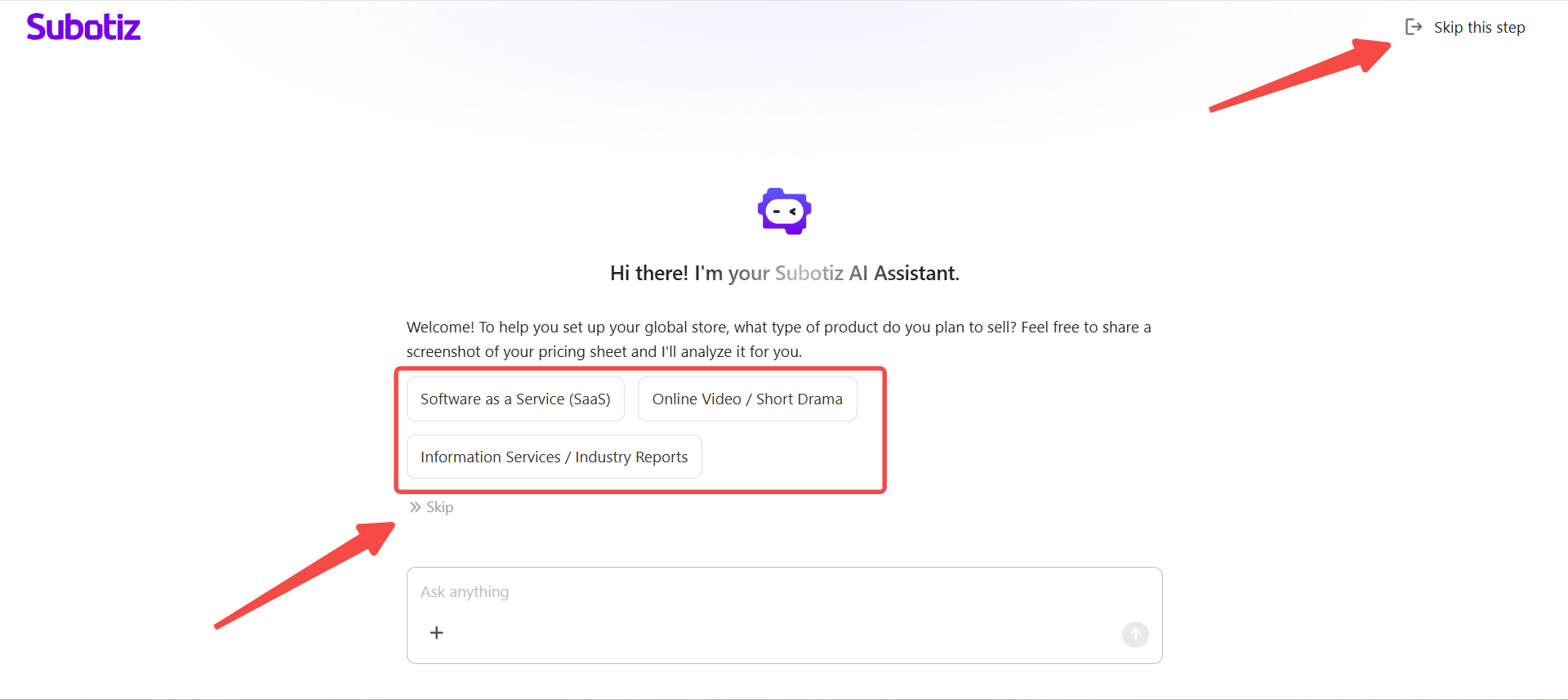
- Complete registration: The AI Assistant launches as the first screen in the admin immediately after registration.
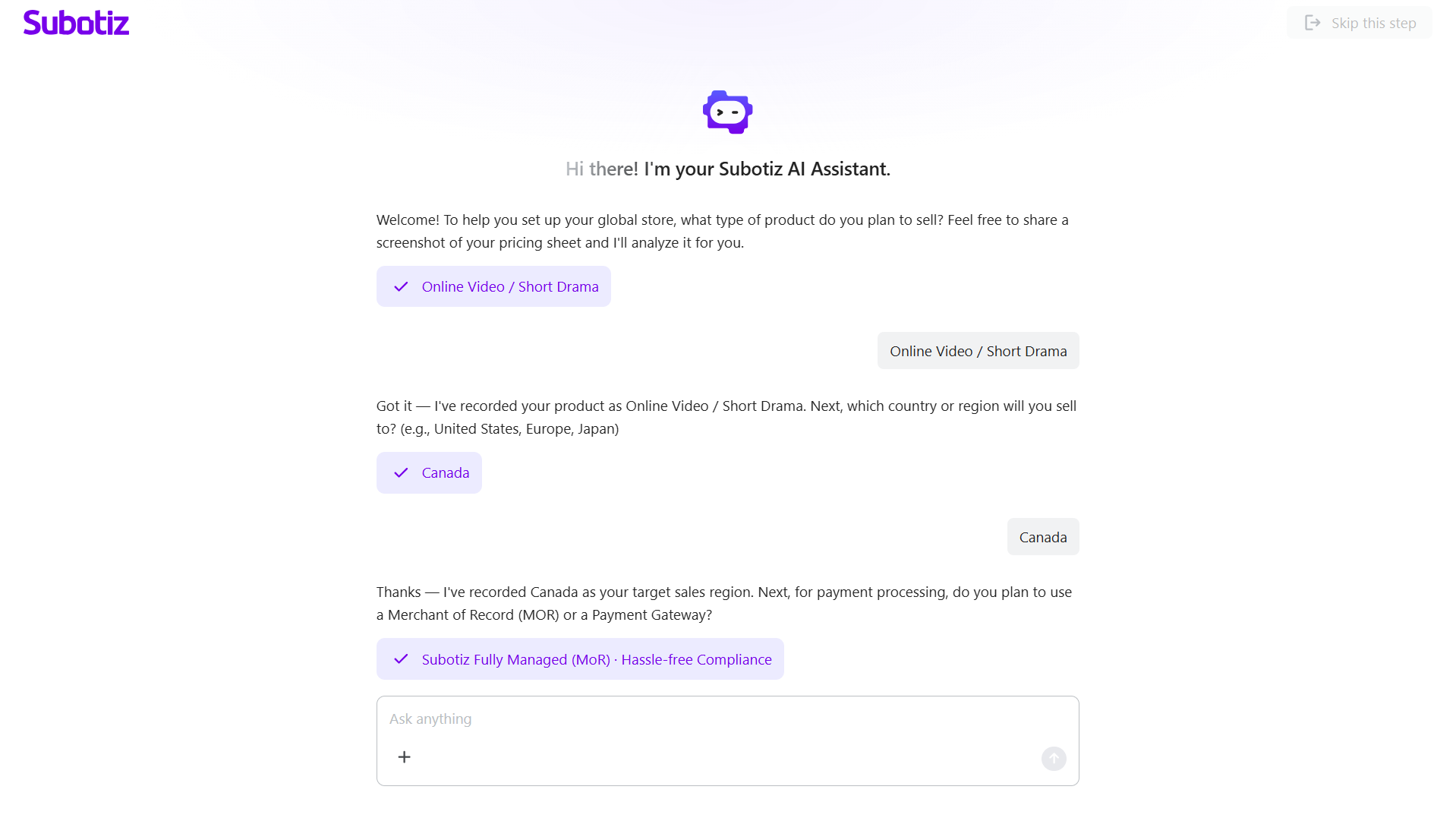
- Answer questions: Provide business details such as product type, region, and payment preferences.
- Use flexible input: Enter responses as free text, select suggested options, or upload images.
- Skip questions: Skip individual or all questions while the system applies default values where needed.
Confirming Business Information
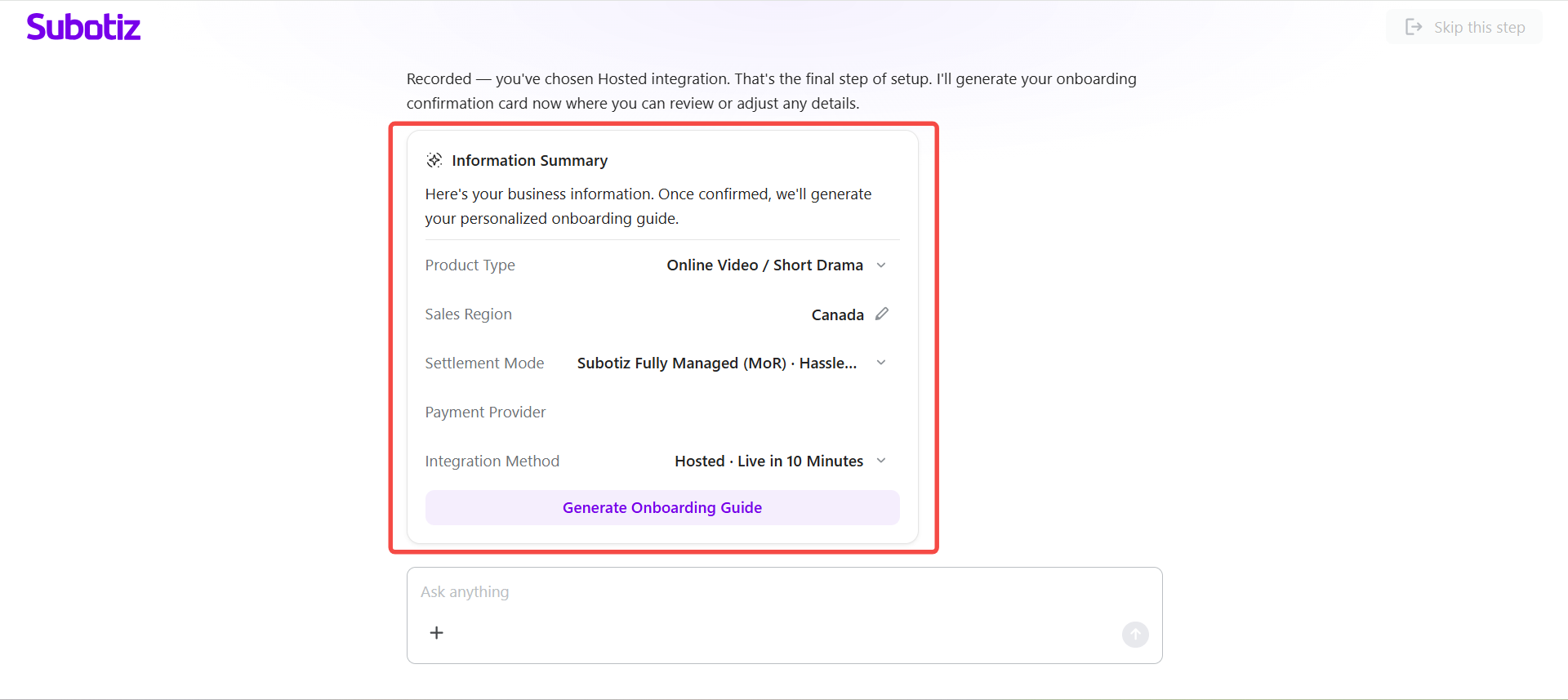
The assistant displays an Information Summary card after collecting inputs.
- Review summary: Check details such as product type, sales region, settlement mode, and integration method.
- Edit fields: Modify collected information directly in the summary card.
- Update by conversation: Request changes using follow-up messages such as “Change the region to the United States.”
- Generate plan: Click Generate Onboarding Guide to proceed and open the Onboarding Guide panel automatically.
Completing Onboarding Tasks
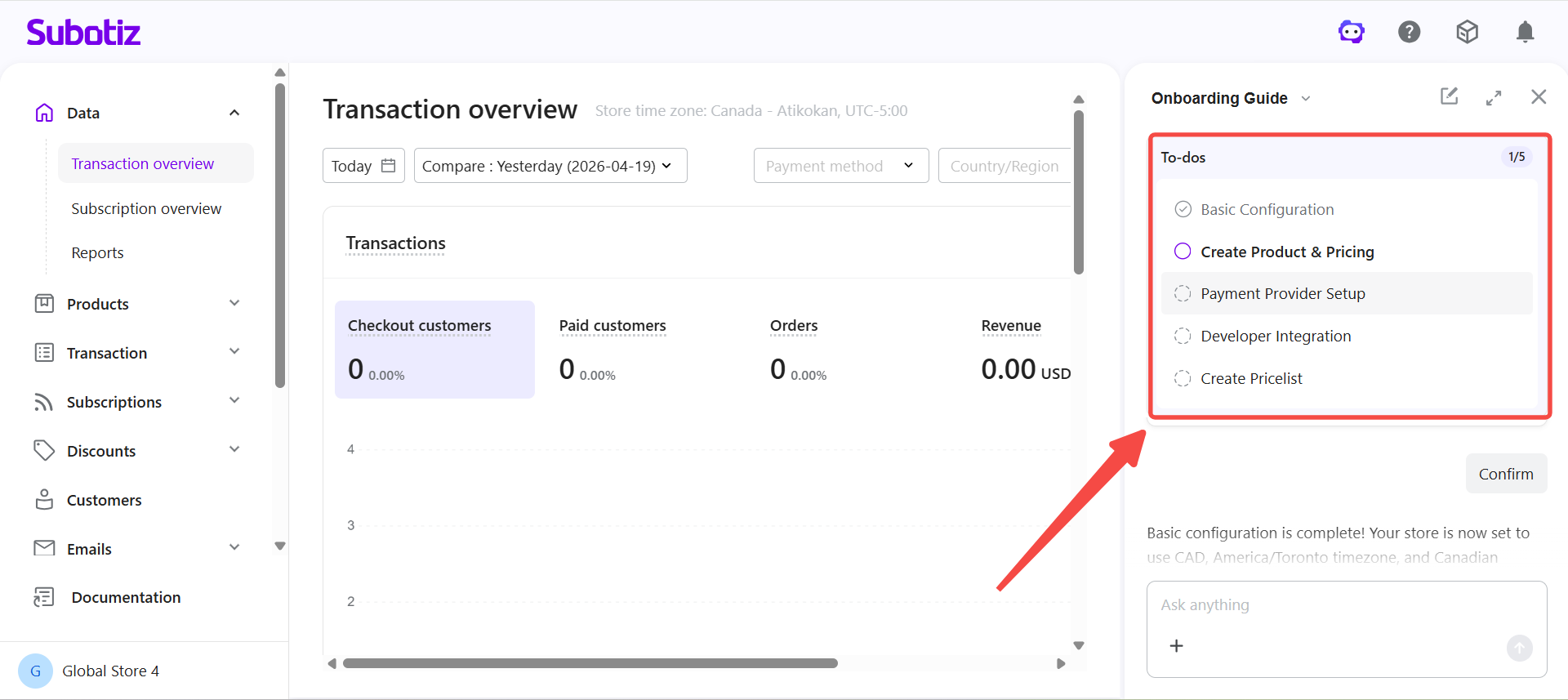
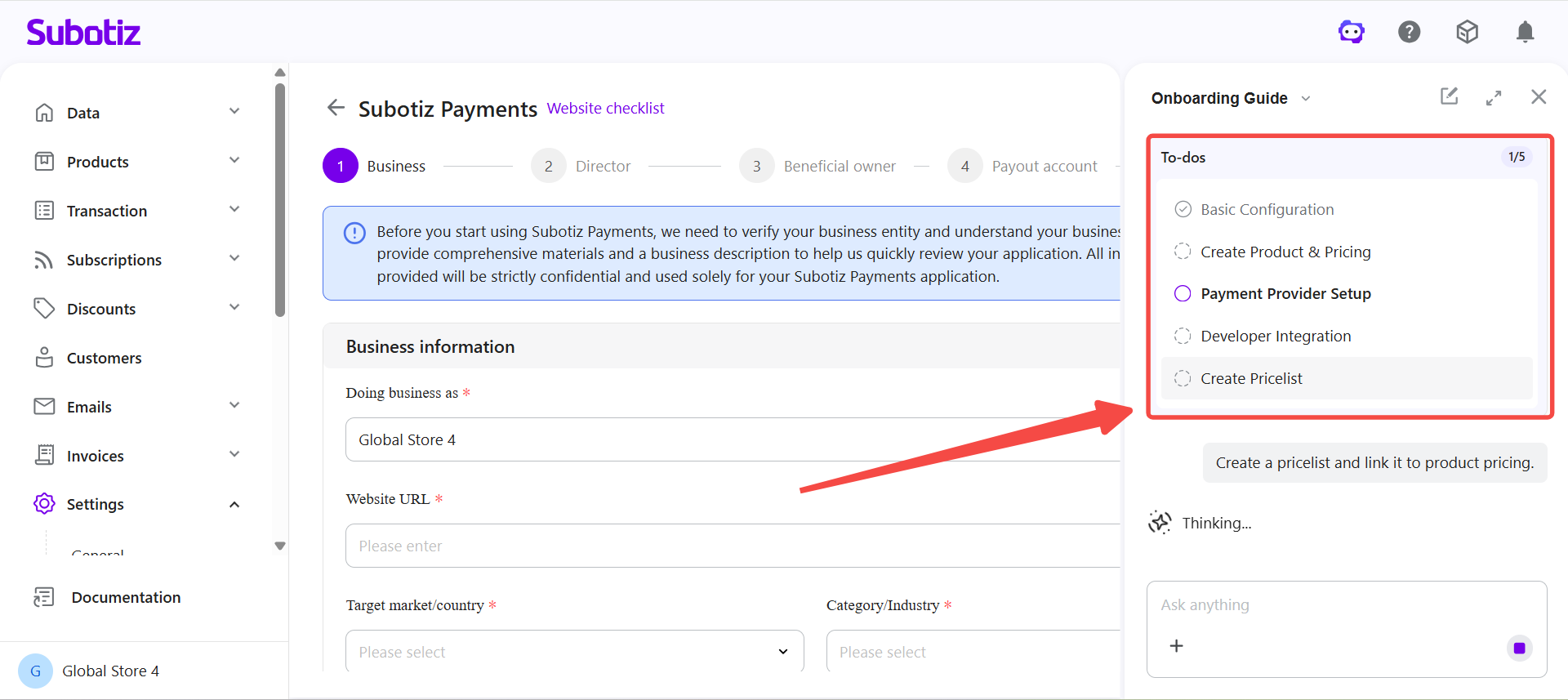
The assistant generates a personalized task list based on the business profile.
- View tasks: Access the To-do list in the Onboarding Guide panel.
- Complete setup: Complete tasks such as Basic Configuration, Product and Pricing setup, and Payment Provider activation (refer to the corresponding pages for detailed instructions).
- Track progress: Monitor completion status at the top of the panel.
- Skip tasks: Skip tasks that are not relevant without affecting the onboarding flow.
Resuming Onboarding
Progress is saved automatically when onboarding is interrupted.
- Resume progress: Reopen the admin to continue from the last completed step.
- Continue anytime: Reopen the AI Assistant to complete remaining tasks at any time.
AI Onboarding simplifies store setup into a guided conversation and a personalized task list, allowing merchants to complete setup faster with less manual work.