The Email AI Agent in Subotiz enables merchants to update email templates using plain language directly in the template editor, without the need to edit HTML. Changes are applied instantly with a live preview, making email customization faster and more accessible for non-technical users.
Accessing the Email AI Agent
The Email AI Agent is available within the email template editor.
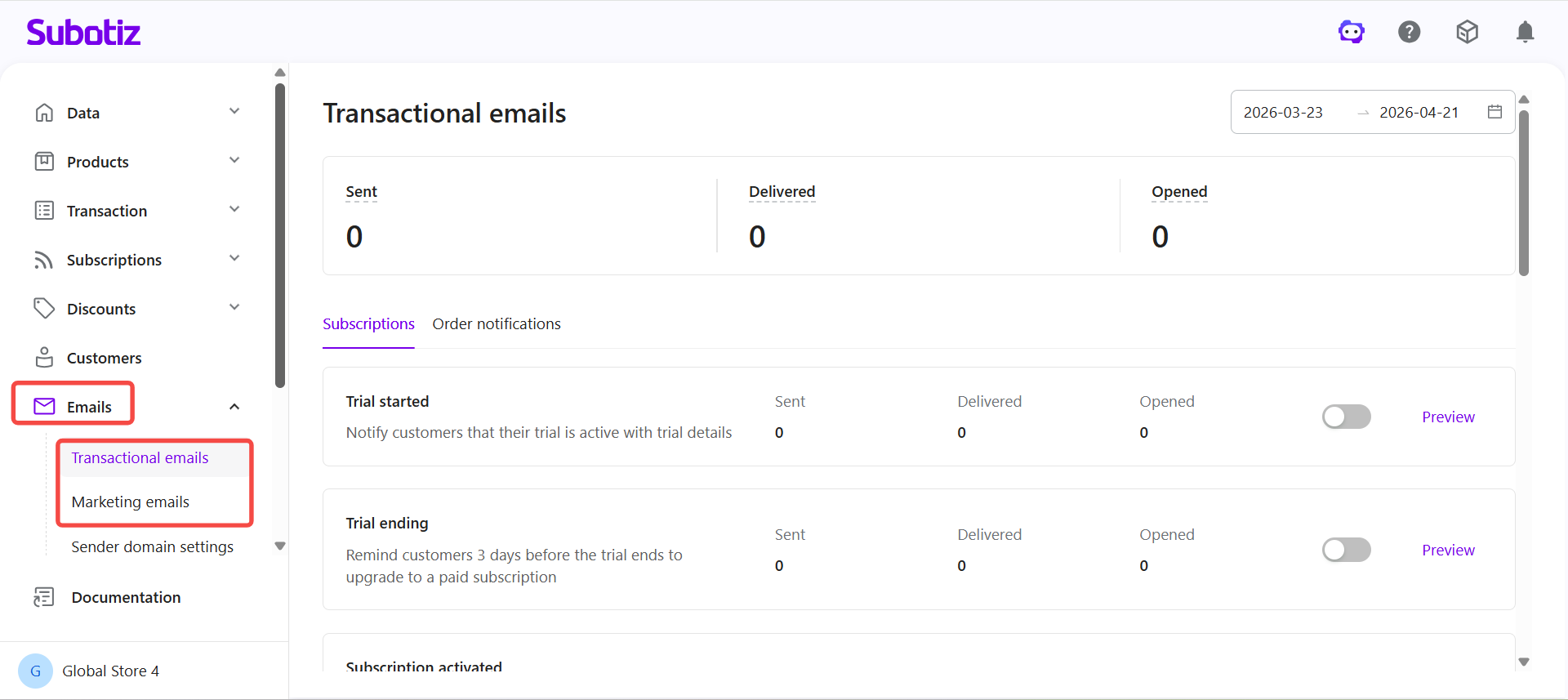
- Open template editor: Go to Email and select Transactional emails or Marketing emails.
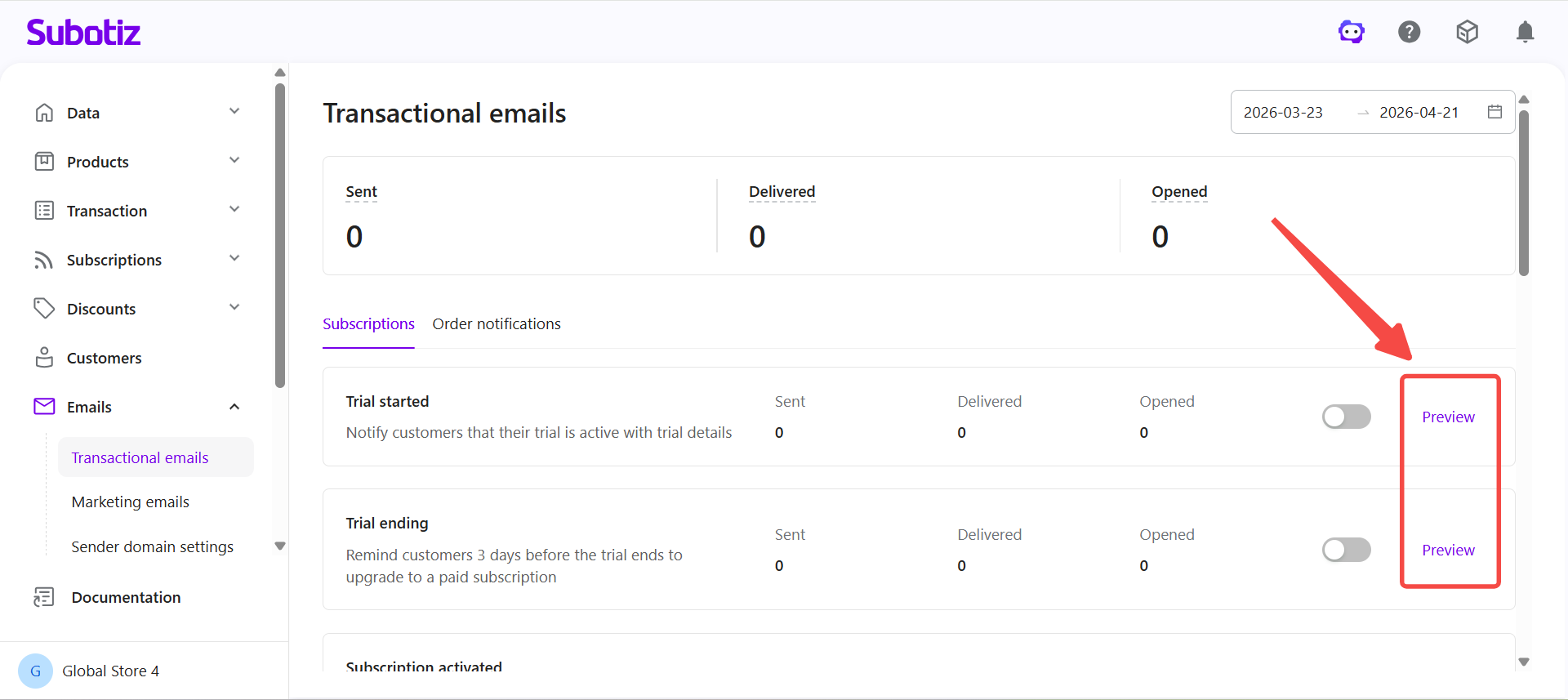
- Select template: Click Preview next to any email template to open the editor.
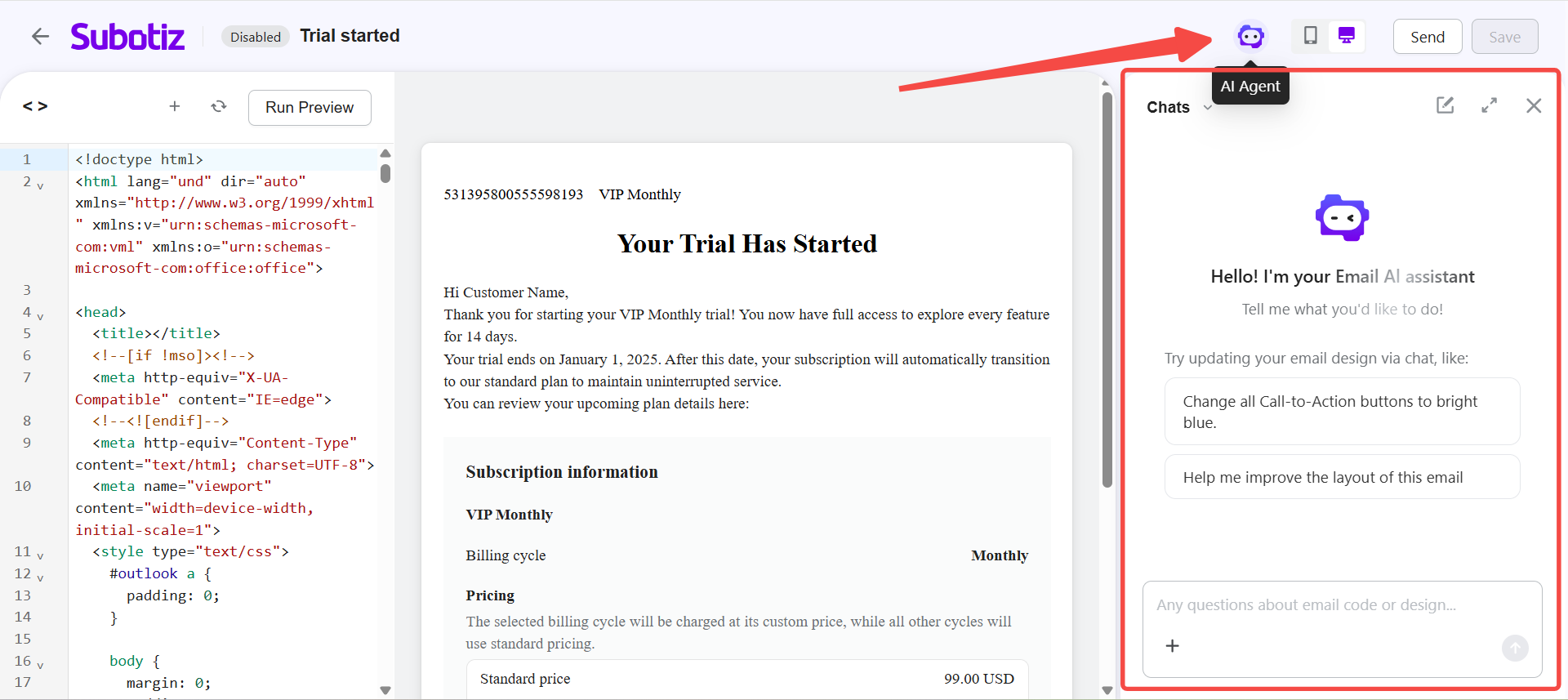
- Launch panel: Click the AI Agent icon in the top bar to open the assistant panel.
Editing Templates
The assistant supports a range of content and structural updates through natural language instructions.
- Update styles: Modify colors, fonts, and visual elements across the template.
- Adjust layout: Refine spacing, alignment, background colors, and section arrangement.
- Rewrite content: Edit subject lines, body text, and call-to-action messaging.
- Update elements: Adjust button color, size, and text.
- Reposition assets: Update logo placement and size.
- Edit structure: Adjust header and footer layout.
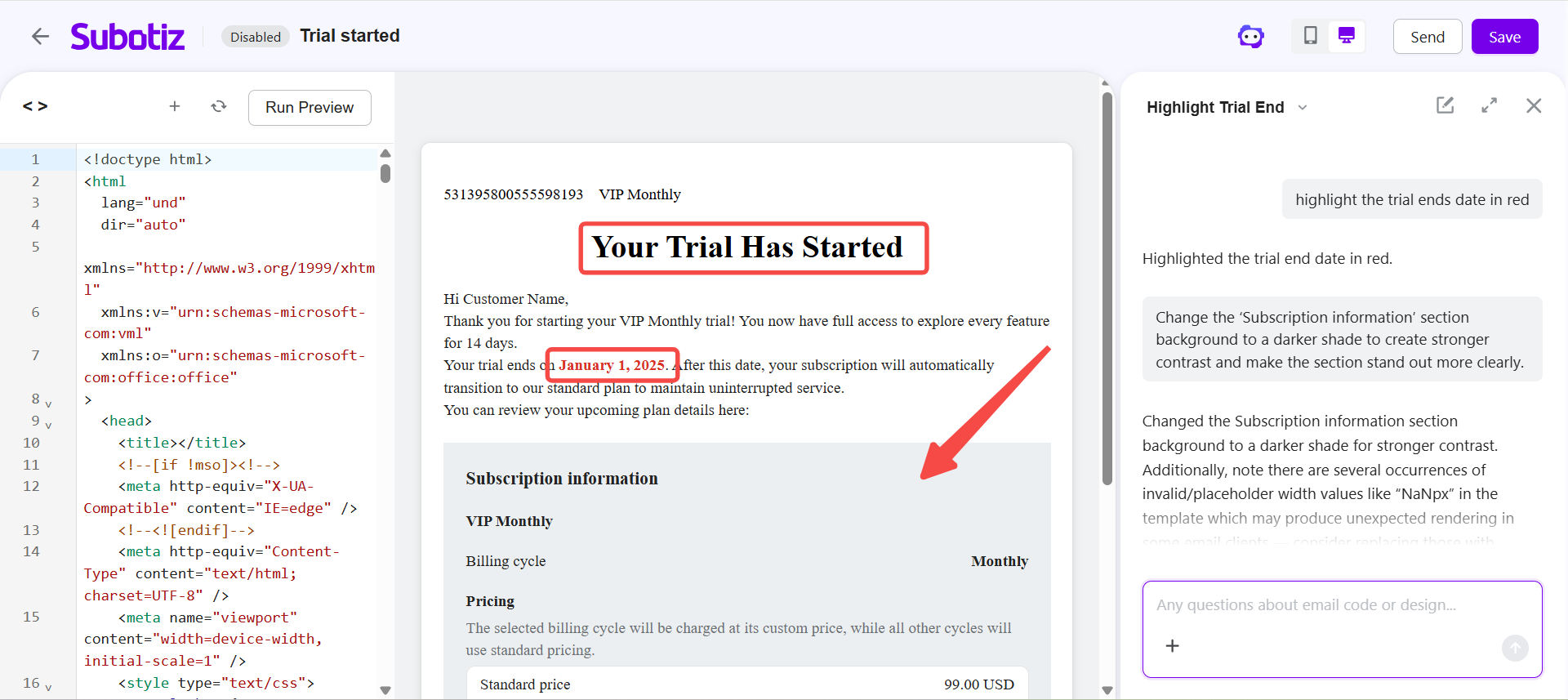
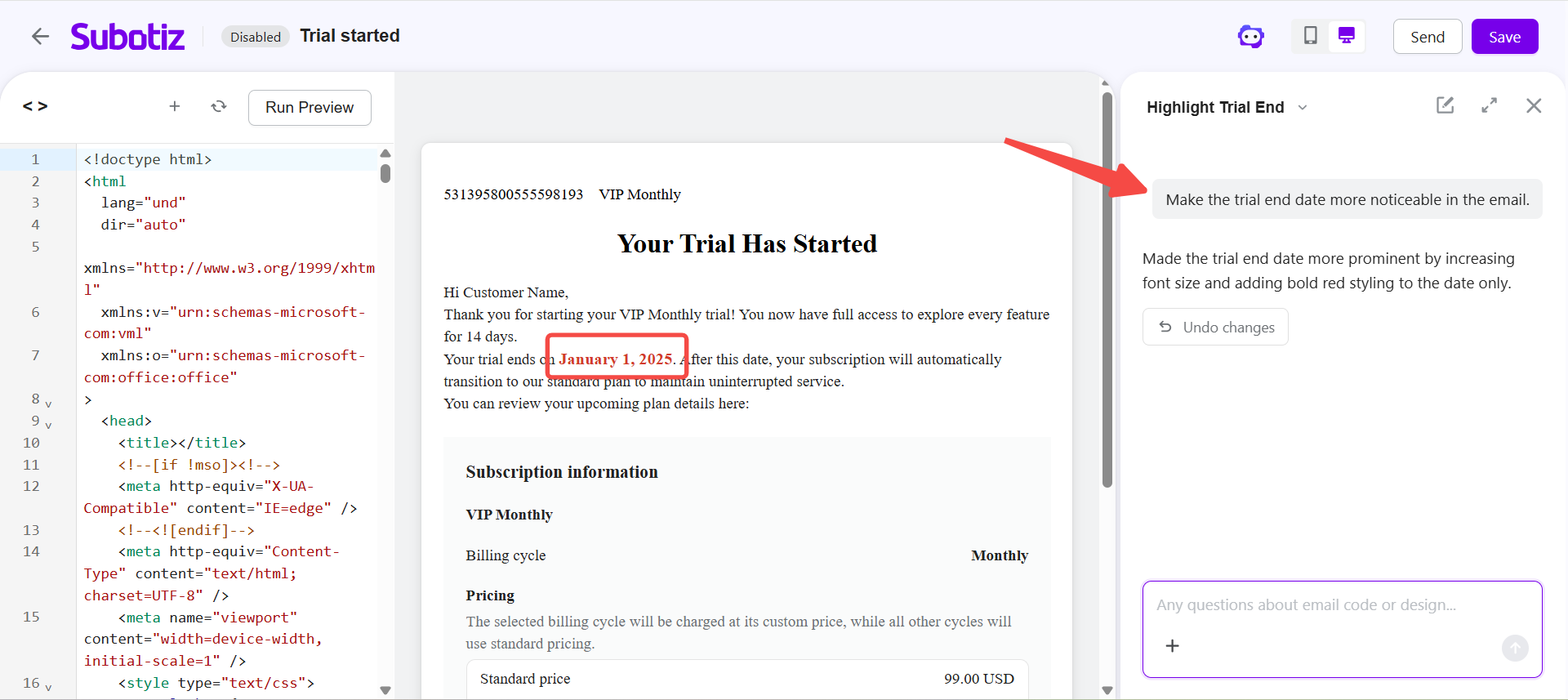
- Highlight information: Emphasize key details such as pricing or trial periods.
- Use suggestions: Select suggested prompts or enter custom instructions.
Writing Effective Instructions
Clear instructions improve the accuracy of template updates.
- Be specific: Reference exact elements such as headers, buttons, or sections.
- One change at a time: Submit a single instruction for more predictable results.
- Refine iteratively: Apply changes progressively using follow-up instructions.
Example instructions:
- "Increase the font size of the email title and make it bold."
- "Change the button style to a darker color to improve contrast."
- "Rewrite the trial message to be shorter and more direct."
- "Highlight the trial end date so it stands out more clearly."
Reviewing and Reverting Changes
Each instruction is applied automatically, with updates reflected in both the editor and preview.
- Review changes: Check the rendered email after each update.
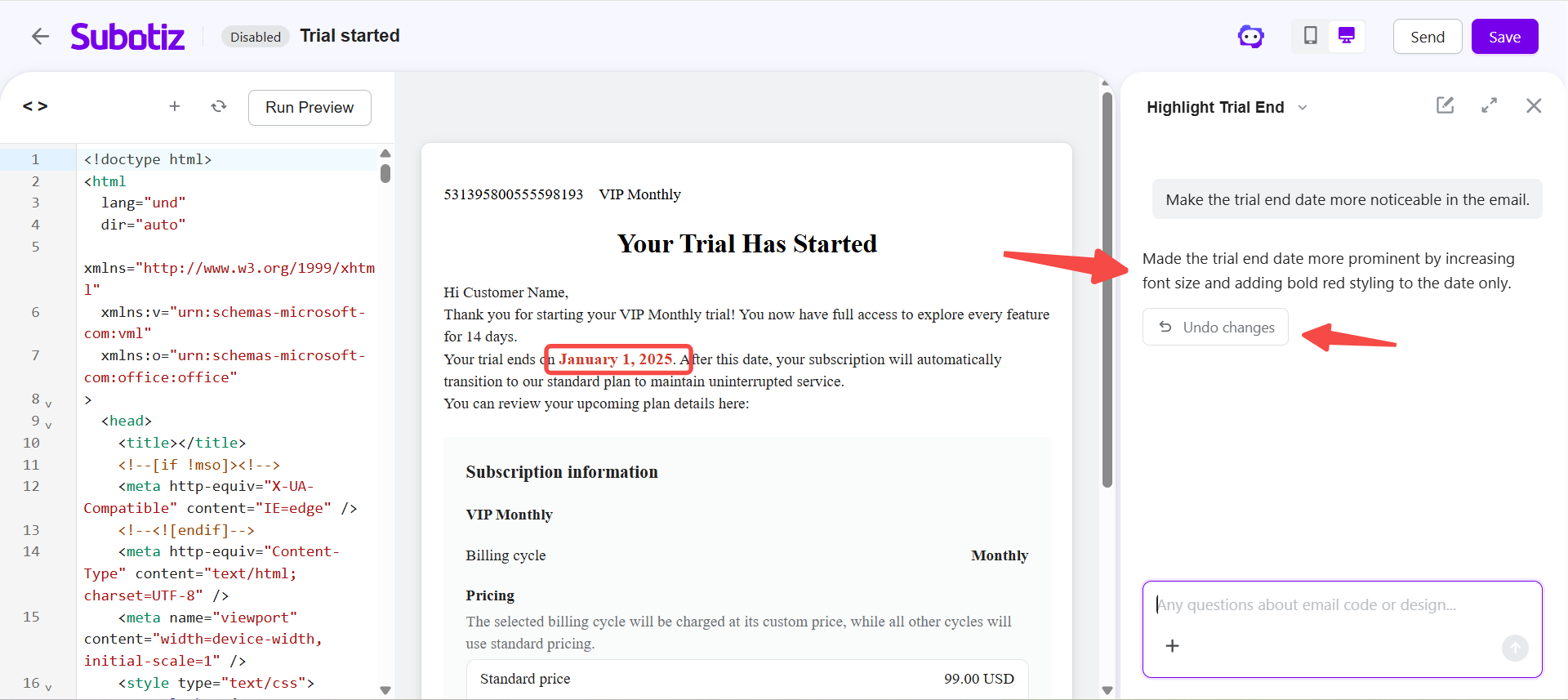
- Undo AI change: Revert the most recent AI-generated update from the assistant panel.
- Use editor undo: Apply keyboard shortcuts to revert recent manual or AI changes.
- Continue editing: Submit follow-up instructions to refine or replace previous results.
Limitations
Certain behaviors apply when using the Email AI Agent.
- Single-step undo: Reverting changes from the assistant panel is limited to the most recent AI-generated update.
- Undo reset: The undo option is replaced after a new AI instruction is applied.
- Shared history: The editor undo function applies to both AI-generated and manual changes in a single action history.
- Template scope: Changes apply only to the currently opened template.
The Email AI Agent enables template updates using natural language within the editor. With real-time preview and iterative refinement, merchants can adjust content, layout, and design without manual HTML editing.