Subotiz automatically generates an invoice record for every successful charge or refund, providing a centralized view of billing activity. When an invoice reaches an eligible status, a formal invoice file can be generated from the invoice detail page and downloaded for reconciliation, recordkeeping, or accounting purposes. This article explains invoice generation eligibility, editable information, and the details included in generated invoice files.
Invoice Eligibility Rules
Invoice file generation is available only for invoices in the following statuses:
- Paid
- Fully refunded
- Partially refunded
Invoices with a Failed status or invoices still in processing are not eligible for invoice generation.
Generate and Download Invoices
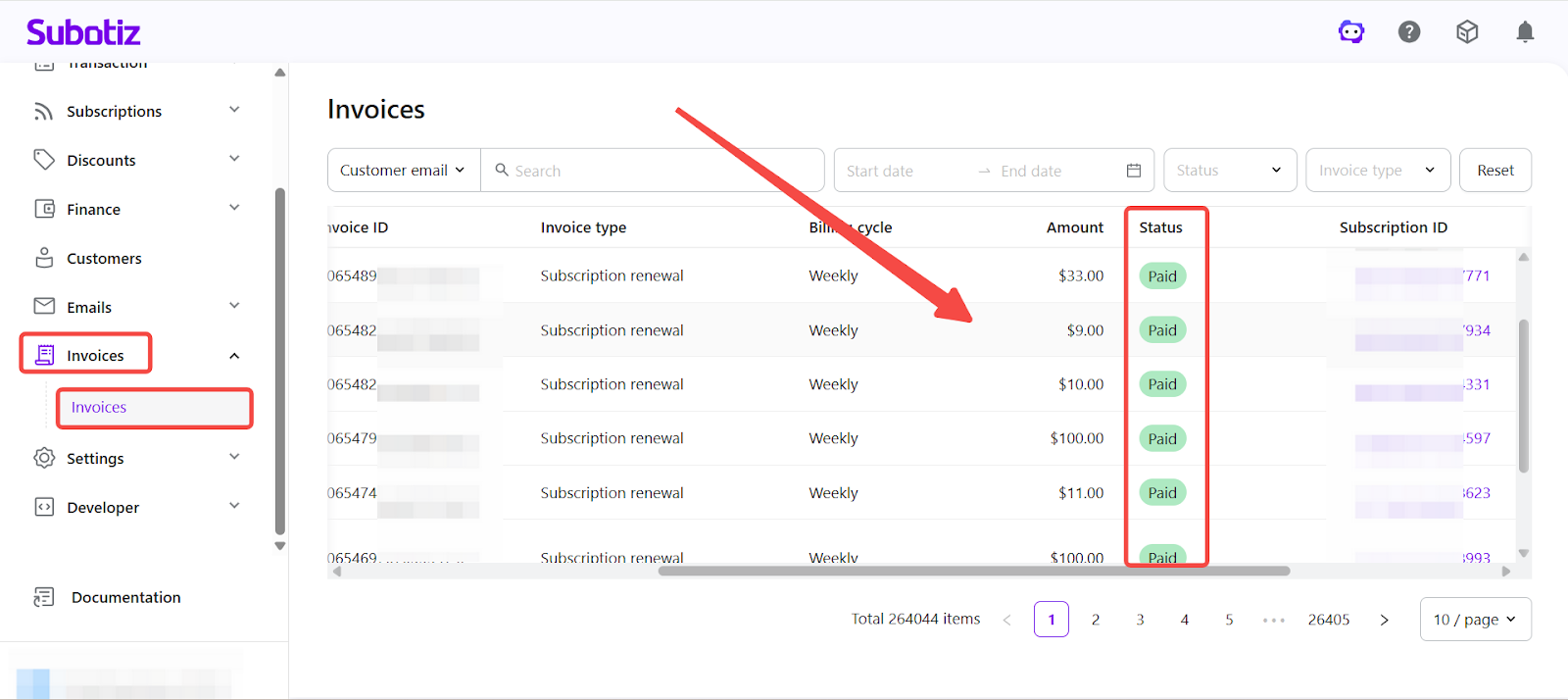
- Open the invoice detail page: Access Invoices in the Subotiz admin and open any invoice that meets the eligibility requirements.
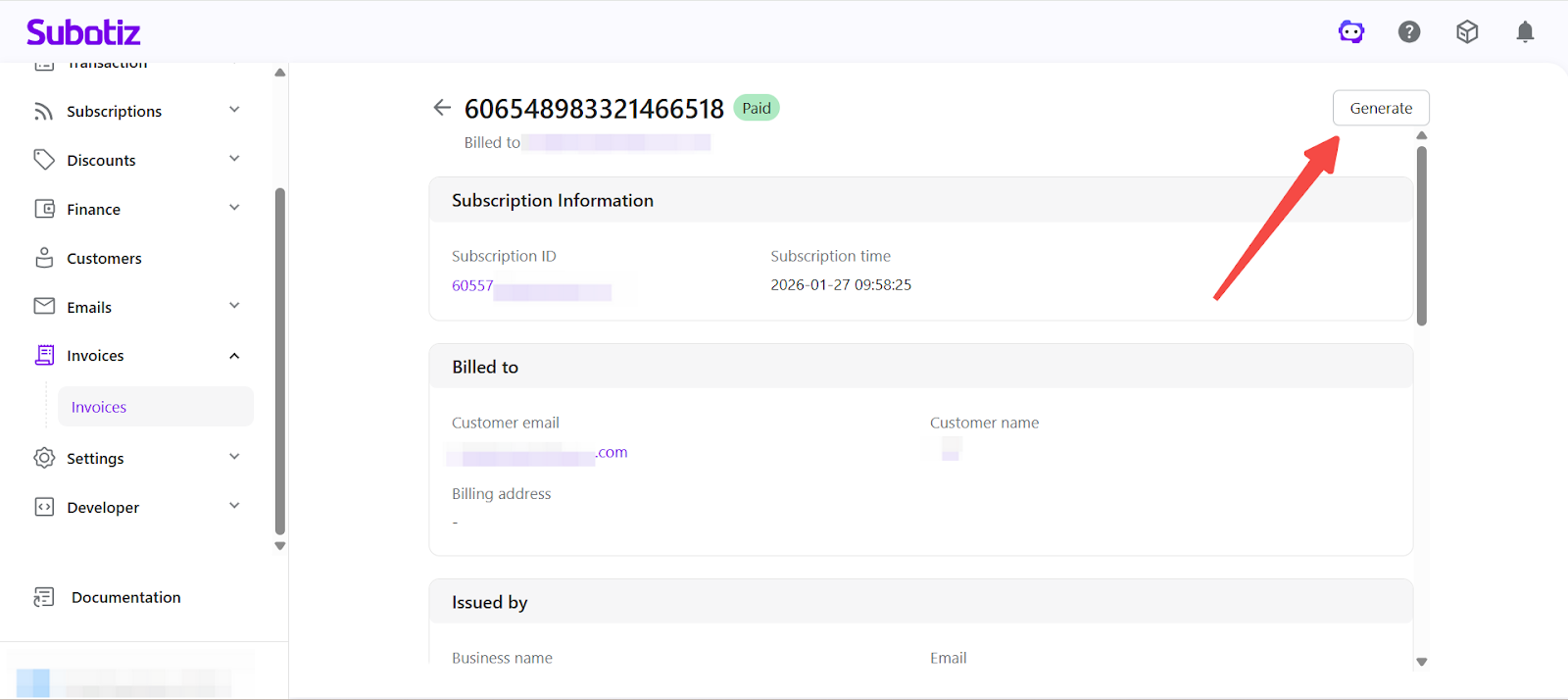
- Generate invoice: On the invoice detail page, select Generate invoice in the upper-right corner to open the generation panel.
-
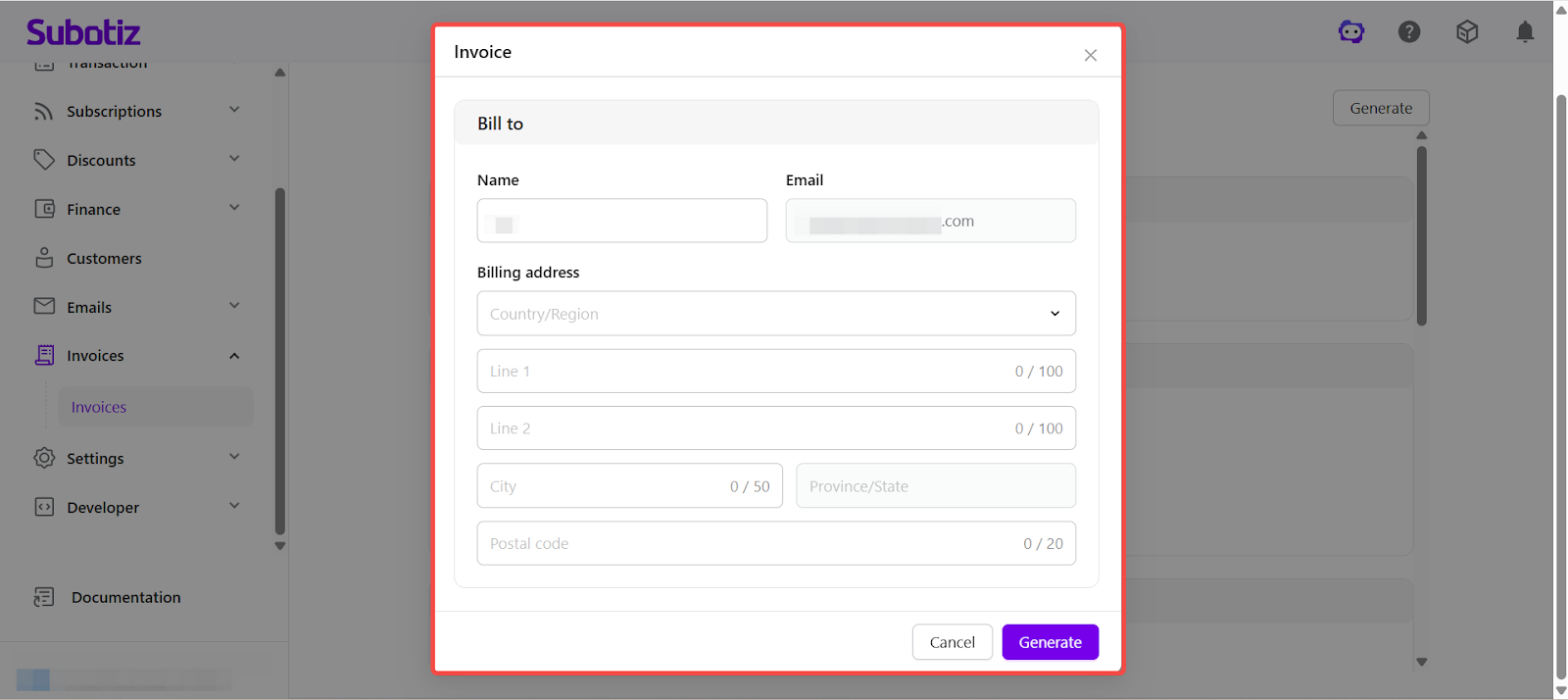
Billing recipient information: Before generating the invoice, review or update the following Billed to fields:
- Name
- Email address
- Billing address (country/region, address lines, city, state/province, postal code)
The information entered here is displayed on the generated invoice file and is commonly used for accounting or tax purposes.
Notes:
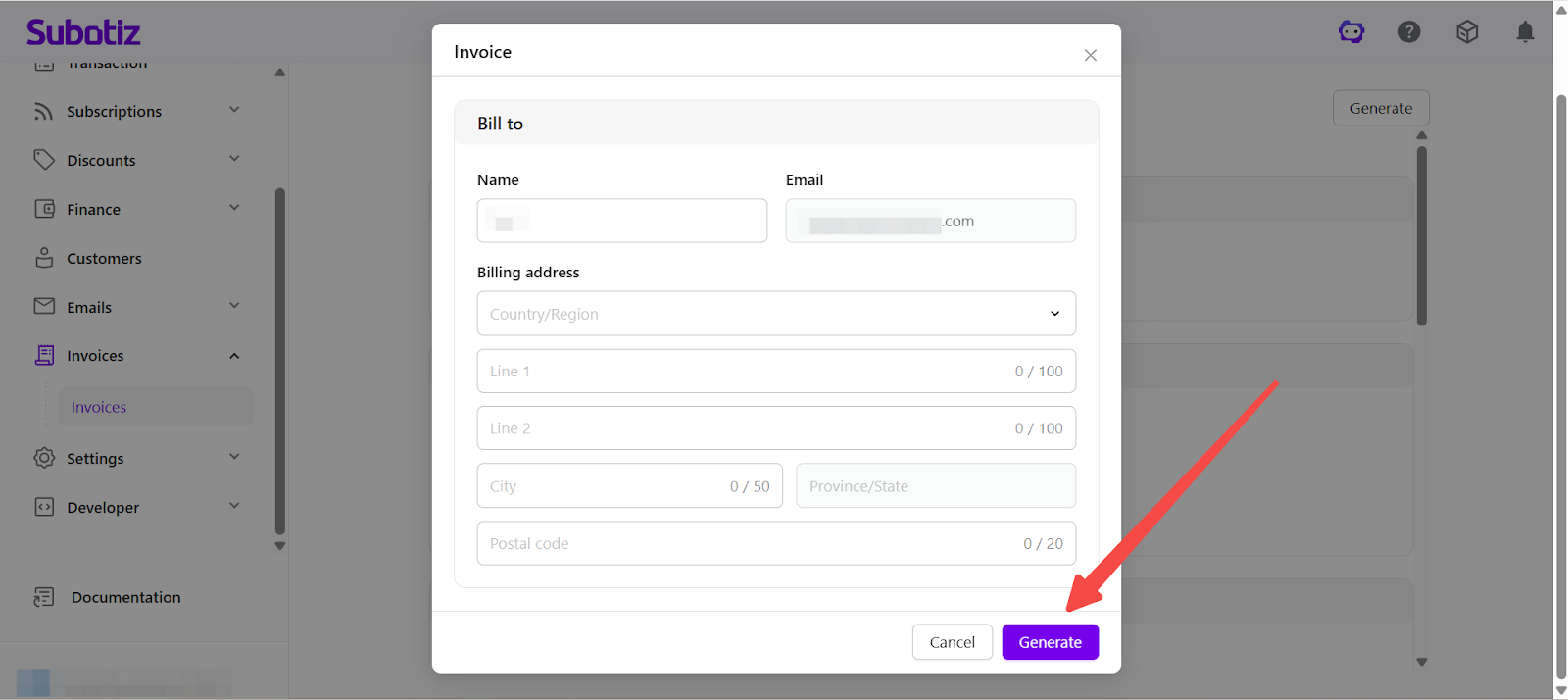
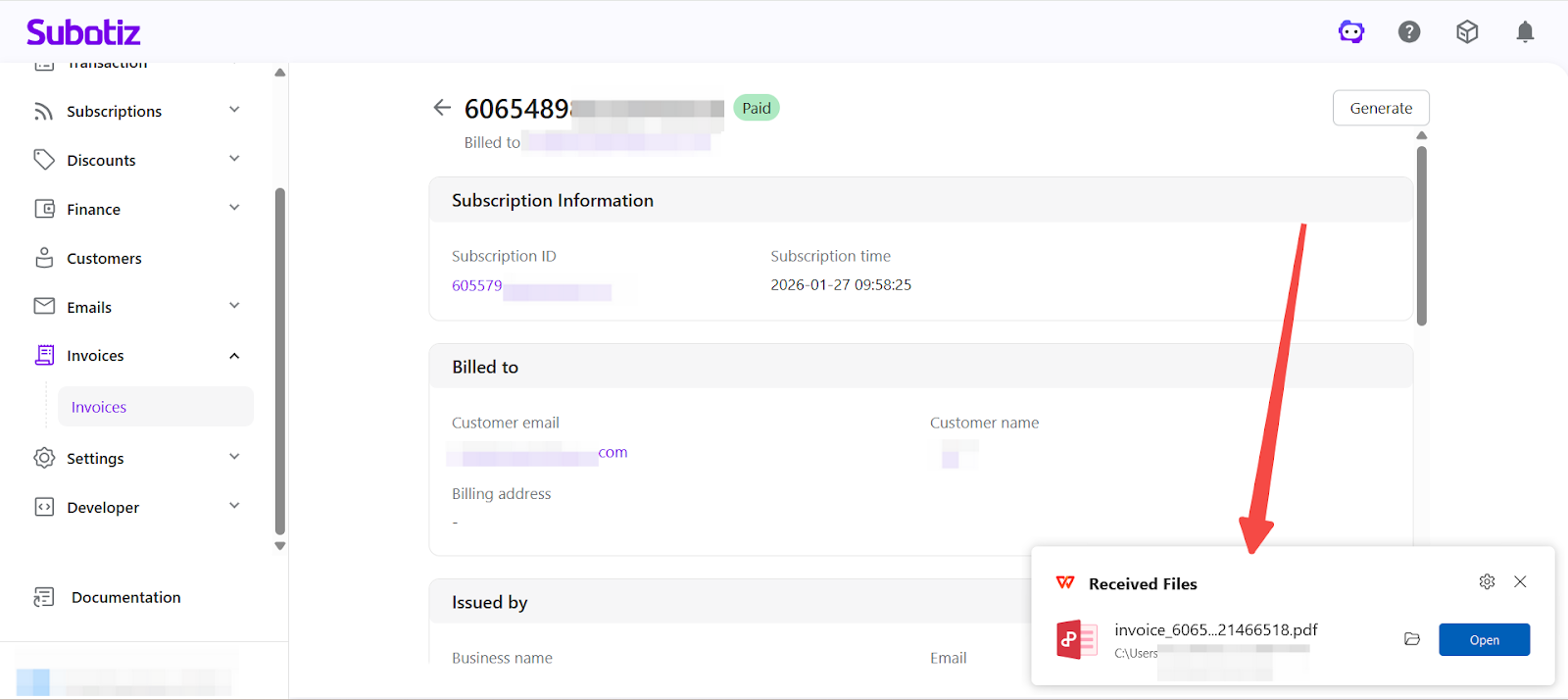
- Download invoice: After confirming the information, select Generate invoice. The PDF invoice file is generated and downloaded automatically.
Invoice Regeneration
- An invoice file can be generated multiple times for the same invoice record.
- Billing recipient information may be adjusted each time a file is generated.
- Generating an invoice file does not affect payment results, refund status, or subscription relationships.
This supports flexible invoice handling across different operational or accounting scenarios.
Invoice File Contents
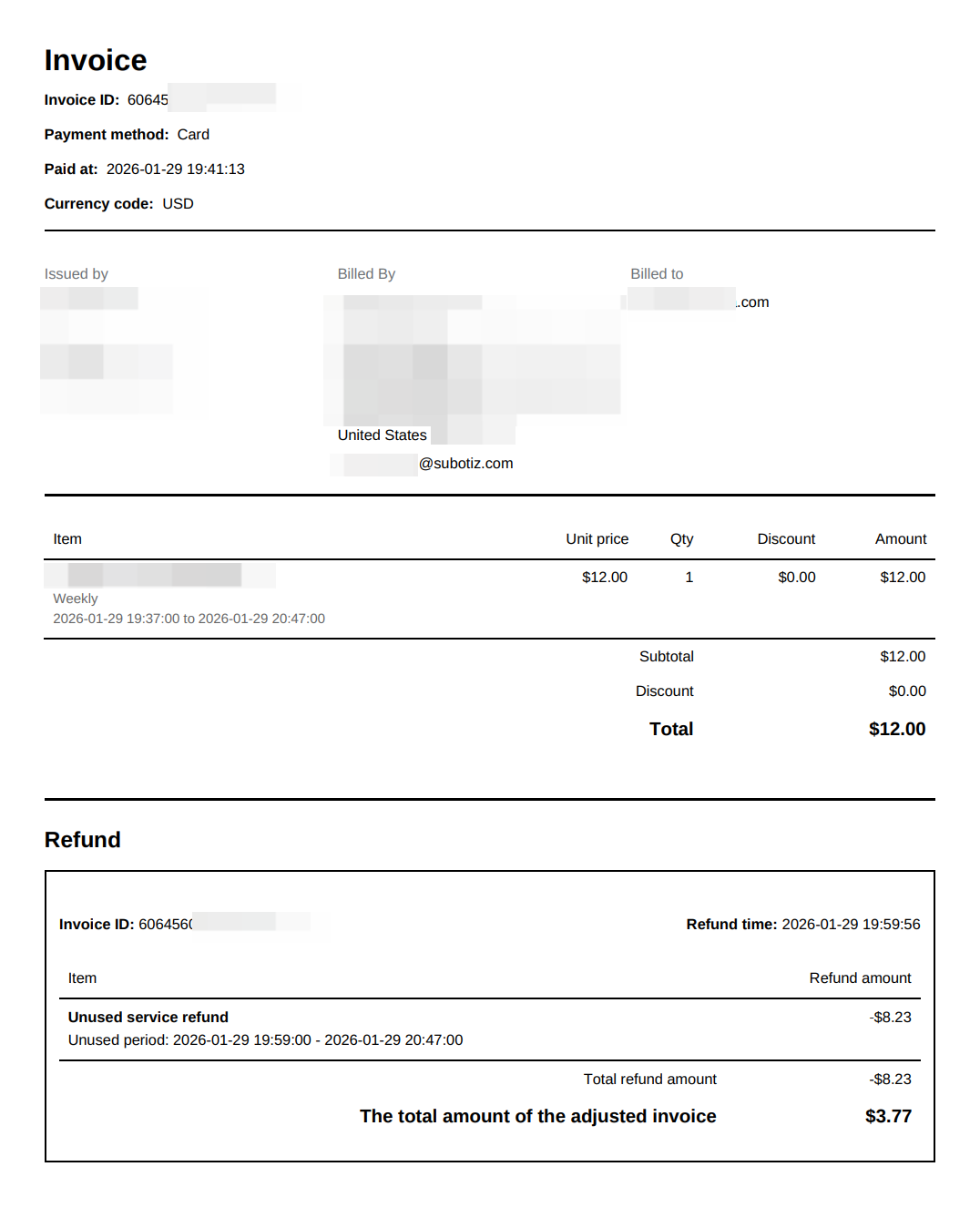
Generated invoice files include the following information:
- Invoice ID
- Payment method and payment time
- Currency code
-
Invoice issuer information (if applicable)
- In Merchant of Record (MOR) scenarios, the issuing entity is displayed.
- In non-MOR scenarios, issuer information may not be shown.
- Billing recipient information (Billed to)
- Line items, including unit price, quantity, discounts, and amounts
- Subtotal and total amount
- Refund details (if applicable)
For refunded invoices, refund details and adjusted totals are reflected in the invoice file.
Additional Notes
- Invoice generation does not change billing amounts, payment results, or subscription status.
- Invoice files reflect the data available at the time of generation. Previously generated files are not updated automatically.
- Billing recipient information should be reviewed before generating invoices to avoid unnecessary regeneration.
- Invoice issuer details are sourced from the business profile. Keep business information up to date to ensure invoice accuracy and professionalism. Learn more: General|Setting Up Business Information.
Subotiz invoice generation and download features help merchants manage billing documentation efficiently while maintaining accurate and compliant financial records.