Subotiz Payments is an integrated payment solution that enables merchants to accept payments, configure payout accounts, and complete the verification process required to activate payment processing.
Before You Begin
The Subotiz Payments onboarding process includes information submission, account review, and additional verification steps.
- Follow the instructions on each page and click Next to proceed through the application.
- Prepare your business information and payout account details in advance to help avoid review delays.
Accessing the Application Page
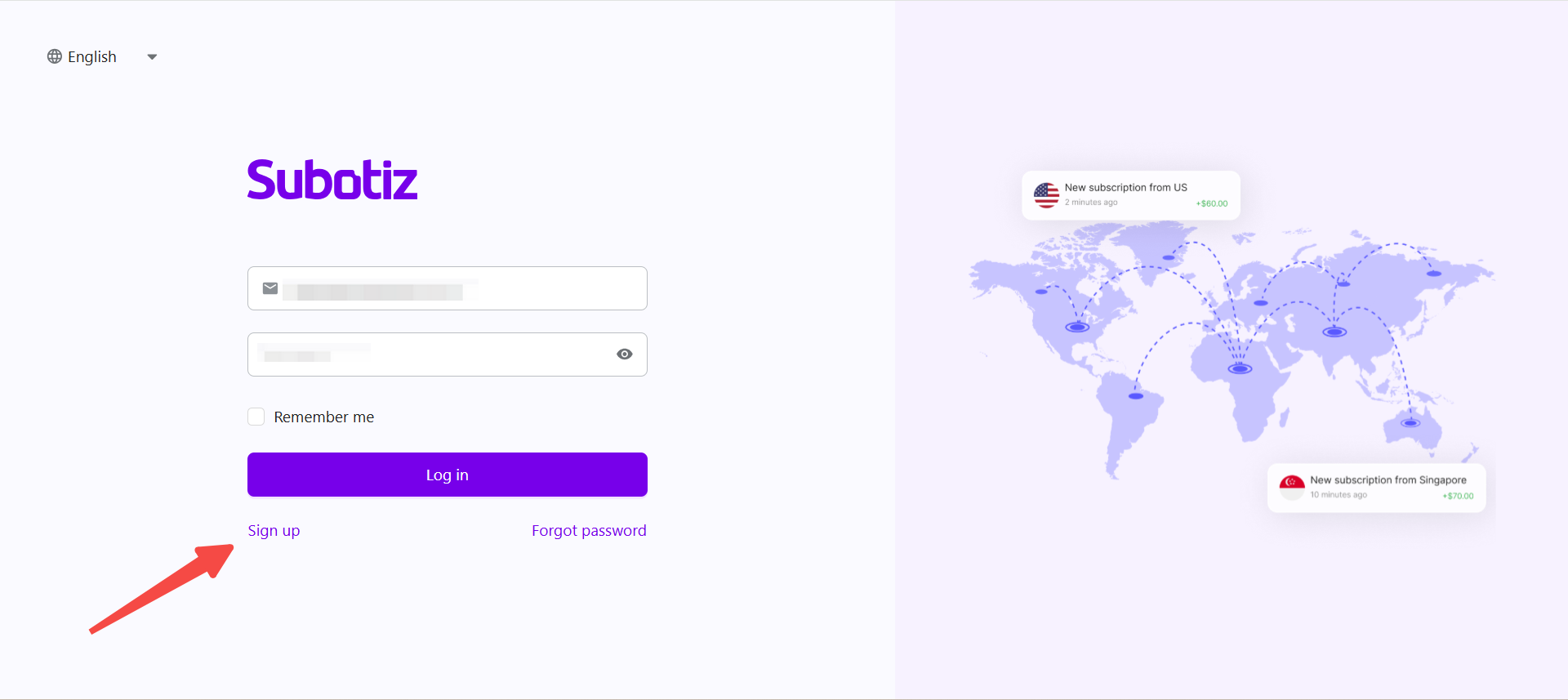
- Sign In to Subotiz: Sign in to your Subotiz account at: https://admin.subotiz.com.
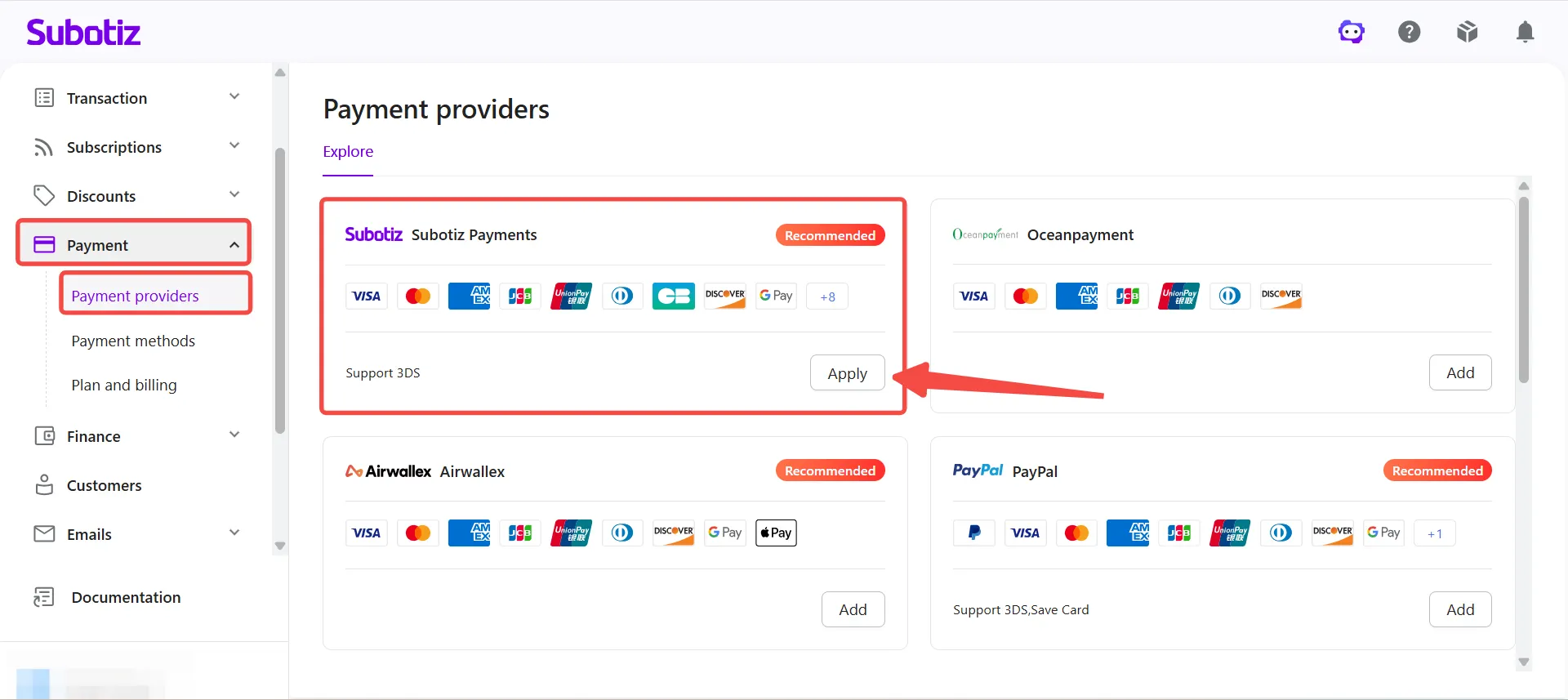
- Open Subotiz Payments: Go to Payment > Payment Providers, select Subotiz Payments, and click Apply.
-
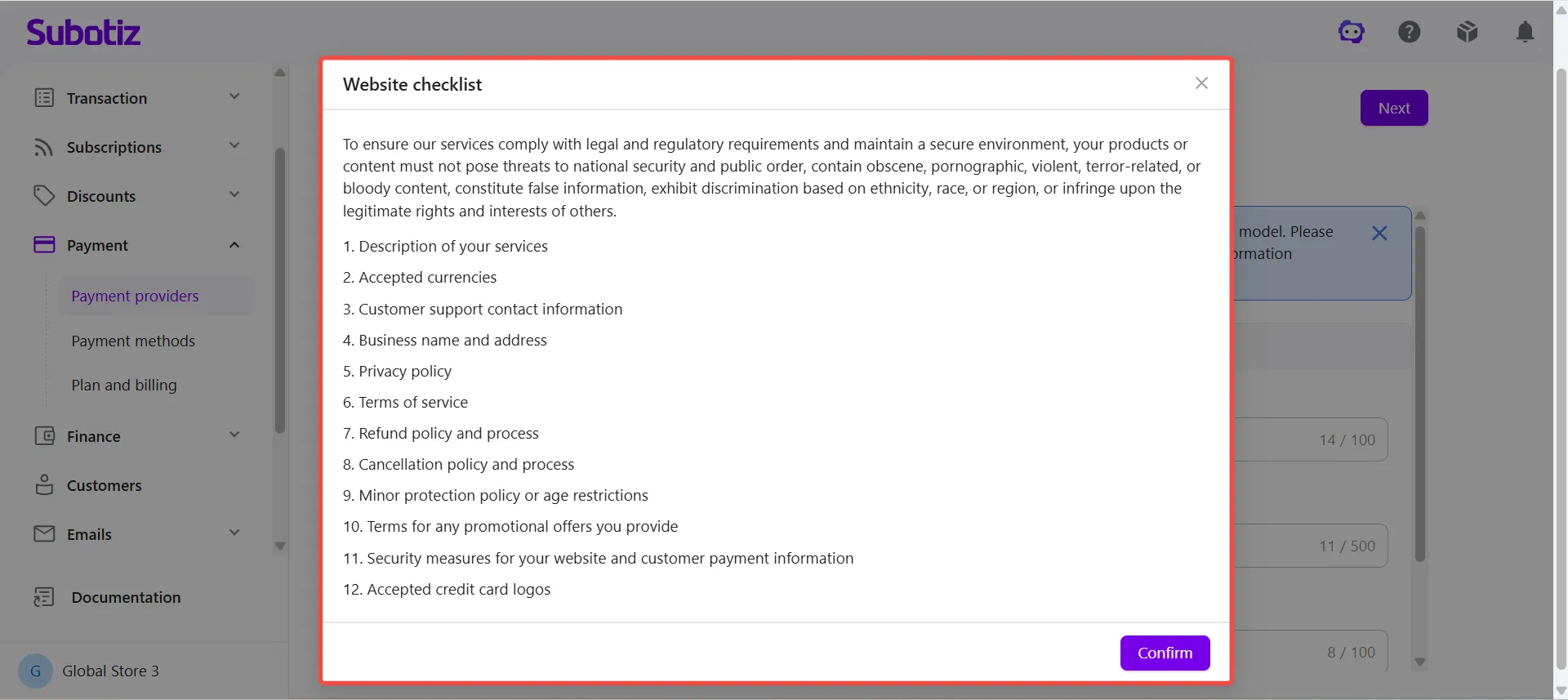
Review Website Requirements: Click Website Checklist at the top of the page.Before submitting your application, ensure your website contains the information required for compliance and risk reviews, including:
- Clear product or service descriptions
- Customer support contact information
- Business information
- Privacy Policy
- Terms of Service
- Refund Policy
- Cancellation Policy
- Accepted payment methods
- Website and payment security information
Important: Incomplete, inaccessible, or inconsistent website content may delay the review process or result in your application being rejected.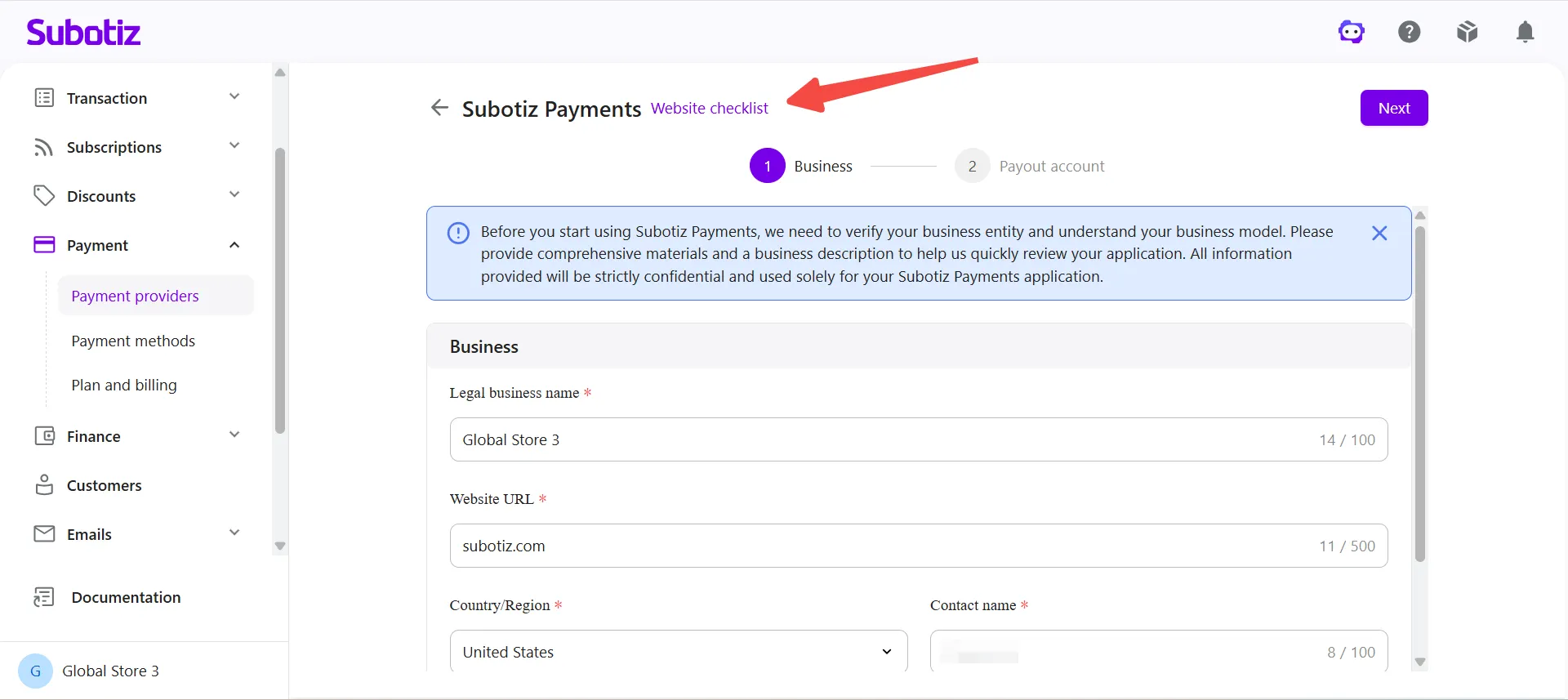
-
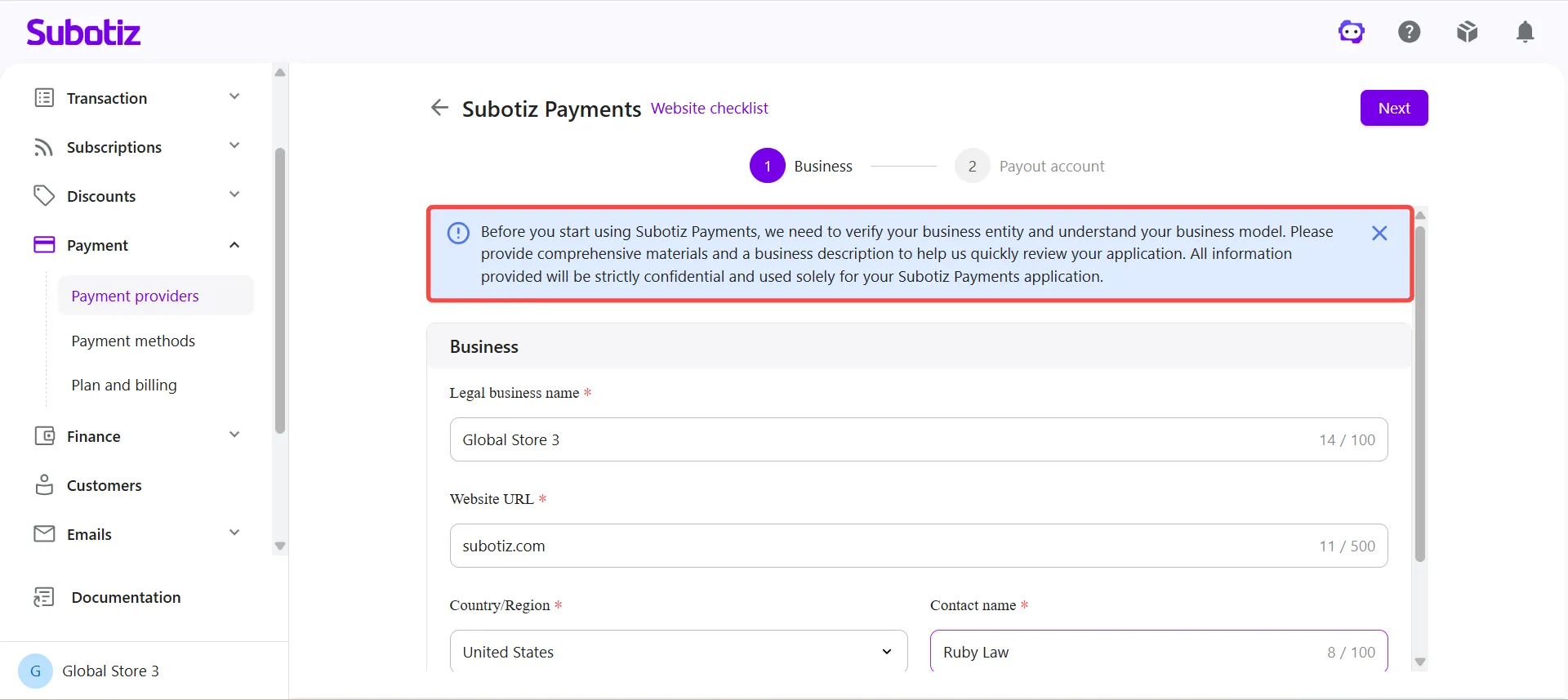
Review the Application Notice: Review the information displayed on the application page.
- Subotiz Payments reviews submitted information to verify your business and determine eligibility for payment services.
- All information provided is used solely for onboarding and compliance purposes.
-
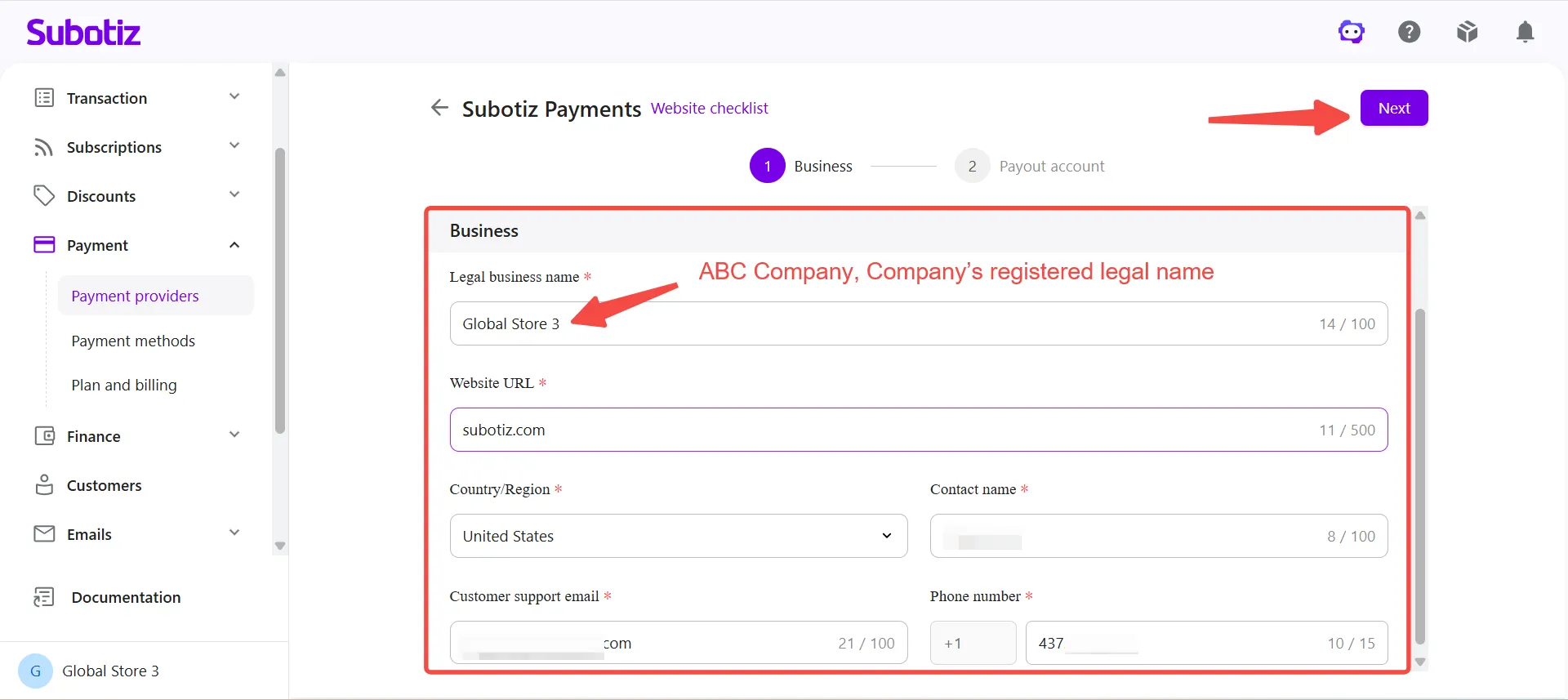
Enter Business Information: Complete the required business information, including:
- Legal business name: Enter the company’s registered legal name and ensure it matches the business name shown on the bank statement. Do not enter a website name, brand name, or individual’s name.
- Website URL
- Country/Region
- Contact name
- Customer support email
- Phone number
Configuring a Payout Account
-
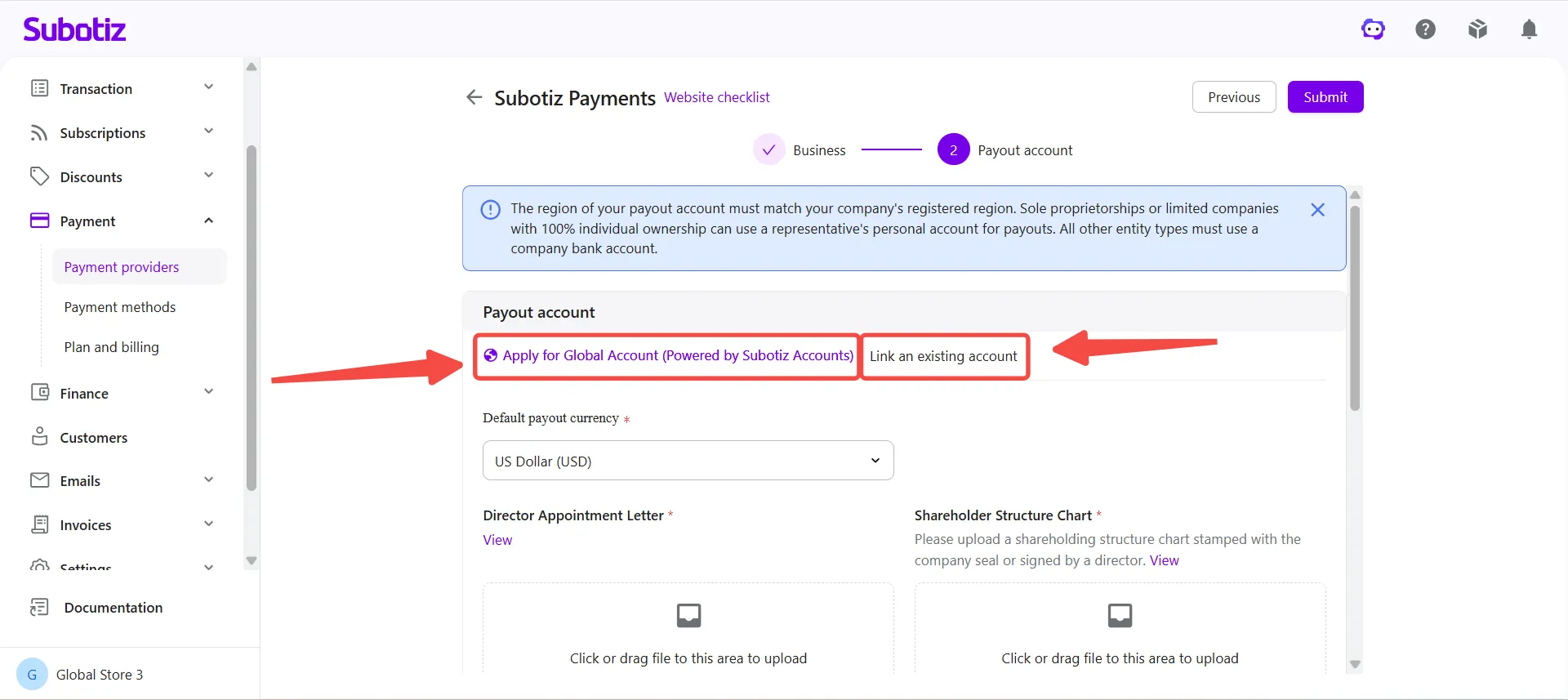
Choose a Payout Method: On the Payout Account page, select the option that applies to your business:
- Apply for Global Account: Select this option if you do not have a supported payout account.
- Link an Existing Account: Select this option if you already have a supported bank account for receiving payouts.
Note:
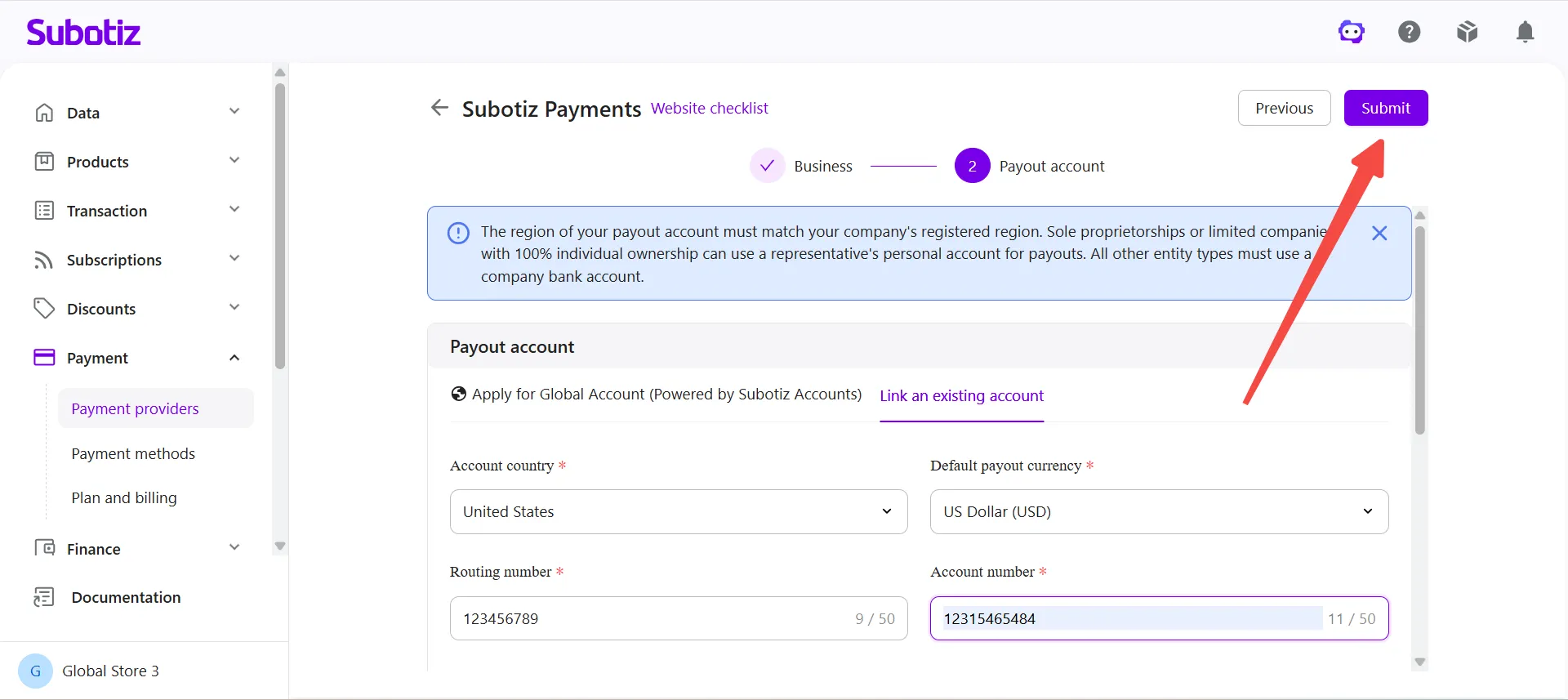
- The region of your withdrawal account must match the country or region where your business is registered.
- Sole proprietorships and single-shareholder limited companies (100% ownership) may use the business representative's personal bank account for withdrawals. All other business types must use a company bank account.
- If you use the business representative's personal bank account, the receiving bank may require additional documents or perform further verification before accepting business funds. As a result, transfers may be delayed or returned. To avoid delays, confirm with your bank that the account can receive business funds before making a withdrawal.
Global Account Availability
Global Account is available only to eligible business entities in supported countries and regions. The system displays the available Global Account options based on the country or region where your business entity is registered.
To help minimize potential review adjustments, we recommend selecting a default payout currency that aligns with your business entity's country or region. Available payout currencies are displayed on the application page and may vary by entity type and review requirements.
Business registration country/region |
Recommended default payout currency |
|---|---|
Mainland China |
US Dollar (USD) |
Hong Kong SAR |
Hong Kong Dollar (HKD), US Dollar (USD) |
United States |
US Dollar (USD) |
United Kingdom |
British Pound (GBP) |
France |
Euro (EUR) |
Germany |
Euro (EUR) |
Austria |
Euro (EUR) |
Denmark |
Euro (EUR) |
If the Apply for Global Account option appears on the Payout Account page, you can apply for a Global Account. If this option does not appear, select Link an Existing Account instead.
Note:
Apply for a Global Account
If you choose Apply for Global Account, complete the following settings.
-
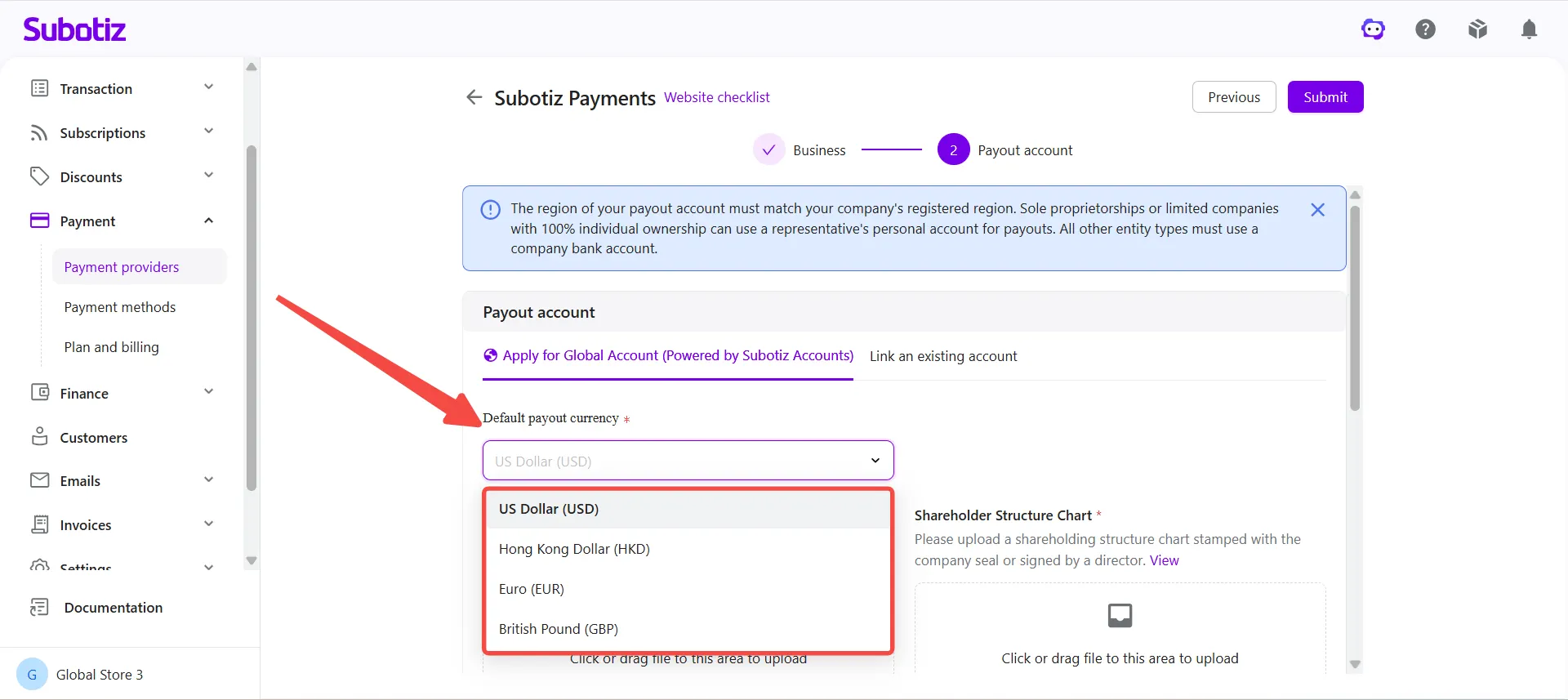
Select a Default Payout Currency: Choose the currency used for settlements and payouts.Supported currencies are displayed on the page and may include:
- US Dollar (USD)
- Hong Kong Dollar (HKD)
- Euro (EUR)
- British Pound (GBP)
Note: The default payout currency determines how settlement funds are paid out. It does not affect your storefront currency or the currencies customers use when making purchases.
-
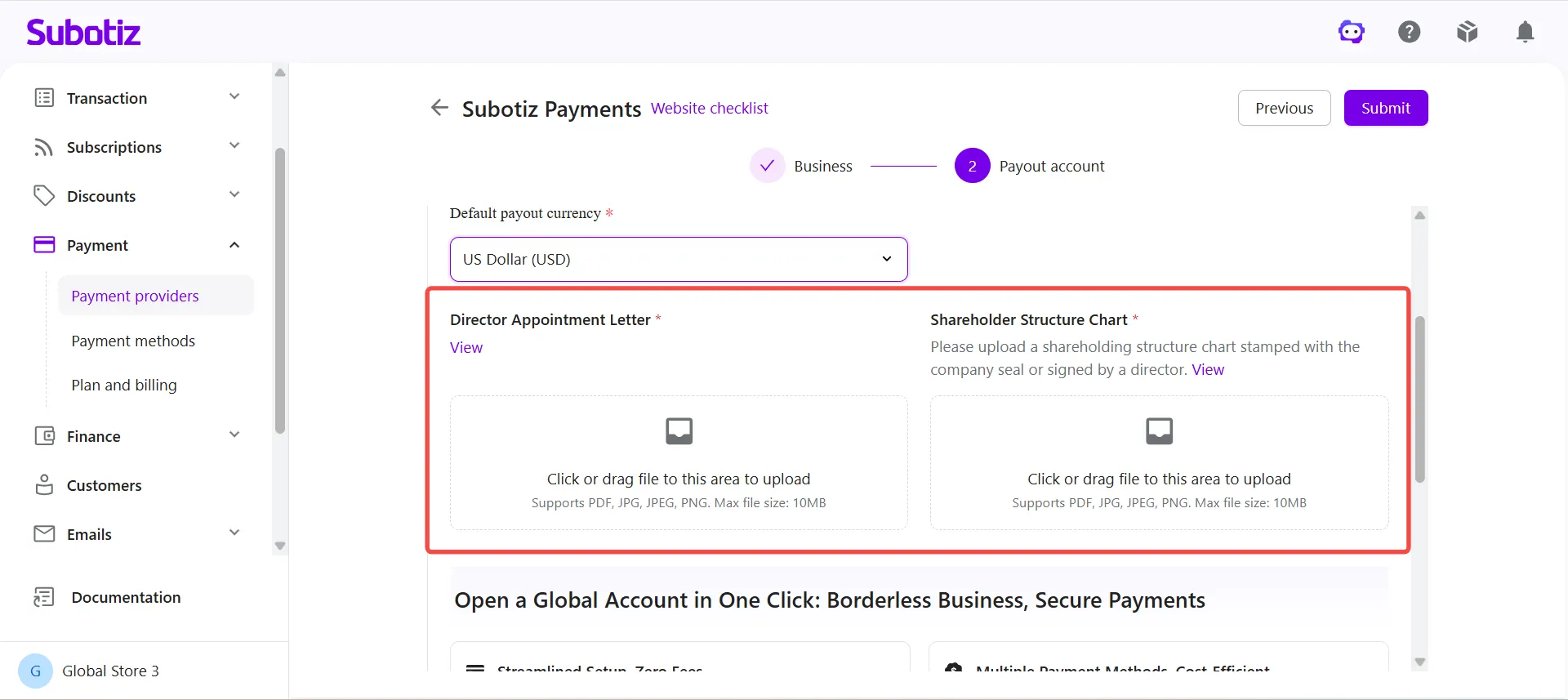
Upload Additional Documents: Depending on your business entity, registration country or region, and review requirements, you may be required to upload additional supporting documents.
-
Examples may include:
- Director Appointment Documentation
- Shareholder Structure Chart
- Refer to View Example on the page for document requirements.
-
Note: Required documents may vary depending on your business entity, registration country or region, and compliance requirements.
-
Accept the Required Agreements: Review and accept the required agreements:
- Subotiz Accounts Terms and Conditions
- Terms of Service
- Privacy Policy
- Accuracy and Completeness Declaration
You must accept all required agreements before submitting your application.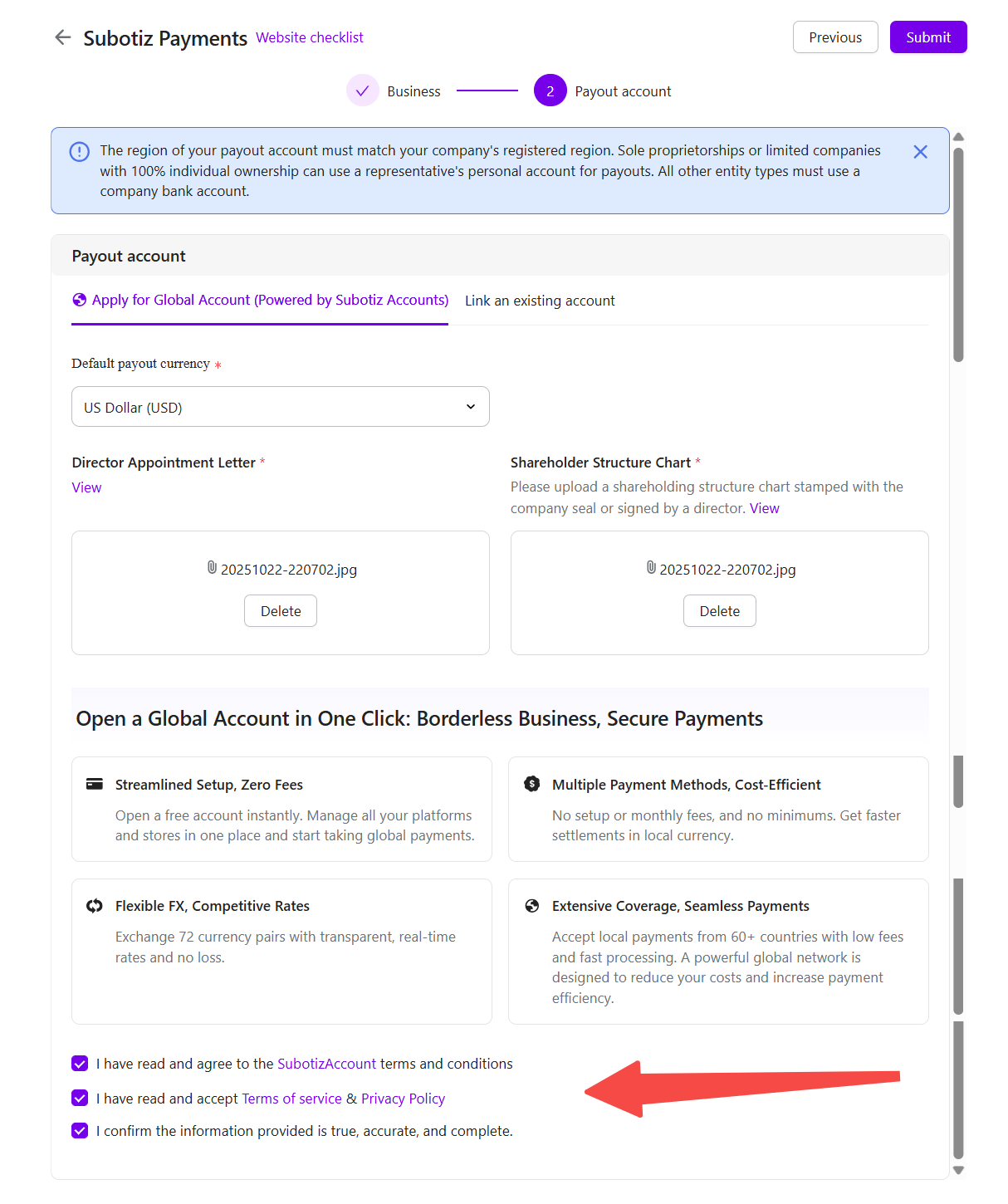
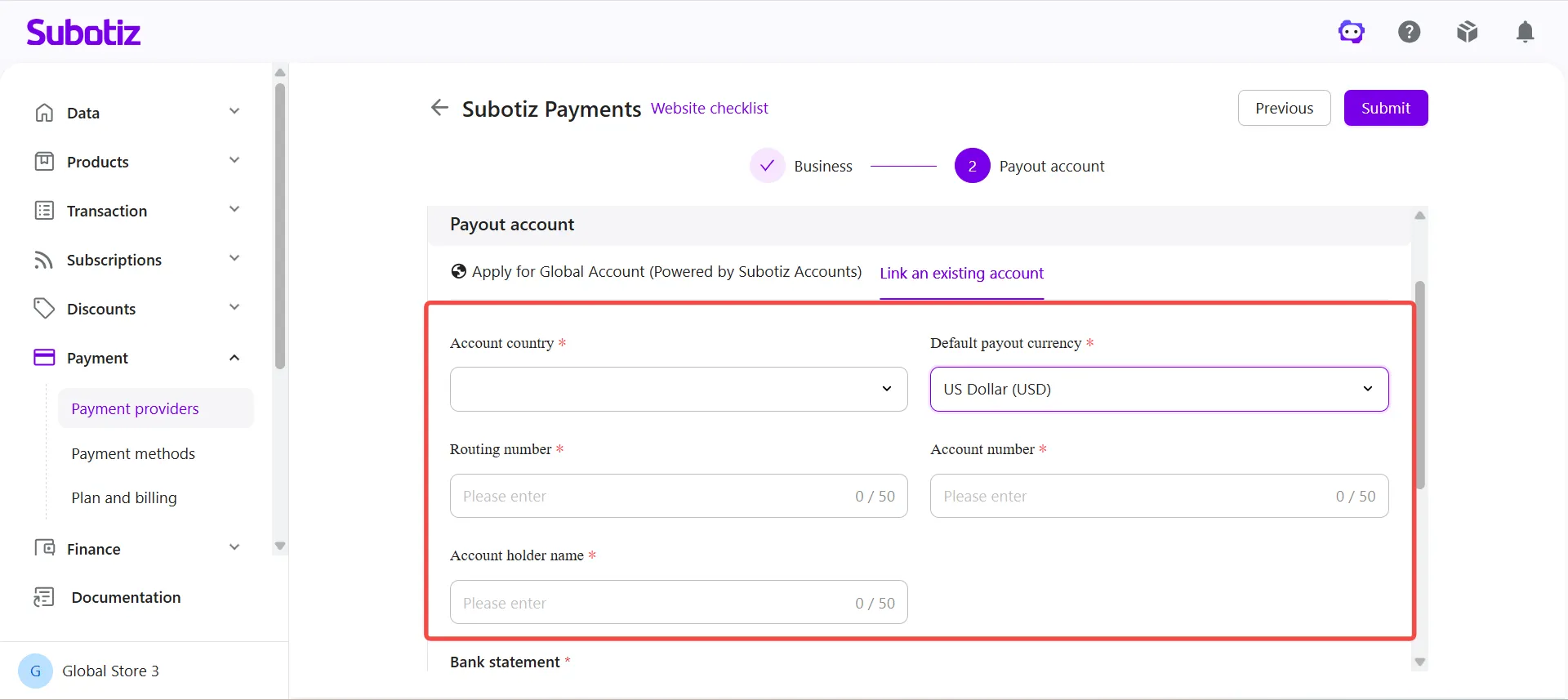
Link an Existing Account
If you choose Link an Existing Account, complete the following settings.
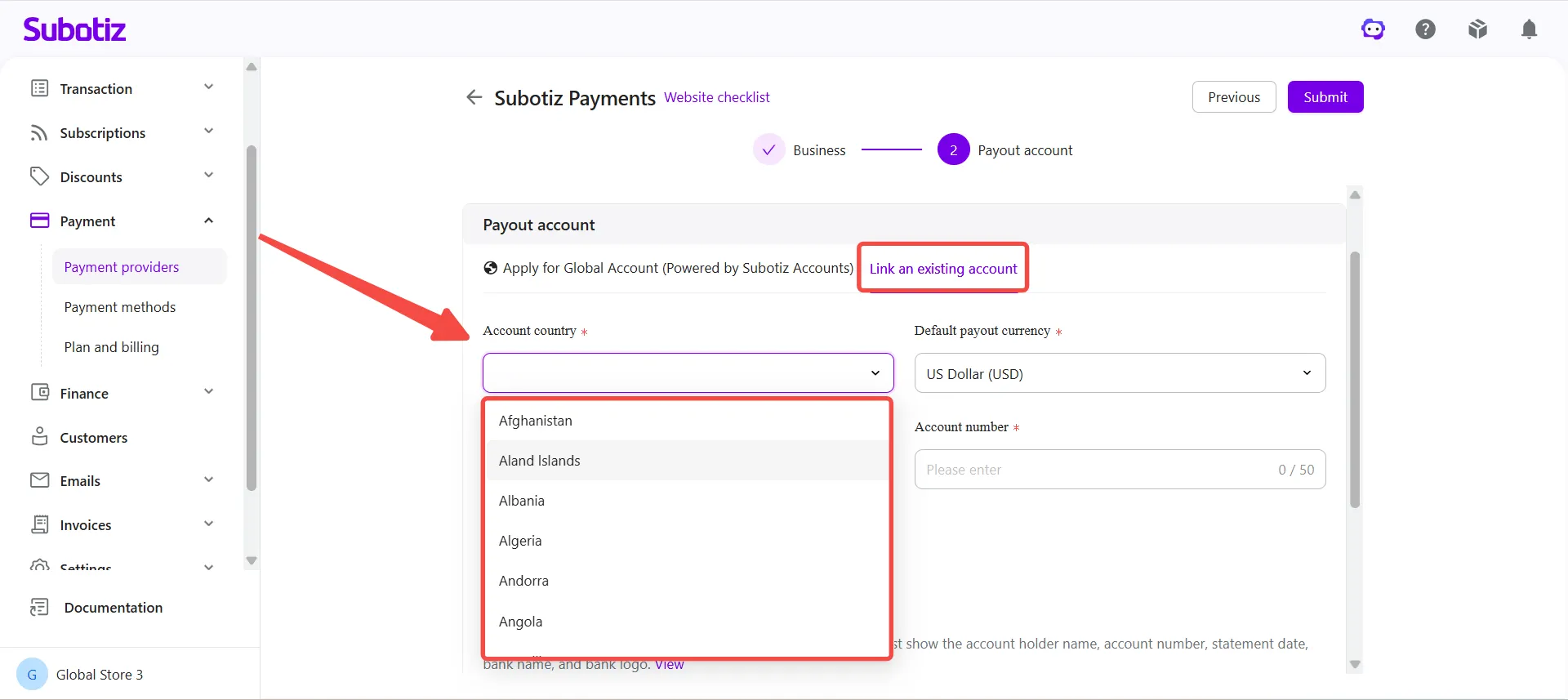
- Select the account country: Select the country where your existing withdrawal account is held. Ensure the selection matches your withdrawal account details.
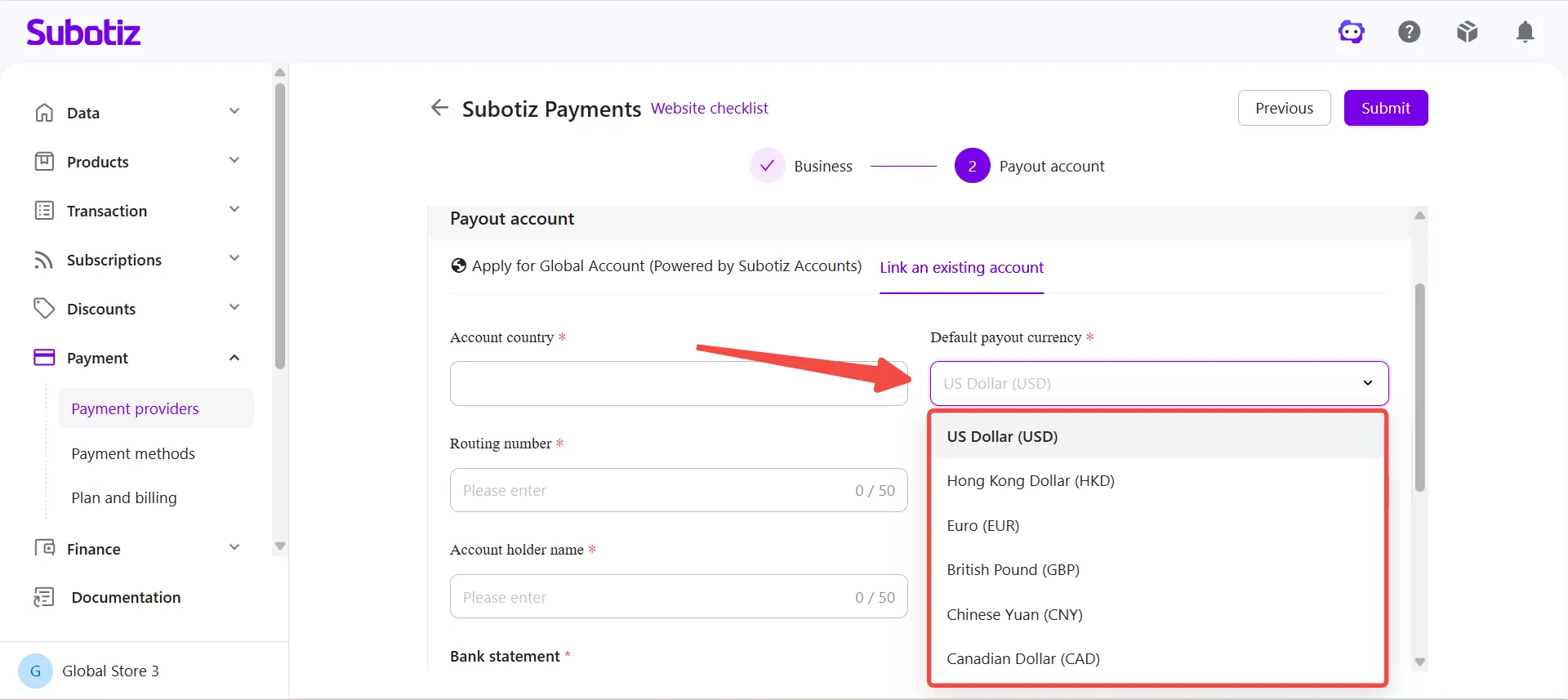
- Select a Default Payout Currency: Choose the currency used to receive settlement funds. The default payout currency is used for settlements and payouts. It does not affect your storefront currency or the currencies customers use when making purchases.
Business registration country/region |
Recommended default payout currency |
|---|---|
Mainland China |
US Dollar (USD) |
Hong Kong SAR |
Hong Kong Dollar (HKD), US Dollar (USD) |
United States |
US Dollar (USD) |
United Kingdom |
British Pound (GBP) |
France, Germany, Austria, Denmark |
Euro (EUR) |
Note: If you would like to use a different default payout currency, contact your Customer Success Manager or the Support team before submitting your application.
- Enter Bank Account Information: Enter your bank account details. Requirements vary by country and region.
Field |
Description |
|---|---|
Routing Number |
Identifies the routing path for the receiving bank. U.S. accounts typically require a 9-digit Routing Number. |
Bank Code |
A bank identifier such as a SWIFT/BIC code, local banking code, or IBAN (certain European accounts). |
Branch Code |
A branch identifier used in certain countries or regions, including many banks in Hong Kong. |
Account Number |
The receiving bank account number. |
Account Holder Name |
The name registered on the bank account. |
If you are unsure which information to enter, contact your bank for assistance.
-
Upload a Bank Statement: Upload a bank statement issued within the last six months.
- Account holder name
- Account number
- Statement date
- Bank name
- Bank logo
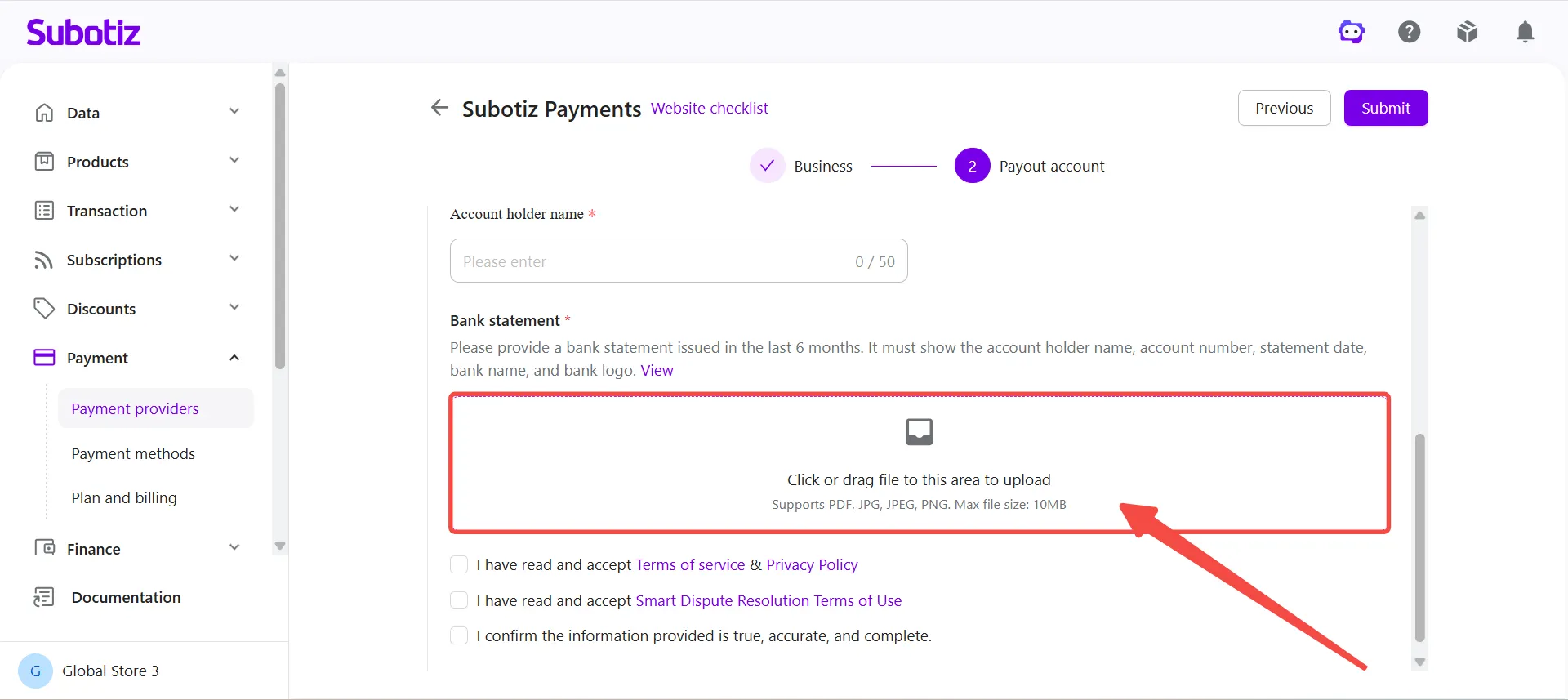
- Review the Upload Example: Click View to review the document requirements and sample file.
Notes
Submit Your Application
-
Review Your Information: Before submitting, verify that:
- Business information is complete and accurate
- Payout account information is correct
- Uploaded documents are clear and valid
- Website information accurately reflects your business
- Accept the terms and agreements: Review and agree to the applicable terms of service and agreements.
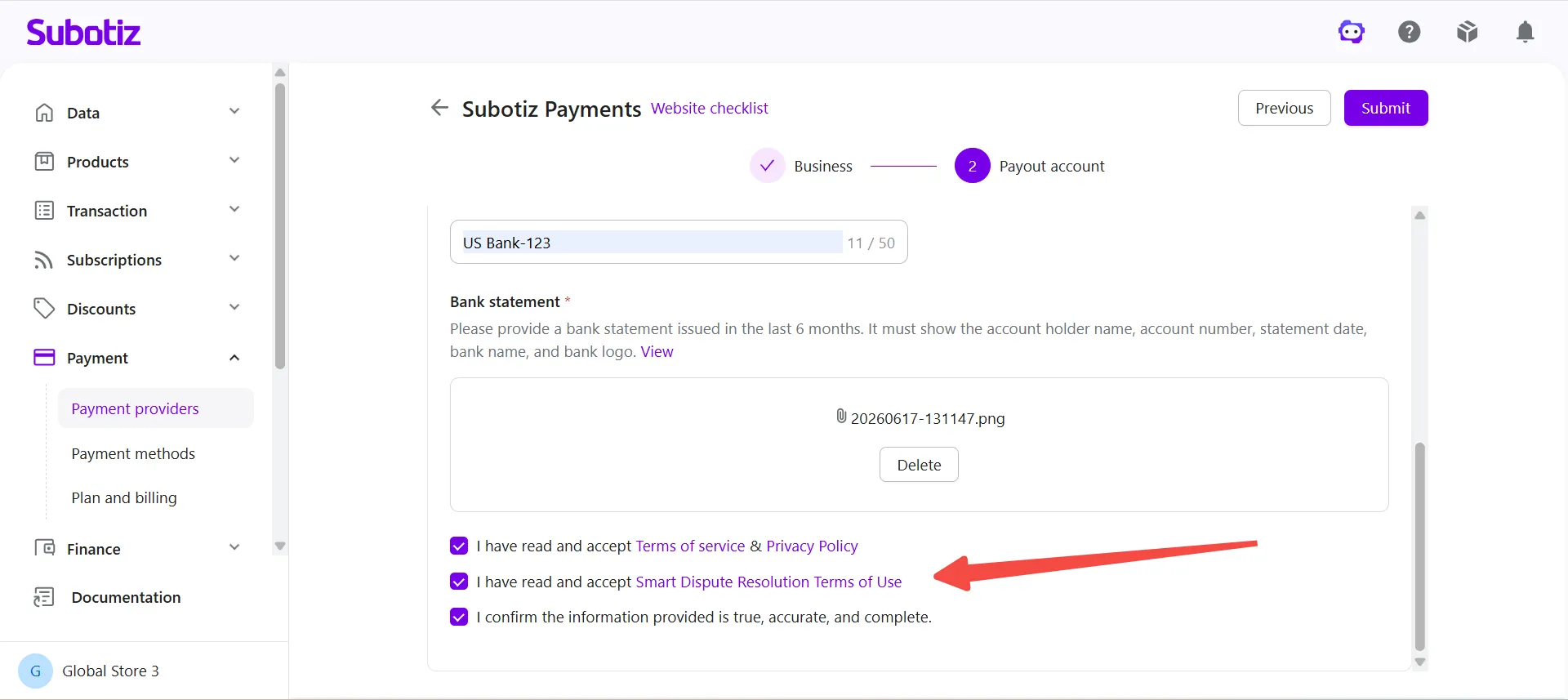
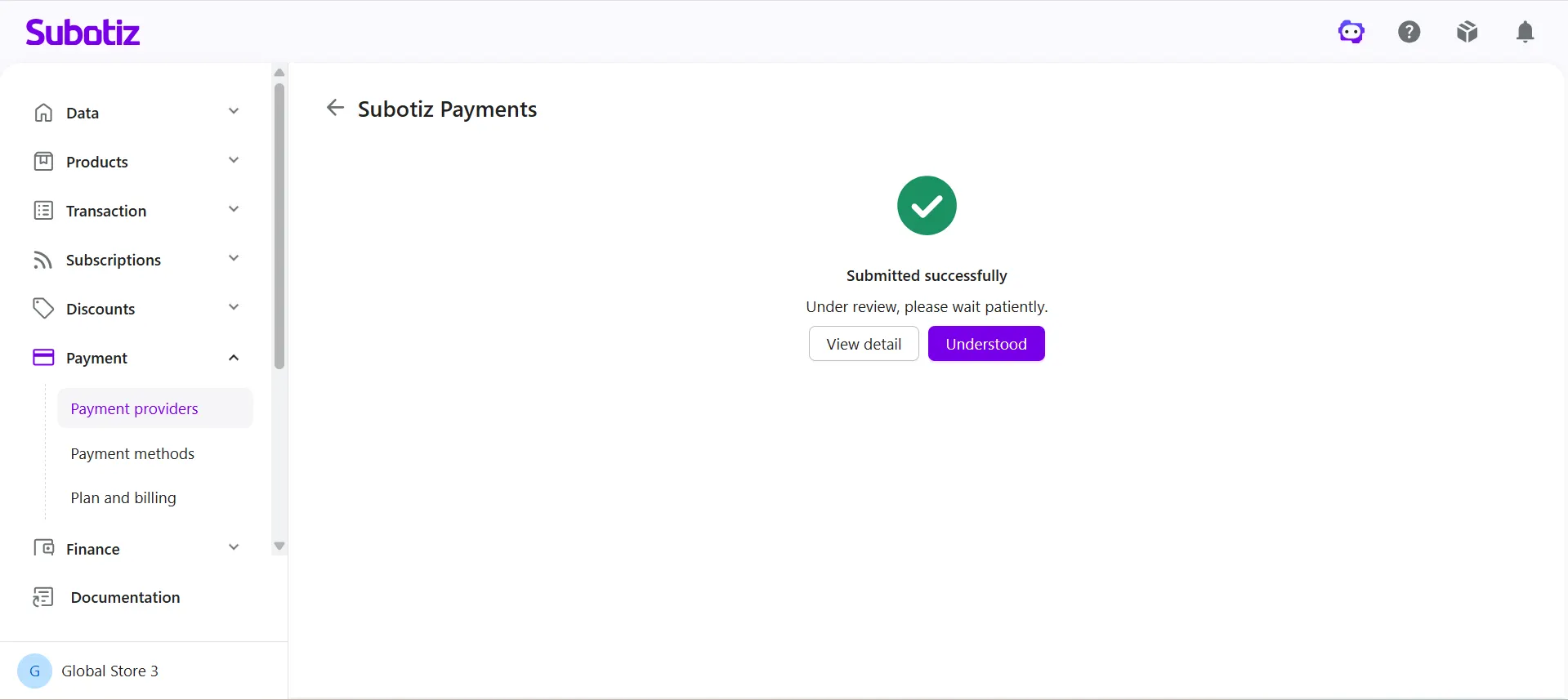
- Submit the Application: Click Submit in the upper-right corner of the page. Applications cannot be submitted until all required information and agreements have been completed.
Track Your Application Status
After submission, you can monitor your application status at any time.
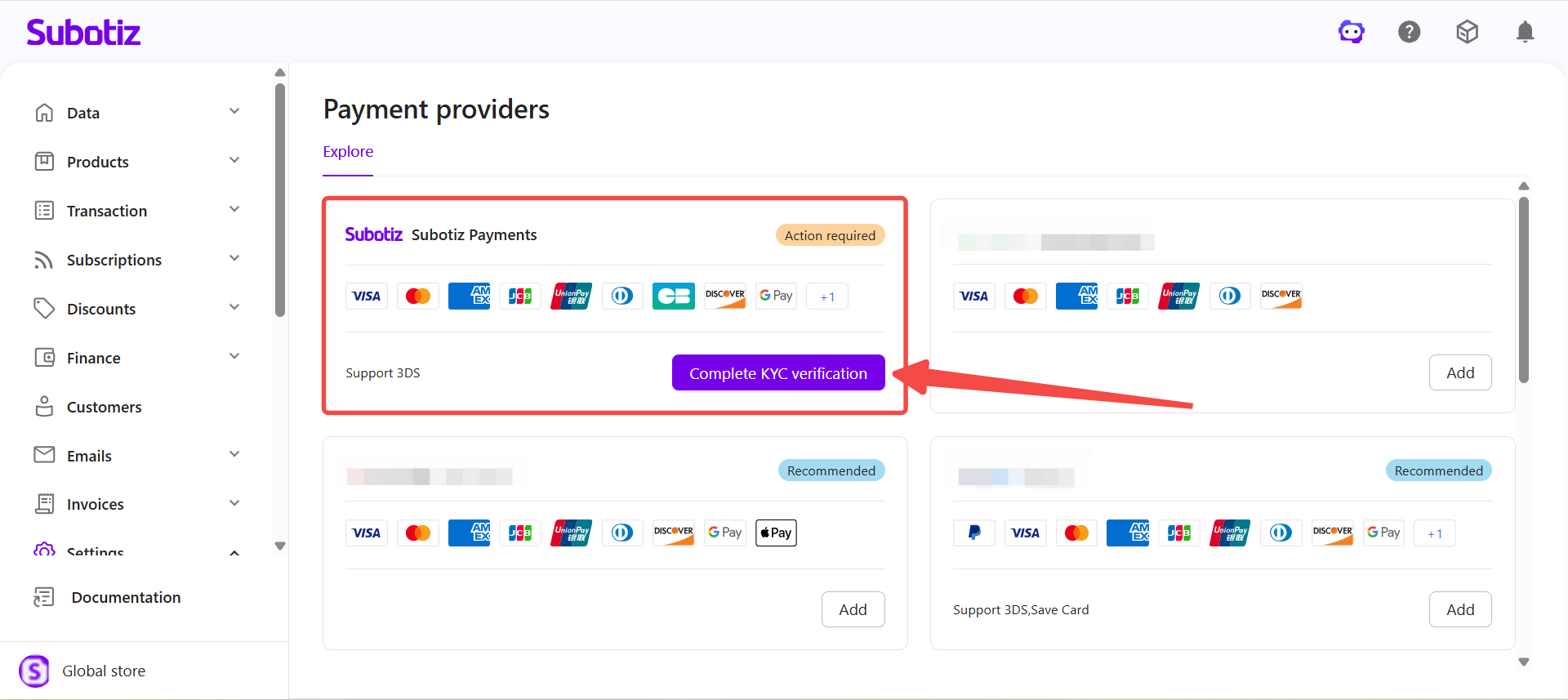
- Go to Payment > Payment Providers > Subotiz Payments.
- Review the current application status and available actions.
- View account status, review results, and any outstanding information requests.
- If the system displays Edit Information or Complete KYC verification, follow the instructions and resubmit the requested information.
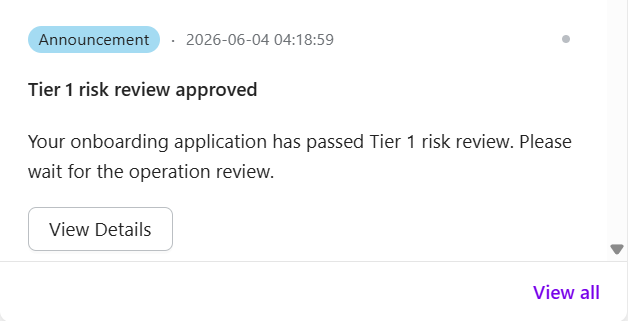
- Review updates are also delivered through system notifications.
Account Access After Approval
-
Tier 1 Approval: After Tier 1 approval:
- Some merchants may be eligible to begin accepting payments through Subotiz Payments, depending on their account status and review outcome.
- Before accepting payments, enable the payment methods you want to offer under Payment > Payment Methods.
- For detailed instructions, refer to Payment methods|Viewing and Managing Payment Methods.
- Additional verification is required to unlock settlement and payout functionality.
-
Tier 2 Approval: After Tier 2 approval:
- Settlement, payout, and related account capabilities become available.
- Processing limits are removed.
- Available features and permissions depend on your account status and review outcome.
Complete Additional Verification
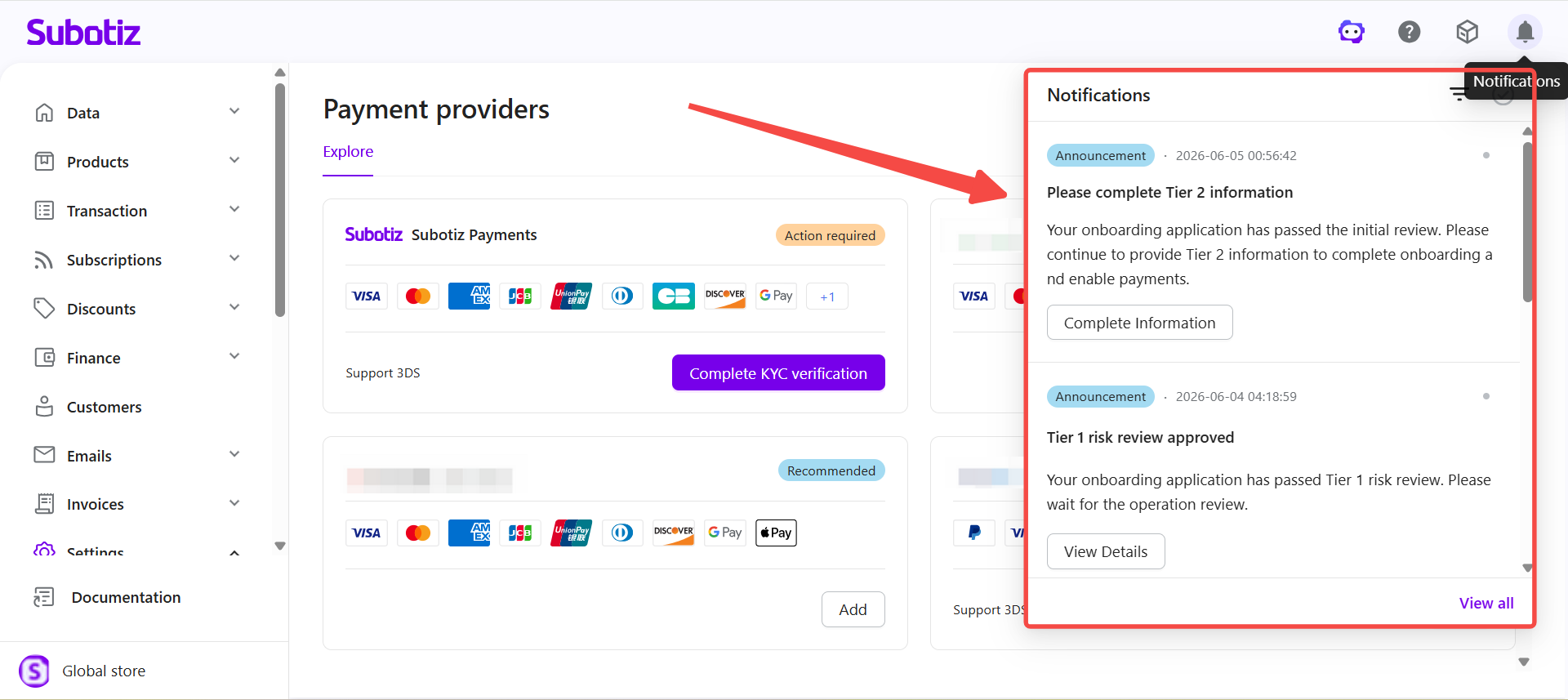
After Tier 1 approval, you may be required to provide additional information to complete the Tier 2 review process.
Required information varies based on your business type, business model, and compliance requirements.
Additional information may include:
- Business registration information
- Business registration documents
- Business owner information
- Director information (if applicable)
- Beneficial owner information (if applicable)
- Business operation information and supporting documents
If the system displays Complete Information, follow the instructions and submit the requested documents.
Important Notes
- Prepare complete business and banking information before starting the application.
- Ensure your website accurately reflects your business activities.
- Verify that all required policy pages are available and publicly accessible.
- Use a payout account that matches your registered business entity.
- Upload clear and complete documentation.
- Respond promptly to requests for additional information to avoid delays in enabling settlement and payout functionality.
Once your Subotiz Payments application is approved, payment, settlement, and payout capabilities become available based on your account status and review stage. Some merchants may be eligible to begin accepting payments after Tier 1 approval, while additional account capabilities become available after Tier 2 approval, depending on the review outcome and account status.
Next Steps If you receive a Complete Information request, or would like more details about the additional verification requirements, refer to Subotiz Payments | Completing Additional Verification Information for step-by-step instructions.