Subotiz Payments is Subotiz’s embedded payment solution designed to help merchants activate payment capabilities, complete compliance reviews, and manage payment onboarding within a single platform.
Through a standardized workflow, merchants complete entity verification, business review, and payment enablement within a compliant and secure framework.
Process Overview: After completing the required information at each step, click Next in the upper-right corner to continue. To minimize review delays, prepare all required materials in advance and submit accurate, complete information.
Before you begin
-
Access Subotiz Admin: Go to https://admin.subotiz.com and complete account registration and sign-in.
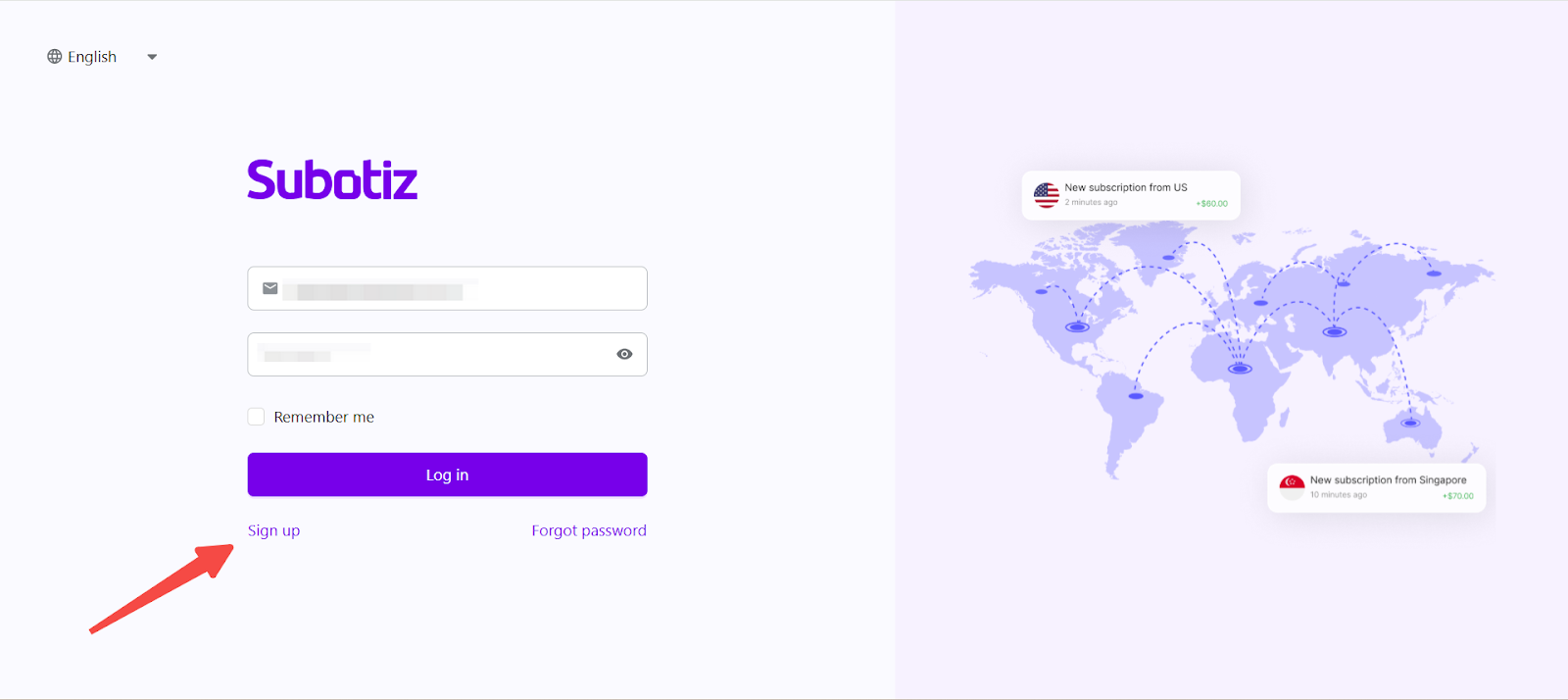
Submitting a Subotiz Payments Application
-
Open the Payment Provider page: Navigate to Subotiz Admin > Settings > Payment Providers, select Subotiz Payments, and click Apply to begin the application process.
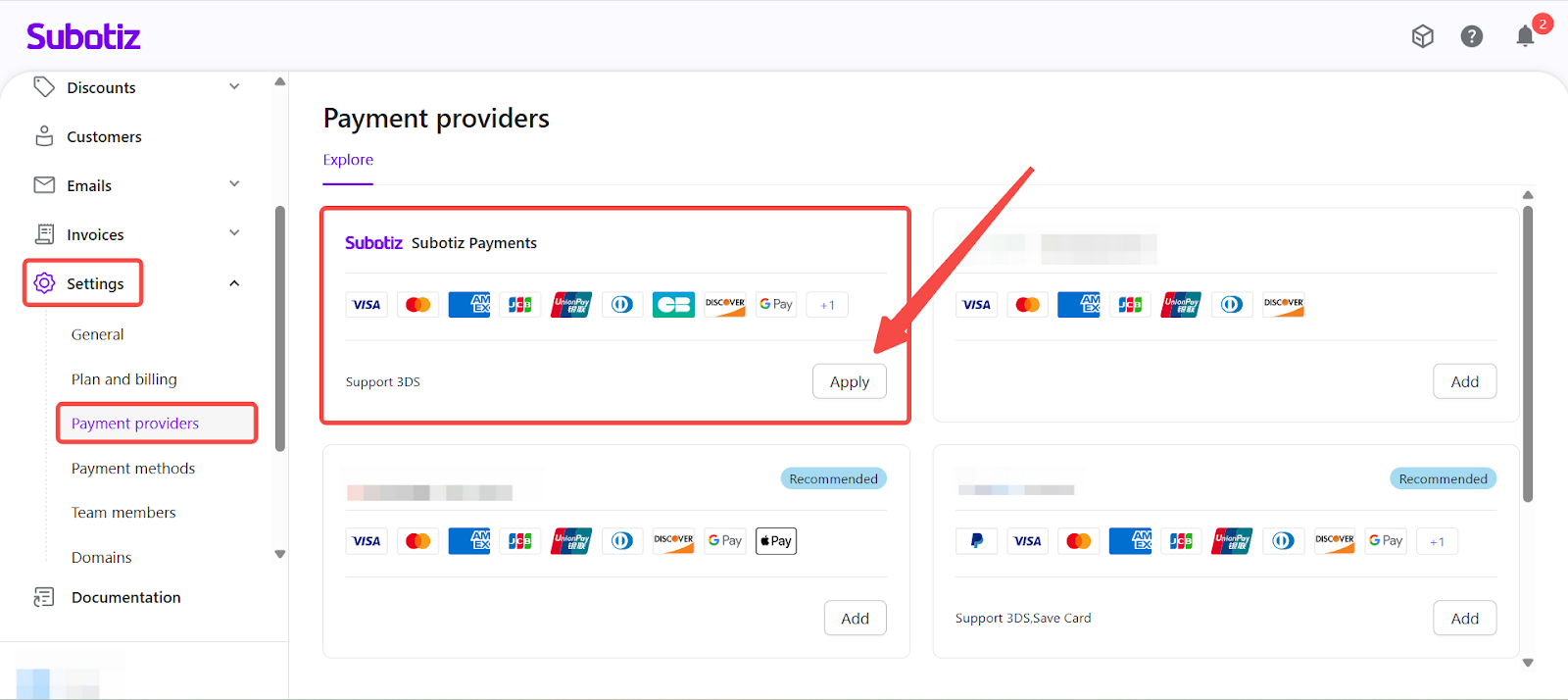
-
Review the Website Checklist: As part of the application flow, the Website Checklist is displayed to help merchants review whether their website meets payment compliance and risk review requirements.
- Confirm that the website meets the following criteria:
- The official website is publicly accessible.
- Product or service descriptions are clear and accurate.
- Required policy pages are available (such as a Refund Policy and Privacy Policy).
- Website content is consistent with the actual business model.
- The Website Checklist is a required step in the Subotiz Payments application process and supports compliance and risk review readiness. Incomplete content, inconsistencies, or inaccessible pages may result in a request for additional information or application rejection.
-
The Website Checklist remains accessible at the top of the application page throughout the process for reference.
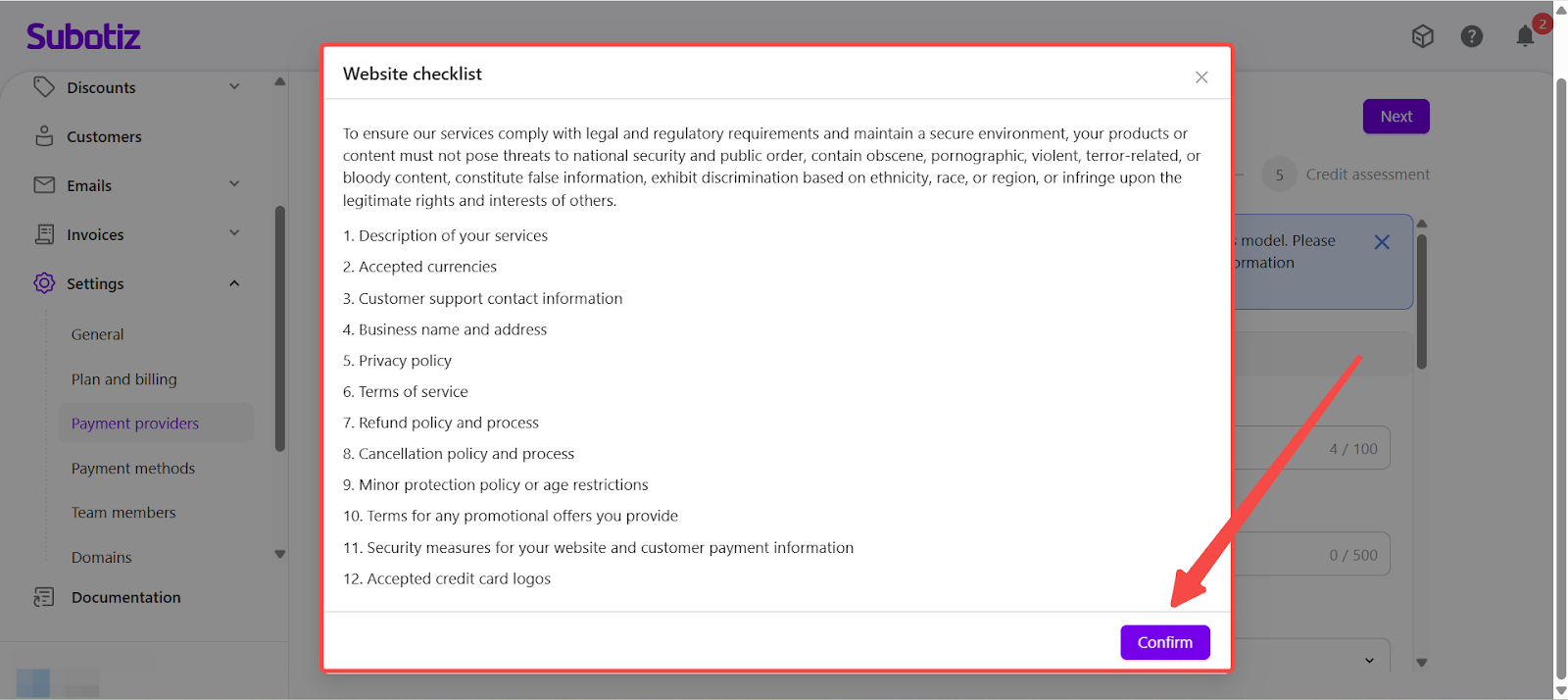
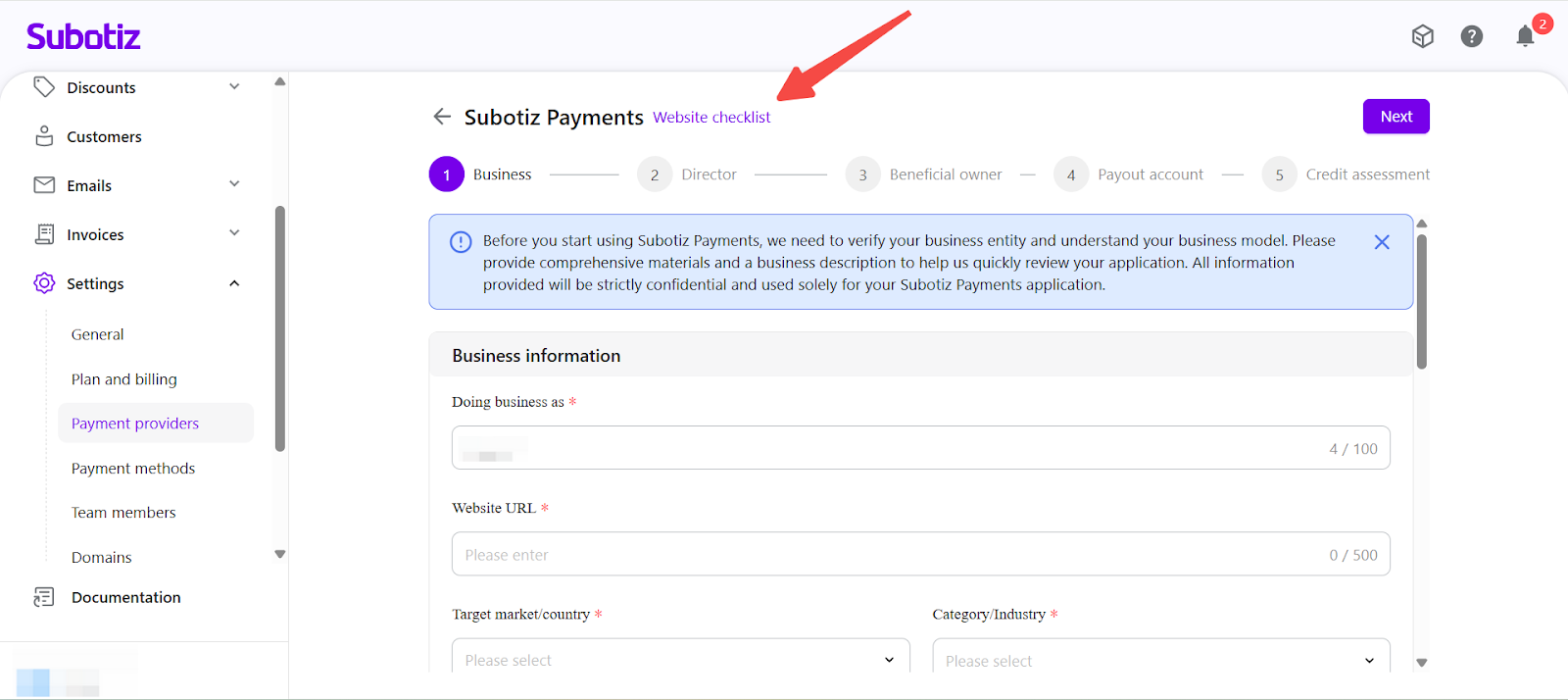
- Confirm that the website meets the following criteria:
-
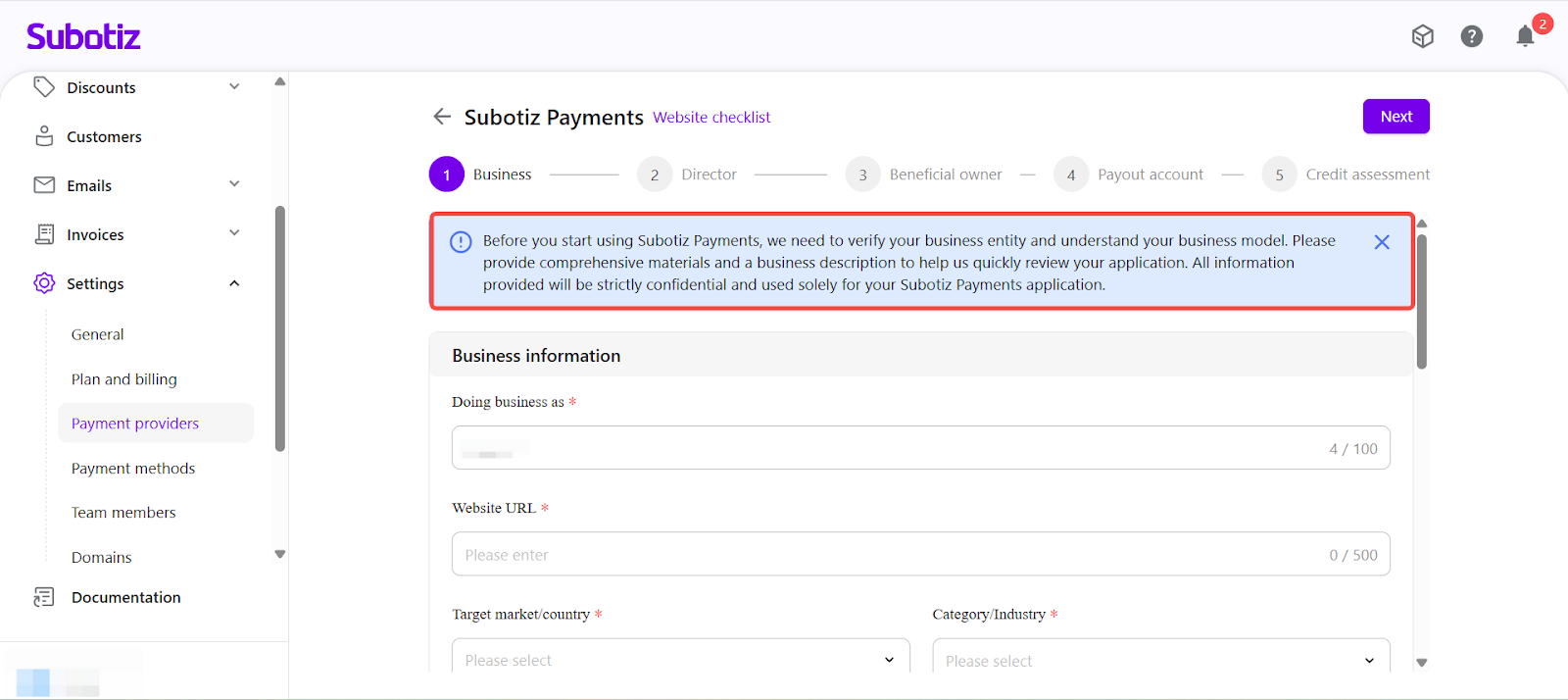
Review Application Guidance: Following the Website Checklist, the system displays an application guidance notice explaining why business information is required and how it will be reviewed.
This notice informs merchants that:
- Subotiz Payments needs to verify the business entity and understand the business model before enabling payment capabilities.
- Clear business descriptions and supporting materials help facilitate an efficient review process.
-
All submitted information is used solely for the Subotiz Payments application and is handled confidentially.
-
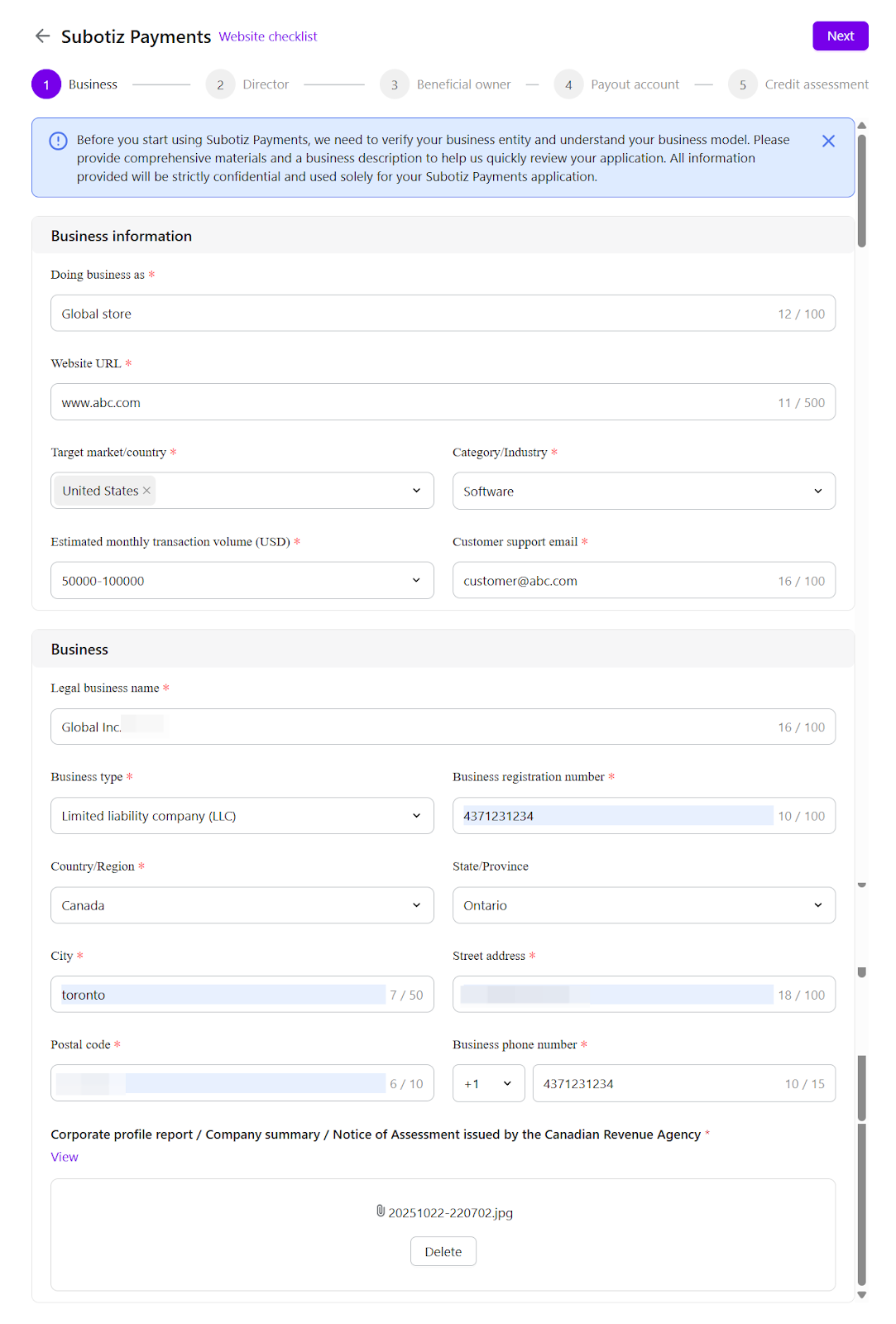
Submit Business Information: Provide core business details, including:
- Official website URL.
- Business model and product description.
-
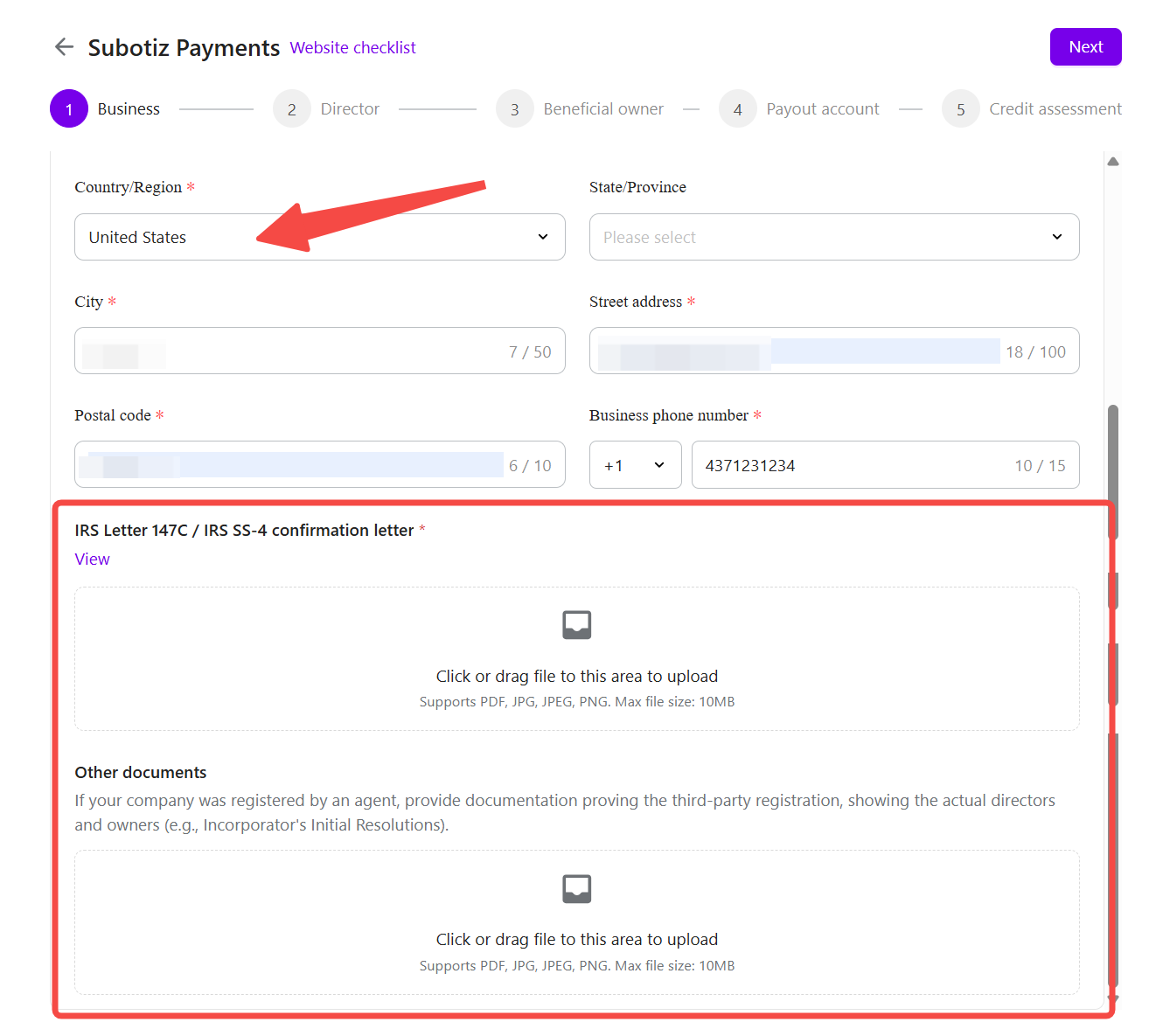
Business registration or incorporation documents.
-
Notes:
- Required documents may vary by jurisdiction and entity type.
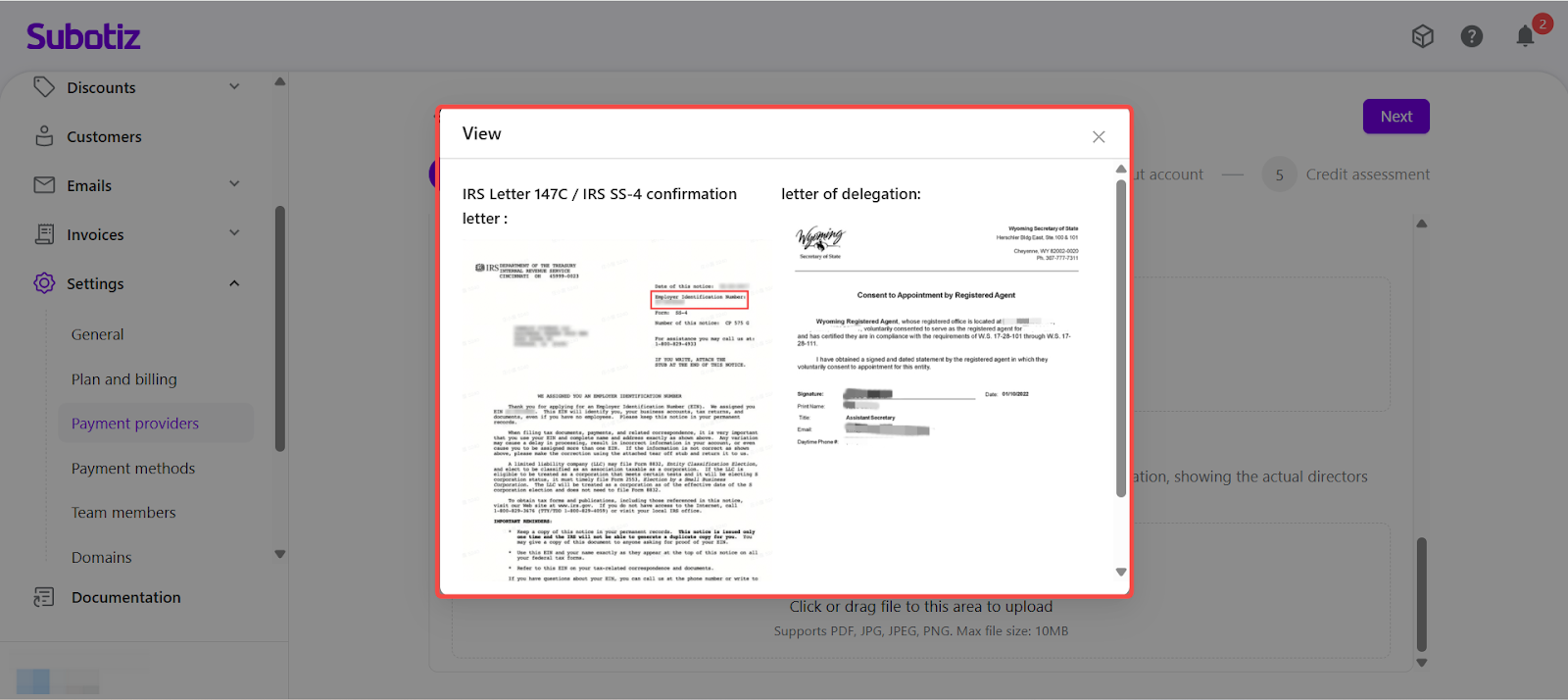
- Follow on-screen instructions and upload sample documents as requested.
-
All files must be clear, legible, and complete.
-
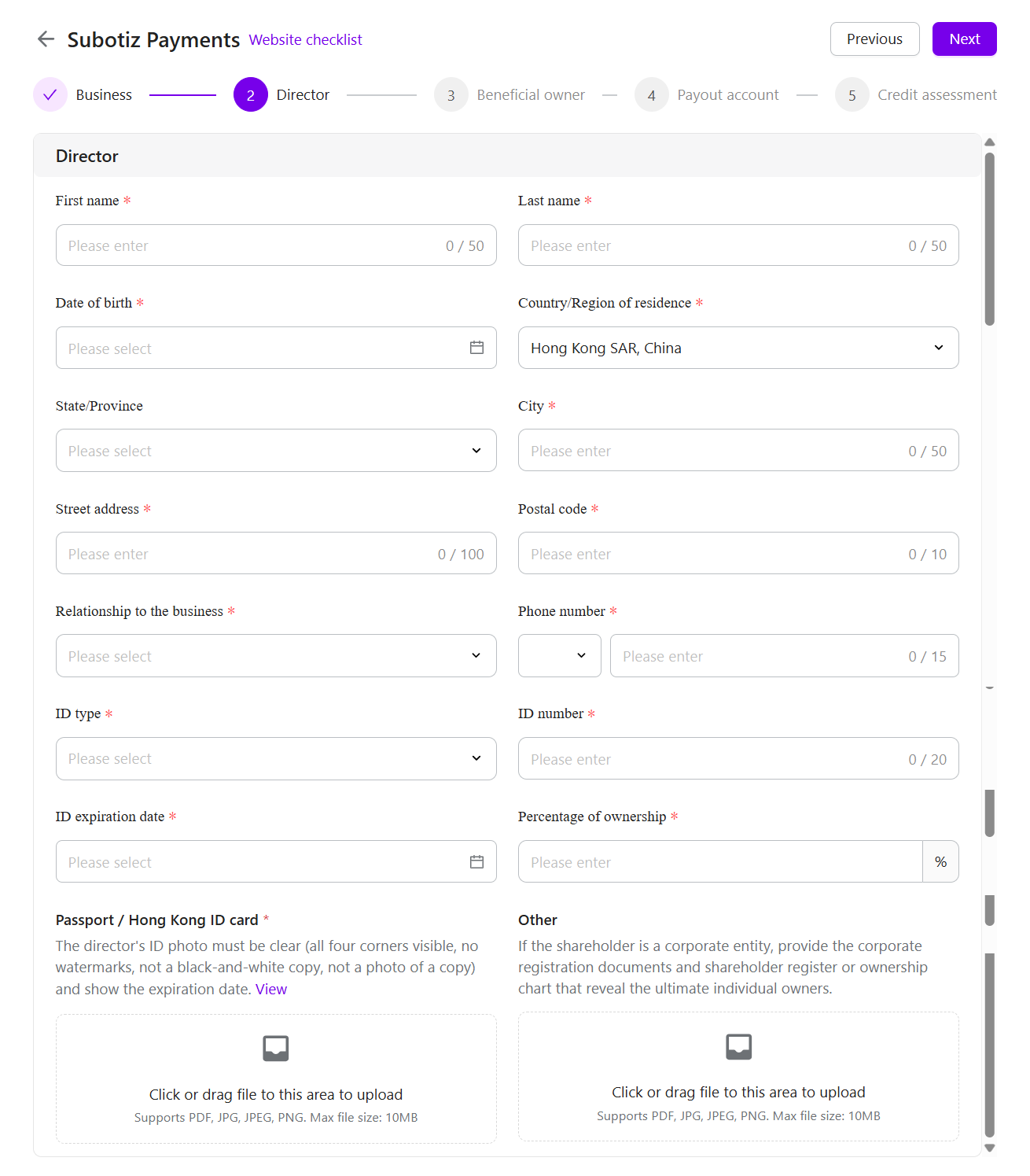
Provide Director Information: Enter information for company directors or key management personnel and upload the corresponding identification documents.
- Director information is required to:
- Confirm company governance and decision-making authority.
-
Complete regulatory identity verification.
- Director information is required to:
-
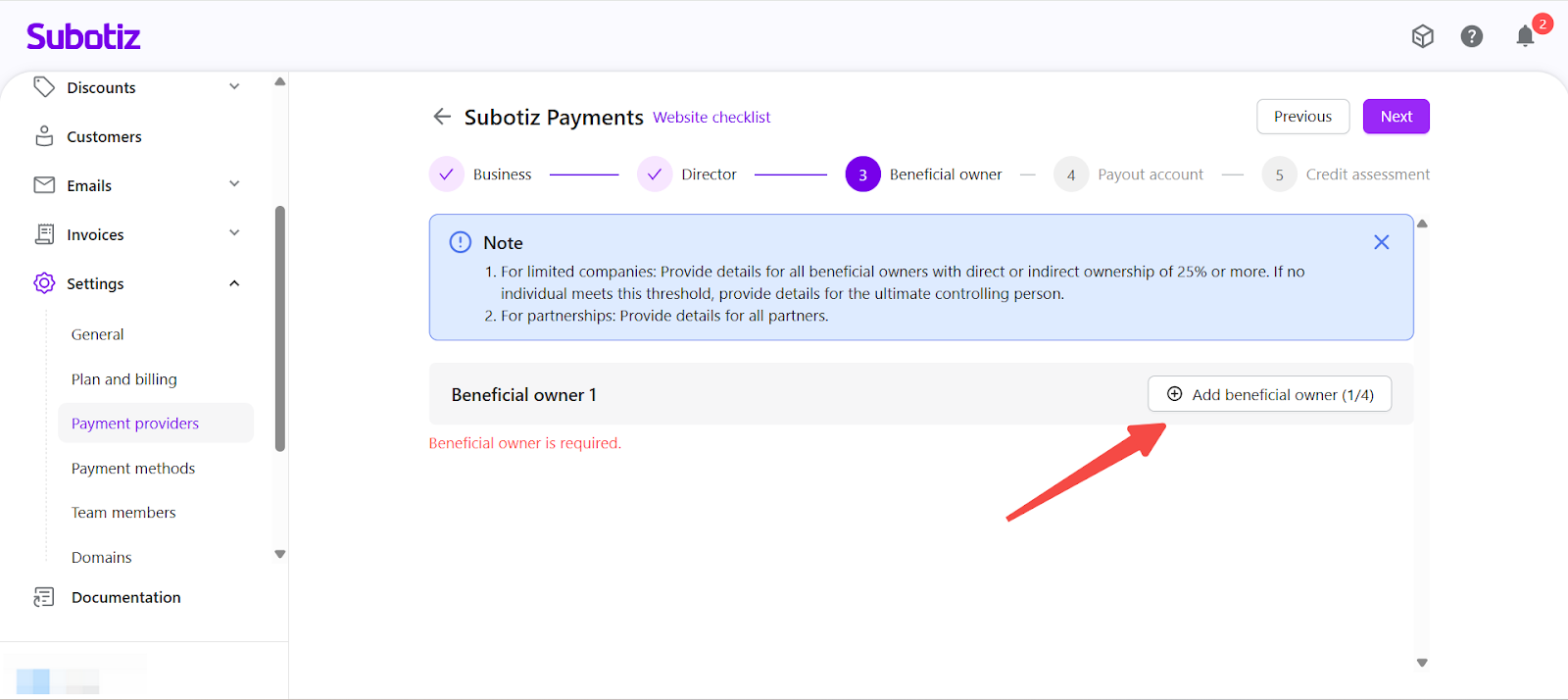
Submit Beneficial Owner Information: Provide details for individuals who have ultimate ownership or control over the company.
-
Rules by entity type:
-
Corporations
- List individuals who directly or indirectly own 25% or more.
- If no individual meets this threshold, list the ultimate controlling person.
-
Partnerships
- All partners must be listed.
-
Corporations
-
Limits:
- A maximum of four beneficial owners can be entered.
- If there are more than four, prioritize individuals with significant ownership or control.
-
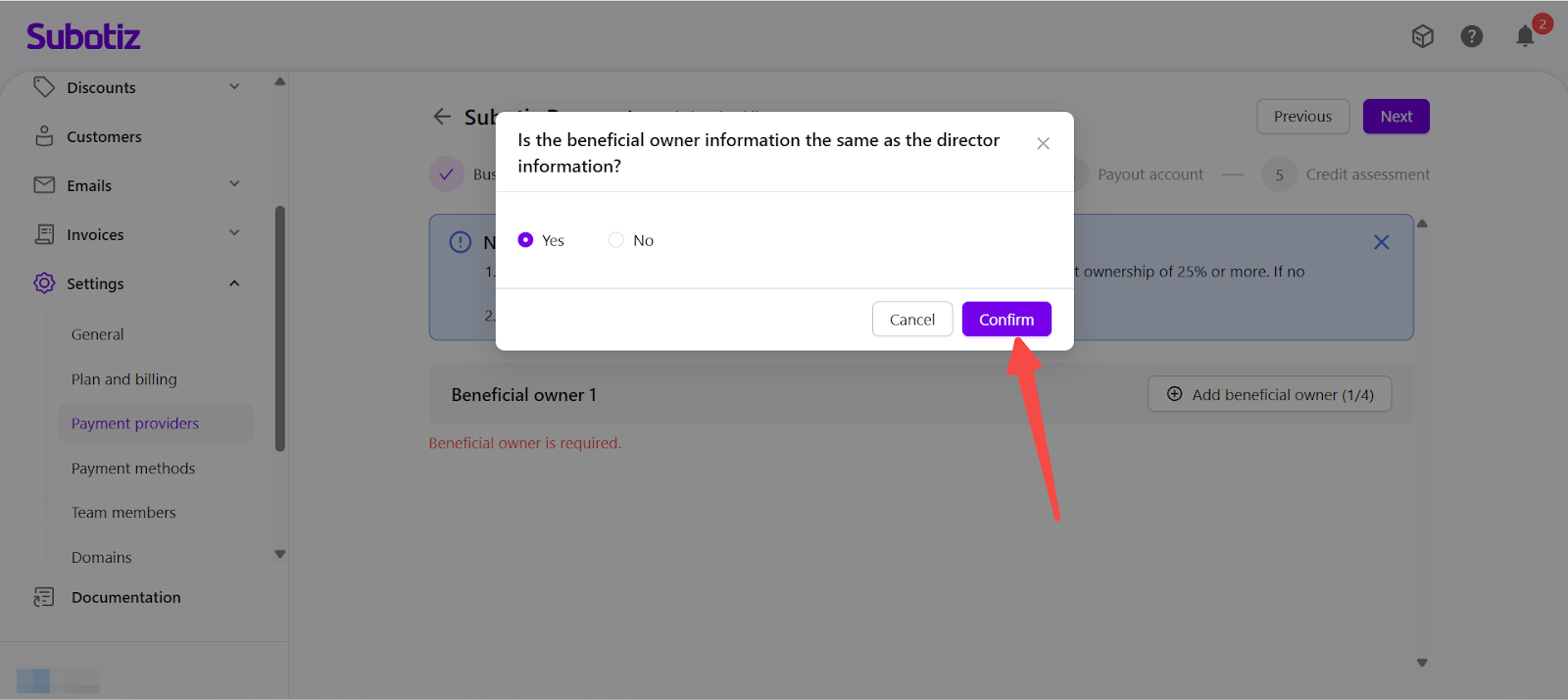
Quick entry: If a beneficial owner is also listed as a director, you may use Copy Director Info to populate the fields automatically.
-
Rules by entity type:
-
Set Up the Payout Account: A payout account is required to receive settlement funds.
- Two options are available:
-
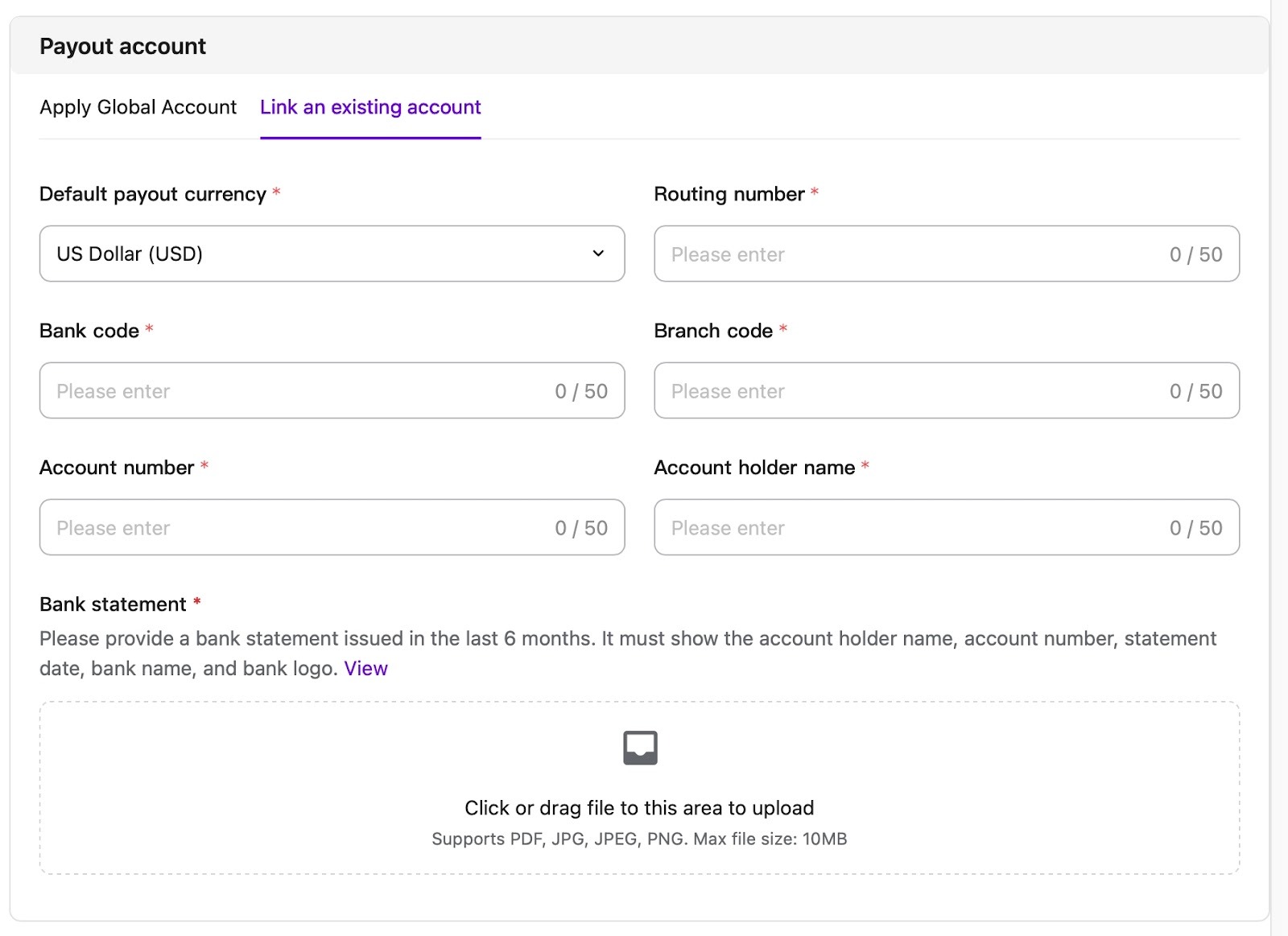
Link an Existing Bank Account: If an overseas bank account is already available, select Link an existing account.
-
Requirements:
- The bank account holder name must match the registered company entity.
- The bank account country/region must match the company’s registered jurisdiction.
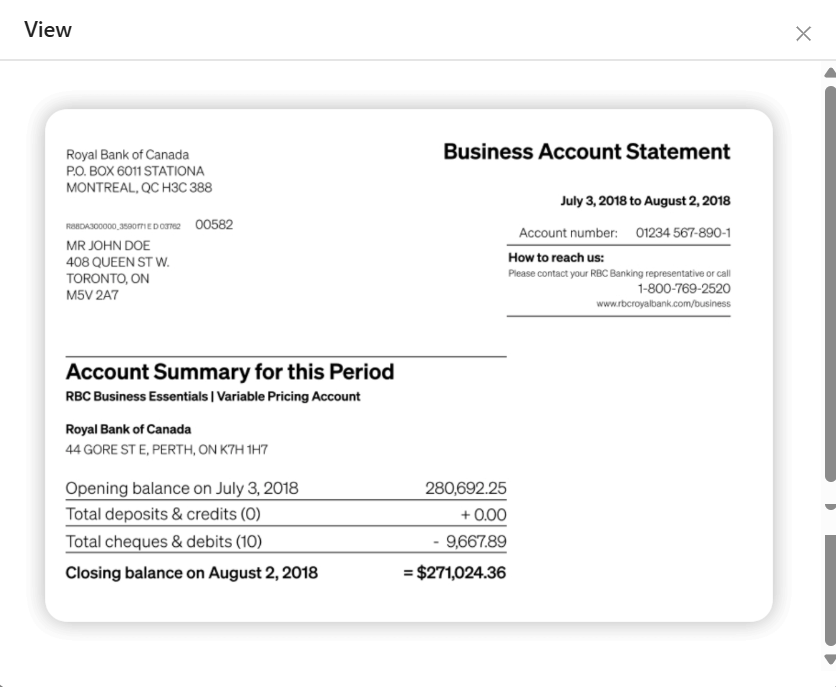
- A bank statement issued within the last six months must be uploaded.
-
The bank statement should clearly display:
- Account holder name
- Account number
- Statement date
- Bank name and logo
-
If a six-month bank statement is unavailable (e.g., newly opened account), a screenshot from the official online banking portal may be submitted as an alternative, provided it clearly shows:
- Account holder name
- Bank account number
- Bank name or official branding
- Acceptance of alternative documentation is subject to final review.
-
Requirements:
-
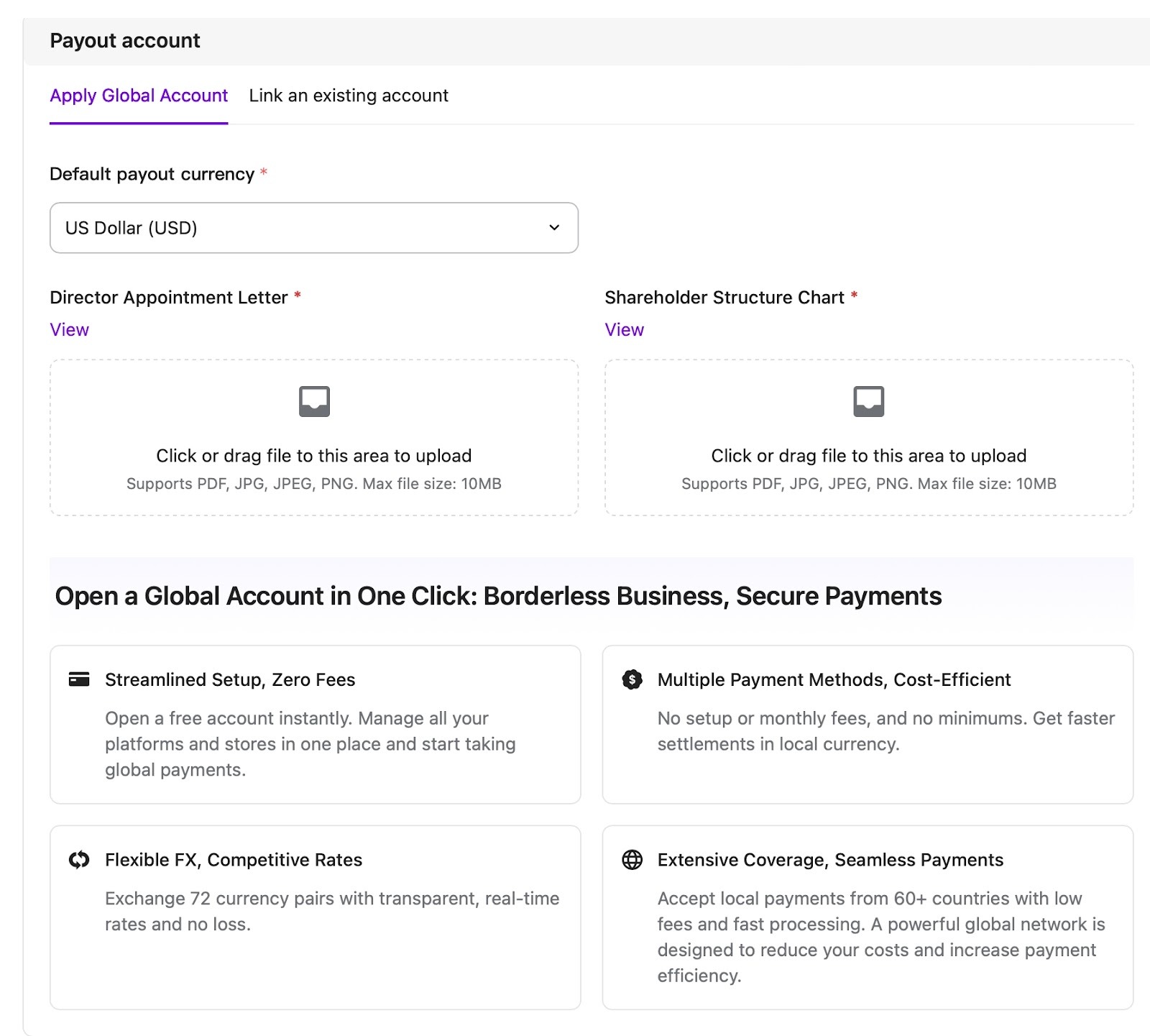
Apply for a Global Account: If an overseas bank account is not available, select Apply Global Account.
-
Configuration Requirements:
- Select the default payout currency
- Ensure the payout region matches the company’s registered jurisdiction
-
Additional Documentation Requirements:
- For companies registered outside Mainland China and Hong Kong, additional documentation is required:
- Director Appointment Letter
- Shareholder Structure Chart
- For companies registered outside Mainland China and Hong Kong, additional documentation is required:
-
All submitted documentation must:
- Be clear and complete
-
Remain consistent with previously submitted business and beneficial owner information
-
Configuration Requirements:
-
Link an Existing Bank Account: If an overseas bank account is already available, select Link an existing account.
- Two options are available:
-
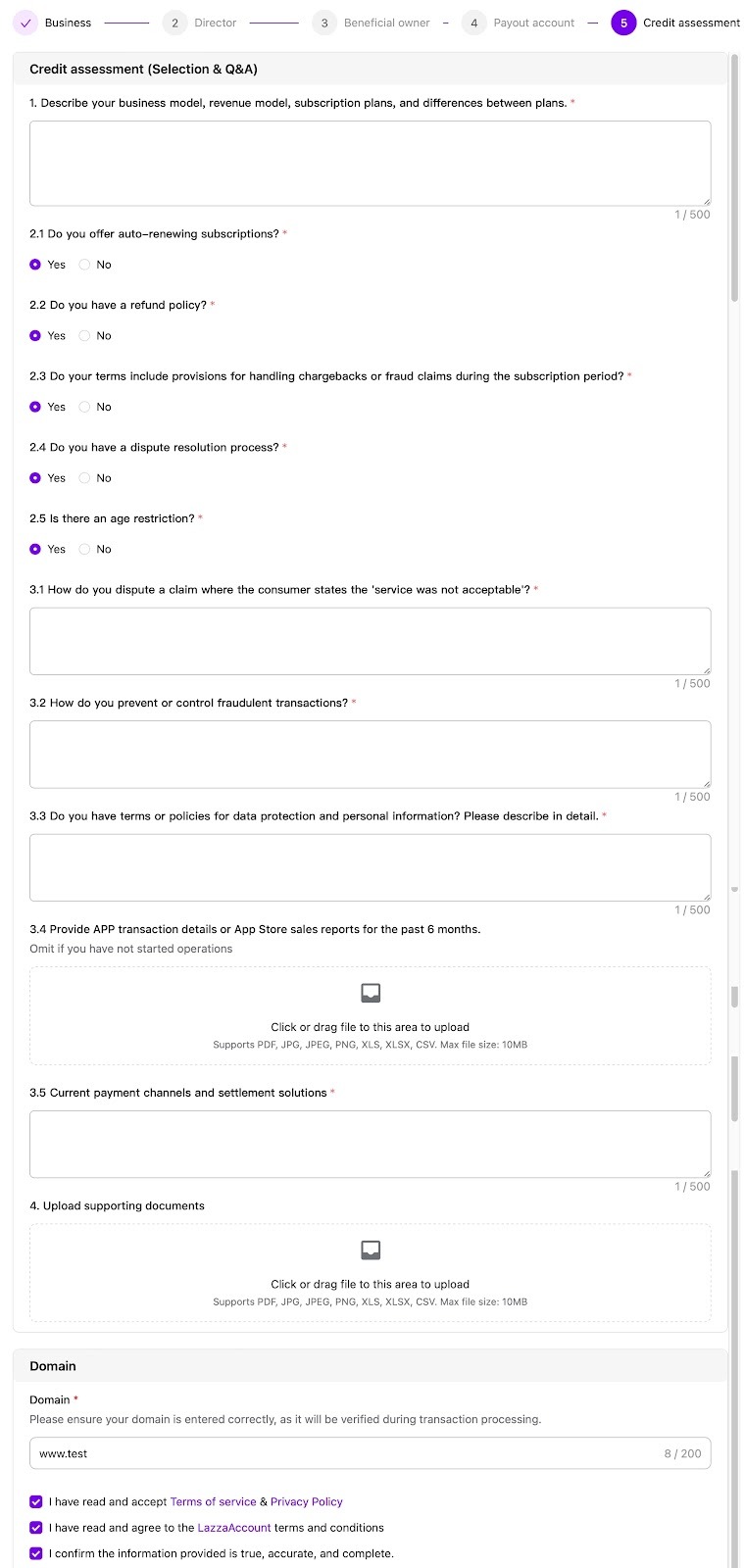
Submit Credit Assessment Materials and Accept Agreements:
- Provide links or supporting materials that reflect:
- Business scale
- Pricing structure
- Transaction model
- These materials support transaction risk evaluation and credit assessment.
- Before submitting the application, complete the required acknowledgements:
- Confirm acceptance of the Terms of Service and Privacy Policy
- If applying for a Global Account, confirm acceptance of the LazzaAccount Terms and Conditions
- Confirm that all submitted information is true, accurate, and complete
The application cannot be submitted unless all required confirmations are selected.
- Provide links or supporting materials that reflect:
-
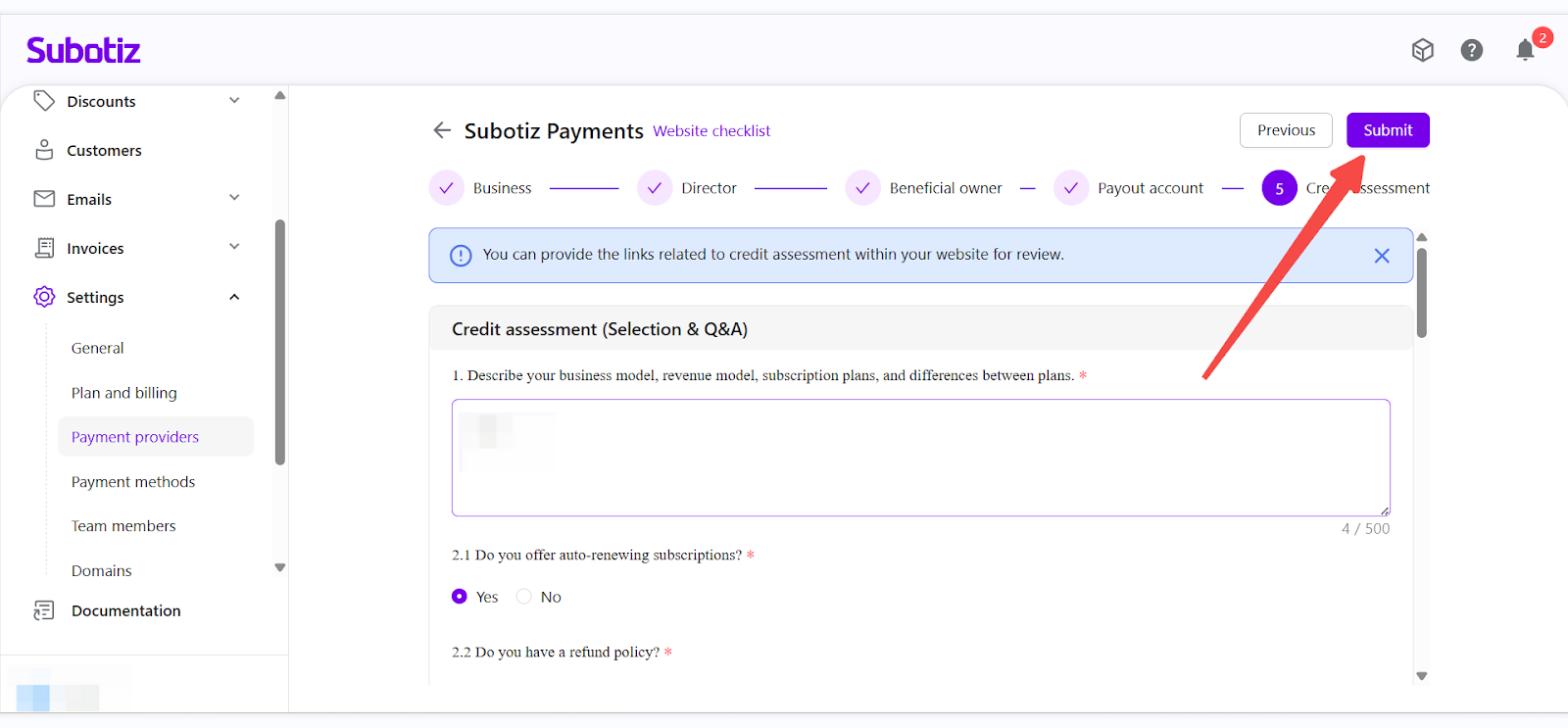
Confirm and Submit: Review all information for accuracy, then submit the Subotiz Payments application. Once submitted, the application will enter the review process.
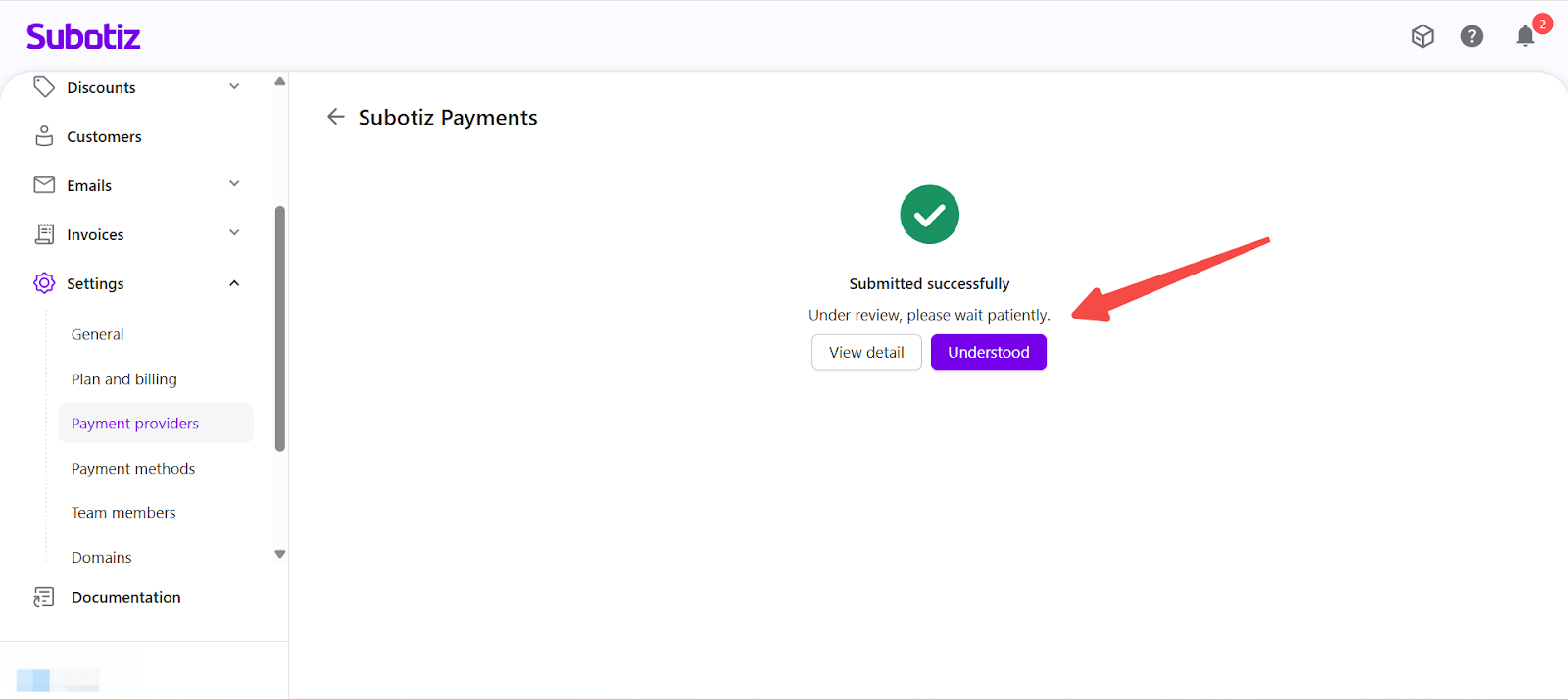
Checking Application Status
-
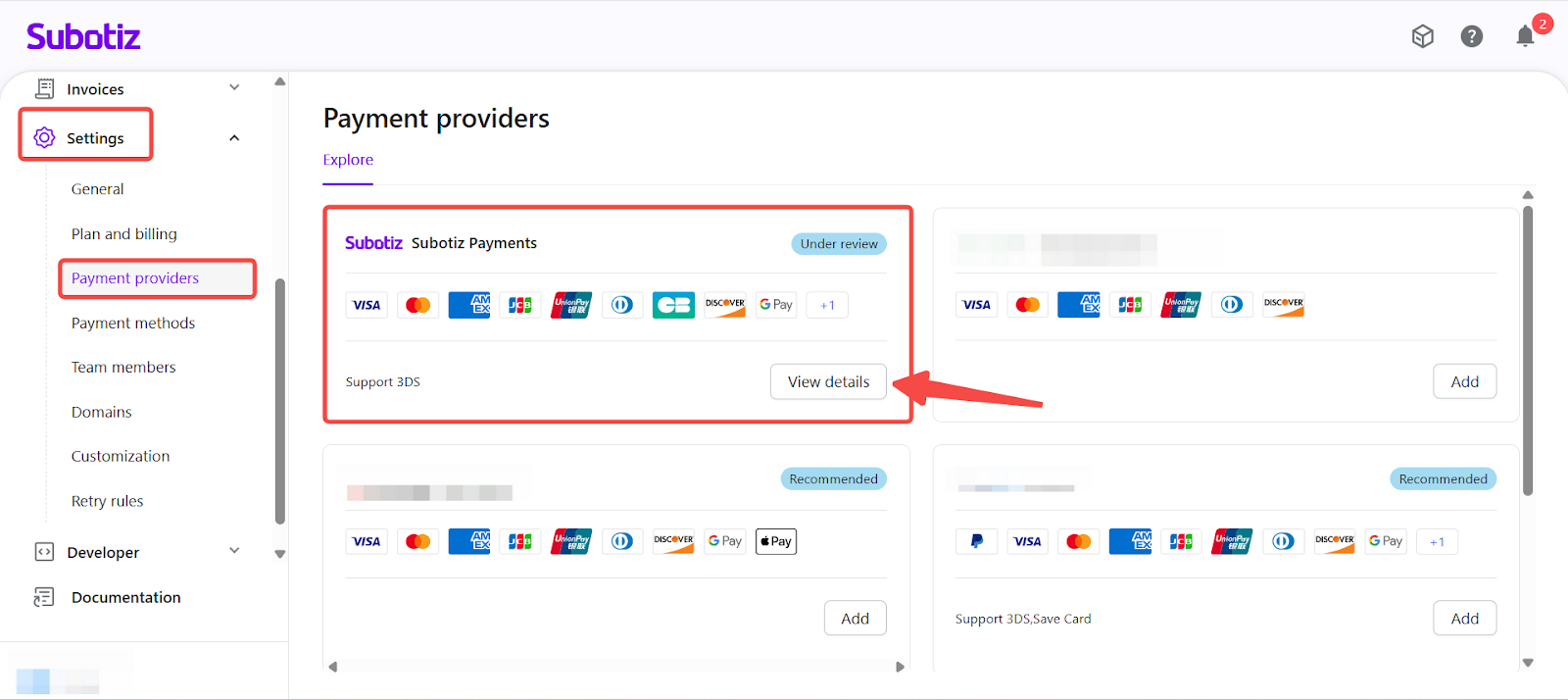
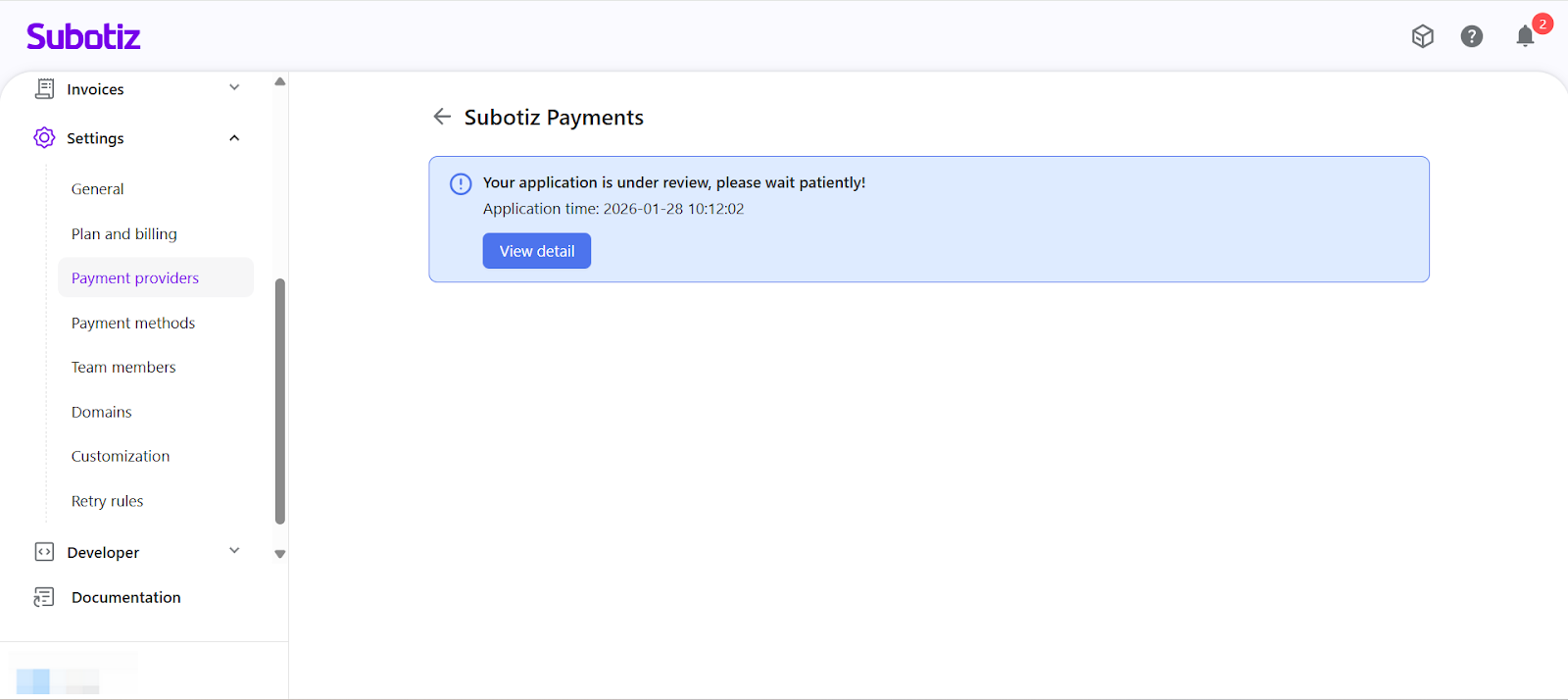
Check Status: Navigate to Settings > Payment Providers > Subotiz Payments, then select View details to check the current application status and review progress.
Approval and Payment Activation
-
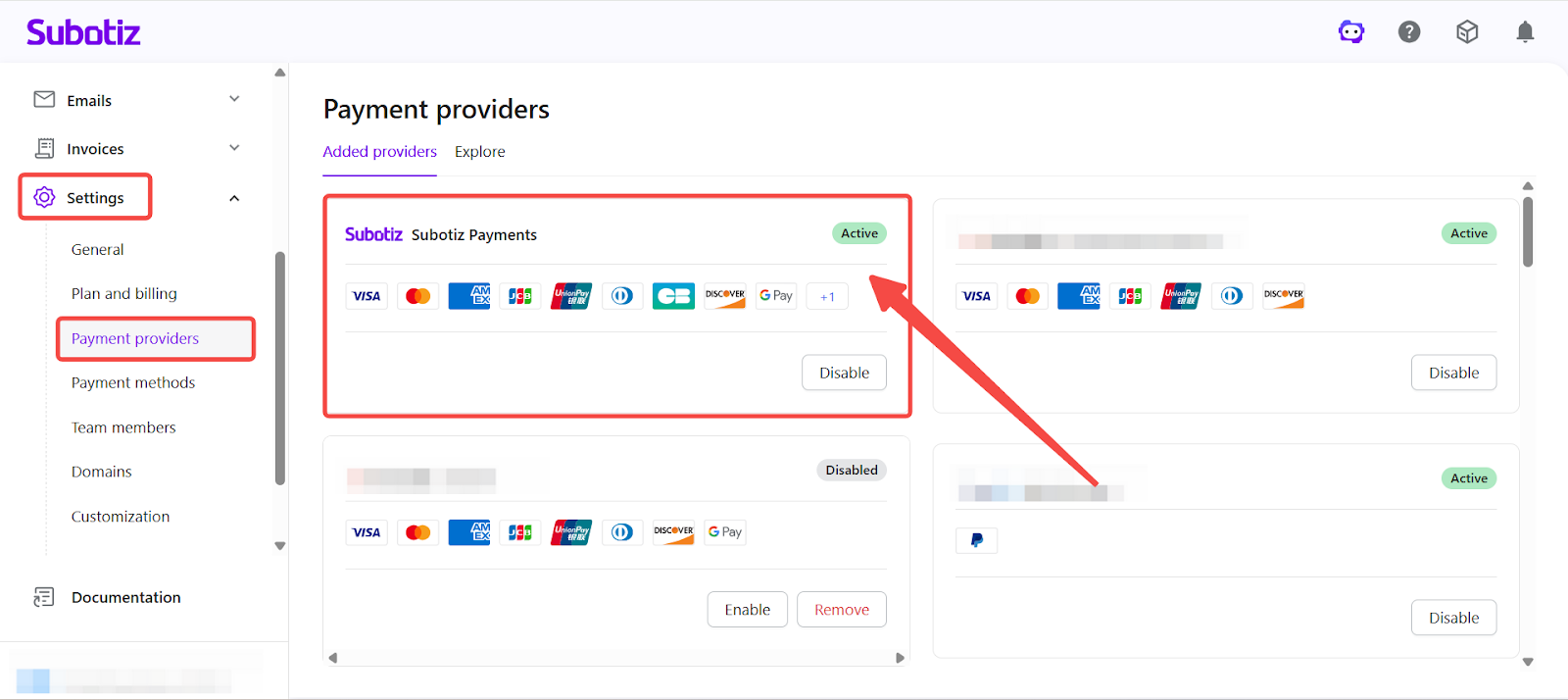
Automatic Activation: Once approved, Subotiz Payments is automatically activated. No additional action is required.
-
Enable Payment Methods: Go to Settings > Payment Methods, select the desired payment methods, and click Save.
- Merchants can configure payment methods based on:
- Target markets
- Business model
-
Customer payment preferences
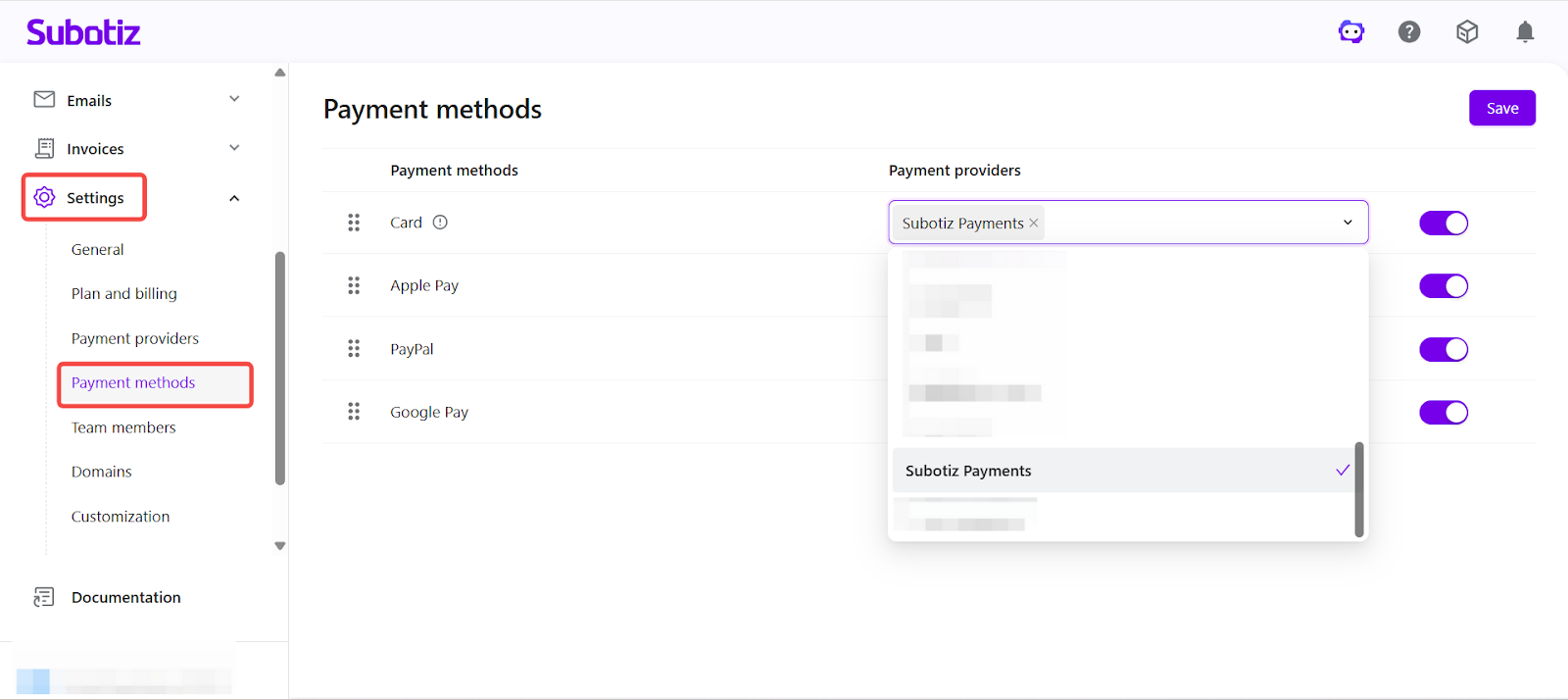
- Merchants can configure payment methods based on:
Application & Review Notes
- Preparing complete and accurate information in advance can significantly reduce review time.
- Website content that does not match the actual business model may delay or block approval.
- Business, director, and beneficial owner information must remain consistent.
- Incorrect payout account details or mismatched regions may delay settlement and activation.
By following the standardized Subotiz Payments application and activation process, merchants can complete payment onboarding, compliance review, and payment method configuration with confidence, while establishing a secure foundation for long-term growth and cross-market expansion.