The Marketing emails feature in Subotiz automatically delivers Abandoned checkout emails, Cancelled trial emails, and Expired subscription emails. These journeys help merchants recover lost revenue, improve subscription renewal, and reduce churn across the customer lifecycle.
Marketing email categories
Subotiz includes three predefined journeys that activate at key lifecycle moments.
- Abandoned checkout: Re-engages customers who start checkout but leave before completing payment.
- Cancelled trial: Targets customers who cancel during a trial period. Emails are delivered after the trial ends and guide customers toward upgrading to a paid plan.
- Expired subscription: Reaches customers who turn off auto-renewal. Emails are delivered after the subscription term expires to encourage renewal or reactivation.
Target audience and consent rules
Marketing emails are sent only when both conditions are met:
- Marketing consent is granted: Customers must opt in through the marketing subscription checkbox at checkout. The availability of this checkbox is controlled in the Marketing emails module.
- Customer behavior matches the journey trigger: Emails activate only when the customer performs the corresponding lifecycle action.
This ensures messages are delivered only to compliant, consent-based audiences.
Journey activation
Journeys activate when customer behavior meets the trigger conditions and follow the delay times configured for each email. Up to three emails can be included in each journey, delivered in sequence. If the customer completes a new order or reactivates a subscription, remaining emails in the journey automatically stop.
Discount application
Discount incentives are supported for selected marketing journeys to increase conversion.
- Abandoned checkout: Discount codes are not supported.
- Cancelled trial and Expired subscription: Discount incentives are supported.
- Discount validity: Discount codes included in Cancelled trial and Expired subscription emails are valid for 7 days.
- Automatic application: When customers return to checkout through the email, the configured discount is applied automatically.
Performance indicators
The Marketing emails dashboard provides high-level results for the selected date range.
- Sent emails: Total emails sent across all journeys.
- Delivered emails: Emails successfully delivered to customer inboxes.
- Opened emails: Emails opened by customers.
Limitations
- Abandoned checkout emails are supported only for Hosted Checkout integrations.
- Each journey supports up to three emails.
- Emails cannot be deleted, but can be edited or disabled.
Viewing Marketing Emails in the Admin
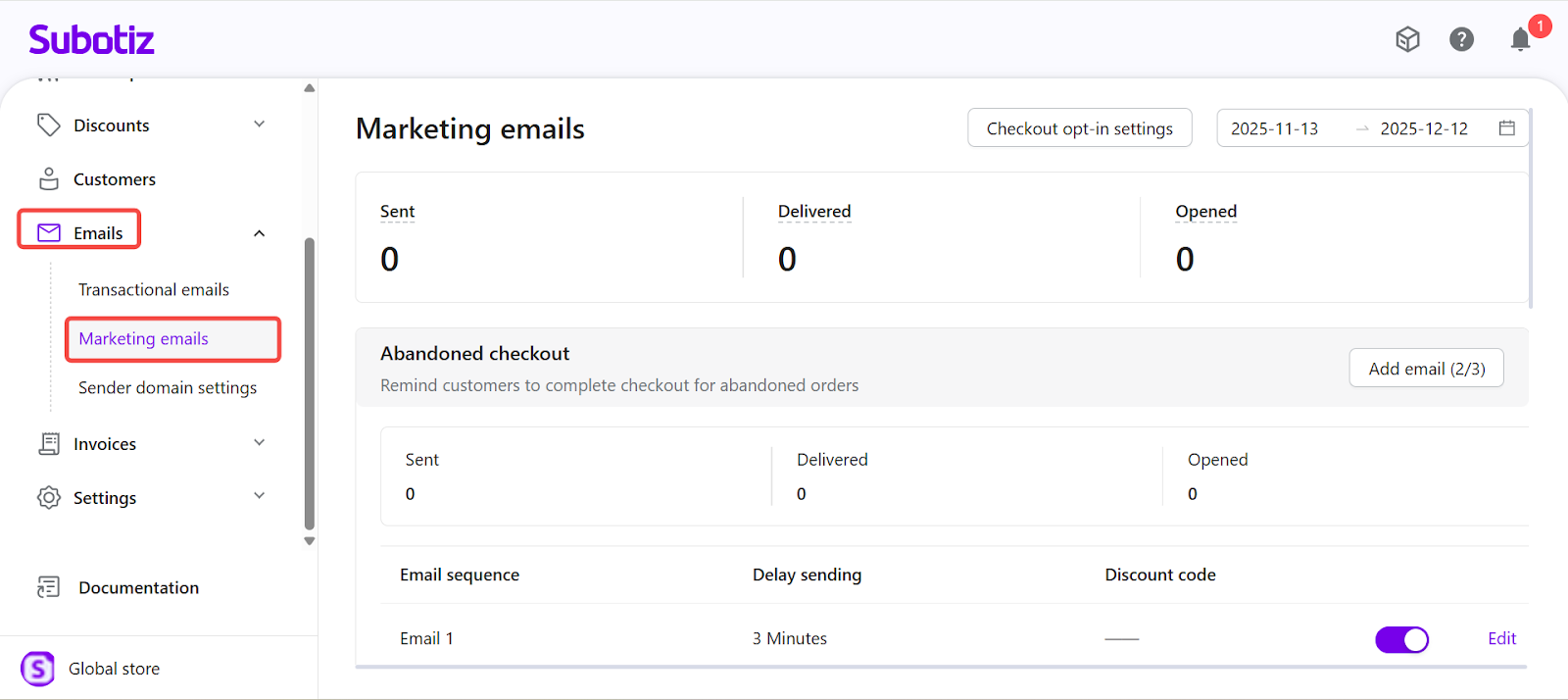
To access Marketing emails, go to the Subotiz admin and select Emails > Marketing emails. The page displays all journeys, including Abandoned checkout, Cancelled trial, and Expired subscription, along with their sent, delivered, and opened metrics.
From this page, you can:
- Review journey performance and purpose descriptions.
- View the email sequence, delay settings, and discount codes.
- Add, edit, or enable individual emails.
- Manage marketing consent through Checkout opt-in settings.
This dashboard provides a centralized view of lifecycle campaigns and supports effective monitoring of marketing engagement.
Marketing emails in Subotiz provide structured, automated communication triggered by key customer lifecycle events. With consent-based targeting, configurable touchpoints, and clear performance insights, merchants can operate effective winback and retention campaigns without managing complex workflows. This feature strengthens lifecycle engagement and drives incremental subscription revenue with minimal operational effort.