Subotiz supports exporting trade order data as a structured file for reconciliation, financial review, audit preparation, or operational analysis. Merchants can export all records or only the filtered results, providing flexibility to match specific data export requirements.
Export Steps
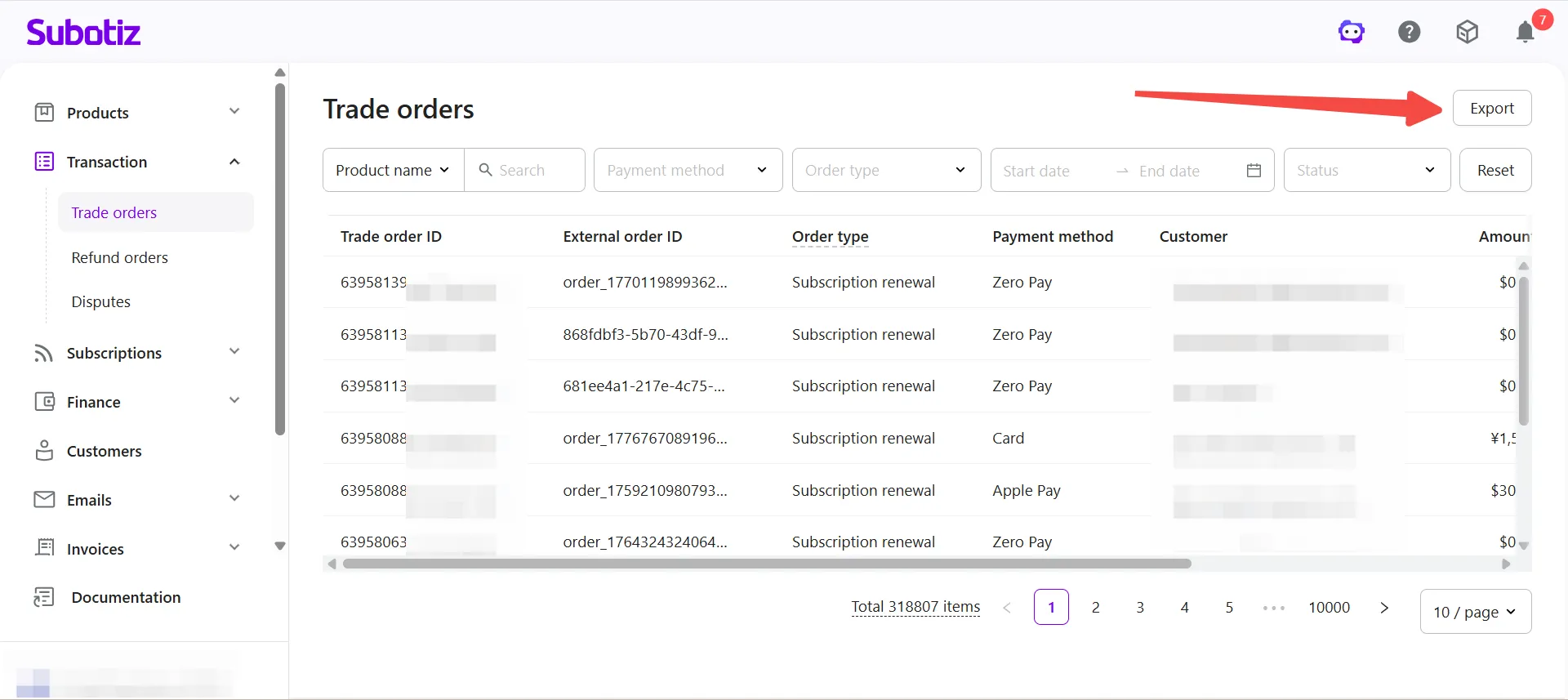
- Access the export function: Go to Transaction > Trade orders in the Subotiz admin and click the Export button in the top-right corner.
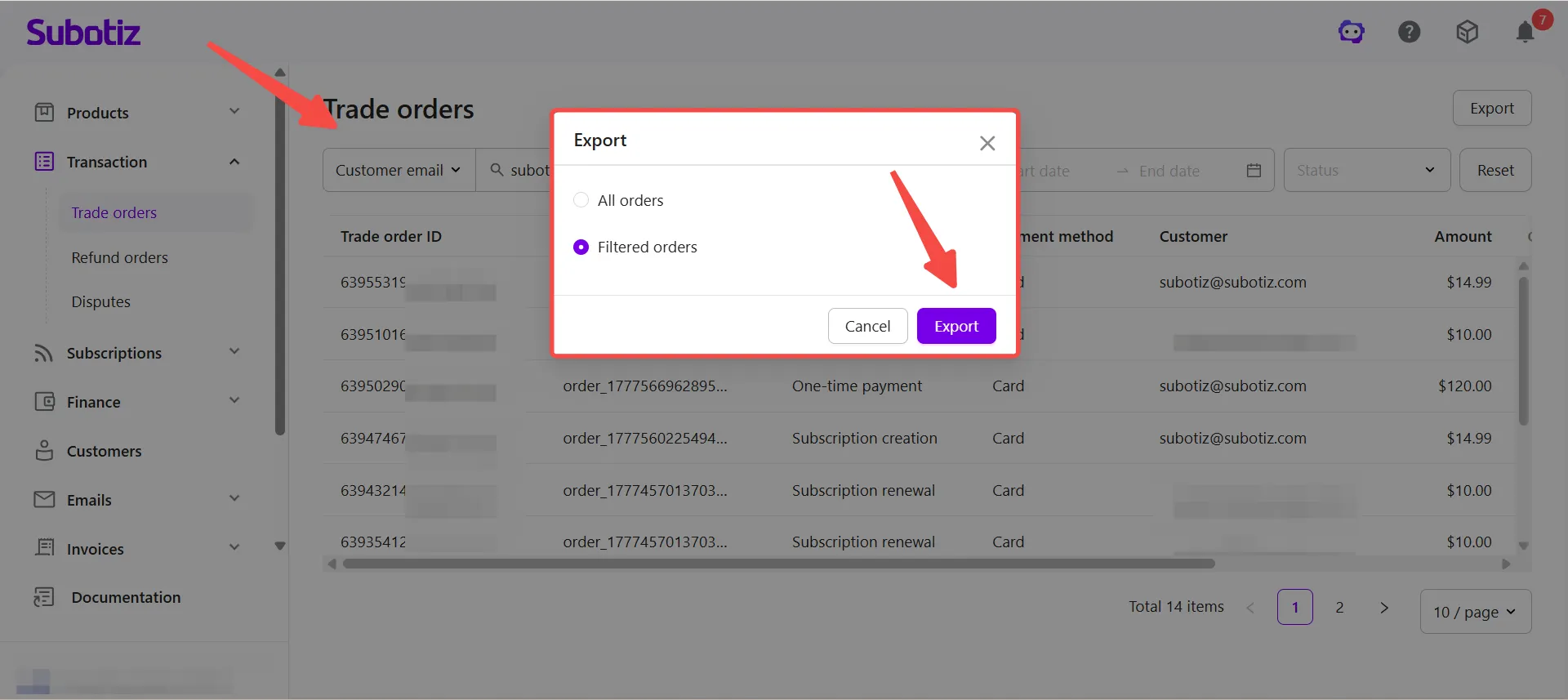
- Select the export range: In the export dialog, choose one of the following options:
- All orders: Exports the complete list of trade orders.
- Filtered orders: Exports only the records matching the current filters, such as order status, payment method, order type, or date range.
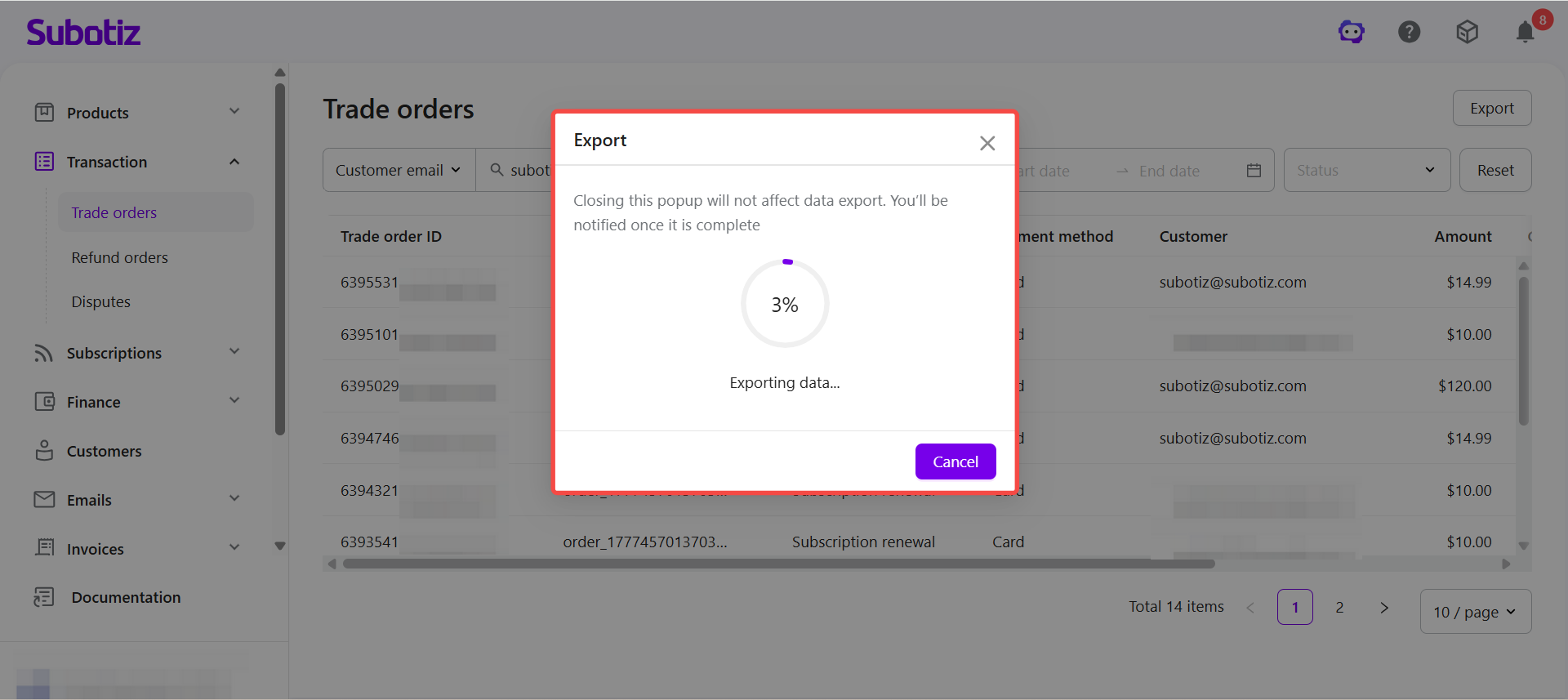
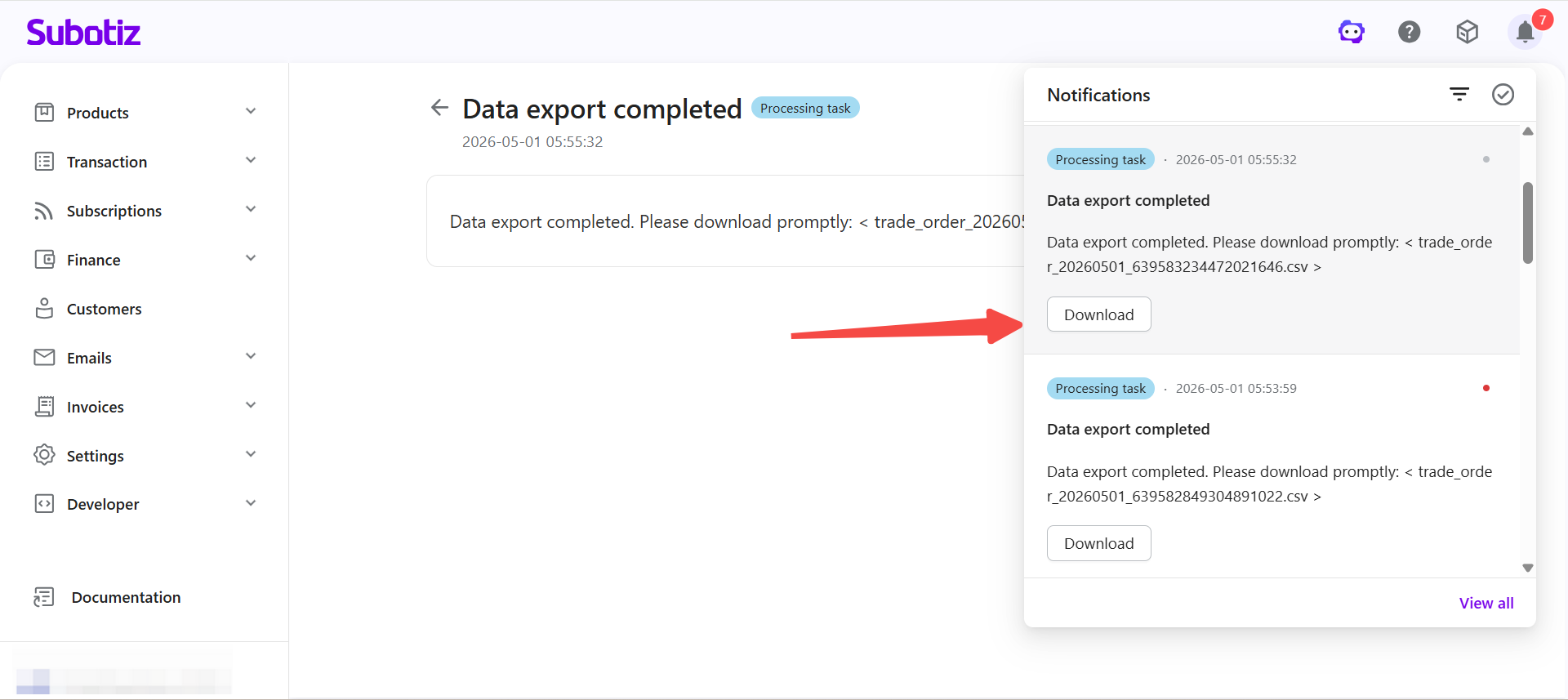
- Wait for the export to complete: After confirming, the system begins processing and displays the export progress. The dialog can be closed without interrupting the export. A notification will be sent to the message center once the export is complete.
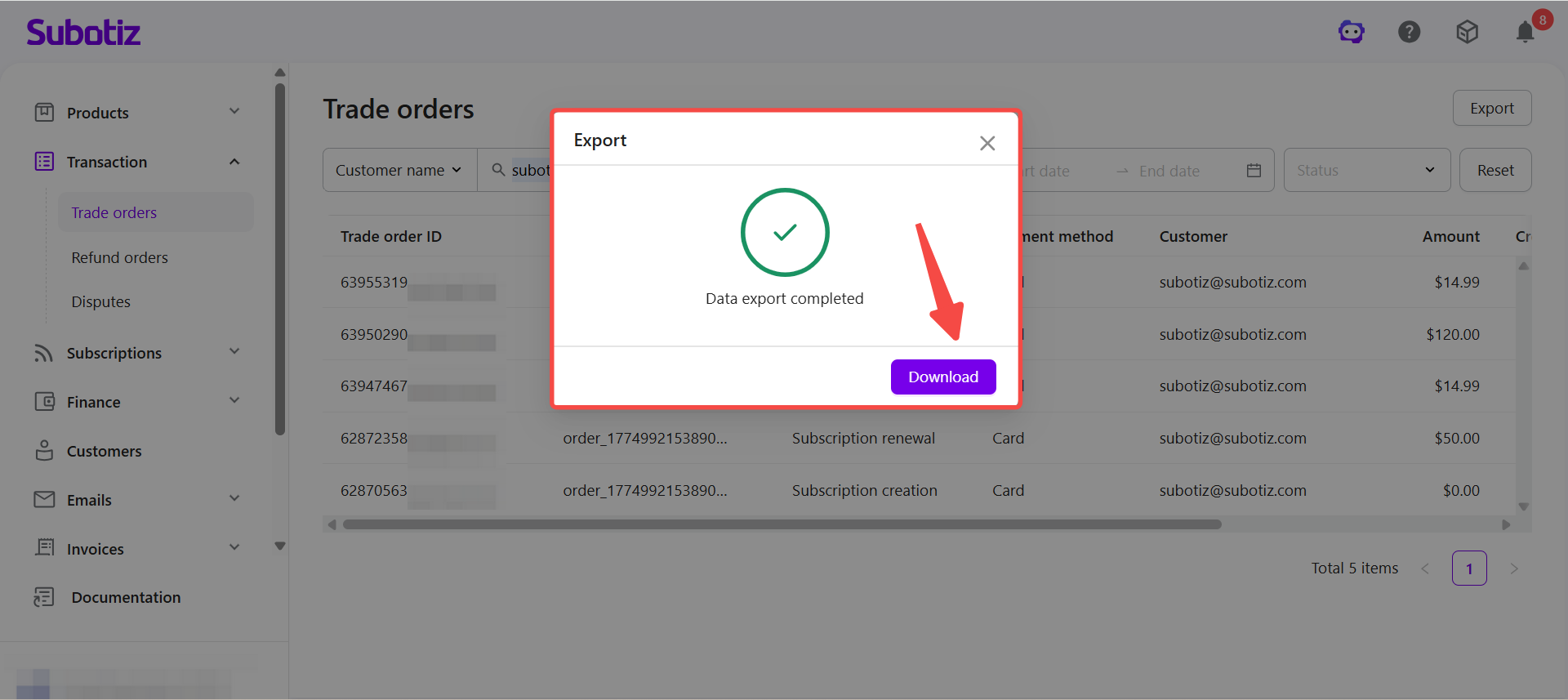
- Download the file: Once the export is complete, click Download in the export dialog to save the file, or open the notification in the message center and click Download. If the export fails, the notification will prompt you to retry.
Reviewing Export Fields
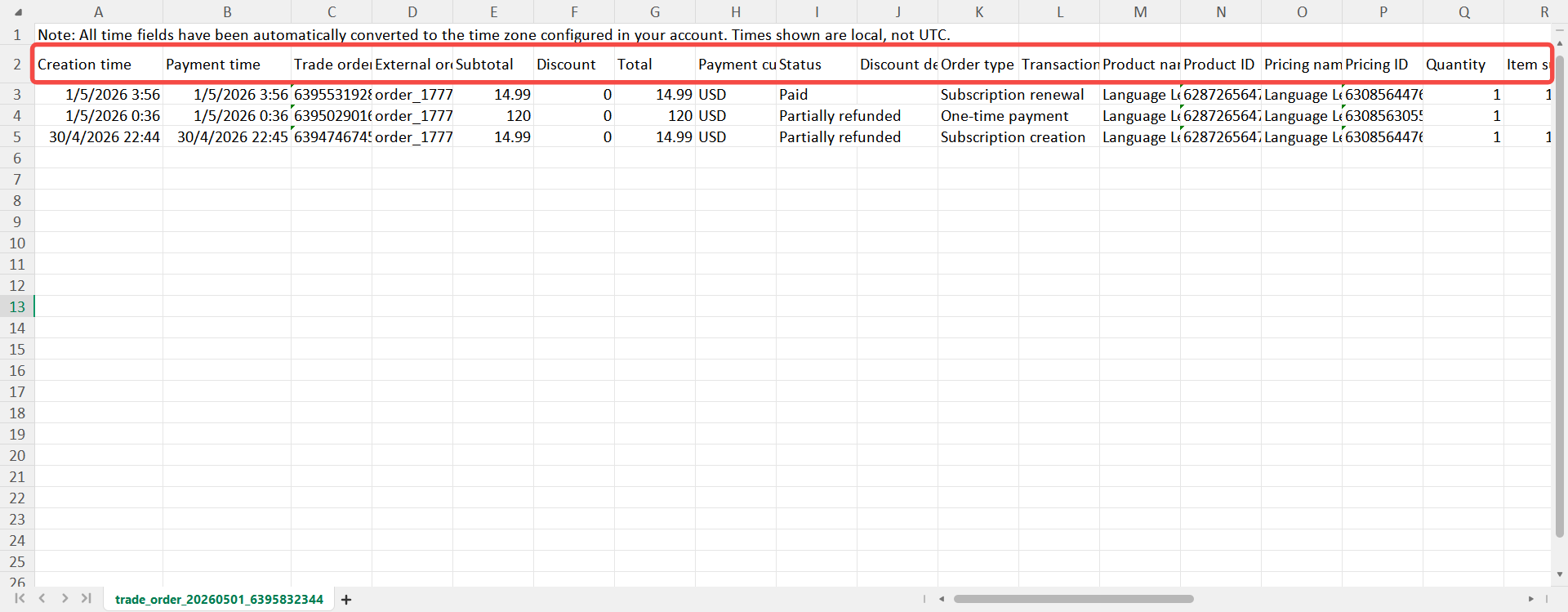
The exported file contains complete transaction data organized into the following categories:
- Order Details: Creation time, Payment time, Trade order ID, External order ID, Subtotal, Discount, Total, Payment currency, Status, Discount detail, Order type, Transaction description, Closure reason.
- Product and Pricing: Product name, Product ID, Pricing name, Pricing ID, Quantity, Item subtotal, Purchase type, Period start, Period end.
- Payment Information: Channel transaction ID, Payment provider, Payment method, Last 4 digits, Card BIN, Card brand, Issuing country, Card type, Payment failure reason.
- Customer and Source: Customer ID, Customer email, Source device type, Source IP address, Source country/region, Initial checkout source, Last access source.
- Related Records: Refund order ID, Invoice, Subscription ID.
Use Cases
- Financial reconciliation: Verify transaction amounts against settlement data to ensure consistency.
- Payment analysis: Review payment success rates, failure reasons, and channel performance.
- Refund and dispute review: Cross-check refund records and transaction data for dispute handling.
- Product and pricing analysis: Evaluate sales performance across products and pricing plans.
- Audit and archiving: Support internal reporting, compliance audits, and data retention requirements.
The trade order export supports full and filtered exports. Once complete, a notification is sent to the message center with a download link. Merchants can use the exported file for reconciliation, financial analysis, and auditing to maintain clear and traceable billing records.