Subotiz tiered recurring pricing allows merchants to set different price tiers based on a customer's purchase quantity and use either Volume or Graduated pricing to calculate recurring subscription charges. This tiered pricing model supports tokens, credits, seats, and other subscription scenarios where pricing varies by purchase quantity.
Tiered pricing uses the quantity unit name configured for the product as the billing unit. For example, if the quantity unit name is Token, merchants can create different price tiers based on the number of Tokens purchased.
Before creating pricing, create the corresponding product. For details about products and pricing, see Products|Products and Pricing and Products | Understanding Pricing.
Selecting a Tiered Pricing Method
Tiered pricing supports two calculation methods: Volume and Graduated. Both allow merchants to create multiple price tiers based on purchase quantity, but they calculate charges differently when the purchase quantity spans multiple tiers.
Pricing method |
Use case |
Calculation method |
|---|---|---|
Volume |
Apply the same tier rate to the entire purchase quantity |
The total purchase quantity determines the applicable tier. The unit price and flat fee for that tier apply to the entire quantity. |
Graduated |
Apply different tier rates to quantities within each range |
Each quantity range is calculated using its corresponding unit price and flat fee, and the charges from all tiers are added together. |
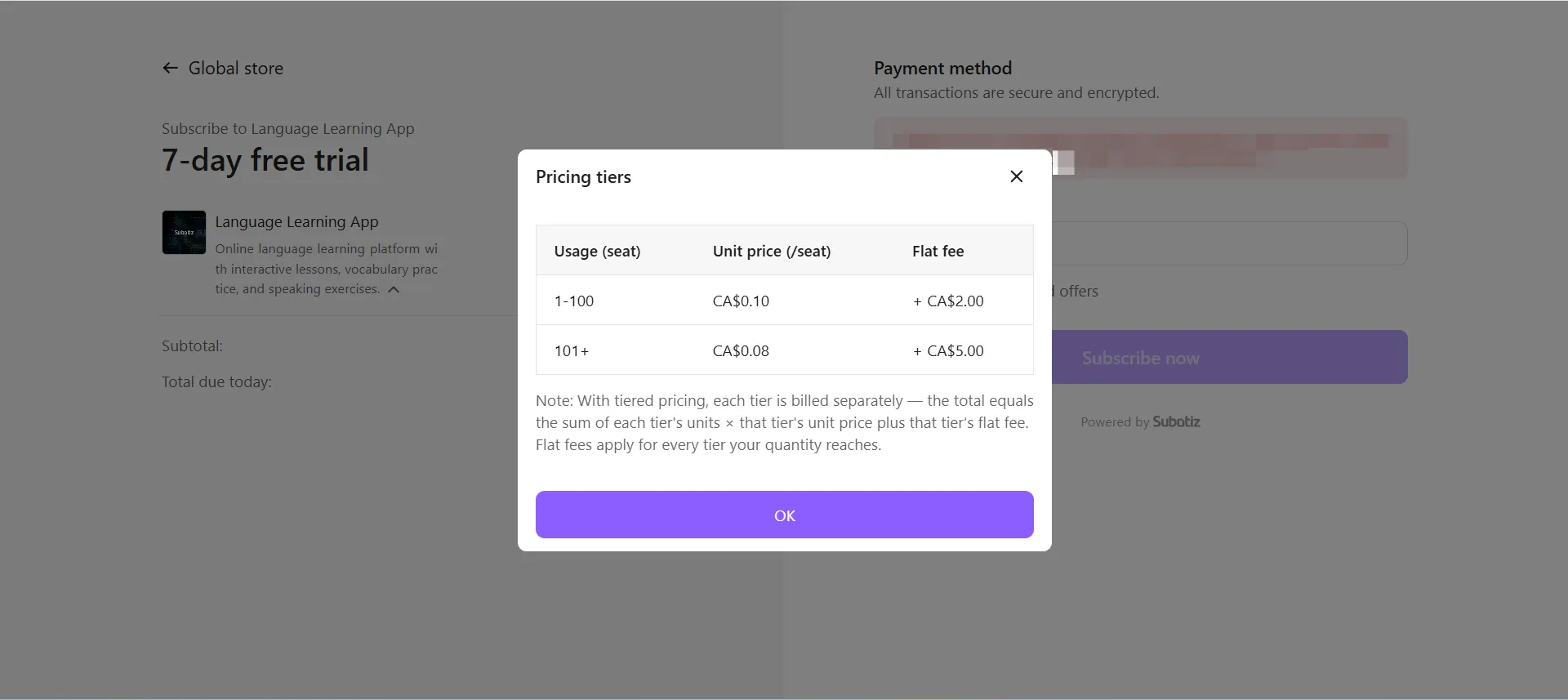
For example, a product with Token as its quantity unit can use the following tiers:
Token quantity |
Price(/unit) |
Flat fee |
|---|---|---|
1–100 Tokens |
CA$0.10/Token |
CA$2 |
101+ Tokens |
CA$0.08/Token |
CA$5 |
When a customer purchases 150 Tokens:
- Volume: The total quantity falls within the second tier, so all 150 Tokens use the second-tier rate. The charge per billing period is 150 × CA$0.08 + CA$5 = CA$17.
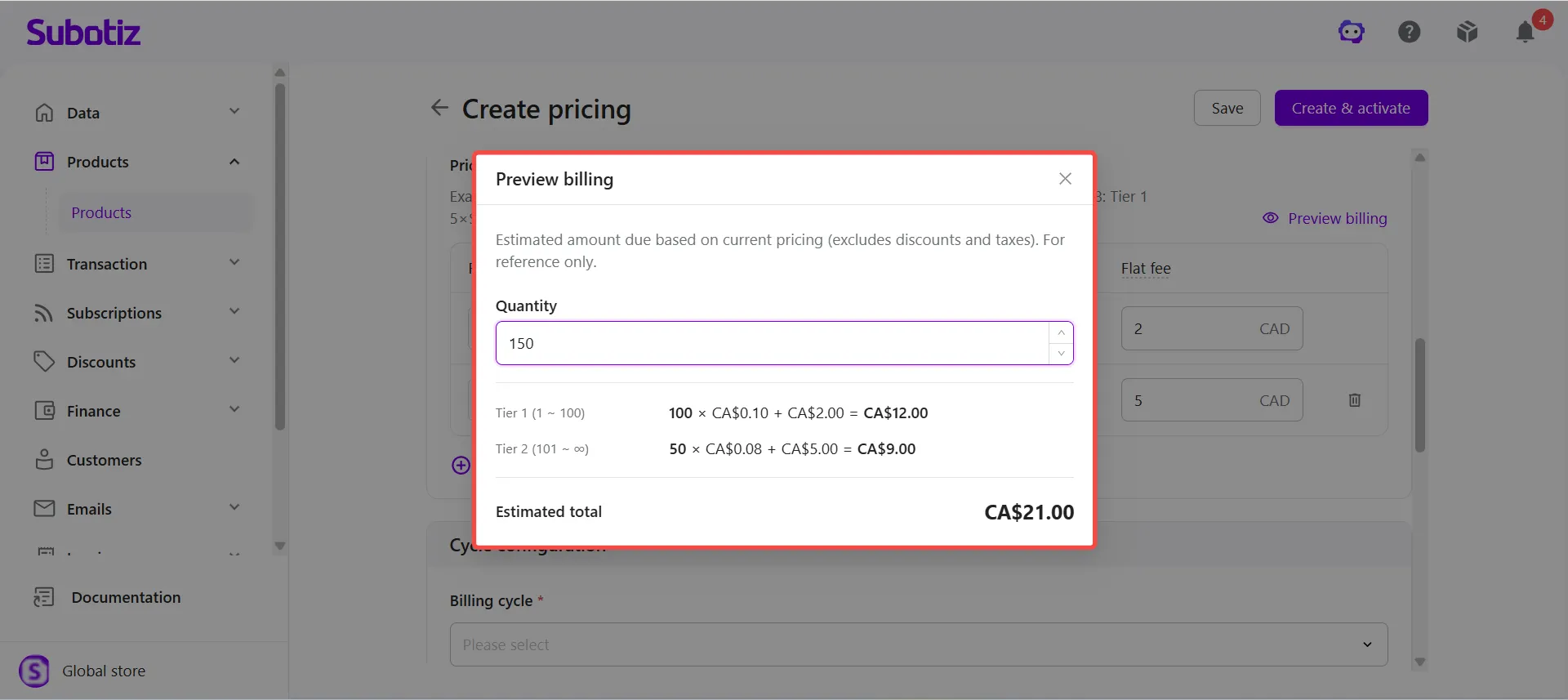
- Graduated: The first 100 Tokens use the first-tier rate, for a charge of CA$12. The remaining 50 Tokens use the second-tier rate, for a charge of CA$9. The total charge per billing period is CA$21.
Use Volume when the total purchase quantity should determine a single rate for all units. Use Graduated when quantities within different ranges should be charged at their corresponding tier rates.
Creating Tiered Recurring Pricing
- Open Products: Log in to the Subotiz admin and go to Products > Products.
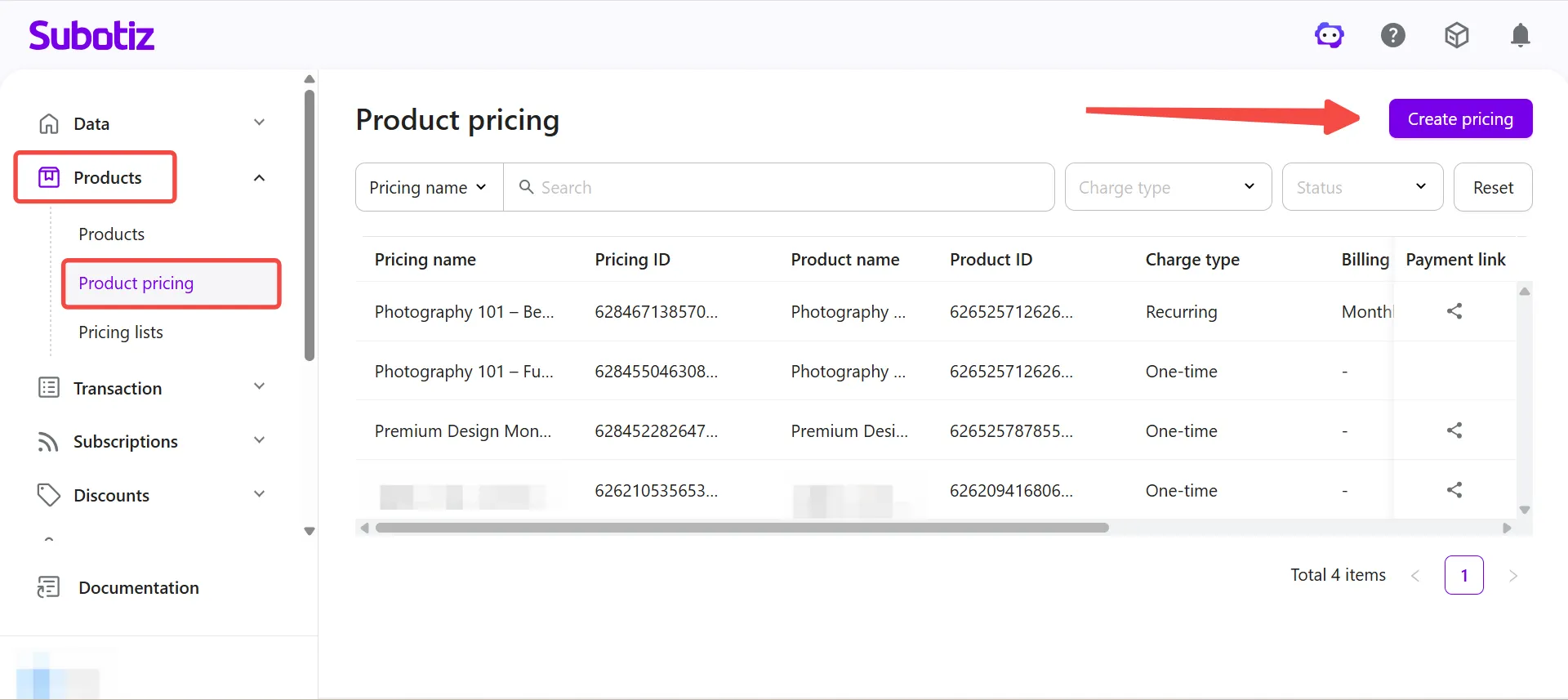
-
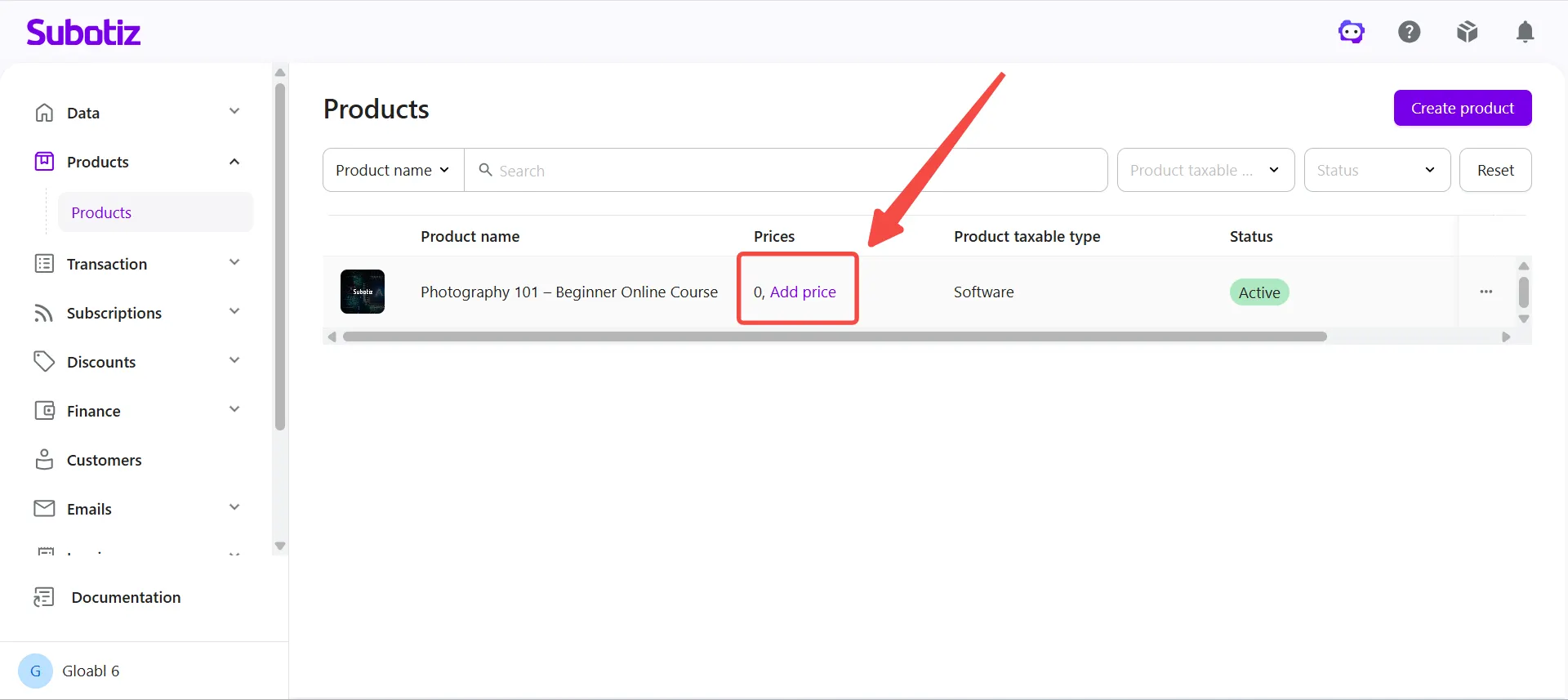
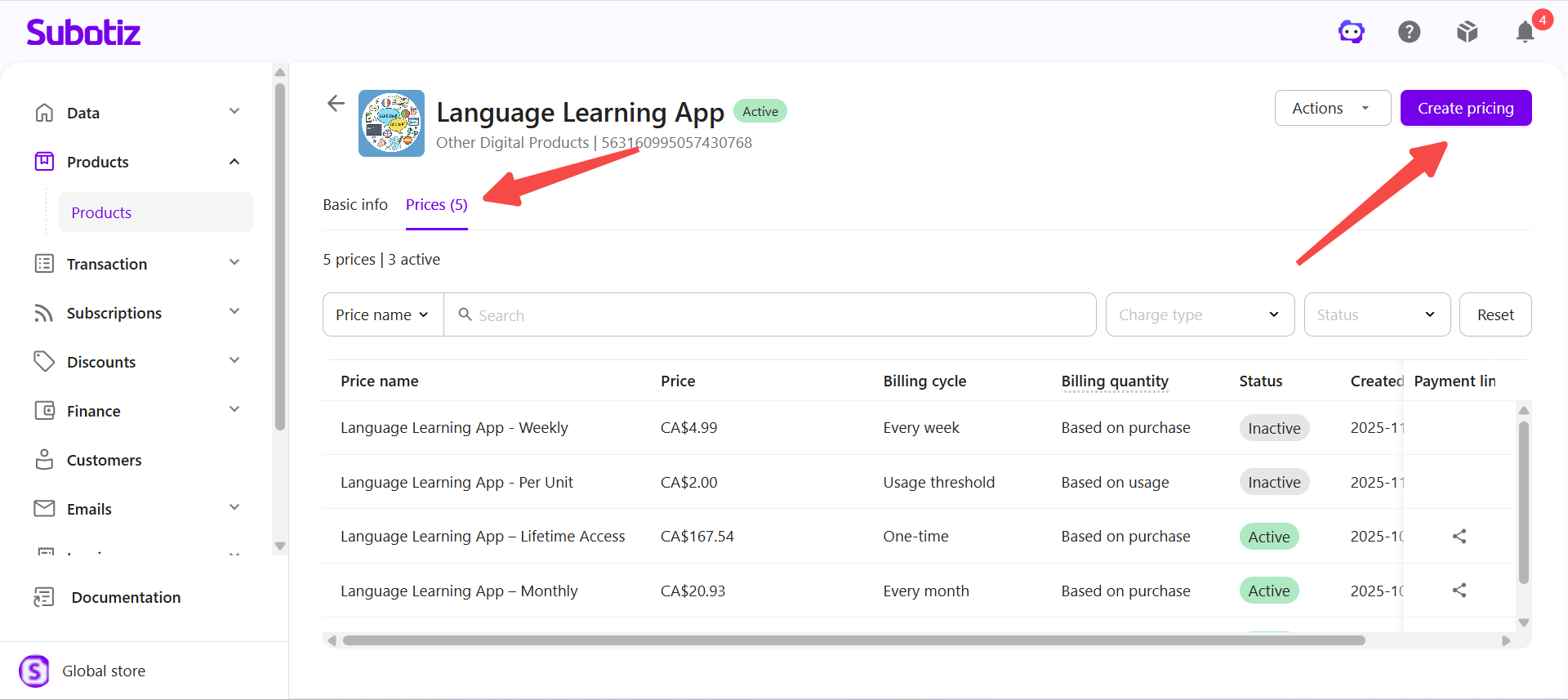
Start creating pricing: Locate the product and open the pricing creation page based on whether pricing already exists:
- No pricing created: Click Add price under the pricing count.
- Pricing already exists: Select the product to open its details, open the Prices tab, then click Create pricing.
-
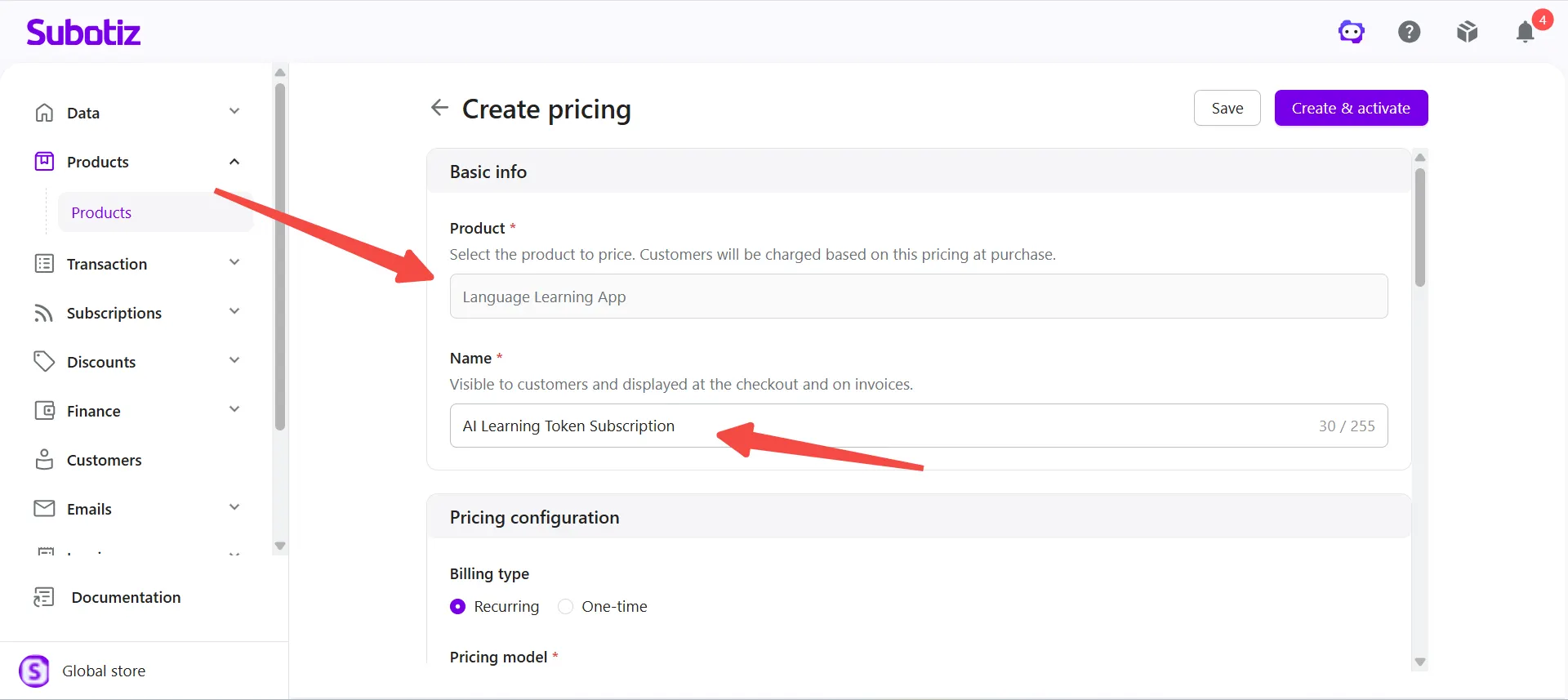
Enter basic information: Under Basic info, confirm the associated Product, then enter a Name. The name is visible to customers and appears at checkout and on invoices.
- For example, for the Language Learning App product, enter AI Learning Token Subscription as the pricing name.
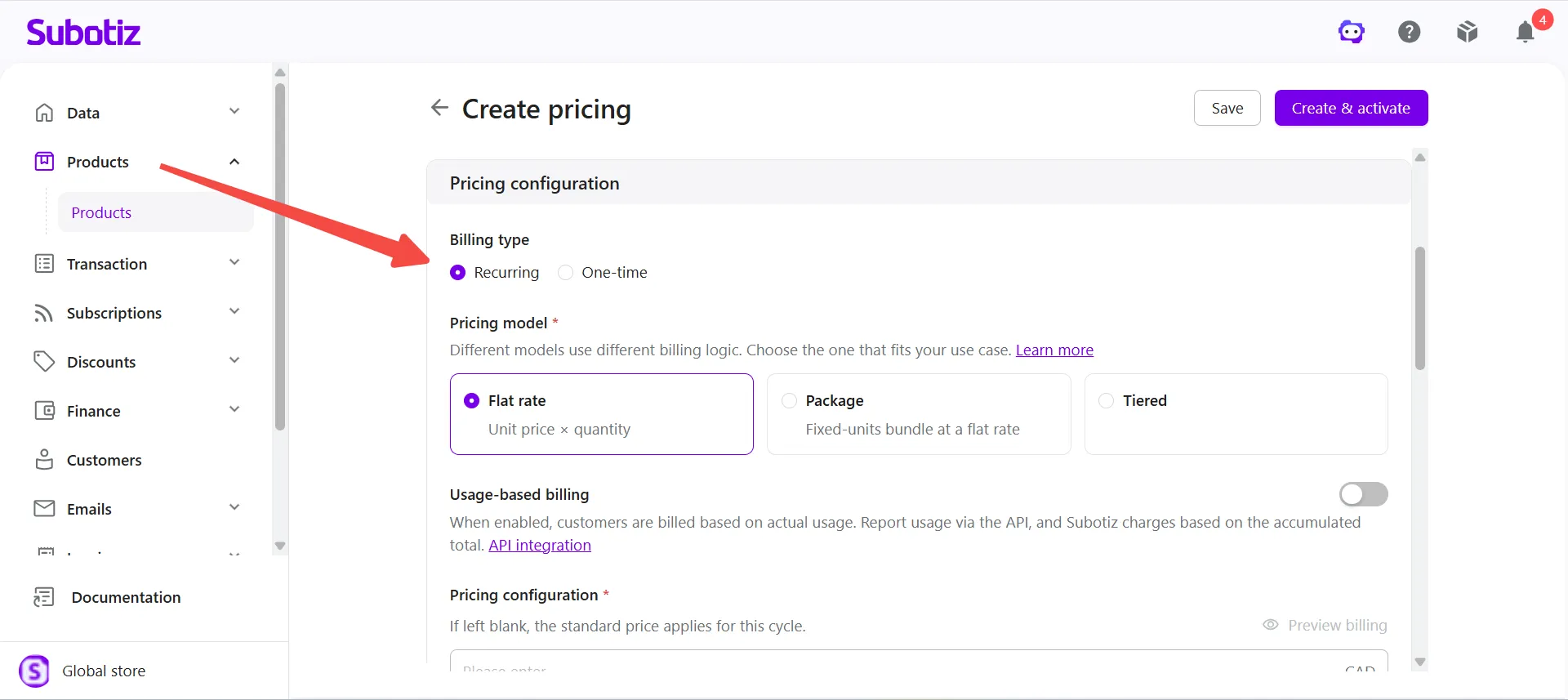
- Select Recurring: Under Pricing configuration > Billing type, select Recurring.
-
Select Tiered: Under Pricing model, select Tiered, then select the pricing method based on the billing model:
- Volume: The total purchase quantity determines the applicable tier, and all units are charged using that tier's unit price and flat fee.
- Graduated: Each quantity range is charged using its corresponding tier's unit price and flat fee, and the charges from all tiers are added together.
If billing based on actual customer usage is not required, leave Usage-based billing disabled.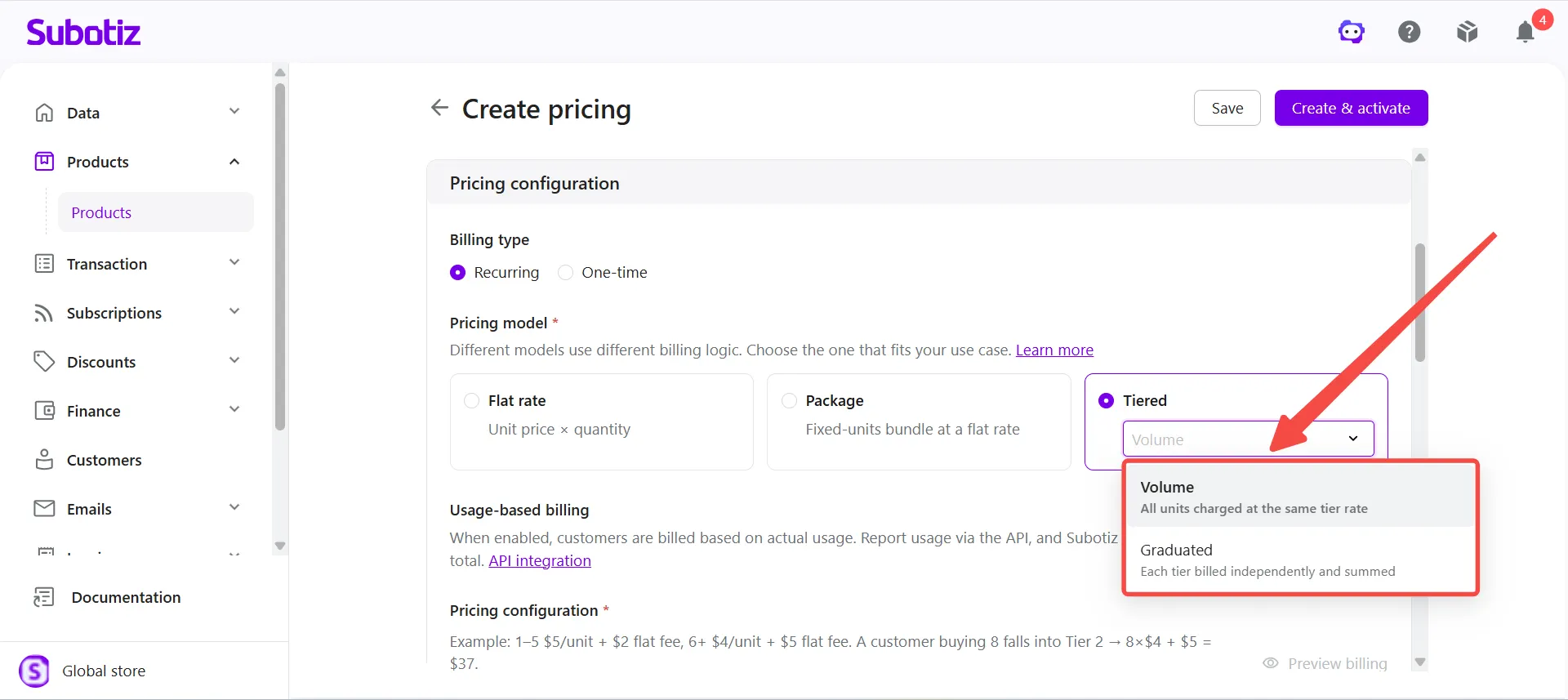
-
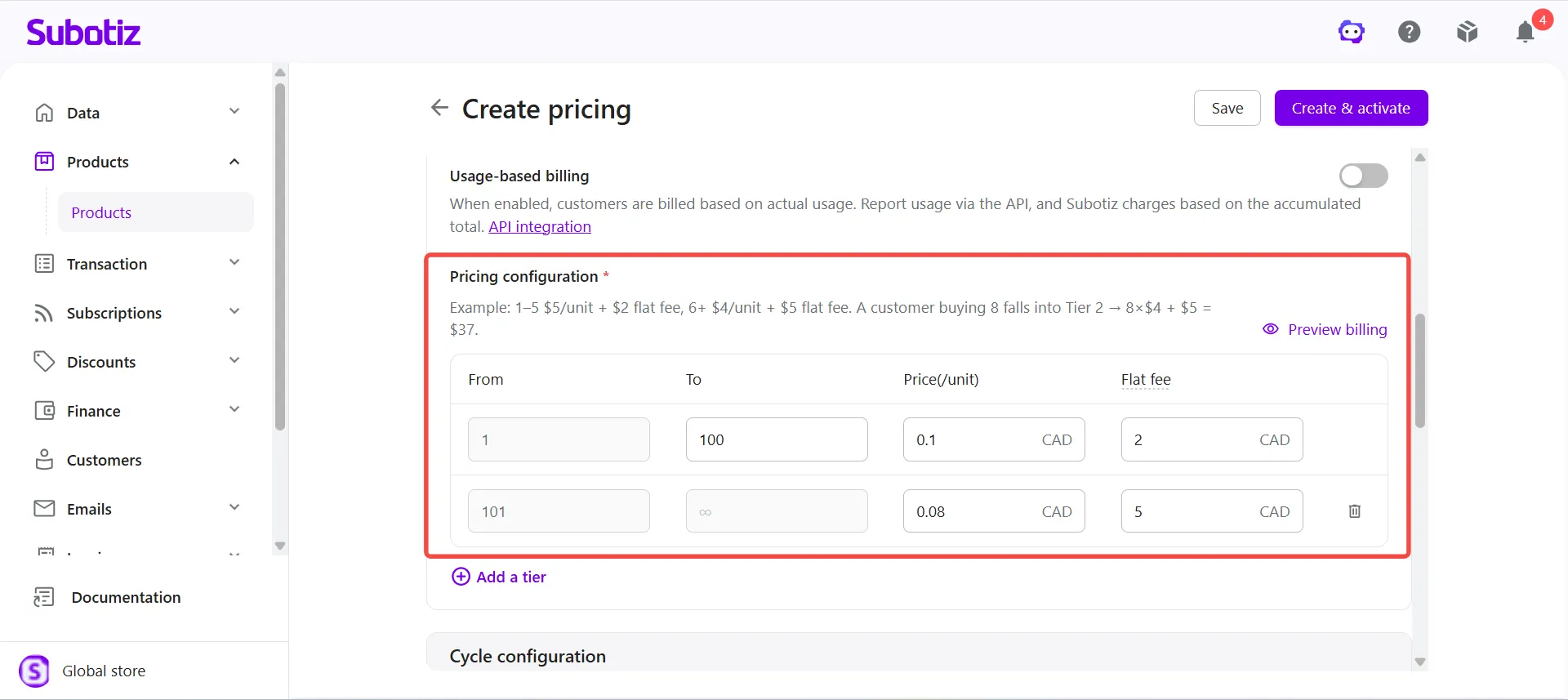
Configure price tiers: Under Pricing configuration, configure the From, To, Price(/unit), and Flat fee for each tier. Pricing supports up to 14 decimal places. Click Add a tier to create additional price tiers.The system uses the quantity unit configured for the product when displaying and calculating pricing tiers.
- For example, if Token is configured as the product's quantity unit, create the following tiers:
Token quantity |
Price(/unit) |
Flat fee |
|---|---|---|
1–100 Tokens |
CA$0.10/Token |
CA$2 |
101+ Tokens |
CA$0.08/Token |
CA$5 |
-
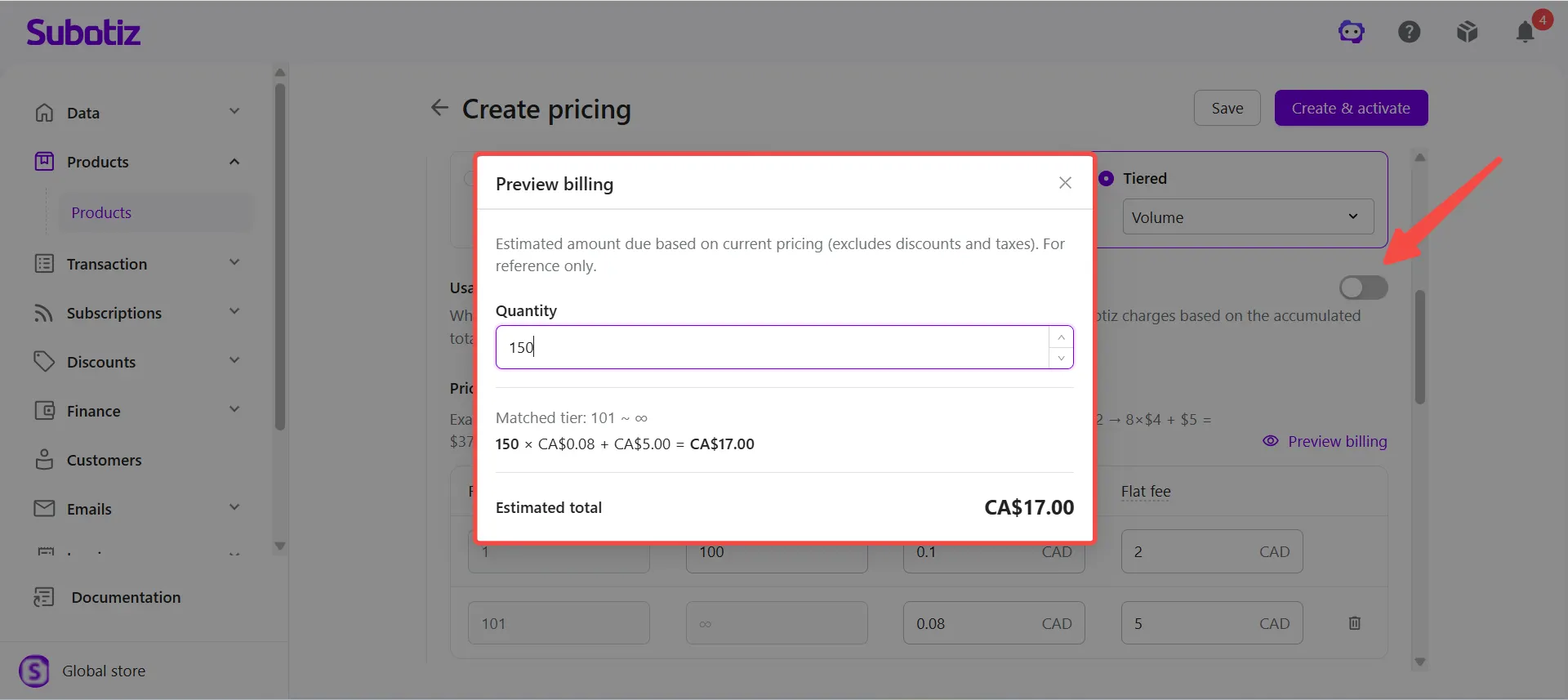
Preview billing: Click Preview billing, enter the Purchase quantity, and review the estimated charge based on the configured tiers and pricing method. Preview amounts exclude discounts and taxes and are for reference only.
-
For a purchase quantity of 150 Tokens:
- Volume: The estimated charge per billing period is CA$17.
- Graduated: The estimated charge per billing period is CA$21.
-
-
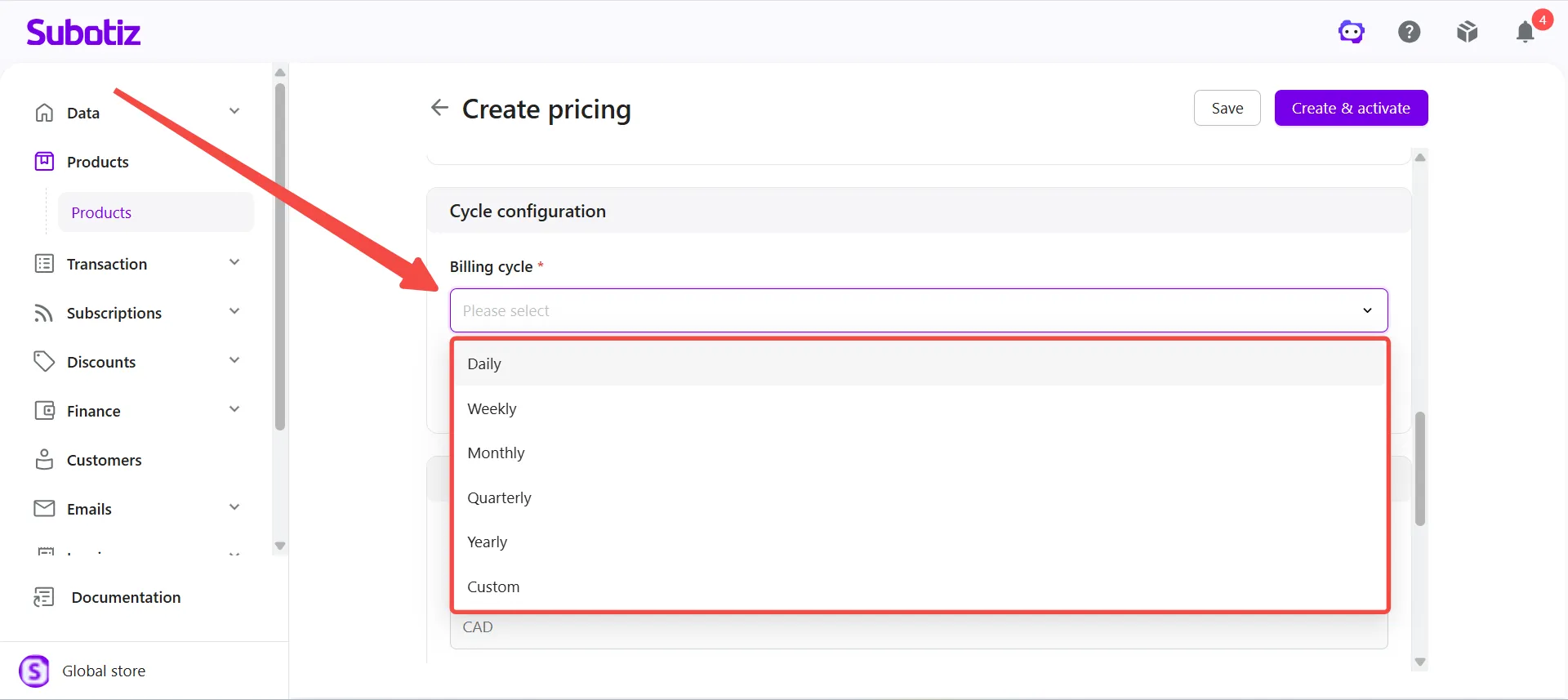
Set the billing cycle: Under Cycle configuration > Billing cycle, select the subscription billing cycle. Supported options include Daily, Weekly, Monthly, Quarterly, Yearly, and Custom. For a custom cycle, set a cycle quantity from 2–365 and select Day, Week, Month, Quarter, or Year as the unit.
- For example, selecting Every 2 Months creates a billing cycle that renews every two months.
-
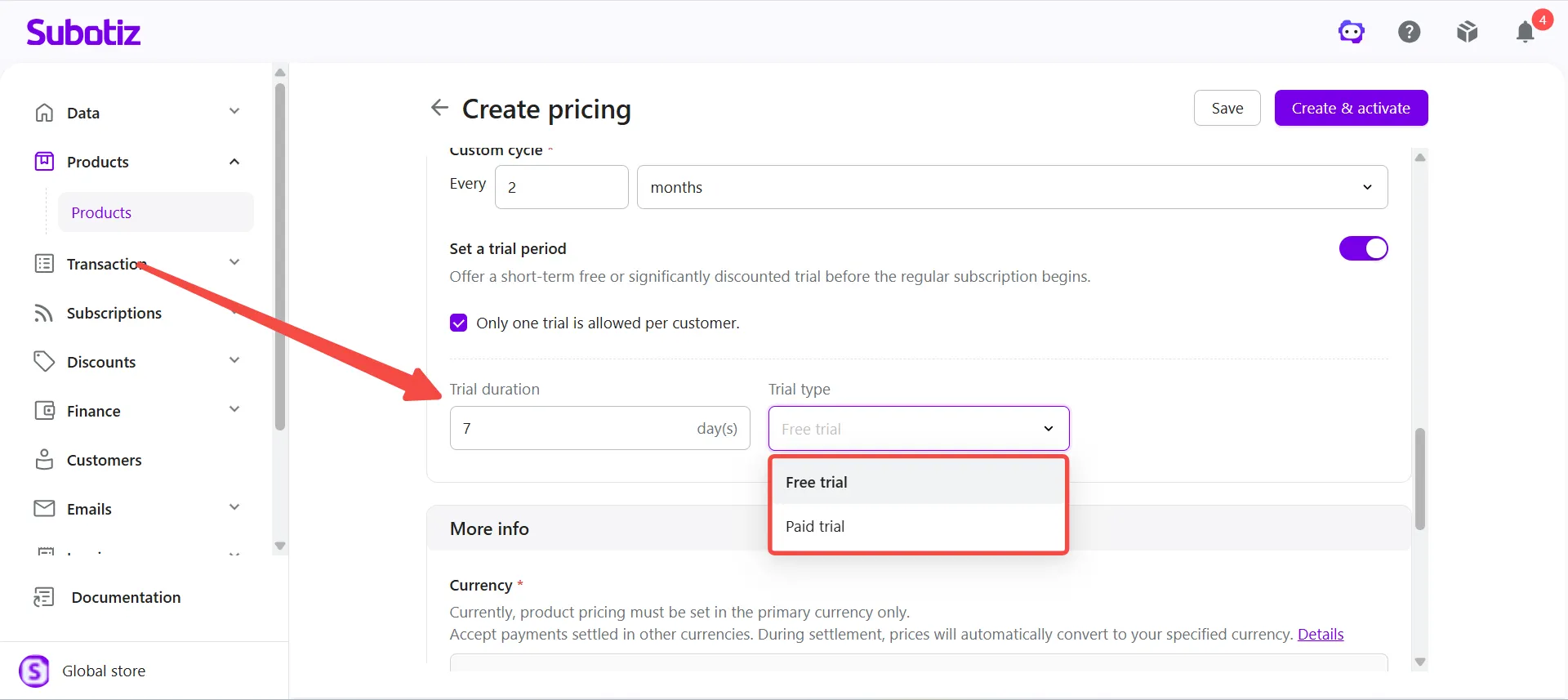
Configure a trial period: To offer a trial before regular subscription billing begins, enable Set a trial period, then configure the trial settings:
- Trial duration: Enter the number of trial days.
- Trial type: Select Free trial or Paid trial.
-
Only one trial is allowed per customer: Select this option to limit each customer to one trial.
- For example, configure a 7-day Free trial and select Only one trial is allowed per customer for the AI Learning Token Subscription.
-
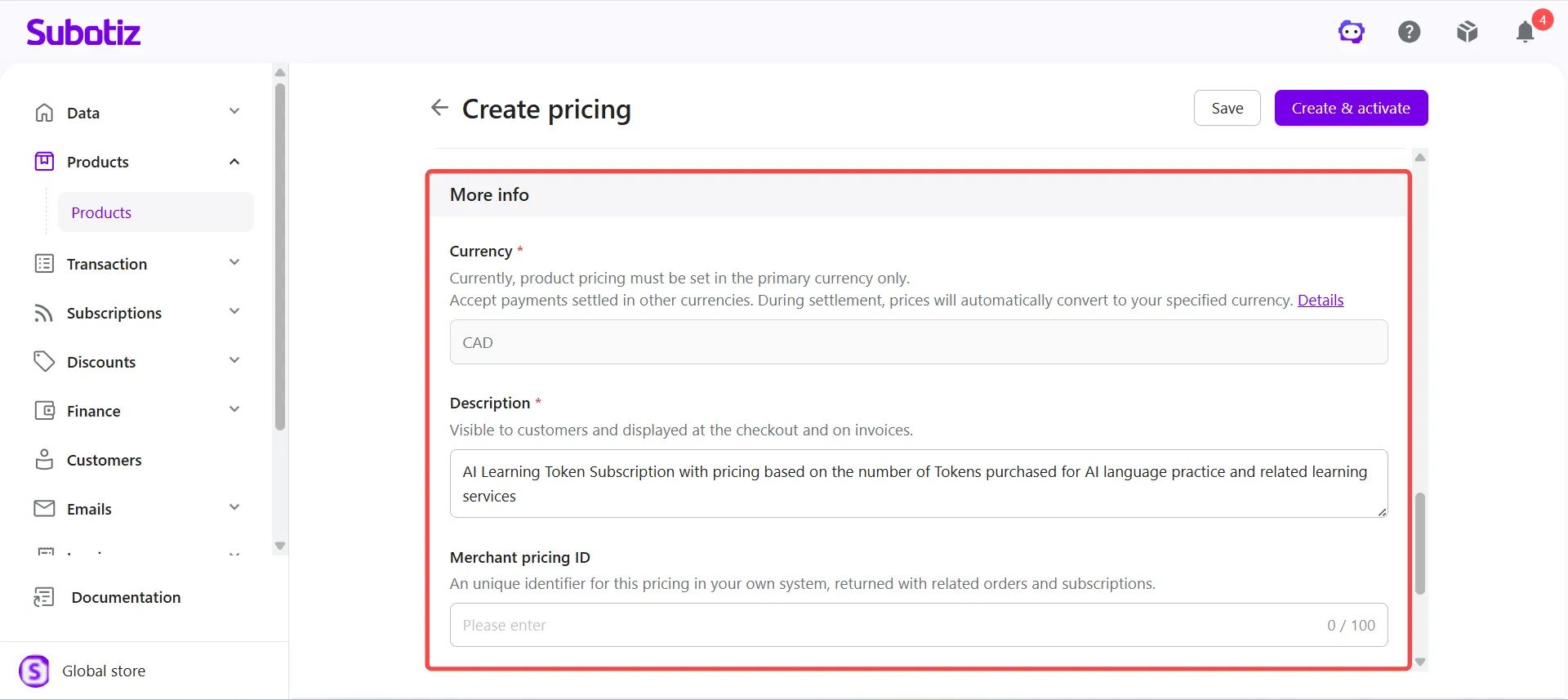
Enter additional information: Under More info, confirm the Currency, enter a Description, and optionally enter a Merchant pricing ID.
- Currency: Product pricing must be configured in the store's primary currency. When accepting payments in another supported currency, the system converts the product price to the specified settlement currency during settlement based on the applicable exchange rate. For details about supported currencies, currency conversion, and settlement, see Subotiz Payments | Multi-Currency Payments and Settlement.
- Description: Enter a customer-facing description that appears at checkout and on invoices. For example, enter "AI Learning Token Subscription with pricing based on the number of Tokens purchased for AI language practice and related learning services".
- Merchant pricing ID (optional): Enter a unique identifier for the pricing in the merchant's own system. The ID is returned with related orders and subscriptions.
-
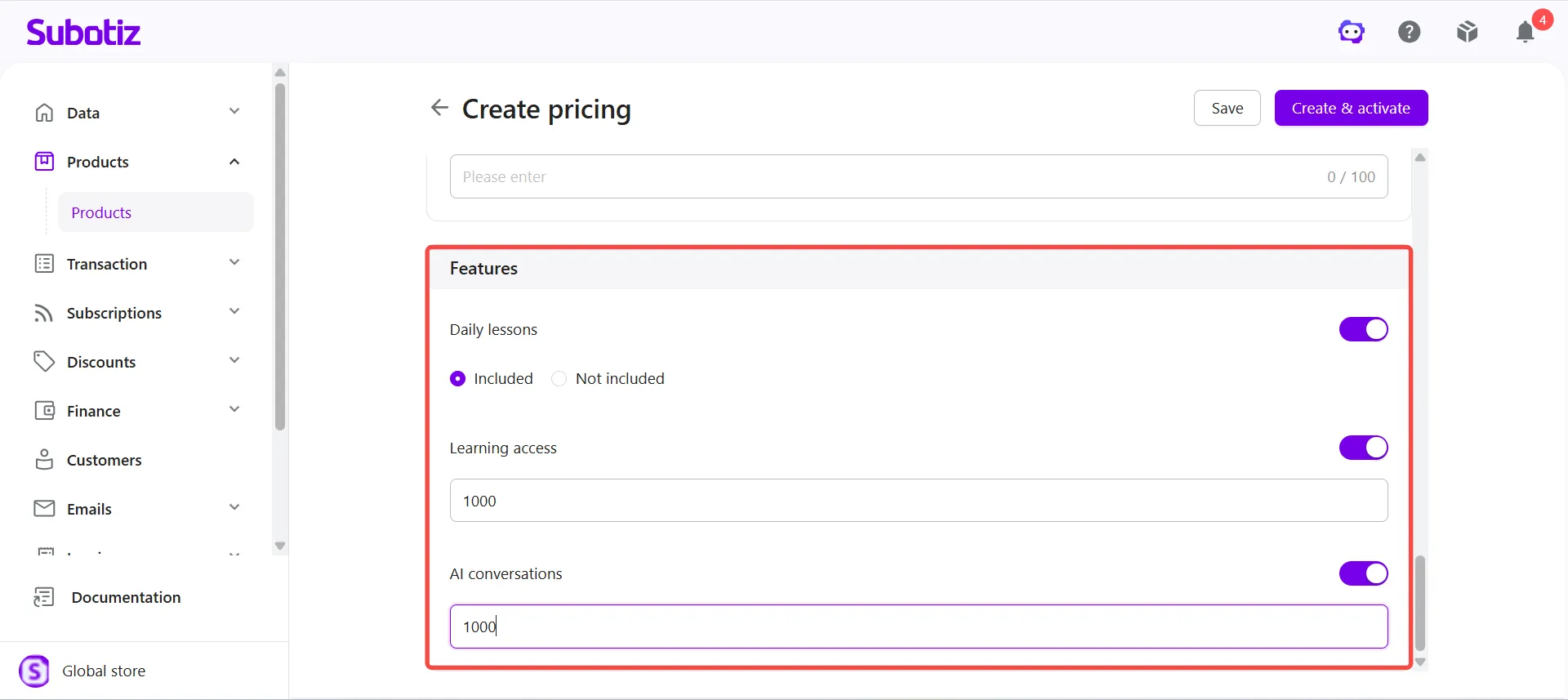
Configure pricing features: Under Features, enable the product features included with the pricing and complete any required configuration based on the feature type.
- Quantitative features: Enter the quantity included with the pricing.
-
Qualitative features: Specify whether the feature is included.
- For example, the AI Learning Token Subscription can include Daily lessons, Learning access, and AI conversations.
-
Save or activate pricing: Choose an option based on whether the pricing is ready for use:
- Save pricing as inactive: Click Save to create the pricing with an Inactive status.
- Create and activate pricing: Click Create & activate to create and immediately activate the pricing.
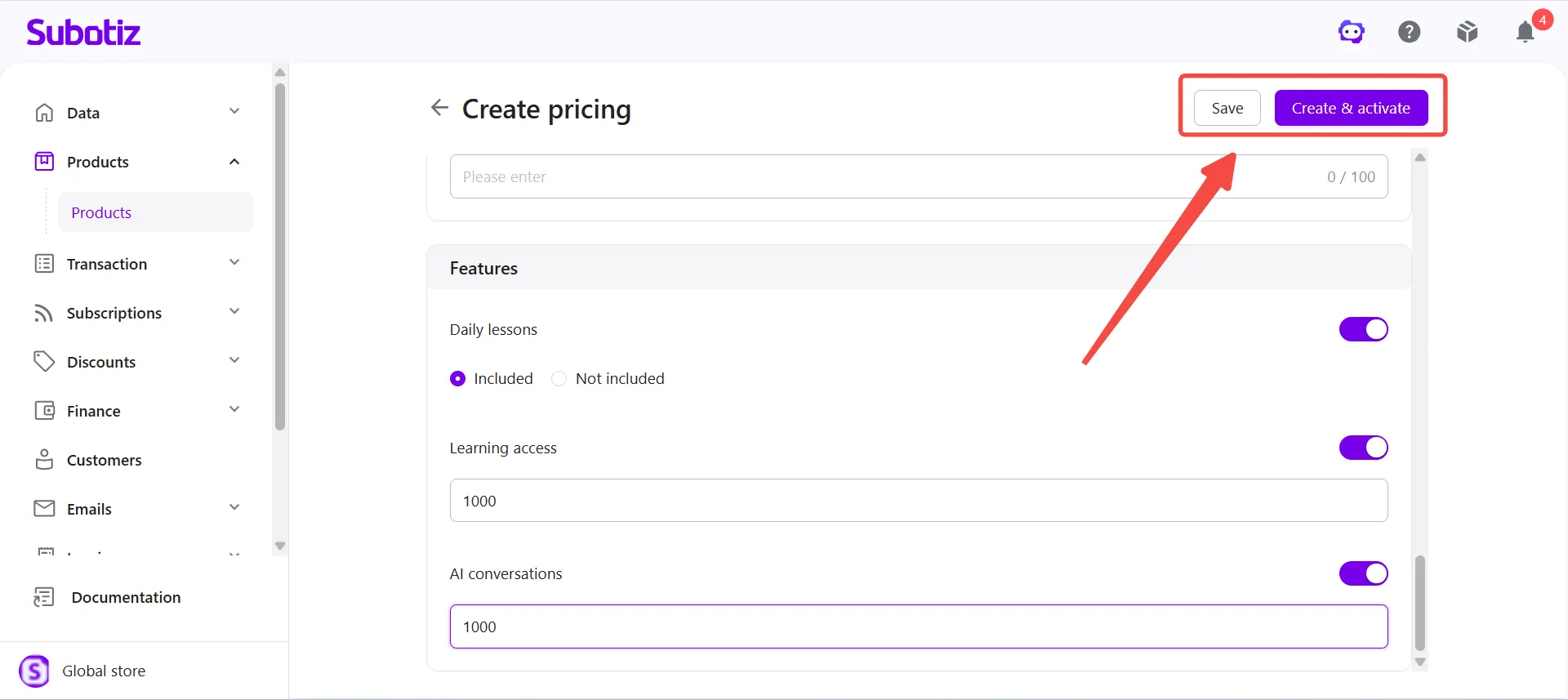
Note: Pricing can only be used for new sales and checkout when both the product and its corresponding pricing are Active.
Viewing the Customer Checkout Page
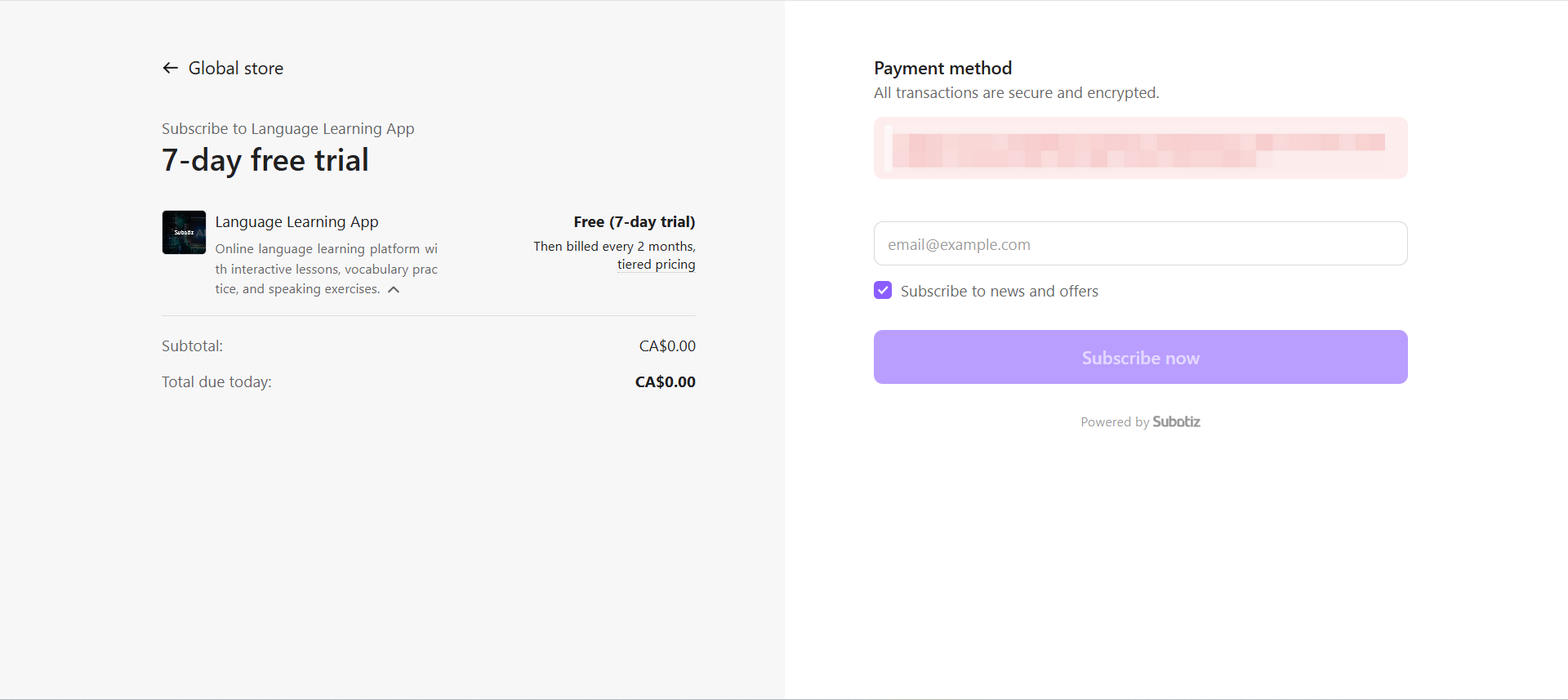
After tiered recurring pricing is created and used for a subscription, customers can view the product information, subscription price, current amount due, and relevant billing information at checkout, then complete the subscription using an available payment method.
The amount due is calculated based on the customer's purchase quantity and the configured Volume or Graduated pricing method.
Managing Tiered Recurring Pricing
Existing tiered recurring pricing can be edited, activated, or deactivated. Changes to pricing do not overwrite the original pricing information associated with existing transactions and subscriptions. Existing subscriptions continue using their applicable original pricing configuration, while updated pricing applies to subsequently created transactions and subscriptions.
For instructions on editing, activating, and deactivating pricing, see Products | Manage Pricing. For details about how product and pricing changes affect existing records, see Products|Product and Pricing Update Behavior.
Tiered recurring pricing allows merchants to use Volume or Graduated pricing to set different rates for different purchase quantities. Merchants can combine quantity units, per-unit prices, flat fees, and billing cycles to create flexible recurring pricing for tokens, credits, seats, and other quantity-based subscription models.