The Usage-based Pricing (Per Unit) feature in Subotiz allows merchants to bill customers based on actual usage (such as completed sessions, API calls, or data storage).
During each subscription cycle, the system records usage and accumulates charges based on the configured per-unit pricing rules. At the end of a billing cycle or when a defined billing threshold is reached, Subotiz automatically generates invoices and related transaction records.
This model enables flexible, usage-driven subscription billing while ensuring accurate and transparent billing.
Accessing the pricing setup
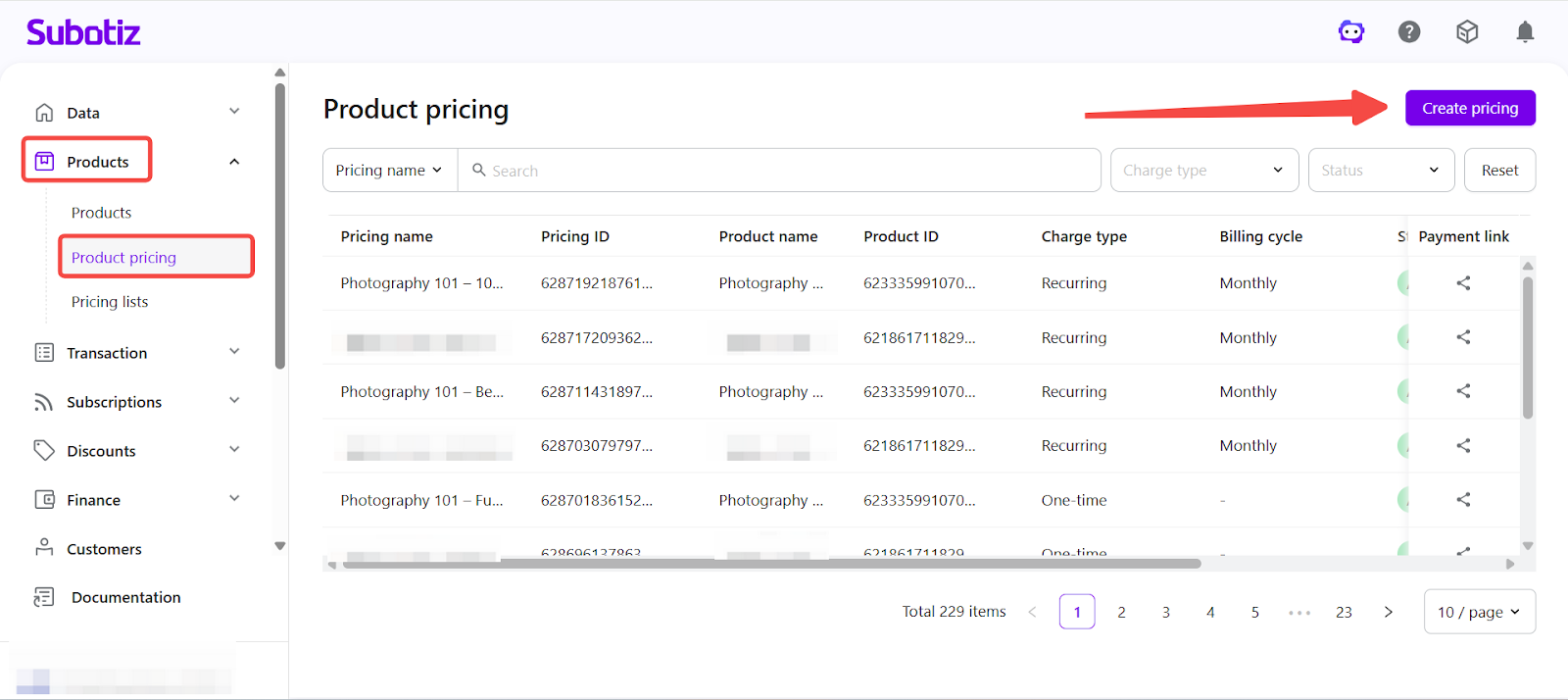
- Create a pricing plan: Go to Products > Product pricing > Create pricing to create a new pricing plan.
-
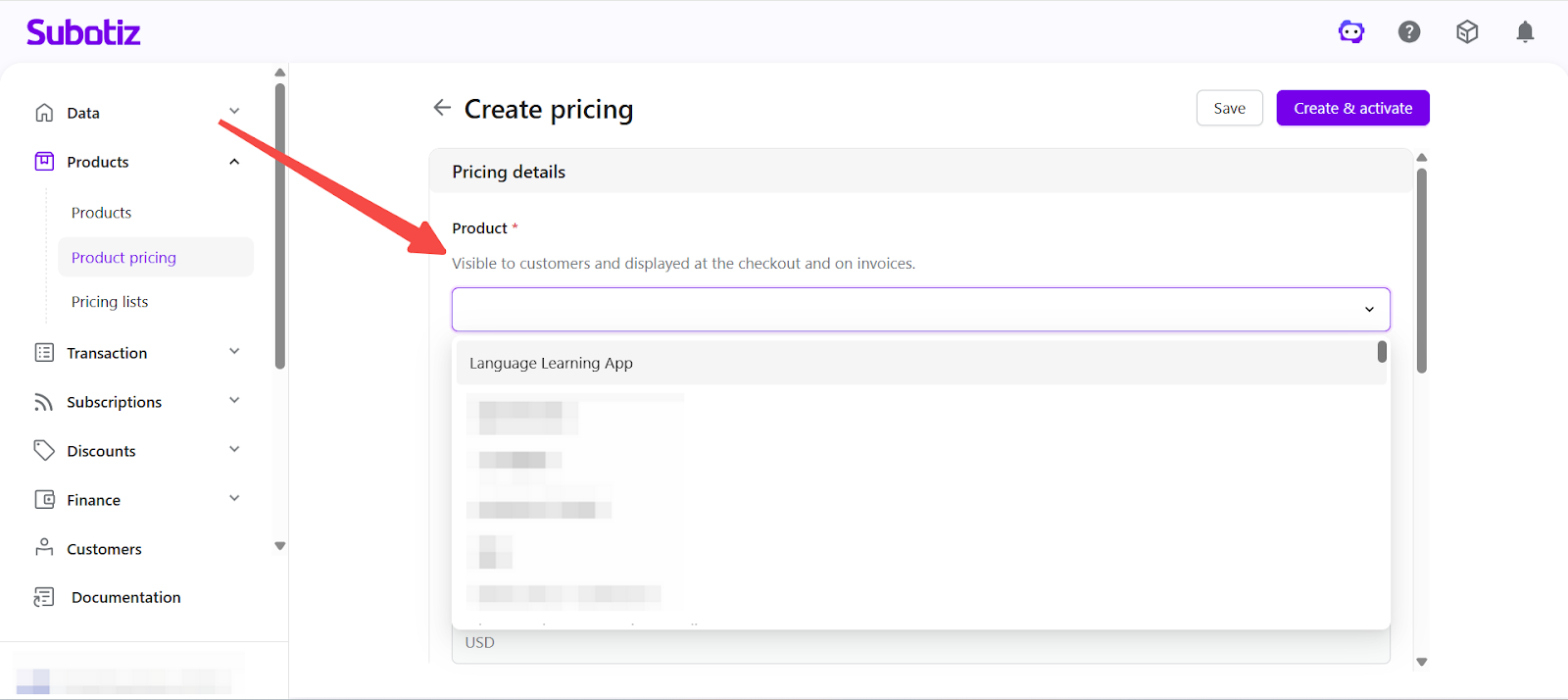
Select product: Choose the product that this pricing plan applies to.
- Example: Language Learning App
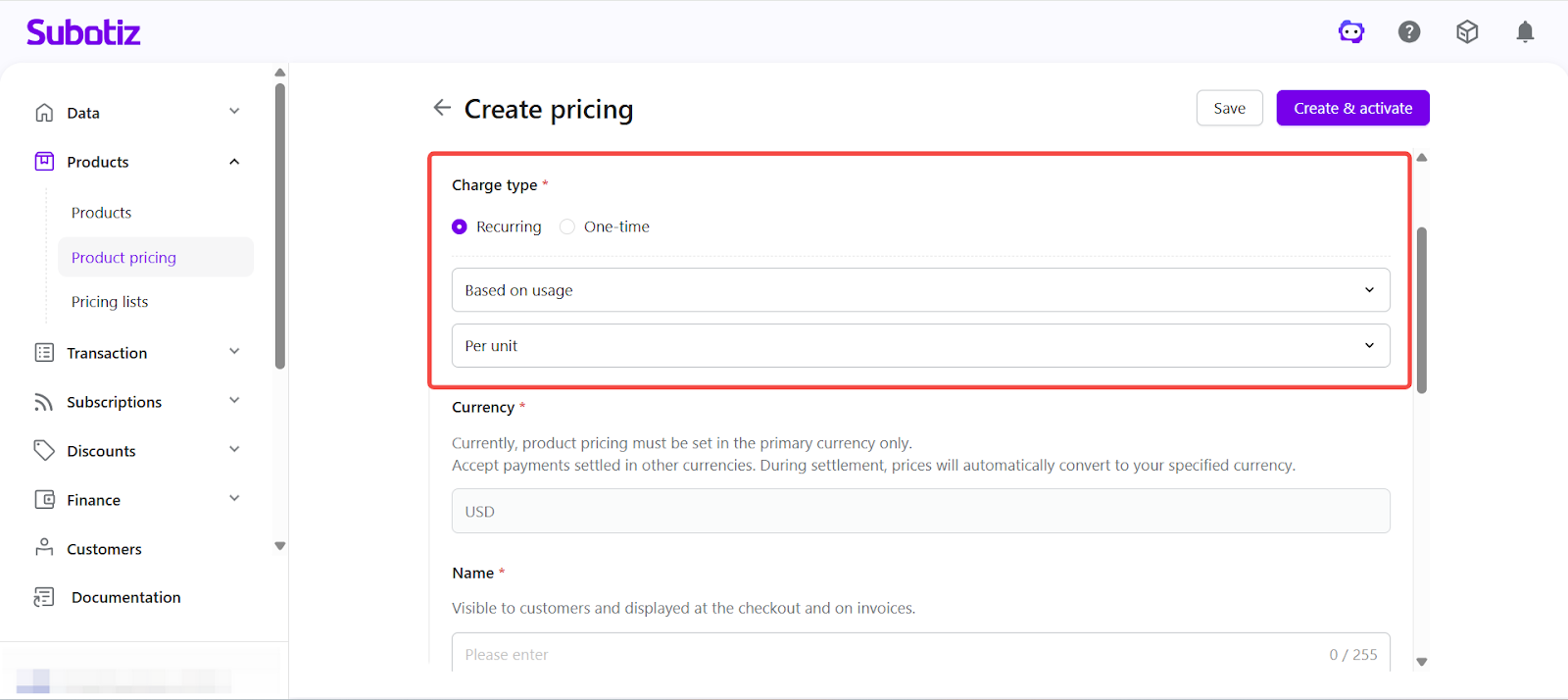
- Set charge type: Under Charge type, select Recurring > Based on usage, then choose Per unit.
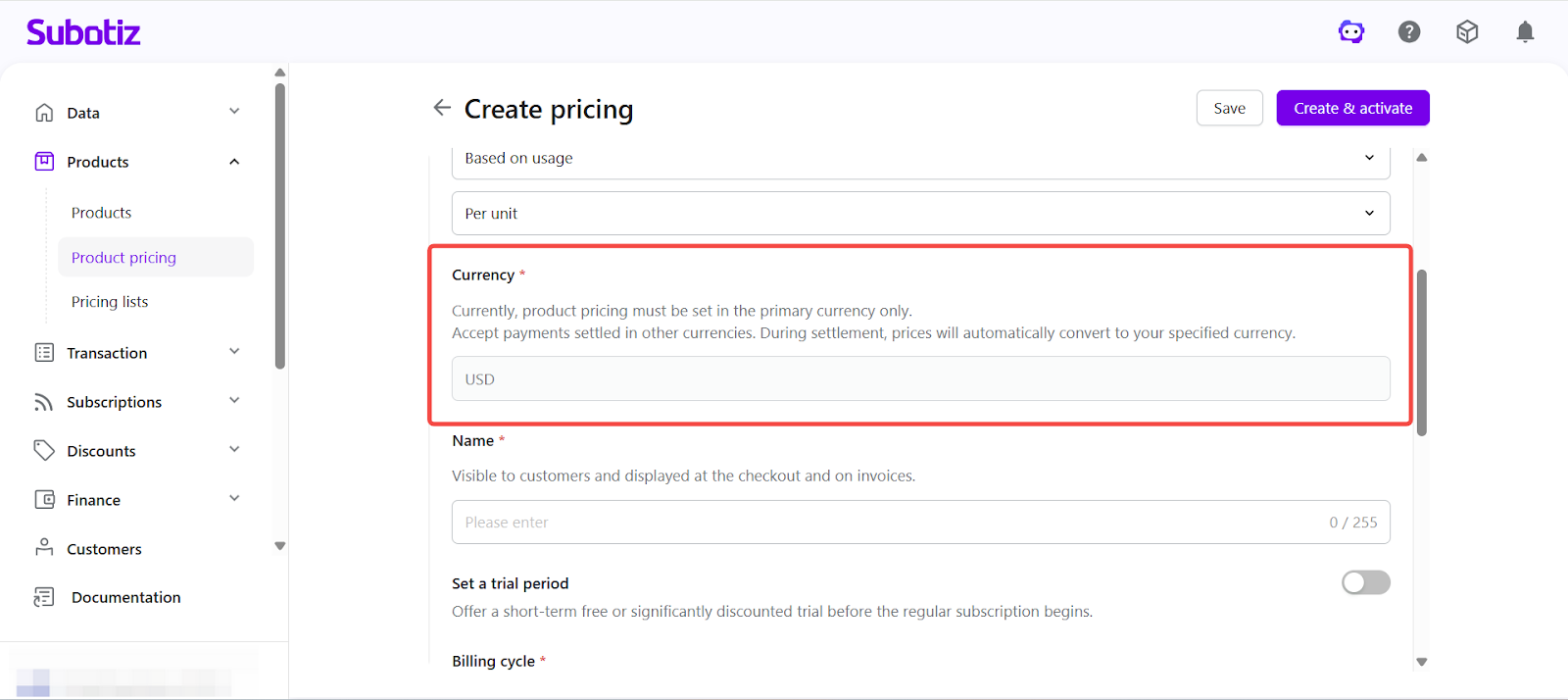
- Set currency: The system uses your store settlement currency by default. To accept payments in other currencies, specify the currency during checkout. Currency conversion is applied at checkout based on either a configured or real-time exchange rate. Learn more about Multi-Currency Payments and Settlement.
-
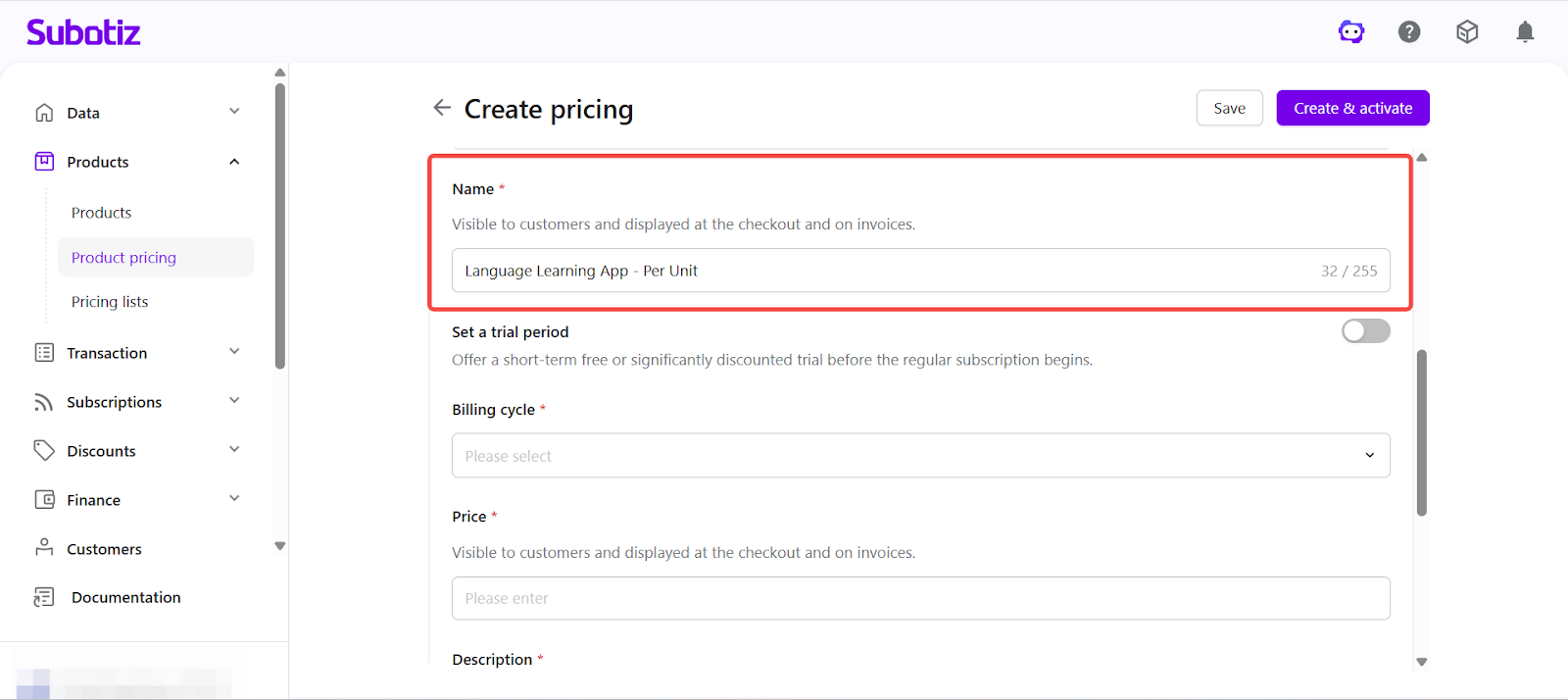
Enter pricing name: Provide a name that will be displayed on the checkout page and invoices.
- Example: Language Learning App - Per Unit
-
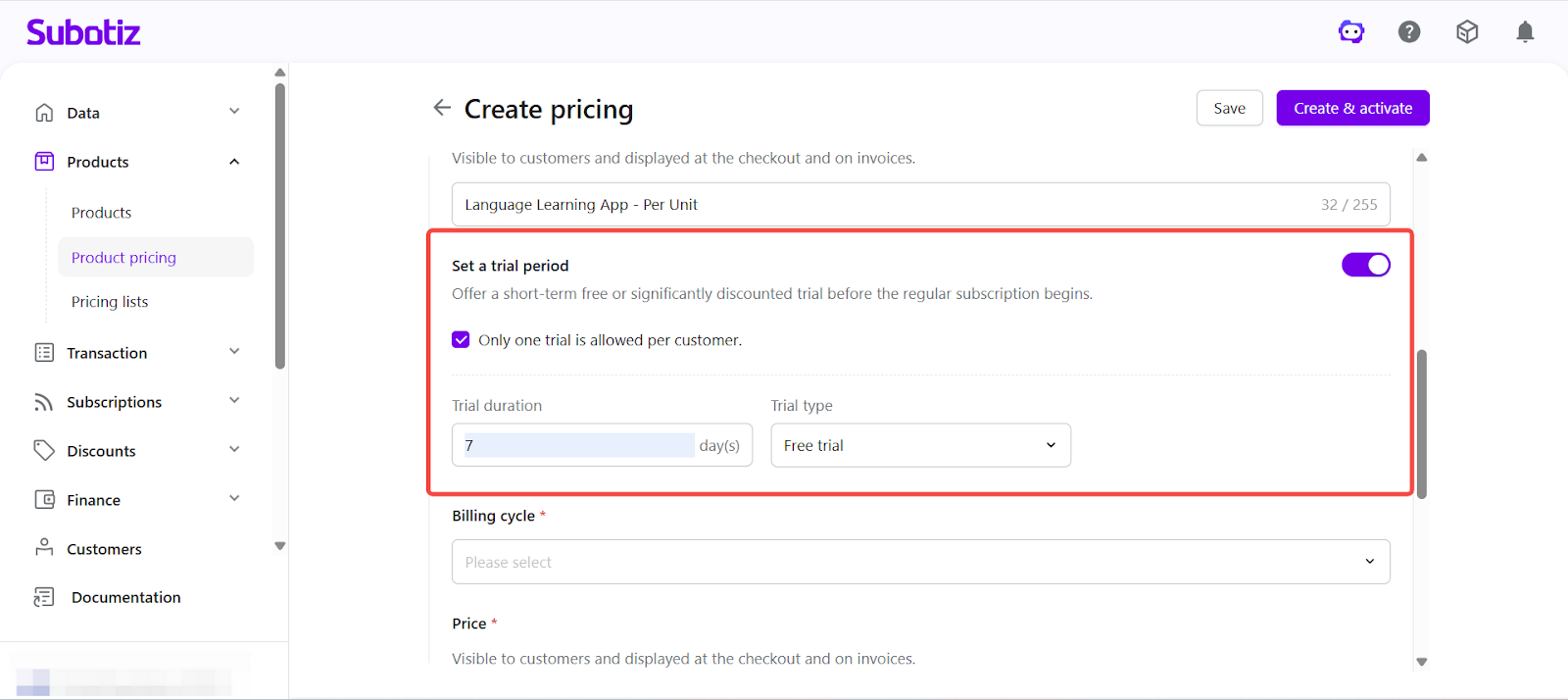
Set trial period (optional): Enable trial settings to configure either a free trial or a paid trial.
- Limit trial usage: Enable the option to allow the trial only once per customer.
- Free trial: Set the trial duration. Billing starts automatically after the trial ends.
- Paid trial: Set a trial price and duration. The subscription transitions to standard billing after the trial period ends.
- Configure billing cycle and invoicing behavior
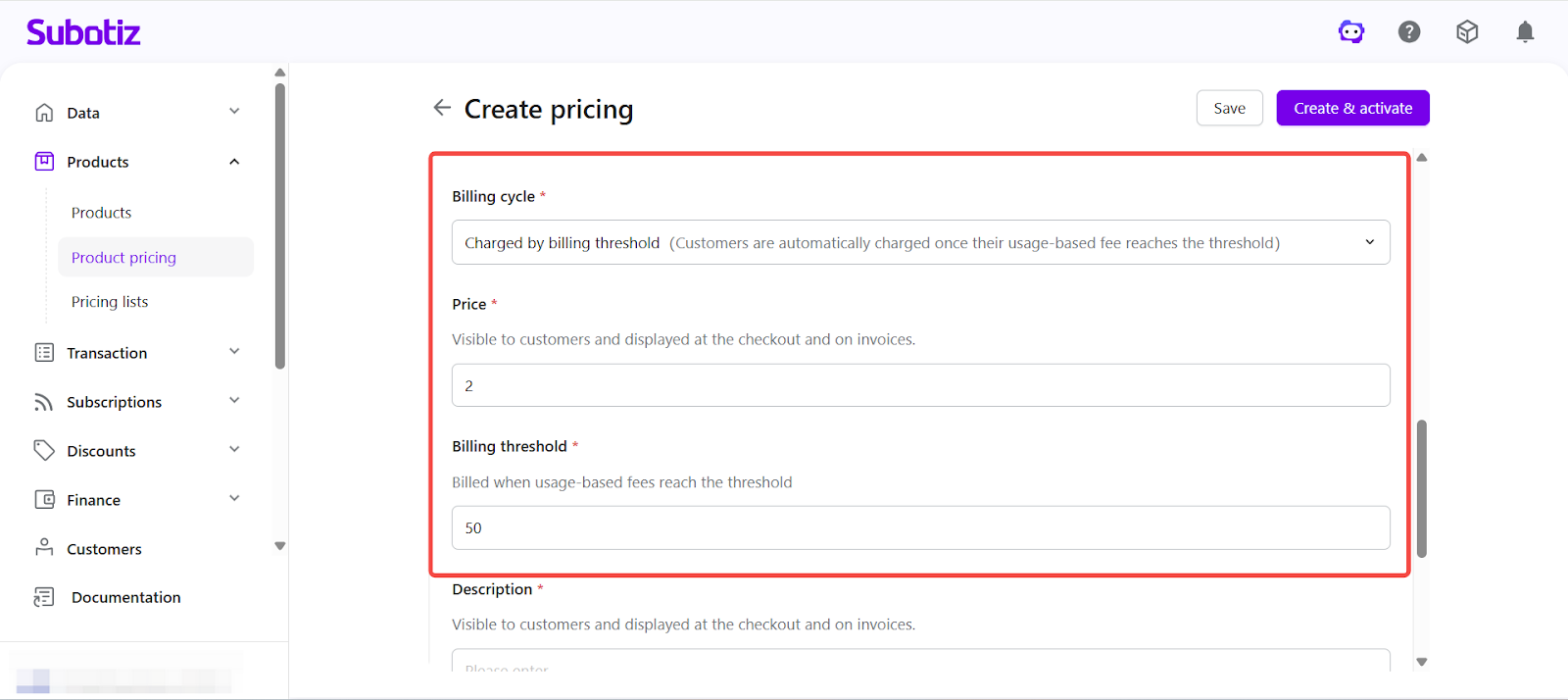
Usage-based billing is determined by both per-unit pricing rules and invoicing rules. The system continuously records usage and accumulates charges, then generates invoices based on the configured billing conditions.
In Billing cycle, select how you want the system to charge customers.
- Billing options:
Billing mode |
Example pricing |
Threshold required |
System behavior |
Invoice timing |
|---|---|---|---|---|
Billing cycle (Weekly / Monthly / Quarterly / Yearly) |
$2.00 per unit |
No |
Usage is accumulated within the billing cycle and calculated based on the unit price |
Automatically at the end of each billing cycle |
Charged by billing threshold |
$2.00 per unit |
Yes (e.g. $50) |
Charges accumulate continuously and an invoice is generated once the threshold is reached, then resets |
Automatically when the threshold is reached |
- Example:
Product |
Unit price |
Billing mode |
Threshold |
Behavior |
|---|---|---|---|---|
Language Learning App |
$2.00 per session |
Monthly |
N/A |
An invoice is generated at the end of each month based on total usage |
Language Learning App |
$2.00 per session |
Charged by billing threshold |
$50 |
An invoice is generated once accumulated usage reaches $50 (~25 sessions), then a new accumulation cycle begins |
-
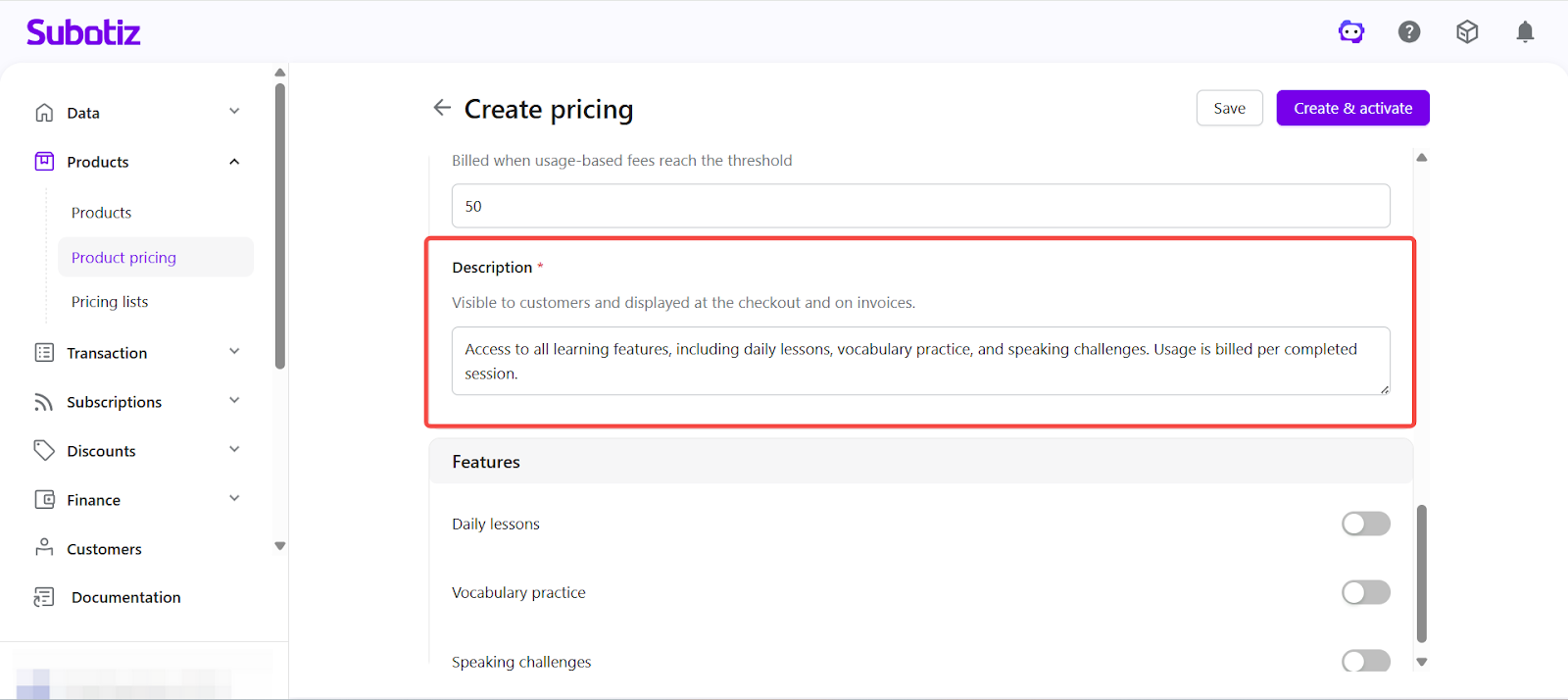
Enter description: Provide a description that appears on checkout and invoices.
- Example: Access to all learning features, including daily lessons, vocabulary practice, and speaking challenges. Usage is billed per completed session.
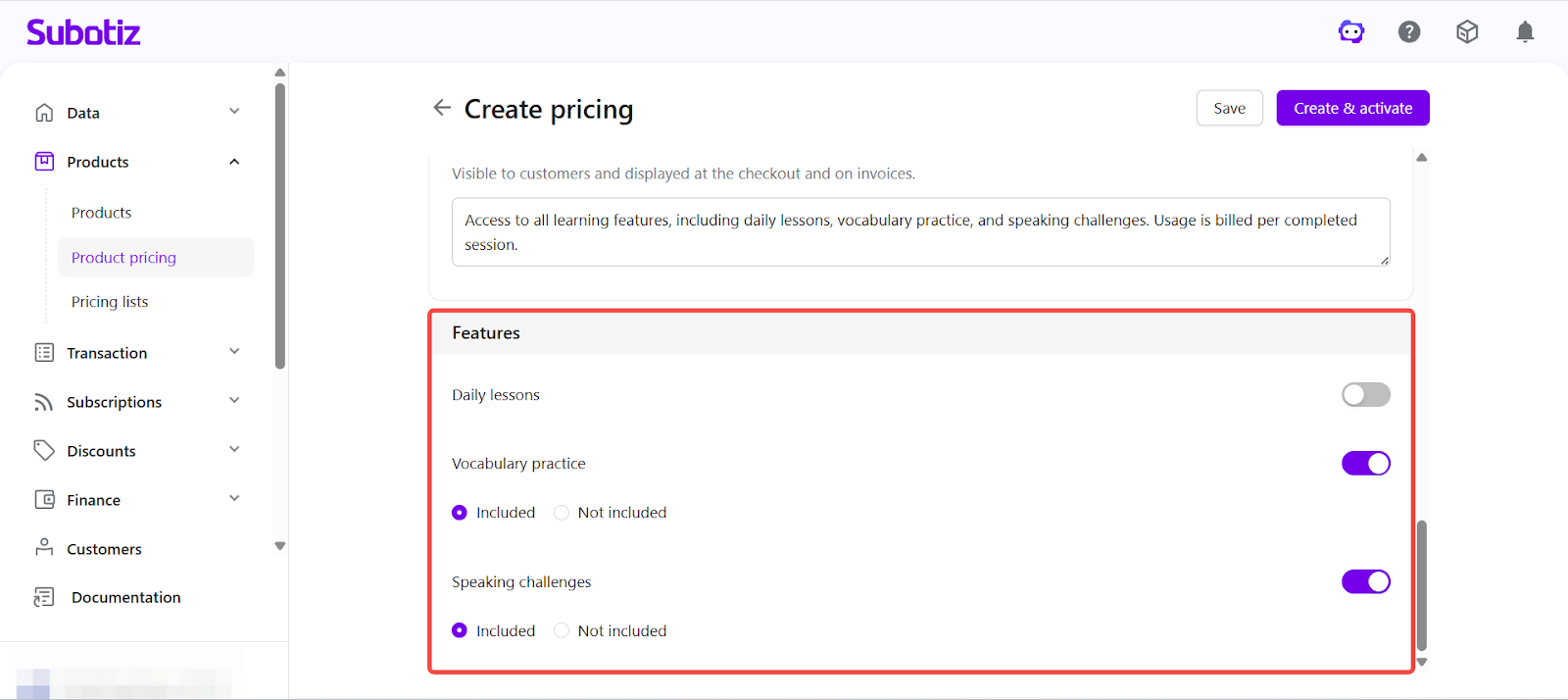
- Configure features: Enable or disable features and define included details. These will be displayed on checkout and invoices.
-
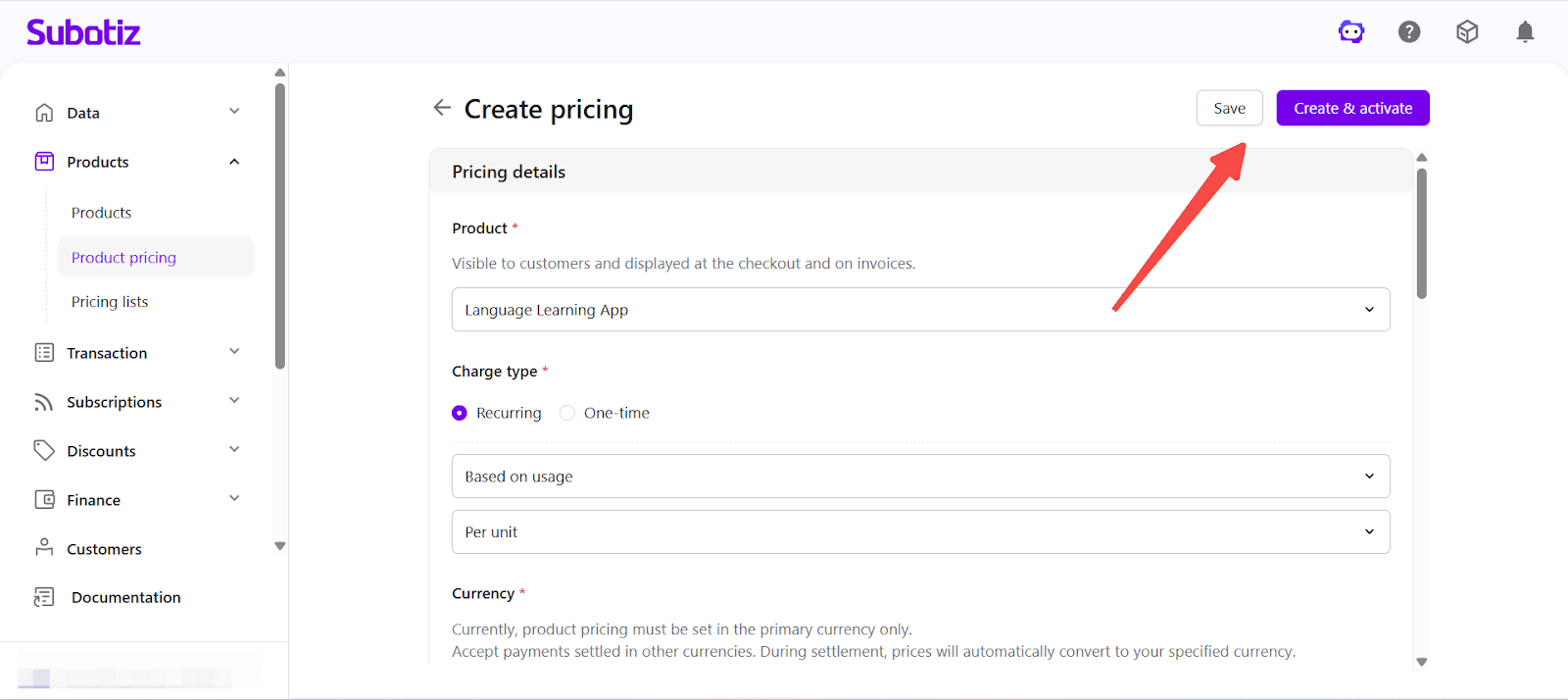
Save or activate: Choose how to complete the pricing setup
- Click Save to create the plan in an inactive state for further editing.
- Click Create and activate to make the plan immediately available for checkout.
- If the selected product is inactive, confirm the prompt to activate both the product and pricing.
Activation and Editing
- Activate a pricing plan: Open the pricing details and click Activate to make it available for checkout.
- Edit pricing: Pricing can be updated in both active and inactive states.
- Versioning behavior: If the pricing has existing transactions or subscriptions, updating it creates a new price version to preserve historical data.
- Lifecycle management: Pricing can be activated or deactivated at any time. A confirmation is required before deactivation takes effect.
Checkout Display
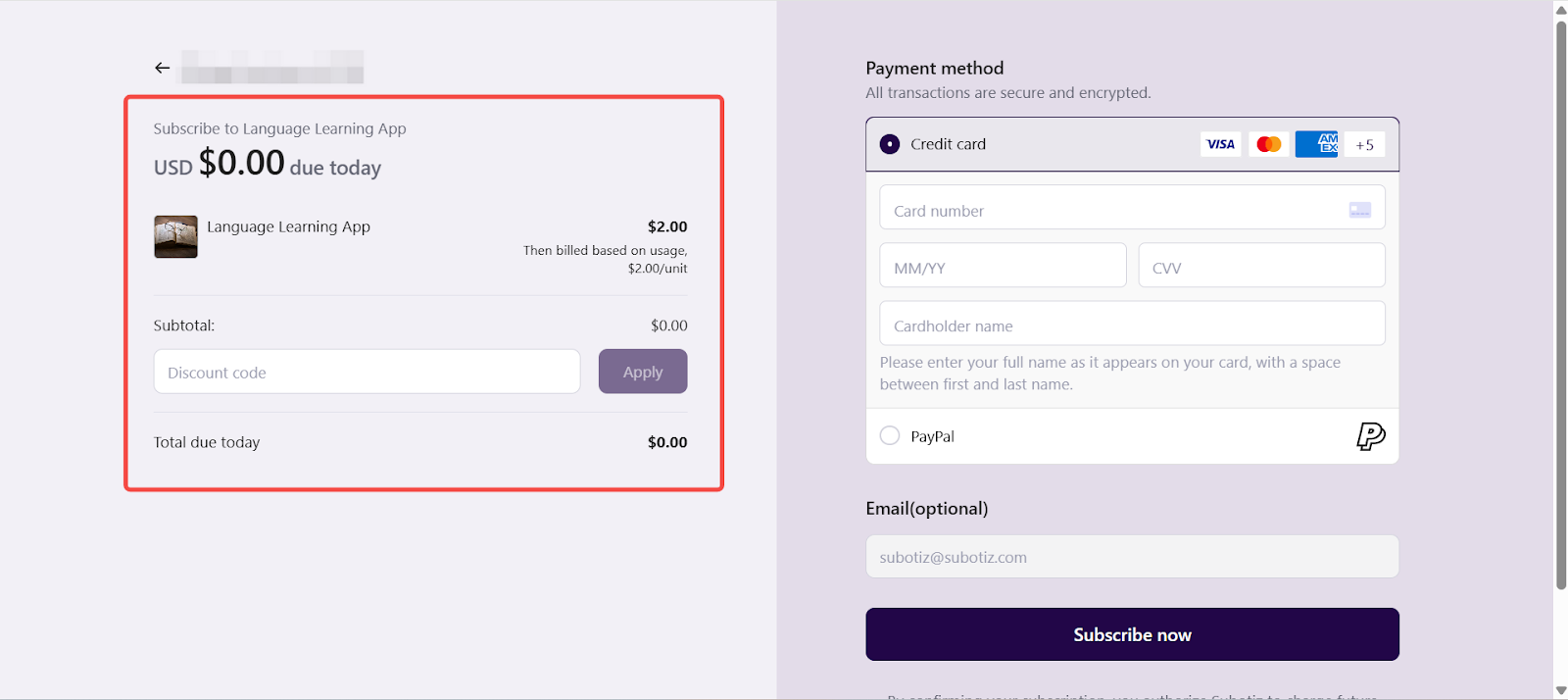
On the checkout page, the system displays key product information and pricing details, including the product name, description, billing method (Based on usage), billing cycle (if applicable), and unit pricing (such as cost per session or per unit).
For usage-based charges, no fixed amount is displayed at checkout. Charges are calculated based on actual usage.
Checkout Behavior
Once a subscription is created, the system processes usage-based billing as follows:
- Usage tracking: The system continuously records actual usage within the subscription cycle.
- Charge accumulation: Charges are accumulated based on the configured per-unit pricing rules.
-
Invoicing logic:
- Billing cycle: An invoice is generated at the end of each billing cycle based on total usage.
- Charged by billing threshold: An invoice is generated once accumulated charges reach the defined threshold, then resets.
- Payment collection: After an invoice is generated, the system initiates payment collection (if automatic billing is enabled).
This ensures billing is based on actual usage and remains consistent with the pricing rules shown at checkout.
Based on usage (Per Unit) pricing is designed for products billed according to actual consumption. This model supports flexible, usage-driven billing while ensuring accurate charge calculation and a transparent pricing experience for customers.