The Custom Domain feature in Subotiz enables merchants to use a branded subdomain for all customer-facing pages, replacing the system default domain. Connecting a verified domain strengthens brand consistency, builds customer trust, and keeps checkout and subscription management under your brand identity.
Key Concepts
- Default domain: A system domain assigned to each workspace at creation (e.g.,
checkout.subotiz.com). - Custom domain: A branded subdomain (e.g.,
billing.yourbrand.com) that can be connected to serve customer-facing pages.
Domain Structure
- Default domain
- Description: Provided automatically by Subotiz and used until a custom domain is verified and activated.
- Example:
checkout.subotiz.com
- Custom domain
- Description: A merchant-owned subdomain mapped to Subotiz via DNS and verification.
- Example:
pay.yourbrand.com
Note: Subotiz currently supports connecting subdomains via CNAME (e.g.,billing.yourbrand.com). Root domains (e.g.,yourbrand.com) are not supported.
Security and SSL
- Automatic SSL management: Subotiz issues and renews SSL certificates automatically after verification.
- Encrypted checkout: All customer interactions occur over HTTPS, ensuring secure payment processing without requiring manual certificate setup or maintenance.
Benefits
- Brand consistency: Maintain a consistent brand presence across all customer-facing pages.
- Customer trust: Build confidence with secure, recognizable domain usage.
- Professional appearance: Deliver a polished and branded checkout experience.
- Link consistency: Ensure all customer-facing links remain consistent across your website, emails, and campaigns.
Best Practices
- Use clear subdomain naming such as
billing.,pay., orportal.for easy recognition. - Allow time for DNS propagation before verifying.
- Avoid conflicting DNS records (remove old CNAMEs if reusing a subdomain).
- Test all hosted links after domain activation to confirm redirection works correctly.
Limitations
- Only subdomains can be connected; root domains are not supported.
- Each workspace can have one active custom domain at a time.
Viewing Domain Connections
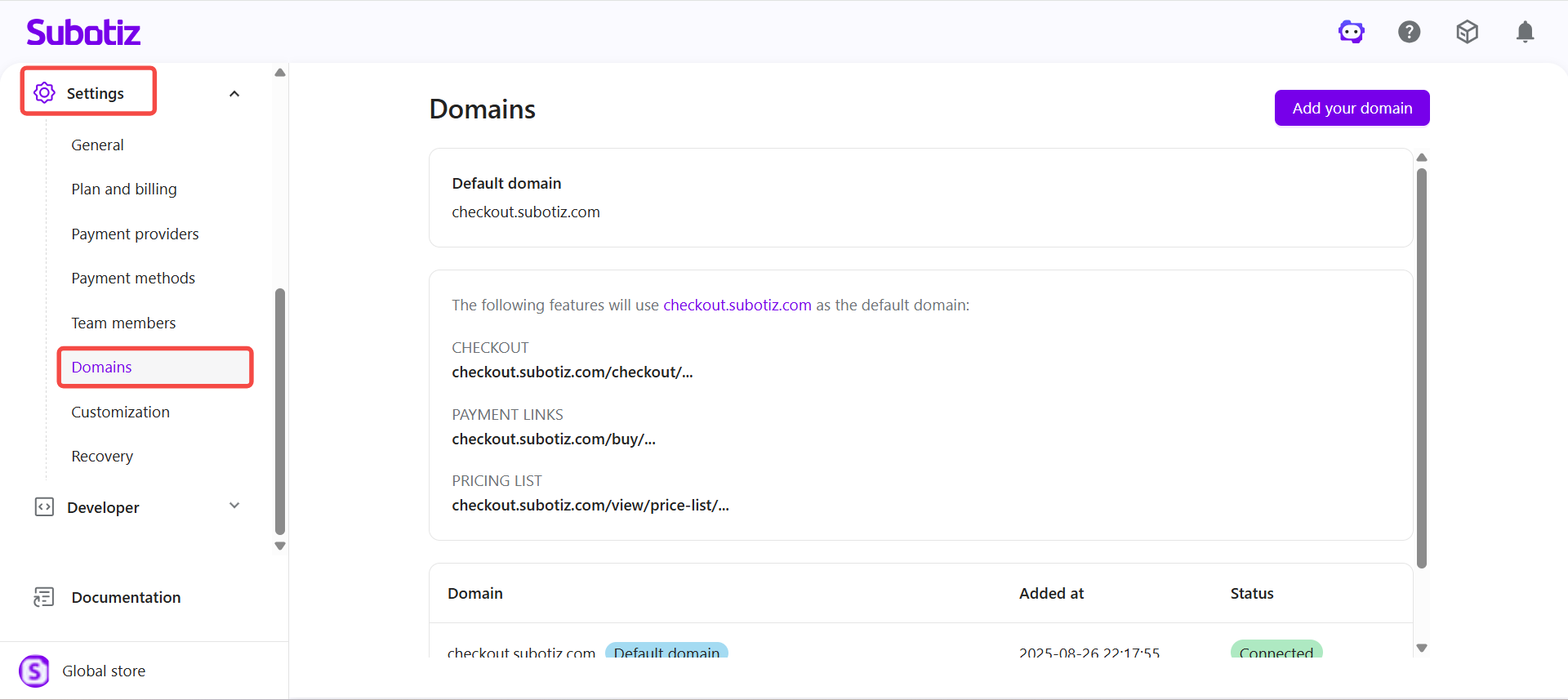
Open domain settings: Go to Settings > Domains in your Subotiz admin to view and manage domain connections. This page displays:
- The default Subotiz domain automatically assigned to your workspace.
- All connected or pending custom domains with their current connection status.
- The active domain currently serving checkout, payment links, and customer portal pages.
The Custom Domain feature ensures all customer-facing pages are served under a verified, SSL-secured subdomain, delivering a consistent branded experience while Subotiz handles domain verification, SSL, and maintenance automatically.