Let's get through Subotiz's another integration mode — the Payment mode, which is suitable for merchants who only use Subotiz as their payment tool. This guide will let you learn how it works and the customer journey when a payment is initiated.
Overview
Unlike checkout mode, Payment is Subotiz's lightweight solution, focused strictly on payment processing. Core capabilities cover collections, refunds, reconciliations, and seamless tokenized renewals (no repeated payment info collection). Excludes product/subscription management. Ideal for merchants with existing systems (e.g., ERP/CRM) needing only payment processing.
Core advantages:
- Multi-channel support: Shared payment network with Checkout (cards, Google/Apple Pay).
- Seamless embedding: Fully custom UI with no Subotiz branding.
How it works
The Payment mode supports two methods of integration — Subotiz API & Subotiz SDK (known as the embedded method). It shows payment details only, including payment methods and customer information, without product and subscription details.
-
API:When customers need to pay, you can first collect their payment information in a way that you can fully customize the front-end page or forms by your own development team, then create a trade order through the Subotiz API to help initiate a payment process. However, under the API integration method, Subotiz supports only one payment method — credit and debit cards.For detailed flow introduction, please visit: Payment | Understanding Payment Flow With Subotiz API.With such a limited payment capability, we do not recommend integrating the Payment mode through API. If you still have demands on that, please contact developer@subotiz.com for integration assistance.
-
SDK:The embedded payment works by embedding a JavaScript Subotiz.js file into your website or app. Upon loading, the script automatically initializes to detect clicks on your Client. Subotiz provides a low-code integration scheme to help you create a customizable payment page or forms, as shown below (Red section) within your website or app's framework, making for a seamless checkout experience for customers.It will collect customer contact information with a contact form and also only handles the payment process without product/subscription management, and customers are not only presented with the card payment form, but also options to pay with PayPal, Apple Pay, and Google Pay.Demo of embedding a complete page
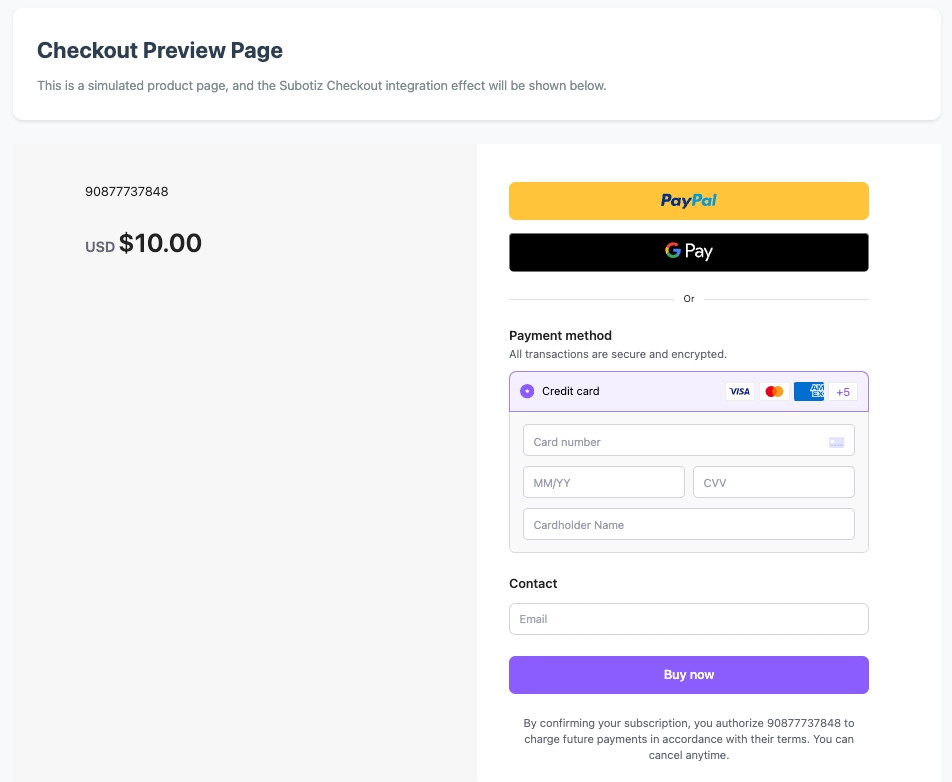 Demo of embedding partial components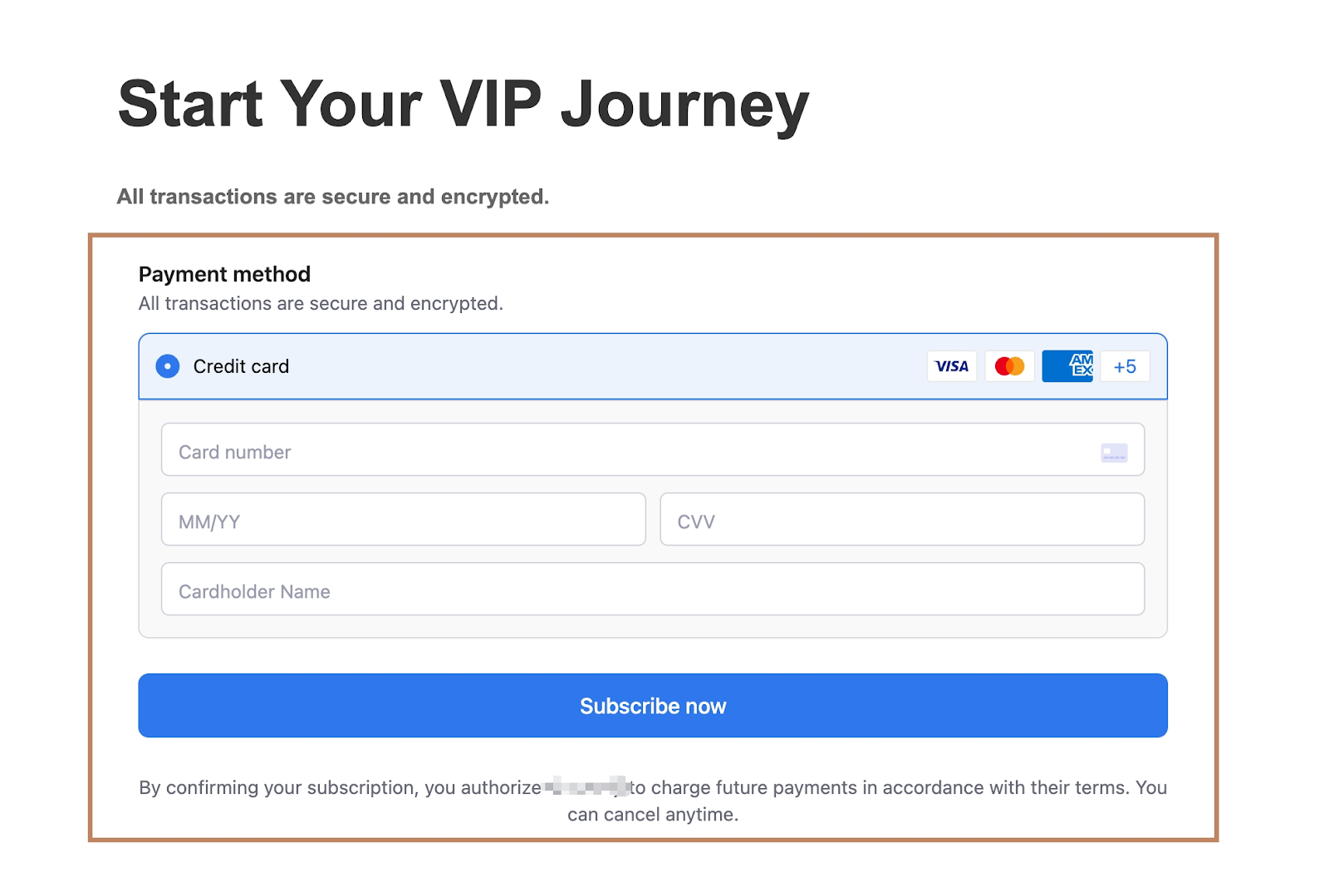
Customer journey
Take embedded payment as an example:
-
Initiating a paymentWhen customers browse digital products and services on your website or app, after double-checking what they added to the cart on your platform, they will click buttons, such as "Pay now/Buy now/Apply/or Subscribe now", to initiate a payment.

-
Entering payment processAfter that, a complete checkout page or partial payment forms will be opened within the same framework of your website or app. They will no longer display order details, but still request customers' emails. Meanwhile, the payment form is also displayed, including the card payment form and other payment methods Subotiz supports, such as Google Pay, Apple Pay, and PayPal.Demo of embedding a complete page
Demo of embedding partial components
-
Payment completedSubotiz securely sends the request to the corresponding payment providers for authorization processing and ensures the best possible chance of success. Customers will enter a success workflow that you can build within your framework or be redirected to a success page (
return_url) you passed when creating the session. -
Order createdUpon successful payment with Subotiz, the corresponding order/subscription/invoice information will be stored in your platform as usual. It will not affect your existing system and framework.
Use Subotiz's Payment Mode, an embedded/API integration framework delivering pure gateway capabilities for merchants with mature systems, to focus solely on seamless transaction execution within your existing infrastructure. This approach accelerates financial integration while maintaining full brand control.
Next, let's get started to learn how to integrate payment into your platform. Go and visit: Payment | Integrate Embedded Payment Form.