Subotiz supports completing a checkout process through an embedded form (Embedded Mode). It provides a low-code payment integration solution, allowing you to easily create customizable payment forms and quickly implement the checkout flow without redirection.
Overview
Instead of using a hosted checkout, you can utilize the embedded checkout—another pre-built checkout mode that can be seamlessly integrated into your website or application, allowing customers to purchase your products or services without leaving your website or application, to provide a better checkout experience and help improve your brand identity.
How it works
The embedded checkout works by embedding a JavaScript Subotiz.js file into your website or app. Upon loading, the script automatically initializes to detect clicks on your Client. Subotiz provides a low-code integration scheme to help you create a customizable checkout page or forms (including layout, component, and flow) within your website or app's framework, making for a seamless checkout experience for customers.
It also handles collecting customer information and capturing payment details, which displays the item list, totals, and options for changing what's on the checkout. Subotiz supports you in embedding either a complete checkout page or some essential forms based on your needs, with effortless switching.
Subotiz automatically creates a subscription for products with recurring payments when a checkout completes.
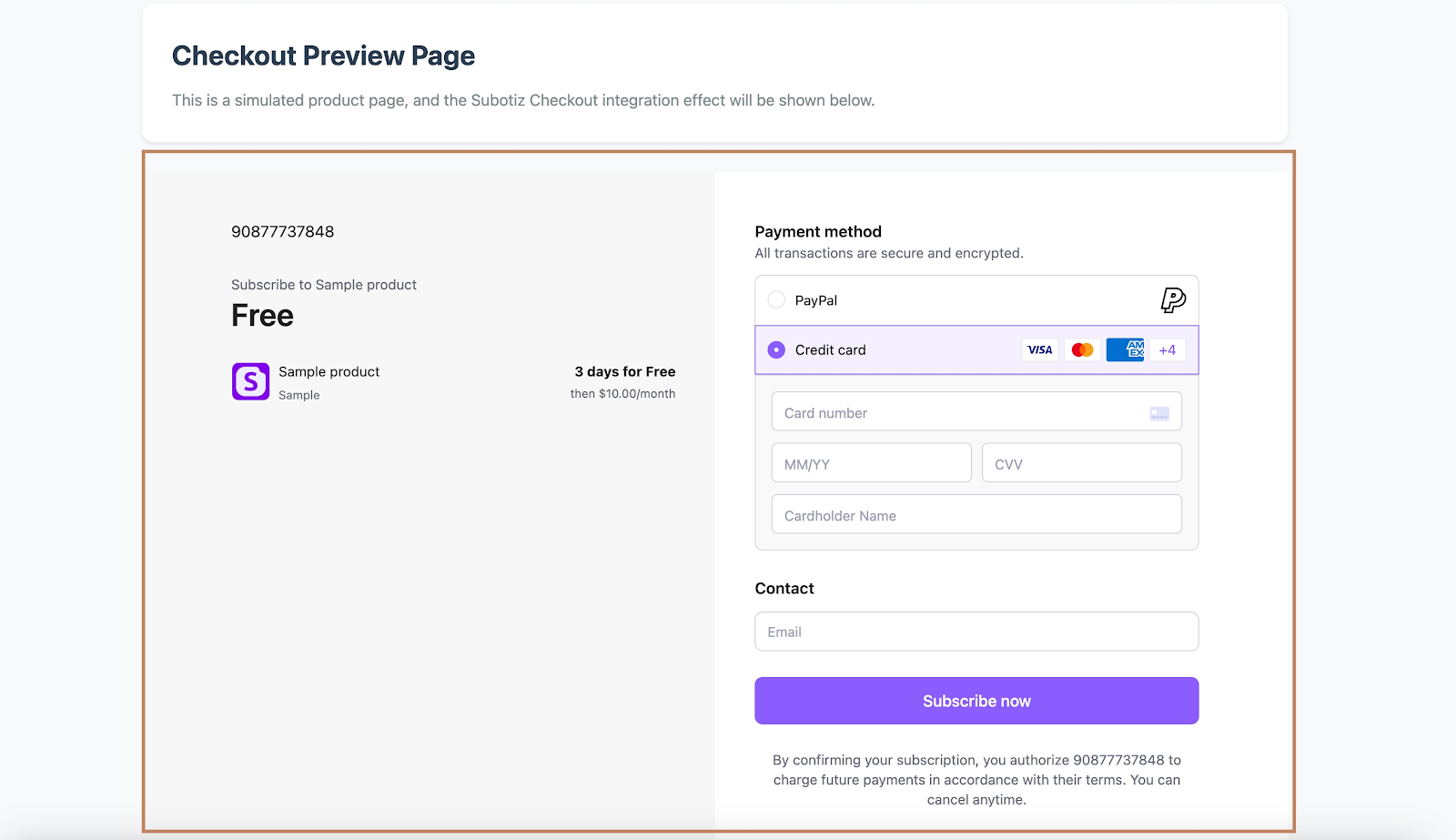
Demo of embedding a complete page
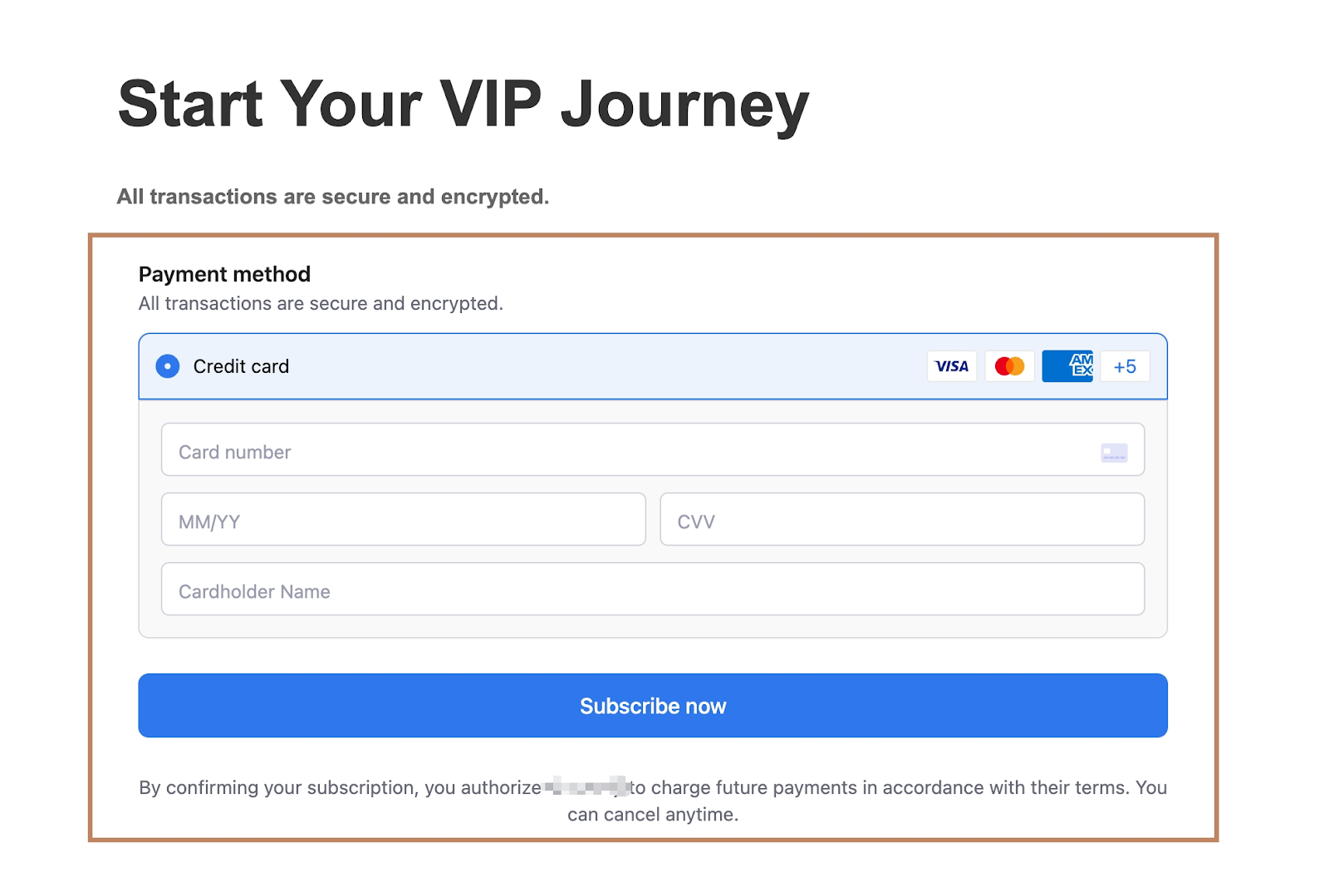
Demo of embedding partial components
Customer journey
-
Initiating a checkout: When customers browse digital products and services on your website or application, after picking up what they want, they will click buttons, such as "Pay now/Buy now/Apply/or "Subscribe now," to initiate a checkout.

-
Entering checkout details: After that, a complete checkout page or partial payment forms will be opened within the same framework of your website or app. They will show order details and ask for customers' emails. Meanwhile, the payment form is also displayed, including the card payment form and other payment methods Subotiz supports, such as Google Pay, Apple Pay, and PayPal.Demo of embedding a complete page
Demo of embedding partial components
-
Checkout completed: Subotiz securely sends the request to the corresponding payment providers for authorization processing and ensures the best possible chance of success. Customers will enter a success workflow that you can build within your framework or be redirected to a success page (
return_url) you passed when creating the checkout session. - Subscription created: Upon successful payment, Subotiz automatically creates a related subscription and invoice. Meanwhile, the customer is also created and saved in the Subotiz admin automatically for better marketing in the future.
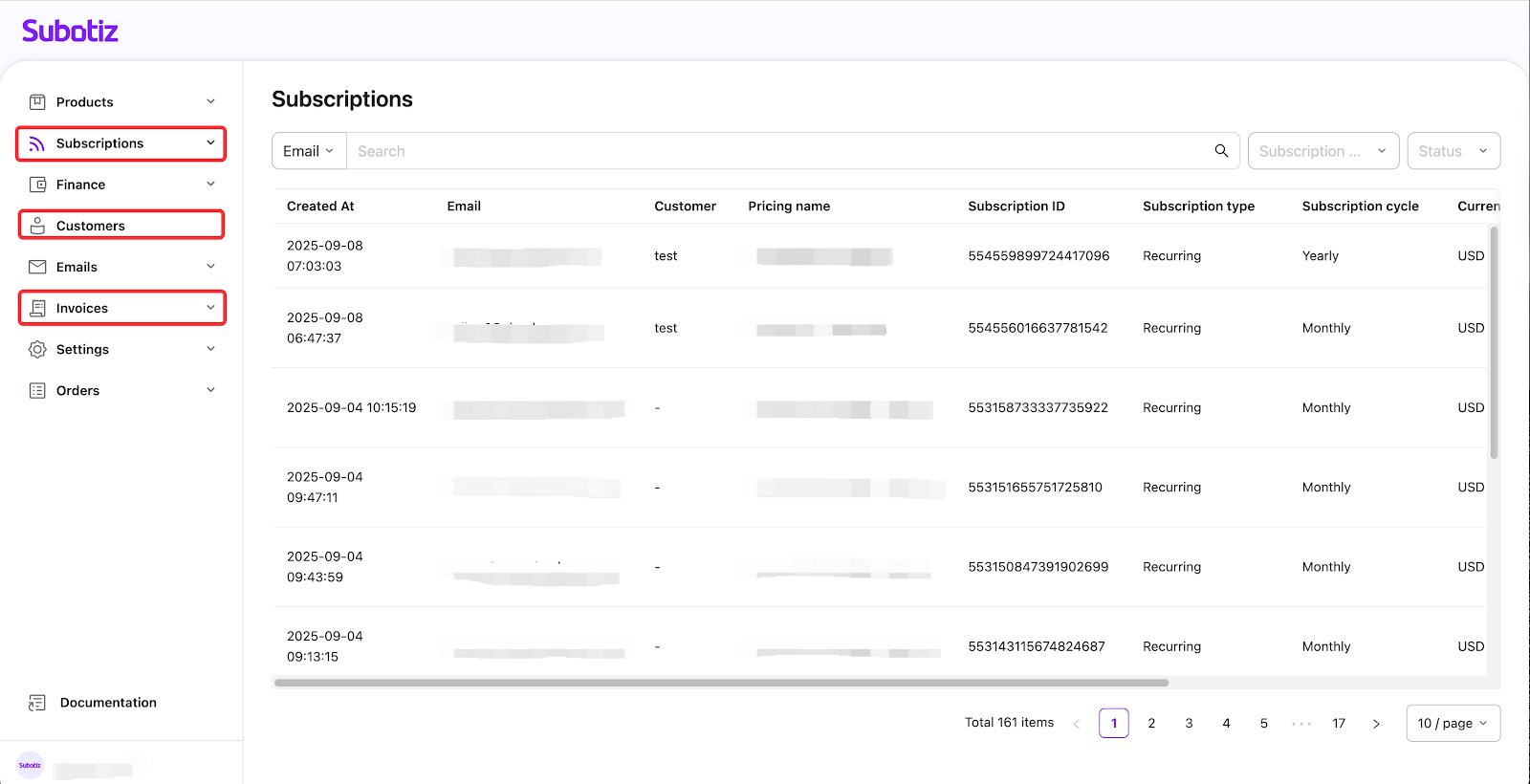
Now you're equipped with the understanding of the embedded checkout and customer payment journey with Subotiz. Next, let's begin learning the integration process to help you build an embedded form for your website or application. Please visit: Checkout | Integrate Embedded Checkout.