Move beyond generic checkout experiences! To maintain a consistent brand identity throughout the customer journey — building trust and boosting conversions — we support full customization of your checkout pages. Tailor everything from colors and fonts to UI components.
How to customize your checkout page
Log in to the admin
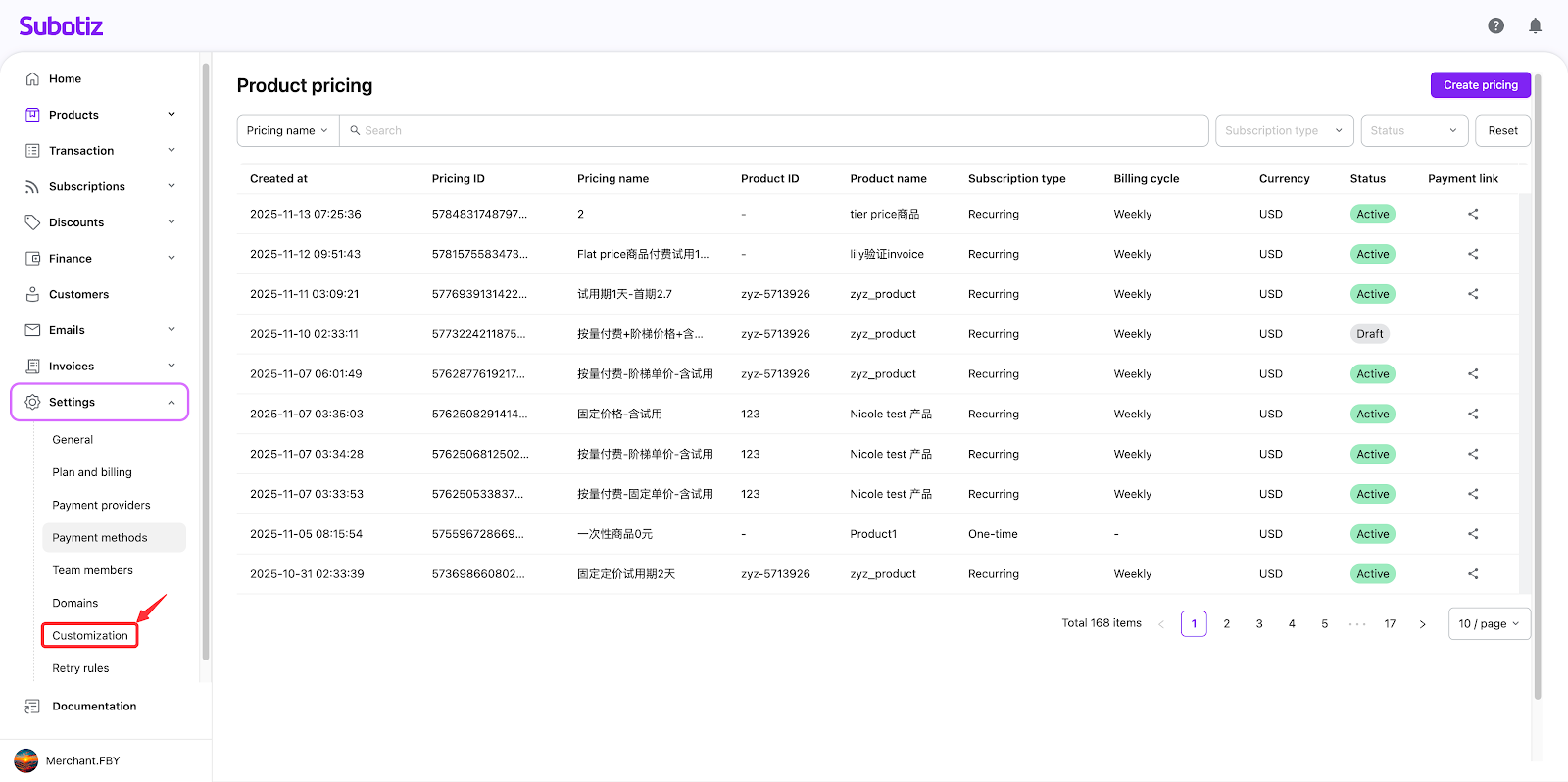
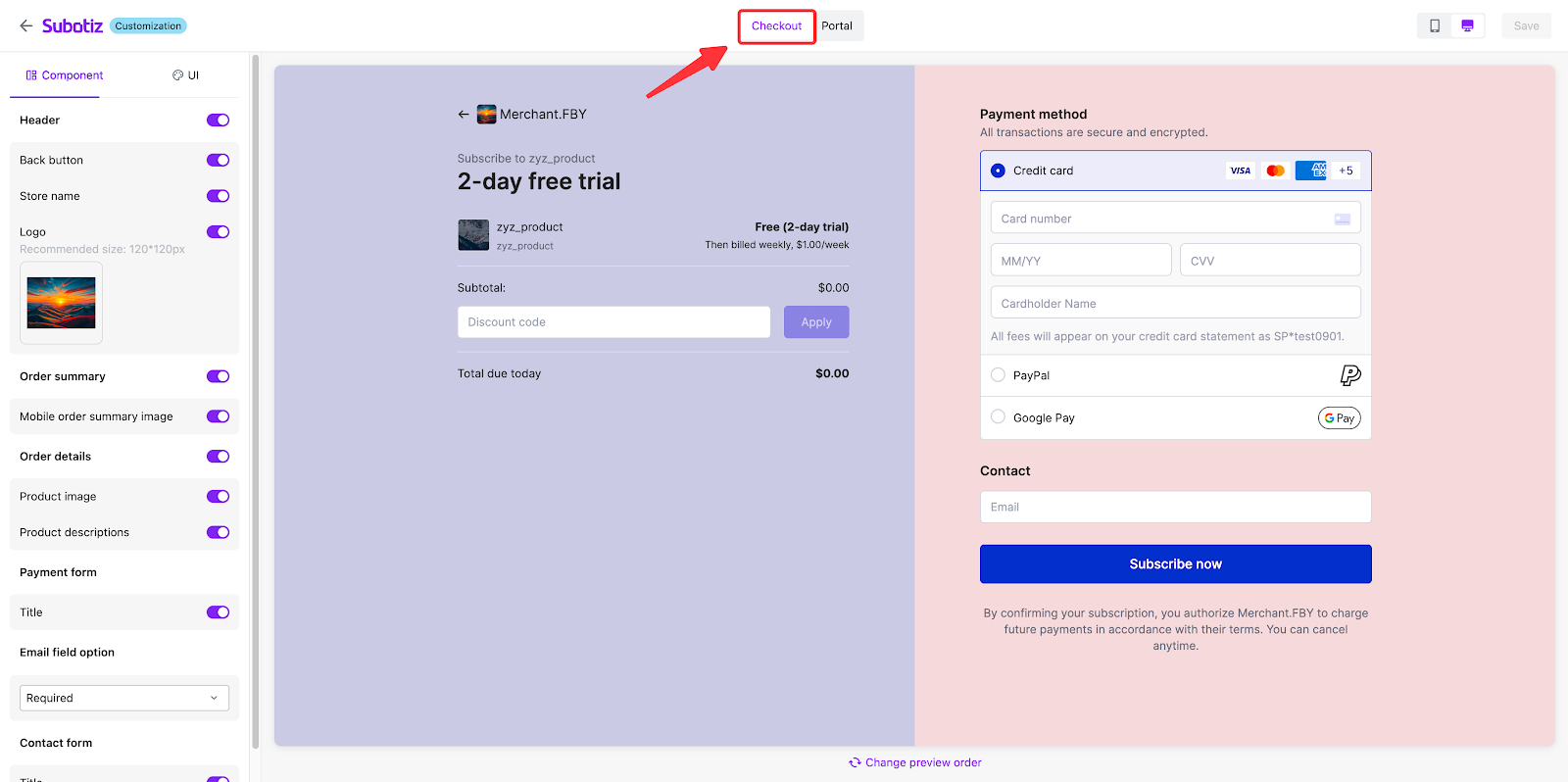
- Log in to the Subotiz admin. Navigate to Settings > Customization > Checkout to access the configuration page.
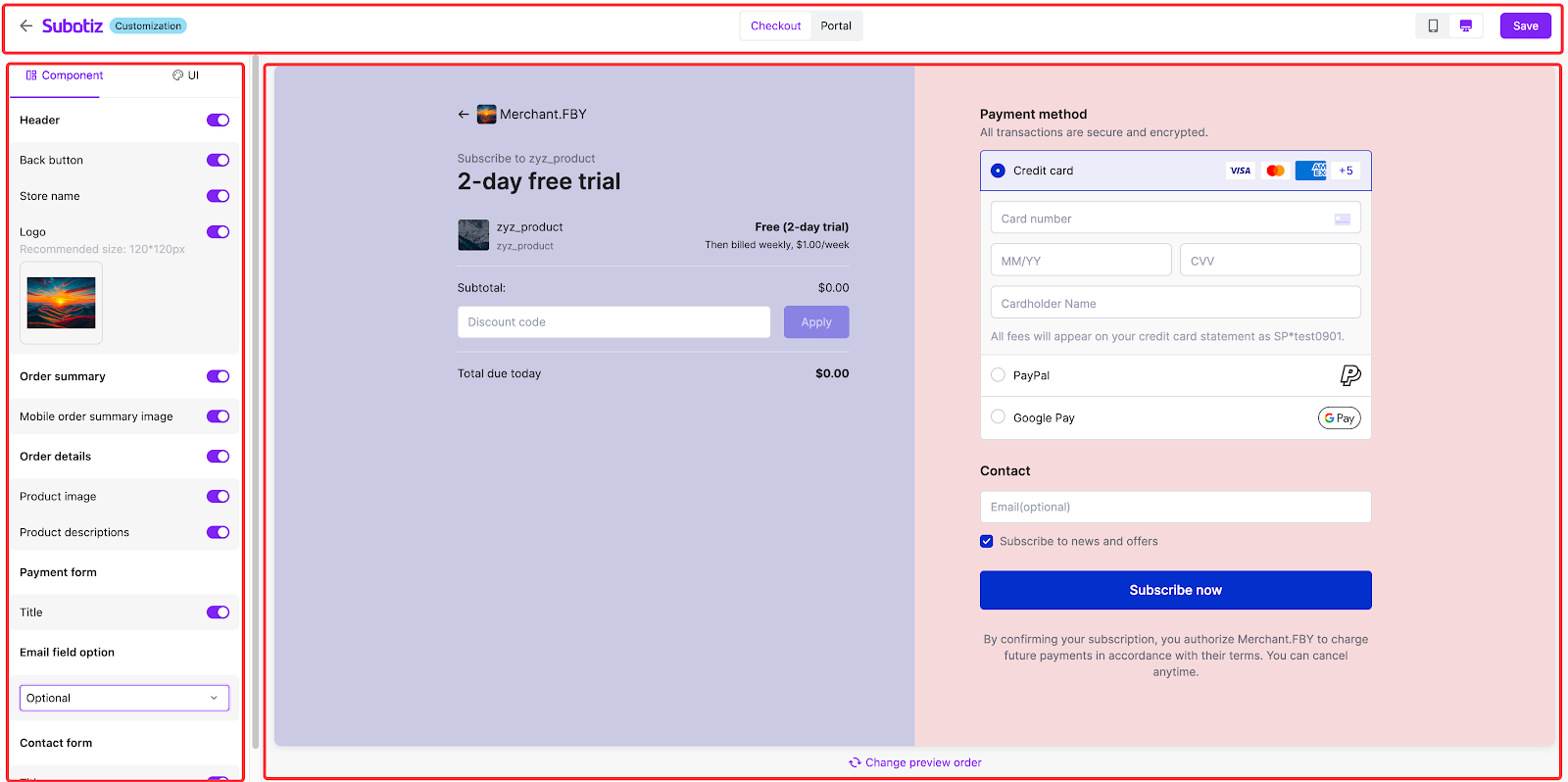
- Page layout overview:
- Top section:
- Clicking the arrow returns you to the Subotiz homepage. If there are unsaved changes, a confirmation dialog will appear.
- Quickly preview how the checkout page looks on both desktop and mobile by switching the view.
- The 'Save' button is enabled only when changes are detected. Click it to apply your changes immediately.
- Configuration panel:
- Two tabs: Component tab & UI tab
- Order preview section:
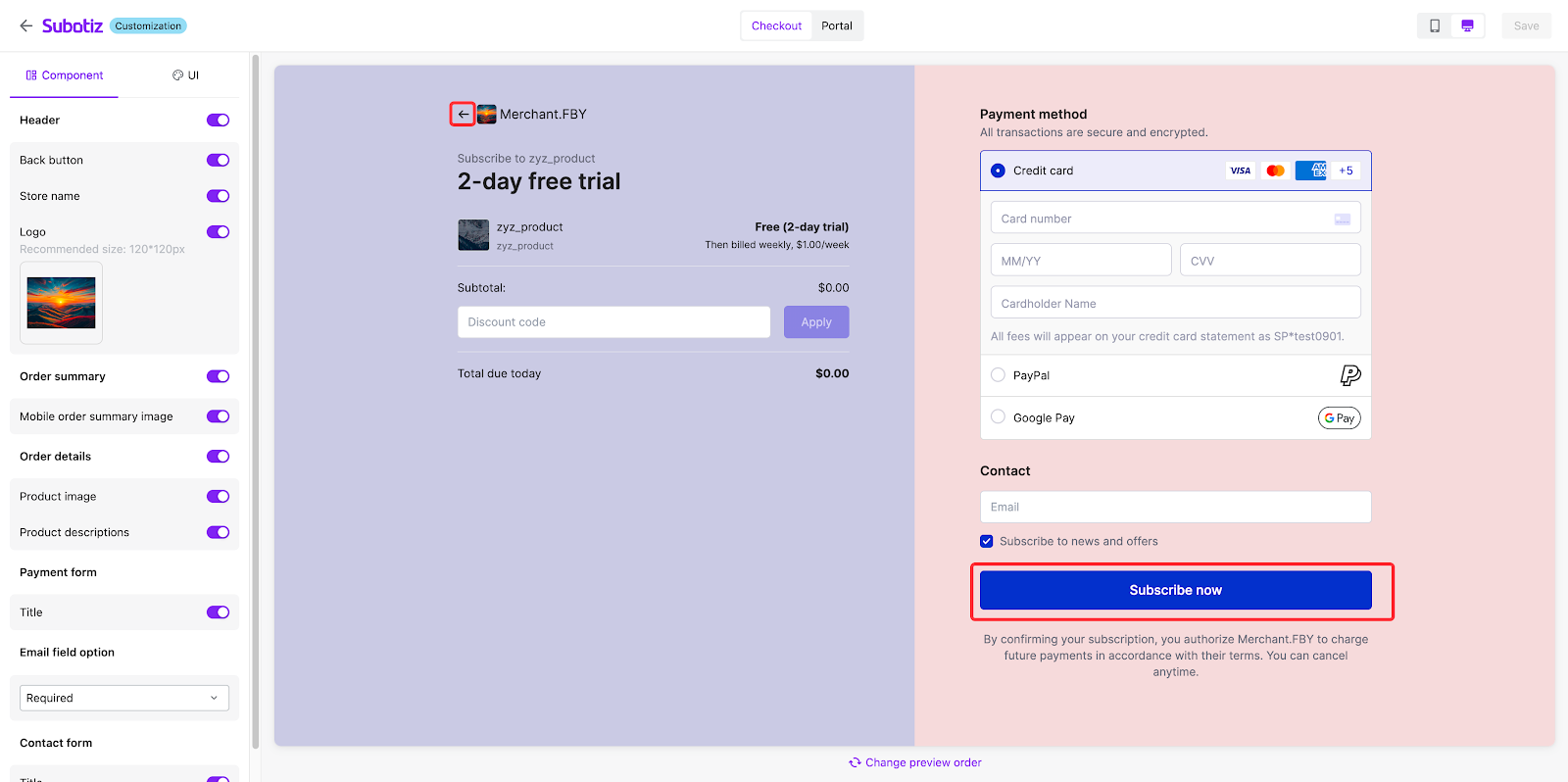
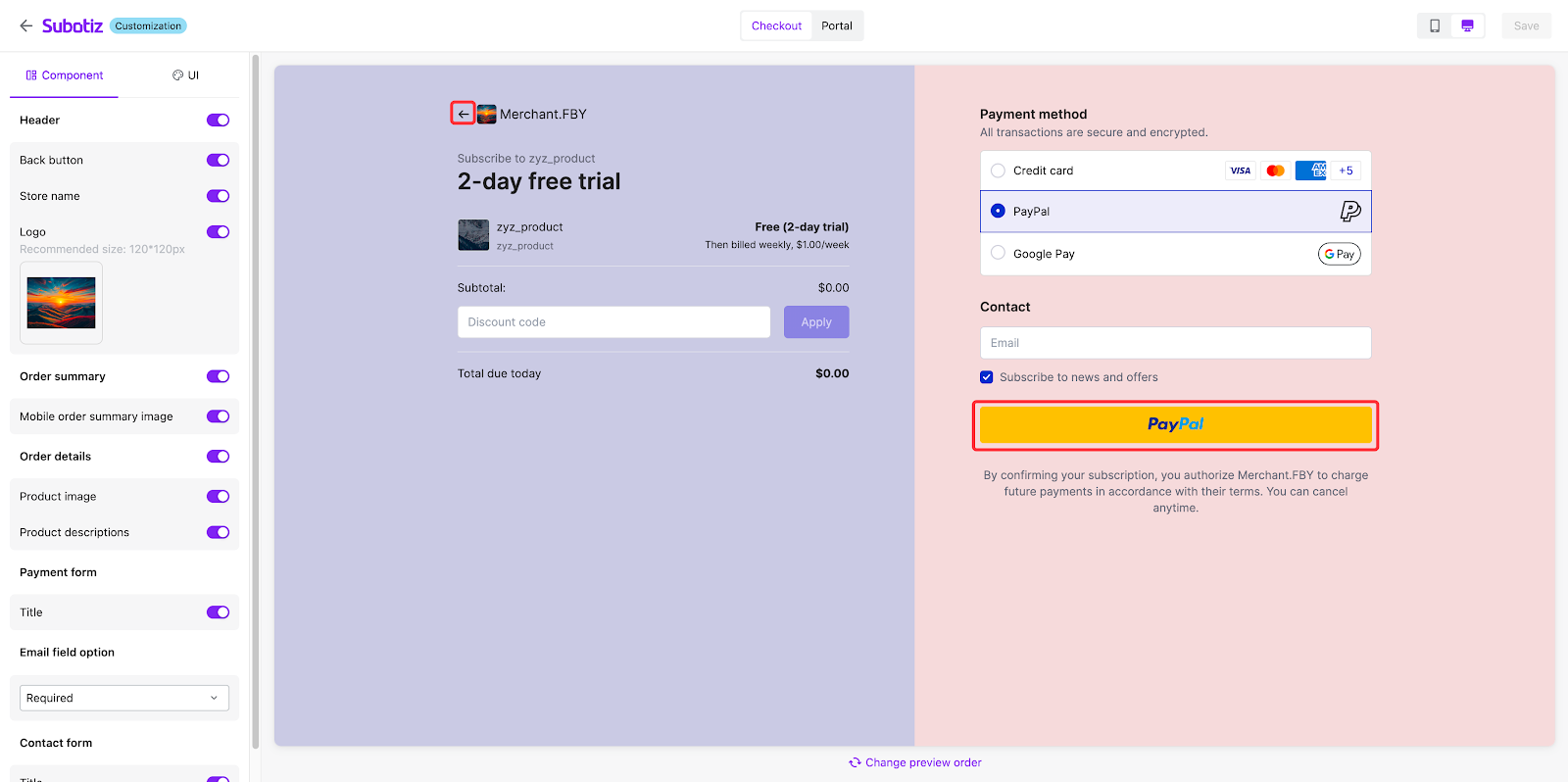
- This section shows a live preview of the subscription product details, payment form, and contact form.
Configure components and UI
- Component tab: Customize checkout modules:
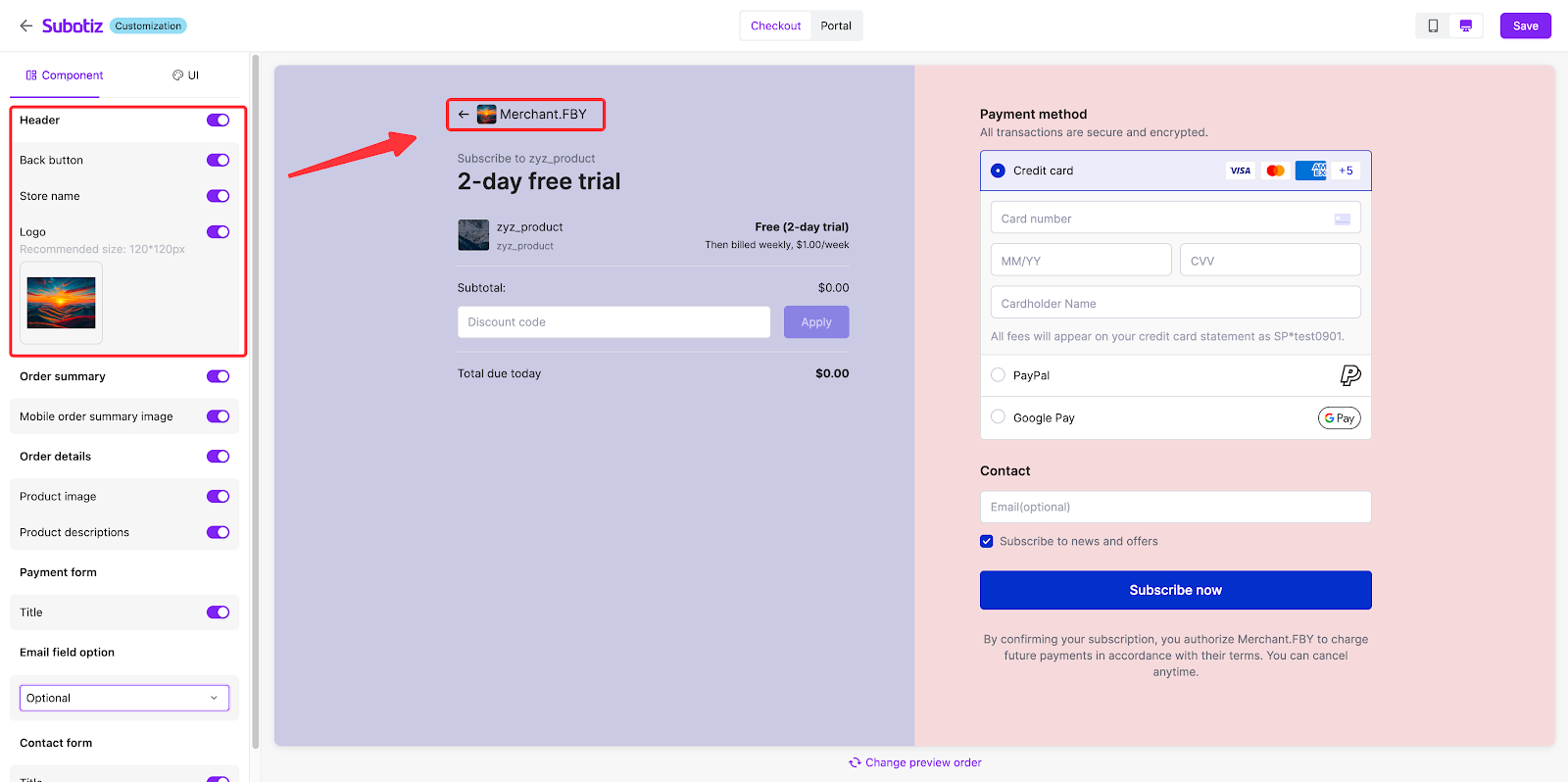
- Header: Enabled by default. If it's turned off, the following configuration items will not be displayed, and the 'Header' module will not be shown to customers.
- Back button: Toggle on/off (default: on).
- Store name: Toggle on/off (default: on); displays next to the 'Back button'.
- Logo: Toggle on/off (default: off); If it's not configured before but the store logo has been configured in Settings, here will display the store logo by default. You can also upload another image here (recommended: 120×120 px); it displays between the 'Back button' and 'Store name'.
- Order summary (Enabled by default):
- Toggle to show/hide "Mobile order summary image" (default: on). If turned off, it won't be shown to customers.
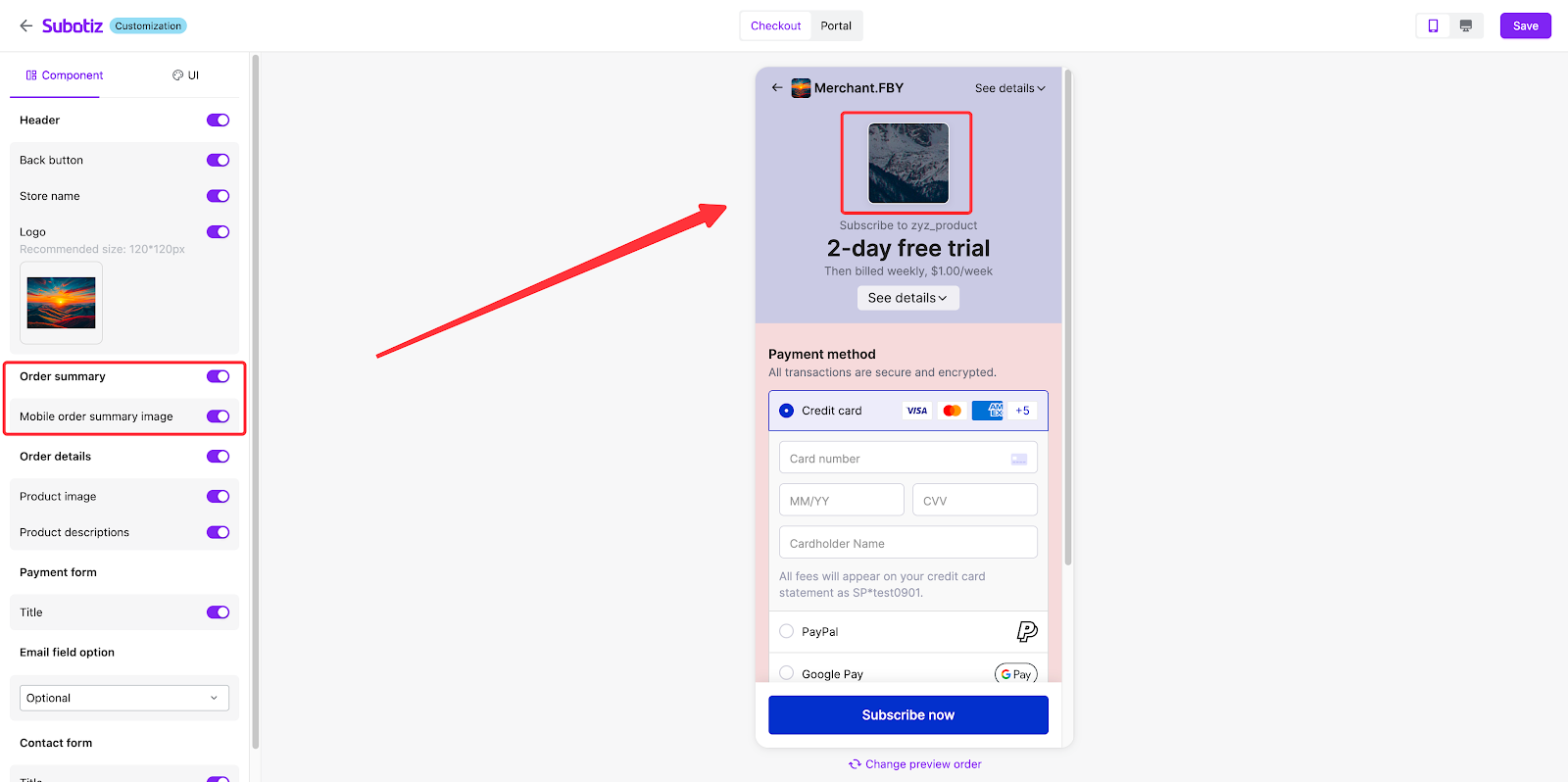
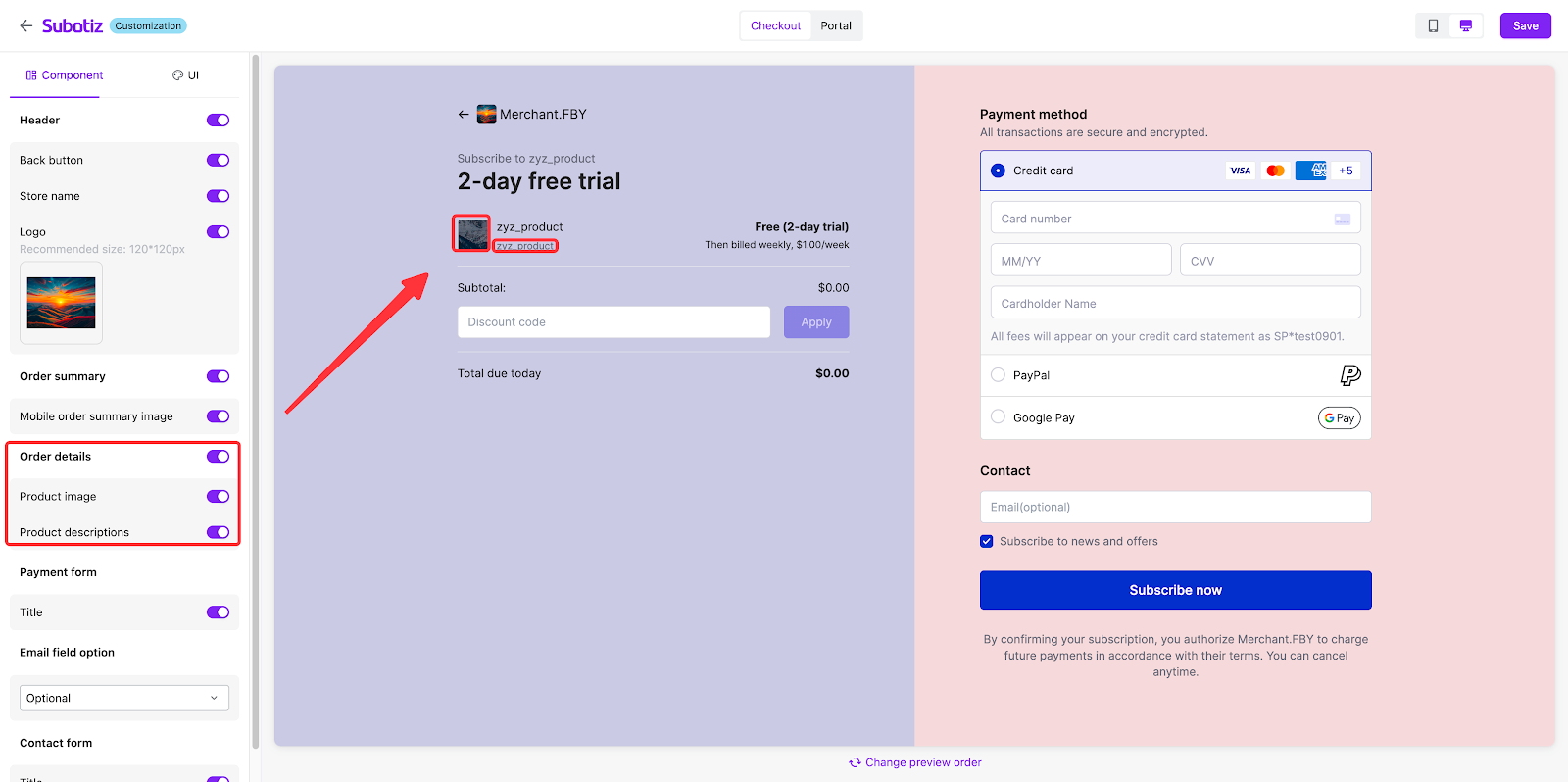
- Order details (Enabled by default. Disabling hides the entire module.):
- Product image: Toggle on/off (default: on).
- Product description: Toggle on/off (default: on).
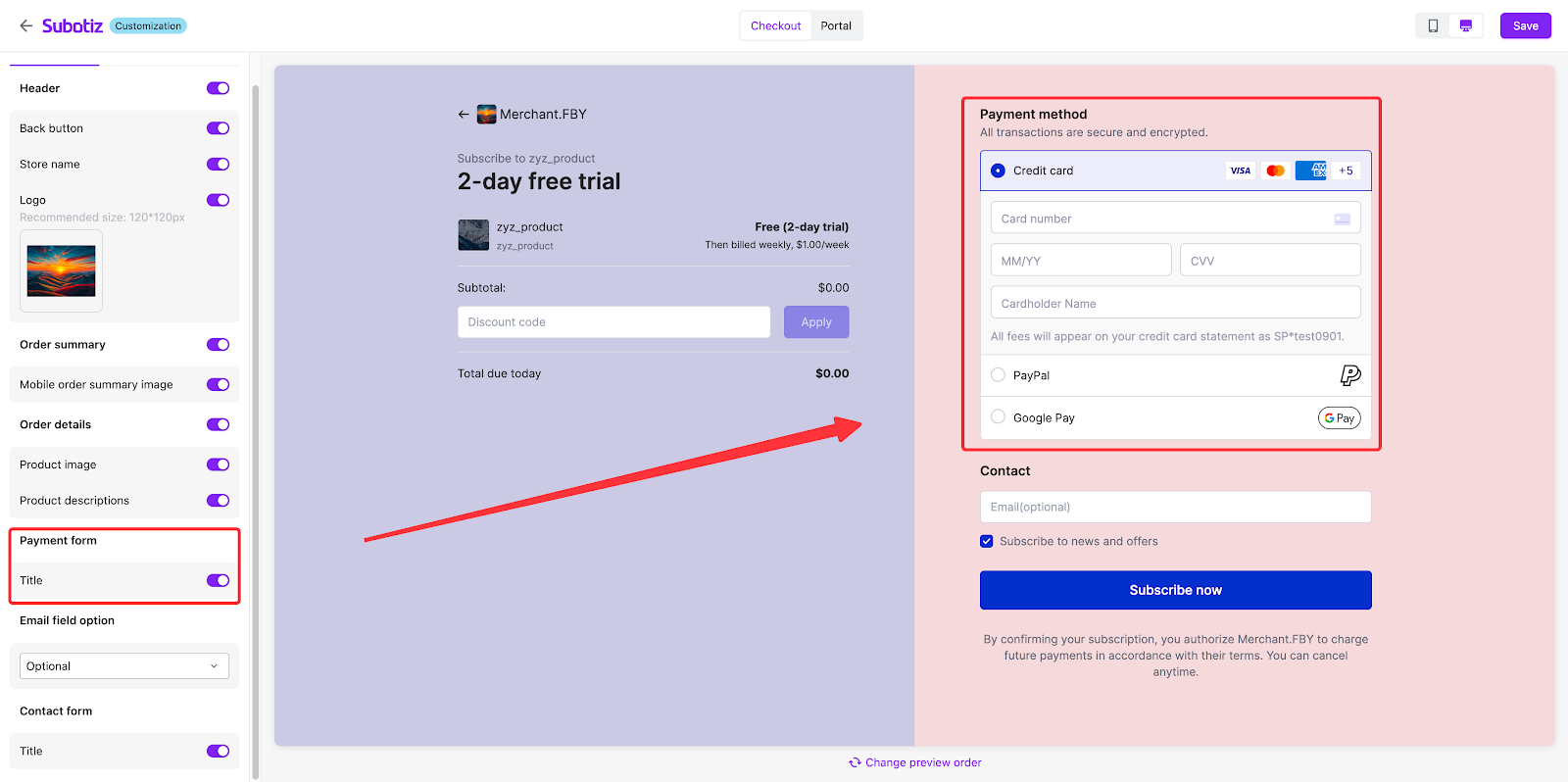
- Payment form:
- Toggle to show/hide the payment form title (default: on).
- Email field option: Configure the requirements and visibility of the email field by selecting an option from the dropdown menu:
- Required (default)
- Optional
- Hidden: Selecting this hides the entire 'Contact' section on the checkout page.
- Contact form:
When the email field is set to 'Required' or 'Optional', a toggle for the contact form title appears (default: on). At the same time, the marketing email subscription checkbox will be displayed for customers' choices.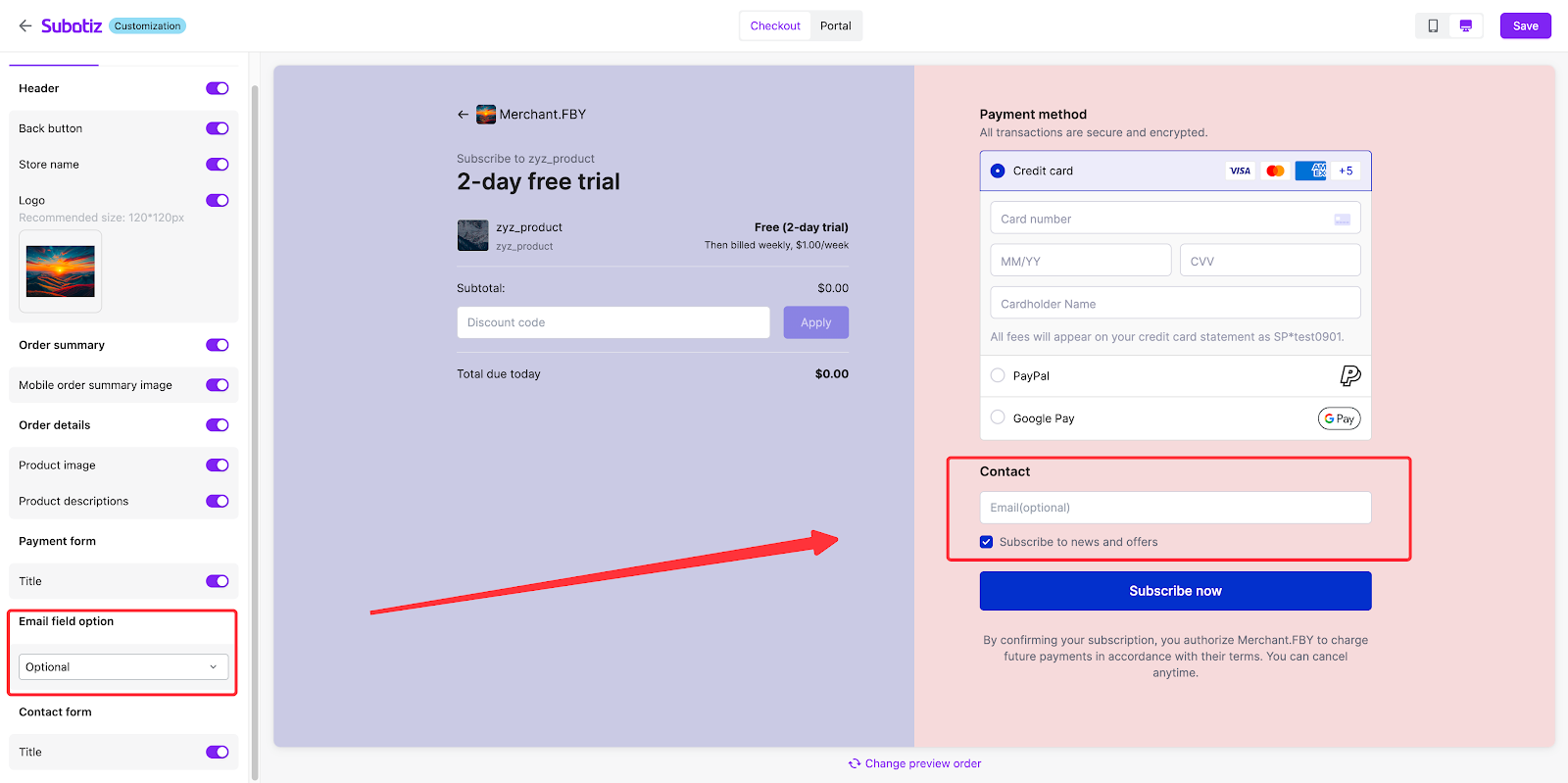
- UI tab:
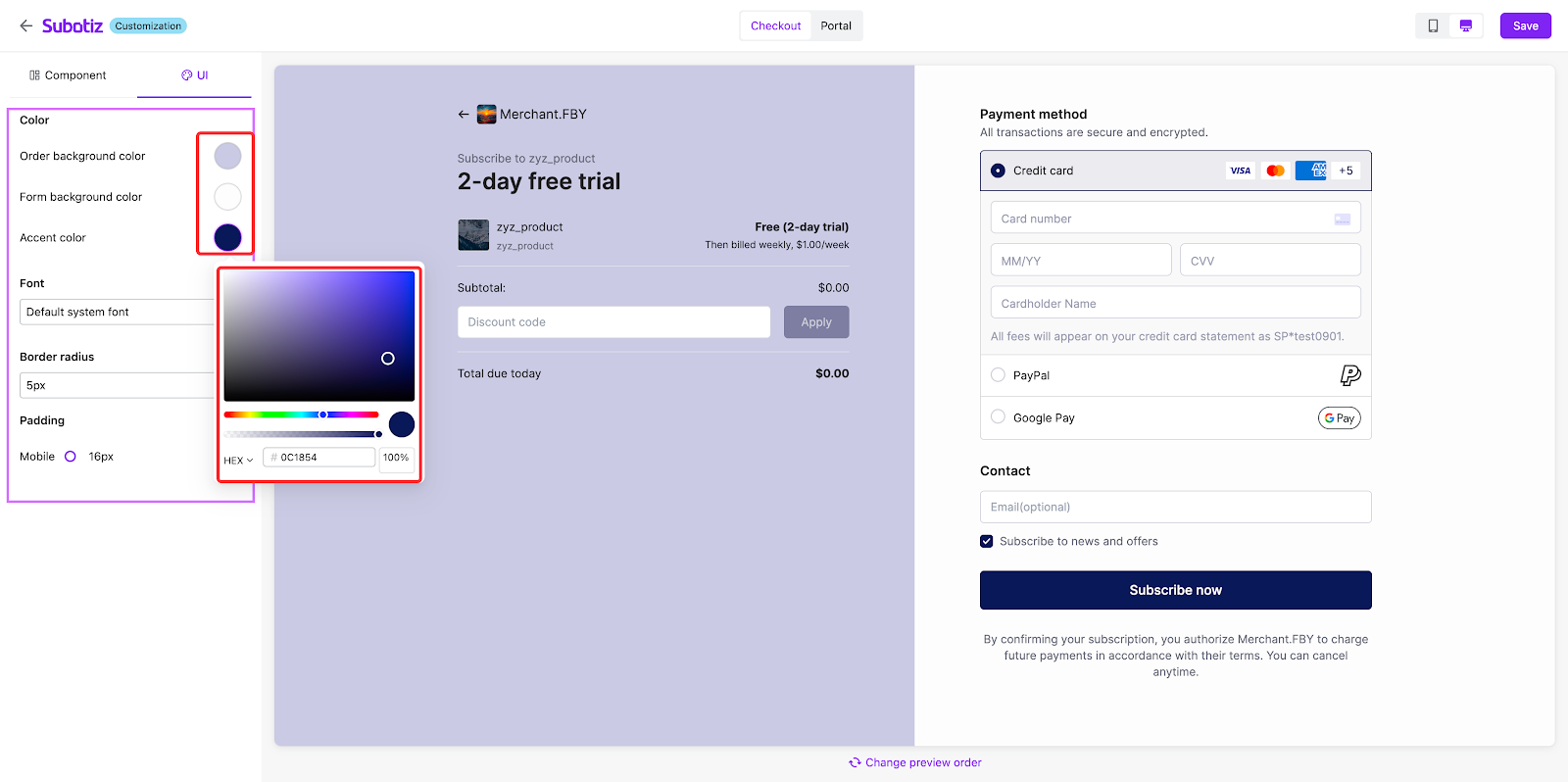
- Colors:
- Order background
- Form background
- Accent color
- Fonts:
- Default system font (supports more than 80 additional fonts).
- Border radius:
- Supports adjusting values to adjust the roundness of the corners. 0~24px adjustable. (A higher value creates more rounded corners.)
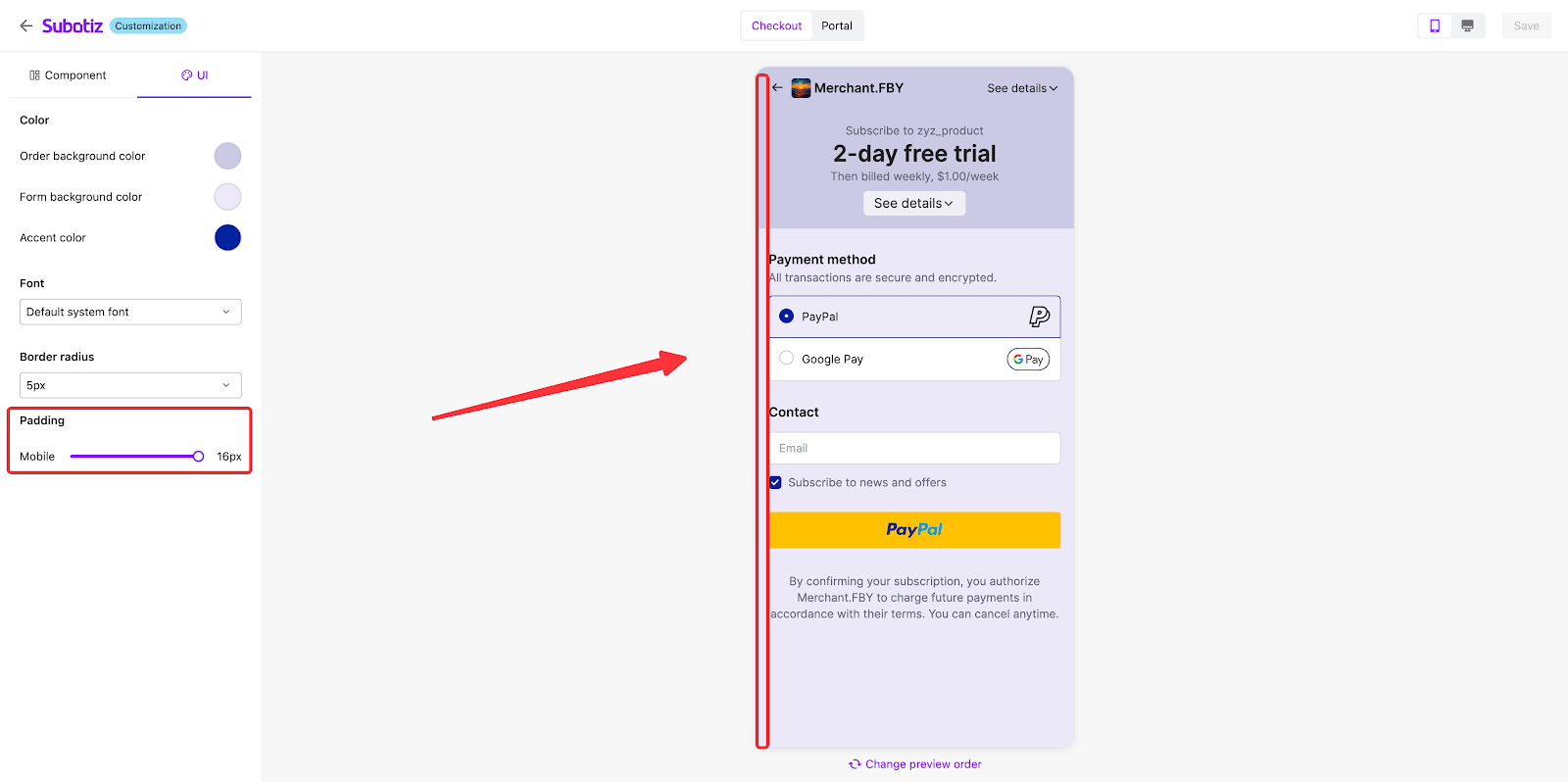
- Padding:
- Adjust the mobile viewport padding between 0~16px.
- Order preview section:
- This section displays a preview identical to the live customer-facing checkout page.
- Subotiz provides a default preview product. You can customize it:
- Click 'Change preview product' at the bottom of the preview area to open the configuration dialog. The preview updates automatically after changes.
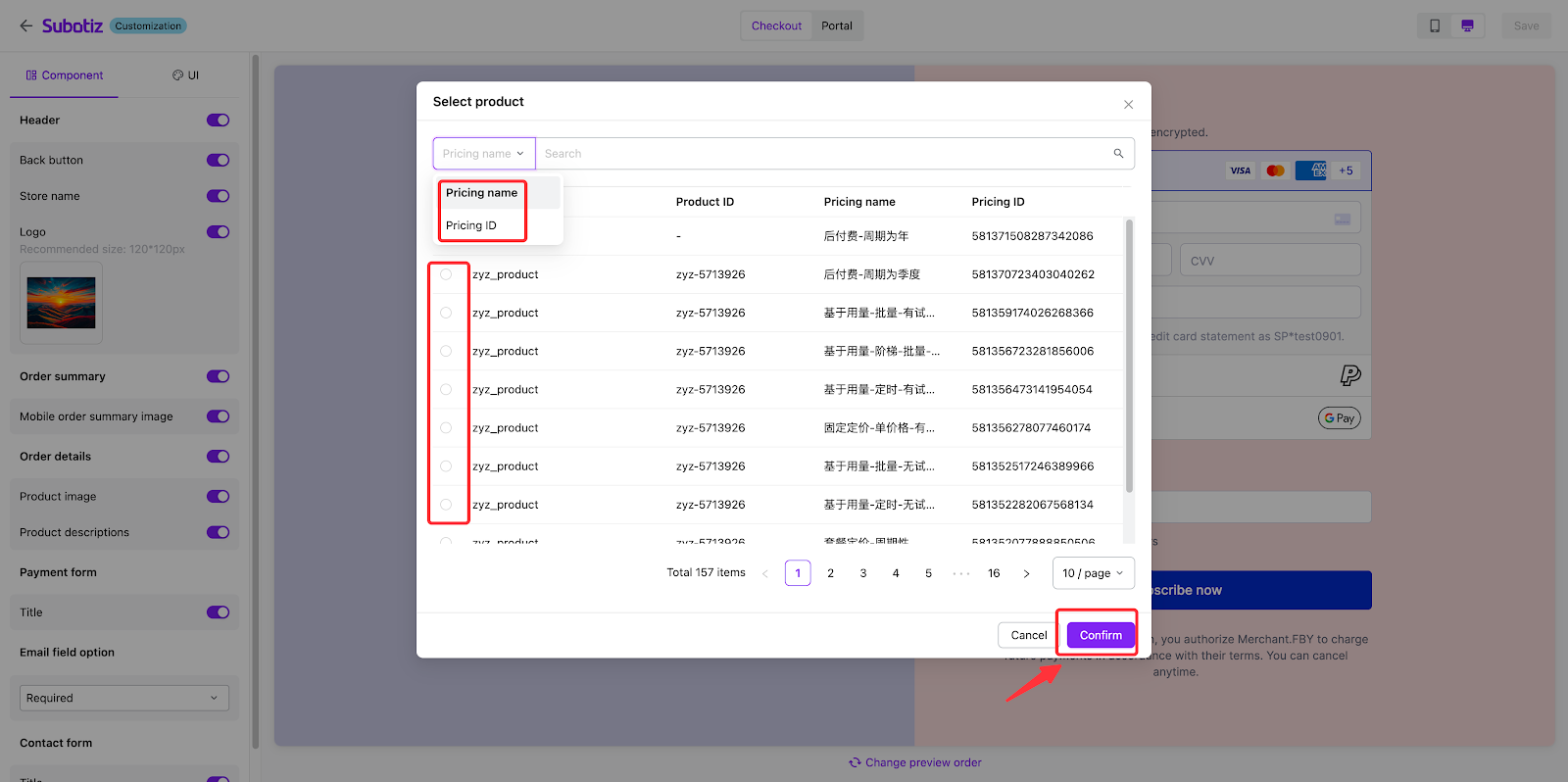
- Search for target products by 'Pricing name' or 'Pricing ID'.
- After selecting the new product, click 'Confirm' to close the dialog and refresh the preview.
Note: Your custom preview product is saved for future sessions. If the saved product/price becomes unavailable, the system will revert to the default product.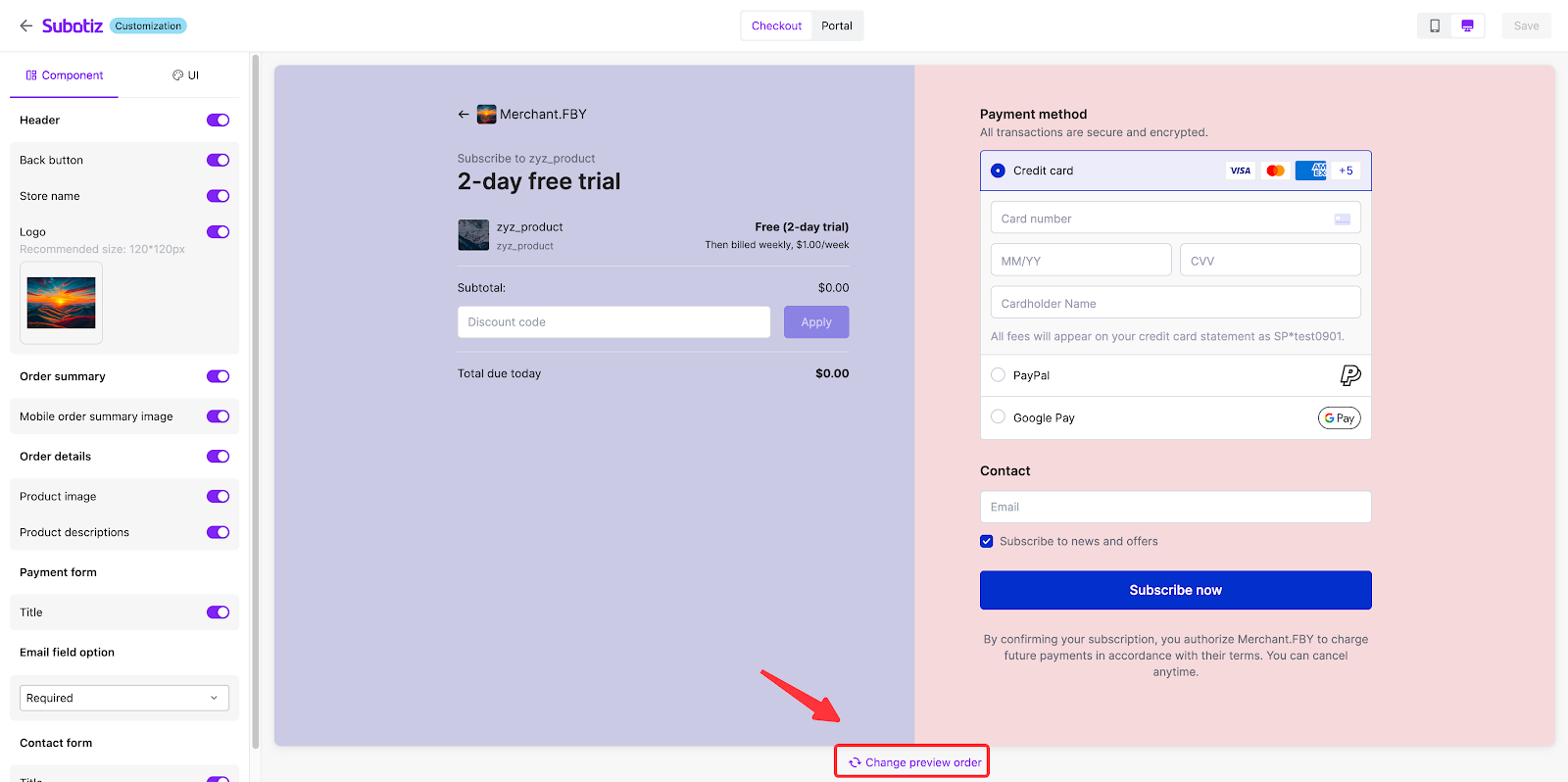
Important notes
- Preview limitations
Interactive elements (such as the Back button, [Subscribe now], and [EC]) are displayed but non-functional in the preview.
A customized checkout page—from color schemes to component layout—ensures your brand trust seamlessly extends to the final conversion step. This is more than a visual upgrade; it's a strategic move to transform the checkout process into a revenue engine. A premium, branded flow can support higher price points, a mobile-optimized design captures more impulse purchases, and the real-time editor helps prevent revenue loss from online issues. Every design decision is a tactical investment in brand perception and order completion rates, not just a surface-level enhancement.