Smart Retry is the core mechanism within the Recovery workflow. After an invoice encounters a payment failure, the system automatically initiates additional charge attempts to recover eligible transactions.
This feature primarily applies to subscription renewals and other recurring billing scenarios. Smart Retry runs automatically based on system logic. If no custom configuration is applied, the default retry rules are used and no manual action is required.
Default Smart Retry (Automatic Execution)
When an invoice fails for the first time, it automatically enters the Smart Retry process. The system then continues handling the invoice according to the default retry logic.
- Default Processing Flow
- The system initiates additional charge attempts based on predefined rules.
- Each retry evaluates the most recent payment result before proceeding.
- Invoice and subscription statuses are updated after every retry attempt.
The entire process runs automatically and does not require merchant intervention.
- Default Retry Rules: If no custom retry configuration is applied to a pricing plan, the system uses the default Smart Retry settings:
- Retry attempts: Up to 4 automatic retries.
- Execution method: Each retry is triggered automatically by the system.
- Scope: Applies to pricing plans without custom retry rules.
- Status updates: Invoice and subscription statuses are updated after each retry.
No additional setup is required for the default logic to apply.
Custom Smart Retry Rules (Optional)
If the default retry behavior does not meet specific business needs, merchants can configure custom Smart Retry rules for selected pricing plans.
Pricing plans without custom rules will continue to follow the default Smart Retry logic.
- Supported Configuration Options
- Retry attempts: Up to 20 attempts per invoice.
- Retry interval: 1–24 hours between each retry attempt.
Once configured, the system will automatically apply the defined rules to invoices generated under the selected pricing plans.
Configure Smart Retry in the Admin
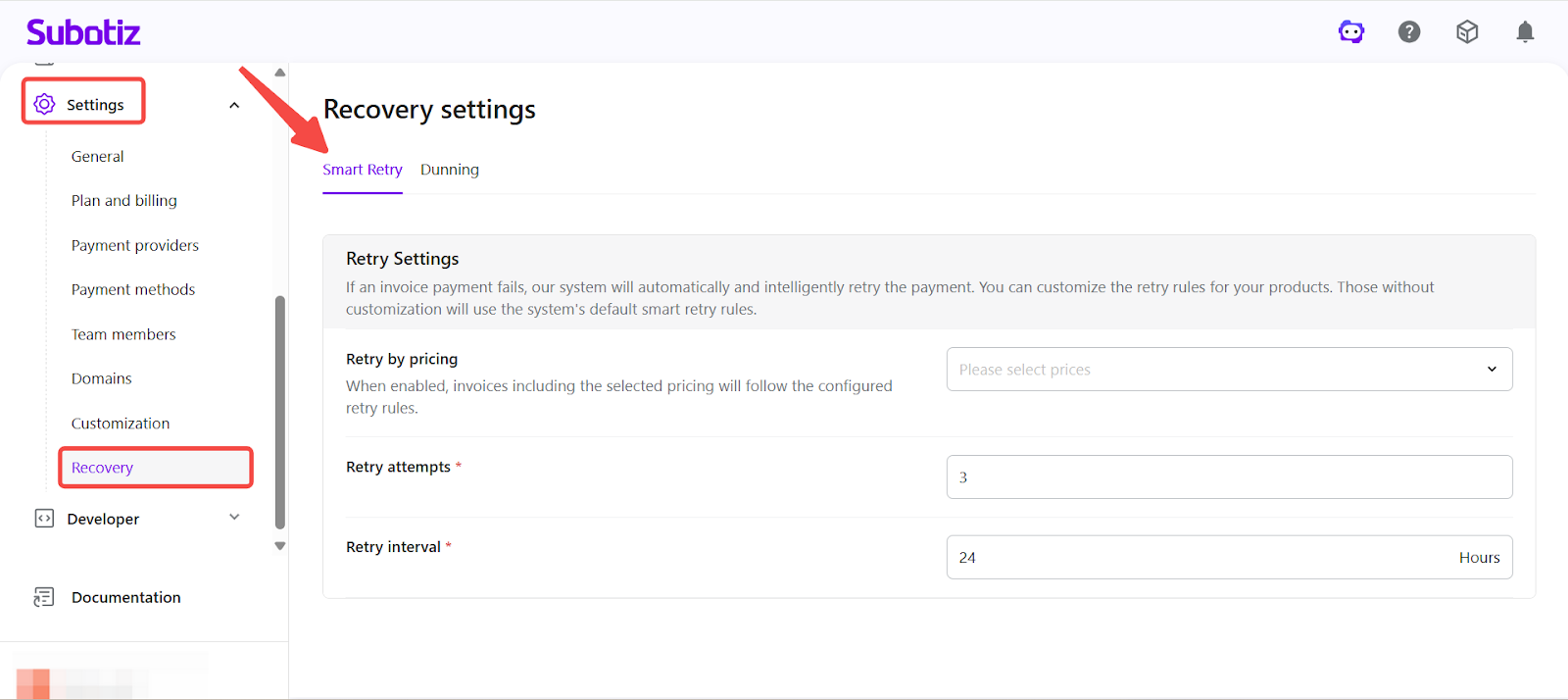
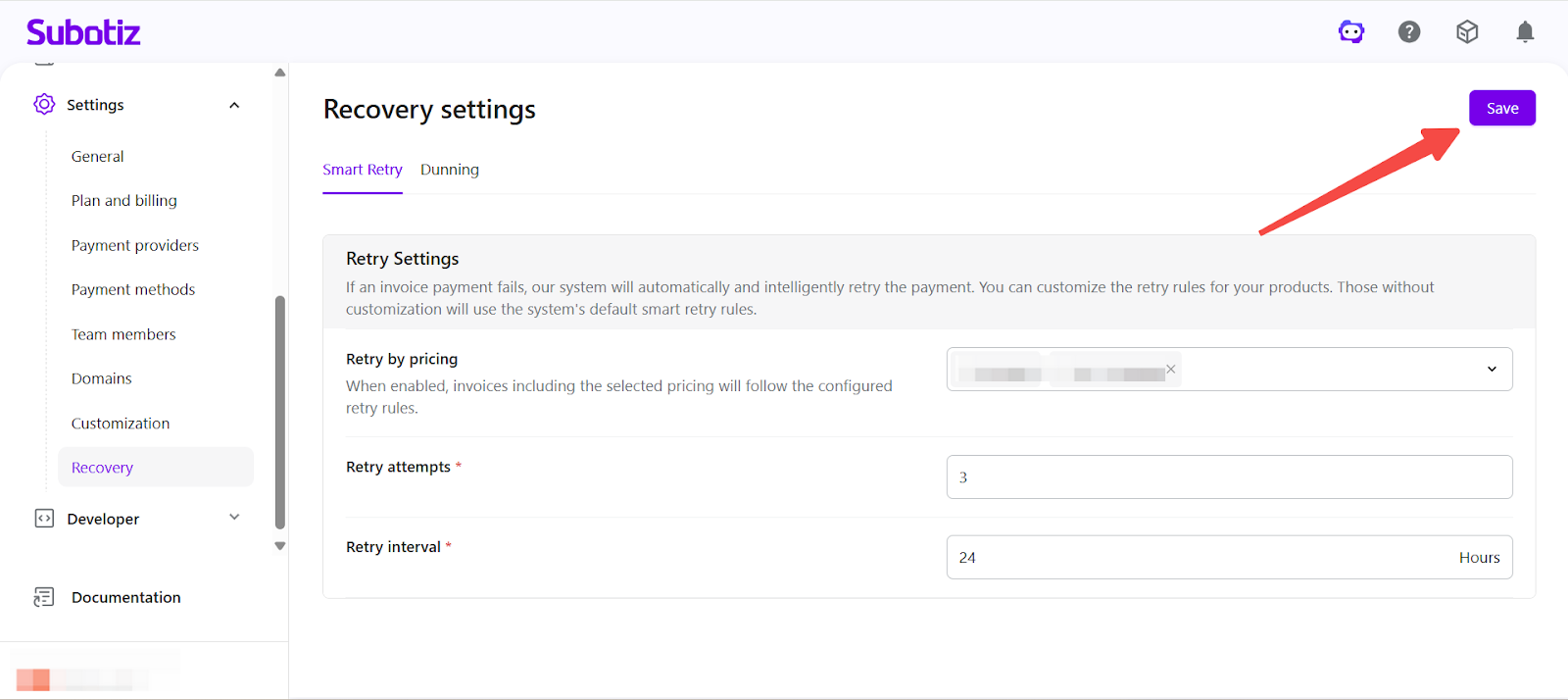
- Open Recovery settings: Navigate to Settings > Recovery > Smart Retry in your Subotiz Admin.
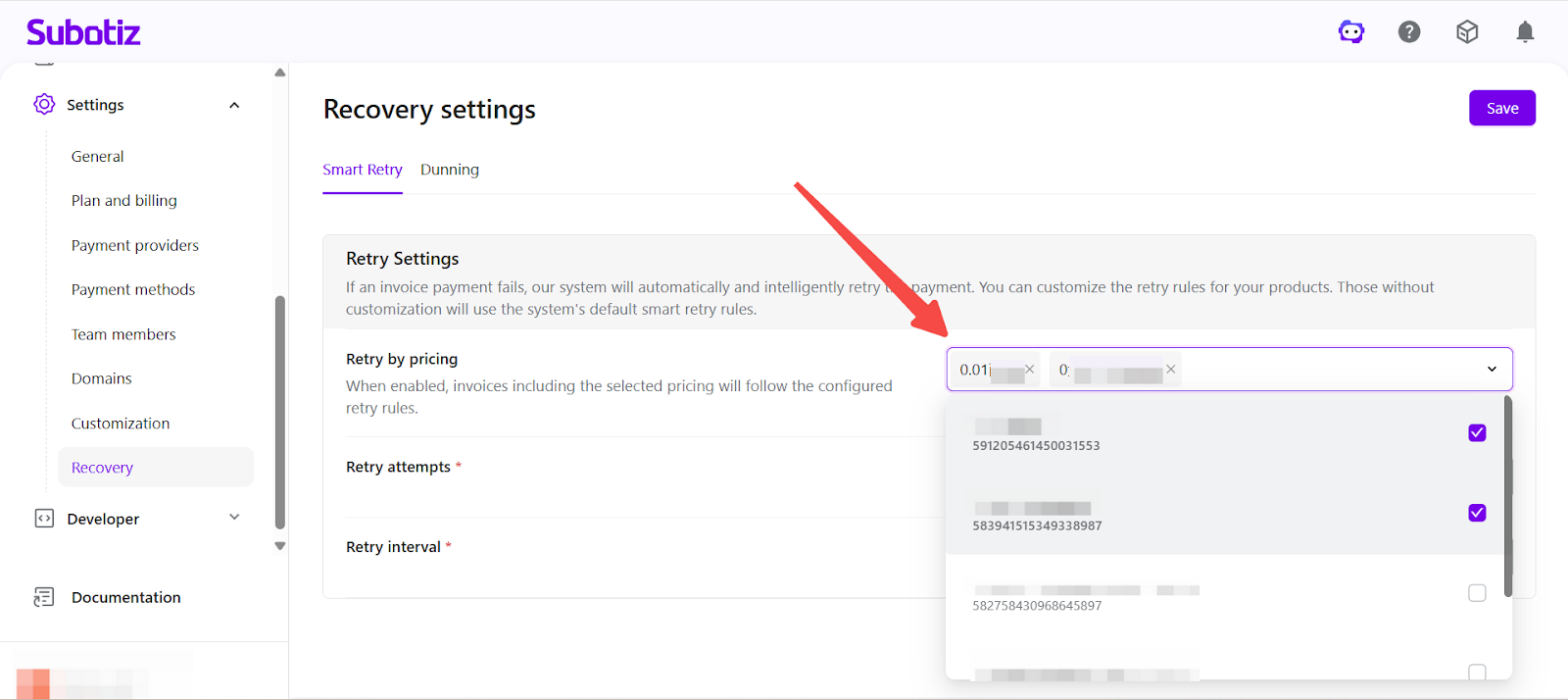
- Select pricing plans: Choose one or more pricing plans to apply custom retry logic. All invoices generated under those plans will follow the configured rules.
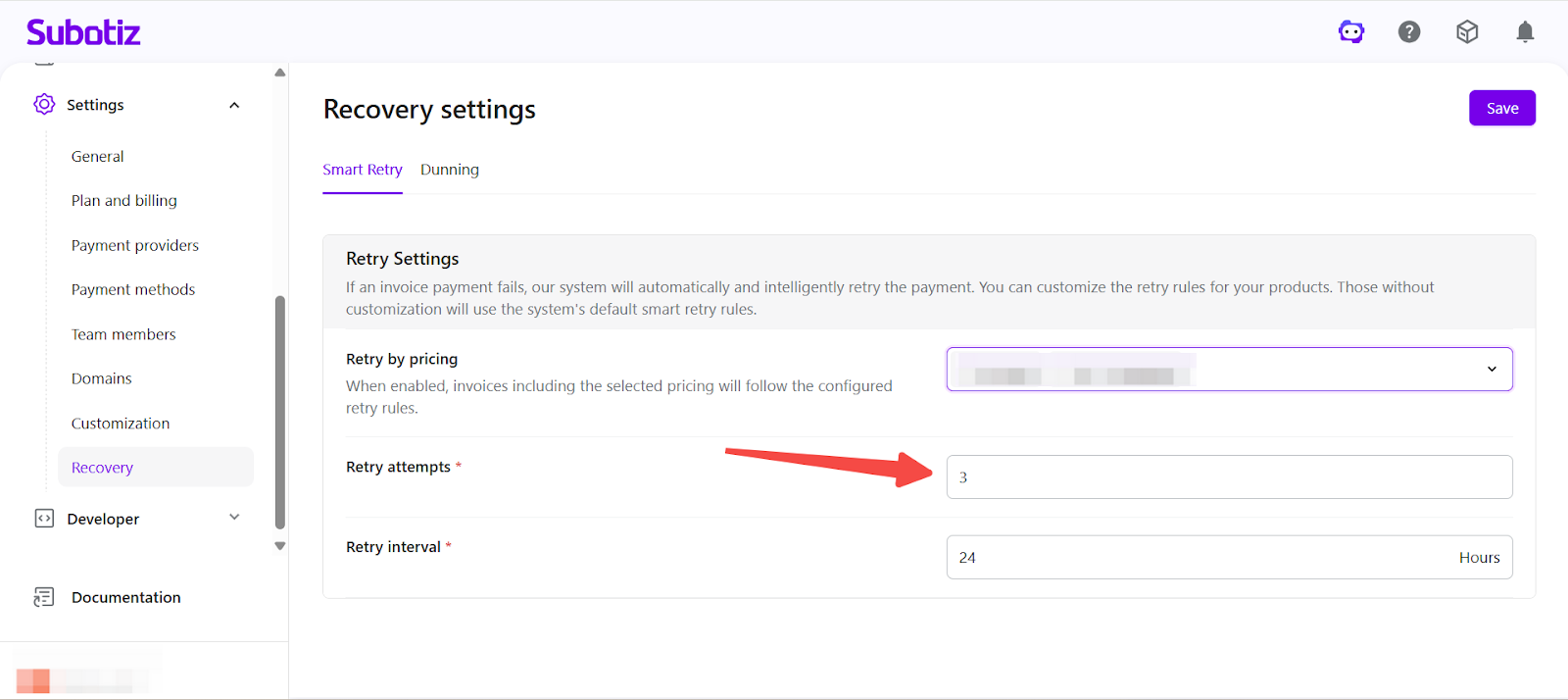
- Set retry attempts: Enter the maximum number of retry attempts (up to 20).
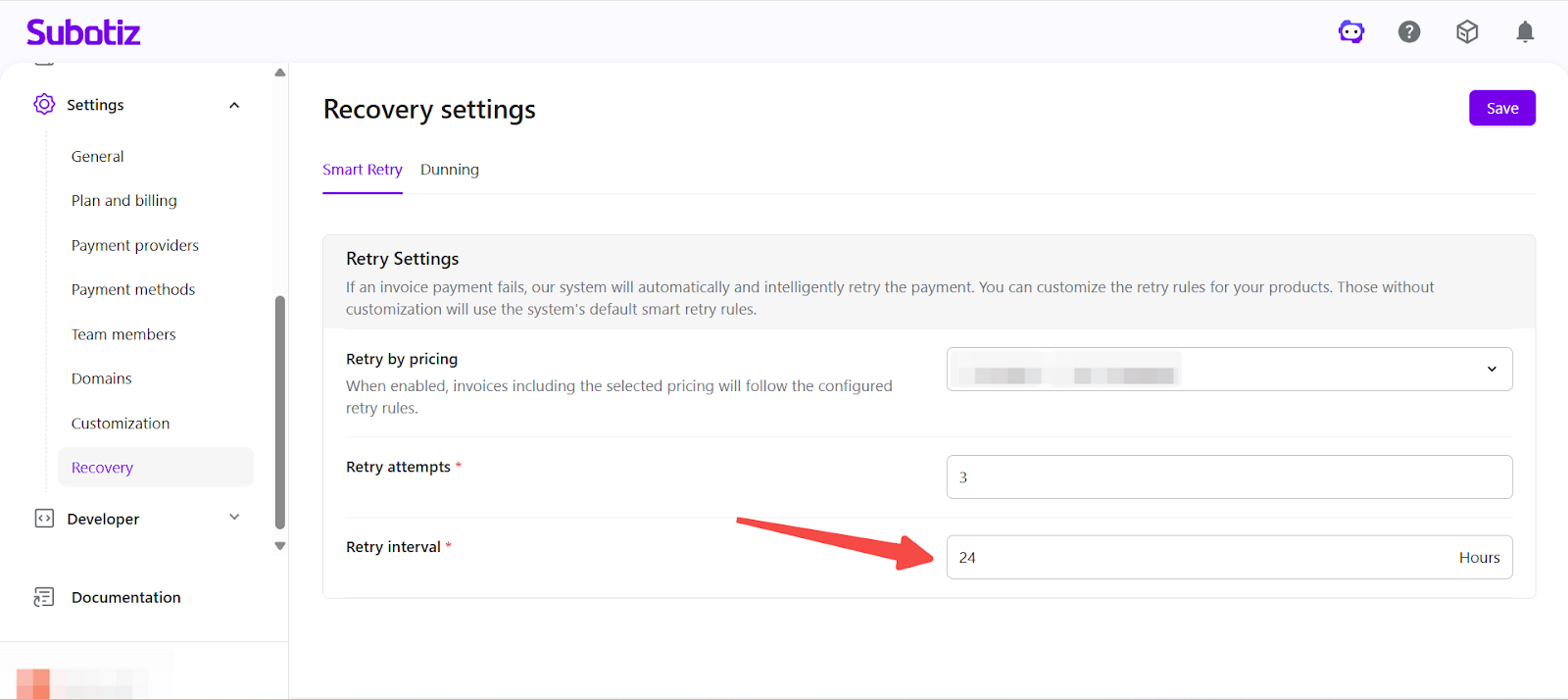
- Set retry interval: Define the time interval between retries (1–24 hours).
- Save changes: Click Save to apply the configuration. Future failed invoices will follow the updated retry logic.
Status Behavior During Smart Retry
While Smart Retry is in progress:
- The invoice remains under system processing.
- The subscription is not immediately terminated.
- Each retry result is reflected in both invoice and subscription status.
Smart Retry does not change the subscription billing cycle. New billing periods continue to generate invoices according to the original schedule.
If all retry attempts are exhausted without a successful payment, the invoice transitions to the Dunning stage of the Recovery workflow.
Relationship Between Smart Retry and Dunning
Smart Retry handles the automated charge attempt phase following a payment failure. Dunning manages the final subscription status once the retry phase concludes. These two stages operate sequentially within the Recovery workflow, each serving a distinct role in post-failure handling.
Smart Retry enables automated recovery of failed subscription charges through controlled, system-driven retry attempts. As a core component of Recovery, it supports consistent subscription lifecycle management after a payment failure.