Recovery is Subotiz’s automated mechanism for handling failed subscription payments. It ensures invoices are processed in a structured manner and that subscription statuses remain aligned throughout the post-failure stage.
This process primarily applies to subscription renewals and other recurring billing scenarios. Once a payment attempt fails, the system automatically enters the Recovery workflow. No manual intervention is required.
Recovery Positioning
In subscription-based businesses, a failed payment does not necessarily mean the transaction has ended. Recovery manages the period after a payment failure by placing the invoice and its subscription into a controlled processing flow.
Recovery is designed to:
- Provide a structured process for handling failed payments.
- Maintain consistency between invoice status and subscription status.
- Establish a clear subscription outcome once processing is complete.
Payment Failure Processing
When a payment attempt fails, the system automatically transitions the invoice into the Recovery workflow and continues processing it according to the defined logic.
During this stage:
- Invoice status is updated as processing progresses.
- Subscription status is adjusted based on the latest payment result.
- All status changes are recorded and reflected in the Admin.
Recovery Stages
Recovery consists of two sequential stages that operate together as a complete post-failure flow:
- Smart Retry: The system automatically attempts to reprocess eligible failed charges in order to recover the payment.
- Dunning: Once the retry phase concludes, the system confirms the final subscription status and prevents invoices from remaining in an unresolved state.
Merchant Role in Recovery
During the Recovery process, merchants generally do not need to take action. The system manages failed payments automatically while providing visibility into the current status.
Recovery is designed to:
- Manage post-failure payment processing.
- Provide clear visibility into invoice and subscription status within the Admin.
- Establish a definitive subscription outcome once processing concludes.
Merchants may review the resulting status and determine whether further operational or customer communication steps are required.
Viewing Recovery Settings in the Admin
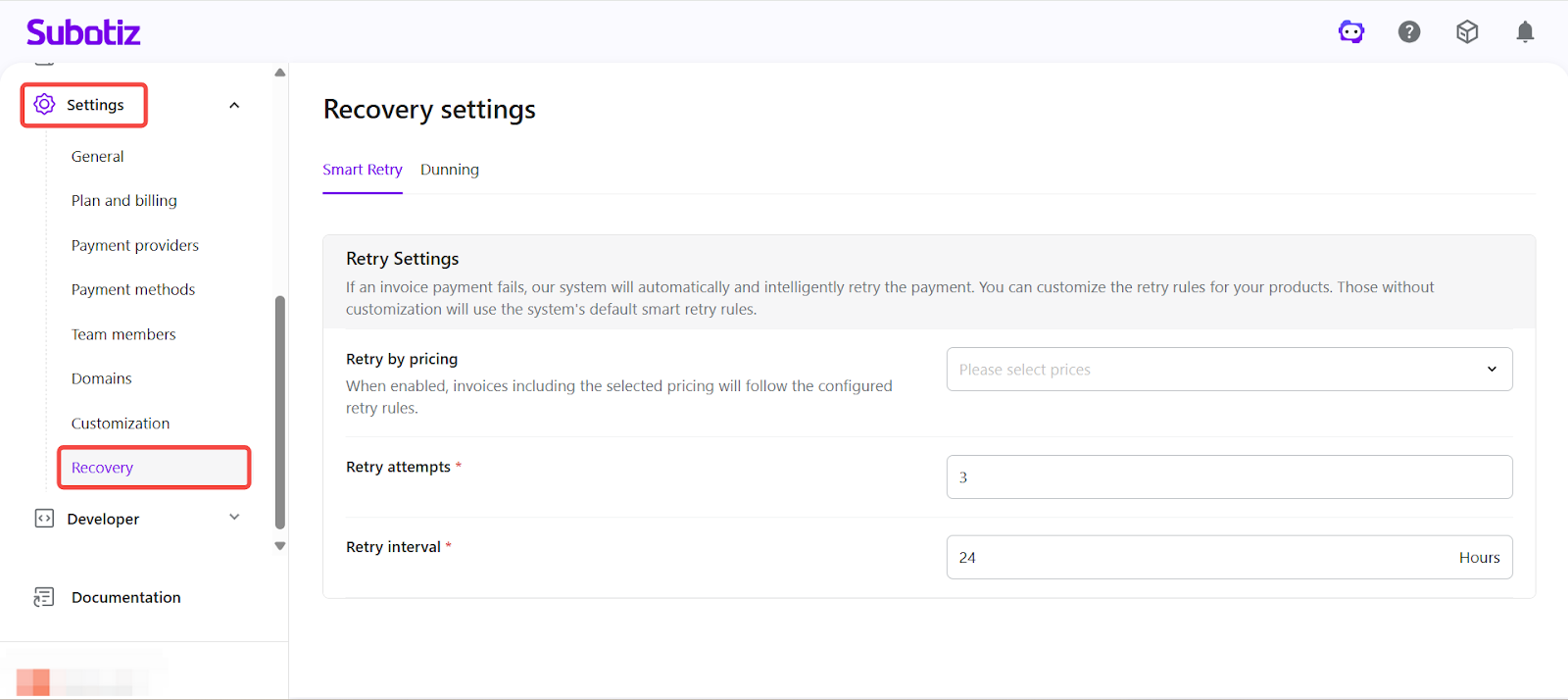
To review Recovery settings: Navigate to Settings > Recovery in your Subotiz Admin. On this page, merchants can view the overall configuration of Recovery, including the status of Smart Retry and Dunning.
For detailed configuration rules, refer to the documentation for each respective module.
Recovery provides a structured framework for managing failed subscription payments, ensuring invoice handling and subscription status remain aligned throughout the post-failure lifecycle.