Unlinking a payment method removes it from your account's automatic billing setup. Keeping payment methods up to date helps ensure that commission charges and invoice payments are processed reliably.
Unlinking a Payment Method
Remove a payment account that is no longer in use.
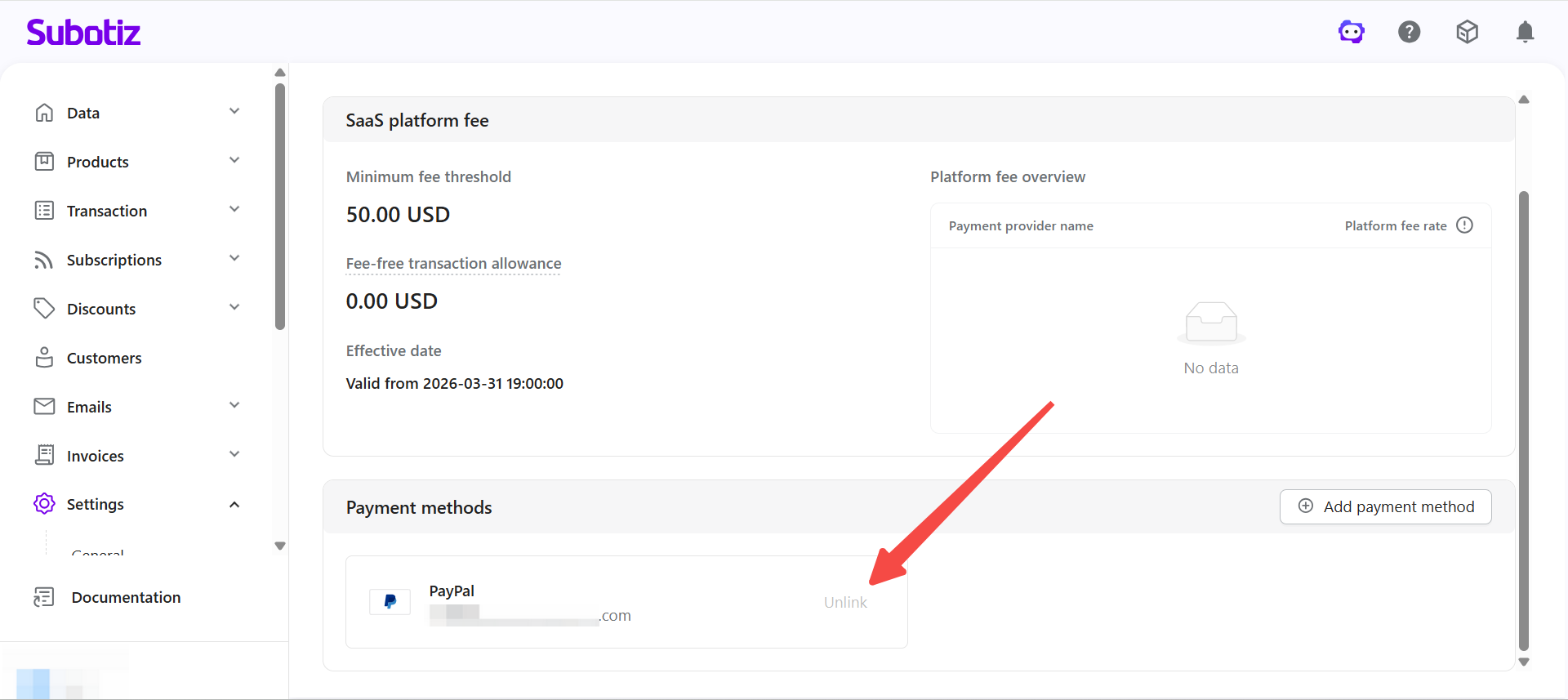
- Open the settings: Go to Settings > Plan and billing, click the Billing details tab and scroll to the Payment methods area.
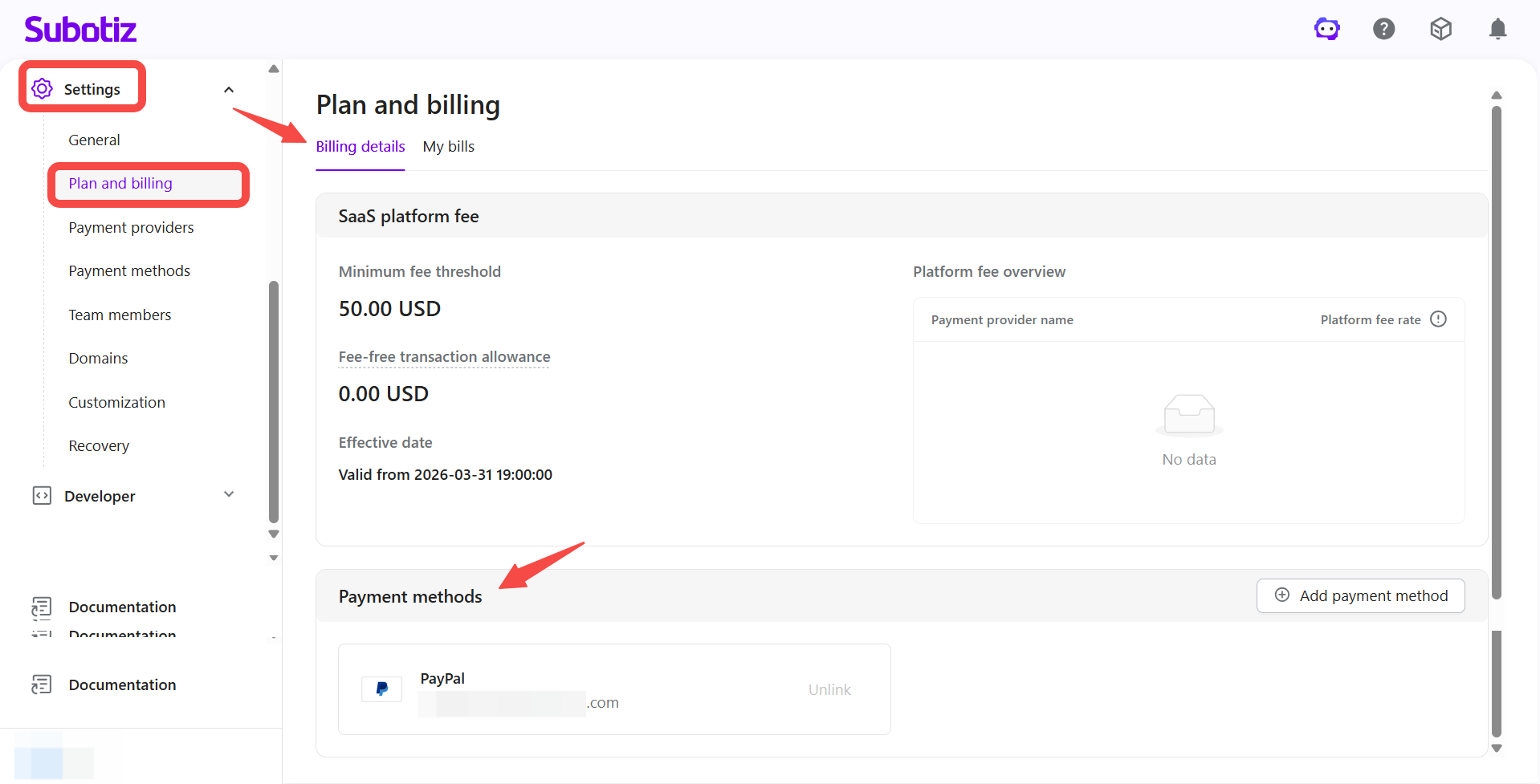
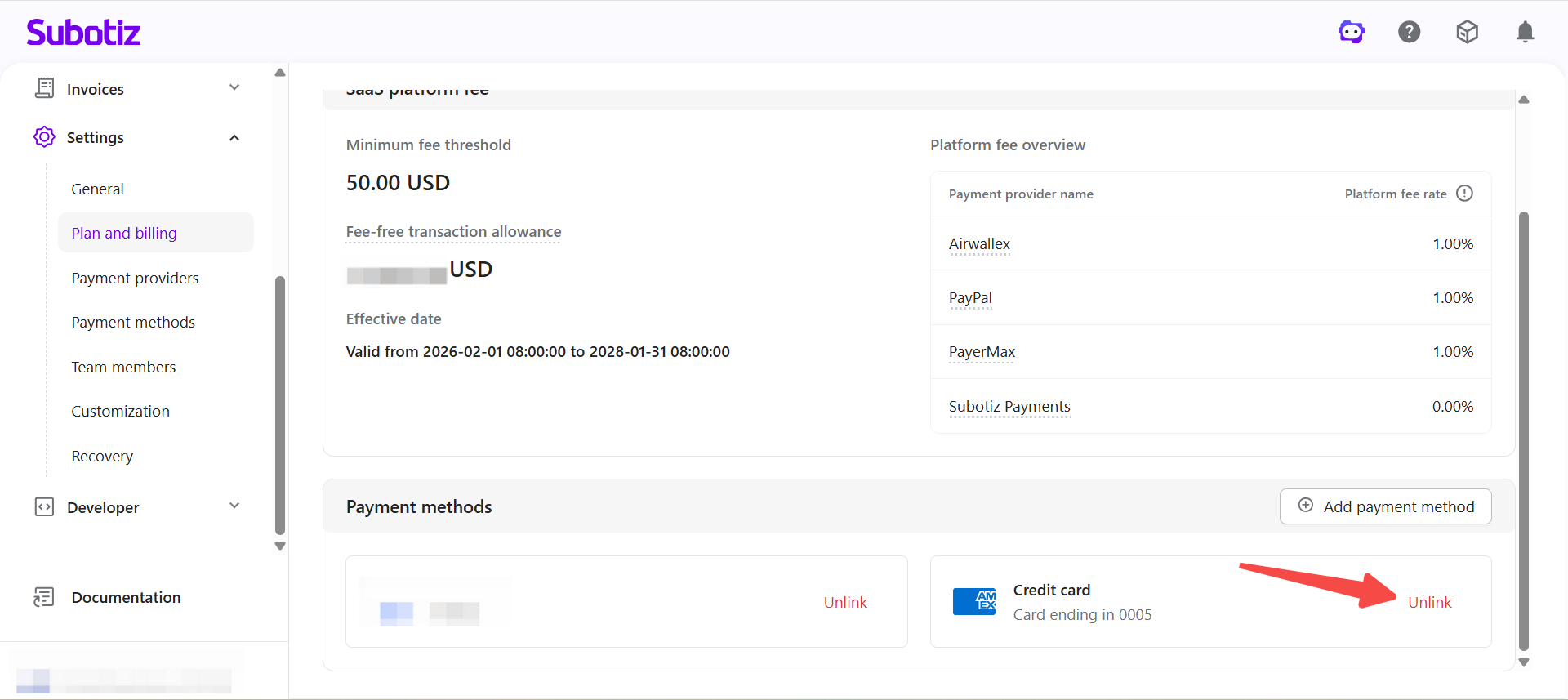
- Select the account: Find the payment method you want to remove and click Unlink.
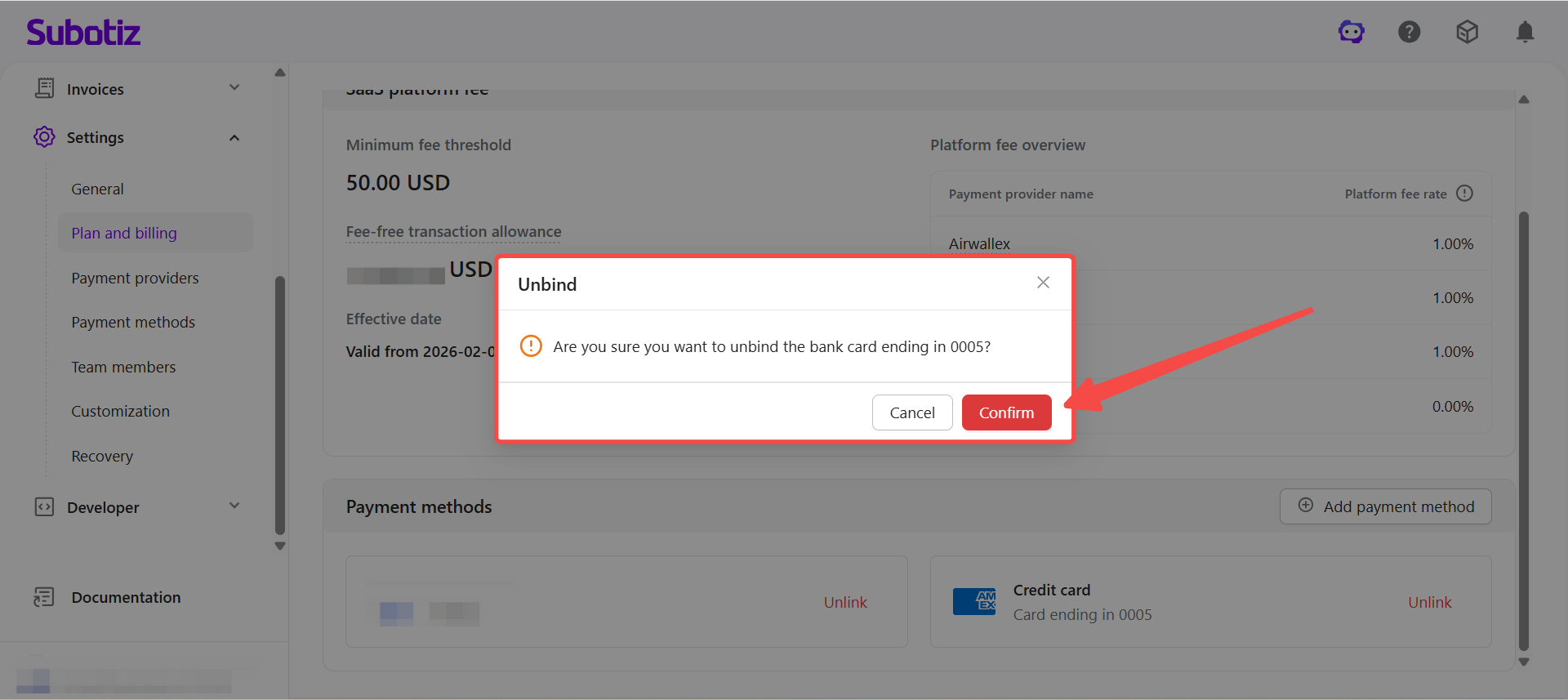
- Confirm the action: Click Confirm in the dialog that appears to complete the removal.
- Check the result: Once unlinked, the payment method is removed from the list and will no longer be used for automatic charges.
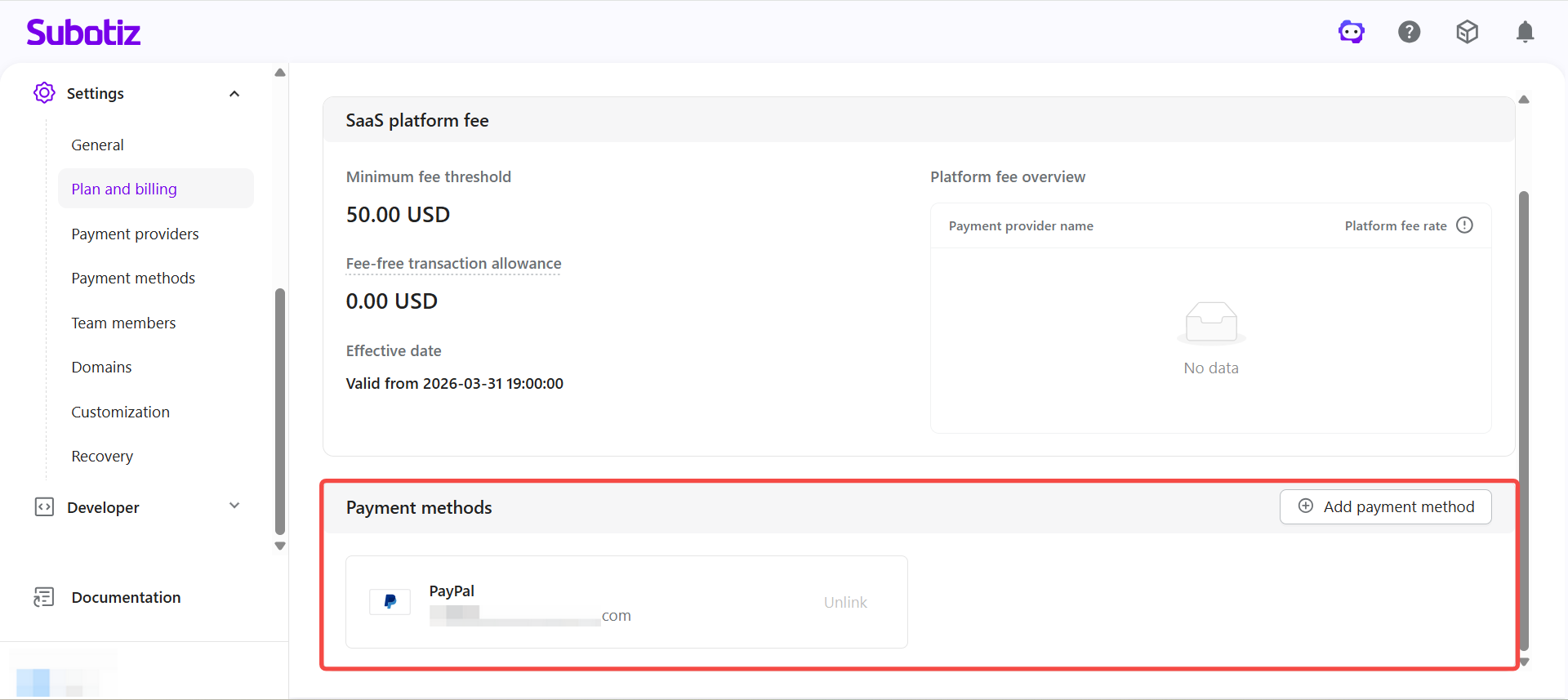
Removal Restriction
The system requires at least one linked payment method to remain active at all times.
- Last method restriction: If only one payment method is linked, the Unlink option will not be available.
- How to proceed: To remove the only linked method, first link a new payment account, then unlink the existing one.
Common Scenarios
The following situations typically call for updating or removing a payment method.
- Replacing an expired card: When a card is approaching its expiry date or has already expired, replace it to avoid failed charges.
- Changing the billing entity: Update the payment method when the business account or billing contact has changed.
- Consolidating account management: Replace a personal account with a business account to centralize financial management.
Best Practices
- Link before unlinking: Always add a replacement payment method before removing the existing one.
- Avoid billing windows: Complete any account changes before an invoice is generated or a charge is due.
- Maintain a backup: Keep at least two payment methods linked at all times.
- Review regularly: Remove expired or inactive accounts to keep your payment setup current.
The system prevents removal of the last linked payment method to ensure billing continuity. Keeping payment methods up to date helps maintain stable billing operations.