The Unbinding Payment Methods feature in Subotiz lets merchants remove cards or accounts that are no longer valid. This keeps billing details secure, up to date, and ensures SaaS fees and commission charges continue without disruption.
Unbinding a Payment Method
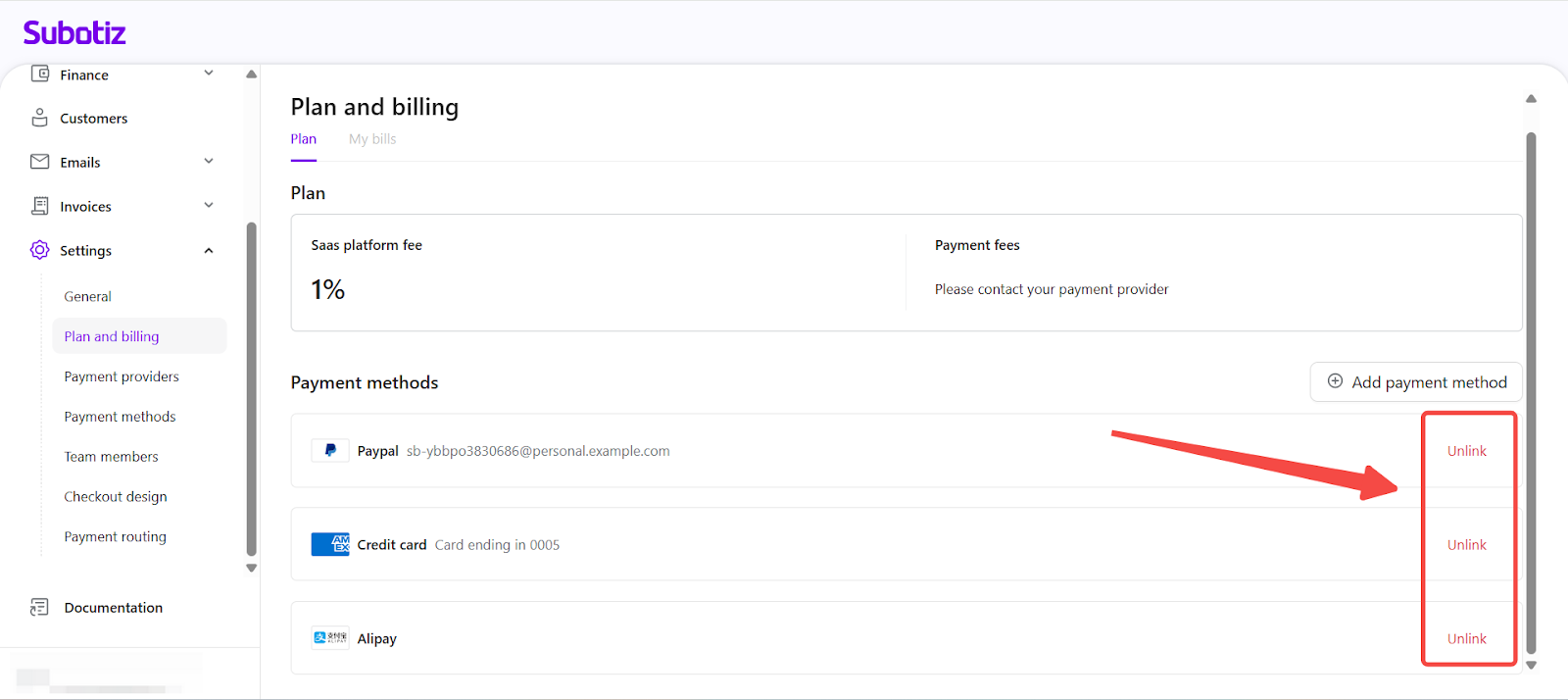
- Select method: In the Subotiz admin, go to Settings > Plan and billing > Payment methods. Choose the account or card to be removed and click Unlink.
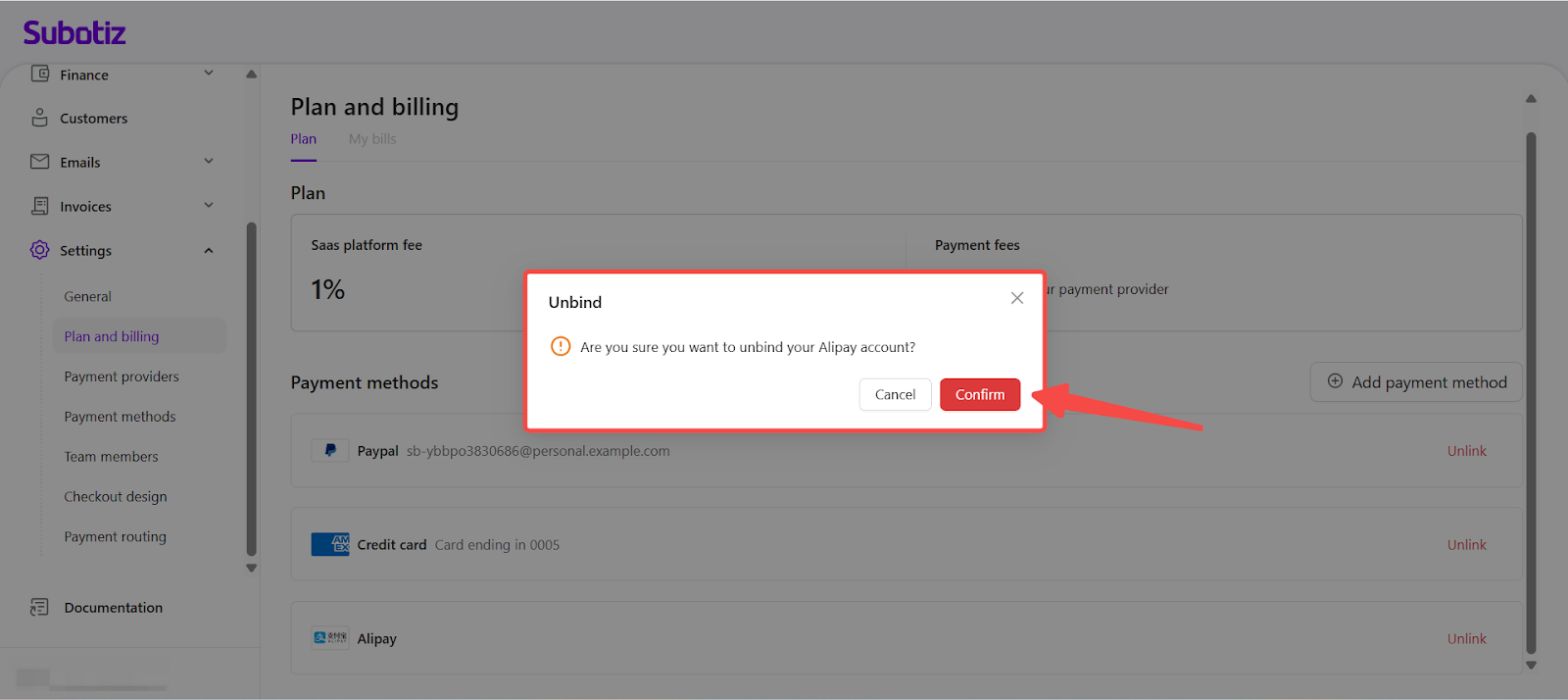
- Confirm unbind: A confirmation prompt appears. Select Confirm to finalize the unbinding. Once confirmed, the method will no longer be available for payments.
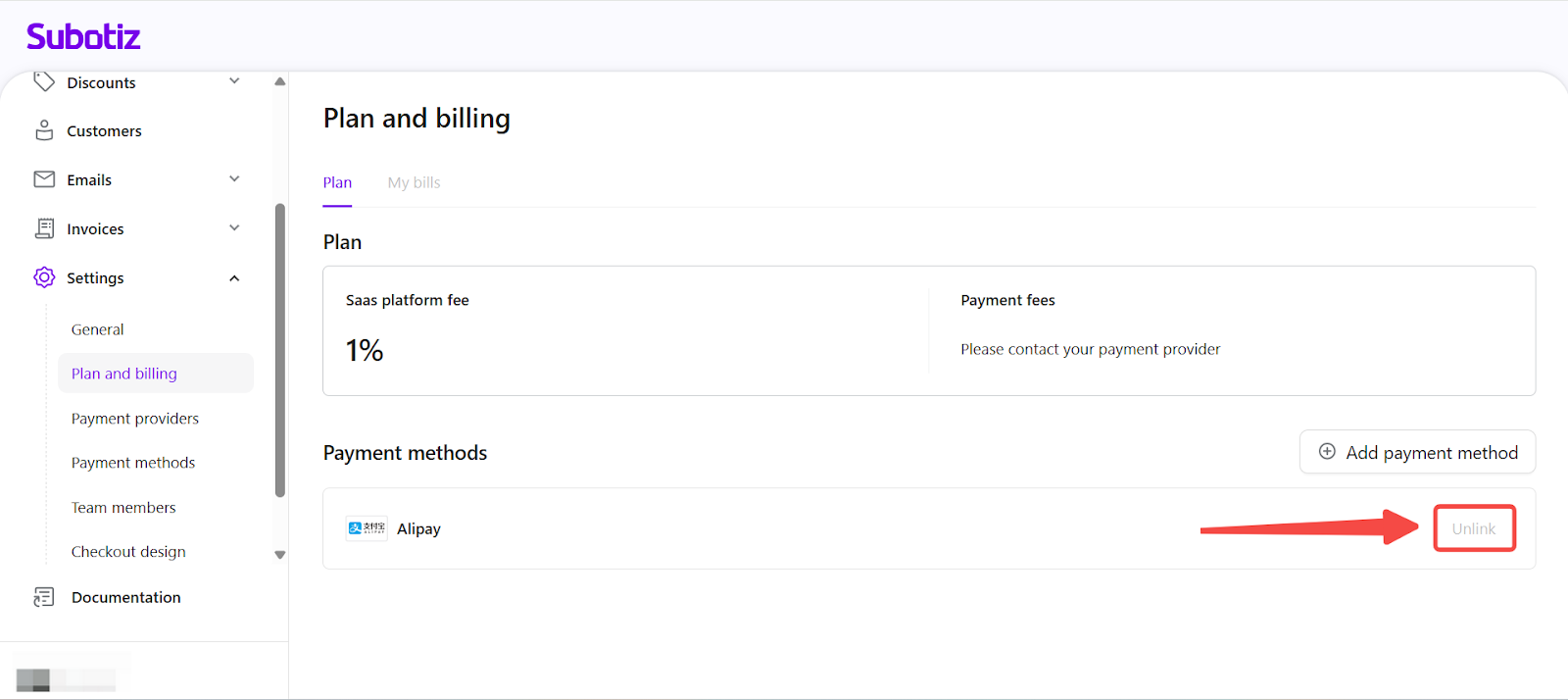
- Restriction: The last active payment method cannot be removed. The Unlink option is disabled for the final bound account or card to guarantee continuous billing.
Common Scenarios for Unbinding
- Expired card: Merchants replace a card nearing expiry to prevent failed deductions.
- Company card change: Businesses update billing details when switching to a new corporate account.
- Ownership transfer: Merchants remove a personal account when migrating billing to a company-owned account.
Best Practices
- Add before removing: Bind a new method before unbinding an old one.
- Check timing: Update payment methods in advance if a billing date is near.
- Maintain multiple active methods: Keep more than one method bound to ensure fallback if one fails.
- Remove outdated accounts: Unbind expired or unused methods to keep the list secure and accurate.
The Unbinding Payment Methods feature enables merchants to securely remove outdated accounts while maintaining billing continuity. Safeguards prevent the last active method from being removed, ensuring uninterrupted fee deductions and flexibility in updating payment details.