The pending balance page shows all unsettled transactions and their amount breakdown, including pending balance, settlement cycle, and net settlement amount. When funds haven't arrived as expected, merchants can use this page to check fee deductions and estimate when each transaction will clear.
Accessing the Pending Balance Page
- Open pending balance details: Go to Finance > Balance, then select Pending balance > View to open the unsettled transaction list.
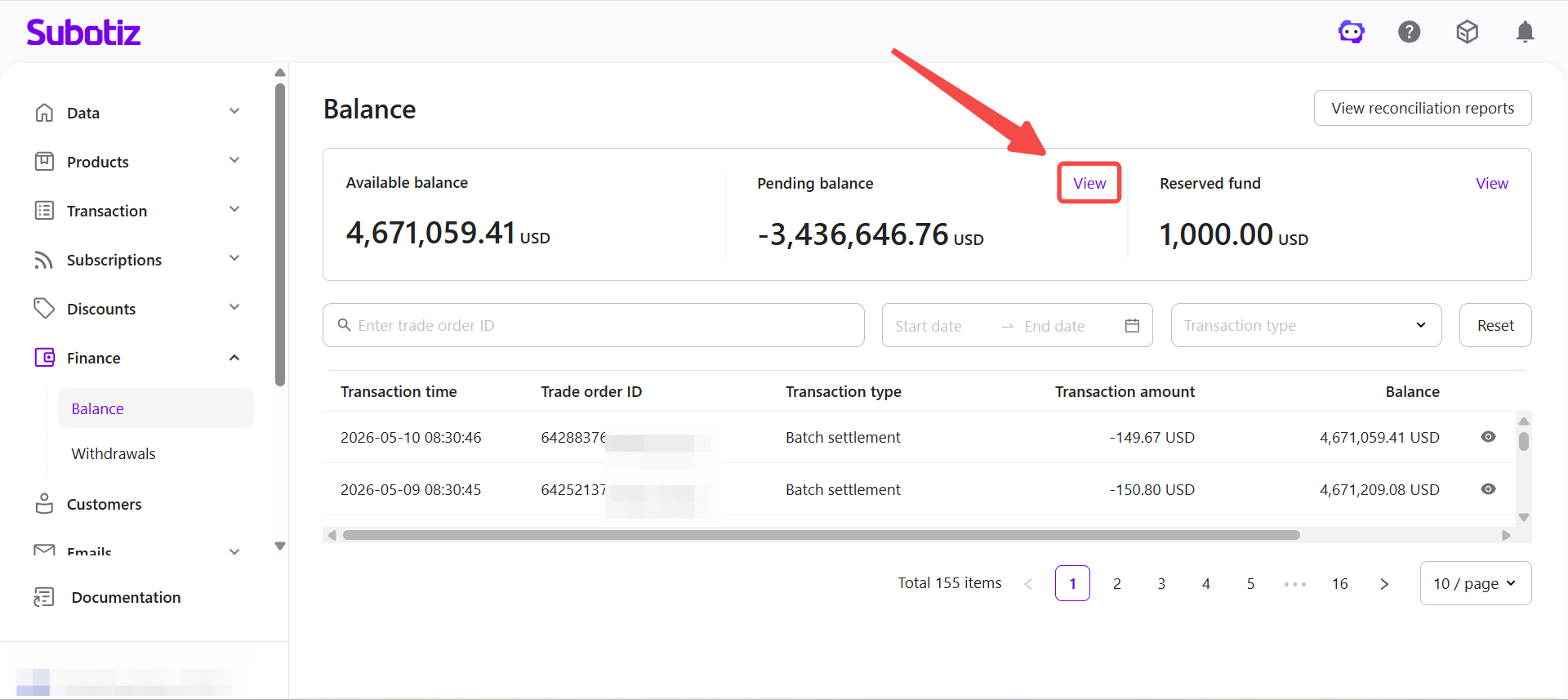
Viewing Pending Transaction List
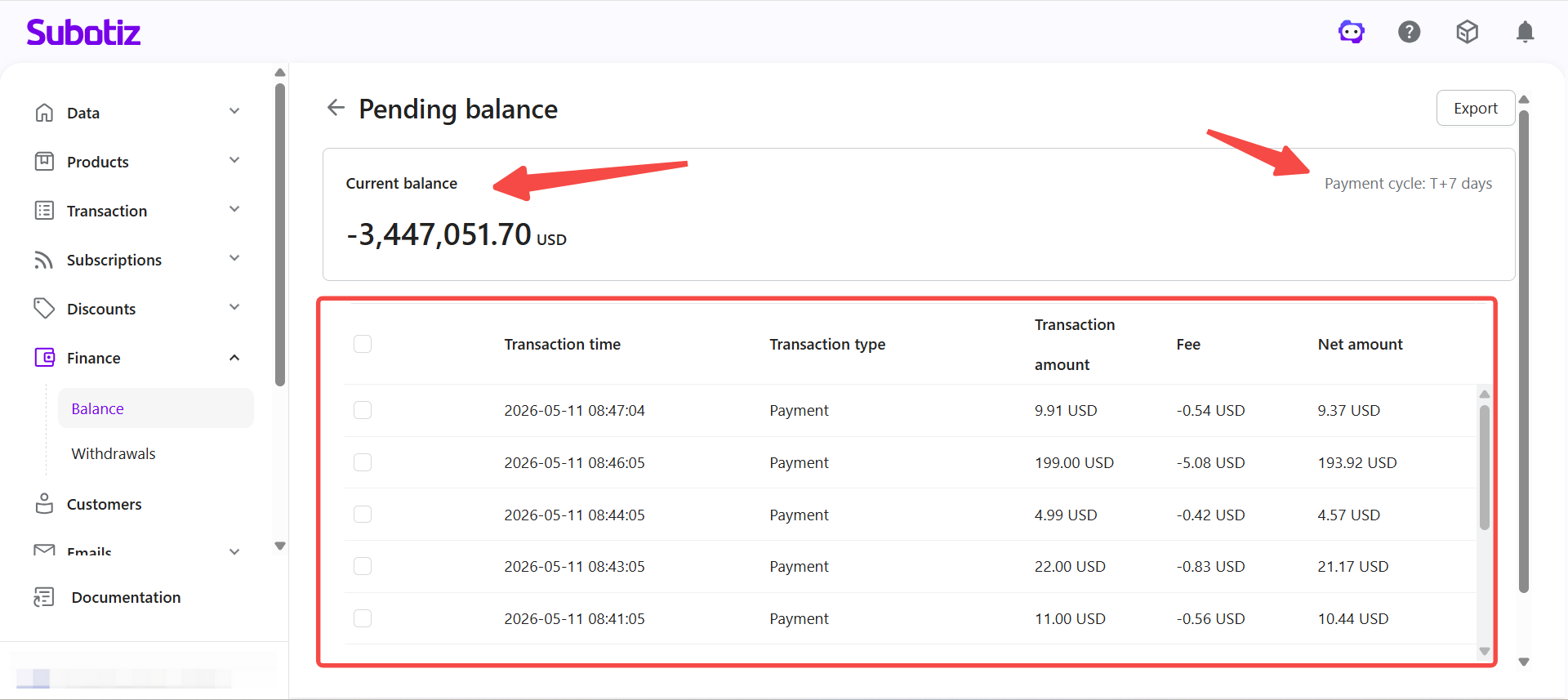
The pending balance page displays all transactions still within the settlement cycle.
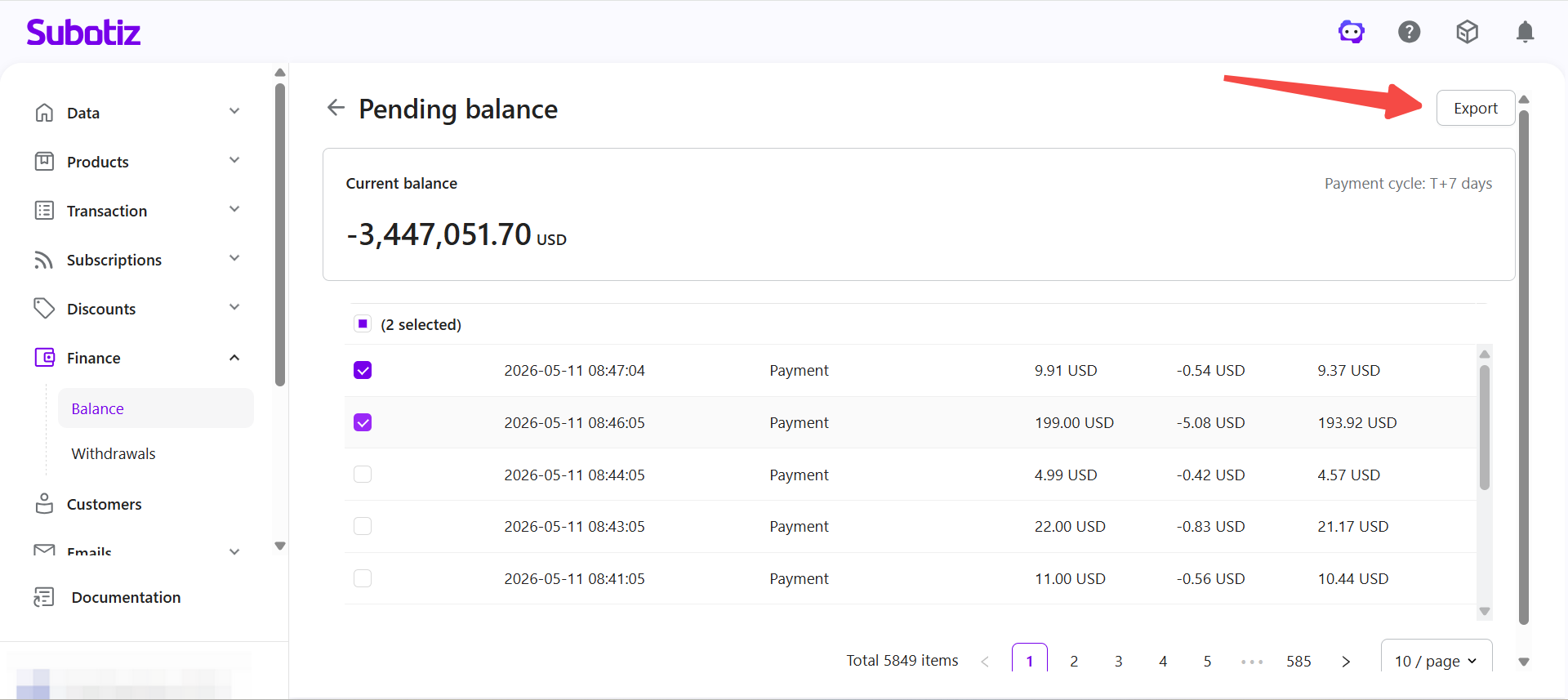
- Current balance: The total amount currently in the settlement process is displayed at the top of the page.
- payment cycle: The configured settlement period, such as T+7, is shown at the top of the page.
- Transaction list: All unsettled transactions are listed below with their corresponding amount structure.
Checking Transaction Amount Breakdown
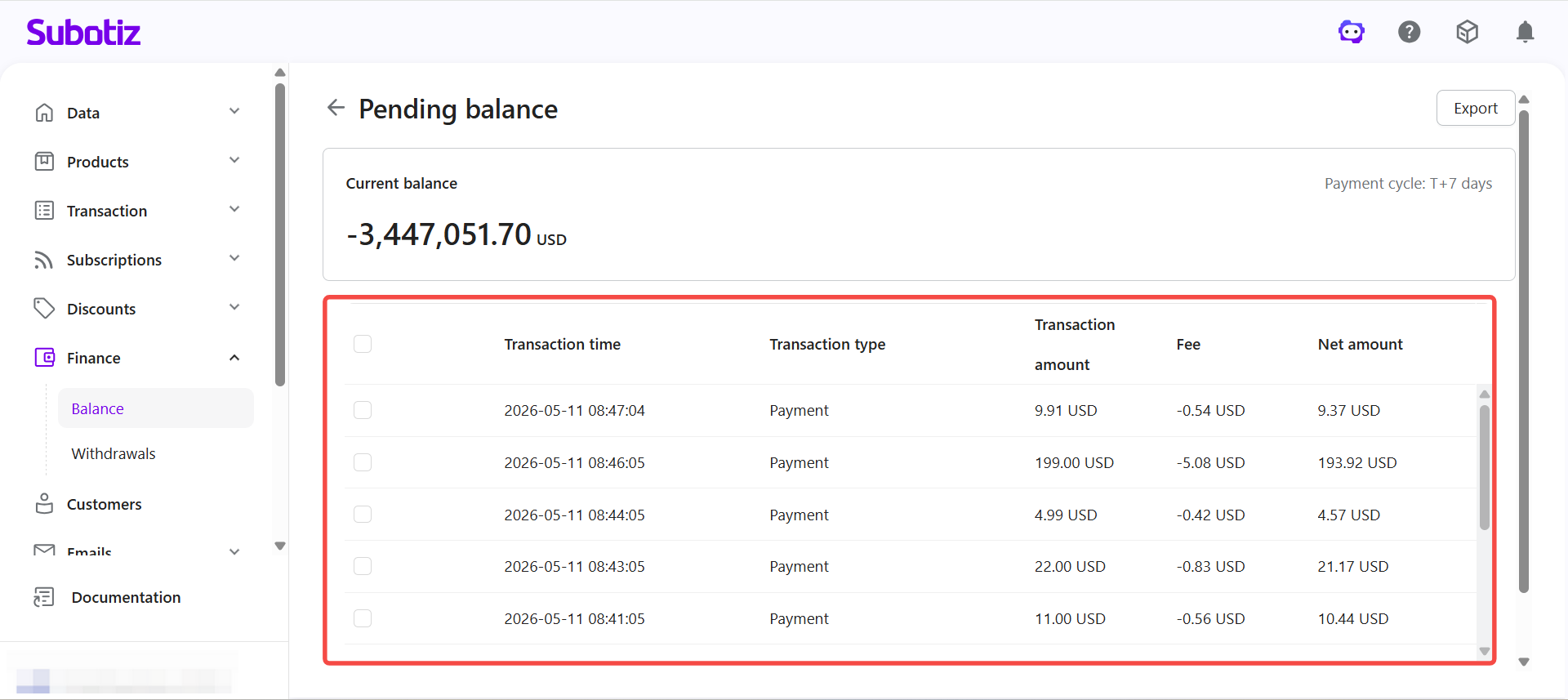
Each transaction shows a structured breakdown used to confirm the expected settlement amount.
- Transaction time: When the transaction entered the pending balance.
- Transaction type: Category of fund movement, such as online payment.
- Transaction amount: Original amount paid by the customer before deductions.
- Fee: Transaction fee automatically deducted based on account terms.
- Net amount: Amount expected to settle into the available balance after deductions.
Estimating Fund Arrival Timing
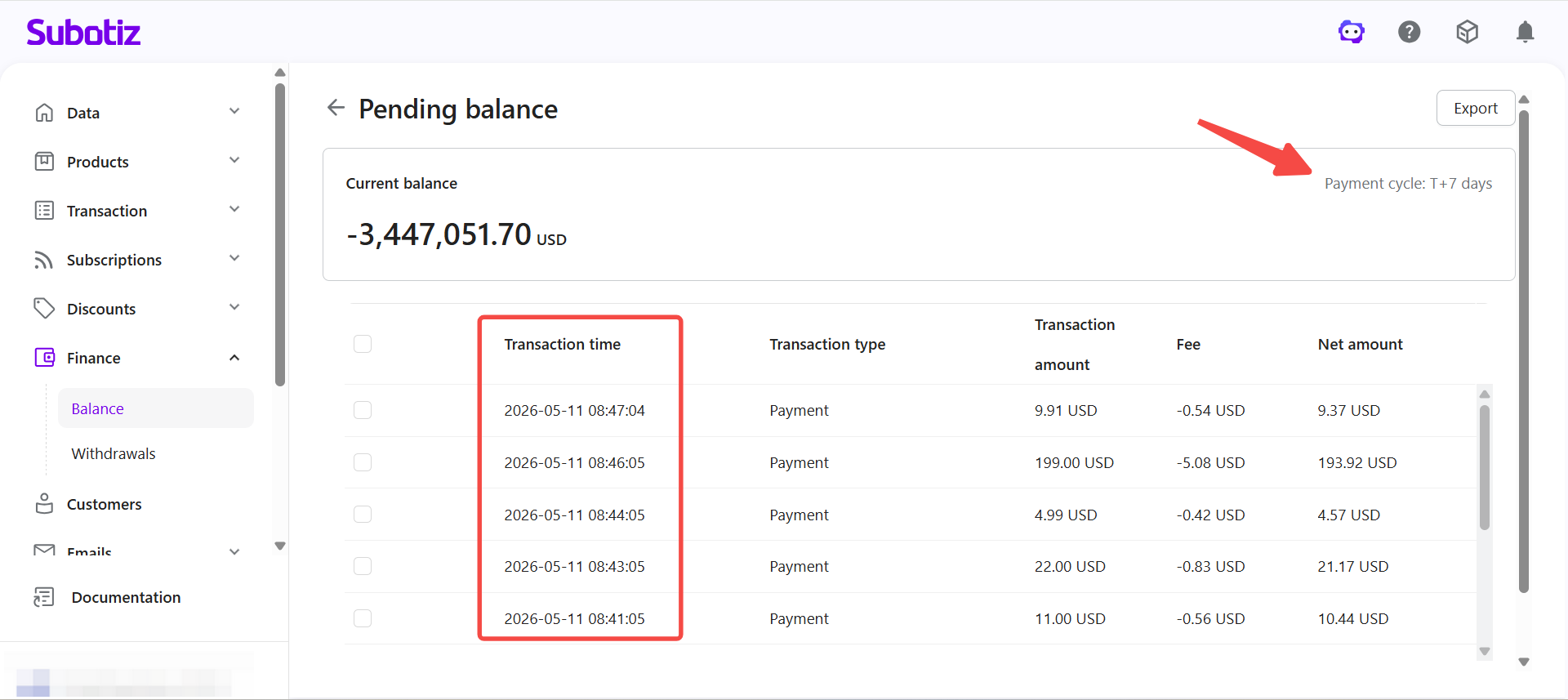
Settlement timing depends on both the settlement cycle and the transaction timestamp.
- Confirm settlement cycle: Verify the configured cycle, such as T+7, shown at the top of the page.
- Compare transaction time: Use the transaction timestamp to determine whether the cycle has elapsed.
- Confirm settlement status: Funds still within the cycle will not appear in the available balance until the period ends.
Exporting Pending Balance Data
- Select transactions: Check the records to export from the list.
- Run the export: Click Export in the top right corner to generate the file.
- Download the file: Once processing completes, download the file for reconciliation or analysis.
Investigating Unsettled Funds
When funds have not moved to the available balance as expected, work through the following checks in order.
- Confirm settlement period: Verify whether the transaction is still within the configured settlement cycle.
- Review transaction timing: Determine whether the settlement date has been reached.
- Identify deductions: Check whether fees or reserve amounts have reduced the expected settlement figure.
- Look for reversals: Identify any refunds or disputes affecting the transaction.
The pending balance page provides a full amount breakdown for each unsettled transaction, including the original amount, fee, and net settlement figure. Funds remain in the pending balance until the settlement cycle completes. Use the transaction timestamp and settlement cycle together to estimate when funds will become available.