The Description and Detail View features in Subotiz provide context for each transaction in the Balance section, showing the purpose of each entry and when settlement data is available for reconciliation and audits.
Accessing the Transaction List
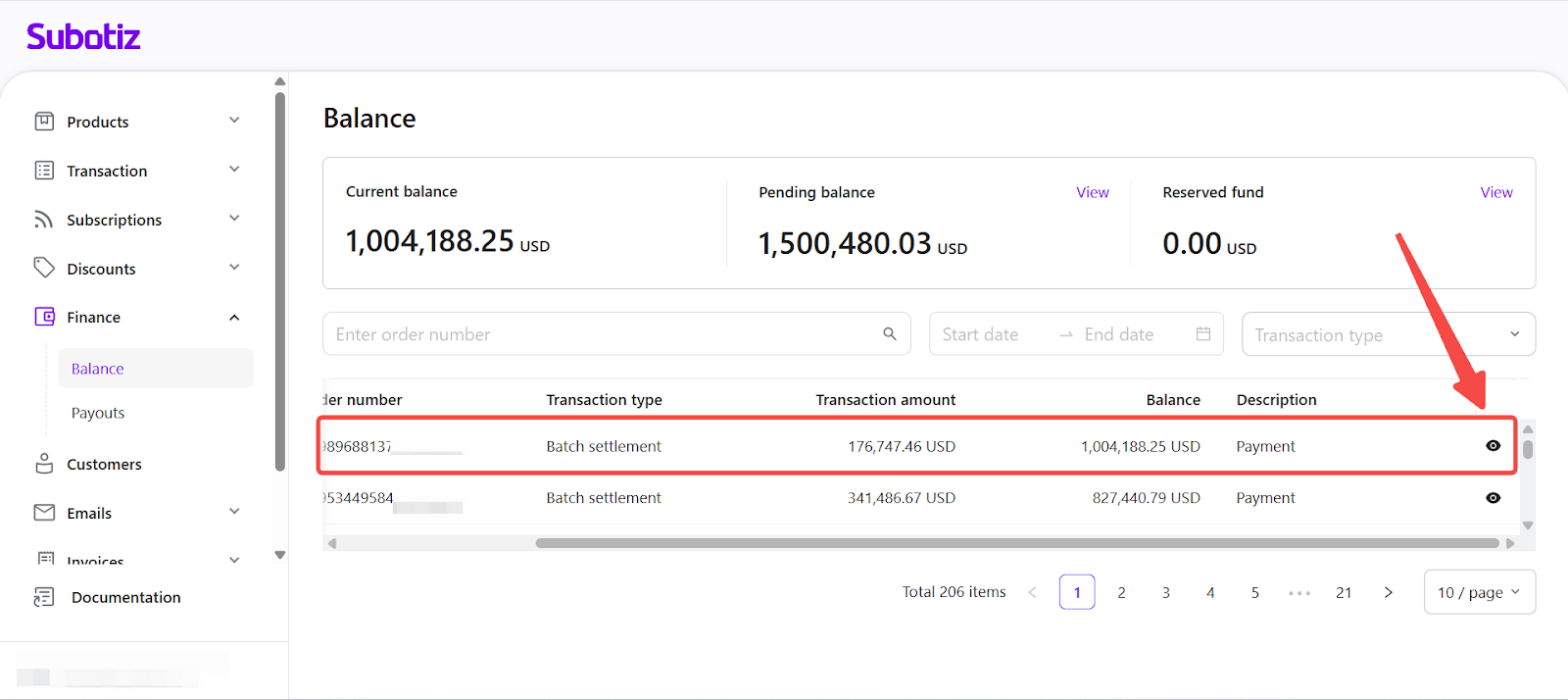
- Access transaction list: In the Subotiz admin, go to Finance > Balance and scroll to Transaction list. The Description column shows a system-generated label for each transaction type. An eye icon shows that detailed records are available; select it to open the detail panel.
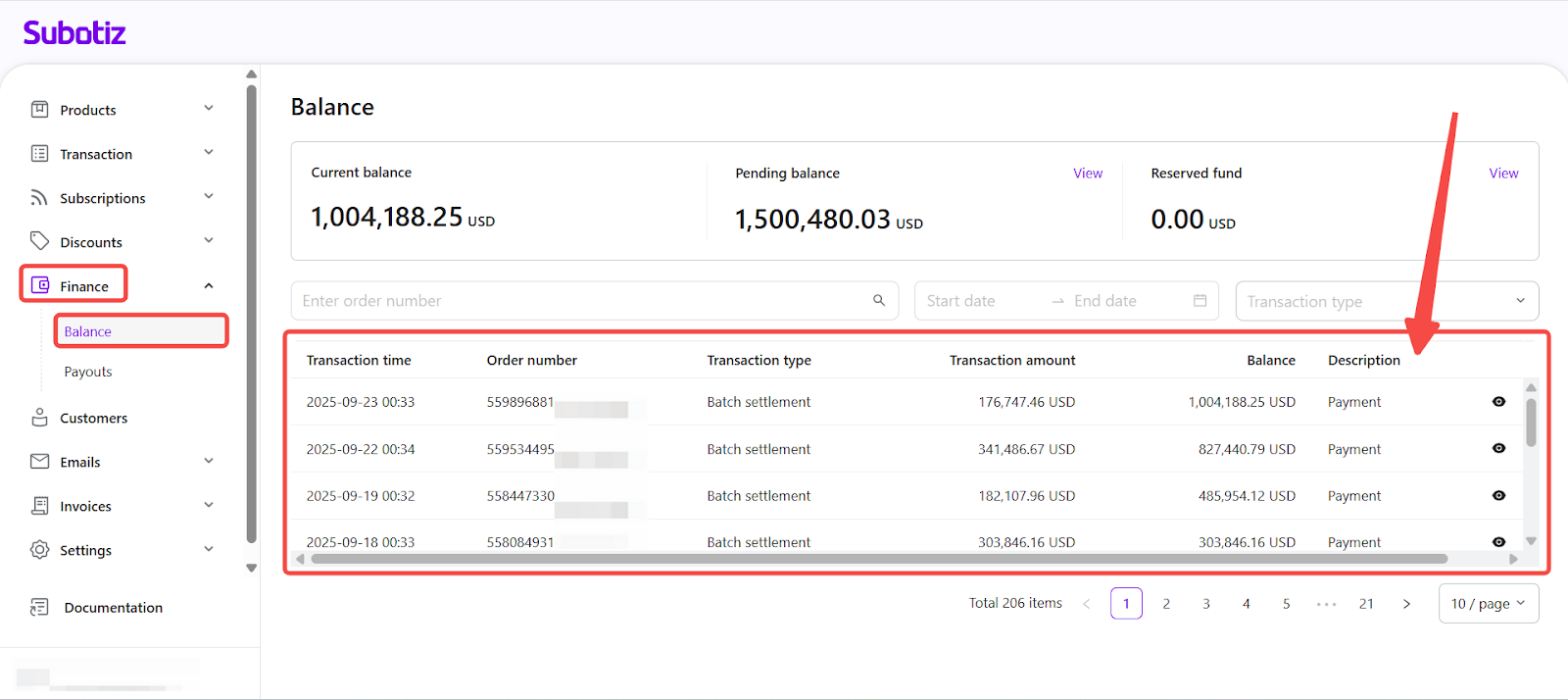
Description Column
- Purpose: Provides a consistent, system-generated summary of the transaction type for classification.
- Editability: Labels are fixed and cannot be modified by merchants.
- Detail indicator: An eye icon shows that the system has stored a detailed transaction record for review.
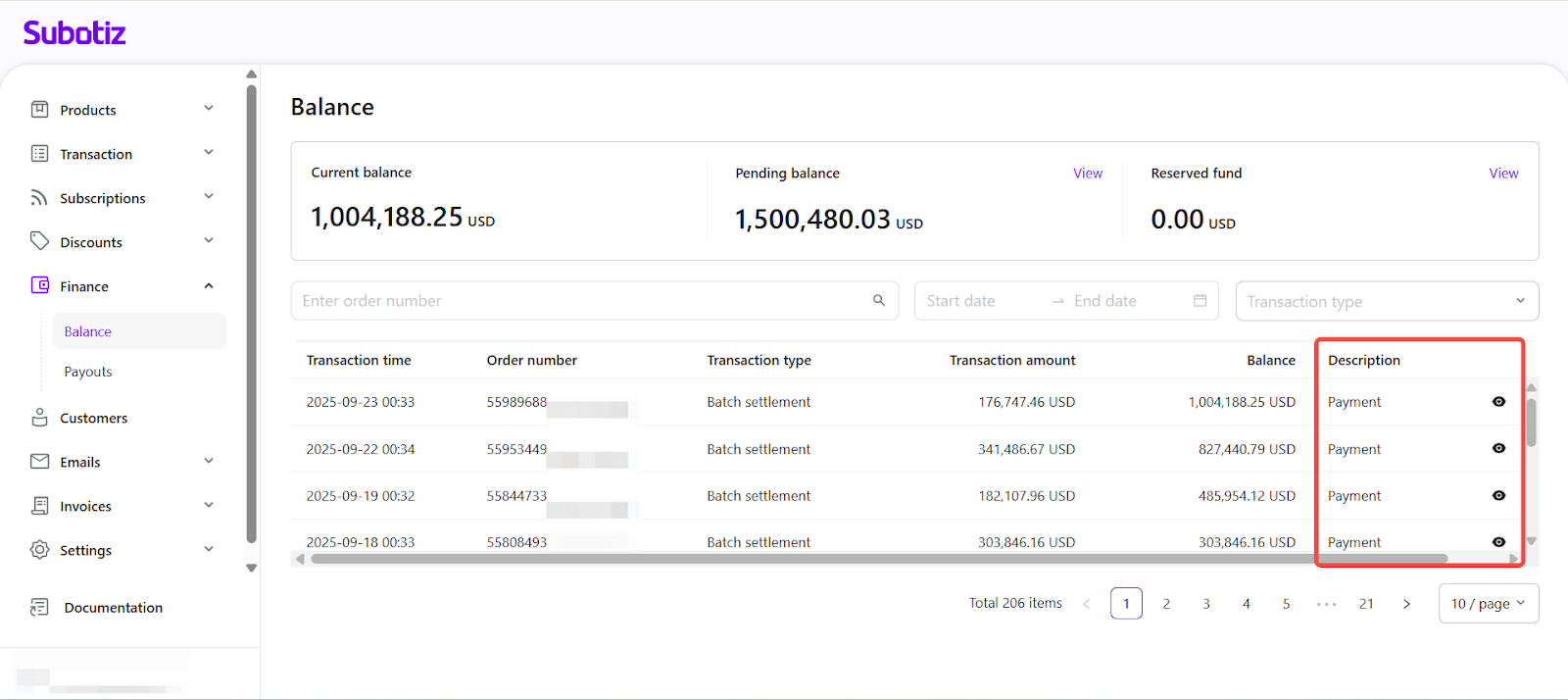
Examples of Description Types
Description Type | Purpose | Detail View |
|---|---|---|
Available balance payout | Transfer of available funds to the merchant’s payout account. | ✅ |
Payment | Customer payment credited to the account. | ✅ |
Online payment | Payment received via online checkout methods. | ✅ |
Return funds caused by failed payout | Funds returned to the account after a payout failure. | ❌ |
Active account fee deduction | Deduction of periodic account maintenance or service fees. | ❌ |
Any negative balance caused by previous outgoing amounts, chargebacks, or refunds after account restrictions will be debited from your payout account | Debit to cover a negative balance caused by previous outgoing transactions, chargebacks, or refunds after account restrictions. | ❌ |
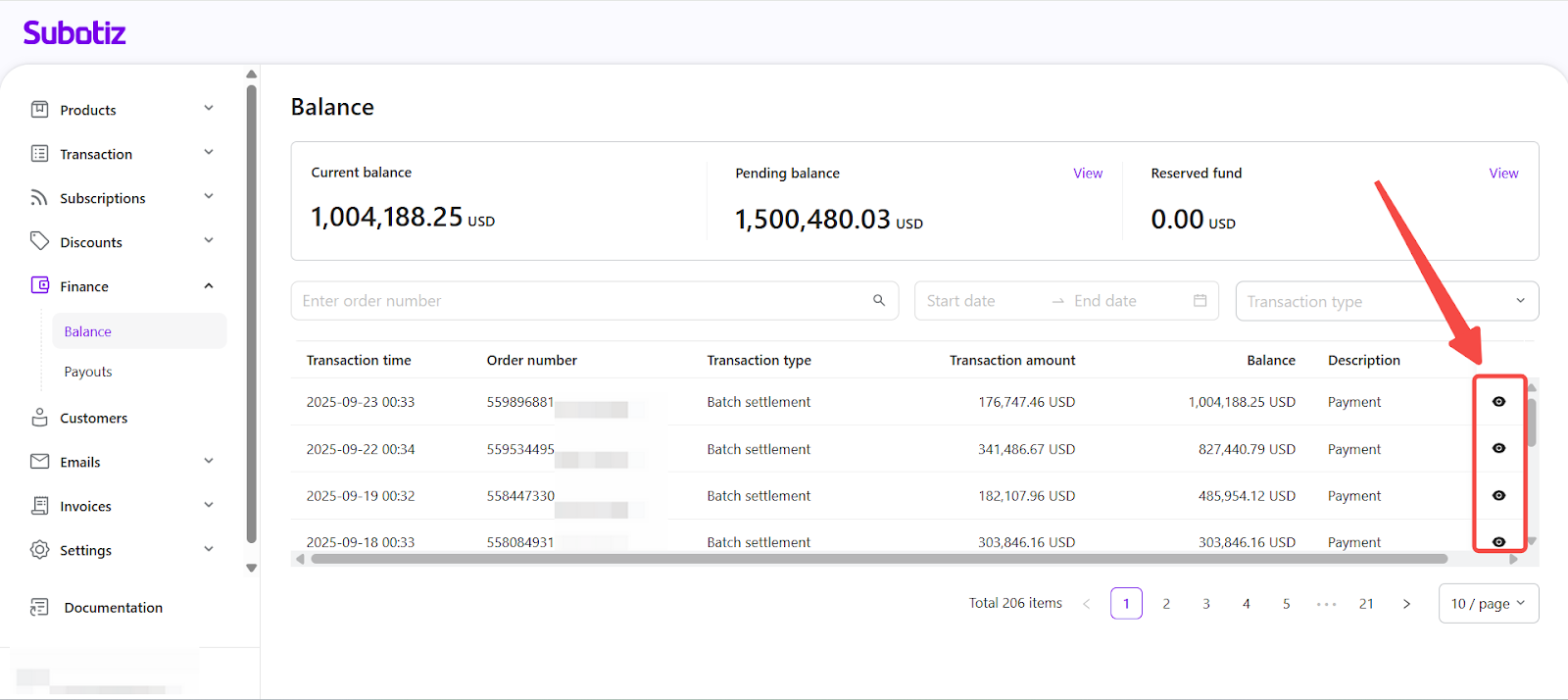
Detail View Formats
The detail panel layout depends on the transaction type and the settlement data available.
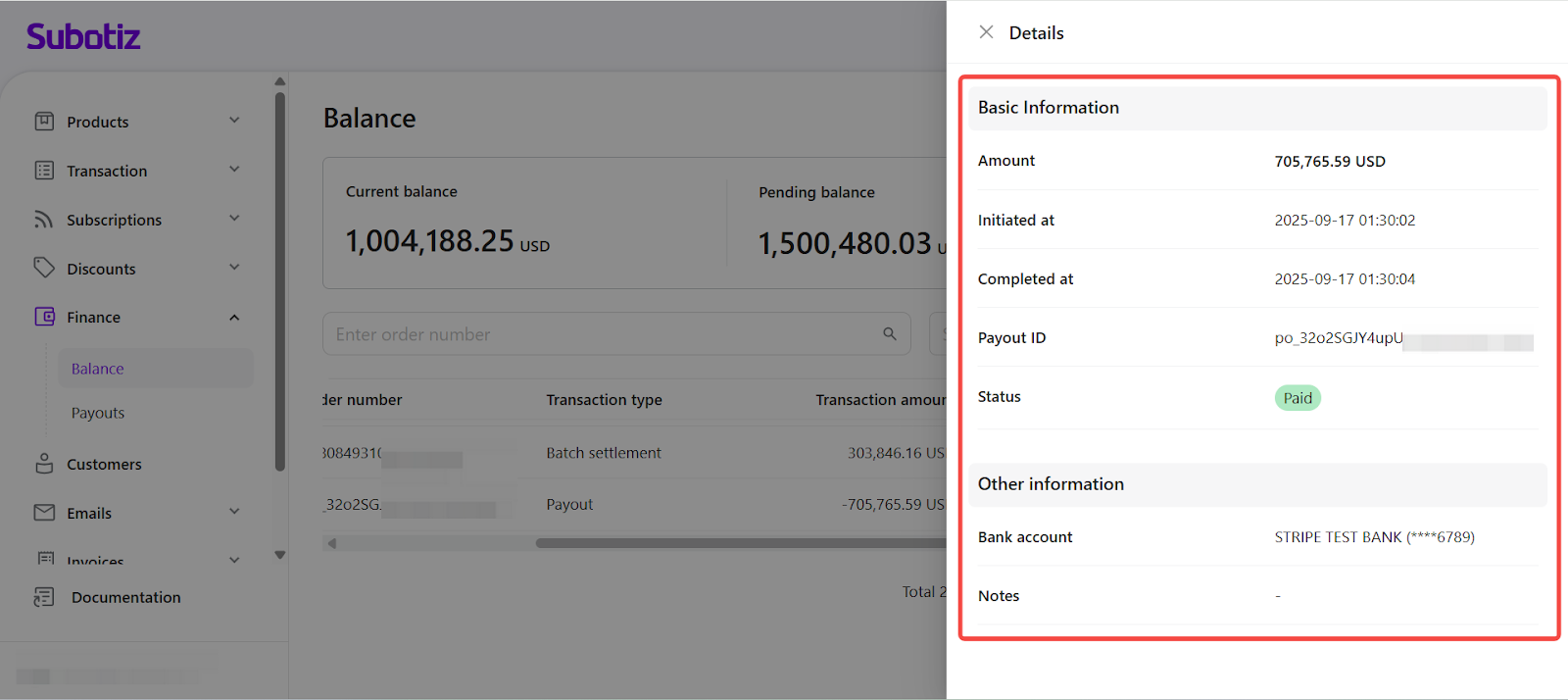
- Standard detail view
- Type: Balance movement record without linked customer payment data.
- Common examples: Available balance payout
- Fields included:
- Basic Information: Amount, Initiated time, Completed time, Payout ID, Status.
- Other Information: Linked bank account, Internal notes.
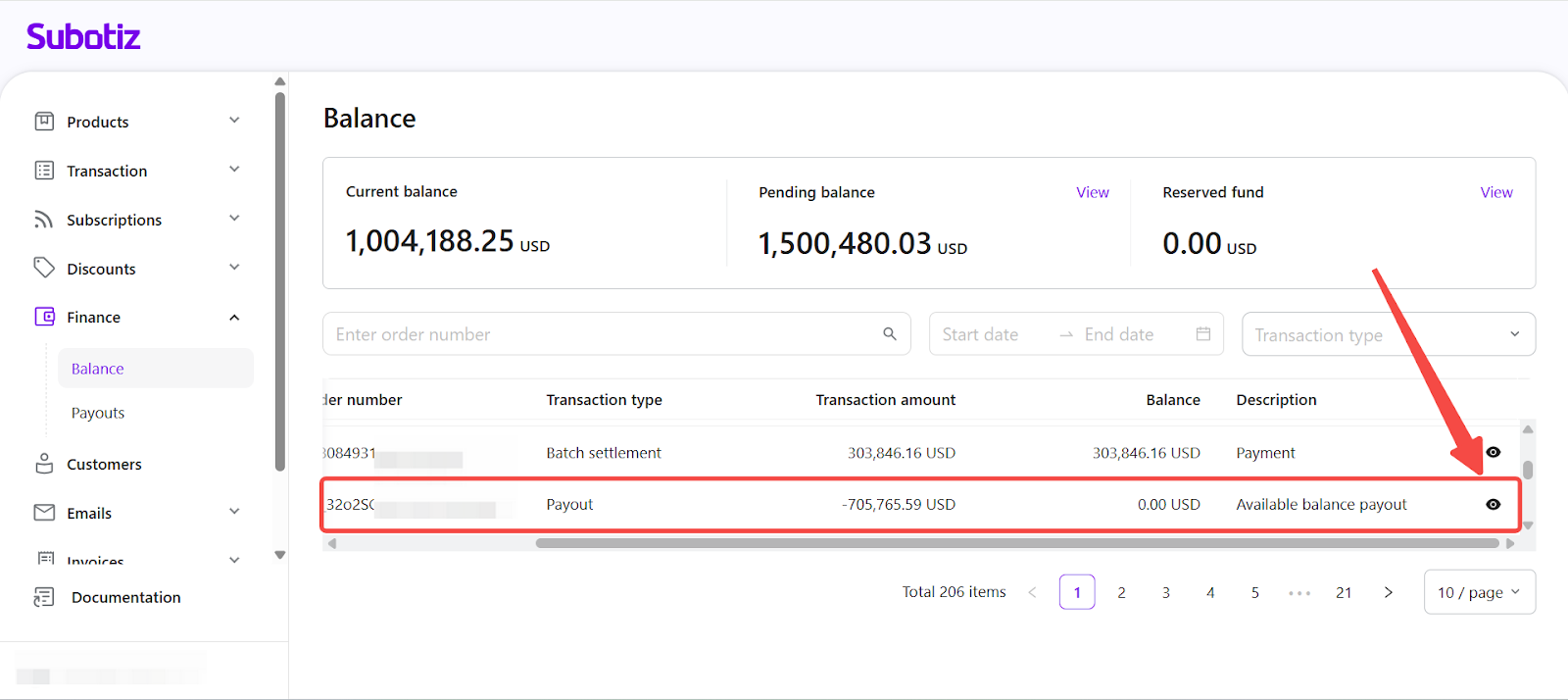
- Payment and settlement detail view
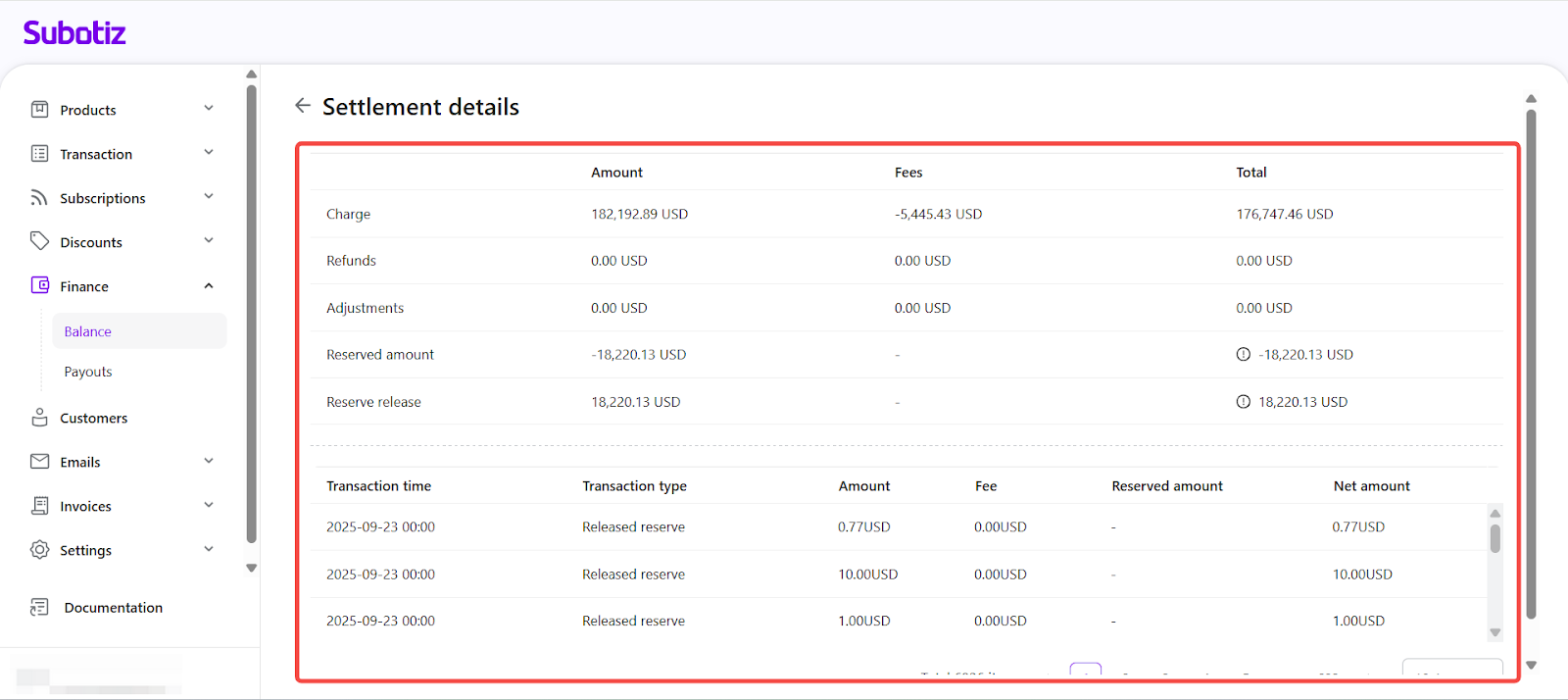
- Type: Sales or settlement record (complete settlement data available).
- Common examples: Payment, Online payment
- Fields included:
- Settlement details: Payment method and full transaction breakdown, including gross amount, fees, reserved amount, and net amount.
By using the Description column and checking when Detail Views are available, merchants can quickly identify the purpose of each transaction. This also gives them access to the settlement data needed for accurate reconciliation and reporting.