The transaction and settlement detail page shows a full breakdown of an individual transaction, including payment amount, fees, reserve fund, and net settlement amount. Use this page to verify how a specific transaction was calculated, investigate unexpected balance changes, or confirm the final settled amount.
Opening Transaction Details
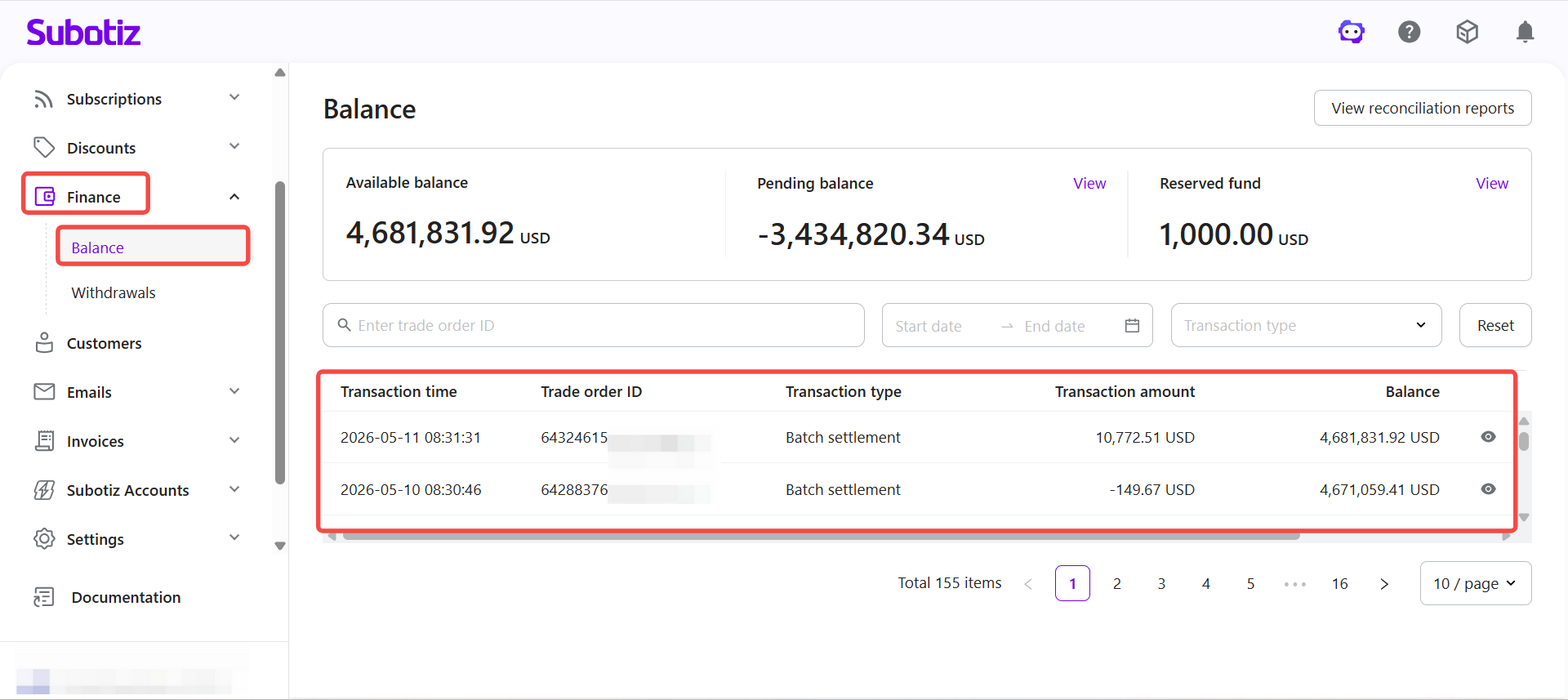
- Open the transaction list: Go to Finance > Balance to view the transaction record list.
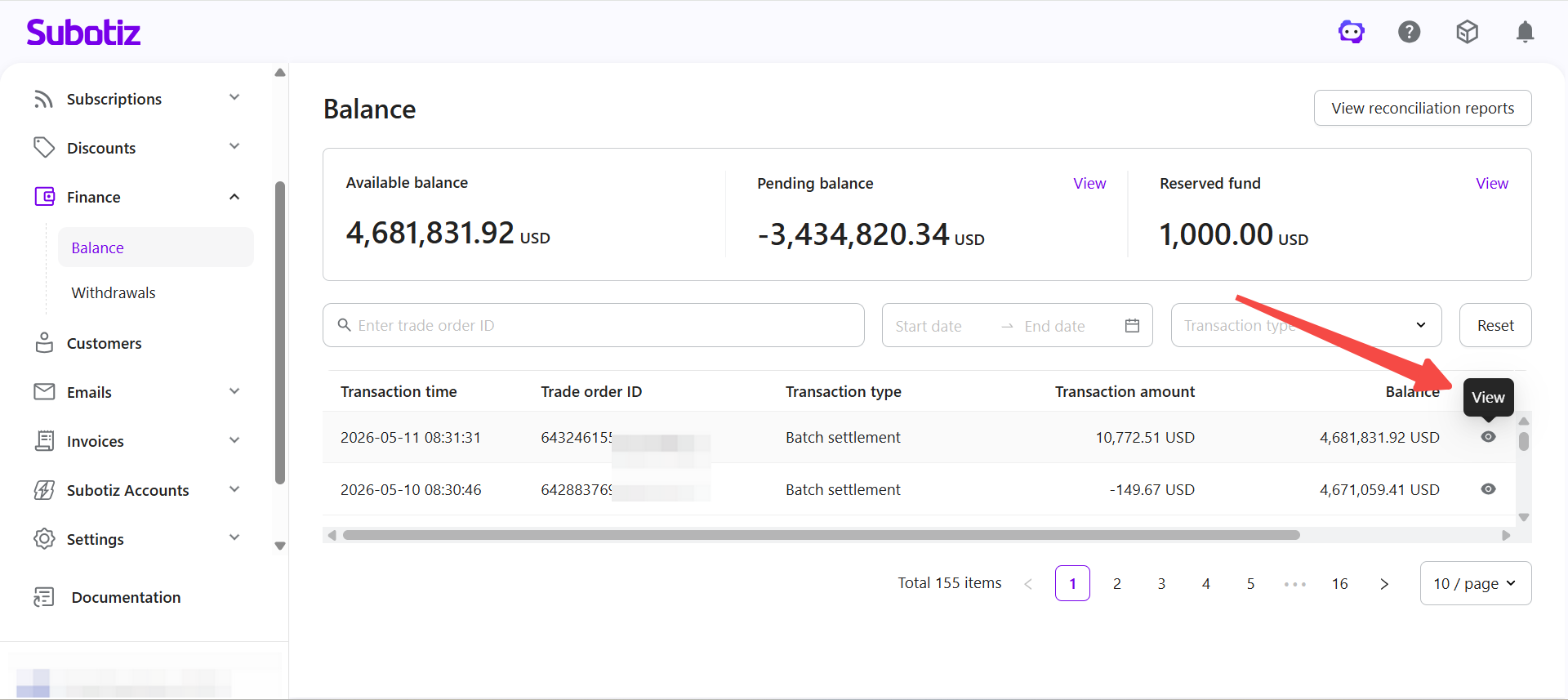
- Expand transaction details: Click the view icon on any record to open the detail page for that transaction.
Reviewing Fund Composition
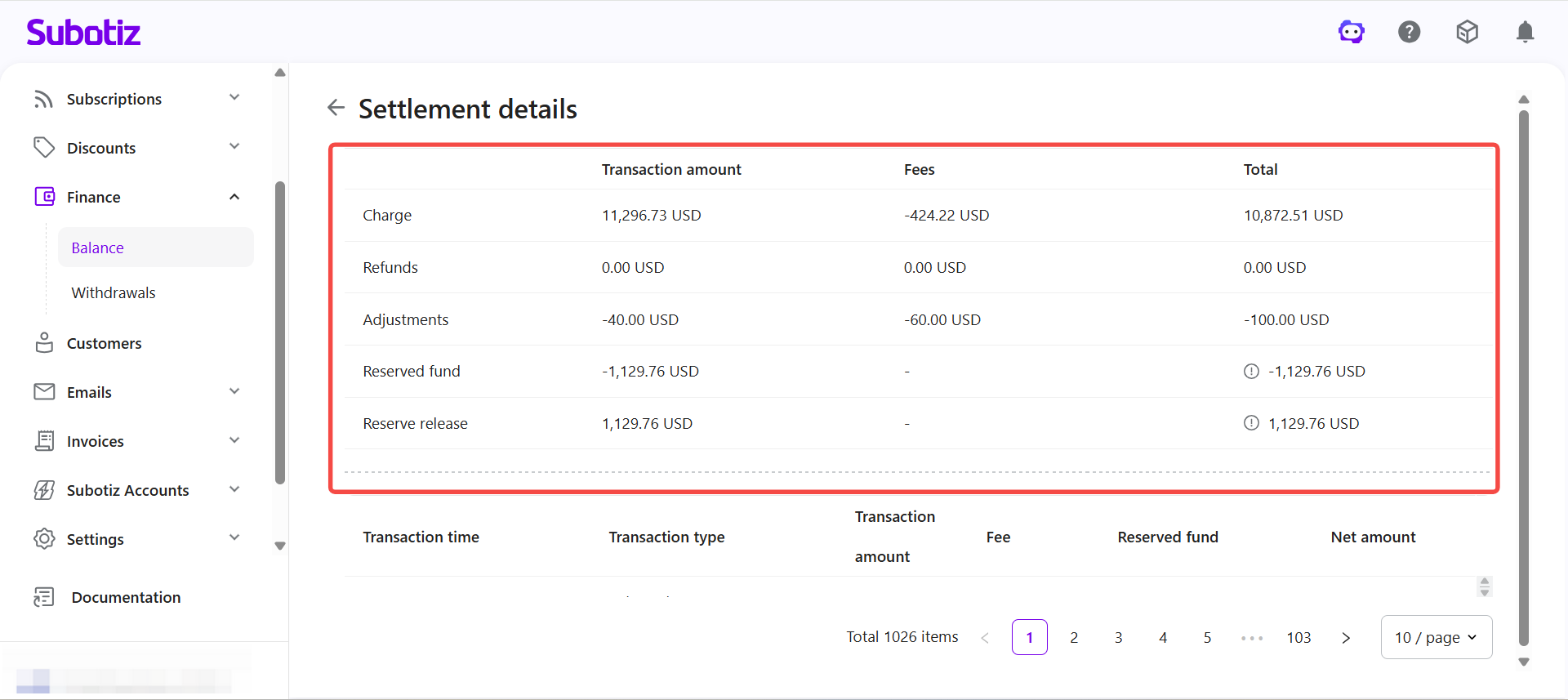
The page displays the fund components for the transaction based on its type and settlement status. Each component reflects how funds moved in or out of the account.
- Charge: Amount received from the customer.
- Refunds: Amount returned to the customer, shown as a negative value.
- Adjustments: Manual or system-applied balance change.
- Fees: Transaction fee deducted during processing.
- Reserved fund: Amount held under the reserve policy.
- Reserve release: Previously held reserve funds returned to the settlement flow.
These components determine the final settlement amount for the transaction.
Checking the Settlement Detail List
The lower section of the page lists all entries that make up the settlement for this transaction.
- Transaction time: When the fund movement was processed.
- Transaction type: The nature of the entry, such as payment, chargeback, or reserve release.
- Amount: The original amount for that entry.
- Fee: The fee deducted for that entry.
- Reserved fund: The reserve amount applied.
- Net amount: The final amount counted toward settlement after deductions.
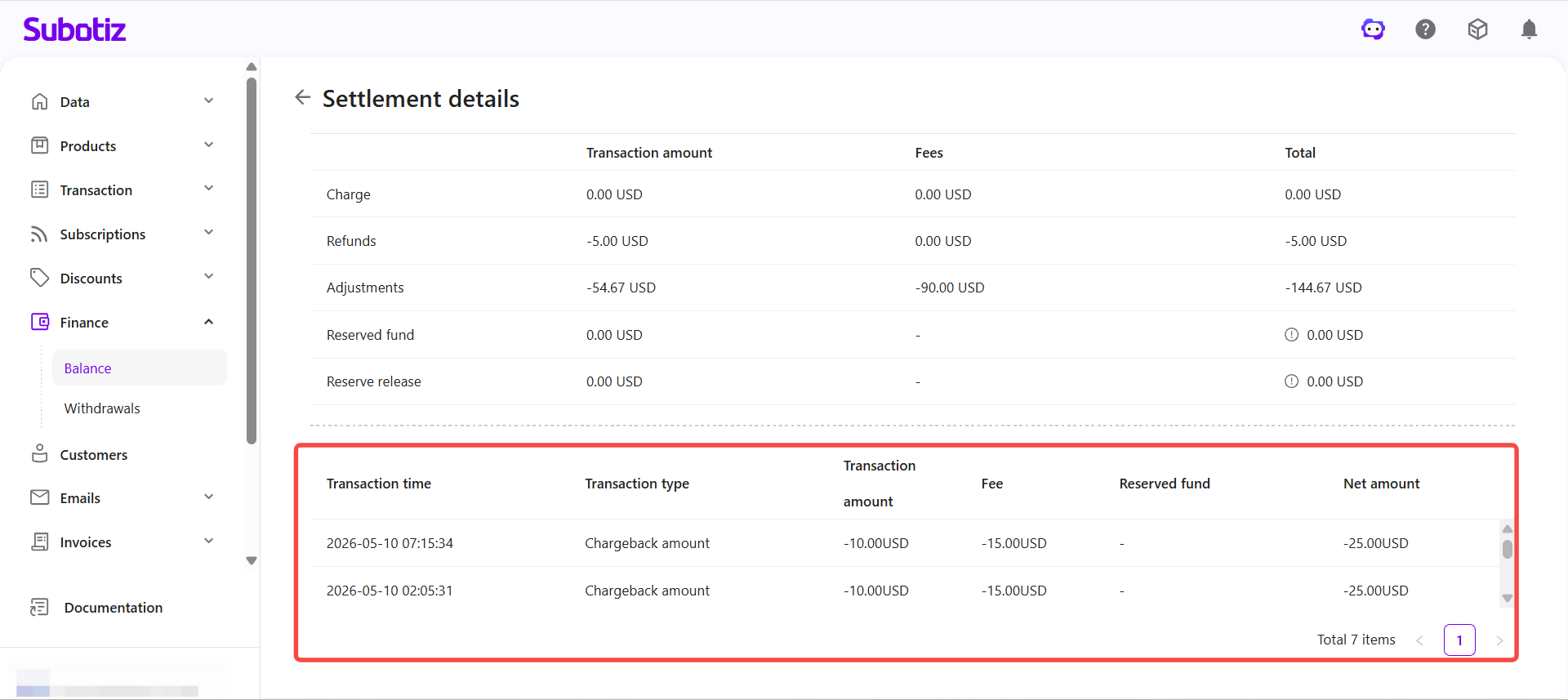
The transaction and settlement detail page breaks down a single transaction into its individual fund components. Each entry in the settlement list shows the original amount, applicable fees, reserve, and net settlement figure, giving a complete view of how the final amount was calculated.