The reserve fund page shows the current balance, release cycle, and status of both rolling reserve and fixed reserve funds held on the account. When the available balance is lower than expected, use this page to identify which funds are reserved and when they are scheduled for release.
Accessing the reserved fund page
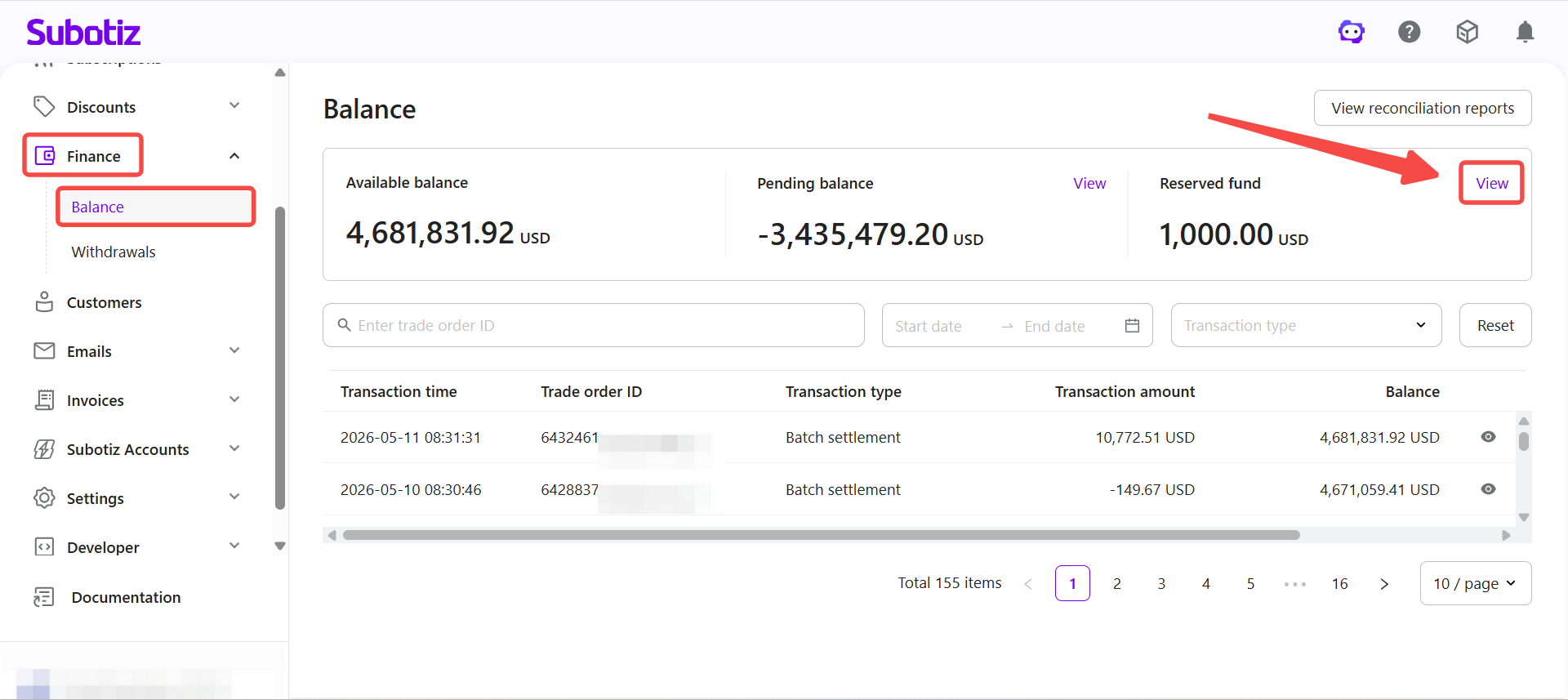
- Open reserved fund details: Go to Finance > Balance, then click Reserved fund > View to open the reserved fund page.
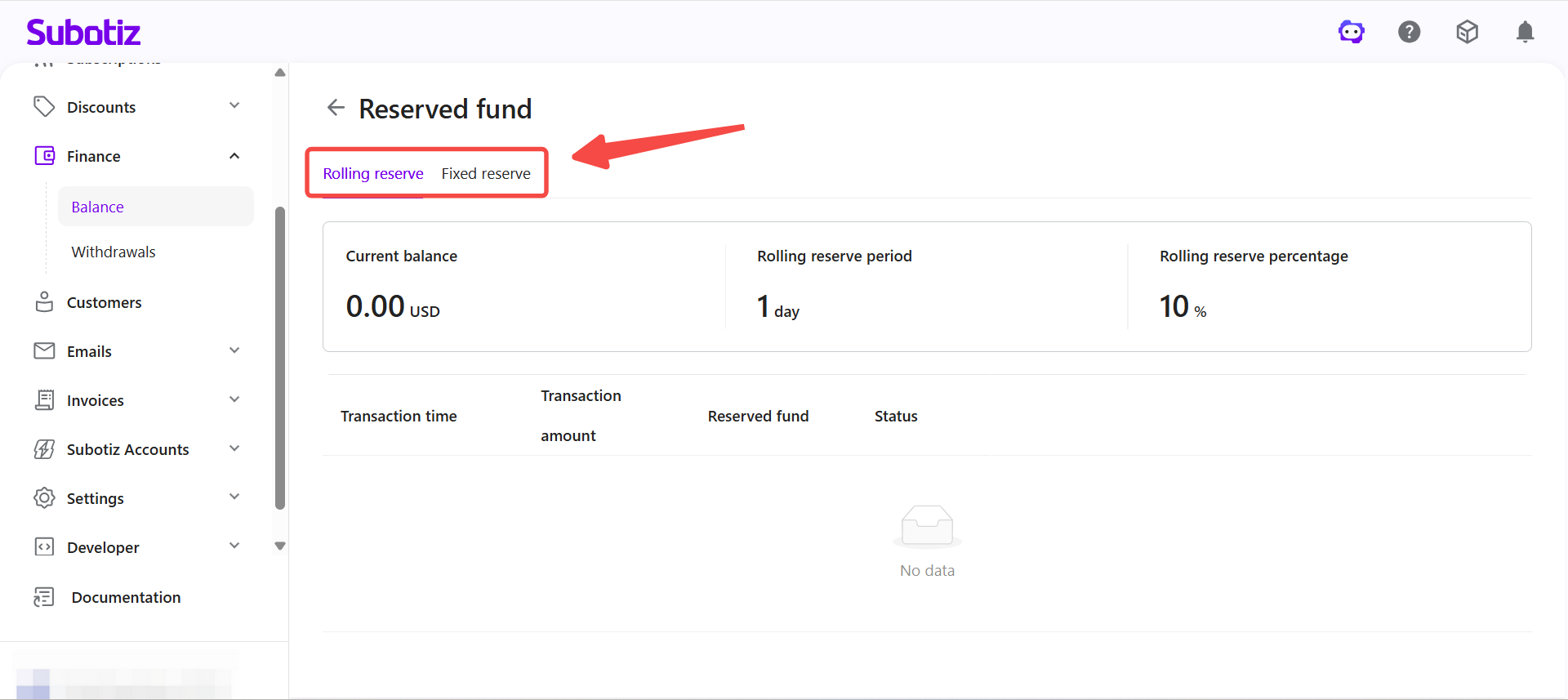
- Switch reserve type: Select Rolling reserve or Fixed reserve at the top of the page to view each type.
Reviewing rolling reserve
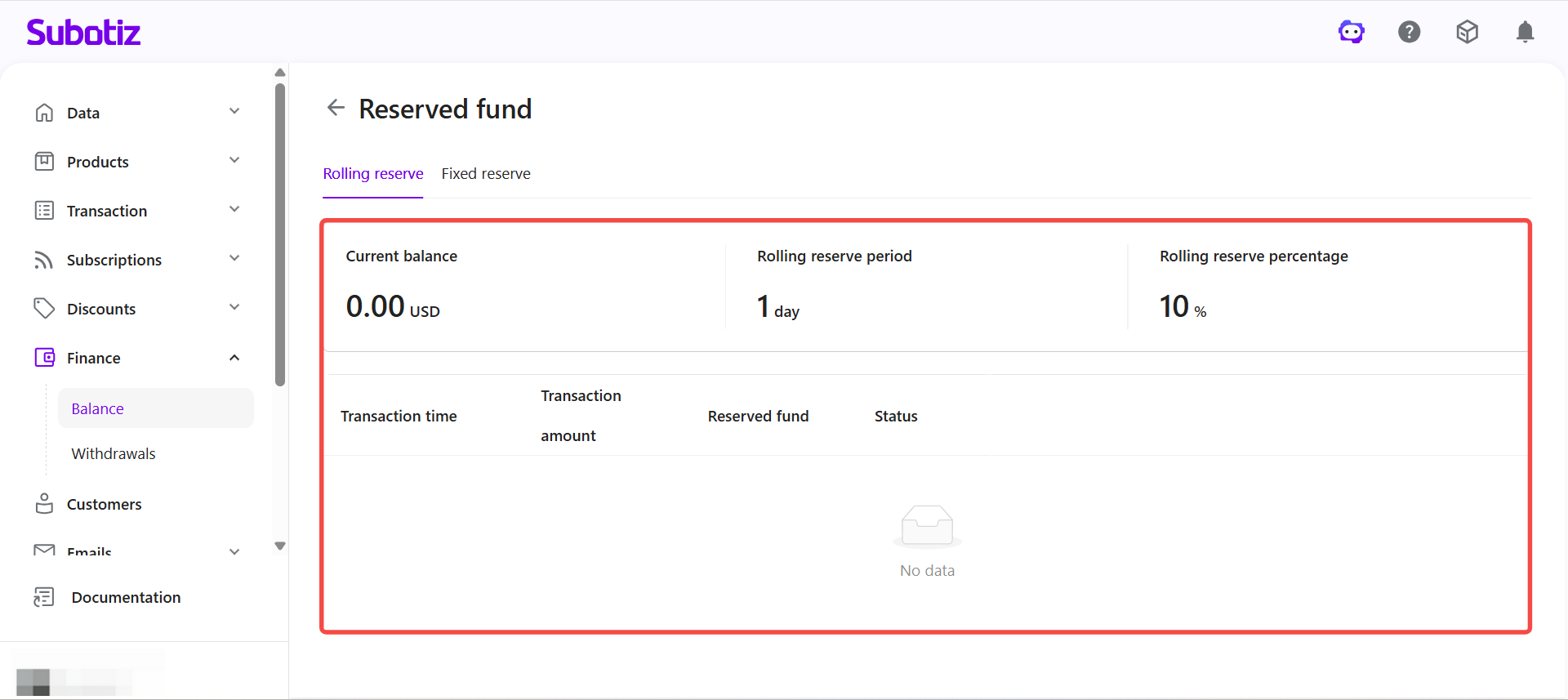
Rolling reserve holds a percentage of each transaction per cycle and releases automatically after the defined period.
- Current balance: The total amount currently held under the rolling reserve.
- Rolling reserve period: The release period configured for this reserve type.
- Rolling reserve percentage: The percentage applied to the account.
- Transaction breakdown: The reserve amount and status for each transaction.
Checking rolling reserve details
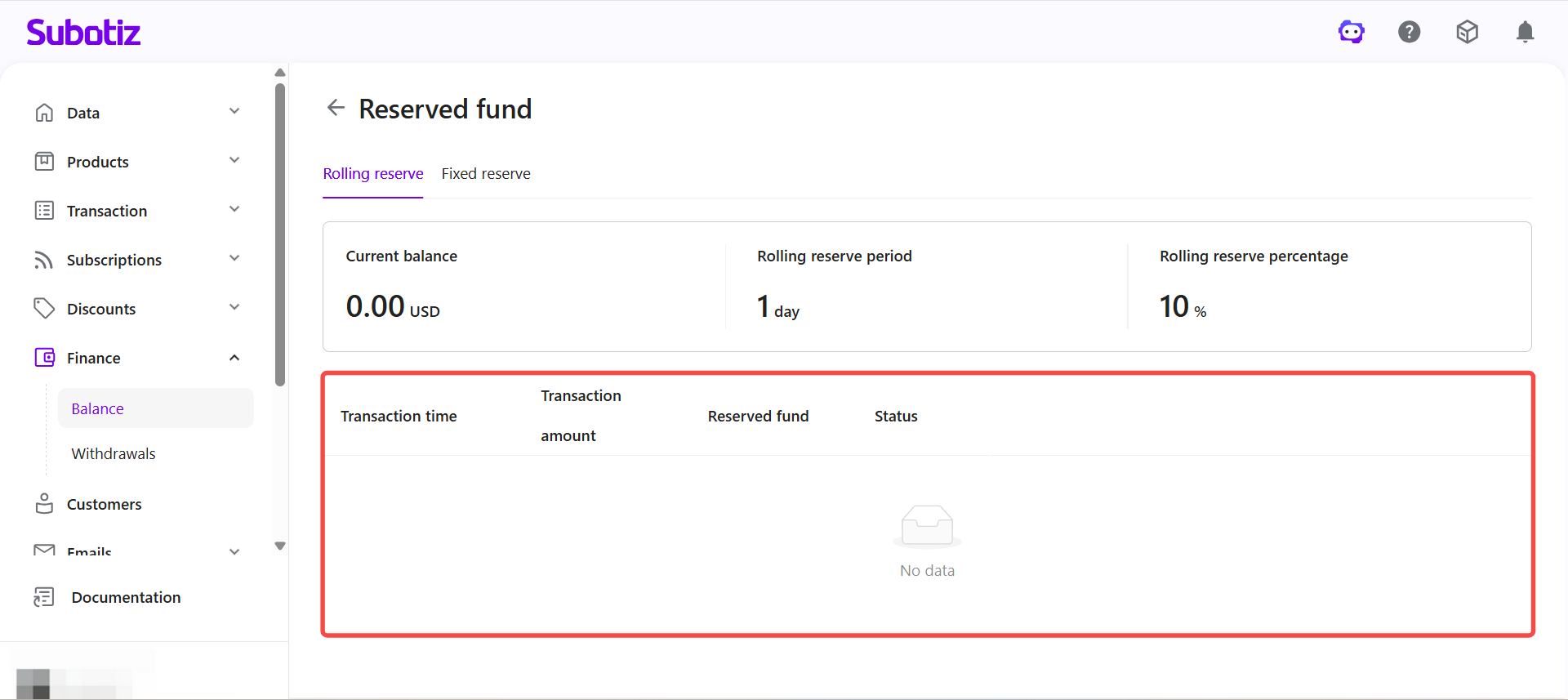
The rolling reserve detail list shows the held amount and release status for each transaction.
- Transaction time: When the reserve was created.
- Transaction amount: The original transaction amount associated with the reserve entry.
- Reserved fund: The portion of the transaction held as reserve.
- Status: The current processing status of the reserve entry.
Once the release cycle ends, the system automatically releases the funds into the balance or settlement process.
Reviewing fixed reserve
Fixed reserve holds a set amount based on account requirements, typically for risk management or compliance purposes.
- Current balance: The total amount currently held under the fixed reserve.
- Amount due: The required fixed reserve amount for the account.
- Record list: A log of reserve entries showing transaction time, transaction type, reserve amount, and status.
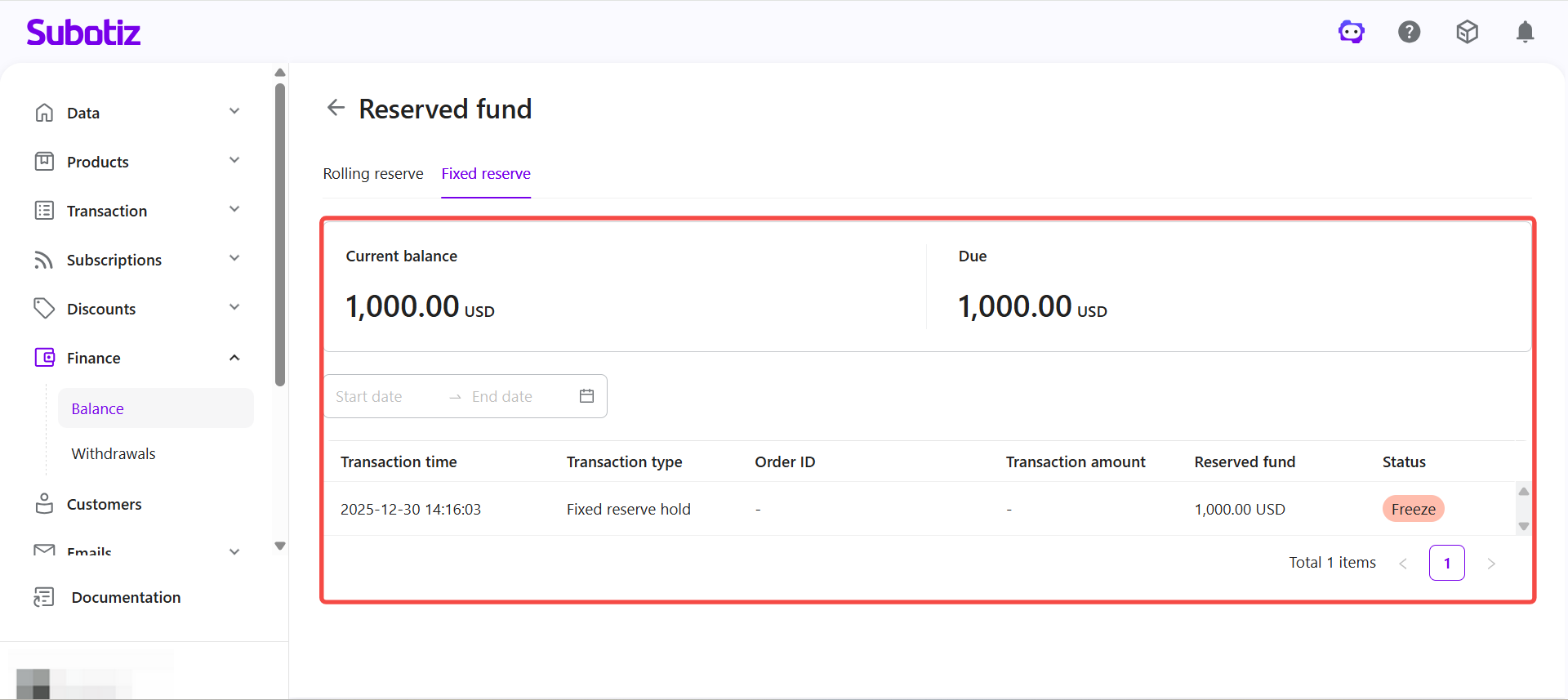
Checking Fixed Reserve Details
The fixed reserve detail list shows all reserve entries and their current status.
- Transaction time: When the reserve entry was recorded.
- Transaction type: The type of reserve entry, such as Fixed reserve hold.
- Order ID: The associated order reference. Displays as "-" if not linked to a specific order.
- Transaction amount: The original transaction amount. Displays as "-" if not applicable.
- Reserved fund: The amount held under the fixed reserve.
- Status: The current status of the reserve entry, such as Freeze.
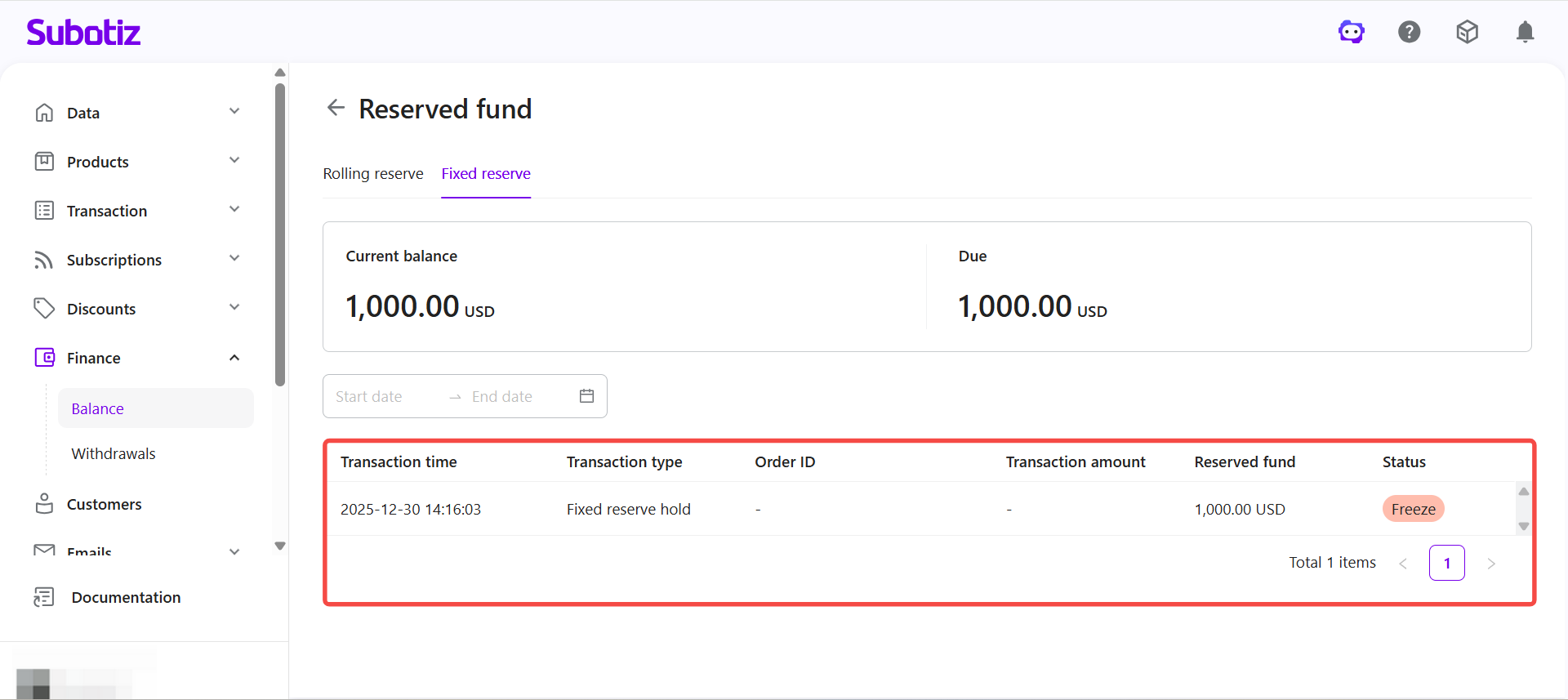
Assessing the impact on available balance
When the available balance is lower than expected, use the reserved fund page to identify where funds are held.
- Review rolling reserve: Check whether funds are still within the rolling reserve cycle.
- Check fixed reserve: Identify whether a long-term reserve is holding funds.
- Confirm release status: Verify whether the release cycle has been reached.
- Compare transaction records: Confirm that reserve amounts match their corresponding transactions.
The reserved fund page displays rolling reserve and fixed reserve data separately. Rolling reserve funds are released automatically once the cycle ends. Fixed reserve funds remain held based on account requirements. When the available balance is lower than expected, use the reserve fund page to identify held amounts and confirm release status.