The Subotiz Withdrawals page is used to view and manage withdrawal records generated from platform balances. It supports withdrawal tracking, data export, and financial reconciliation, providing clear visibility into outgoing funds and helping maintain stable cash flow.
Automatic Withdrawal Record Generation
In Subotiz, withdrawal records are generated automatically by the system. Withdrawals do not require manual initiation.
When the available platform balance meets the configured withdrawal conditions, the system creates a withdrawal record and moves it into the processing flow.
Under the current rules, withdrawal records are typically generated when one of the following conditions is met.
- The available platform balance reaches or exceeds USD 500.
- A scheduled processing cycle is reached, such as every Monday at 9:00 AM (UTC+8).
If a public holiday or non-working day applies in the merchant’s registered country or region, the processing schedule may be adjusted or deferred. Actual execution is based on system processing results.
Notes
Viewing the Withdrawals Page
- Access the Withdrawals Page: Log in to the Subotiz admin and navigate to Finance > Withdrawals to view all withdrawal records.
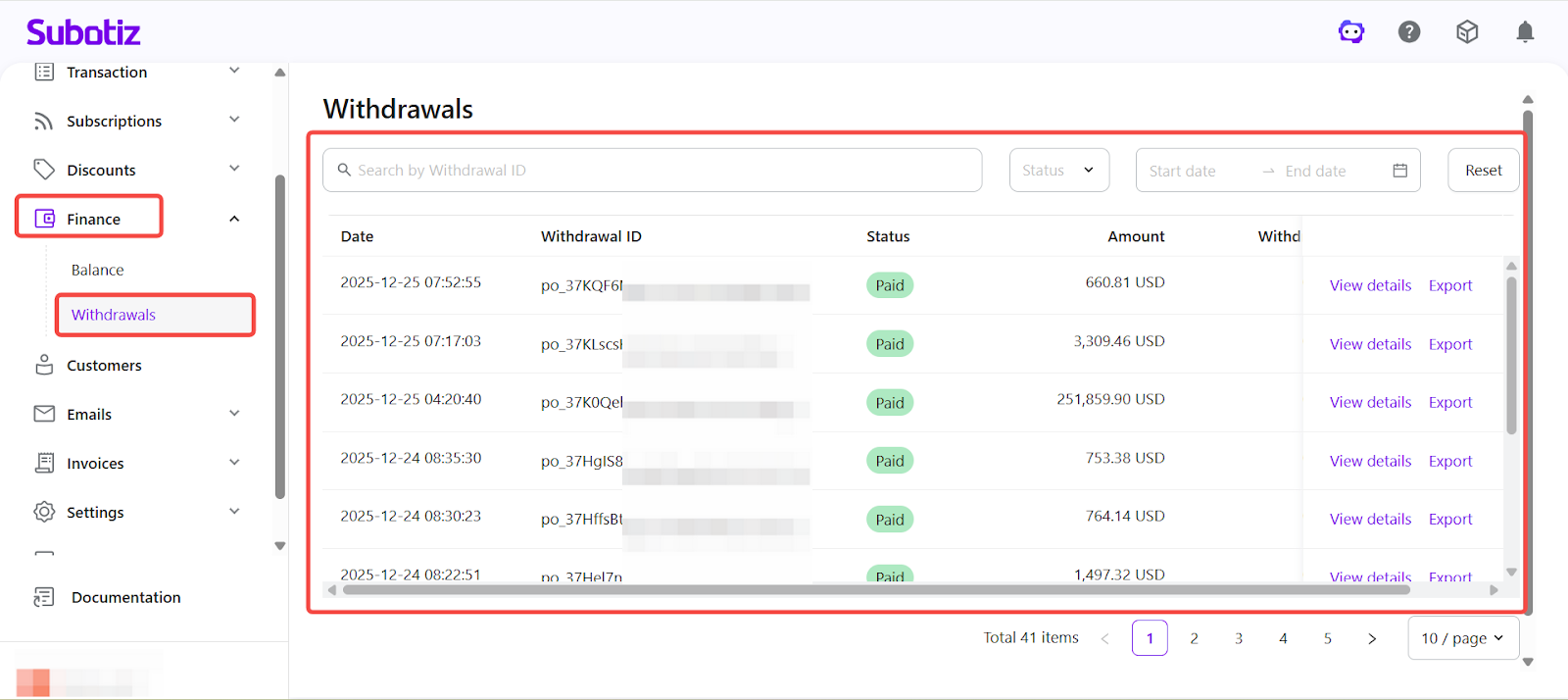
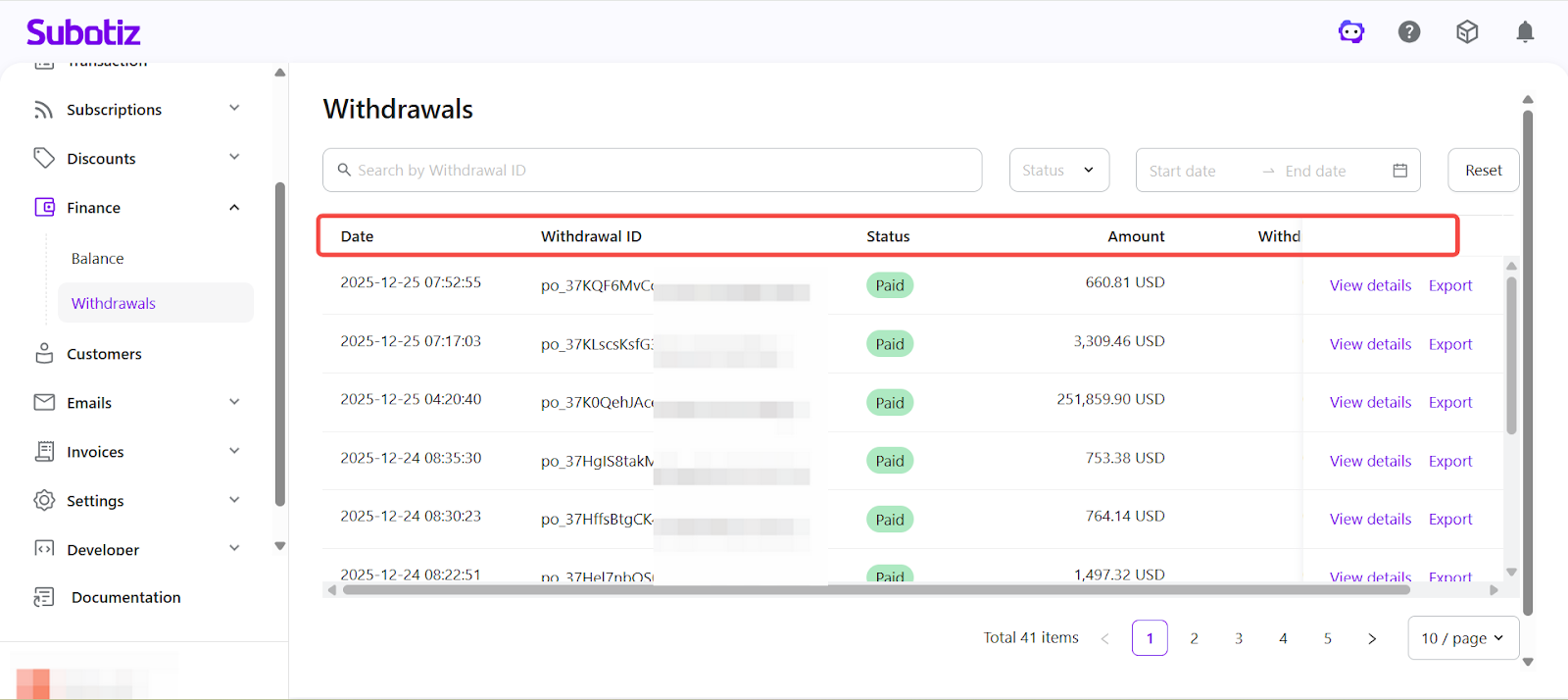
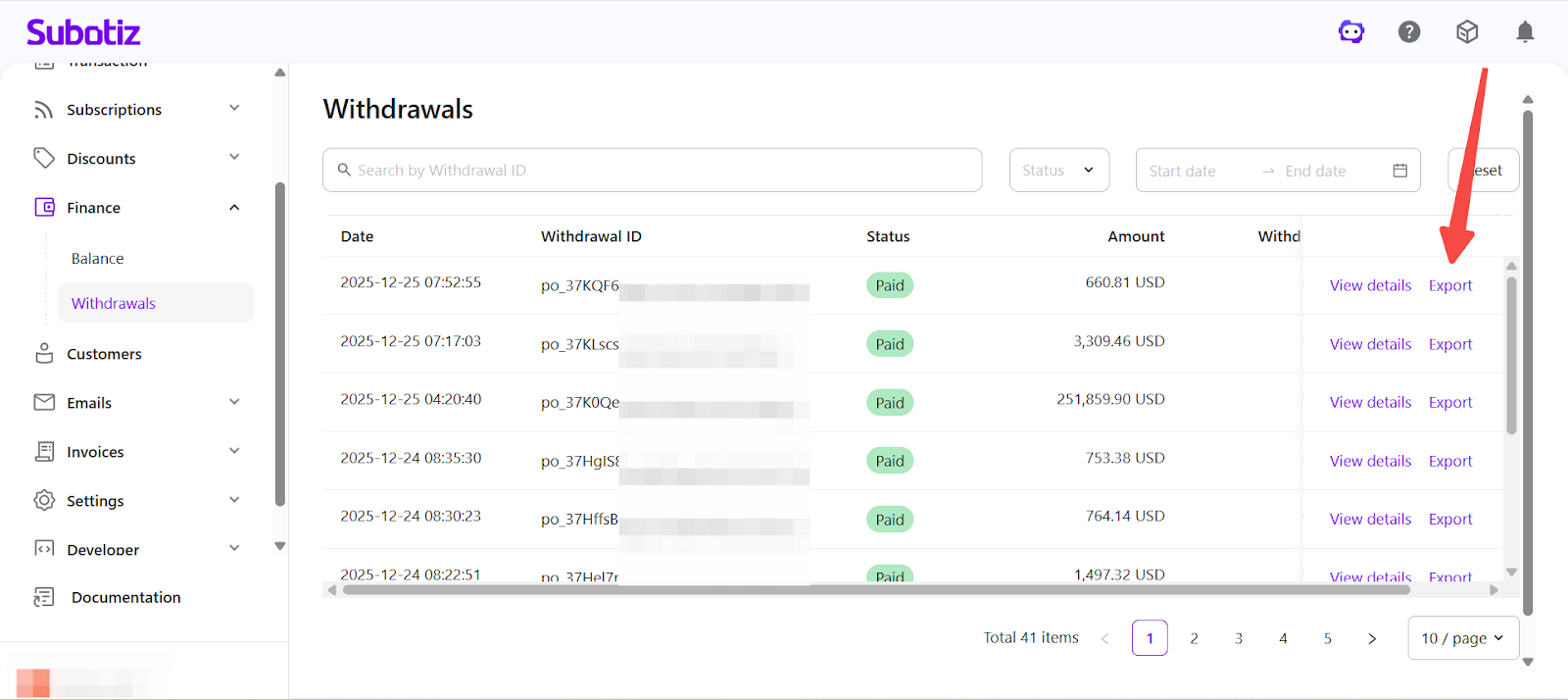
- Review the Withdrawal List: Each row in the withdrawal list represents a single withdrawal record and displays the following key information:
- Date: The time when the withdrawal record was created.
- Withdrawal ID: A system-generated unique identifier used for tracking and reconciliation.
- Status: The current processing status of the withdrawal (Pending / Processing / Paid).
- Amount: The withdrawal amount associated with the record.
- Withdrawal Fee: Any applicable withdrawal fee, if charged.
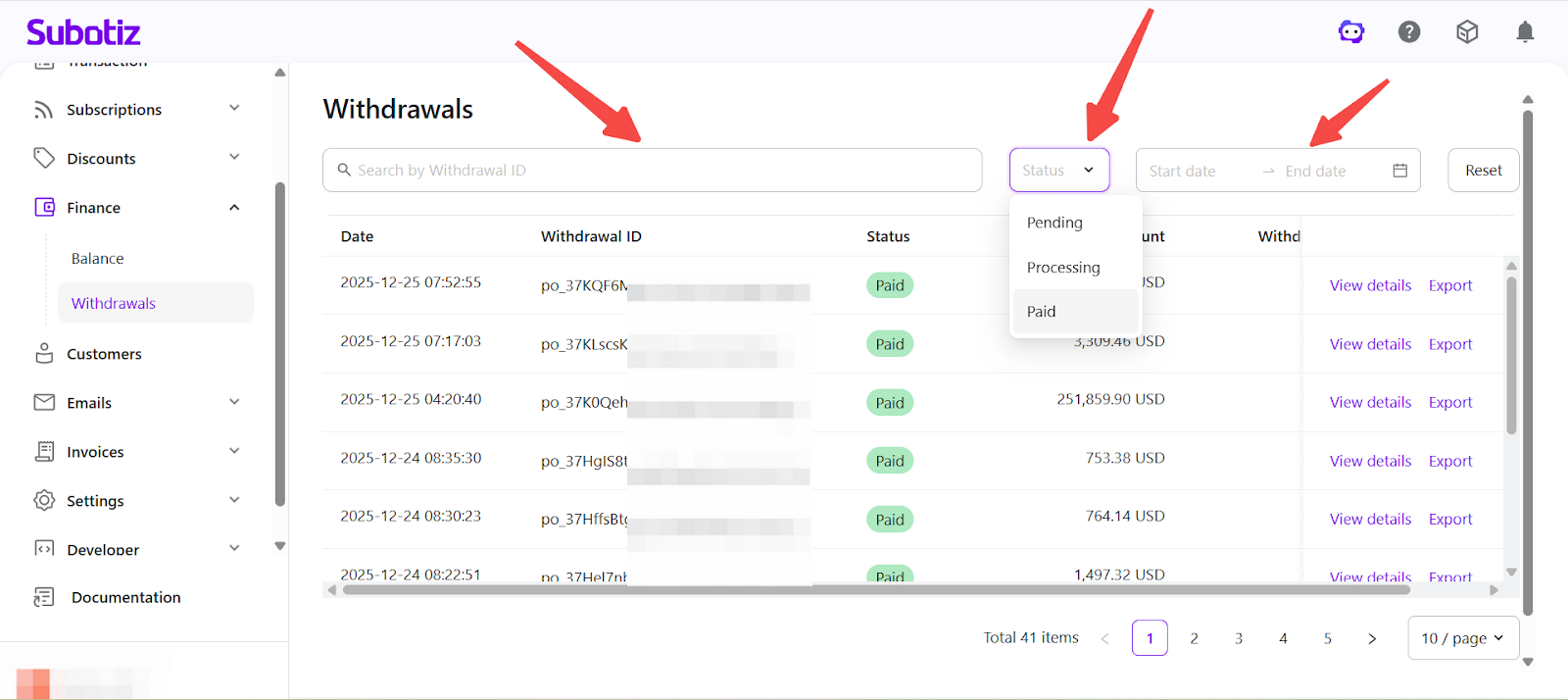
- Filter Withdrawal Records: Filtering tools at the top of the page can be used to narrow down withdrawal records and locate specific data:
- Withdrawal ID: Search for a specific withdrawal record.
- Status: Filter records by withdrawal status (Pending / Processing / Paid).
- Date Range: Filter records based on the withdrawal creation date.
These filters are commonly used for reviewing historical withdrawal data and supporting reconciliation checks.
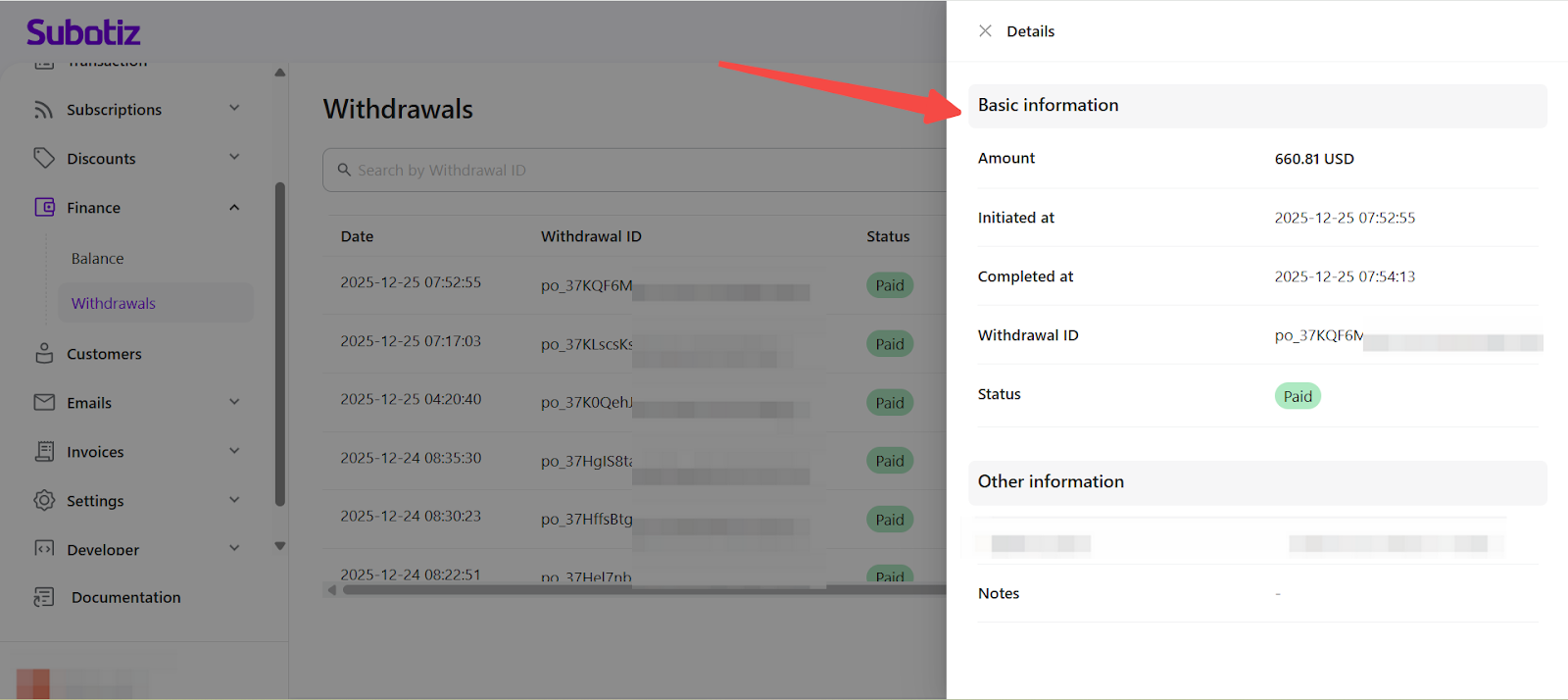
- View Withdrawal Details: Select View details for a withdrawal record in the list. Review the detailed information displayed on the withdrawal details page, including:
- Withdrawal amount
- Initiated time
- Completion time, if the withdrawal has been paid
- Withdrawal ID
- Current status
- Related remarks, if available
This page is used for reviewing withdrawal processing records only and does not serve as bank settlement confirmation or proof of receipt.
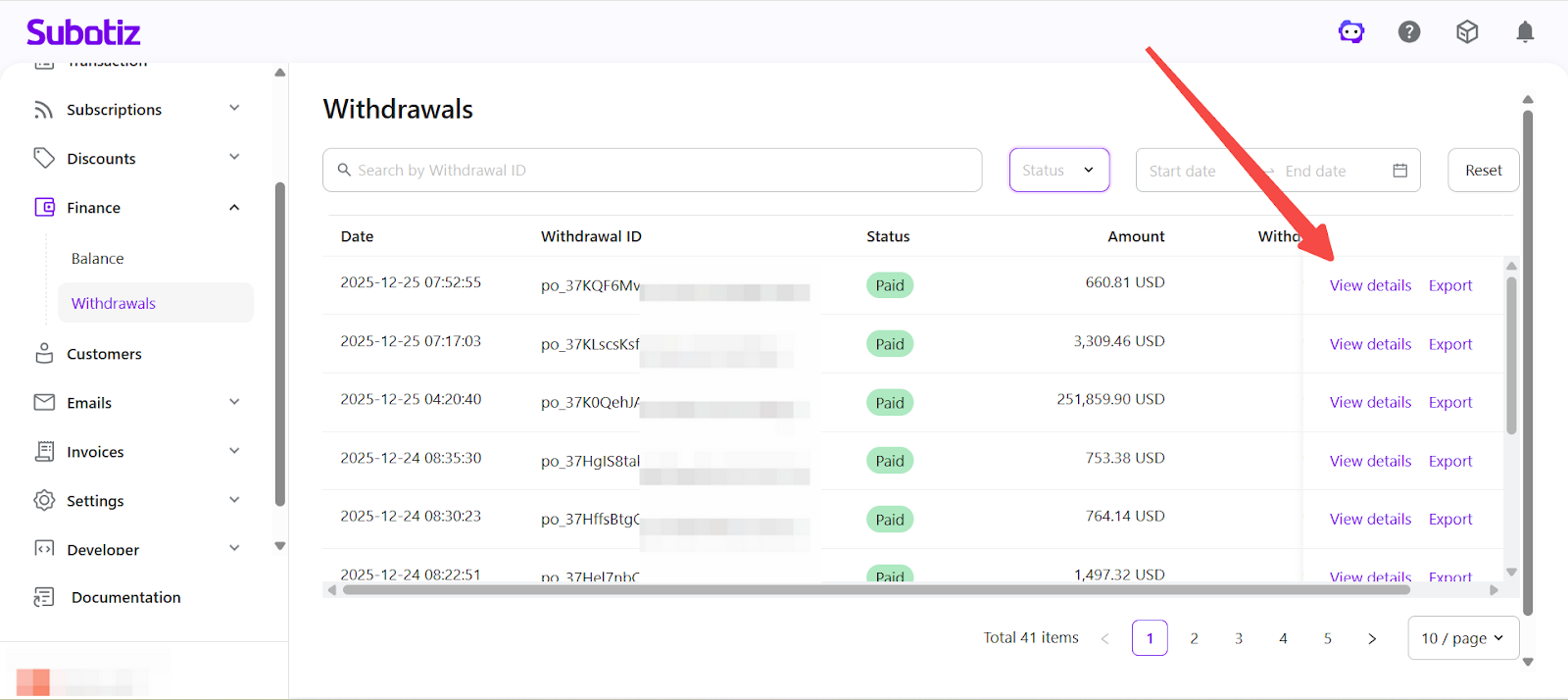
- Export Withdrawal Data: Select Export on the Withdrawals page. Download the CSV file containing all records related to the selected withdrawal. Exported files may include multiple worksheets, such as:
- Balance Details: Displays transactions related to the withdrawal and their impact on the account balance.
- Withdrawal Details: Lists withdrawal-related transaction records, applicable fees, and corresponding balance changes.
These files support reconciliation, settlement verification, and financial data review.
The Subotiz Withdrawals page provides a unified, clear, and traceable view of fund transfer records. Through record review, filtering, and data export capabilities, merchants can efficiently manage withdrawal records, complete financial reconciliation, and maintain accurate and reliable fund management workflows.