The Discount Campaigns page in Subotiz provides a centralized workspace for discount management and promotion campaigns, allowing merchants to search, filter, review details, and manage campaign status in one place.
Managing Discount Campaigns
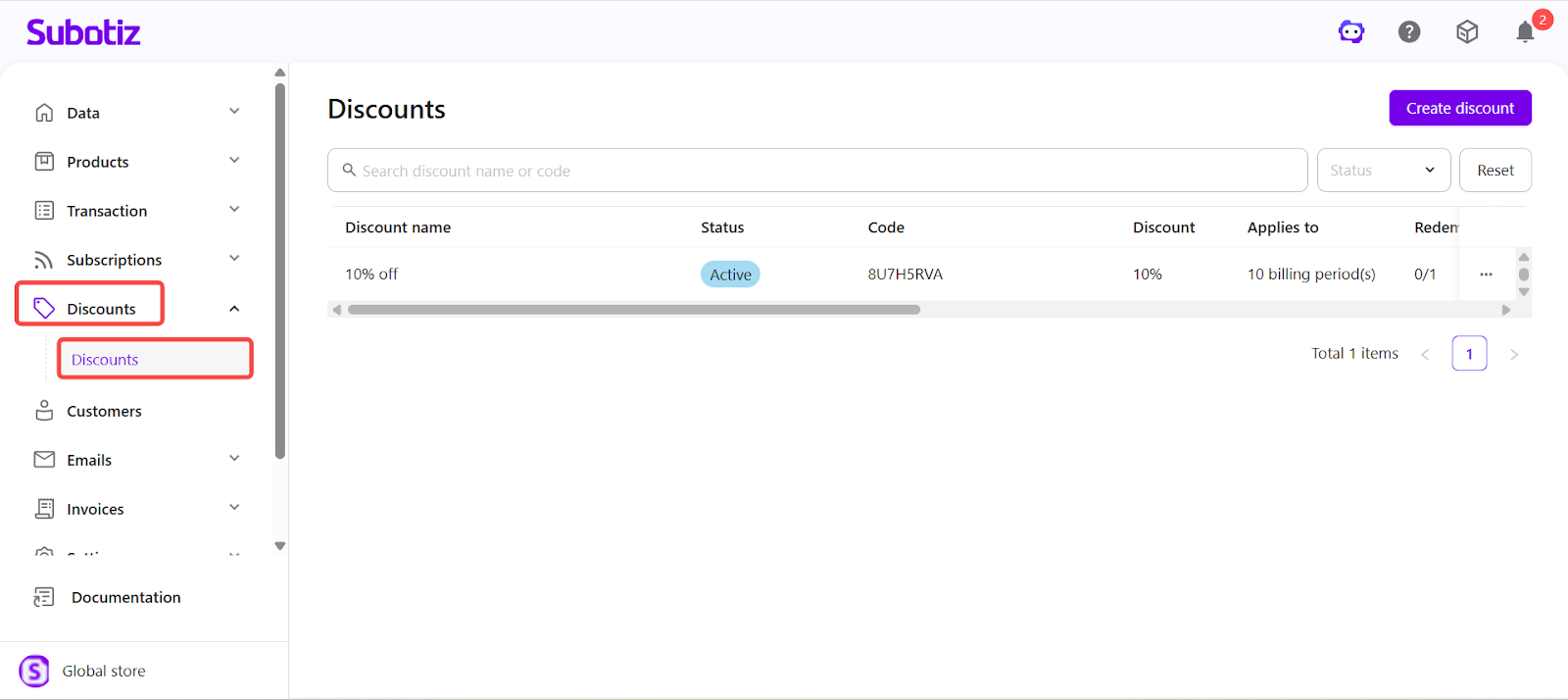
- Open the discount list: In the Subotiz admin, go to Discounts > Discounts to view all campaigns and their key details.
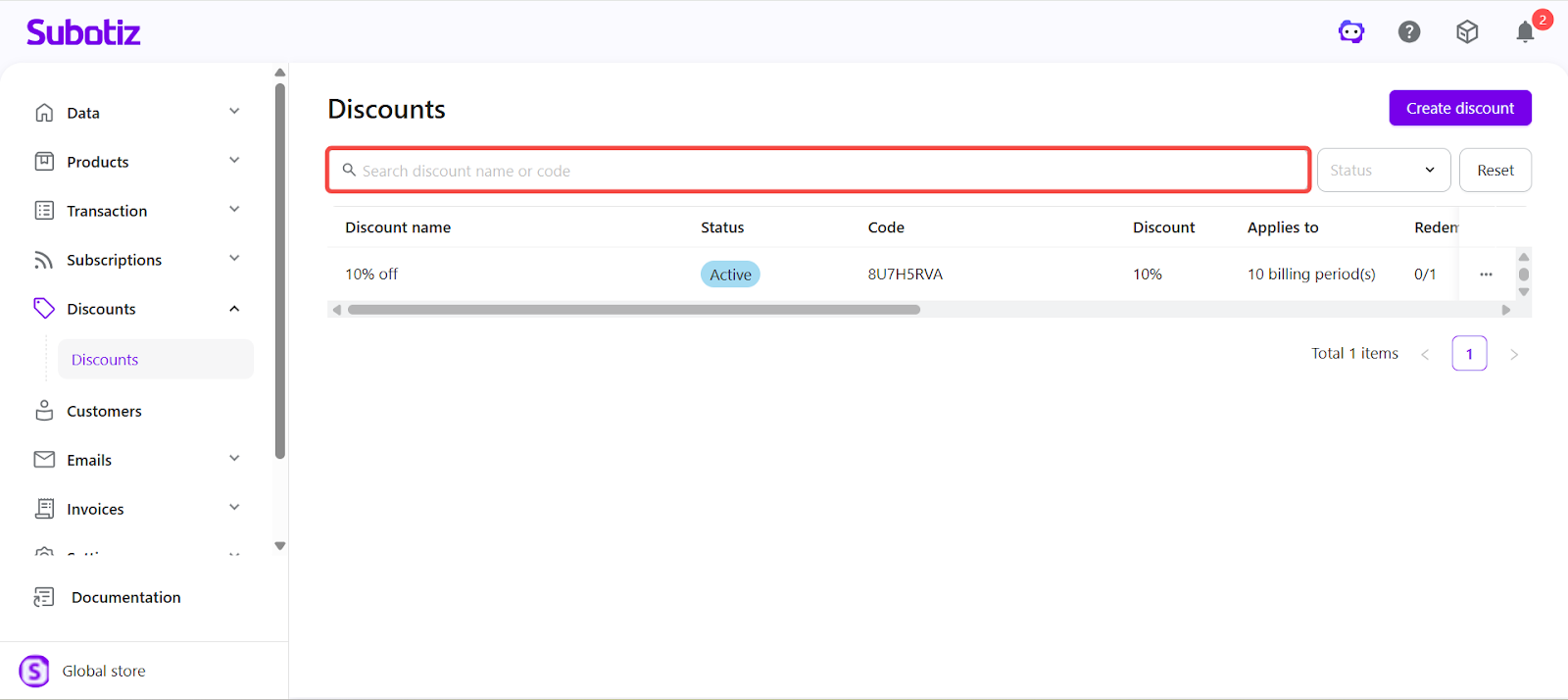
- Search campaign: Enter a discount name or code in the search bar to quickly locate a campaign. Code matches are prioritized.
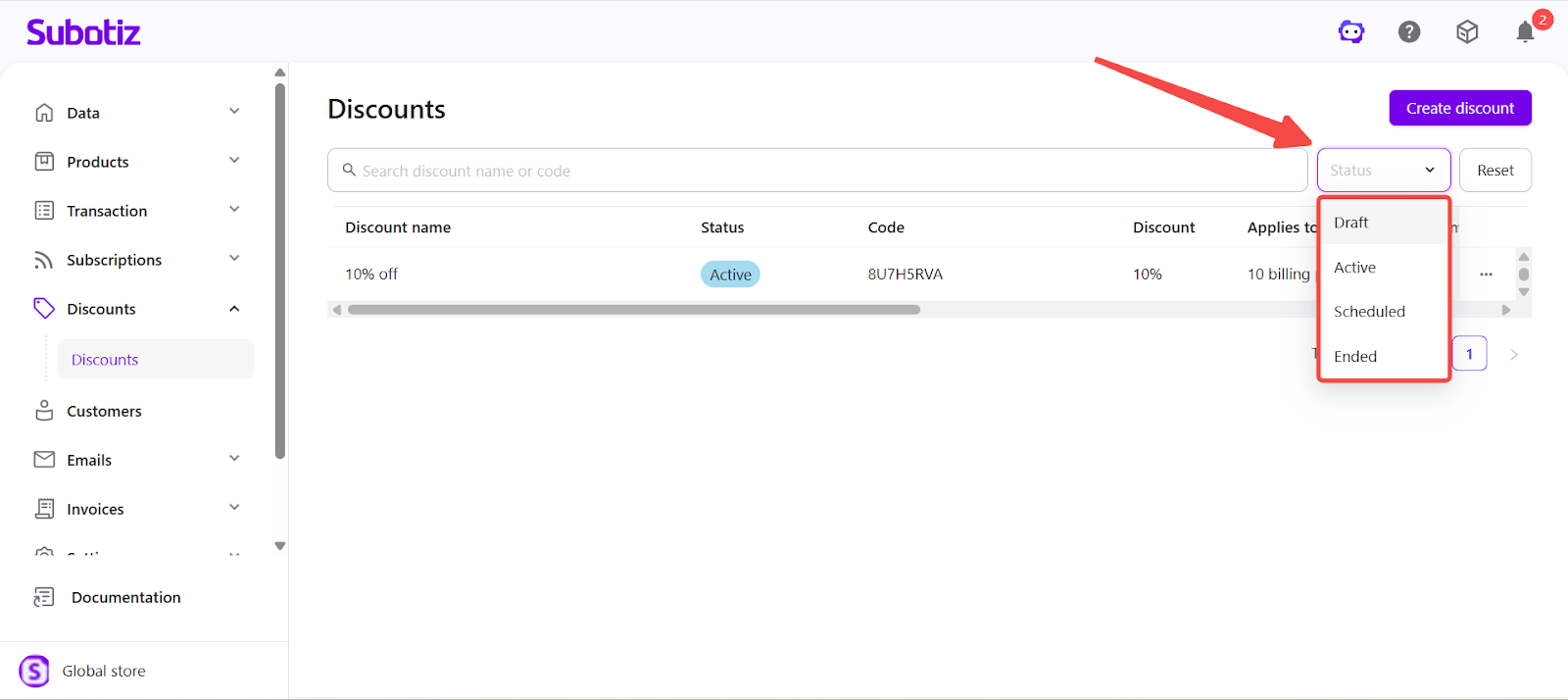
- Filter by status: Use the Status dropdown to view campaigns by Draft, Active, Scheduled, or Ended.
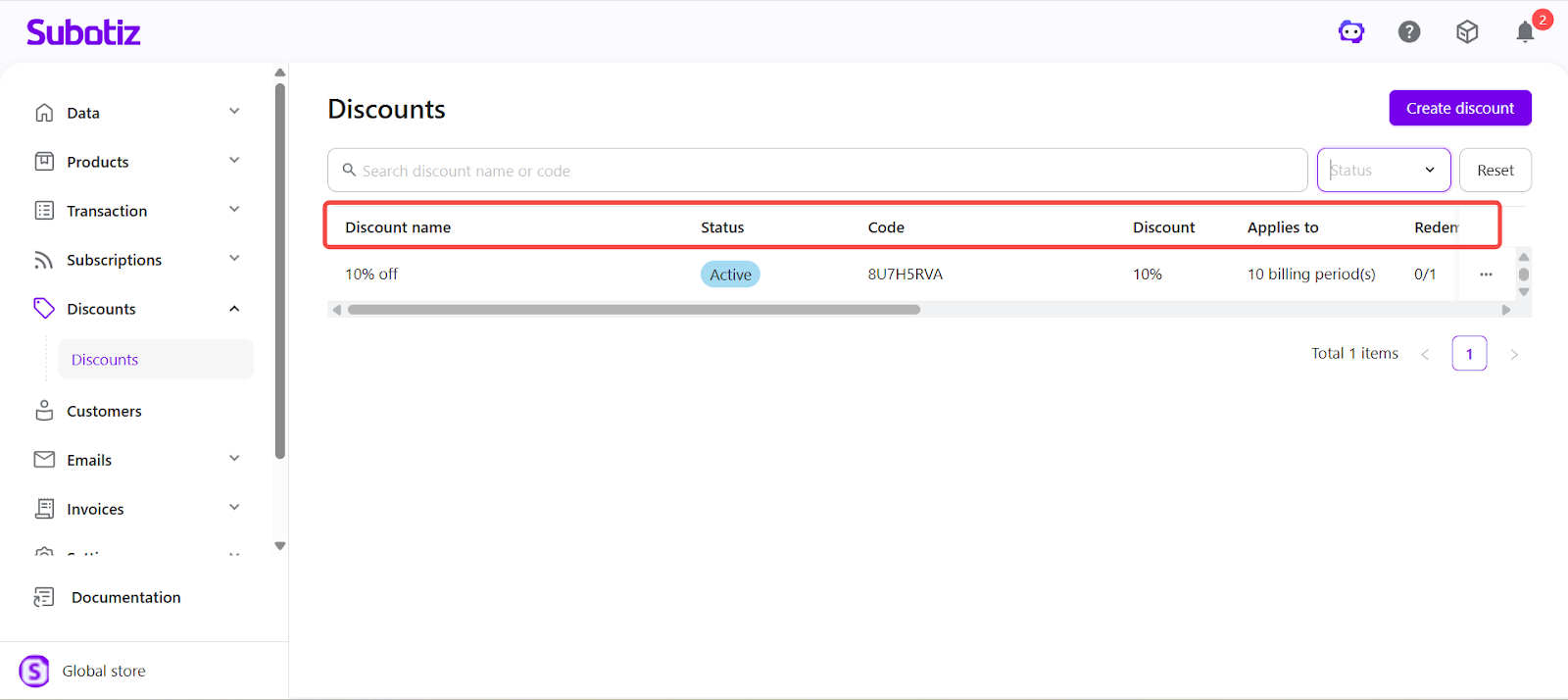
- Review campaign details: Each row displays key campaign fields:
- Discount Name: Internal label for the campaign.
- Status: Draft, Not Started, Ongoing, or Completed.
- Code: Discount code used at checkout (Code shows a preview in Draft; automatic campaigns display “–”).
- Discount: Value as a percentage (e.g., 10%) or fixed amount (e.g., $20.00).
- Applies To: Duration, such as all billing periods or a defined number of cycles.
- Redemptions Left: Shows usage progress as “X/Total” or “X/Unlimited” and updates automatically when orders are refunded or canceled.
- Discount ID: Unique system identifier.
- Duration: “No expiration,” “Start–End date,” or “Start–Unlimited.”
- Created / Updated: System timestamps for campaign creation and last modification.
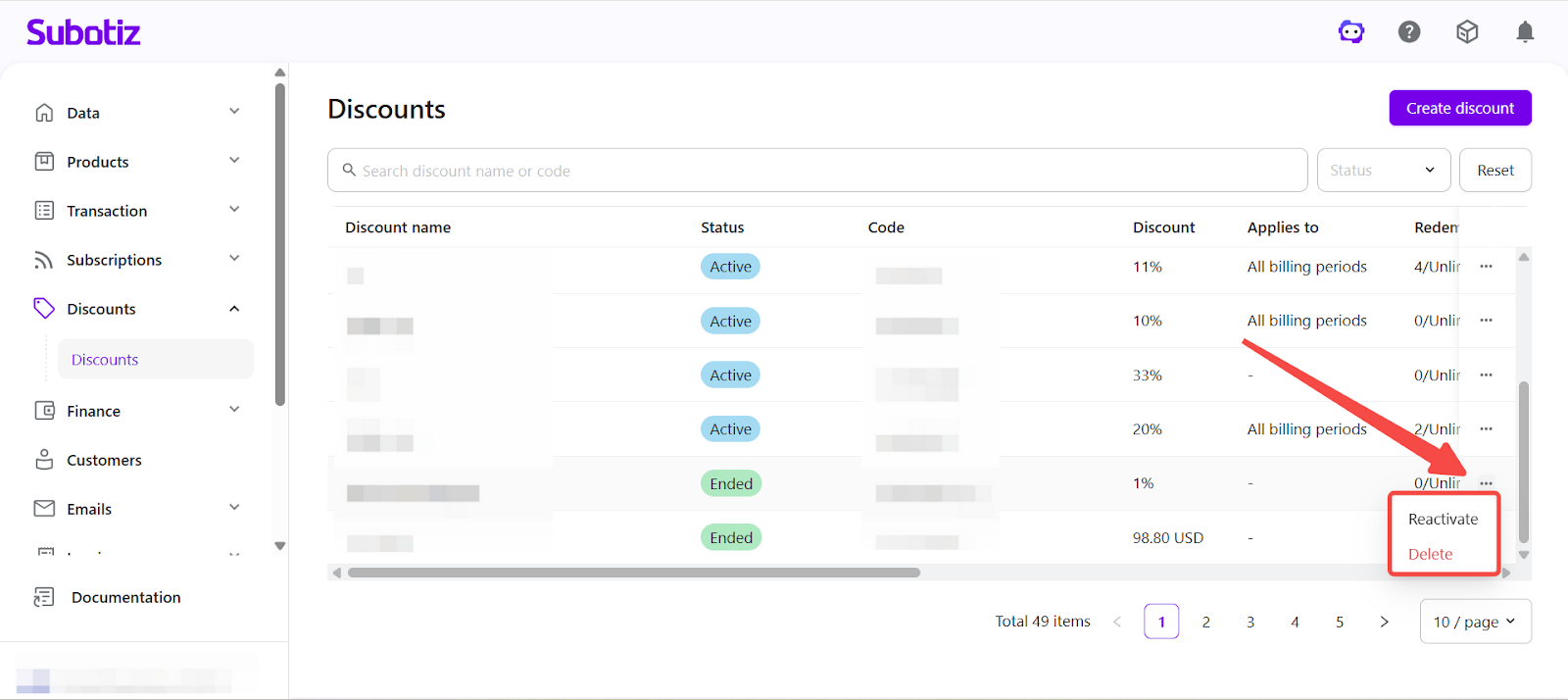
- Execute status actions: Click More actions (…) on each row to manage the campaign based on its current status:
- Draft: Publish, Delete.
- Scheduled: Revert to Draft.
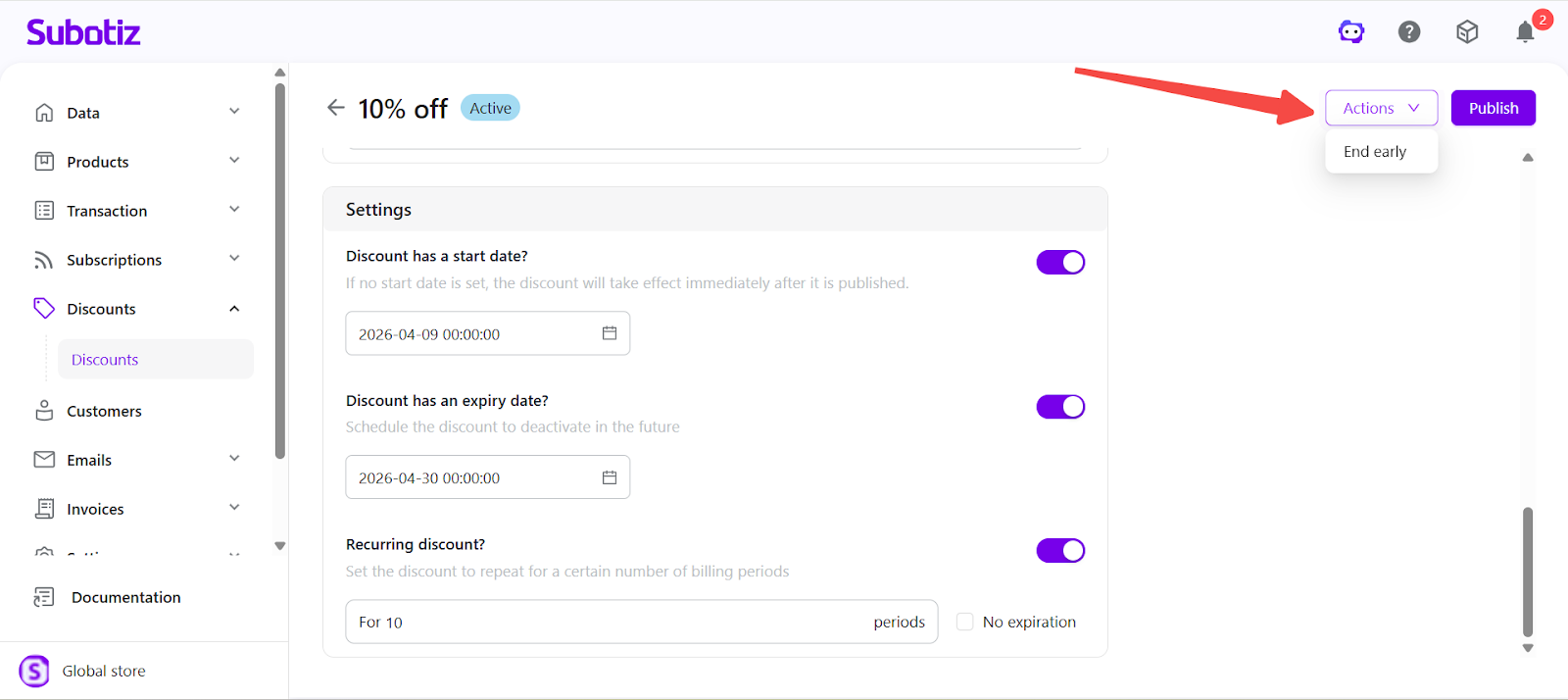
- Active: End Early.
- Ended: Reactivate, Delete.
Viewing Discount Details
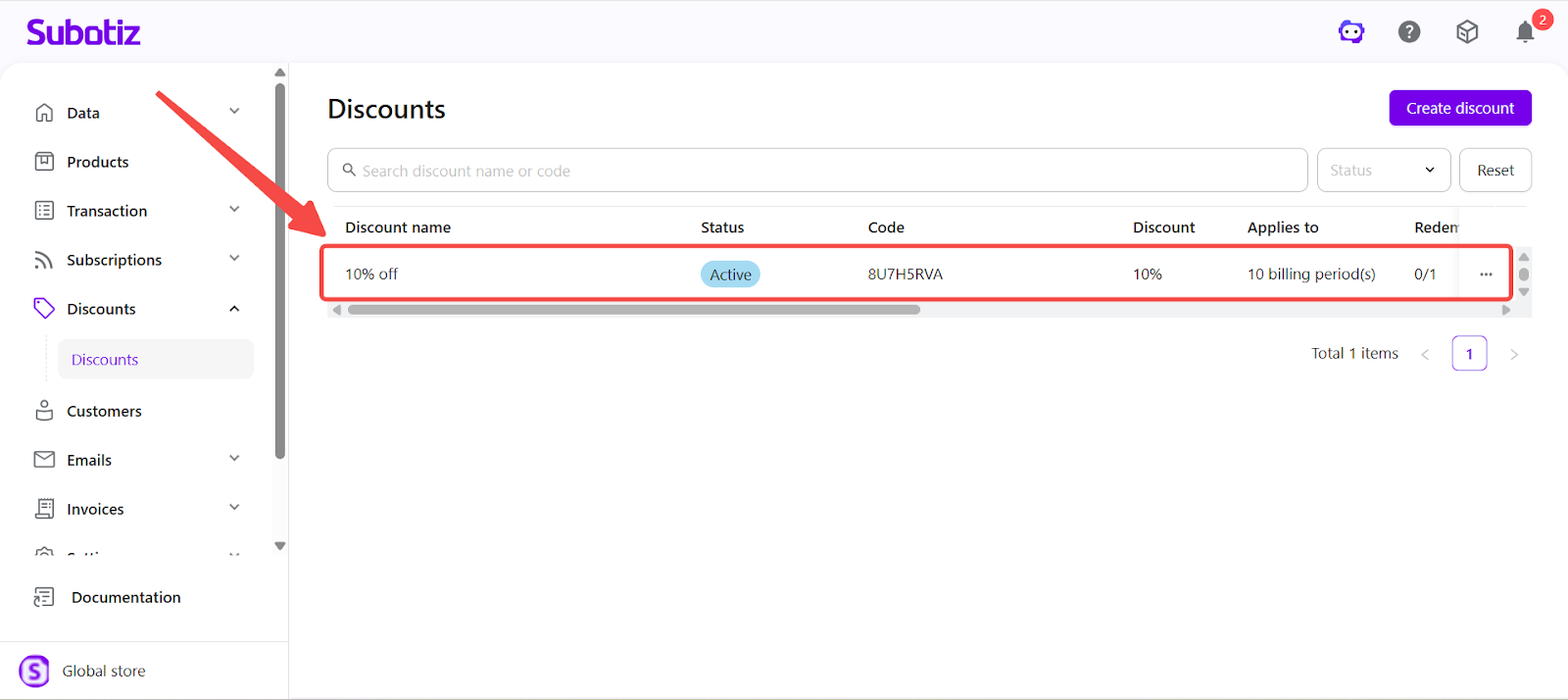
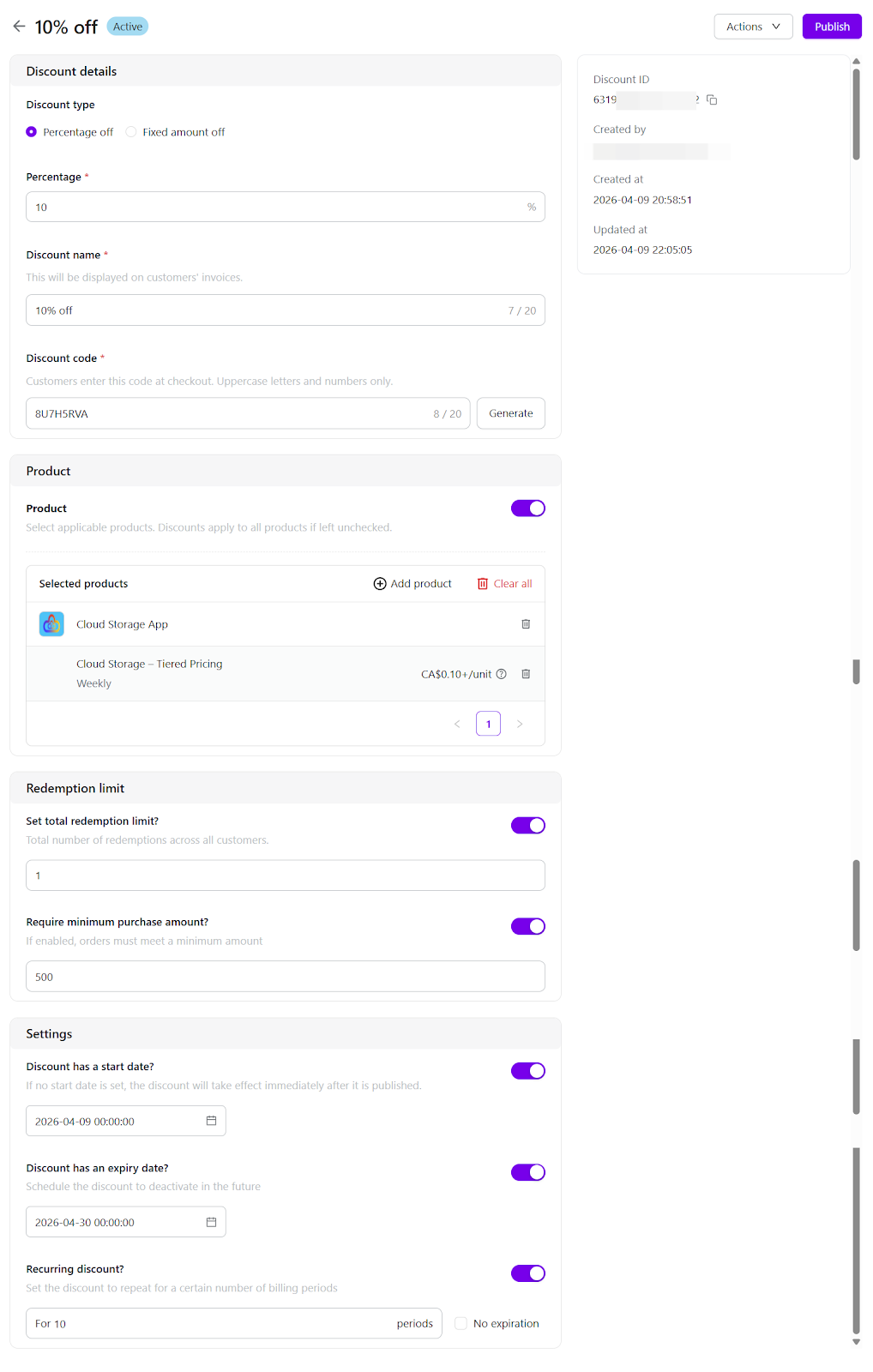
- Open details page: Select any discount row to view its complete configuration. The details page displays type, amount, code, applicable products, usage limits, and start/end dates. Depending on status, campaign settings can be edited, updated, or extended.
- Perform actions: The same status-based actions are available on the details page, including Publish, Revert to Draft, End Early, Reactivate, and Delete.
The Discount Campaigns page enables merchants to search, filter, and manage all discount campaigns in one place, providing clear visibility into campaign status and activity.