The Discounts (Discount Codes) feature in Subotiz allows merchants to create and manage promotions for one-time payments and subscription billing, helping improve conversion and retention. This article covers how to create a discount campaign, including configuration, scope, usage limits, and scheduling.
Creating a Discount
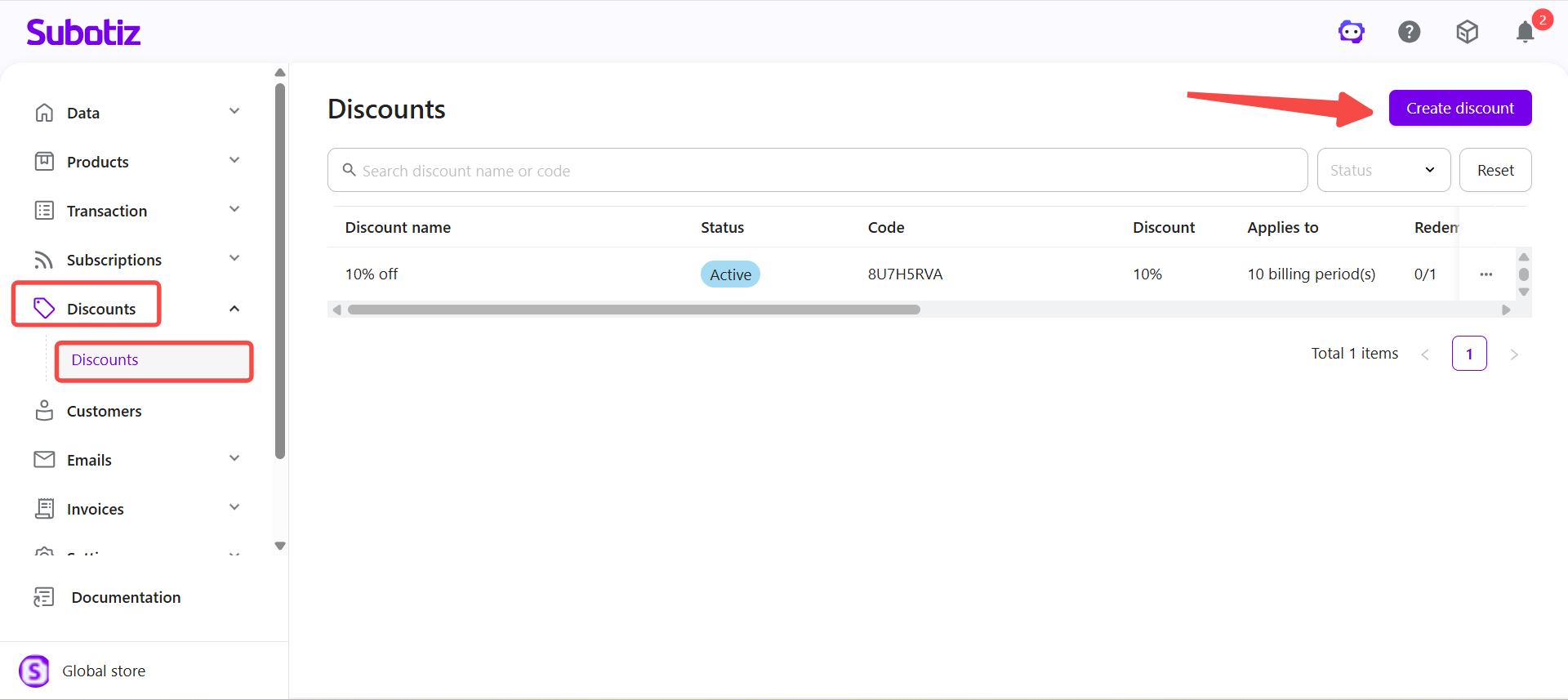
- Open the setup page: In the Subotiz admin, go to Discounts > Discounts and select Create Discount.
-
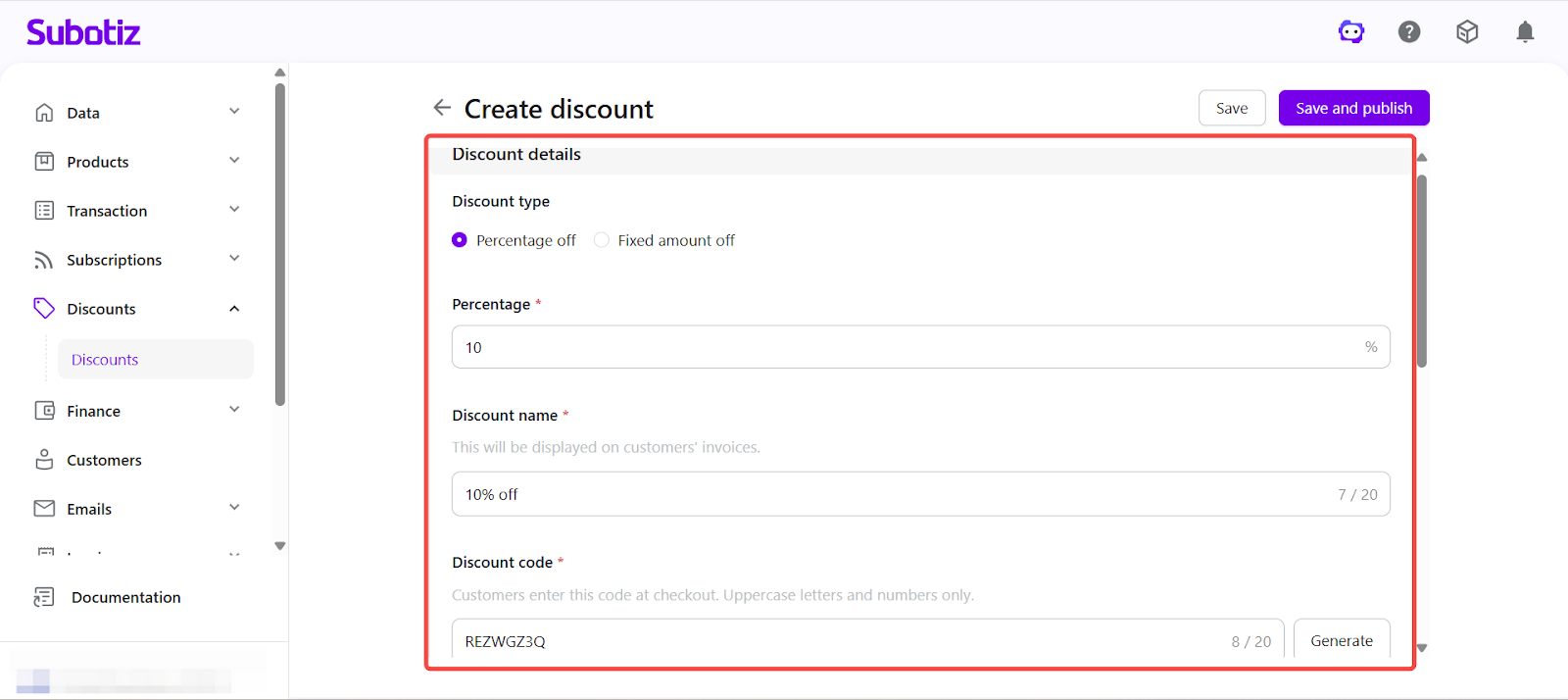
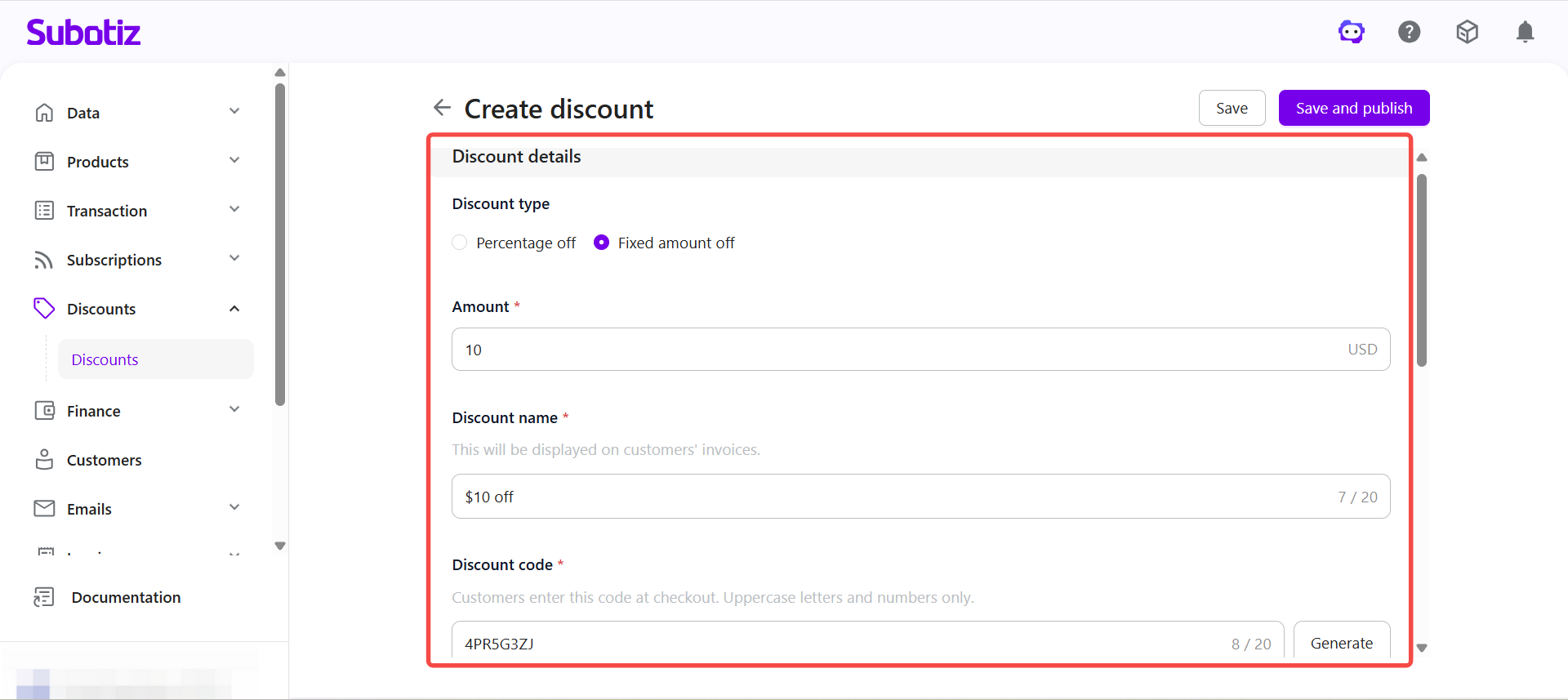
Enter discount information:
-
Discount type:
- Percentage off: Enter a whole number (e.g., 10 = 10%).
- Fixed amount off: Enter a currency amount (e.g., 10 = $10.00).
-
Note: Fixed amount discounts are applied in the store’s settlement currency. Multi-currency values are not supported within a single discount.
- Discount name: Enter a name (up to 20 characters). This name appears on customer invoices.
- Discount code: Enter or generate an alphanumeric code (2–20 characters). Codes support uppercase letters and numbers only.
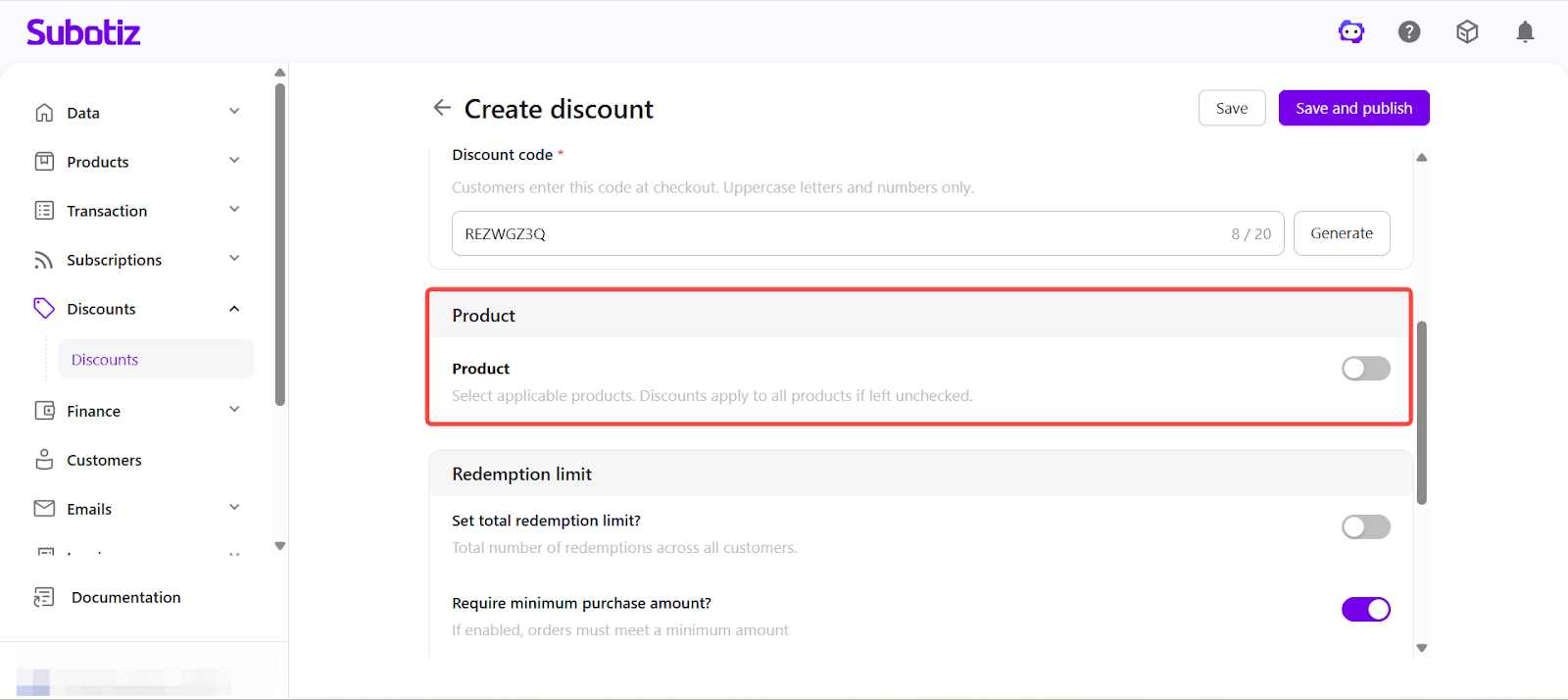
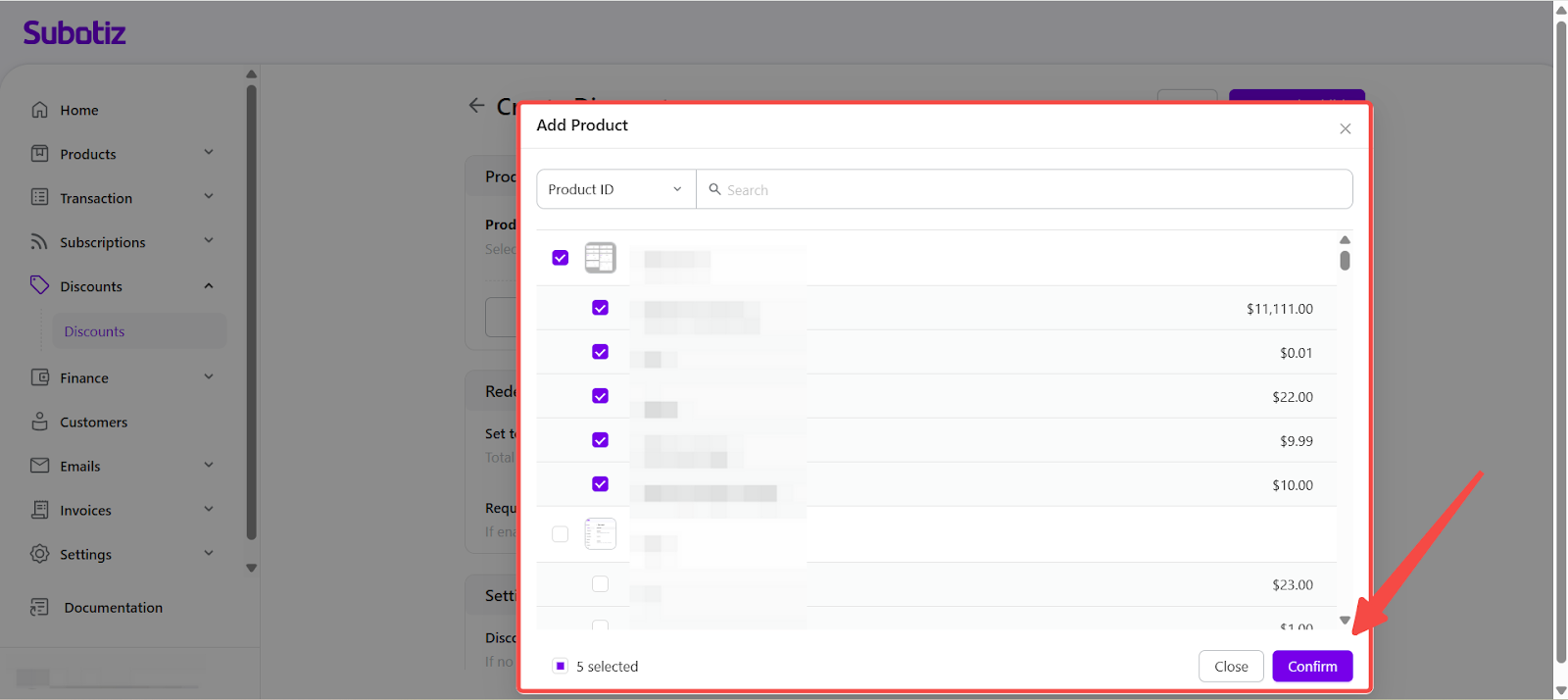
- Select applicable products: By default, the discount applies to all products. To limit the scope, enable the product selection option and choose items from the catalog.
-
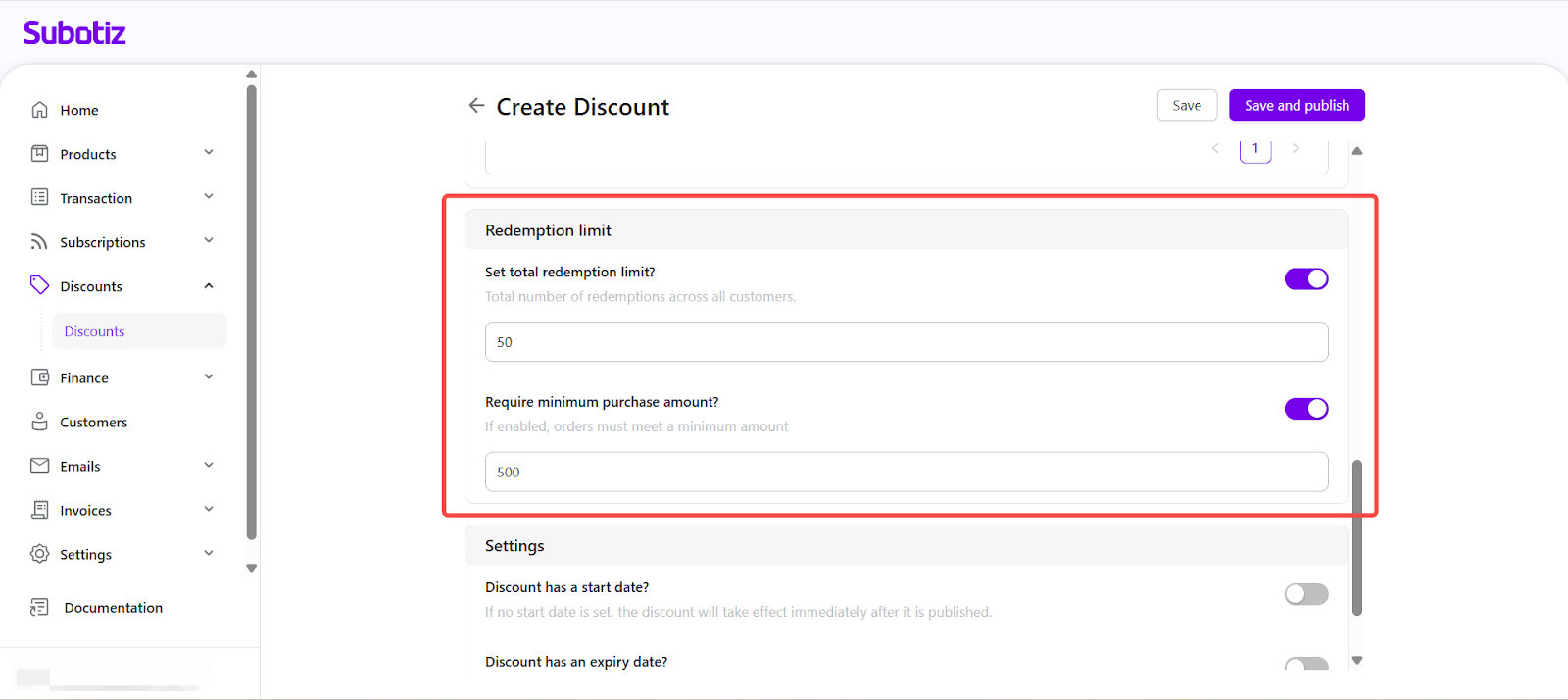
Set redemption limits:
- Total redemption limit: Cap the number of redemptions across all customers, or leave unlimited.
- Minimum purchase amount: Require a spend threshold before the discount applies.
-
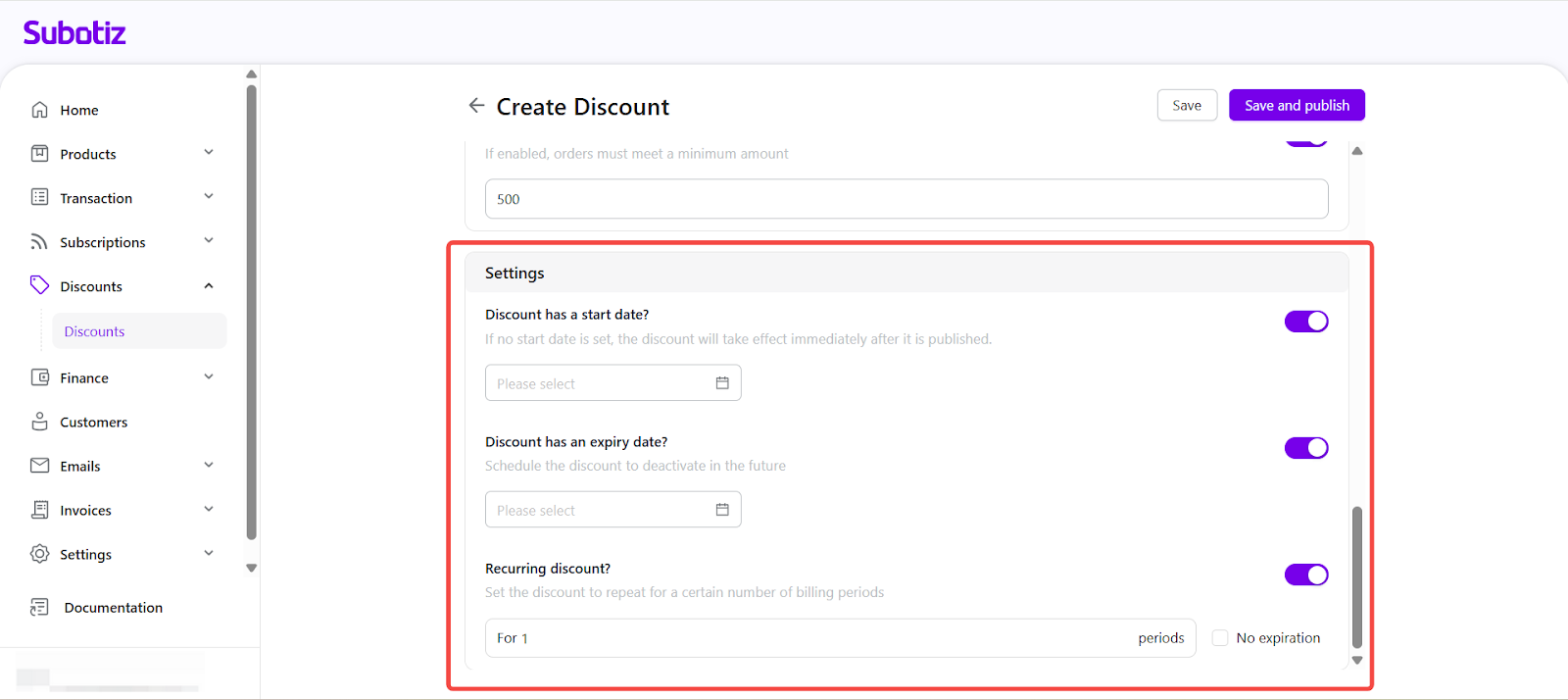
Configure scheduling:
- Start date: Leave blank to activate immediately, or set a future date.
- Expiry date: Optionally set an end date.
- Recurring discount: Apply across defined billing cycles, or configure as ongoing.
-
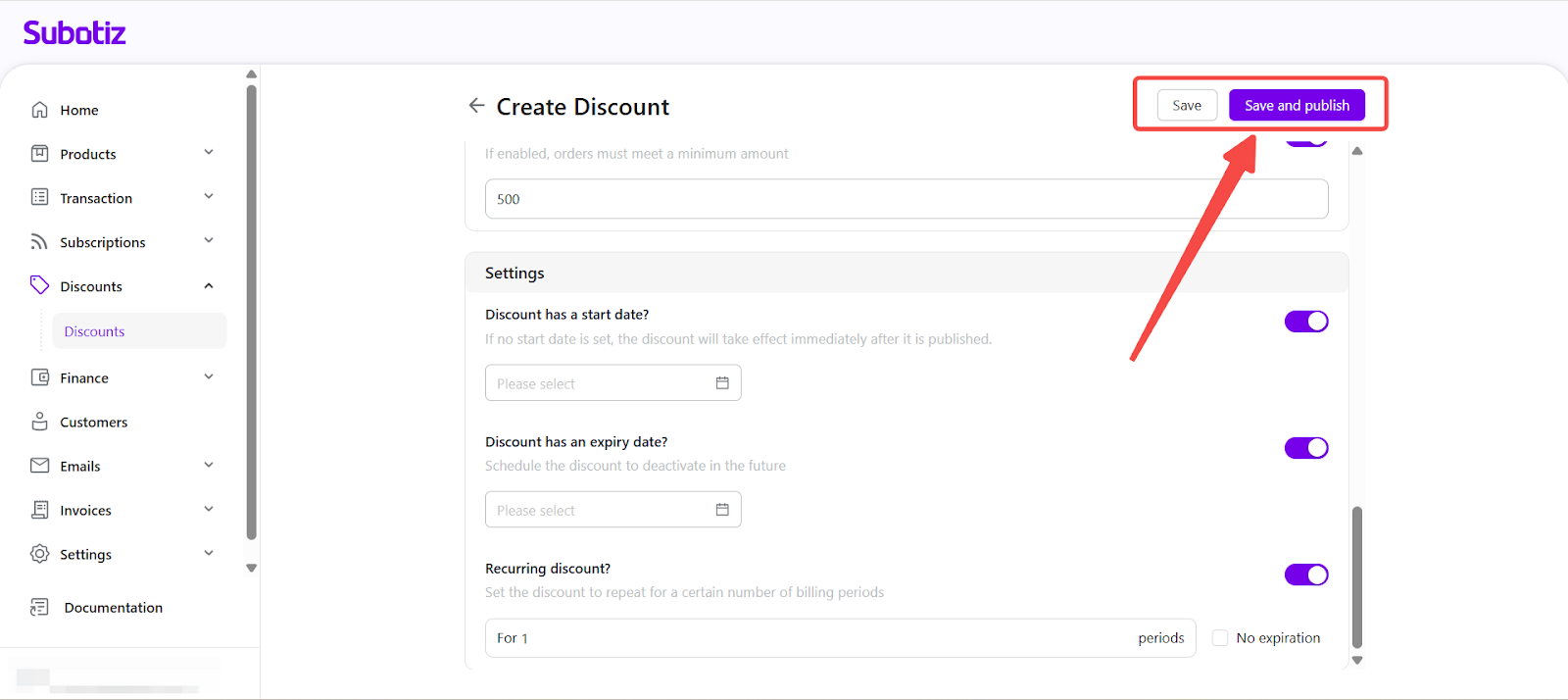
Save and publish:
- Save: Keep the campaign as a draft for future editing.
- Save and publish: Activate the campaign right away or at its scheduled start time.
Viewing and Managing Discounts
After creation, the discount appears on the Discounts page with details such as name, status, code, value, and redemption counts.
- To edit, open the discount, adjust configurations, and save changes. Edits apply to future transactions only and do not affect completed invoices or payments.
- Manage status with actions such as Publish, End Early, Reactivate, or Delete from the list or details page.
For detailed management instructions, see: Discounts|Viewing and Managing Discount Campaigns
Best Practices
- Use clear codes: Keep discount codes short and easy to recognize (e.g., WELCOME10).
- Set redemption limits: Prevent overuse by defining maximum redemption counts.
- Control product scope: Apply discounts to selected products or plans for targeted campaigns.
- Plan campaign timing: Align start and end dates with key marketing periods or promotions.
The Discounts feature in Subotiz enables merchants to create and manage promotional campaigns, helping improve conversion and retention.