The Settlement details page in Subotiz provides a complete breakdown of each settlement, including charges, refunds, fees, reserved amounts, and net amounts. This page helps merchants reconcile payouts, track reserve fund movements, and verify credited amounts.
Accessing Settlement Details
- Open Settlement details: In the Subotiz admin, go to Finance > Balance. Select a transaction with an eye icon (only available for Payment and Online payment types) to open the detail view.
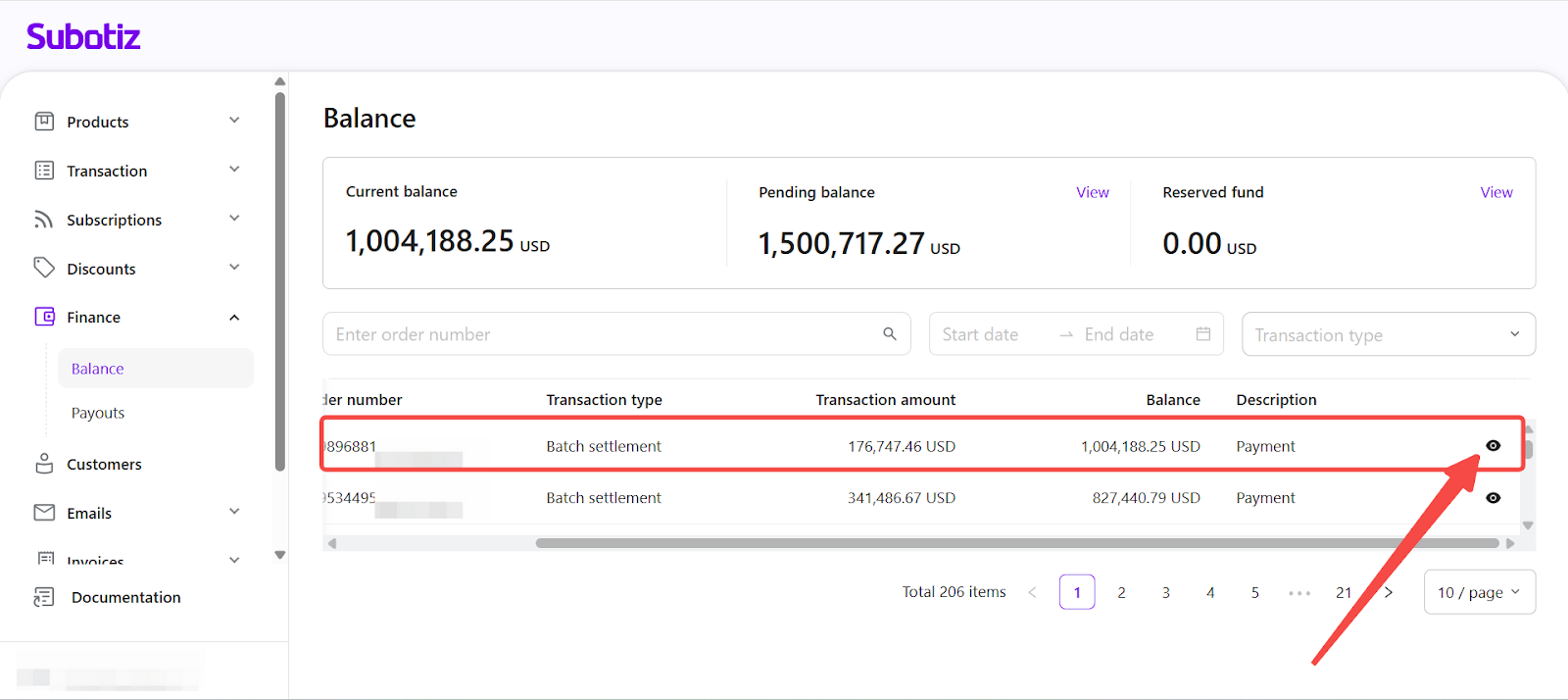
Settlement Summary: Row and Column Meanings
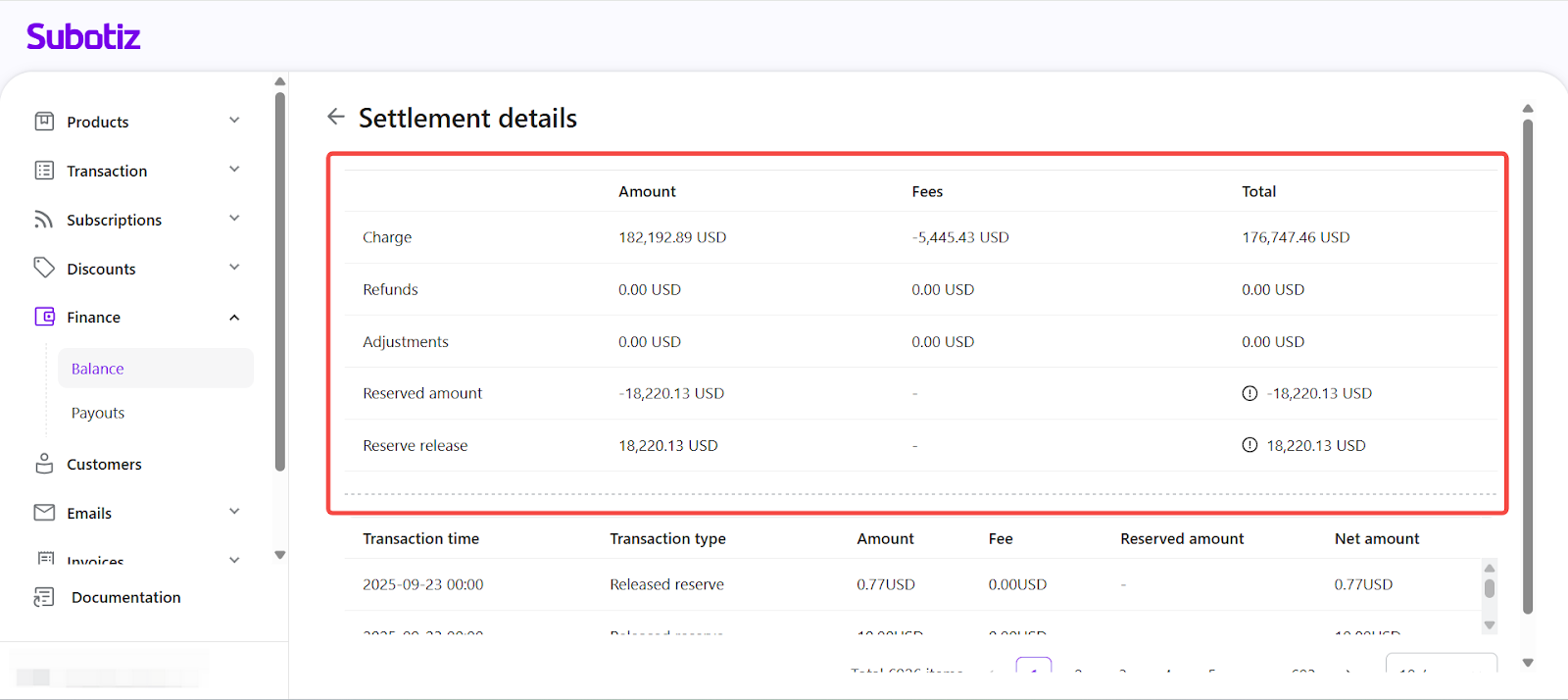
The top section displays a summary table of all amounts included in the settlement.
Row meanings:
Row | Description | Purpose |
|---|---|---|
Charge | Total amount of successful transactions before fees or reserves. | Gross sales amount |
Refunds | Total amount refunded to customers within the settlement period (negative). | Reduces gross amount |
Adjustments | Manual or system adjustments applied. | Rare, used for corrections |
Reserved amount | Portion of funds held under the rolling reserve policy. Tooltip: shows breakdown into Liquidity Margin and Fixed deposit guarantee. | Deducted from settlement |
Reserve release | Funds previously reserved and now released. Tooltip: shows released Liquidity Margin and Fixed deposit guarantee. | Added to settlement |
Column meanings:
Column | Description |
|---|---|
Amount | Gross value before deductions. |
Fees | Transaction or service fees deducted from the amount. |
Total | Net amount after fees. |
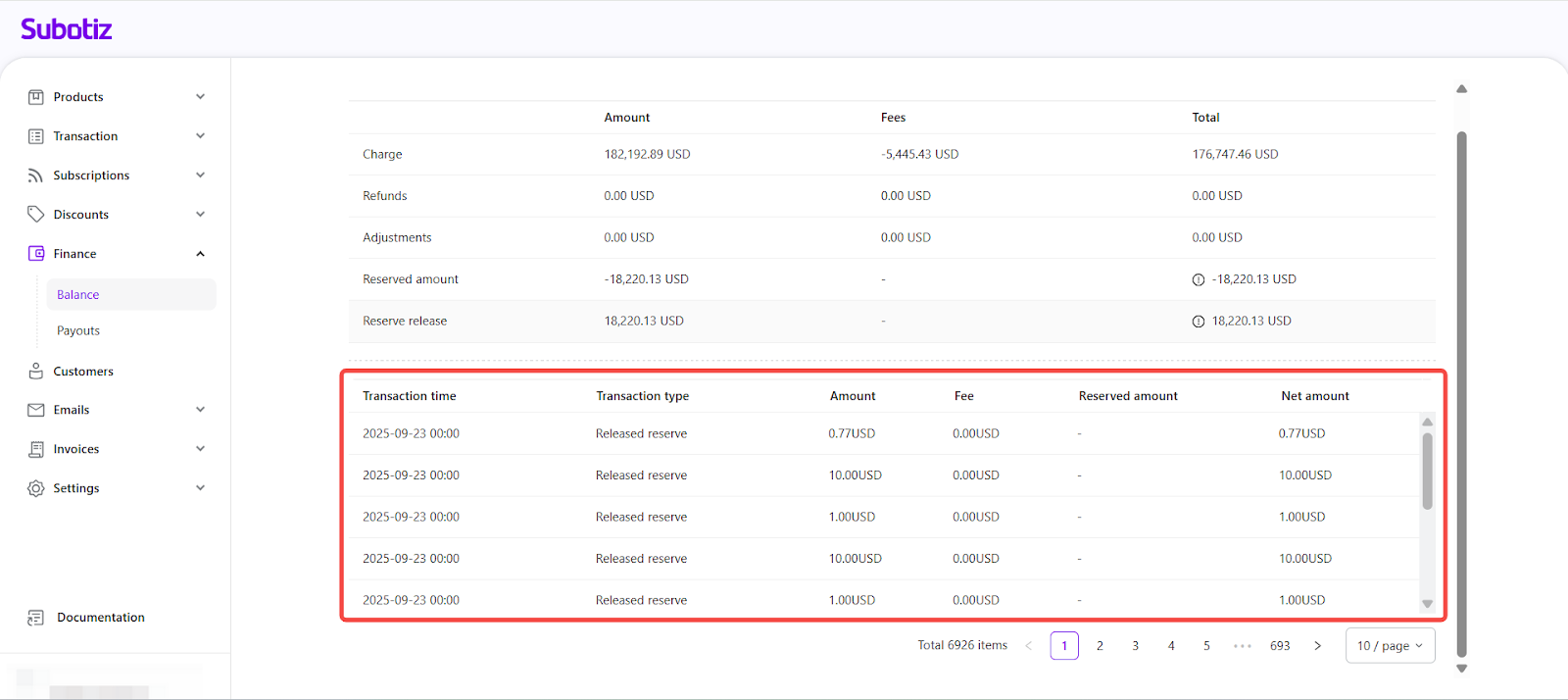
Reading the Transaction List
This section is especially useful for tracking Released reserve entries. It shows exactly when and how much reserve fund was returned to your balance.
Column | Description |
|---|---|
Transaction time | Date and time the transaction was processed. |
Transaction type | Category of the transaction (e.g., Released reserve). |
Amount | Gross value of the transaction. |
Fee | Fees deducted for this specific record. |
Reserved amount | Portion of the amount held in reserve (if applicable). |
Net amount | Final credited value after fees and reserve deductions. |
Best Practices
- Verify net amounts: Compare the settlement total against the payout record to ensure they match.
- Monitor reserve releases: Track reserve fund movements regularly to forecast available cash flow.
- Check unusual adjustments: Review and investigate any adjustments to understand their cause.
The Settlement details page enables merchants to see the complete composition of each settlement, monitor reserve fund activity, and reconcile payouts accurately. Understanding both the summary and detailed views ensures precise financial records and reduces manual reconciliation effort.